warning light LINCOLN NAVIGATOR 2023 Owner's Manual
[x] Cancel search | Manufacturer: LINCOLN, Model Year: 2023, Model line: NAVIGATOR, Model: LINCOLN NAVIGATOR 2023Pages: 660, PDF Size: 14.04 MB
Page 177 of 660
You can also adjust this feature through thetouchscreen.
HEATED SEATS
HEATED SEAT PRECAUTIONS
WARNING: Use caution when usingthe heated seat if you are unable to feelpain to your skin because of advancedage, chronic illness, diabetes, spinal cordinjury, medication, alcohol use, exhaustionor other physical conditions. The heatedseat could cause burns even at lowtemperatures, especially if used for longperiods of time. Failure to follow thisinstruction could result in personal injury.
WARNING: Do not poke sharpobjects into the seat cushion or seatbackrest. This could damage the heatedseat element and cause it to overheat.Failure to follow this instruction could resultin personal injury.
WARNING: Do not place anything onthe seat that blocks the heat, for examplea seat cover or a cushion. This could causethe seat to overheat. Failure to follow thisinstruction could result in personal injury.
Do not:
•Place heavy objects on the seat.
•Operate the heated seat if water or anyother liquid spills on the seat. Allow theseat to dry.
SWITCHING THE HEATED SEATS ONAND OFF
The vehicle must be running to use thisfeature.
Press the heated seat symbol to cyclethrough the various heat settings and off.More indicator lights indicate warmersettings.
Note:The heated seats may remain on afteryou remote start your vehicle, based on yourremote start settings. The heated seats mayalso turn on when you start your vehicle ifthey were on when you switched yourvehicle off.
Automatic Climate Controlled Seats (If
Equipped)
When you switch the auto setting on, theclimate controlled seats switch between theheated seats and ventilated seats to matchyour climate control setting.
173
2023 Navigator (TB9) Canada/United States of America, enUSA, Edition date: 202207, DOMFront SeatsE146322
Page 192 of 660
GARAGE DOOR OPENER
INTRODUCTION
HomeLink Wireless Control System
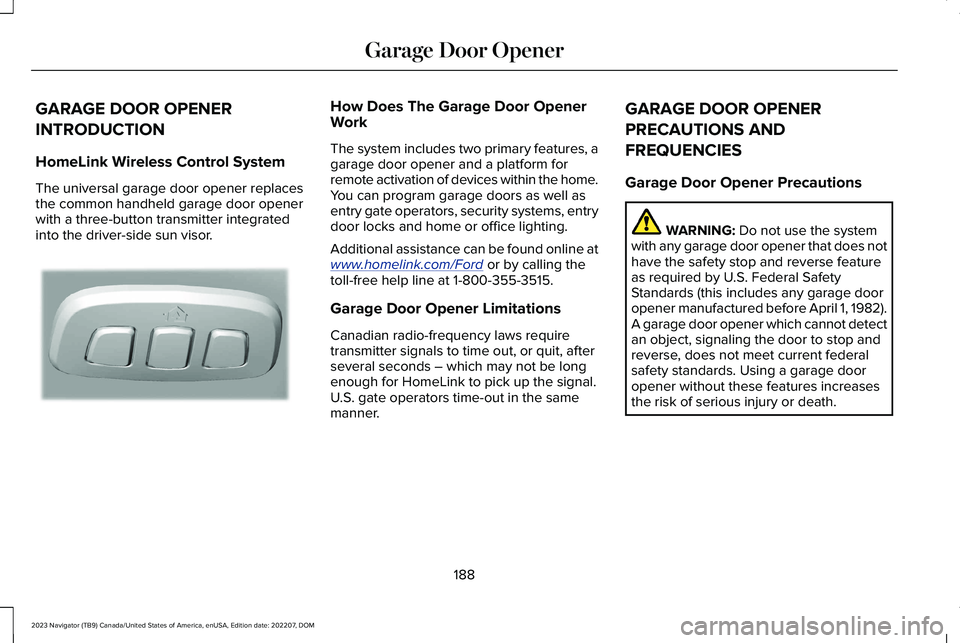
The universal garage door opener replacesthe common handheld garage door openerwith a three-button transmitter integratedinto the driver-side sun visor.
How Does The Garage Door OpenerWork
The system includes two primary features, agarage door opener and a platform forremote activation of devices within the home.You can program garage doors as well asentry gate operators, security systems, entrydoor locks and home or office lighting.
Additional assistance can be found online atwww.homelink.com/Ford or by calling thetoll-free help line at 1-800-355-3515.
Garage Door Opener Limitations
Canadian radio-frequency laws requiretransmitter signals to time out, or quit, afterseveral seconds – which may not be longenough for HomeLink to pick up the signal.U.S. gate operators time-out in the samemanner.
GARAGE DOOR OPENER
PRECAUTIONS AND
FREQUENCIES
Garage Door Opener Precautions
WARNING: Do not use the systemwith any garage door opener that does nothave the safety stop and reverse featureas required by U.S. Federal SafetyStandards (this includes any garage dooropener manufactured before April 1, 1982).A garage door opener which cannot detectan object, signaling the door to stop andreverse, does not meet current federalsafety standards. Using a garage dooropener without these features increasesthe risk of serious injury or death.
188
2023 Navigator (TB9) Canada/United States of America, enUSA, Edition date: 202207, DOMGarage Door OpenerE188211
Page 199 of 660
WHAT IS THE POWER OUTLET
The power outlet can power devices usinga 12 V outlet adapter.
POWER OUTLET PRECAUTIONS
WARNING: Do not plug optionalelectrical accessories into the cigar lightersocket. Incorrect use of the cigar lightercan cause damage not covered by thevehicle warranty, and can result in fire orserious injury.
When you switch the vehicle on, you can usethe socket to power 12 V appliances with amaximum current rating of 20 A. Do not usethe power point over the vehicle capacity of12 V DC 240 W or a fuse could blow. Do notplug in any device that supplies power to thevehicle through the power points. This couldresult in damage to vehicle systems. Do nothang any accessory from the accessory plug.Always keep the power point caps closedwhen not in use. Do not insert objects otherthan an accessory plug into the power point.
To prevent the battery from running out ofcharge:
•Do not use the power point longer thannecessary when the vehicle is off.
•Do not leave devices plugged inovernight or when you park your vehiclefor extended periods.
LOCATING THE POWER OUTLETS
Power outlets may be in the followinglocations:
•On the lower instrument panel.
•Inside the center console.
•On the front of the center console.
•On the rear of the center console.
•In the cargo area.
•On the passenger side floor panel.
•3rd row on the quarter trim panels.
195
2023 Navigator (TB9) Canada/United States of America, enUSA, Edition date: 202207, DOMPower Outlet - Vehicles With: 12V Power Outlet
Page 212 of 660
WHAT IS AUTO-START-STOP
The system is designed to help reduce fuelconsumption and CO2 emissions by stopping
the engine when it is idling, for example attraffic lights.
AUTO-START-STOP PRECAUTIONS
WARNING: Apply the parking brake,shift into park (P), switch the ignition offand remove the key before you leave yourvehicle. Failure to follow this instructioncould result in personal injury or death.
WARNING: Apply the parking brake,shift into park (P), switch the ignition offand remove the key before you open thehood or have any service or repair workcompleted. If you do not switch the ignitionoff, the engine could restart at any time.Failure to follow this instruction could resultin personal injury or death.
SWITCHING AUTO-START-STOP
ON AND OFF
The system turns on when you switch theignition on.
Press the button to switch thesystem off.
Note:OFF illuminates in the switch.
Note:Deactivating the system using thebutton lasts only one key cycle.
Press the button again to switch the systemback on.
Note: The system turns off if it detects amalfunction. If the system malfunctions,have your vehicle checked as soon aspossible.
STOPPING THE ENGINE
Stop your vehicle, keep your foot on thebrake pedal and the transmission in drive(D).
RESTARTING THE ENGINE
Release the brake pedal or press theaccelerator pedal.
A message appears in the instrument clusterdisplay if the system requires you to takeaction.
AUTO-START-STOP INDICATORS
WARNING: The system may requirethe engine to automatically restart whenthe auto-start-stop indicator illuminatesgreen or flashes amber. Failure to followthis instruction could result in personalinjury.
The Auto-Start-Stop indicatorilluminates green when the enginestops. It flashes amber and amessage appears when you need to takeaction.
208
2023 Navigator (TB9) Canada/United States of America, enUSA, Edition date: 202207, DOMAuto-Start-Stop (If Equipped)E121377 E121377
Page 242 of 660
WHAT IS REVERSE BRAKING
ASSIST
Lincoln Reverse Brake Assist
The system uses sensors on the rear of yourvehicle to detect a possible collision andapplies the brakes to either reduce thedamage from impact, or to assist in avoidingthe collision.
HOW DOES REVERSE BRAKING
ASSIST WORK
Reverse braking assist functions when inreverse (R) and traveling at a speed of1–7 mph (2–12 km/h).
If the system detects an obstacle behind yourvehicle, it provides a warning through therear parking aid or cross traffic alert system.
REVERSE BRAKING ASSIST
PRECAUTIONS
WARNING: You are responsible forcontrolling your vehicle at all times. Thesystem is designed to be an aid and doesnot relieve you of your responsibility todrive with due care and attention. Failureto follow this instruction could result in theloss of control of your vehicle, personalinjury or death.
WARNING: To help avoid personalinjury, always use caution when in reverse(R) and when using the sensing system.
WARNING: The system may notoperate properly during severe weatherconditions, for example snow, ice, heavyrain and spray. Always drive with due careand attention. Failure to take care mayresult in a crash.
WARNING: Traffic control systems,fluorescent lamps, inclement weather, airbrakes, external motors and fans mayaffect the correct operation of the sensingsystem. This may cause reducedperformance or false alerts.
WARNING: Some situations andobjects prevent hazard detection. Forexample low or direct sunlight, inclementweather, unconventional vehicle types, andpedestrians. Apply the brakes whennecessary. Failure to follow this instructioncould result in the loss of control of yourvehicle, personal injury or death.
WARNING: Do not use the systemwith accessories that extend beyond thefront or rear of your vehicle, for example atrailer hitch or bike rack. The system is notable to make corrections for the additionallength of the accessories.
238
2023 Navigator (TB9) Canada/United States of America, enUSA, Edition date: 202207, DOMReverse Braking Assist (If Equipped)
Page 247 of 660
HOW DOES AUTO HOLD WORK
Auto hold applies the brakes to hold yourvehicle after you bring the vehicle to a stop.This can help when waiting on a hill or intraffic.
SWITCHING AUTO HOLD ON AND
OFF
WARNING: The system does notreplace the parking brake. When you leaveyour vehicle, always apply the parkingbrake.
WARNING: You must remain in yourvehicle when the system turns on. At alltimes, you are responsible for controllingyour vehicle, supervising the system andintervening, if required. Failure to take caremay result in the loss of control of yourvehicle, serious personal injury or death.
WARNING: The system will turn offif a malfunction is apparent. Failure to takecare may result in the loss of control ofyour vehicle, serious personal injury ordeath.
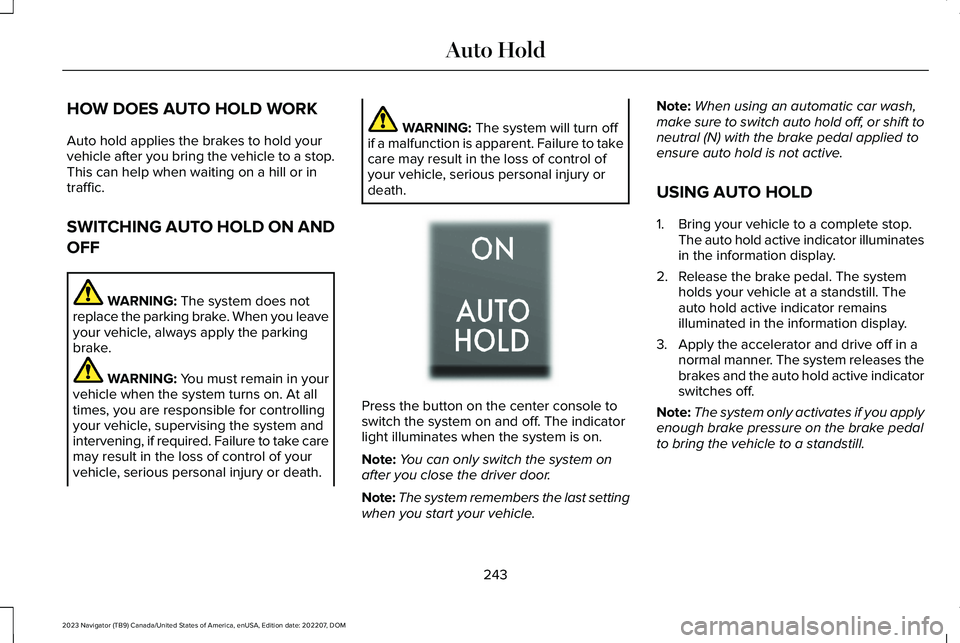
Press the button on the center console toswitch the system on and off. The indicatorlight illuminates when the system is on.
Note:You can only switch the system onafter you close the driver door.
Note:The system remembers the last settingwhen you start your vehicle.
Note:When using an automatic car wash,make sure to switch auto hold off, or shift toneutral (N) with the brake pedal applied toensure auto hold is not active.
USING AUTO HOLD
1.Bring your vehicle to a complete stop.The auto hold active indicator illuminatesin the information display.
2.Release the brake pedal. The systemholds your vehicle at a standstill. Theauto hold active indicator remainsilluminated in the information display.
3.Apply the accelerator and drive off in anormal manner. The system releases thebrakes and the auto hold active indicatorswitches off.
Note:The system only activates if you applyenough brake pressure on the brake pedalto bring the vehicle to a standstill.
243
2023 Navigator (TB9) Canada/United States of America, enUSA, Edition date: 202207, DOMAuto HoldE256165
Page 251 of 660
HOW DOES STABILITY CONTROL
WORK
WARNING: Vehicle modificationsinvolving braking system, aftermarket roofracks, suspension, steering system, tireconstruction and wheel and tire size maychange the handling characteristics of yourvehicle and may adversely affect theperformance of the electronic stabilitycontrol system. In addition, installing anystereo speakers may interfere with andadversely affect the electronic stabilitycontrol system. Reducing the effectivenessof the electronic stability control systemcould lead to an increased risk of loss ofvehicle control, vehicle rollover, personalinjury and death.
WARNING: Remember that evenadvanced technology cannot defy the lawsof physics. It's always possible to losecontrol of a vehicle due to inappropriatedriver input for the conditions. Aggressivedriving on any road condition can causeyou to lose control of your vehicle
increasing the risk of personal injury orproperty damage. Activation of theelectronic stability control system is anindication that at least some of the tireshave exceeded their ability to grip theroad; this could reduce the operator'sability to control the vehicle potentiallyresulting in a loss of vehicle control, vehiclerollover, personal injury and death.
WARNING: You are responsible forcontrolling your vehicle at all times. Thesystem is designed to be an aid and doesnot relieve you of your responsibility todrive with due care and attention. Failureto follow this instruction could result in theloss of control of your vehicle, personalinjury or death.
If a driving condition activates either thestability control or traction control you mayexperience the following conditions:
•The stability and traction control lightflashes.
•Your vehicle slows down.
•Reduced engine power.
The stability control system has severalfeatures built into it to help you maintaincontrol of your vehicle:
Electronic Stability Control
Electronic stability control enhances yourvehicle’s ability to prevent skids or lateralslides by applying brakes to one or more ofthe wheels individually and, if necessary,reducing engine power.
Roll Stability Control
Roll stability control enhances your vehicle’sability to prevent rollovers by detecting yourvehicle’s roll motion and the rate at which itchanges by applying the brakes to one ormore wheels individually.
Curve Control
Curve control enhances your vehicle’s abilityto follow the road when cornering severelyor avoiding objects in the roadway. Curvecontrol operates by reducing engine powerand, if necessary, applying brakes to one ormore of the wheels individually.
247
2023 Navigator (TB9) Canada/United States of America, enUSA, Edition date: 202207, DOMStability Control
Page 275 of 660
Hilly Condition Usage
Select a lower gear when the system isactive in situations such as prolongeddownhill driving on steep slopes, for examplein mountainous areas.
ADAPTIVE CRUISE CONTROL
LIMITATIONS
Sensor Limitations
WARNING: On rare occasions,detection issues can occur due to the roadinfrastructures, for example bridges,tunnels and safety barriers. In these cases,the system may brake late orunexpectedly. At all times, you areresponsible for controlling your vehicle,supervising the system and intervening, ifrequired.
WARNING: If the systemmalfunctions, have your vehicle checkedas soon as possible.
WARNING: Large contrasts in outsidelighting can limit sensor performance.
WARNING: The system only warnsof vehicles detected by the radar sensor.In some cases there may be no warningor a delayed warning. Apply the brakeswhen necessary. Failure to follow thisinstruction could result in personal injuryor death.
WARNING: The system may notdetect stationary or slow moving vehiclesbelow 6 mph (10 km/h).
WARNING: The system does notdetect pedestrians or objects in the road.
WARNING: The system does notdetect oncoming vehicles in the same lane.
WARNING: The system may notoperate properly if the sensor is blocked.Keep the windshield free from obstruction.
WARNING: The sensor mayincorrectly track lane markings as otherstructures or objects. This can result in afalse or missed warning.
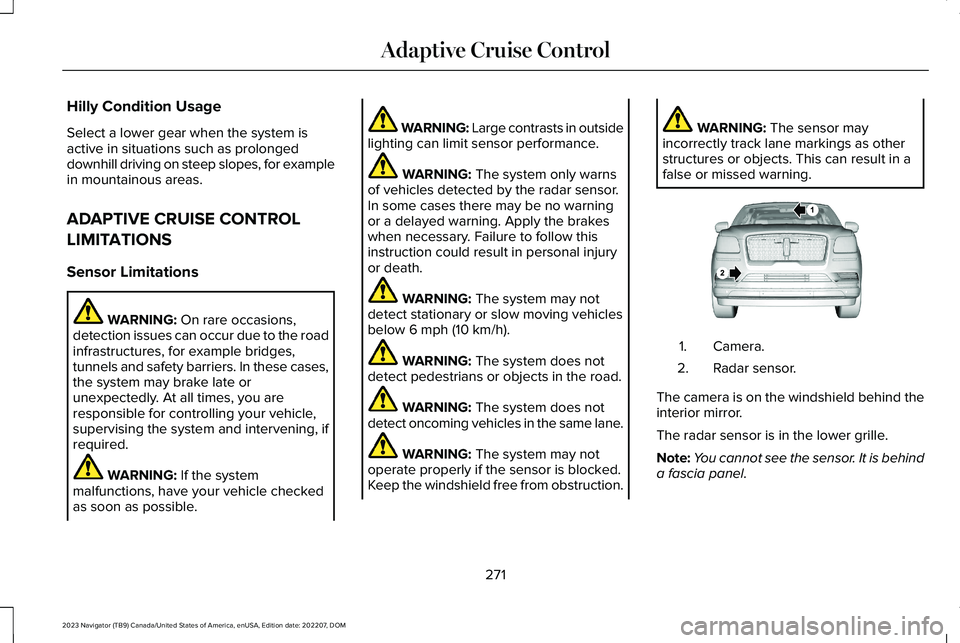
Camera.1.
Radar sensor.2.
The camera is on the windshield behind theinterior mirror.
The radar sensor is in the lower grille.
Note:You cannot see the sensor. It is behinda fascia panel.
271
2023 Navigator (TB9) Canada/United States of America, enUSA, Edition date: 202207, DOMAdaptive Cruise ControlE253503
Page 285 of 660
When the system is active and detects nosteering activity for a period of time, thesystem alerts you to put your hands on thesteering wheel. If you do not reactappropriately to the warnings the adaptivecruise control with lane centering systemcancels and slows your vehicle down to idlespeeds while maintaining steering control.See Lane Centering Automatic Cancellation(page 281).
The system also alerts you if your vehiclecrosses lane line markings without detectedsteering activity.
Note:The system could detect a light gripor light touch on the steering wheel ashands-off driving.
LANE CENTERING AUTOMATICCANCELLATION
When an external condition cancels thesystem, and your hands are on the steeringwheel, a tone sounds and a messageappears in the instrument cluster display.
When an external condition cancels thesystem, and your hands are not on thesteering wheel, the system immediatelyalerts you to take control of the vehicle. Ifthis alert is ignored, the system slows thevehicle while maintaining steering assistancewhen lane markings are available. When nolane markings are available, the vehiclecomes to a stop.
If your vehicle starts to slow downafter system cancellation, you musttake full control of the vehicle. Tore-enable adaptive cruise control with lanecentering after cancellation, press andrelease the resume button.
Automatic cancellation can also occur if:
•The lane becomes too wide or narrow.
•The system cannot detect valid lanemarkings.
•Lane markings cross over one another.
•The curve of the road is too sharp.
Note:If your vehicle slows down due to yourinactivity twice within a key cycle, the systemdisables. To reset the system, when thevehicle is stationary, return the gear selectorto park (P) and turn the vehicle off. Then,restart the vehicle with your foot on thebrake pedal.
LANE CENTERING MANUALCANCELLATION
When you perform the following actions,adaptive cruise control with lane centeringwill cancel:
•The brake pedal is pressed.
•Adaptive cruise control button isswitched off on the steering wheel.
The lane centering system is momentarilysuppressed when either of the followingactions are performed:
•Turn signal indicator is latched or tapped.
•You steer the vehicle out of lane.
281
2023 Navigator (TB9) Canada/United States of America, enUSA, Edition date: 202207, DOMAdaptive Cruise ControlE308130
Page 291 of 660
Appropriate position, camera can see theface.
For the most optimal experience from thedriver facing camera:
•Make sure to not wear any facialcoverings.
•Raise the seating position and/or lowerthe steering column so your face is seenby the driver facing camera.
•Avoid leaning the seat back so the driverfacing camera can see your face.
•Avoid using infrared blocking sunglasses.
•Make sure your hands, arms or otherobjects are not blocking the driver facingcamera.
Note:When ActiveGlide is active, in certaincrash or near crash-like situations, such asan air bag deployment or hitting a roadobstacle, camera data may record throughthe vehicle event data recorder. See EventData (page 26).
Note:No data records under normal drivingconditions.
ACTIVEGLIDE™ PRECAUTIONS
WARNING: You are responsible forkeeping your eyes on the road at all times.The system is designed to be an aid anddoes not relieve you of your responsibilityto drive with due care and attention. Failureto follow this instruction could result in theloss of control of your vehicle, personalinjury or death.
WARNING: You are responsible forcontrolling your vehicle at all times. Thesystem is designed to be an aid and doesnot relieve you of your responsibility todrive with due care and attention. Failureto follow this instruction could result in theloss of control of your vehicle, personalinjury or death.
WARNING: Do not use the systemwhen towing a trailer. Failure to follow thisinstruction could result in the loss ofcontrol of your vehicle, personal injury ordeath.
WARNING: Obstructions to the driverfacing camera or infrared lighting couldprevent the system from properlyoperating. Keep the camera and lightingareas free from obstruction. Failure tofollow this instruction could result in theloss of control of your vehicle, personalinjury or death.
WARNING: Do not use the system ifany changes or modifications to thesteering wheel have been made. Anychanges or modifications to the steeringwheel could affect the functionality orperformance of the system. Failure tofollow this instruction could result in theloss of control of your vehicle, personalinjury or death.
WARNING: The system may notfunction if the sensor is blocked.
287
2023 Navigator (TB9) Canada/United States of America, enUSA, Edition date: 202207, DOMActiveGlide™ (If Equipped)