fuel LINCOLN NAVIGATOR 2023 Workshop Manual
[x] Cancel search | Manufacturer: LINCOLN, Model Year: 2023, Model line: NAVIGATOR, Model: LINCOLN NAVIGATOR 2023Pages: 660, PDF Size: 14.04 MB
Page 542 of 660
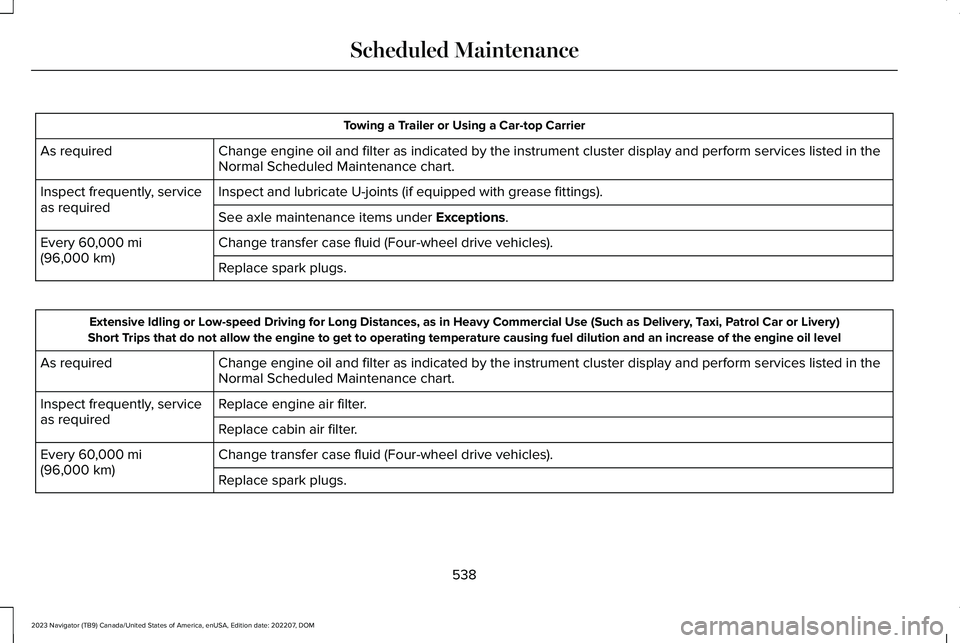
Towing a Trailer or Using a Car-top Carrier
Change engine oil and filter as indicated by the instrument cluster display and perform services listed in theNormal Scheduled Maintenance chart.As required
Inspect and lubricate U-joints (if equipped with grease fittings).Inspect frequently, serviceas requiredSee axle maintenance items under Exceptions.
Change transfer case fluid (Four-wheel drive vehicles).Every 60,000 mi(96,000 km)Replace spark plugs.
Extensive Idling or Low-speed Driving for Long Distances, as in Heavy Commercial Use (Such as Delivery, Taxi, Patrol Car or Livery)Short Trips that do not allow the engine to get to operating temperature causing fuel dilution and an increase of the engine oil level
Change engine oil and filter as indicated by the instrument cluster display and perform services listed in theNormal Scheduled Maintenance chart.As required
Replace engine air filter.Inspect frequently, serviceas requiredReplace cabin air filter.
Change transfer case fluid (Four-wheel drive vehicles).Every 60,000 mi(96,000 km)Replace spark plugs.
538
2023 Navigator (TB9) Canada/United States of America, enUSA, Edition date: 202207, DOMScheduled Maintenance
Page 544 of 660
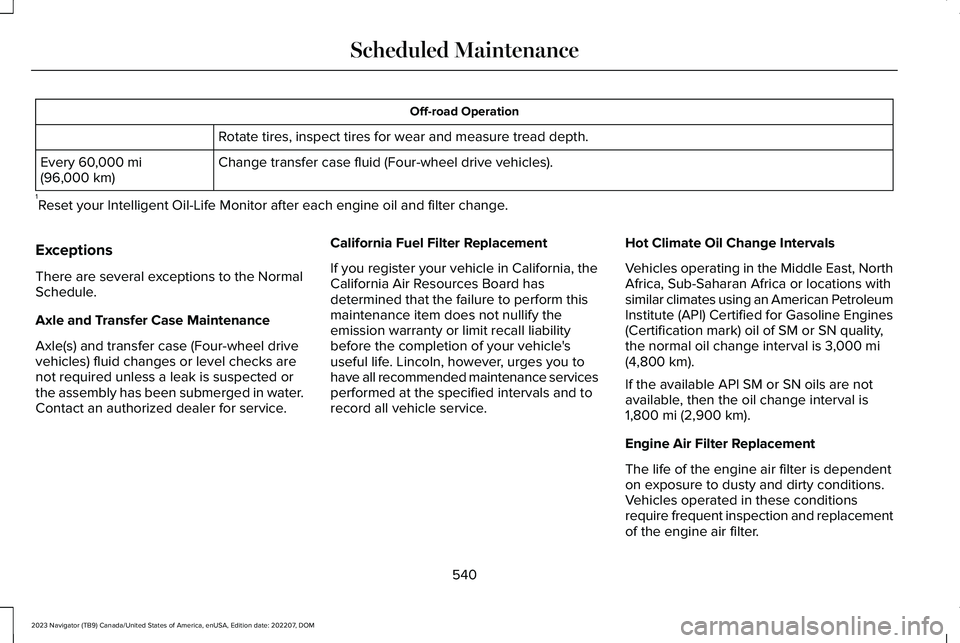
Off-road Operation
Rotate tires, inspect tires for wear and measure tread depth.
Change transfer case fluid (Four-wheel drive vehicles).Every 60,000 mi(96,000 km)
1Reset your Intelligent Oil-Life Monitor after each engine oil and filter change.
Exceptions
There are several exceptions to the NormalSchedule.
Axle and Transfer Case Maintenance
Axle(s) and transfer case (Four-wheel drivevehicles) fluid changes or level checks arenot required unless a leak is suspected orthe assembly has been submerged in water.Contact an authorized dealer for service.
California Fuel Filter Replacement
If you register your vehicle in California, theCalifornia Air Resources Board hasdetermined that the failure to perform thismaintenance item does not nullify theemission warranty or limit recall liabilitybefore the completion of your vehicle'suseful life. Lincoln, however, urges you tohave all recommended maintenance servicesperformed at the specified intervals and torecord all vehicle service.
Hot Climate Oil Change Intervals
Vehicles operating in the Middle East, NorthAfrica, Sub-Saharan Africa or locations withsimilar climates using an American PetroleumInstitute (API) Certified for Gasoline Engines(Certification mark) oil of SM or SN quality,the normal oil change interval is 3,000 mi(4,800 km).
If the available API SM or SN oils are notavailable, then the oil change interval is1,800 mi (2,900 km).
Engine Air Filter Replacement
The life of the engine air filter is dependenton exposure to dusty and dirty conditions.Vehicles operated in these conditionsrequire frequent inspection and replacementof the engine air filter.
540
2023 Navigator (TB9) Canada/United States of America, enUSA, Edition date: 202207, DOMScheduled Maintenance
Page 626 of 660
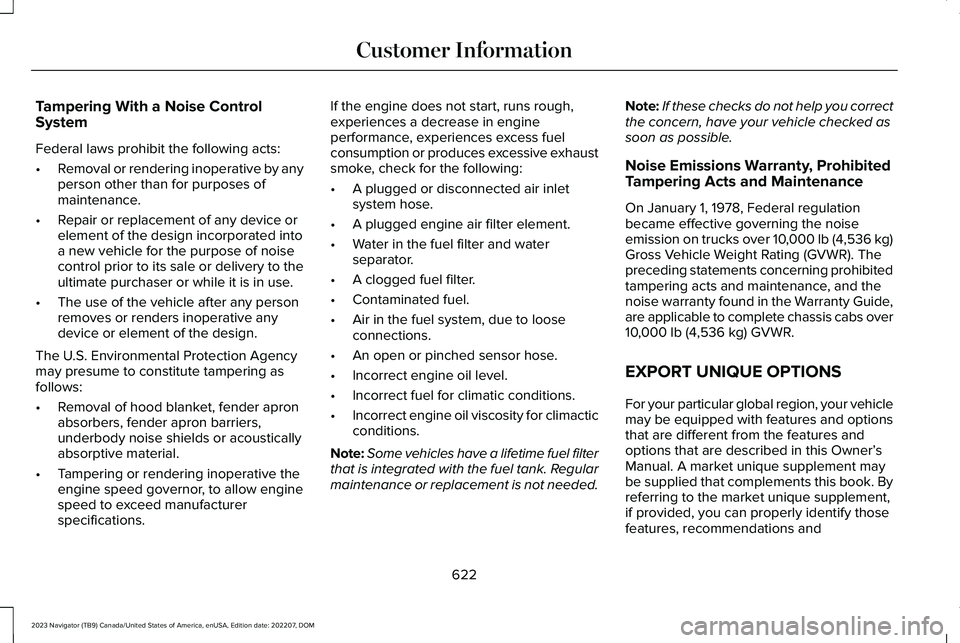
Tampering With a Noise ControlSystem
Federal laws prohibit the following acts:
•Removal or rendering inoperative by anyperson other than for purposes ofmaintenance.
•Repair or replacement of any device orelement of the design incorporated intoa new vehicle for the purpose of noisecontrol prior to its sale or delivery to theultimate purchaser or while it is in use.
•The use of the vehicle after any personremoves or renders inoperative anydevice or element of the design.
The U.S. Environmental Protection Agencymay presume to constitute tampering asfollows:
•Removal of hood blanket, fender apronabsorbers, fender apron barriers,underbody noise shields or acousticallyabsorptive material.
•Tampering or rendering inoperative theengine speed governor, to allow enginespeed to exceed manufacturerspecifications.
If the engine does not start, runs rough,experiences a decrease in engineperformance, experiences excess fuelconsumption or produces excessive exhaustsmoke, check for the following:
•A plugged or disconnected air inletsystem hose.
•A plugged engine air filter element.
•Water in the fuel filter and waterseparator.
•A clogged fuel filter.
•Contaminated fuel.
•Air in the fuel system, due to looseconnections.
•An open or pinched sensor hose.
•Incorrect engine oil level.
•Incorrect fuel for climatic conditions.
•Incorrect engine oil viscosity for climacticconditions.
Note:Some vehicles have a lifetime fuel filterthat is integrated with the fuel tank. Regularmaintenance or replacement is not needed.
Note:If these checks do not help you correctthe concern, have your vehicle checked assoon as possible.
Noise Emissions Warranty, ProhibitedTampering Acts and Maintenance
On January 1, 1978, Federal regulationbecame effective governing the noiseemission on trucks over 10,000 lb (4,536 kg)Gross Vehicle Weight Rating (GVWR). Thepreceding statements concerning prohibitedtampering acts and maintenance, and thenoise warranty found in the Warranty Guide,are applicable to complete chassis cabs over10,000 lb (4,536 kg) GVWR.
EXPORT UNIQUE OPTIONS
For your particular global region, your vehiclemay be equipped with features and optionsthat are different from the features andoptions that are described in this Owner’sManual. A market unique supplement maybe supplied that complements this book. Byreferring to the market unique supplement,if provided, you can properly identify thosefeatures, recommendations and
622
2023 Navigator (TB9) Canada/United States of America, enUSA, Edition date: 202207, DOMCustomer Information
Page 627 of 660
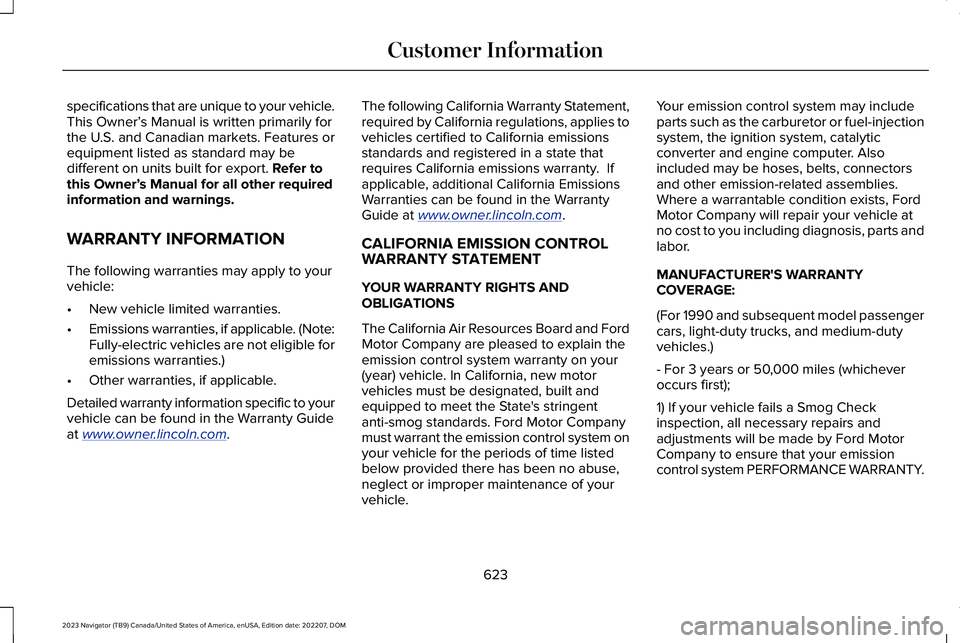
specifications that are unique to your vehicle.This Owner’s Manual is written primarily forthe U.S. and Canadian markets. Features orequipment listed as standard may bedifferent on units built for export. Refer tothis Owner’s Manual for all other requiredinformation and warnings.
WARRANTY INFORMATION
The following warranties may apply to yourvehicle:
•New vehicle limited warranties.
•Emissions warranties, if applicable. (Note:Fully-electric vehicles are not eligible foremissions warranties.)
•Other warranties, if applicable.
Detailed warranty information specific to yourvehicle can be found in the Warranty Guideat www.owner.lincoln.com.
The following California Warranty Statement,required by California regulations, applies tovehicles certified to California emissionsstandards and registered in a state thatrequires California emissions warranty. Ifapplicable, additional California EmissionsWarranties can be found in the WarrantyGuide at www.owner.lincoln.com.
CALIFORNIA EMISSION CONTROLWARRANTY STATEMENT
YOUR WARRANTY RIGHTS ANDOBLIGATIONS
The California Air Resources Board and FordMotor Company are pleased to explain theemission control system warranty on your(year) vehicle. In California, new motorvehicles must be designated, built andequipped to meet the State's stringentanti-smog standards. Ford Motor Companymust warrant the emission control system onyour vehicle for the periods of time listedbelow provided there has been no abuse,neglect or improper maintenance of yourvehicle.
Your emission control system may includeparts such as the carburetor or fuel-injectionsystem, the ignition system, catalyticconverter and engine computer. Alsoincluded may be hoses, belts, connectorsand other emission-related assemblies.Where a warrantable condition exists, FordMotor Company will repair your vehicle atno cost to you including diagnosis, parts andlabor.
MANUFACTURER'S WARRANTYCOVERAGE:
(For 1990 and subsequent model passengercars, light-duty trucks, and medium-dutyvehicles.)
- For 3 years or 50,000 miles (whicheveroccurs first);
1) If your vehicle fails a Smog Checkinspection, all necessary repairs andadjustments will be made by Ford MotorCompany to ensure that your emissioncontrol system PERFORMANCE WARRANTY.
623
2023 Navigator (TB9) Canada/United States of America, enUSA, Edition date: 202207, DOMCustomer Information
Page 629 of 660
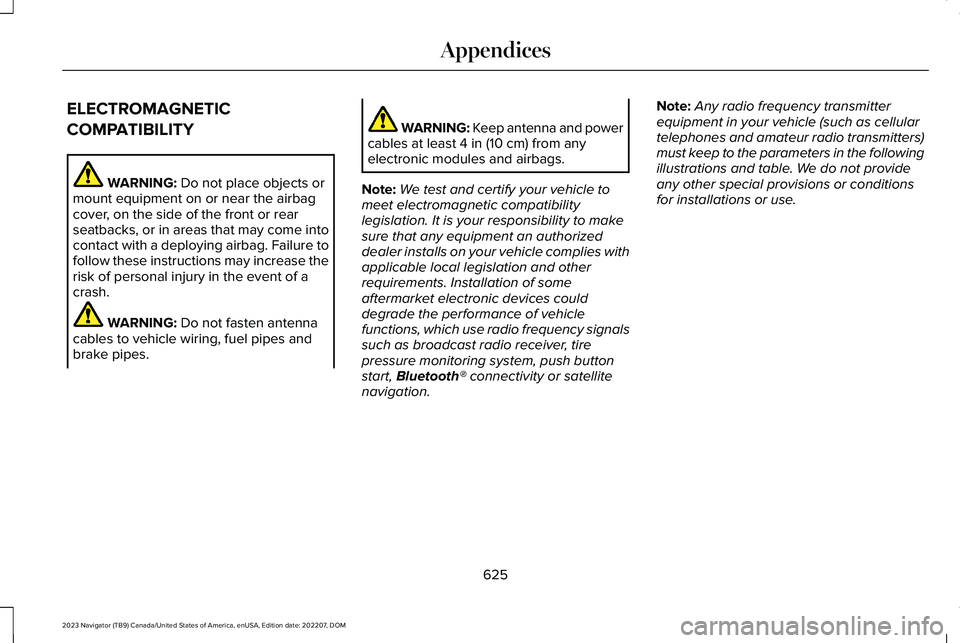
ELECTROMAGNETIC
COMPATIBILITY
WARNING: Do not place objects ormount equipment on or near the airbagcover, on the side of the front or rearseatbacks, or in areas that may come intocontact with a deploying airbag. Failure tofollow these instructions may increase therisk of personal injury in the event of acrash.
WARNING: Do not fasten antennacables to vehicle wiring, fuel pipes andbrake pipes.
WARNING: Keep antenna and powercables at least 4 in (10 cm) from anyelectronic modules and airbags.
Note:We test and certify your vehicle tomeet electromagnetic compatibilitylegislation. It is your responsibility to makesure that any equipment an authorizeddealer installs on your vehicle complies withapplicable local legislation and otherrequirements. Installation of someaftermarket electronic devices coulddegrade the performance of vehiclefunctions, which use radio frequency signalssuch as broadcast radio receiver, tirepressure monitoring system, push buttonstart, Bluetooth® connectivity or satellitenavigation.
Note:Any radio frequency transmitterequipment in your vehicle (such as cellulartelephones and amateur radio transmitters)must keep to the parameters in the followingillustrations and table. We do not provideany other special provisions or conditionsfor installations or use.
625
2023 Navigator (TB9) Canada/United States of America, enUSA, Edition date: 202207, DOMAppendices
Page 639 of 660
Catalytic Converter.......................................218Catalytic Converter – Troubleshooting.........219
Catalytic Converter Precautions...............218Catalytic Converter –Troubleshooting..........................................219Catalytic Converter – Warning Lamps...........219
Center Console............................................200Opening the Center Console.........................200
Center Display Limitations.........................498Center Display Overview...........................498Center Display Precautions.......................498Changing a Flat Tire....................................459Changing a Road Wheel............................459Changing the 12V Battery..........................424Changing the Fuel Filter.............................424Changing the Language...............................151Changing the Measurement Unit...............151Changing the Radio Station.......................497Changing the Remote Control Battery......73Changing the Temperature Unit.................151Changing the Tire Pressure Unit................151Changing the Vehicle Wi-Fi Hotspot Nameor Password................................................484Charging a Device........................................194Charging a Wireless Device.......................198Checking MyKey System Status.................84Checking the Brake Fluid..........................232Checking the Coolant..................................418
Checking the Seatbelts.................................58Checking the Tire Pressures.....................449Checking the Wiper Blades.........................116Childminder Mirror........................................136Childminder Mirror Precautions.......................136Locating the Childminder Mirror......................136
Children and Airbags.....................................65Child Restraint Anchor Points......................40Locating the Child Restraint Lower AnchorPoints...................................................................40Locating the Child Restraint Top TetherAnchor Points.....................................................41What Are the Child Restraint AnchorPoints...................................................................40
Child Restraints................................................41Child Restraint Position Information..................41Child Restraints Recommendation...................43
Child Safety......................................................39Child Restraint Anchor Points............................40Child Restraints.......................................................41Installing Child Restraints....................................44
Child Safety Locks...........................................51Child Safety Precautions...............................39Cleaning Products.......................................429Cleaning the Exterior..................................430Cleaning Camera Lenses and Sensors........432Cleaning Chrome, Aluminium or StainlessSteel..................................................................430
Cleaning Headlamps and Rear Lamps.........430Cleaning Stripes or Graphics............................431Cleaning the Engine Compartment................431Cleaning the Exterior Precautions.................430Cleaning the Underbody..................................432Cleaning Wheels..................................................431Cleaning Windows and Wiper Blades..........430
Cleaning the Interior....................................432Cleaning Carpets and Floor Mats..................433Cleaning Displays and Screens......................432Cleaning Fabric Seats and Headliners.........433Cleaning Leather and Vinyl..............................433Cleaning Moonroof Tracks...............................434Cleaning Plastic..................................................432Cleaning Seatbelts.............................................434Cleaning the Instrument Panel.......................432
Clearing All MyKeys.......................................84Climate Control..............................................159Auto Mode.............................................................161
Climate Control Hints...................................162Closing the Liftgate......................................100Closing the Hands-Free Liftgate.....................102Closing the Liftgate From Inside YourVehicle...............................................................100Closing the Liftgate From Outside YourVehicle................................................................101Closing the Liftgate Using the RemoteControl................................................................101
635
2023 Navigator (TB9) Canada/United States of America, enUSA, Edition date: 202207, DOMIndex
Page 643 of 660
Four-Wheel Drive – Troubleshooting............227
Four-Wheel Drive Indicators......................227Four-Wheel Drive Limitations....................225Four-Wheel Drive Modes...........................226Four-Wheel Drive Auto.....................................227Four-Wheel Drive High.....................................227Four-Wheel Drive Low.......................................227Two-Wheel Drive High......................................226
Four-Wheel Drive Precautions..................224Four-Wheel Drive –Troubleshooting.........................................227Four-Wheel Drive – InformationMessages.........................................................228Four-Wheel Drive – Warning Lamps.............227
Front Axle Fluid Capacity andSpecification................................................478Front Exterior...................................................35Front Parking Aid..........................................257Front Parking Aid Audible Warnings.............258Front Parking Aid Limitations..........................257Locating the Front Parking Aid Sensors.......257What is the Front Parking Aid..........................257
Front Passenger Sensing System..............65Front Passenger Sensing SystemIndicators............................................................68Front Passenger Sensing SystemPrecautions........................................................67
How Does the Front Passenger SensingSystem Work.....................................................65What Is the Front Passenger SensingSystem................................................................65
Front Seat Precautions................................167Front Seats......................................................167Heated Seats........................................................173Massage Seats.....................................................172Power Seats..........................................................168Ventilated Seats...................................................174
Fuel and Refueling.........................................211Fuel and Refueling – Troubleshooting...........217Fuel Quality...........................................................212Refueling................................................................214Running Out of Fuel............................................213
Fuel and Refueling Precautions.................211Fuel and Refueling –Troubleshooting..........................................217Fuel and Refueling – InformationMessages..........................................................217Fuel and Refueling – Warning Lamps............217
Fuel Gauge......................................................143Fuel Gauge Limitations......................................143Locating the Fuel Filler Door............................143What Is Distance to Empty................................144What Is the Fuel Gauge.....................................143What Is the Low Fuel Reminder.......................143
Fuel Quality.....................................................212Selecting the Correct Fuel................................212
Fuel Tank Capacity.......................................216Fuse Precautions...........................................401Fuses................................................................401Body Control Module Fuse Box.....................408Fuses – Troubleshooting...................................413Under Hood Fuse Box.......................................401
Fuses – Troubleshooting.............................413Fuses – Frequently Asked Questions............413
G
Garage Door Opener AdditionalAssistance....................................................192Garage Door Opener...................................188Garage Door Opener Introduction...........188Garage Door Opener Precautions andFrequencies.................................................188General Maintenance Information...........529Glare Free Lighting.......................................127Glare Free Lighting Indicators.........................129Glare Free Lighting Limitations.......................129Glare Free Lighting Precautions.....................128Glare Free Lighting Requirements..................128How Does Glare Free Lighting Work.............127Overriding Glare Free Lighting........................129
639
2023 Navigator (TB9) Canada/United States of America, enUSA, Edition date: 202207, DOMIndex
Page 645 of 660
How Does Speed Sign RecognitionWork..............................................................332How Does Stability Control Work.............247How Does the 360 Degree CameraWork...............................................................261How Does the Lane Keeping SystemWork..............................................................300How Does the Personal Safety SystemWork................................................................60How Does the Rear Occupant Alert SystemWork...............................................................184How Does the Safety Canopy™ Work........62How Does Traction Control Work............245How Does Trailer Backup AssistanceWork..............................................................362How Does Trailer Reverse GuidanceWork..............................................................375How Does Trailer Sway ControlWork...............................................................361How Do Personal Profiles Work................515How Do the Front Airbags Work.................61How Do the Side Airbags Work...................61
I
Identifying Fuse Types.................................413Identifying the Audio Unit..........................486Identifying the Climate Control Unit.........159
Identifying the Rear Passenger AudioControls........................................................497Identifying the Rear Passenger ClimateControl Unit..................................................164Inflating the Tires..........................................449Information On Demand Screen..............500Information on the Tire Sidewall..............438Inspecting the Tire for Damage...............450Inspecting the Tire for Wear......................449Inspecting the Wheel Valve Stems...........451Installing and Removing the LuggageCompartment Cargo Net..........................341Installing Child Restraints..............................44Combining the Seatbelt and Lower Anchorsfor Attaching Child Restraints........................47Installing a Child Restraint in a CenterSeat......................................................................47Using Lower Anchors and Tethers forChildren..............................................................46Using Seatbelts.....................................................44Using Tether Straps..............................................47
Instrument Cluster Display..........................148Trip Computer......................................................149
Instrument Cluster Display MainMenu..............................................................148Instrument Cluster Indicators.....................146Instrument Cluster.........................................142Fuel Gauge............................................................143
Instrument Cluster Overview.....................142Instrument Cluster Warning Lamps..........144Instrument Panel..............................................31Integrated Trailer Brake Controller..........356Integrated Trailer Brake Controller –Troubleshooting.............................................359
Integrated Trailer Brake ControllerPrecautions.................................................356Integrated Trailer Brake Controller –Troubleshooting.........................................359Integrated Trailer Brake Controller –Frequently Asked Questions......................360Integrated Trailer Brake Controller –Information Messages..................................359
Intelligent Adaptive Cruise Control.........282Adjusting the Set Speed Tolerance...............283How Does Intelligent Adaptive Cruise ControlWork..................................................................282Intelligent Adaptive Cruise ControlAlerts.................................................................283Intelligent Adaptive Cruise ControlIndicators.........................................................283Intelligent Adaptive Cruise ControlLimitations.......................................................282Intelligent Adaptive Cruise ControlPrecautions.....................................................282Intelligent Adaptive Cruise ControlRequirements.................................................282
641
2023 Navigator (TB9) Canada/United States of America, enUSA, Edition date: 202207, DOMIndex
Page 647 of 660
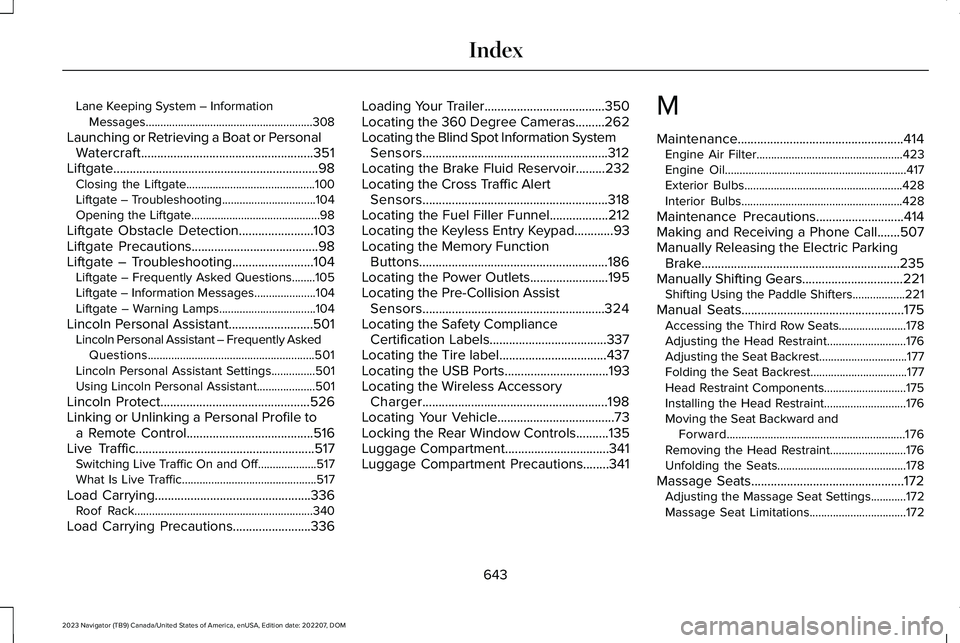
Lane Keeping System – InformationMessages.........................................................308
Launching or Retrieving a Boat or PersonalWatercraft.....................................................351Liftgate...............................................................98Closing the Liftgate............................................100Liftgate – Troubleshooting................................104Opening the Liftgate............................................98
Liftgate Obstacle Detection.......................103Liftgate Precautions.......................................98Liftgate – Troubleshooting.........................104Liftgate – Frequently Asked Questions........105Liftgate – Information Messages.....................104Liftgate – Warning Lamps.................................104
Lincoln Personal Assistant..........................501Lincoln Personal Assistant – Frequently AskedQuestions.........................................................501Lincoln Personal Assistant Settings...............501Using Lincoln Personal Assistant....................501
Lincoln Protect..............................................526Linking or Unlinking a Personal Profile toa Remote Control.......................................516Live Traffic.......................................................517Switching Live Traffic On and Off....................517What Is Live Traffic..............................................517
Load Carrying................................................336Roof Rack.............................................................340
Load Carrying Precautions........................336
Loading Your Trailer.....................................350Locating the 360 Degree Cameras.........262Locating the Blind Spot Information SystemSensors.........................................................312Locating the Brake Fluid Reservoir.........232Locating the Cross Traffic AlertSensors.........................................................318Locating the Fuel Filler Funnel..................212Locating the Keyless Entry Keypad............93Locating the Memory FunctionButtons..........................................................186Locating the Power Outlets........................195Locating the Pre-Collision AssistSensors........................................................324Locating the Safety ComplianceCertification Labels....................................337Locating the Tire label.................................437Locating the USB Ports................................193Locating the Wireless AccessoryCharger.........................................................198Locating Your Vehicle....................................73Locking the Rear Window Controls..........135Luggage Compartment................................341Luggage Compartment Precautions........341
M
Maintenance...................................................414Engine Air Filter..................................................423Engine Oil..............................................................417Exterior Bulbs......................................................428Interior Bulbs.......................................................428
Maintenance Precautions...........................414Making and Receiving a Phone Call.......507Manually Releasing the Electric ParkingBrake.............................................................235Manually Shifting Gears...............................221Shifting Using the Paddle Shifters..................221
Manual Seats..................................................175Accessing the Third Row Seats.......................178Adjusting the Head Restraint...........................176Adjusting the Seat Backrest..............................177Folding the Seat Backrest.................................177Head Restraint Components............................175Installing the Head Restraint............................176Moving the Seat Backward andForward.............................................................176Removing the Head Restraint..........................176Unfolding the Seats............................................178
Massage Seats...............................................172Adjusting the Massage Seat Settings............172Massage Seat Limitations.................................172
643
2023 Navigator (TB9) Canada/United States of America, enUSA, Edition date: 202207, DOMIndex
Page 650 of 660
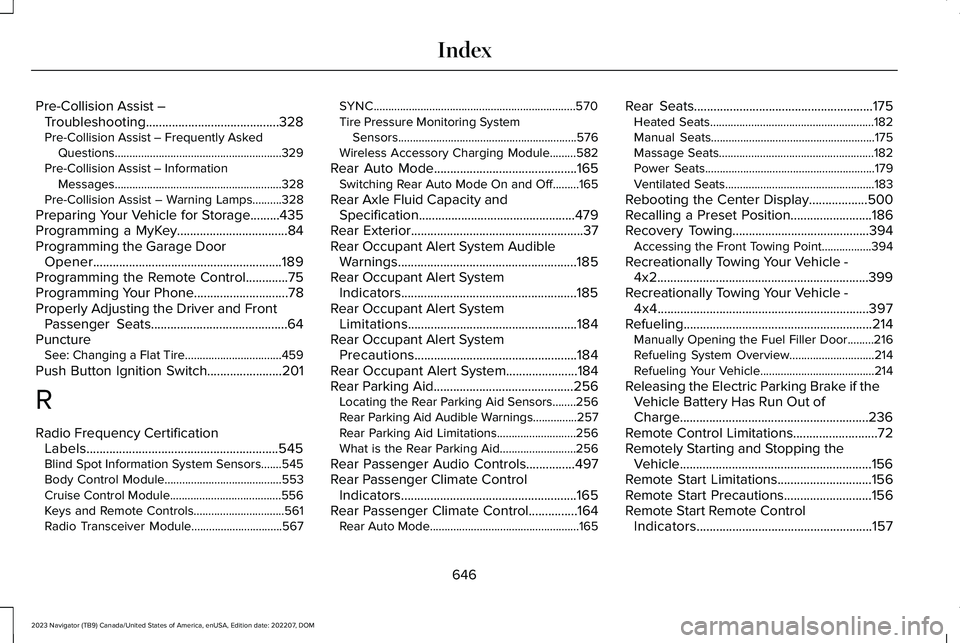
Pre-Collision Assist –Troubleshooting.........................................328Pre-Collision Assist – Frequently AskedQuestions.........................................................329Pre-Collision Assist – InformationMessages.........................................................328Pre-Collision Assist – Warning Lamps..........328
Preparing Your Vehicle for Storage.........435Programming a MyKey..................................84Programming the Garage DoorOpener..........................................................189Programming the Remote Control.............75Programming Your Phone.............................78Properly Adjusting the Driver and FrontPassenger Seats..........................................64PunctureSee: Changing a Flat Tire.................................459
Push Button Ignition Switch.......................201
R
Radio Frequency CertificationLabels...........................................................545Blind Spot Information System Sensors.......545Body Control Module........................................553Cruise Control Module......................................556Keys and Remote Controls...............................561Radio Transceiver Module...............................567
SYNC.....................................................................570Tire Pressure Monitoring SystemSensors.............................................................576Wireless Accessory Charging Module.........582
Rear Auto Mode............................................165Switching Rear Auto Mode On and Off.........165
Rear Axle Fluid Capacity andSpecification................................................479Rear Exterior.....................................................37Rear Occupant Alert System AudibleWarnings.......................................................185Rear Occupant Alert SystemIndicators......................................................185Rear Occupant Alert SystemLimitations....................................................184Rear Occupant Alert SystemPrecautions..................................................184Rear Occupant Alert System......................184Rear Parking Aid...........................................256Locating the Rear Parking Aid Sensors........256Rear Parking Aid Audible Warnings...............257Rear Parking Aid Limitations...........................256What is the Rear Parking Aid..........................256
Rear Passenger Audio Controls...............497Rear Passenger Climate ControlIndicators......................................................165Rear Passenger Climate Control...............164Rear Auto Mode...................................................165
Rear Seats.......................................................175Heated Seats........................................................182Manual Seats........................................................175Massage Seats.....................................................182Power Seats..........................................................179Ventilated Seats...................................................183
Rebooting the Center Display..................500Recalling a Preset Position.........................186Recovery Towing..........................................394Accessing the Front Towing Point.................394
Recreationally Towing Your Vehicle -4x2.................................................................399Recreationally Towing Your Vehicle -4x4.................................................................397Refueling..........................................................214Manually Opening the Fuel Filler Door.........216Refueling System Overview.............................214Refueling Your Vehicle.......................................214
Releasing the Electric Parking Brake if theVehicle Battery Has Run Out ofCharge..........................................................236Remote Control Limitations..........................72Remotely Starting and Stopping theVehicle...........................................................156Remote Start Limitations.............................156Remote Start Precautions...........................156Remote Start Remote ControlIndicators......................................................157
646
2023 Navigator (TB9) Canada/United States of America, enUSA, Edition date: 202207, DOMIndex