CD changer LINCOLN TOWN CAR 1997 Owners Manual
[x] Cancel search | Manufacturer: LINCOLN, Model Year: 1997, Model line: TOWN CAR, Model: LINCOLN TOWN CAR 1997Pages: 305, PDF Size: 2.68 MB
Page 49 of 305
44Ford 10-CD Changer
(If Equipped)IntroductionThe 10-CD Changer Unit is mounted in the trunk
(10-disc capacity) and is remotely controlled through
the controls of your Luxury Audio System.
Be sure to read all of the information provided on
the following pages to get the most out of this
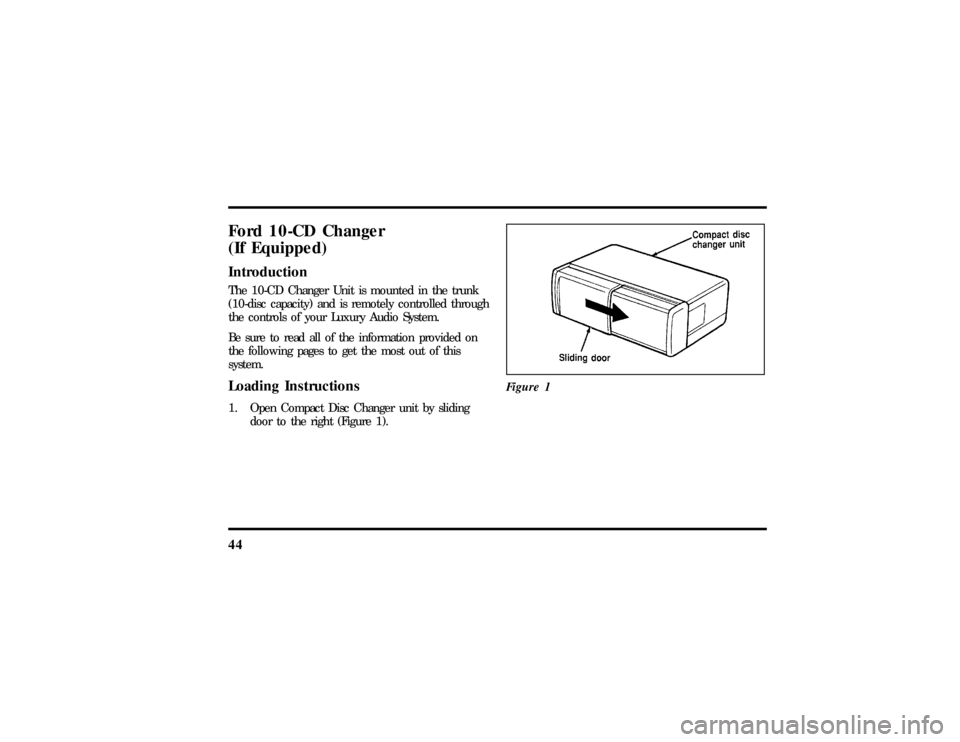
system.Loading Instructions1. Open Compact Disc Changer unit by sliding
door to the right (Figure 1).Figure 1
File:04fnast.ex
Update:Thu Jun 20 15:13:21 1996
Page 51 of 305
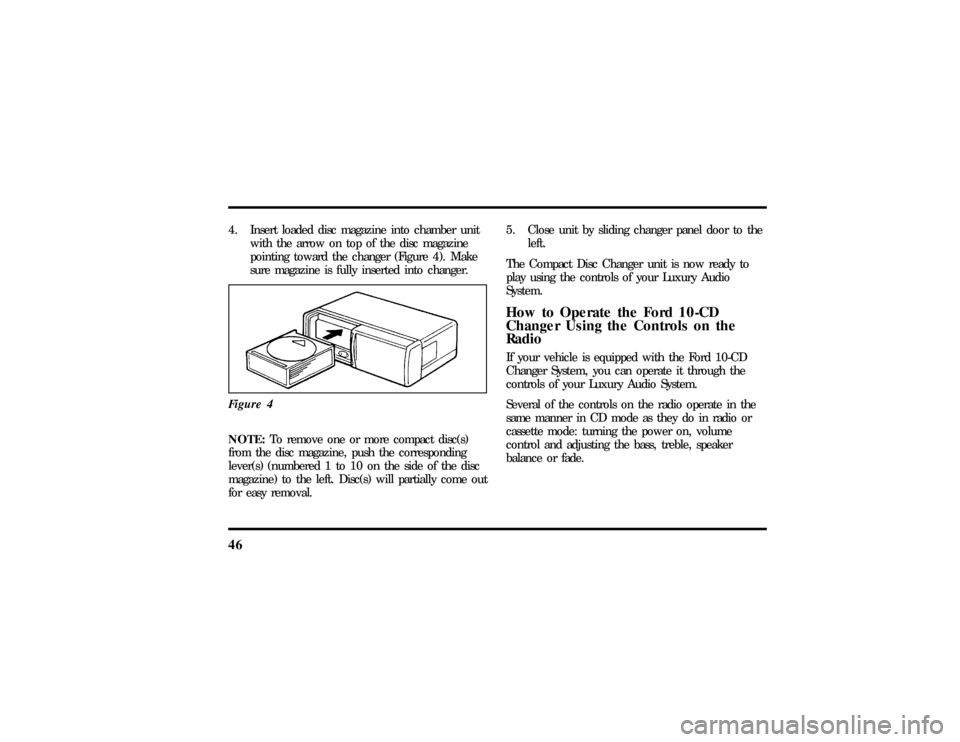
464. Insert loaded disc magazine into chamber unit
with the arrow on top of the disc magazine
pointing toward the changer (Figure 4). Make
sure magazine is fully inserted into changer.
Figure 4NOTE:To remove one or more compact disc(s)
from the disc magazine, push the corresponding
lever(s) (numbered 1 to 10 on the side of the disc
magazine) to the left. Disc(s) will partially come out
for easy removal.5. Close unit by sliding changer panel door to the
left.
The Compact Disc Changer unit is now ready to
play using the controls of your Luxury Audio
System.
How to Operate the Ford 10-CD
Changer Using the Controls on the
RadioIf your vehicle is equipped with the Ford 10-CD
Changer System, you can operate it through the
controls of your Luxury Audio System.
Several of the controls on the radio operate in the
same manner in CD mode as they do in radio or
cassette mode: turning the power on, volume
control and adjusting the bass, treble, speaker
balance or fade.
File:04fnast.ex
Update:Thu Jun 20 15:13:21 1996
Page 52 of 305

47
How to begin CD Changer playNOTE:Radio power must be on to operate the
Compact Disc Changer.
Push the ªCDº button to begin CD play. The
10-CD Changer will automatically begin playing the
first track (selection) of the first disc loaded in the
unit. The display will indicate CD-## for disc
number and TRK-## for track number.How to change the disc being playedWhen in the CD mode, you can change discs by
pressing the ªTUNE DISCSº button. Play will begin
on the first track of the selected disc.
Pressing the right (
a) side of the button will select
the next disc. Pressing the left (
b) side of the
button will select the previous disc.If either button is pressed and held, the CD
Changer will continue fast-forwarding or reversing
through the discs in the disc magazine. During
these functions, the display will indicate the disc
number.
How to change the track being playedPress the right (
a) side of the ªSEEKº button to
seek forward to the next track of current disc. If
the button is held and the last track is reached, the
disc changer will automatically begin playing the
last track of the current disc. After the last track
has been completed, the disc changer advances to
the next disc and begins play of track 1. The
display indicates the track number while seeking.
Press the left (
b) side of the ªSEEKº button to
seek in reverse to the previous track on the current
disc.
Pressing the ªFFº button will fast forward through
the current track. Pressing the ªREWº button will
rewind through the current track.
File:04fnast.ex
Update:Thu Jun 20 15:13:21 1996
Page 55 of 305

50CD Error MessagesYour system is equipped to diagnose certain
problems you may experience. The error codes are:
ÐCD E1Ð Mechanism error.
ÐCD E2Ð Focus error.
ÐBAD CDÐ Disc unreadable.
ÐTOO HOTÐ Mechanism over167ÊFarenheit
(75ÊC),allow to cool before playing.
ÐNO CDÐ Empty slot or magazine.
ÐNO DJÐ CD Changer not connected or not
communicating.Common Operating Conditions of the
CD PlayerThe following information is designed to help you
recognize typical situations that could be mistakenly
interpreted as mechanical malfunctions of the disc
player.
q
A disc is already loaded.
q
The disc is inserted with the label surface
downward.
q
The disc is dusty or defective.
q
The player's internal temperature is above
167ÊF (75ÊC).Allow the player to cool off
before operating.
q
Different manufacturers of compact discs may
produce discs with different dimensions or
tolerances, some of which may not be within
industry standards or in accordance with the
CD format. Because of this, a new disc that is
free of dust and scratches could be defective
and may not play on your Ford Compact Disc
Player.
File:04fnast.ex
Update:Thu Jun 20 15:13:21 1996