engine LINCOLN TOWN CAR 1998 User Guide
[x] Cancel search | Manufacturer: LINCOLN, Model Year: 1998, Model line: TOWN CAR, Model: LINCOLN TOWN CAR 1998Pages: 188, PDF Size: 1.29 MB
Page 26 of 188

Automatic operation
Press AUTO and select the desired
temperature. The selected
temperature and the word AUTO
will appear in the display window.
The EATC system will either heat
or cool to achieve the selected
temperature. The system will
automatically determine fan speed,
airflow location and if fresh outside
air or recirculated air is required.
Fan speed remains automatic
unless the fan speed control is
pressed or the steering wheel fan
speed control is pressed.
When in AUTO and weather
conditions require heat, air will be
sent to the floor. However, if the
engine is not warm enough to
provide heat, the fan will be at a
low speed and the air will be
directed to the windshield. In 3ó
minutes or less, the fan speed will
start to increase and the airflow
location will change to the floor
area.
If unusual conditions exist
(i.e.-window fogging, etc.), the
manual override controls allow you
to select airflow locations and the
fan control allows you to adjust fan
speed as necessary.
Temperature selection
The display window indicates the
selected temperature, function
(AUTO or one of the override
controls) and manual control of
fan speed (
) if automatic fan
speed is not desired.
˚F
AUTO
Controls and features
27
Page 34 of 188
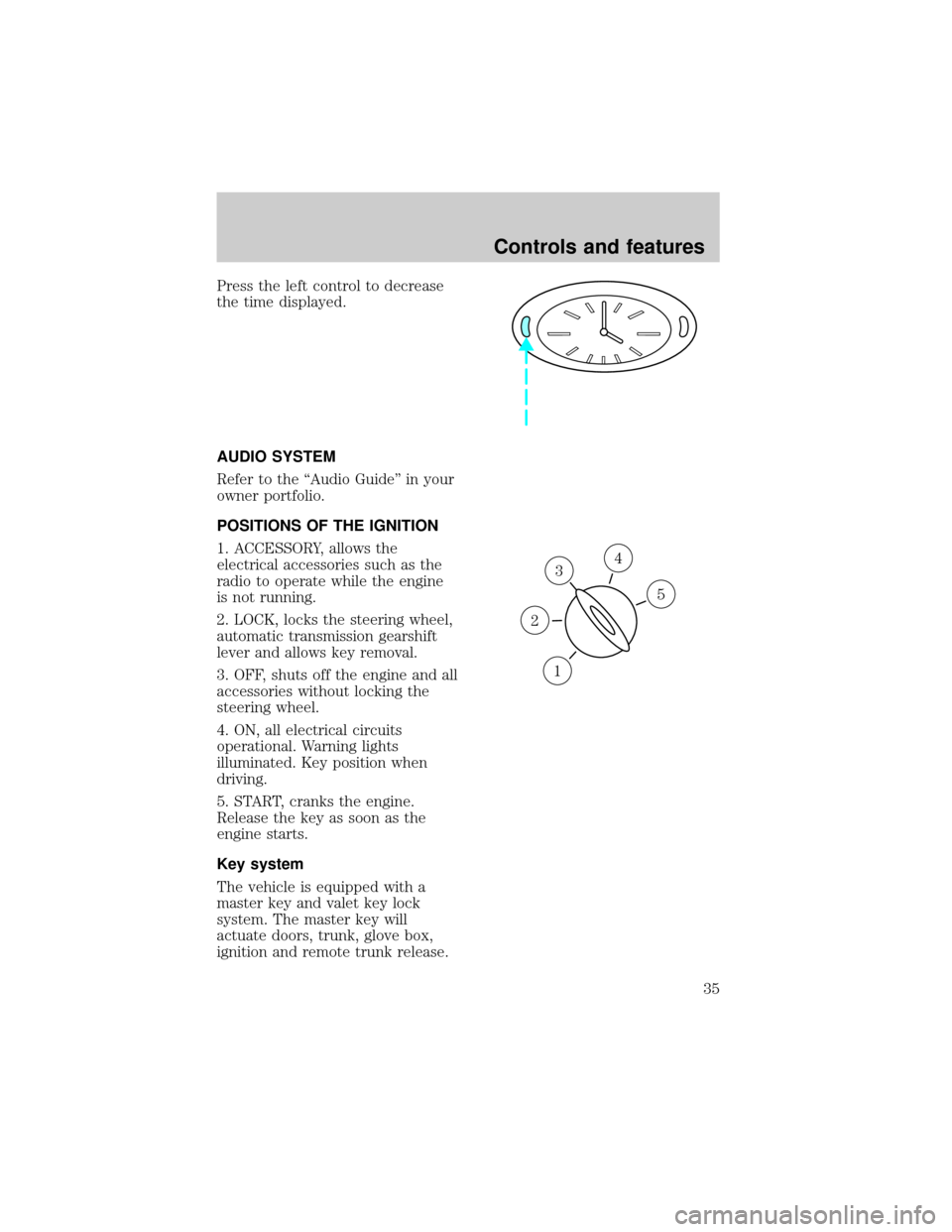
Press the left control to decrease
the time displayed.
AUDIO SYSTEM
Refer to the ªAudio Guideº in your
owner portfolio.
POSITIONS OF THE IGNITION
1. ACCESSORY, allows the
electrical accessories such as the
radio to operate while the engine
is not running.
2. LOCK, locks the steering wheel,
automatic transmission gearshift
lever and allows key removal.
3. OFF, shuts off the engine and all
accessories without locking the
steering wheel.
4. ON, all electrical circuits
operational. Warning lights
illuminated. Key position when
driving.
5. START, cranks the engine.
Release the key as soon as the
engine starts.
Key system
The vehicle is equipped with a
master key and valet key lock
system. The master key will
actuate doors, trunk, glove box,
ignition and remote trunk release.
3
1
2
5
4
Controls and features
35
Page 59 of 188
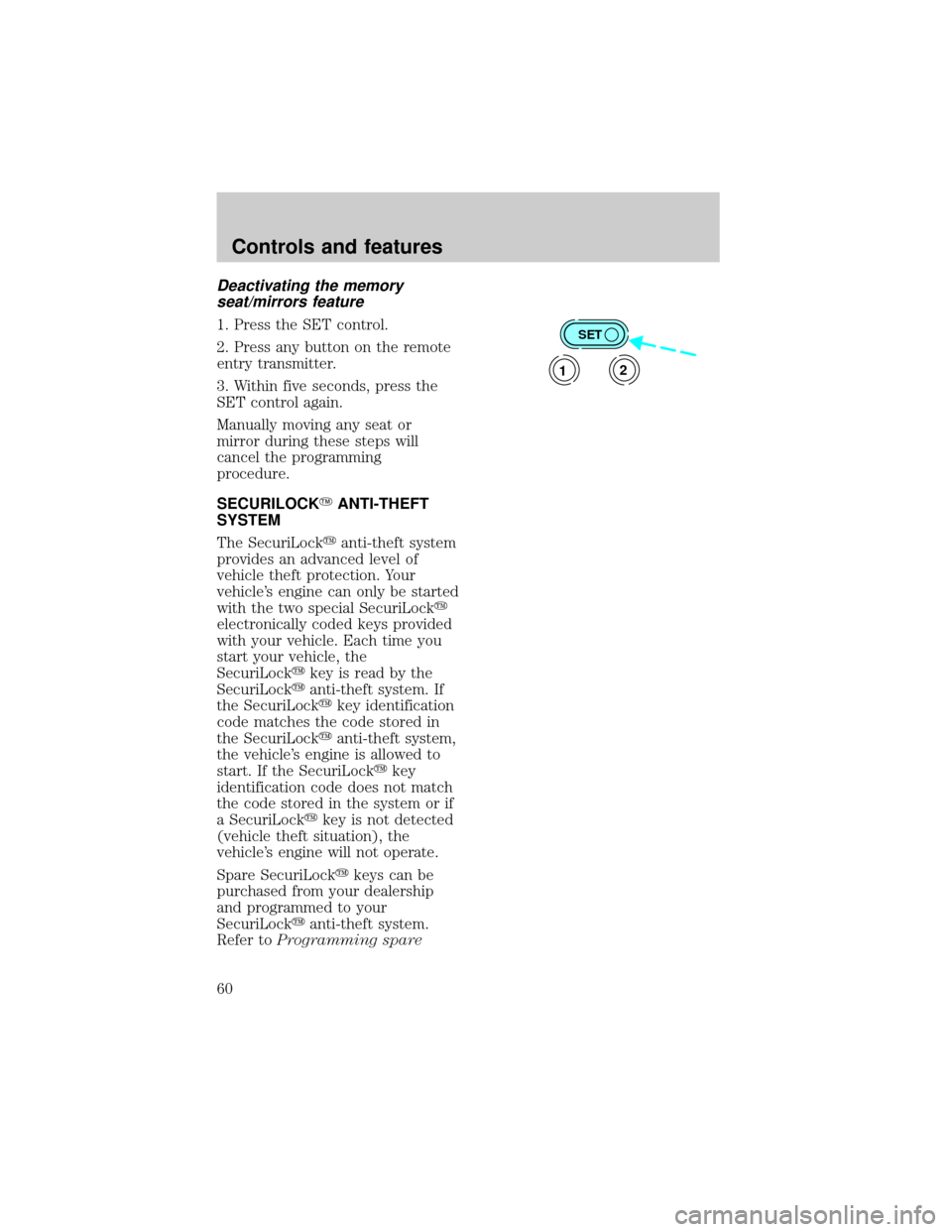
Deactivating the memory
seat/mirrors feature
1. Press the SET control.
2. Press any button on the remote
entry transmitter.
3. Within five seconds, press the
SET control again.
Manually moving any seat or
mirror during these steps will
cancel the programming
procedure.
SECURILOCKYANTI-THEFT
SYSTEM
The SecuriLockyanti-theft system
provides an advanced level of
vehicle theft protection. Your
vehicle's engine can only be started
with the two special SecuriLocky
electronically coded keys provided
with your vehicle. Each time you
start your vehicle, the
SecuriLockykey is read by the
SecuriLockyanti-theft system. If
the SecuriLockykey identification
code matches the code stored in
the SecuriLockyanti-theft system,
the vehicle's engine is allowed to
start. If the SecuriLockykey
identification code does not match
the code stored in the system or if
a SecuriLockykey is not detected
(vehicle theft situation), the
vehicle's engine will not operate.
Spare SecuriLockykeys can be
purchased from your dealership
and programmed to your
SecuriLockyanti-theft system.
Refer toProgramming spareSET
12
Controls and features
60
Page 61 of 188

procedure. To program a new
SecuriLockykey yourself, you will
need two previously programmed
SecuriLockykeys (keys that
already operate your vehicle's
engine). If two previously
programmed SecuriLockykeys are
not available (one or both of your
original keys were lost or stolen),
you must bring your vehicle to
your dealership to have the spare
SecuriLockykey(s) programmed.
Procedure to program spare
SecuriLockYkeys to your
vehicle
New SecuriLockykeys must have
the correct mechanical key cut for
your vehicle.
Conventional (non-SecuriLocky)
keyscannotbe programmed to
your vehicle.
You will need to have two
previously programmed
SecuriLockykeys and the new
unprogrammed SecuriLockykey
readily accessible for timely
implementation of each step in the
procedure. Please read and
understand the entire procedure
before you begin.
1. Insert the first previously
programmed SecuriLockykey into
the ignition switch and turn the
ignition from OFF to RUN
(maintain ignition in RUN for at
least one second).
2. Turn ignition to OFF and
remove the first SecuriLockykey
from the ignition switch.
Controls and features
62
Page 62 of 188

3. Within five seconds of turning
the ignition to OFF, insert the
second previously programmed
SecuriLockykey into the ignition
switch and turn the ignition from
OFF to RUN (maintain ignition in
RUN for at least one second but no
more than 5 seconds).
4. Turn the ignition to OFF and
remove the second SecuriLocky
key from the ignition switch.
5. Within 10 seconds of turning the
ignition to OFF, insert the
unprogrammed SecuriLockykey
(new key) into the ignition switch
and turn the ignition from OFF to
RUN (maintain ignition switch in
RUN for at least one second). This
step will program your new
SecuriLockykey.
6. If it is desired to program
additional SecuriLockykey(s),
repeat this procedure from step 1.
If the programming procedure was
successful, the new SecuriLocky
key(s) will start the vehicle's
engine. The theft indicator (located
on the instrument panel) will light
for three seconds and then go out.
If the programming procedure was
not successful, the new
SecuriLockykey(s) will not
operate the vehicle's engine. The
theft indicator will flash on and off.
Wait at least one minute and then
repeat the procedure from step 1.
If failure repeats, bring your
vehicle to your dealership to have
the spare SecuriLockykey(s)
programmed.
Controls and features
63
Page 75 of 188
damage or improper operation is
noted.
Failure to replace the
safety belt assembly under
the above conditions could result
in severe personal injuries in the
event of a collision.
Refer toCleaning and
maintaining the safety beltsin
theMaintenance and care
section.
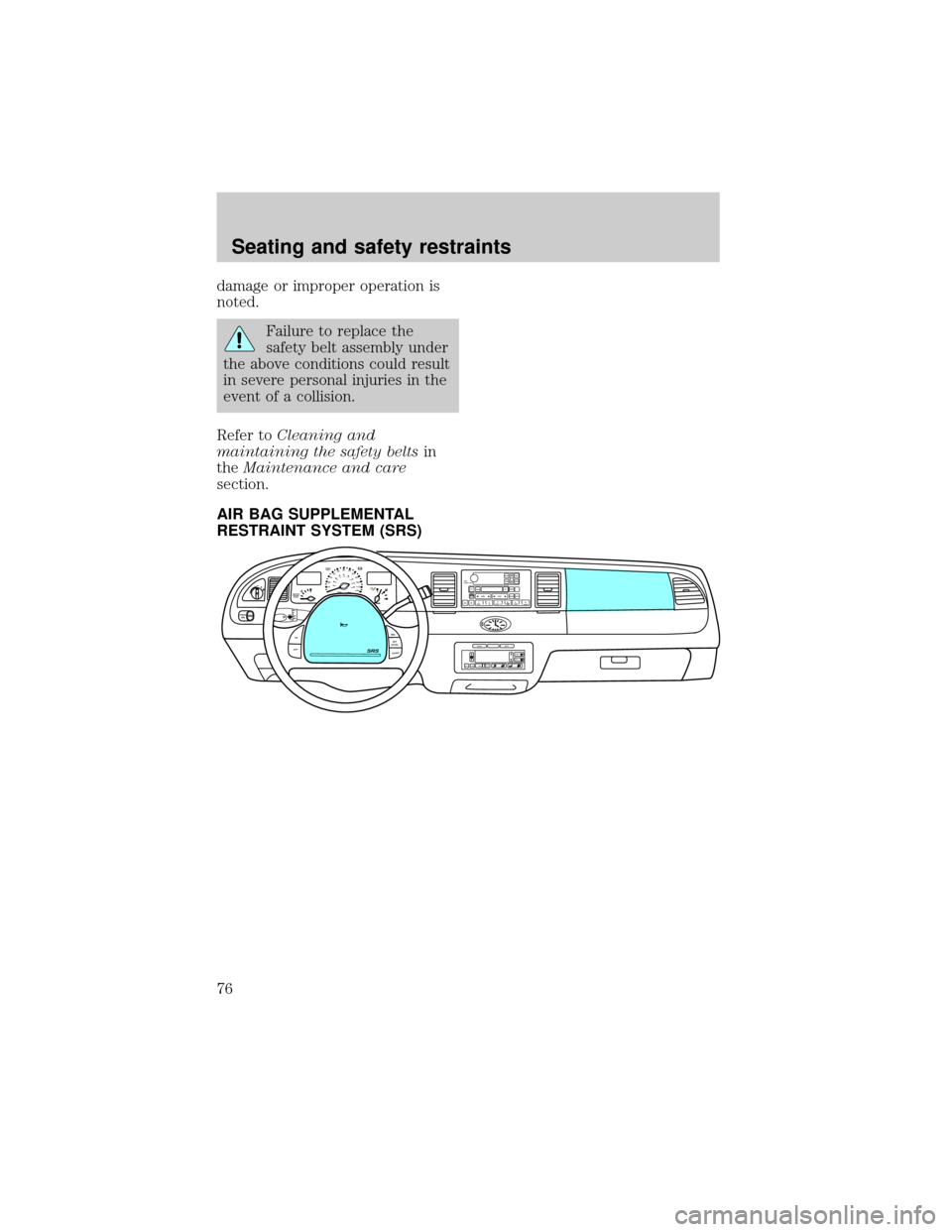
AIR BAG SUPPLEMENTAL
RESTRAINT SYSTEM (SRS)
OFF
P102030405060
70
80
90
100
120206080
40100
120
160 140
180MPHkm/h110HF
E1
2FILL ON
LEFT<
CHECK
TRAC
SERVICE
ENGINE
SOON
PANEL
DIMLO
F
S
OFF
MIST
VOL
PUSH ONTAPE
MUTESEEK
TUNE
AM
FM
REW
FFSIDE 1 2
COMP
SHUFFCDEJ
RDS
SCAN AUTO123
4
56
BASS
TREBSELBAL
FADE
ON
OFFRES
SET
ACCEL
COASTEXT
OFFMAX
A/CAUTOFRONT
REARSELECTRESETSRS
Seating and safety restraints
76
Page 89 of 188
PREPARING TO START YOUR
VEHICLE
Engine starting is controlled by the
ignition system. This system meets
all Canadian Interference-Causing
Equipment standard requirements
regulating the impulse electrical
field strength of radio noise.
When starting a fuel-injected
engine, avoid pressing the
accelerator before or during
starting. Only use the accelerator
when you have difficulty starting
the engine. For more information
on starting the vehicle, refer to
Starting the enginein this
chapter.
Extended idling at high
engine speeds can produce
very high temperatures in the
engine and exhaust system,
creating the risk of fire or other
damage.
Do not park, idle, or drive
your vehicle in dry grass
or other dry ground cover. The
emission system heats up the
engine compartment and exhaust
system, which can start a fire.
Starting
90
Page 90 of 188
Do not start your vehicle
in a closed garage or in
other enclosed areas. Exhaust
fumes can be toxic. Always open
the garage door before you start
the engine. SeeGuarding
against exhaust fumesin this
chapter for more instructions.
If you smell exhaust fumes
inside your vehicle, have
your dealer inspect your vehicle
immediately. Do not drive if you
smell exhaust fumes.
Important safety precautions
A computer system controls the
engine's idle revolutions per
minute (RPM). When the engine
starts, the idle RPM runs faster to
warm the engine. If the engine idle
speed does not slow down
automatically, have the vehicle
checked. Do not allow the vehicle
to idle for more than ten minutes.
Before starting the vehicle:
1. Make sure all vehicle occupants
have buckled their safety belts. For
more information on safety belts
and their proper usage, refer to
theSeating and safety restraints
chapter.
2. Make sure the headlamps and
vehicle accessories are off.
Starting
91
Page 91 of 188
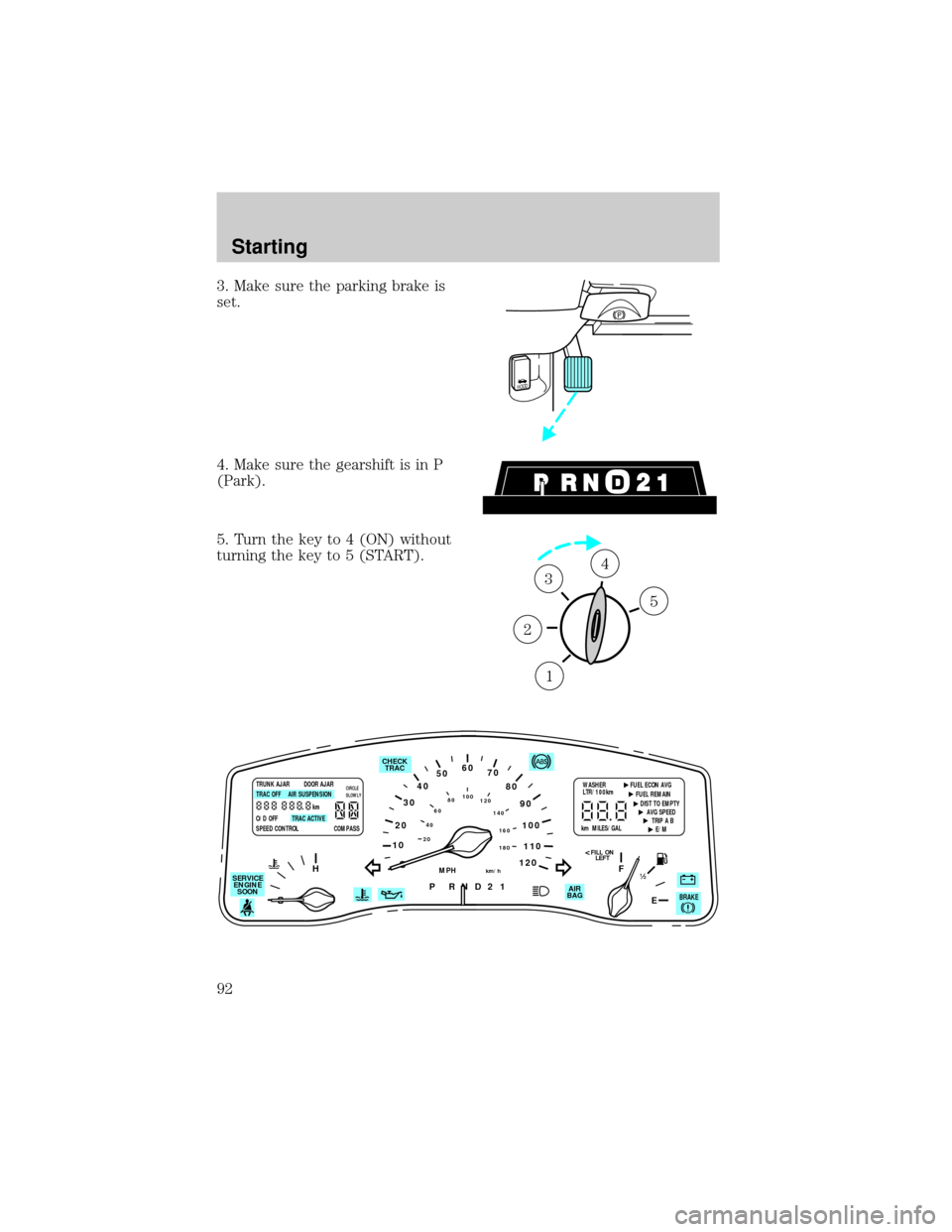
3. Make sure the parking brake is
set.
4. Make sure the gearshift is in P
(Park).
5. Turn the key to 4 (ON) without
turning the key to 5 (START).
HOOD
1
2
34
5
10
2030405060
70
80
90
100
120206080
40100
120
160 140
180
P R N D 2 1
MPHkm/h
110
HF
E1
2
FILL ON
LEFT<
AIR
BAG CHECK
TRAC
SERVICE
ENGINE
SOON
TRUNK AJAR DOOR AJAR
TRAC OFF AIR SUSPENSION
O/D OFF TRAC ACTIVE
SPEED CONTROL COMPASSkmCIRCLE
SLOWLYWASHER FUEL ECON AVG
LTR/100km
FUEL REMAIN
DIST TO EMPTY
AVG SPEED
TRIP A B
E/M km MILES/GAL
BRAKE
Starting
92
Page 92 of 188
Make sure the corresponding lights
illuminate briefly. If a light fails to
illuminate, have the vehicle
serviced.
²If the driver's safety belt is
fastened, the light (
) will not
illuminate.
STARTING THE ENGINE
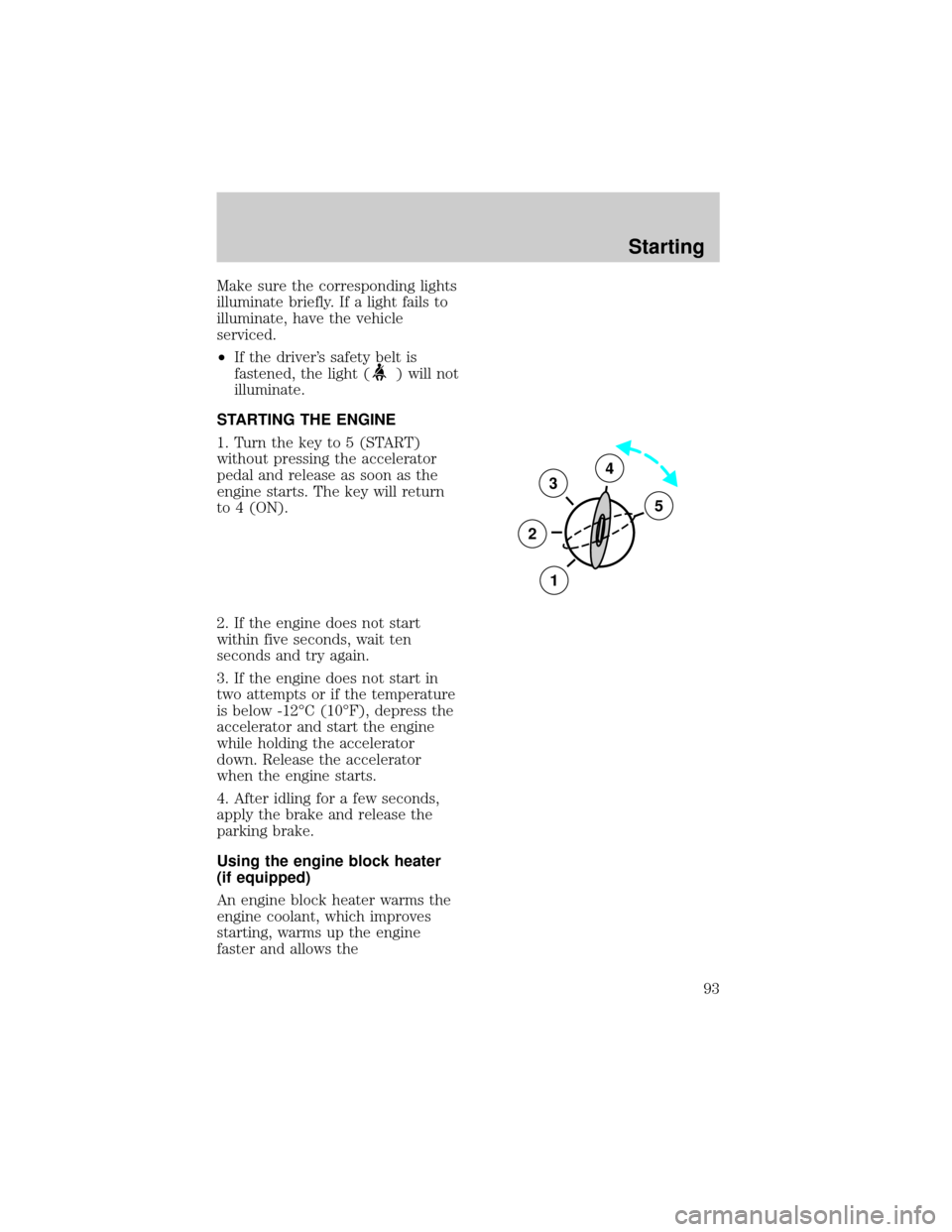
1. Turn the key to 5 (START)
without pressing the accelerator
pedal and release as soon as the
engine starts. The key will return
to 4 (ON).
2. If the engine does not start
within five seconds, wait ten
seconds and try again.
3. If the engine does not start in
two attempts or if the temperature
is below -12ÉC (10ÉF), depress the
accelerator and start the engine
while holding the accelerator
down. Release the accelerator
when the engine starts.
4. After idling for a few seconds,
apply the brake and release the
parking brake.
Using the engine block heater
(if equipped)
An engine block heater warms the
engine coolant, which improves
starting, warms up the engine
faster and allows the
3
2
1
5
4
Starting
93