navigation system LINCOLN TOWN CAR 2004 User Guide
[x] Cancel search | Manufacturer: LINCOLN, Model Year: 2004, Model line: TOWN CAR, Model: LINCOLN TOWN CAR 2004Pages: 304, PDF Size: 2.87 MB
Page 36 of 304
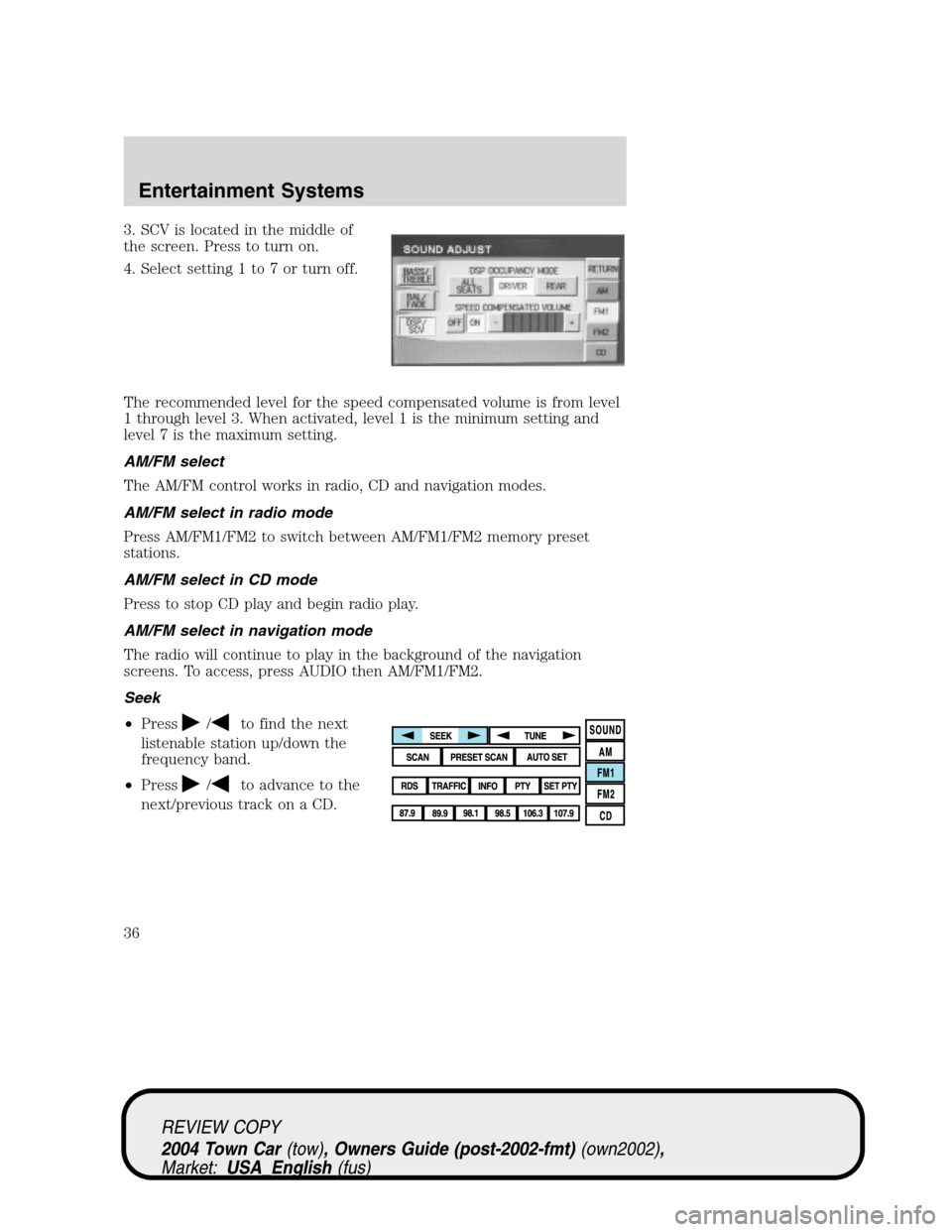
3. SCV is located in the middle of
the screen. Press to turn on.
4. Select setting 1 to 7 or turn off.
The recommended level for the speed compensated volume is from level
1 through level 3. When activated, level 1 is the minimum setting and
level 7 is the maximum setting.
AM/FM select
The AM/FM control works in radio, CD and navigation modes.
AM/FM select in radio mode
Press AM/FM1/FM2 to switch between AM/FM1/FM2 memory preset
stations.
AM/FM select in CD mode
Press to stop CD play and begin radio play.
AM/FM select in navigation mode
The radio will continue to play in the background of the navigation
screens. To access, press AUDIO then AM/FM1/FM2.
Seek
•Press
/to find the next
listenable station up/down the
frequency band.
•Press
/to advance to the
next/previous track on a CD.
REVIEW COPY
2004 Town Car(tow), Owners Guide (post-2002-fmt)(own2002),
Market:USA_English(fus)
Entertainment Systems
36
Page 42 of 304
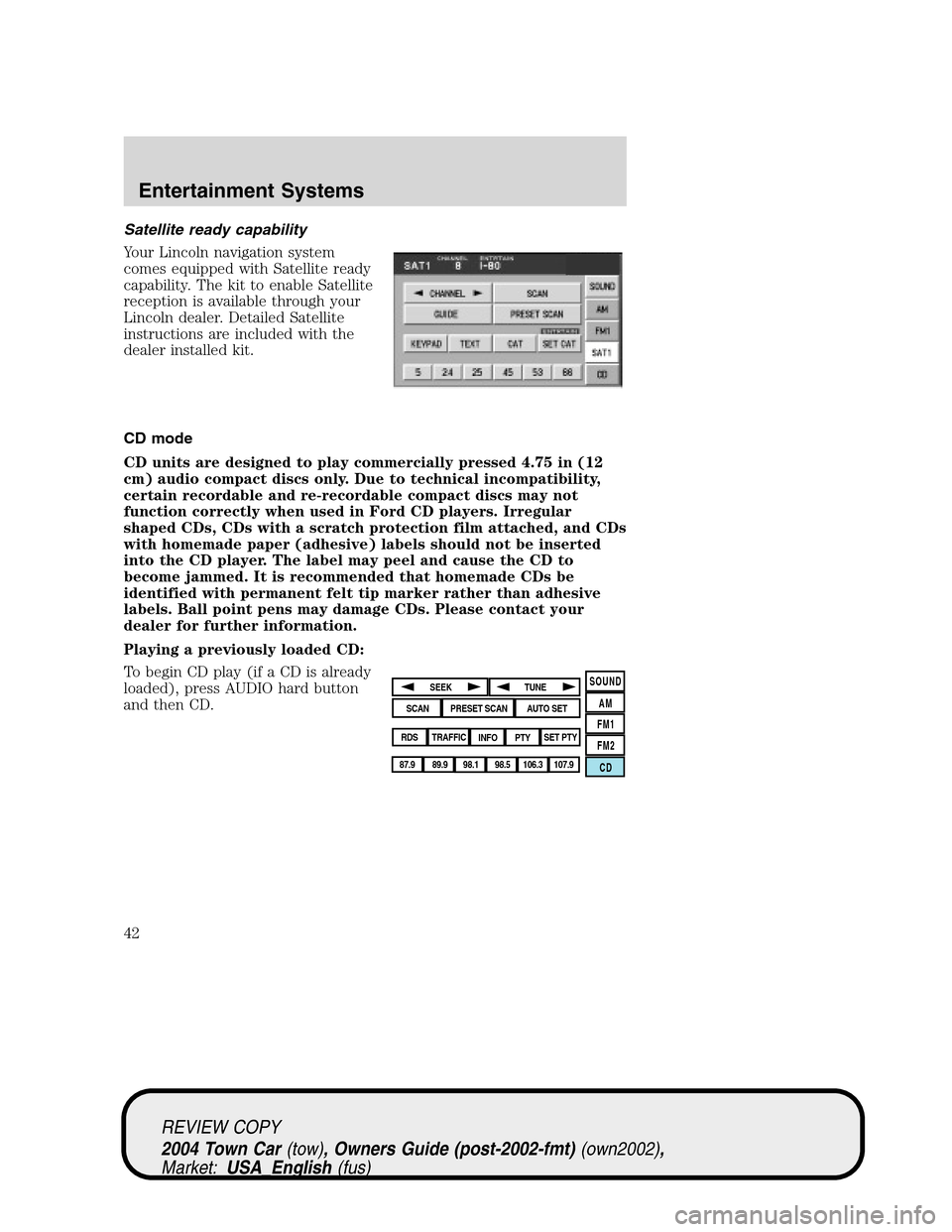
Satellite ready capability
Your Lincoln navigation system
comes equipped with Satellite ready
capability. The kit to enable Satellite
reception is available through your
Lincoln dealer. Detailed Satellite
instructions are included with the
dealer installed kit.
CD mode
CD units are designed to play commercially pressed 4.75 in (12
cm) audio compact discs only. Due to technical incompatibility,
certain recordable and re-recordable compact discs may not
function correctly when used in Ford CD players. Irregular
shaped CDs, CDs with a scratch protection film attached, and CDs
with homemade paper (adhesive) labels should not be inserted
into the CD player. The label may peel and cause the CD to
become jammed. It is recommended that homemade CDs be
identified with permanent felt tip marker rather than adhesive
labels. Ball point pens may damage CDs. Please contact your
dealer for further information.
Playing a previously loaded CD:
To begin CD play (if a CD is already
loaded), press AUDIO hard button
and then CD.
SOUND
AM
FM1
FM2
CDSEEK
TUNE
PRESET SCANAUTO SET
SCAN
RDS
TRAFFIC
INFO PTYSET PTY
87.9
89.9 98.1
98.5 106.3 107.9
REVIEW COPY
2004 Town Car(tow), Owners Guide (post-2002-fmt)(own2002),
Market:USA_English(fus)
Entertainment Systems
42
Page 44 of 304
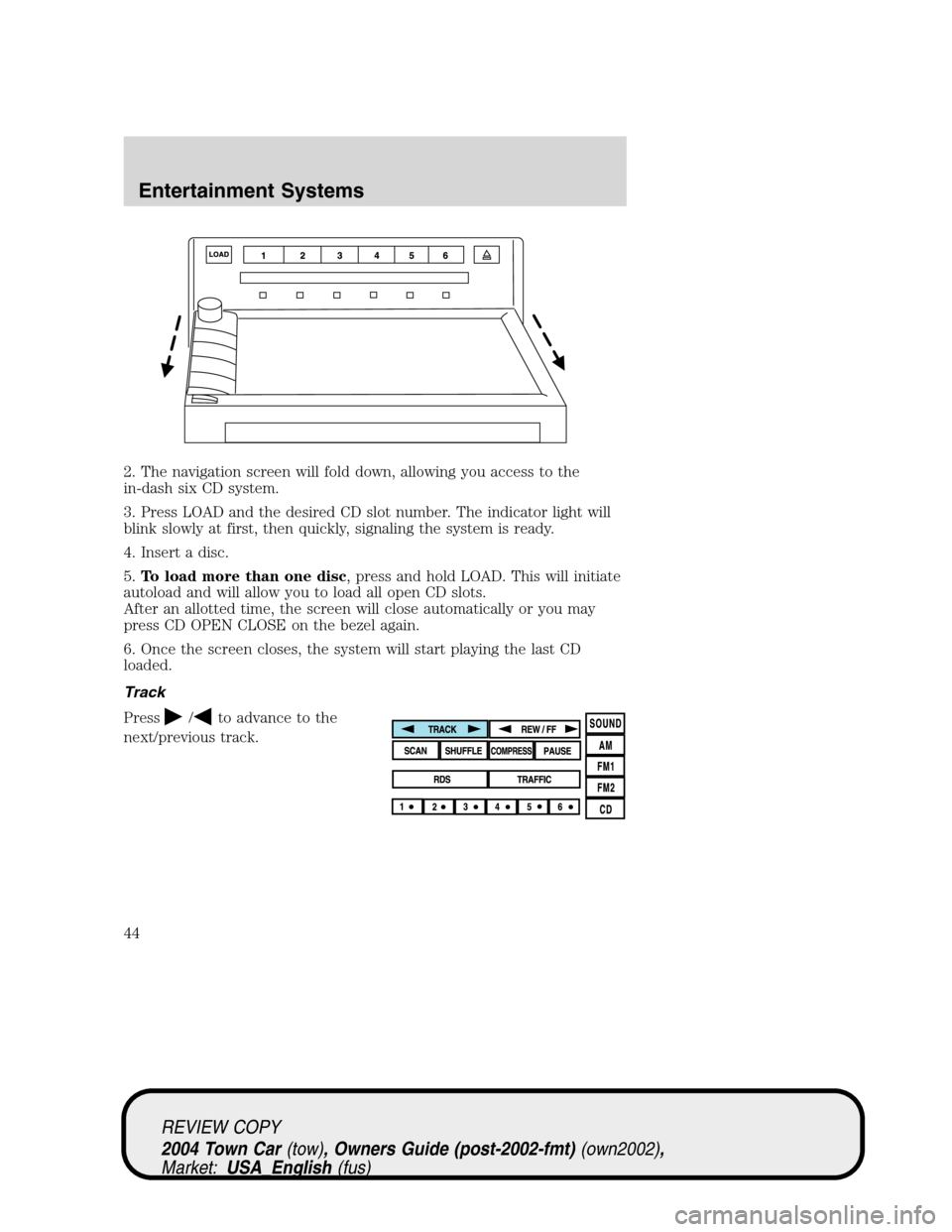
2. The navigation screen will fold down, allowing you access to the
in-dash six CD system.
3. Press LOAD and the desired CD slot number. The indicator light will
blink slowly at first, then quickly, signaling the system is ready.
4. Insert a disc.
5.To load more than one disc, press and hold LOAD. This will initiate
autoload and will allow you to load all open CD slots.
After an allotted time, the screen will close automatically or you may
press CD OPEN CLOSE on the bezel again.
6. Once the screen closes, the system will start playing the last CD
loaded.
Track
Press
/to advance to the
next/previous track.
REVIEW COPY
2004 Town Car(tow), Owners Guide (post-2002-fmt)(own2002),
Market:USA_English(fus)
Entertainment Systems
44
Page 49 of 304
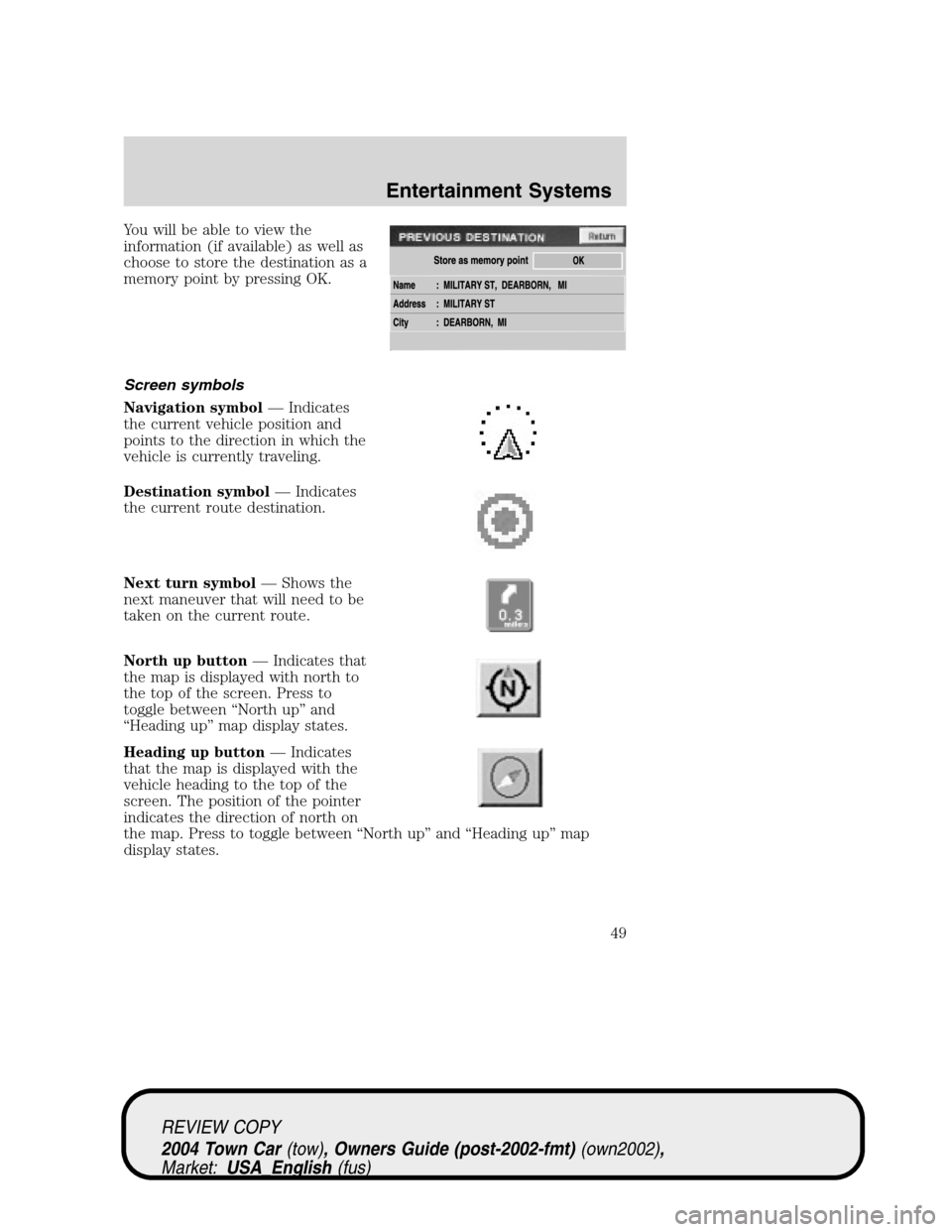
You will be able to view the
information (if available) as well as
choose to store the destination as a
memory point by pressing OK.
Screen symbols
Navigation symbol—Indicates
the current vehicle position and
points to the direction in which the
vehicle is currently traveling.
Destination symbol—Indicates
the current route destination.
Next turn symbol—Shows the
next maneuver that will need to be
taken on the current route.
North up button—Indicates that
the map is displayed with north to
the top of the screen. Press to
toggle between“North up”and
“Heading up”map display states.
Heading up button—Indicates
that the map is displayed with the
vehicle heading to the top of the
screen. The position of the pointer
indicates the direction of north on
the map. Press to toggle between“North up”and“Heading up”map
display states.
REVIEW COPY
2004 Town Car(tow), Owners Guide (post-2002-fmt)(own2002),
Market:USA_English(fus)
Entertainment Systems
49
Page 50 of 304
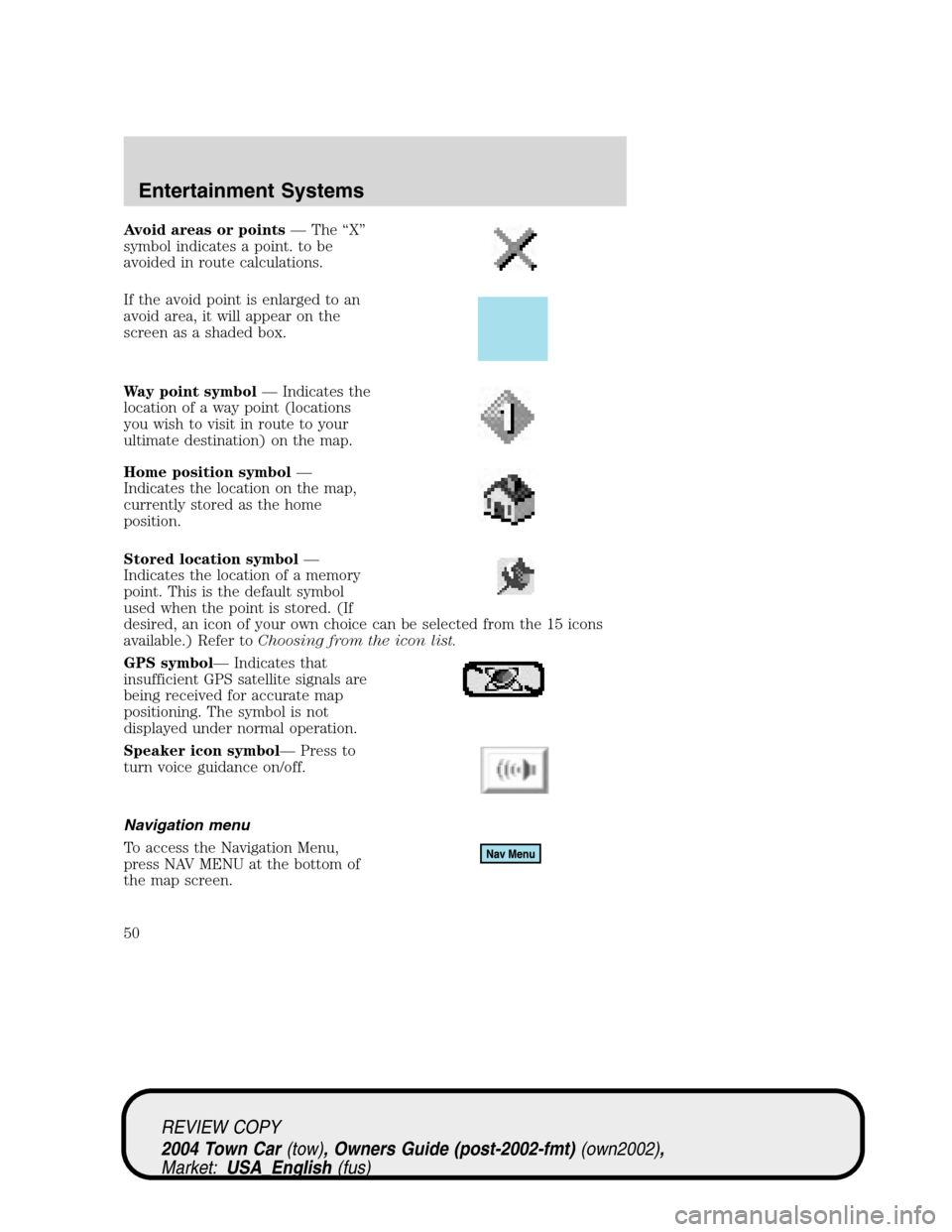
Avoid areas or points—The“X”
symbol indicates a point. to be
avoided in route calculations.
If the avoid point is enlarged to an
avoid area, it will appear on the
screen as a shaded box.
Way point symbol—Indicates the
location of a way point (locations
you wish to visit in route to your
ultimate destination) on the map.
Home position symbol—
Indicates the location on the map,
currently stored as the home
position.
Stored location symbol—
Indicates the location of a memory
point. This is the default symbol
used when the point is stored. (If
desired, an icon of your own choice can be selected from the 15 icons
available.) Refer toChoosing from the icon list.
GPS symbol—Indicates that
insufficient GPS satellite signals are
being received for accurate map
positioning. The symbol is not
displayed under normal operation.
Speaker icon symbol—Press to
turn voice guidance on/off.
Navigation menu
To access the Navigation Menu,
press NAV MENU at the bottom of
the map screen.
REVIEW COPY
2004 Town Car(tow), Owners Guide (post-2002-fmt)(own2002),
Market:USA_English(fus)
Entertainment Systems
50
Page 51 of 304
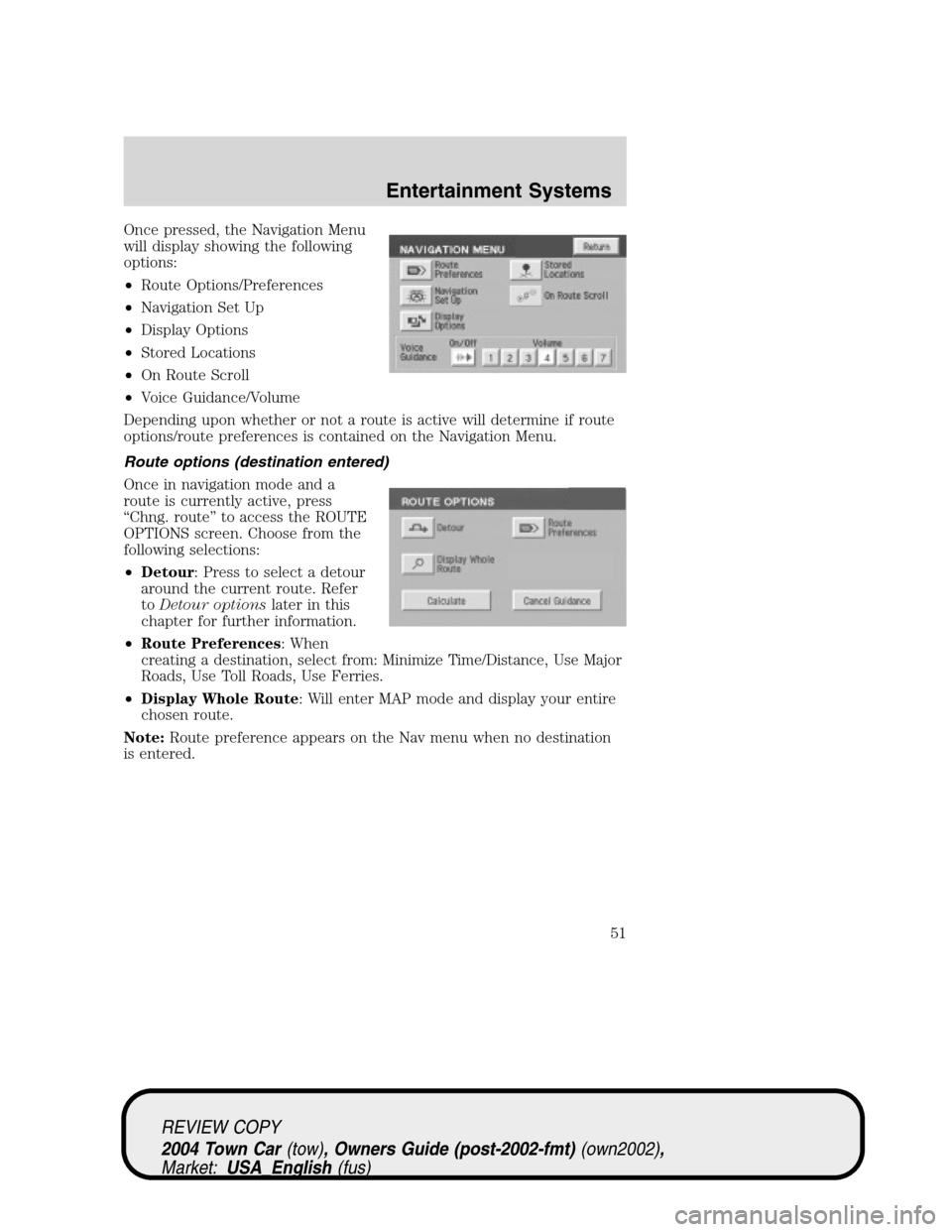
Once pressed, the Navigation Menu
will display showing the following
options:
•Route Options/Preferences
•Navigation Set Up
•Display Options
•Stored Locations
•On Route Scroll
•Voice Guidance/Volume
Depending upon whether or not a route is active will determine if route
options/route preferences is contained on the Navigation Menu.
Route options (destination entered)
Once in navigation mode and a
route is currently active, press
“Chng. route”to access the ROUTE
OPTIONS screen. Choose from the
following selections:
•Detour: Press to select a detour
around the current route. Refer
toDetour optionslater in this
chapter for further information.
•Route Preferences: When
creating a destination, select from: Minimize Time/Distance, Use Major
Roads, Use Toll Roads, Use Ferries.
•Display Whole Route: Will enter MAP mode and display your entire
chosen route.
Note:Route preference appears on the Nav menu when no destination
is entered.
REVIEW COPY
2004 Town Car(tow), Owners Guide (post-2002-fmt)(own2002),
Market:USA_English(fus)
Entertainment Systems
51
Page 52 of 304
While driving under route guidance, only follow an instruction
when it is safe to do so as the system cannot be aware of
changing conditions. Use voice guidance as much as possible, and only
view the display when driving conditions permit.
Ensure that you follow highway code restrictions and do not
take any risks. For example, if you are unable to make a U-turn,
continue on your journey. The navigation system will recalculate your
route to get you back to an appropriate road to your destination.
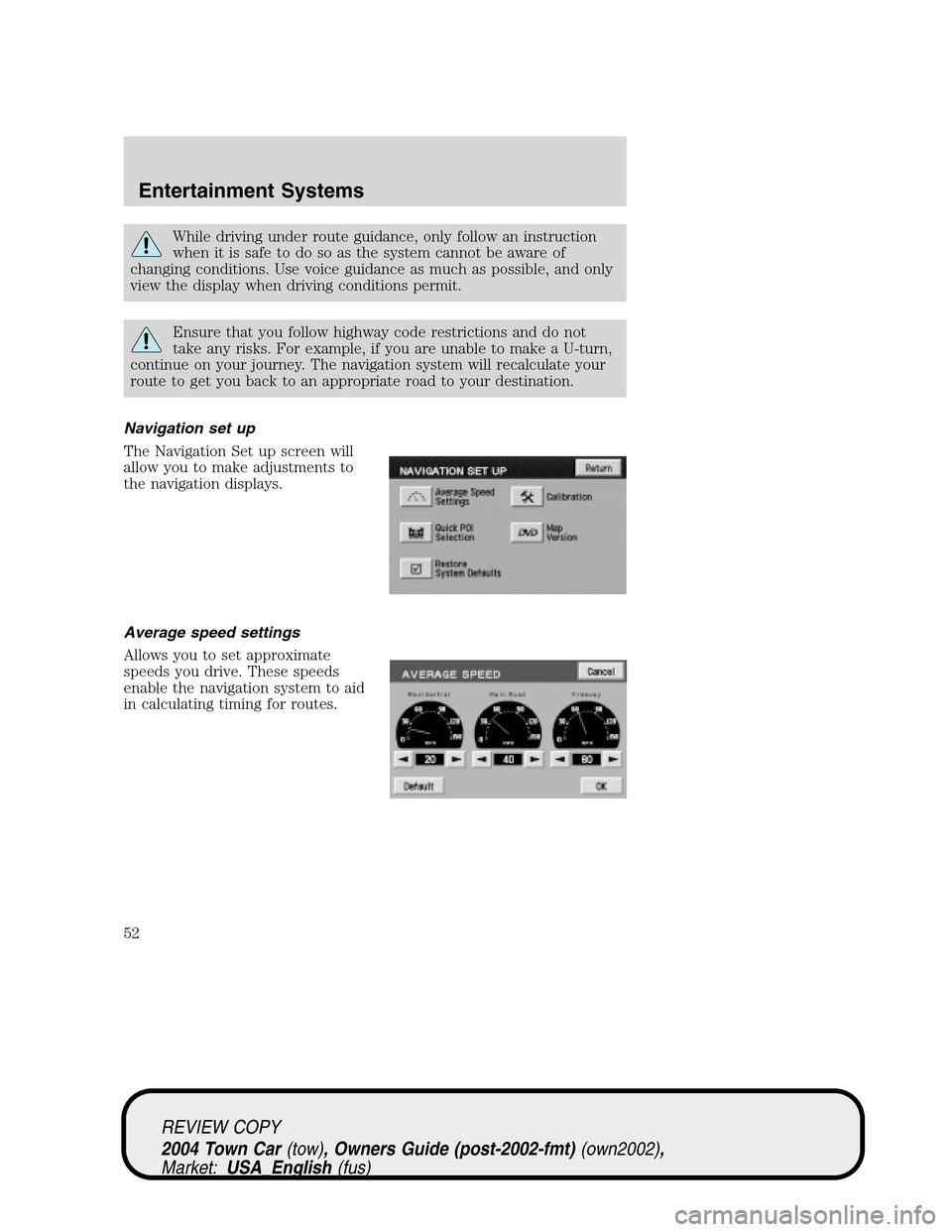
Navigation set up
The Navigation Set up screen will
allow you to make adjustments to
the navigation displays.
Average speed settings
Allows you to set approximate
speeds you drive. These speeds
enable the navigation system to aid
in calculating timing for routes.
REVIEW COPY
2004 Town Car(tow), Owners Guide (post-2002-fmt)(own2002),
Market:USA_English(fus)
Entertainment Systems
52
Page 53 of 304
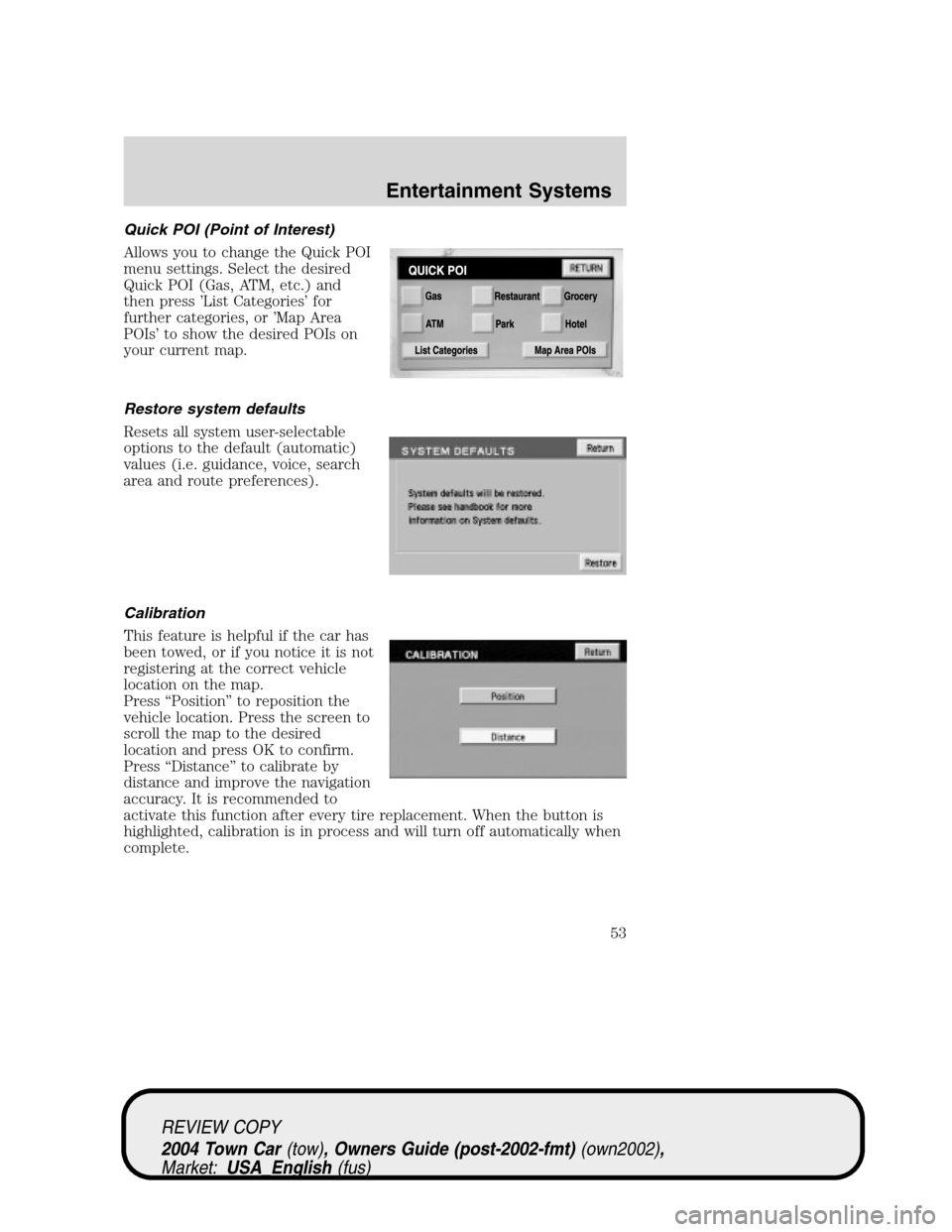
Quick POI (Point of Interest)
Allows you to change the Quick POI
menu settings. Select the desired
Quick POI (Gas, ATM, etc.) and
then press’List Categories’for
further categories, or’Map Area
POIs’to show the desired POIs on
your current map.
Restore system defaults
Resets all system user-selectable
options to the default (automatic)
values (i.e. guidance, voice, search
area and route preferences).
Calibration
This feature is helpful if the car has
been towed, or if you notice it is not
registering at the correct vehicle
location on the map.
Press“Position”to reposition the
vehicle location. Press the screen to
scroll the map to the desired
location and press OK to confirm.
Press“Distance”to calibrate by
distance and improve the navigation
accuracy. It is recommended to
activate this function after every tire replacement. When the button is
highlighted, calibration is in process and will turn off automatically when
complete.
REVIEW COPY
2004 Town Car(tow), Owners Guide (post-2002-fmt)(own2002),
Market:USA_English(fus)
Entertainment Systems
53
Page 54 of 304
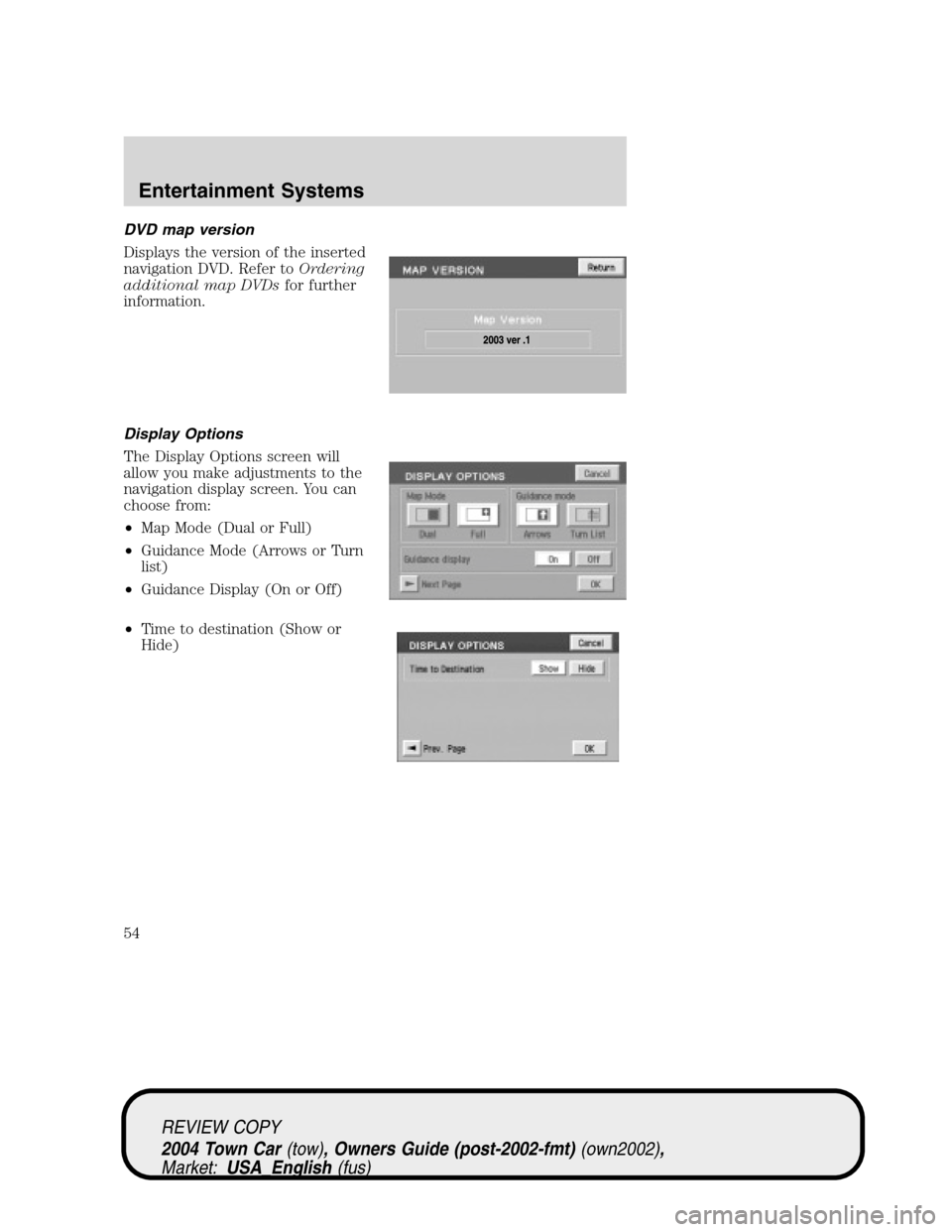
DVD map version
Displays the version of the inserted
navigation DVD. Refer toOrdering
additional map DVDsfor further
information.
Display Options
The Display Options screen will
allow you make adjustments to the
navigation display screen. You can
choose from:
•Map Mode (Dual or Full)
•Guidance Mode (Arrows or Turn
list)
•Guidance Display (On or Off)
•Time to destination (Show or
Hide)
REVIEW COPY
2004 Town Car(tow), Owners Guide (post-2002-fmt)(own2002),
Market:USA_English(fus)
Entertainment Systems
54
Page 55 of 304
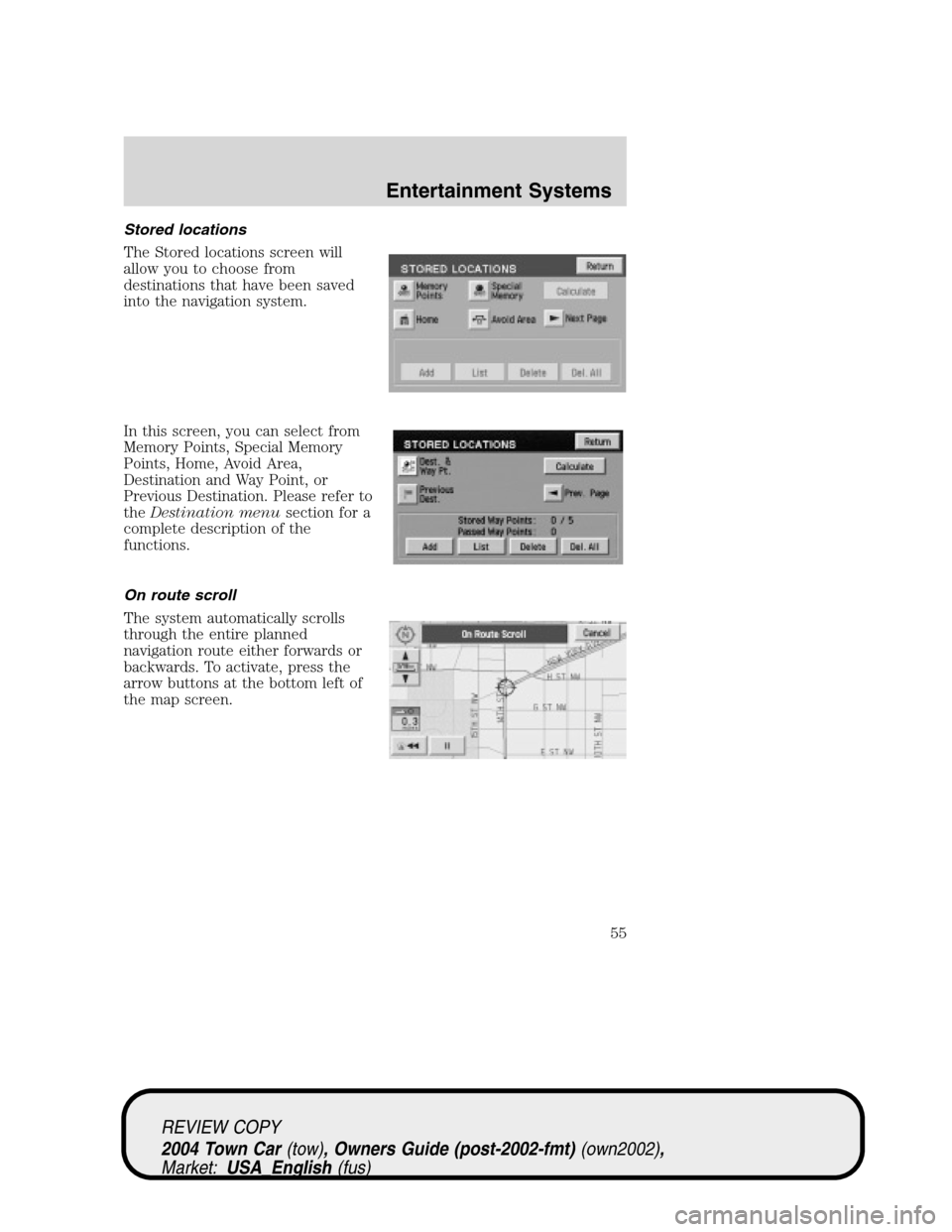
Stored locations
The Stored locations screen will
allow you to choose from
destinations that have been saved
into the navigation system.
In this screen, you can select from
Memory Points, Special Memory
Points, Home, Avoid Area,
Destination and Way Point, or
Previous Destination. Please refer to
theDestination menusection for a
complete description of the
functions.
On route scroll
The system automatically scrolls
through the entire planned
navigation route either forwards or
backwards. To activate, press the
arrow buttons at the bottom left of
the map screen.
REVIEW COPY
2004 Town Car(tow), Owners Guide (post-2002-fmt)(own2002),
Market:USA_English(fus)
Entertainment Systems
55