reset LINCOLN TOWN CAR 2004 User Guide
[x] Cancel search | Manufacturer: LINCOLN, Model Year: 2004, Model line: TOWN CAR, Model: LINCOLN TOWN CAR 2004Pages: 304, PDF Size: 2.87 MB
Page 42 of 304
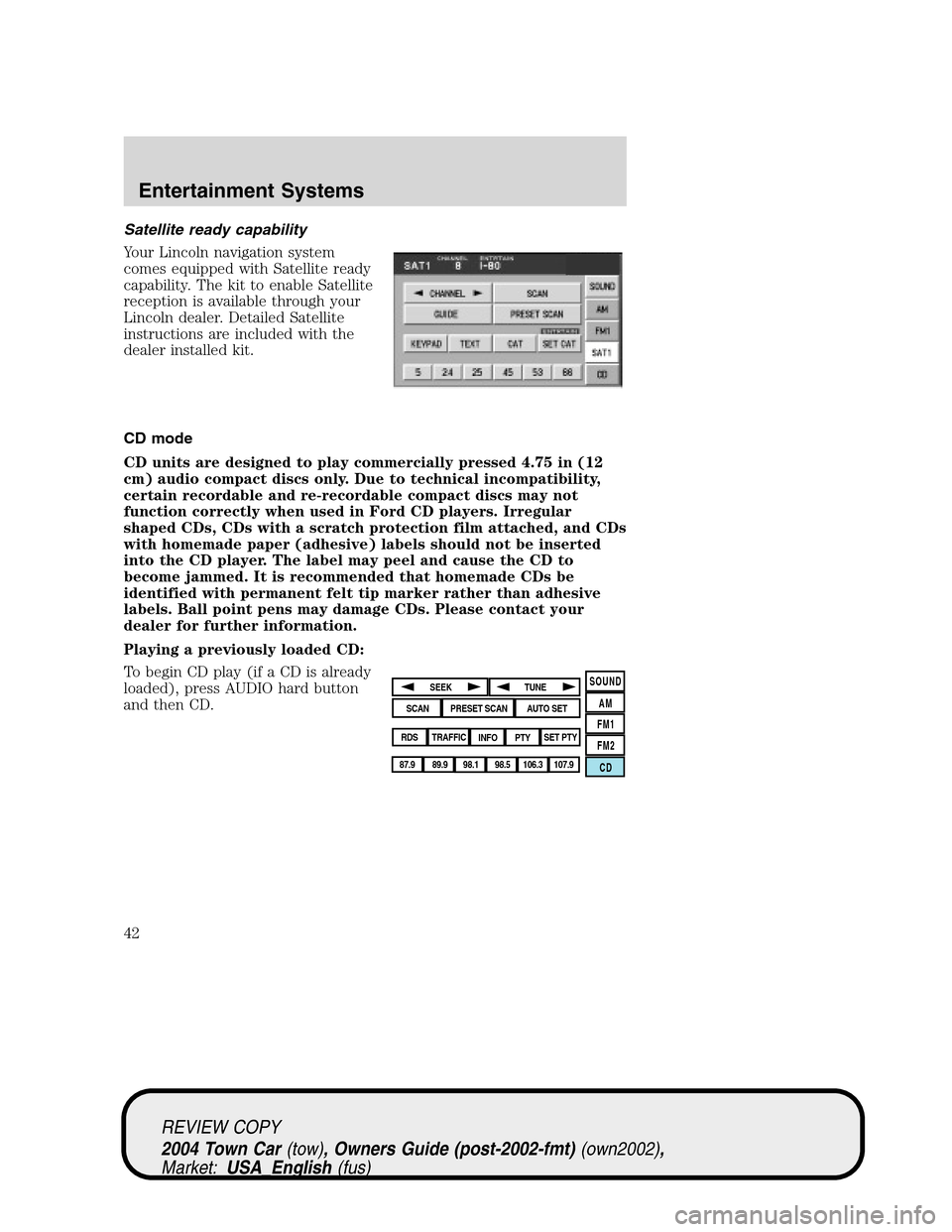
Satellite ready capability
Your Lincoln navigation system
comes equipped with Satellite ready
capability. The kit to enable Satellite
reception is available through your
Lincoln dealer. Detailed Satellite
instructions are included with the
dealer installed kit.
CD mode
CD units are designed to play commercially pressed 4.75 in (12
cm) audio compact discs only. Due to technical incompatibility,
certain recordable and re-recordable compact discs may not
function correctly when used in Ford CD players. Irregular
shaped CDs, CDs with a scratch protection film attached, and CDs
with homemade paper (adhesive) labels should not be inserted
into the CD player. The label may peel and cause the CD to
become jammed. It is recommended that homemade CDs be
identified with permanent felt tip marker rather than adhesive
labels. Ball point pens may damage CDs. Please contact your
dealer for further information.
Playing a previously loaded CD:
To begin CD play (if a CD is already
loaded), press AUDIO hard button
and then CD.
SOUND
AM
FM1
FM2
CDSEEK
TUNE
PRESET SCANAUTO SET
SCAN
RDS
TRAFFIC
INFO PTYSET PTY
87.9
89.9 98.1
98.5 106.3 107.9
REVIEW COPY
2004 Town Car(tow), Owners Guide (post-2002-fmt)(own2002),
Market:USA_English(fus)
Entertainment Systems
42
Page 53 of 304
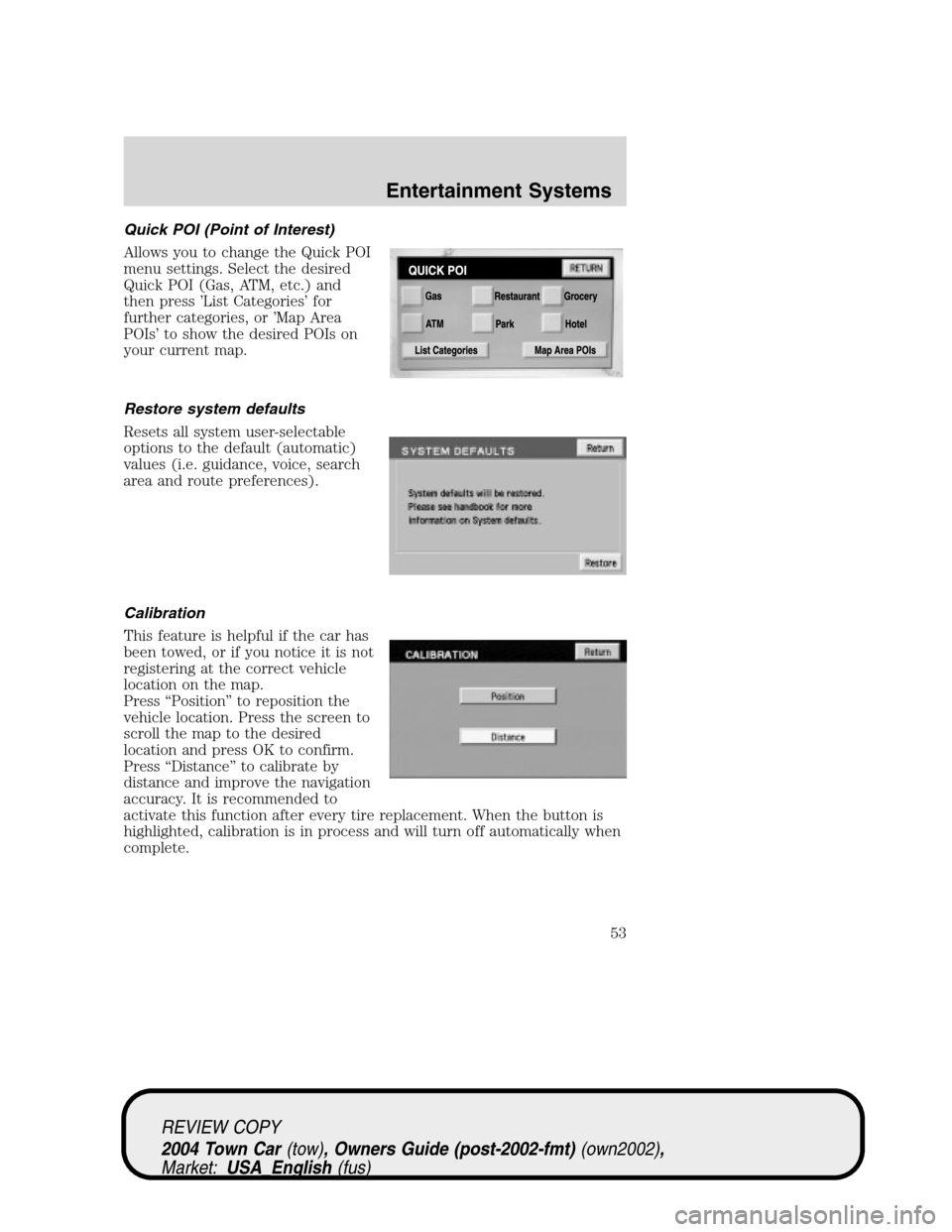
Quick POI (Point of Interest)
Allows you to change the Quick POI
menu settings. Select the desired
Quick POI (Gas, ATM, etc.) and
then press’List Categories’for
further categories, or’Map Area
POIs’to show the desired POIs on
your current map.
Restore system defaults
Resets all system user-selectable
options to the default (automatic)
values (i.e. guidance, voice, search
area and route preferences).
Calibration
This feature is helpful if the car has
been towed, or if you notice it is not
registering at the correct vehicle
location on the map.
Press“Position”to reposition the
vehicle location. Press the screen to
scroll the map to the desired
location and press OK to confirm.
Press“Distance”to calibrate by
distance and improve the navigation
accuracy. It is recommended to
activate this function after every tire replacement. When the button is
highlighted, calibration is in process and will turn off automatically when
complete.
REVIEW COPY
2004 Town Car(tow), Owners Guide (post-2002-fmt)(own2002),
Market:USA_English(fus)
Entertainment Systems
53
Page 67 of 304
Initial map display
After pressing AGREE to the initial
WARNING screen, you will move
into the initial map screen which
shows the current vehicle location.
Pressing the globe icon will take you
to the user settings—audible
feedback, navigation units, language
and clock (if equipped).
Note:There may be a slight time
delay between the soft key and the
hard key functions.
Destination entry
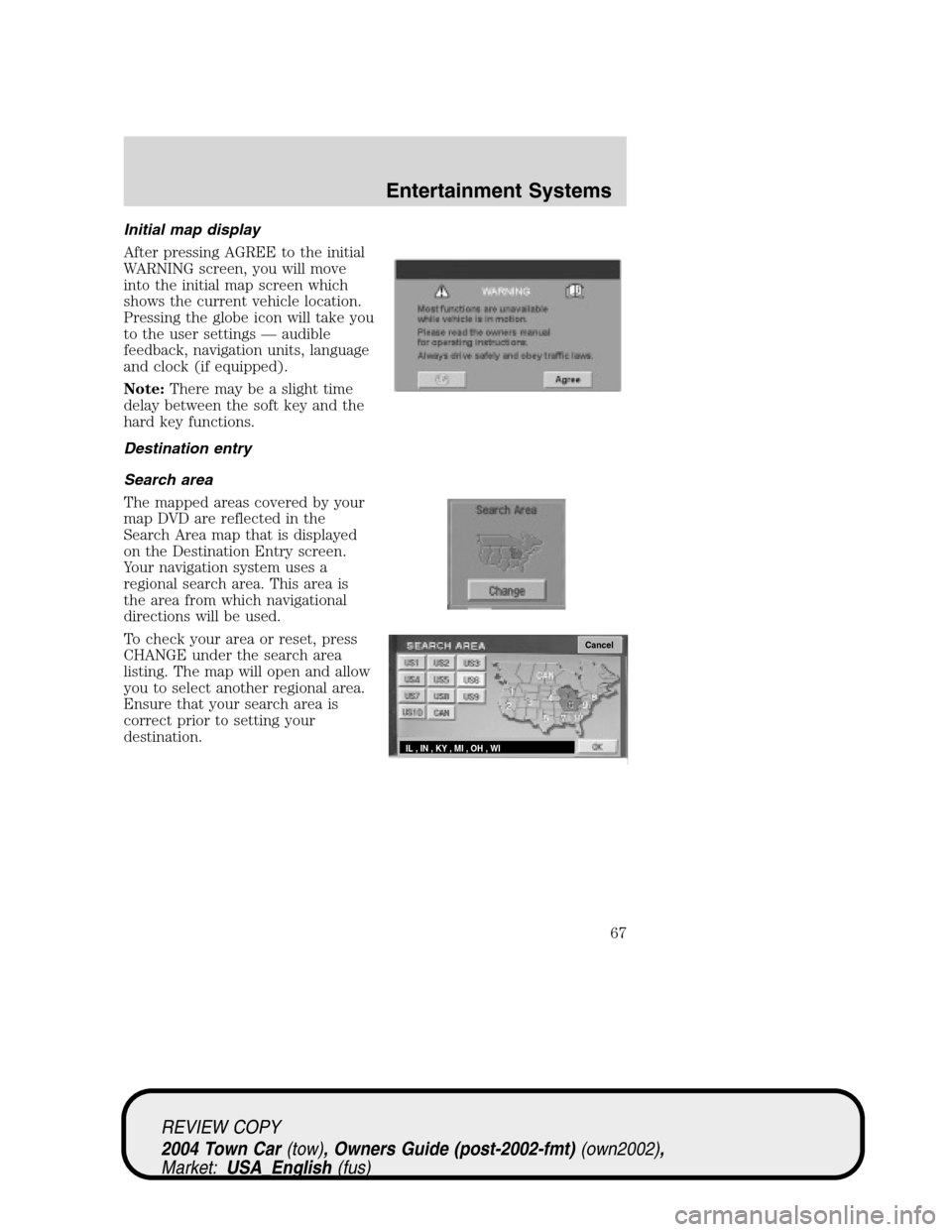
Search area
The mapped areas covered by your
map DVD are reflected in the
Search Area map that is displayed
on the Destination Entry screen.
Your navigation system uses a
regional search area. This area is
the area from which navigational
directions will be used.
To check your area or reset, press
CHANGE under the search area
listing. The map will open and allow
you to select another regional area.
Ensure that your search area is
correct prior to setting your
destination.
Cancel
IL , IN , KY , MI , OH , WI
REVIEW COPY
2004 Town Car(tow), Owners Guide (post-2002-fmt)(own2002),
Market:USA_English(fus)
Entertainment Systems
67
Page 103 of 304
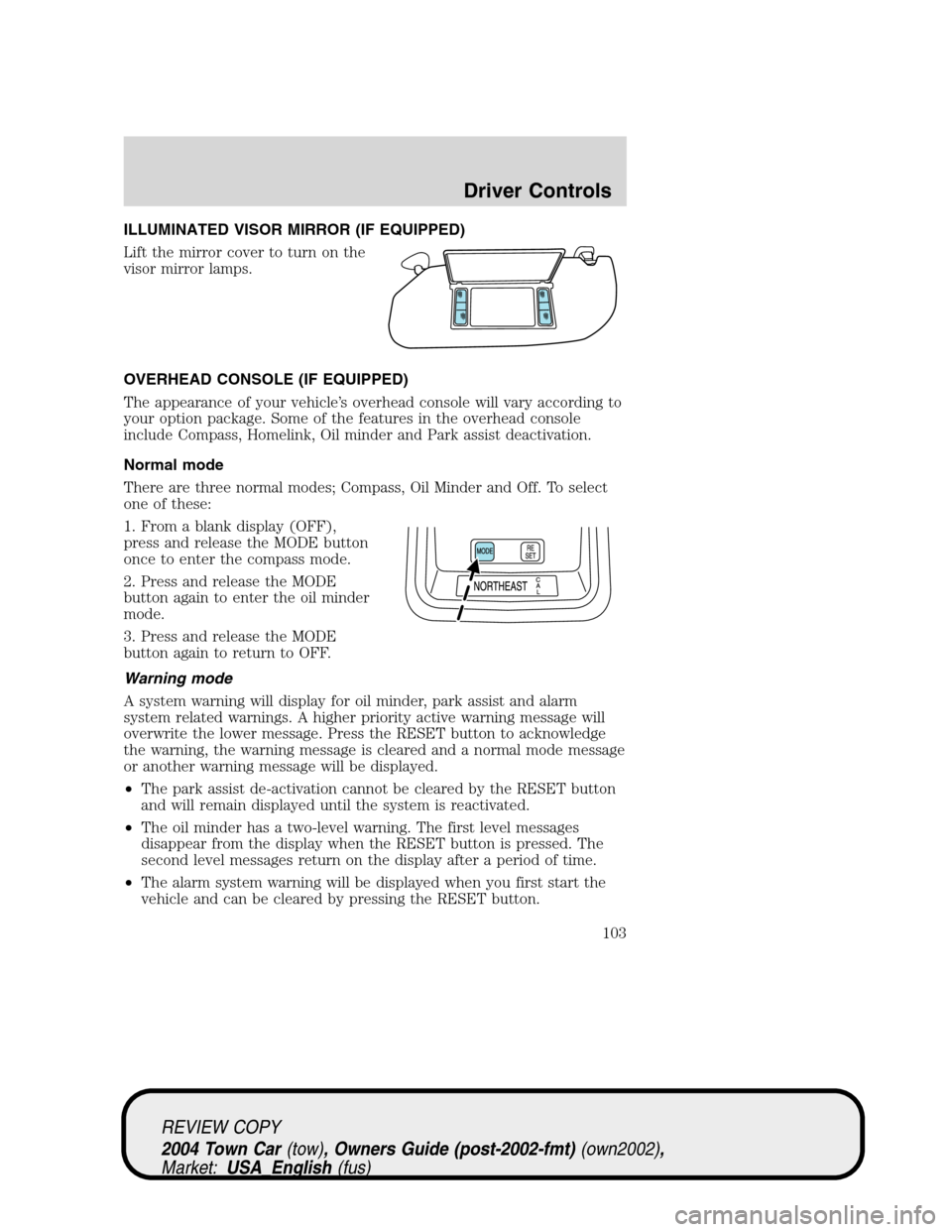
ILLUMINATED VISOR MIRROR (IF EQUIPPED)
Lift the mirror cover to turn on the
visor mirror lamps.
OVERHEAD CONSOLE (IF EQUIPPED)
The appearance of your vehicle’s overhead console will vary according to
your option package. Some of the features in the overhead console
include Compass, Homelink, Oil minder and Park assist deactivation.
Normal mode
There are three normal modes; Compass, Oil Minder and Off. To select
one of these:
1. From a blank display (OFF),
press and release the MODE button
once to enter the compass mode.
2. Press and release the MODE
button again to enter the oil minder
mode.
3. Press and release the MODE
button again to return to OFF.
Warning mode
A system warning will display for oil minder, park assist and alarm
system related warnings. A higher priority active warning message will
overwrite the lower message. Press the RESET button to acknowledge
the warning, the warning message is cleared and a normal mode message
or another warning message will be displayed.
•The park assist de-activation cannot be cleared by the RESET button
and will remain displayed until the system is reactivated.
•The oil minder has a two-level warning. The first level messages
disappear from the display when the RESET button is pressed. The
second level messages return on the display after a period of time.
•The alarm system warning will be displayed when you first start the
vehicle and can be cleared by pressing the RESET button.
REVIEW COPY
2004 Town Car(tow), Owners Guide (post-2002-fmt)(own2002),
Market:USA_English(fus)
Driver Controls
103
Page 105 of 304
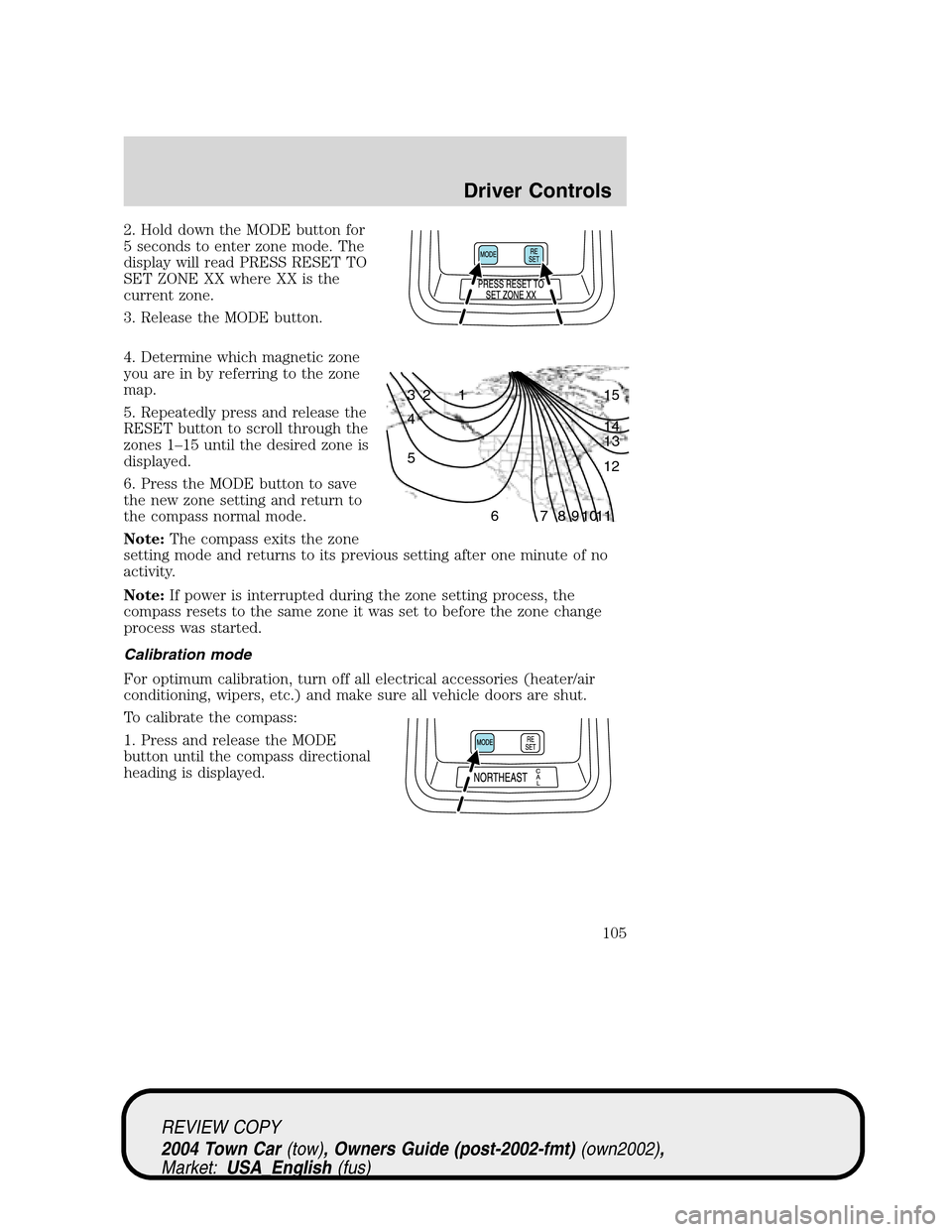
2. Hold down the MODE button for
5 seconds to enter zone mode. The
display will read PRESS RESET TO
SET ZONE XX where XX is the
current zone.
3. Release the MODE button.
4. Determine which magnetic zone
you are in by referring to the zone
map.
5. Repeatedly press and release the
RESET button to scroll through the
zones 1–15 until the desired zone is
displayed.
6. Press the MODE button to save
the new zone setting and return to
the compass normal mode.
Note:The compass exits the zone
setting mode and returns to its previous setting after one minute of no
activity.
Note:If power is interrupted during the zone setting process, the
compass resets to the same zone it was set to before the zone change
process was started.
Calibration mode
For optimum calibration, turn off all electrical accessories (heater/air
conditioning, wipers, etc.) and make sure all vehicle doors are shut.
To calibrate the compass:
1. Press and release the MODE
button until the compass directional
heading is displayed.
1 2 3
4
5
6 7 8 9 101112 13 14 15
REVIEW COPY
2004 Town Car(tow), Owners Guide (post-2002-fmt)(own2002),
Market:USA_English(fus)
Driver Controls
105
Page 106 of 304
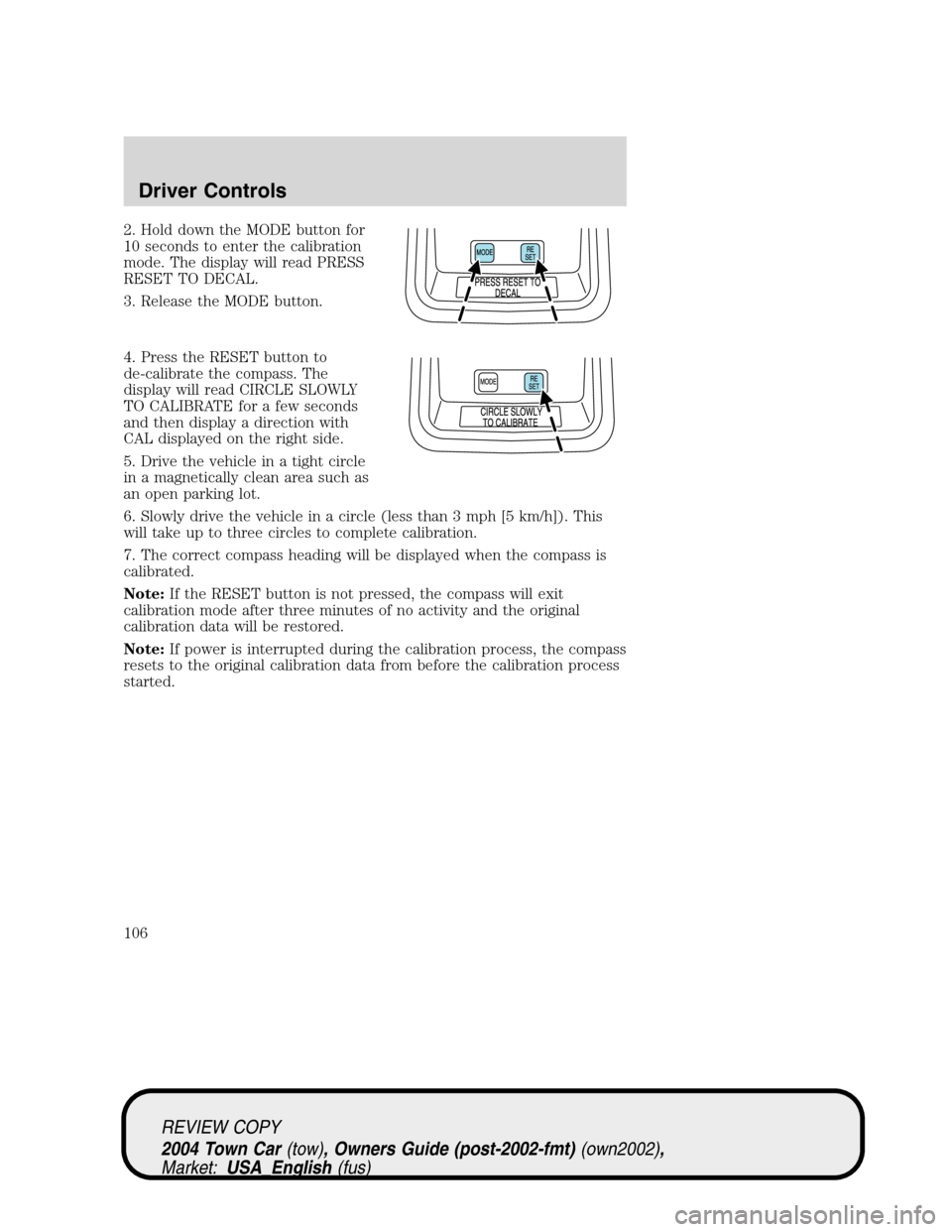
2. Hold down the MODE button for
10 seconds to enter the calibration
mode. The display will read PRESS
RESET TO DECAL.
3. Release the MODE button.
4. Press the RESET button to
de-calibrate the compass. The
display will read CIRCLE SLOWLY
TO CALIBRATE for a few seconds
and then display a direction with
CAL displayed on the right side.
5. Drive the vehicle in a tight circle
in a magnetically clean area such as
an open parking lot.
6. Slowly drive the vehicle in a circle (less than 3 mph [5 km/h]). This
will take up to three circles to complete calibration.
7. The correct compass heading will be displayed when the compass is
calibrated.
Note:If the RESET button is not pressed, the compass will exit
calibration mode after three minutes of no activity and the original
calibration data will be restored.
Note:If power is interrupted during the calibration process, the compass
resets to the original calibration data from before the calibration process
started.
REVIEW COPY
2004 Town Car(tow), Owners Guide (post-2002-fmt)(own2002),
Market:USA_English(fus)
Driver Controls
106
Page 111 of 304
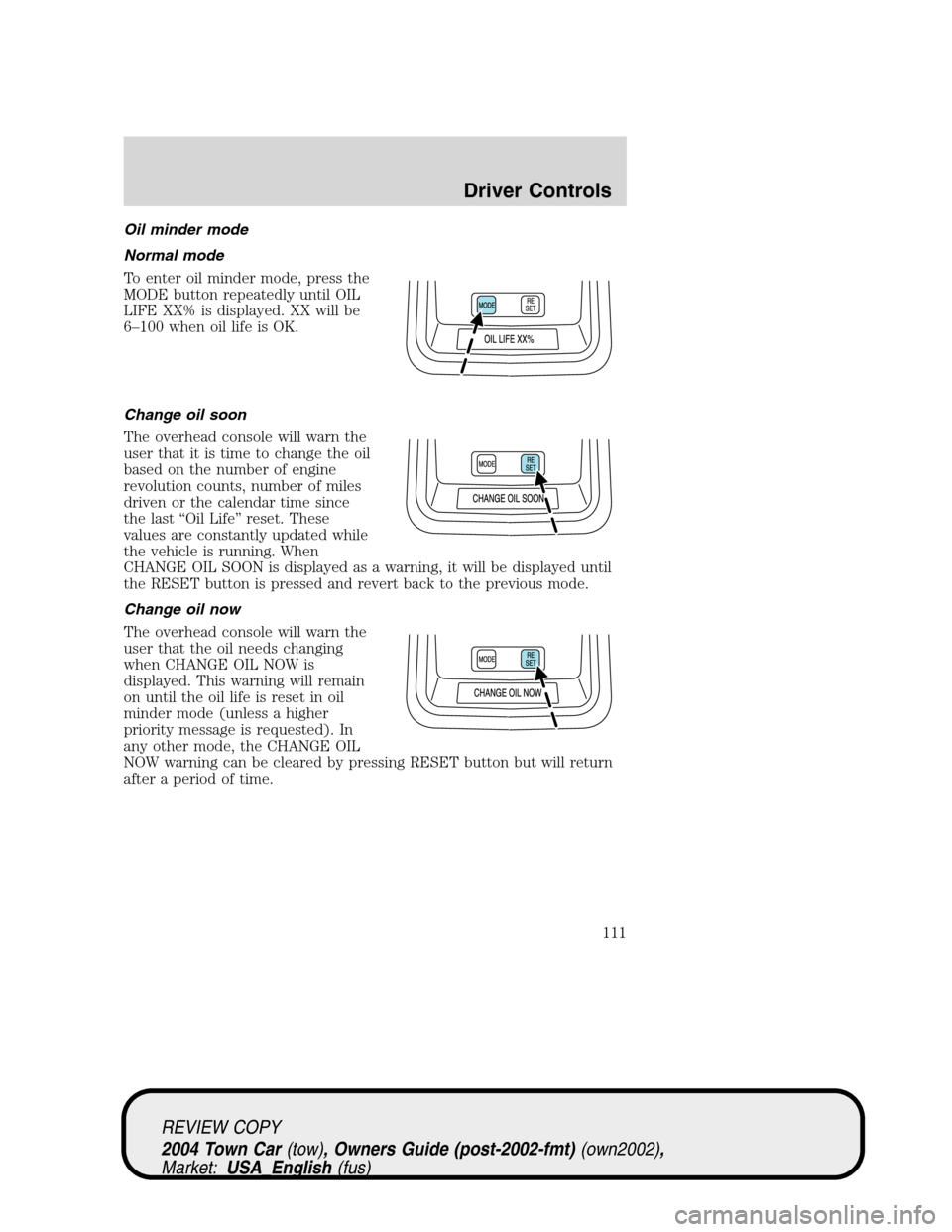
Oil minder mode
Normal mode
To enter oil minder mode, press the
MODE button repeatedly until OIL
LIFE XX% is displayed. XX will be
6–100 when oil life is OK.
Change oil soon
The overhead console will warn the
user that it is time to change the oil
based on the number of engine
revolution counts, number of miles
driven or the calendar time since
the last“Oil Life”reset. These
values are constantly updated while
the vehicle is running. When
CHANGE OIL SOON is displayed as a warning, it will be displayed until
the RESET button is pressed and revert back to the previous mode.
Change oil now
The overhead console will warn the
user that the oil needs changing
when CHANGE OIL NOW is
displayed. This warning will remain
on until the oil life is reset in oil
minder mode (unless a higher
priority message is requested). In
any other mode, the CHANGE OIL
NOW warning can be cleared by pressing RESET button but will return
after a period of time.
REVIEW COPY
2004 Town Car(tow), Owners Guide (post-2002-fmt)(own2002),
Market:USA_English(fus)
Driver Controls
111
Page 112 of 304
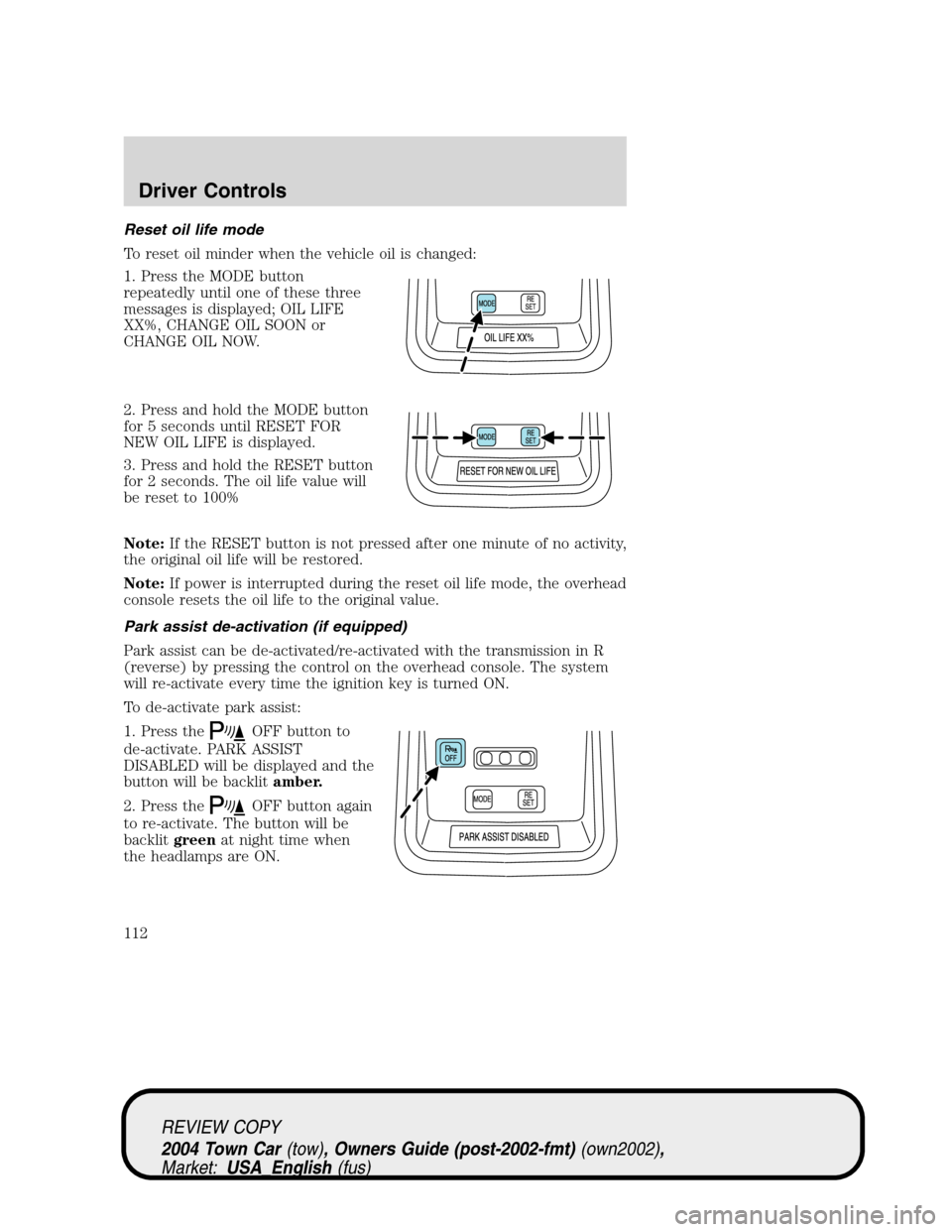
Reset oil life mode
To reset oil minder when the vehicle oil is changed:
1. Press the MODE button
repeatedly until one of these three
messages is displayed; OIL LIFE
XX%, CHANGE OIL SOON or
CHANGE OIL NOW.
2. Press and hold the MODE button
for 5 seconds until RESET FOR
NEW OIL LIFE is displayed.
3. Press and hold the RESET button
for 2 seconds. The oil life value will
be reset to 100%
Note:If the RESET button is not pressed after one minute of no activity,
the original oil life will be restored.
Note:If power is interrupted during the reset oil life mode, the overhead
console resets the oil life to the original value.
Park assist de-activation (if equipped)
Park assist can be de-activated/re-activated with the transmission in R
(reverse) by pressing the control on the overhead console. The system
will re-activate every time the ignition key is turned ON.
To de-activate park assist:
1. Press the
OFF button to
de-activate. PARK ASSIST
DISABLED will be displayed and the
button will be backlitamber.
2. Press the
OFF button again
to re-activate. The button will be
backlitgreenat night time when
the headlamps are ON.
REVIEW COPY
2004 Town Car(tow), Owners Guide (post-2002-fmt)(own2002),
Market:USA_English(fus)
Driver Controls
112
Page 120 of 304
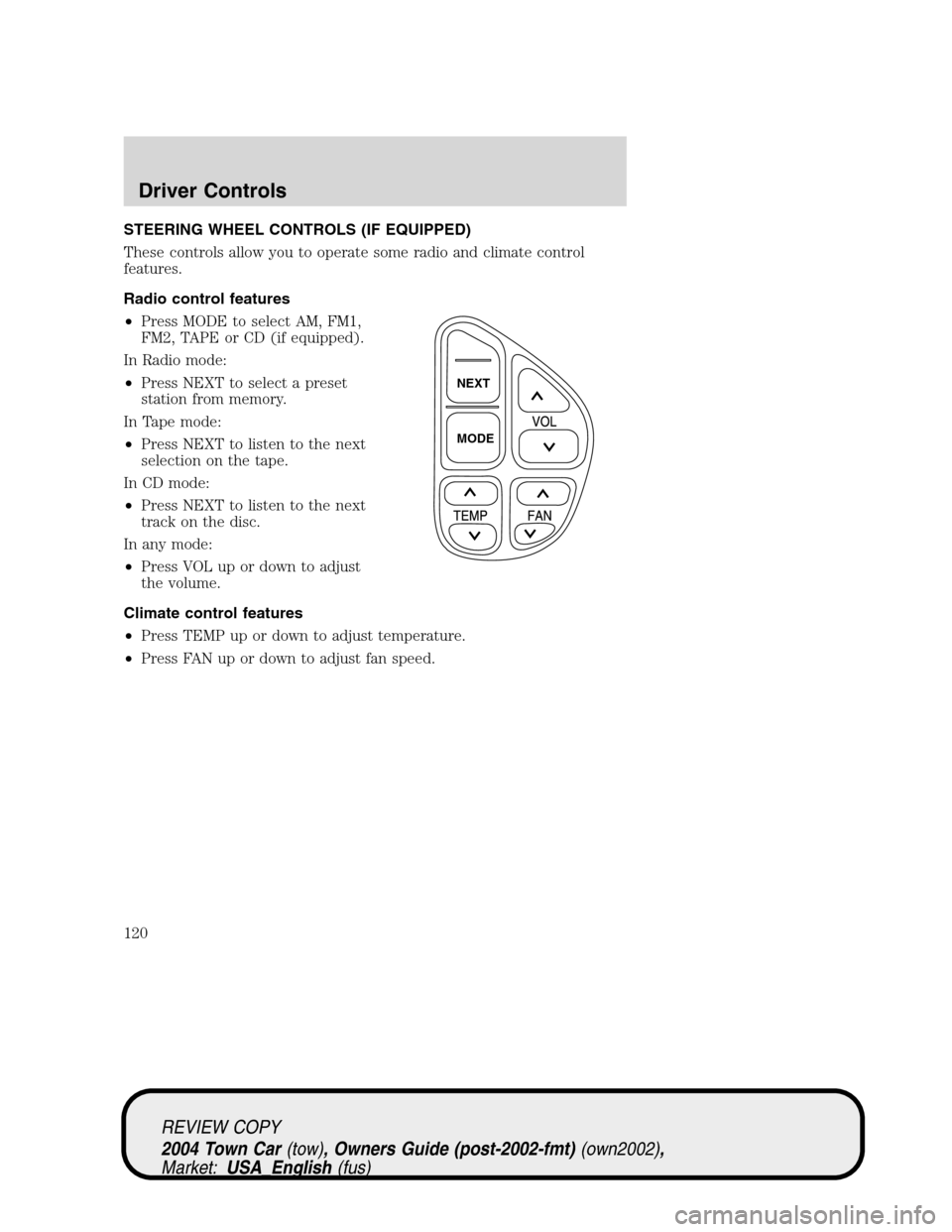
STEERING WHEEL CONTROLS (IF EQUIPPED)
These controls allow you to operate some radio and climate control
features.
Radio control features
•Press MODE to select AM, FM1,
FM2, TAPE or CD (if equipped).
In Radio mode:
•Press NEXT to select a preset
station from memory.
In Tape mode:
•Press NEXT to listen to the next
selection on the tape.
In CD mode:
•Press NEXT to listen to the next
track on the disc.
In any mode:
•Press VOL up or down to adjust
the volume.
Climate control features
•Press TEMP up or down to adjust temperature.
•Press FAN up or down to adjust fan speed.
NEXT
MODE
REVIEW COPY
2004 Town Car(tow), Owners Guide (post-2002-fmt)(own2002),
Market:USA_English(fus)
Driver Controls
120
Page 124 of 304
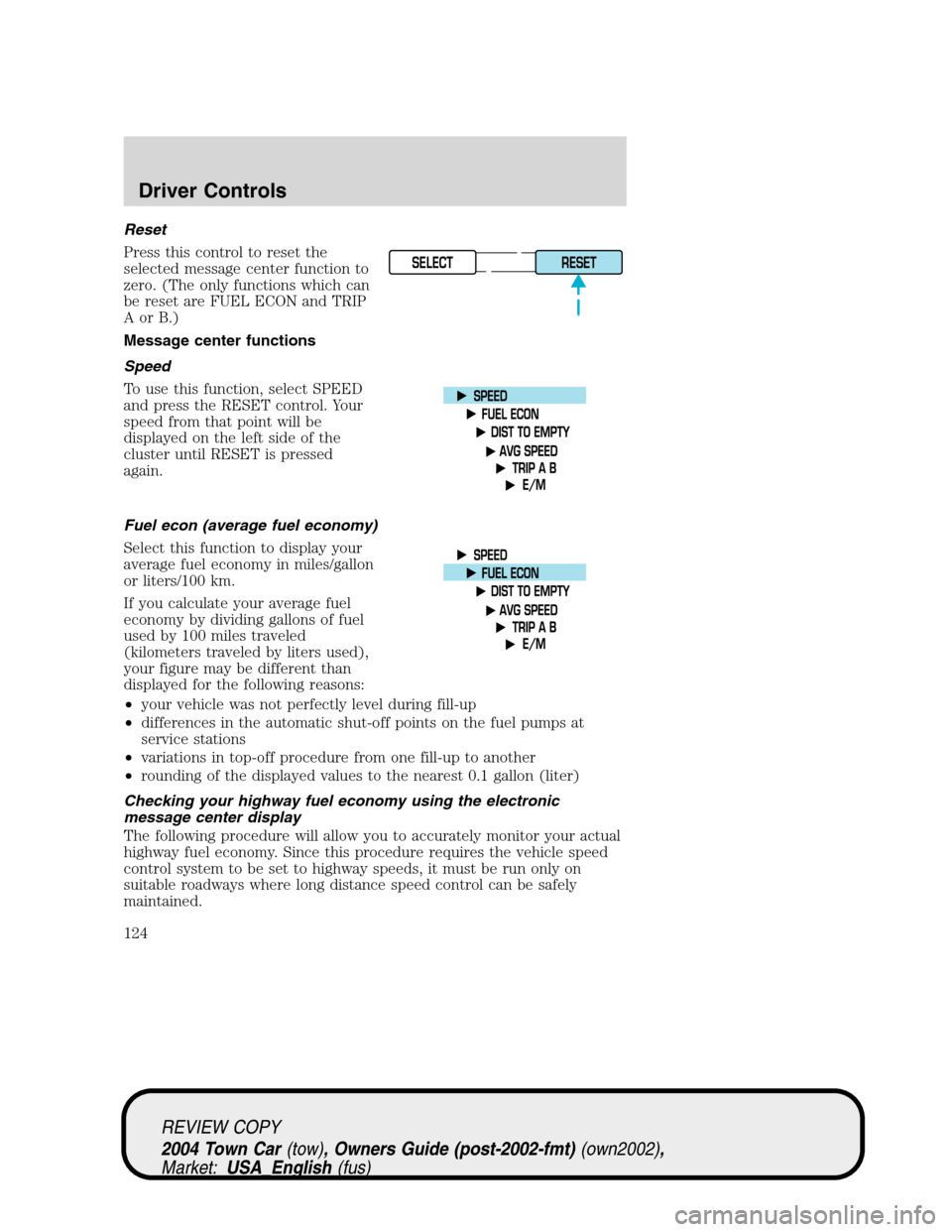
Reset
Press this control to reset the
selected message center function to
zero. (The only functions which can
be reset are FUEL ECON and TRIP
AorB.)
Message center functions
Speed
To use this function, select SPEED
and press the RESET control. Your
speed from that point will be
displayed on the left side of the
cluster until RESET is pressed
again.
Fuel econ (average fuel economy)
Select this function to display your
average fuel economy in miles/gallon
or liters/100 km.
If you calculate your average fuel
economy by dividing gallons of fuel
used by 100 miles traveled
(kilometers traveled by liters used),
your figure may be different than
displayed for the following reasons:
•your vehicle was not perfectly level during fill-up
•differences in the automatic shut-off points on the fuel pumps at
service stations
•variations in top-off procedure from one fill-up to another
•rounding of the displayed values to the nearest 0.1 gallon (liter)
Checking your highway fuel economy using the electronic
message center display
The following procedure will allow you to accurately monitor your actual
highway fuel economy. Since this procedure requires the vehicle speed
control system to be set to highway speeds, it must be run only on
suitable roadways where long distance speed control can be safely
maintained.
SELECT
RESET
REVIEW COPY
2004 Town Car(tow), Owners Guide (post-2002-fmt)(own2002),
Market:USA_English(fus)
Driver Controls
124