Map LINCOLN TOWN CAR 2007 Service Manual
[x] Cancel search | Manufacturer: LINCOLN, Model Year: 2007, Model line: TOWN CAR, Model: LINCOLN TOWN CAR 2007Pages: 328, PDF Size: 4.51 MB
Page 90 of 328
Radio reception factors
There are certain factors that may effect your radio reception.
•Distance/strength.The further an FM signal travels, the weaker it is.
The listenable range of the average FM station is approximately 40 km
(24 miles). This range can be affected by “signal modulation.” Signal
modulation is a process radio stations use to increase their
strength/volume relative to other stations.
•Terrain.Hills, mountains and tall buildings between your vehicle’s
antenna and the radio station signal can cause FM reception problems.
Static can be caused on AM stations by power lines, electric fences,
traffic lights and thunderstorms. Moving away from an interfering
structure (out of its “shadow”) returns your reception to normal.
•Station overload.Weak signals are sometimes captured by stronger
signals when you pass a broadcast tower. A stronger signal may
temporarily overtake a weaker signal and play while the weak station
frequency is displayed.
Principles of GPS (global positioning system) operation
Your system directs you based on information derived from global
positioning satellites, road maps stored on the DVD, sensors in your
vehicle and the desired destination. The system compiles all necessary
information to guide you to your selected destination. Space satellites
determine the vehicle’s current location and transmit position and time
signals to your car.
If the vehicle has been parked for a long period of time, the navigation
function may be temporarily unresponsive. The navigation system will
operate reliably again once GPS reception is available for a few minutes.
Limited GPS reception
System performance may be adversely affected if GPS reception is
interrupted or interference occurs over a distance of several miles. The
following are possible causes for GPS reception being interrupted. If the
vehicle is:
•in multi-story parking garages
•in tunnels and under bridges
•inside or in between buildings
•by forests or tree-lined avenues
•in heavy rain showers and thunderstorms
•in valleys and in mountainous regions
2007 Town Car(tow)
Owners Guide (post-2002-fmt)
USA(fus)
Entertainment Systems
90
Page 91 of 328
•roads under cliffs
Ensure that you do not have any metal objects on the rear parcel shelf.
If your windows are tinted, ensure that you use non-metal tinting instead
of metal oxide tinting. Both of these factors can interrupt GPS reception.
Cleaning the display
Do not spray cleaning fluid directly onto the unit. Instead, spray onto a
soft cloth and gently wipe the unit. Only recommended products should
be used.
•Recommended products- Rubbing alcohol based cleaner (i.e., methyl
alcohol) or a damp clean cloth.
•Not harmful but not recommended- ammonia cleaner, neutral
detergent.
•Harmful to system and not recommended- acid cleaner, alkali cleaner,
benzene cleaner.
Do not clean any part of the system with benzene, paint thinner or any
other solvent.
Do not spill liquids of any kind onto the unit.
Loading the map DVD
•Your navigation DVD unit is located in the trunk (mounted under the
rear window or in a left side compartment with access door).
•Ensure that the vehicle ignition is ON.
•If a DVD is already loaded in the Navigation unit, push the eject
button.
•Load the DVD with the printed side up. Do not allow moisture or
foreign objects to enter the slot.
The navigation system utilizes a database stored in a special format on a
DVD. It is recommended always to use the latest update of this map
DVD.
•The navigation system will only work with DVDs specifically intended
for your navigation system.
•Always store the map DVDs in their protective cases when not in use.
Ordering additional map DVDs
If you wish to order a replacement or additional map, please call
1–888–NAV-MAPS (1–888–628–6277) or to log onto www.navtech.com.
2007 Town Car(tow)
Owners Guide (post-2002-fmt)
USA(fus)
Entertainment Systems
91
Page 92 of 328
Latest map DVDs
The map content is constantly changing due to new roads, traffic
restrictions, etc. . Therefore, it is not always possible to exactly match
the DVD map with the current roadways. For best results, always use the
latest version of the map DVD. Map information is regularly updated, but
all areas are not necessarily covered to the same level of detail. Some
areas, in particular private roads, may not be included on the database.
To help with accuracy, always use the latest DVD version for navigation.
Customer service
If you need help operating your navigation/audio system, want to report
a map database error or want to obtain a map DVD, please call 1 (888)
628–6277 (NAV-MAPS) or log onto www.navtech.com.
2007 Town Car(tow)
Owners Guide (post-2002-fmt)
USA(fus)
Entertainment Systems
92
Page 101 of 328
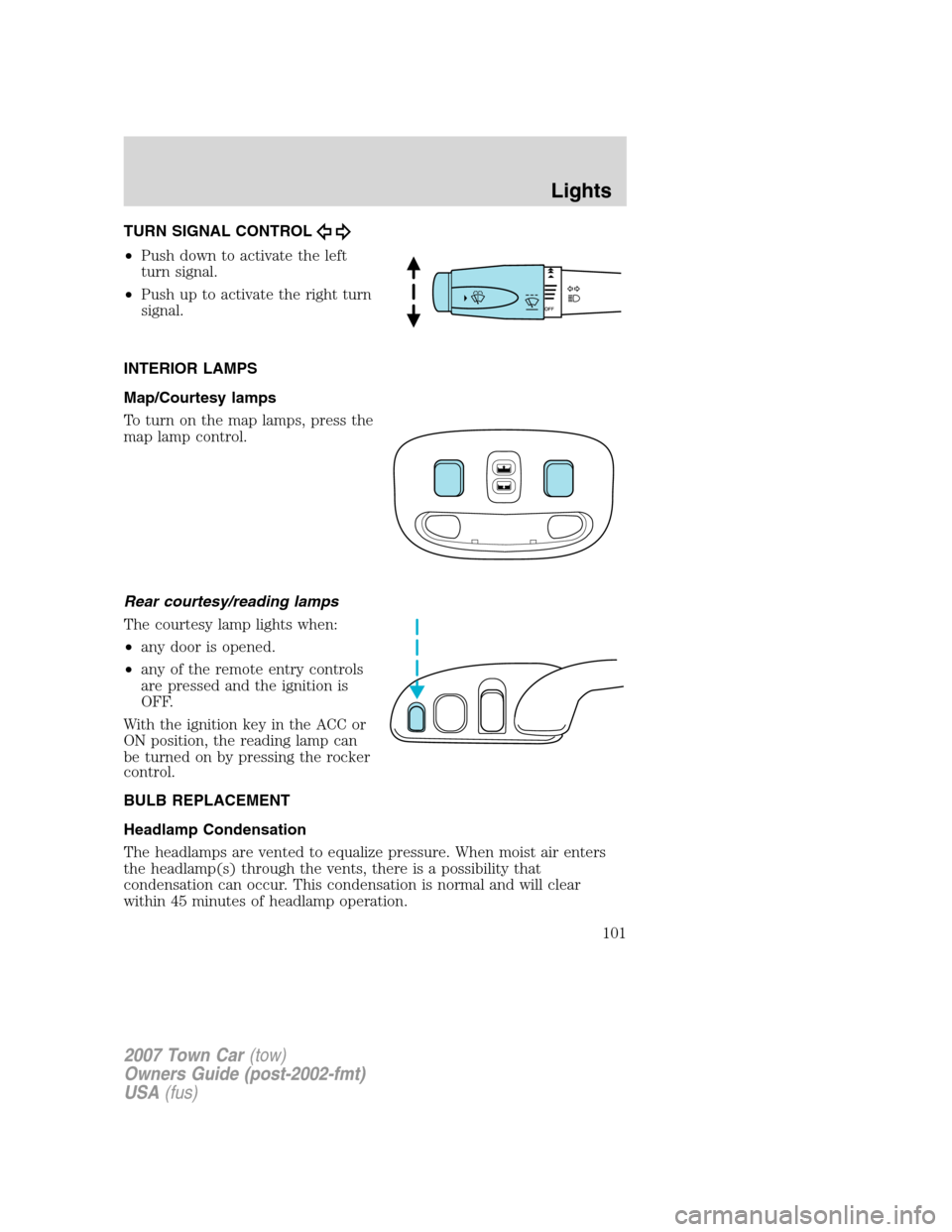
TURN SIGNAL CONTROL
•Push down to activate the left
turn signal.
•Push up to activate the right turn
signal.
INTERIOR LAMPS
Map/Courtesy lamps
To turn on the map lamps, press the
map lamp control.
Rear courtesy/reading lamps
The courtesy lamp lights when:
•any door is opened.
•any of the remote entry controls
are pressed and the ignition is
OFF.
With the ignition key in the ACC or
ON position, the reading lamp can
be turned on by pressing the rocker
control.
BULB REPLACEMENT
Headlamp Condensation
The headlamps are vented to equalize pressure. When moist air enters
the headlamp(s) through the vents, there is a possibility that
condensation can occur. This condensation is normal and will clear
within 45 minutes of headlamp operation.
2007 Town Car(tow)
Owners Guide (post-2002-fmt)
USA(fus)
Lights
101
Page 102 of 328
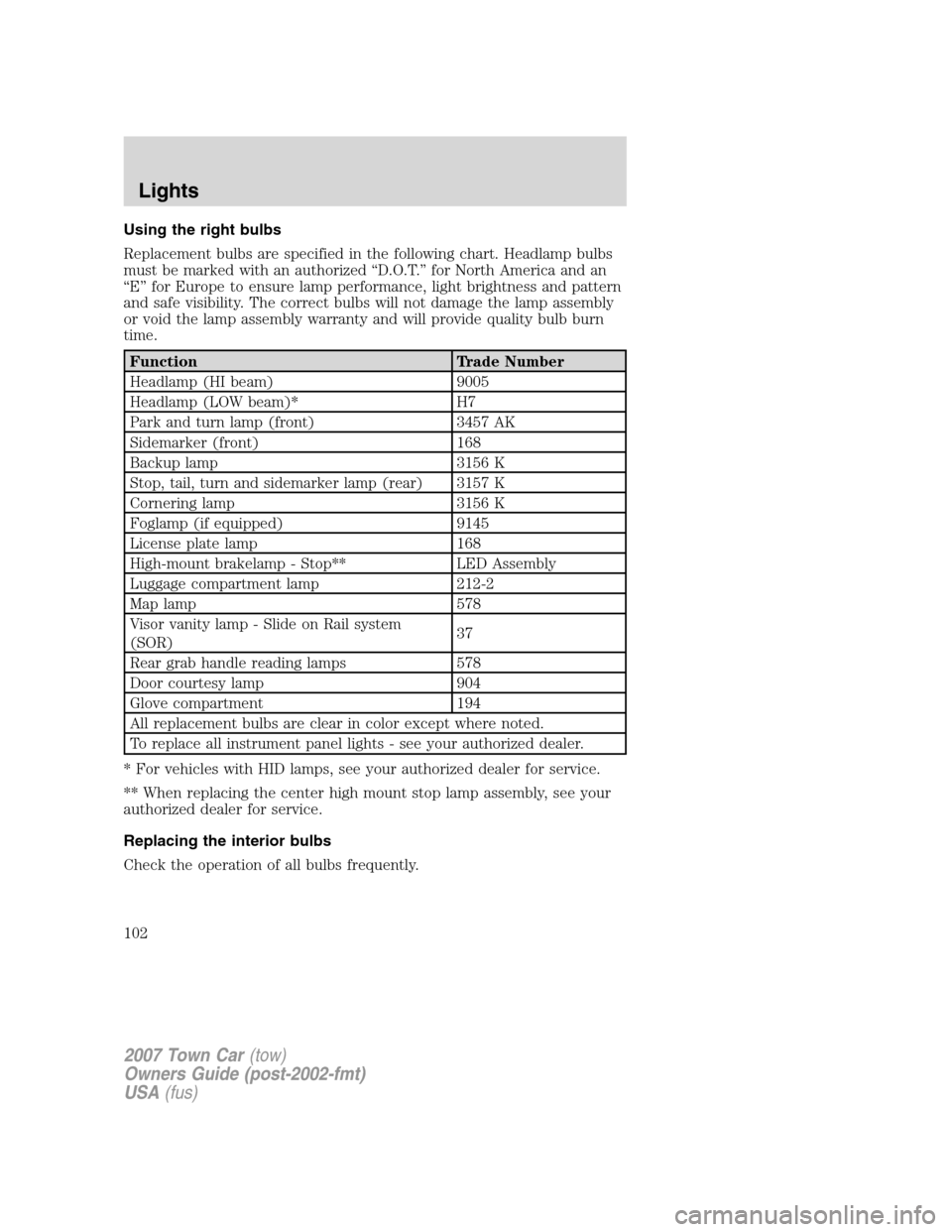
Using the right bulbs
Replacement bulbs are specified in the following chart. Headlamp bulbs
must be marked with an authorized “D.O.T.” for North America and an
“E” for Europe to ensure lamp performance, light brightness and pattern
and safe visibility. The correct bulbs will not damage the lamp assembly
or void the lamp assembly warranty and will provide quality bulb burn
time.
Function Trade Number
Headlamp (HI beam) 9005
Headlamp (LOW beam)* H7
Park and turn lamp (front) 3457 AK
Sidemarker (front) 168
Backup lamp 3156 K
Stop, tail, turn and sidemarker lamp (rear) 3157 K
Cornering lamp 3156 K
Foglamp (if equipped) 9145
License plate lamp 168
High-mount brakelamp - Stop** LED Assembly
Luggage compartment lamp 212-2
Map lamp 578
Visor vanity lamp - Slide on Rail system
(SOR)37
Rear grab handle reading lamps 578
Door courtesy lamp 904
Glove compartment 194
All replacement bulbs are clear in color except where noted.
To replace all instrument panel lights - see your authorized dealer.
* For vehicles with HID lamps, see your authorized dealer for service.
** When replacing the center high mount stop lamp assembly, see your
authorized dealer for service.
Replacing the interior bulbs
Check the operation of all bulbs frequently.
2007 Town Car(tow)
Owners Guide (post-2002-fmt)
USA(fus)
Lights
102
Page 130 of 328
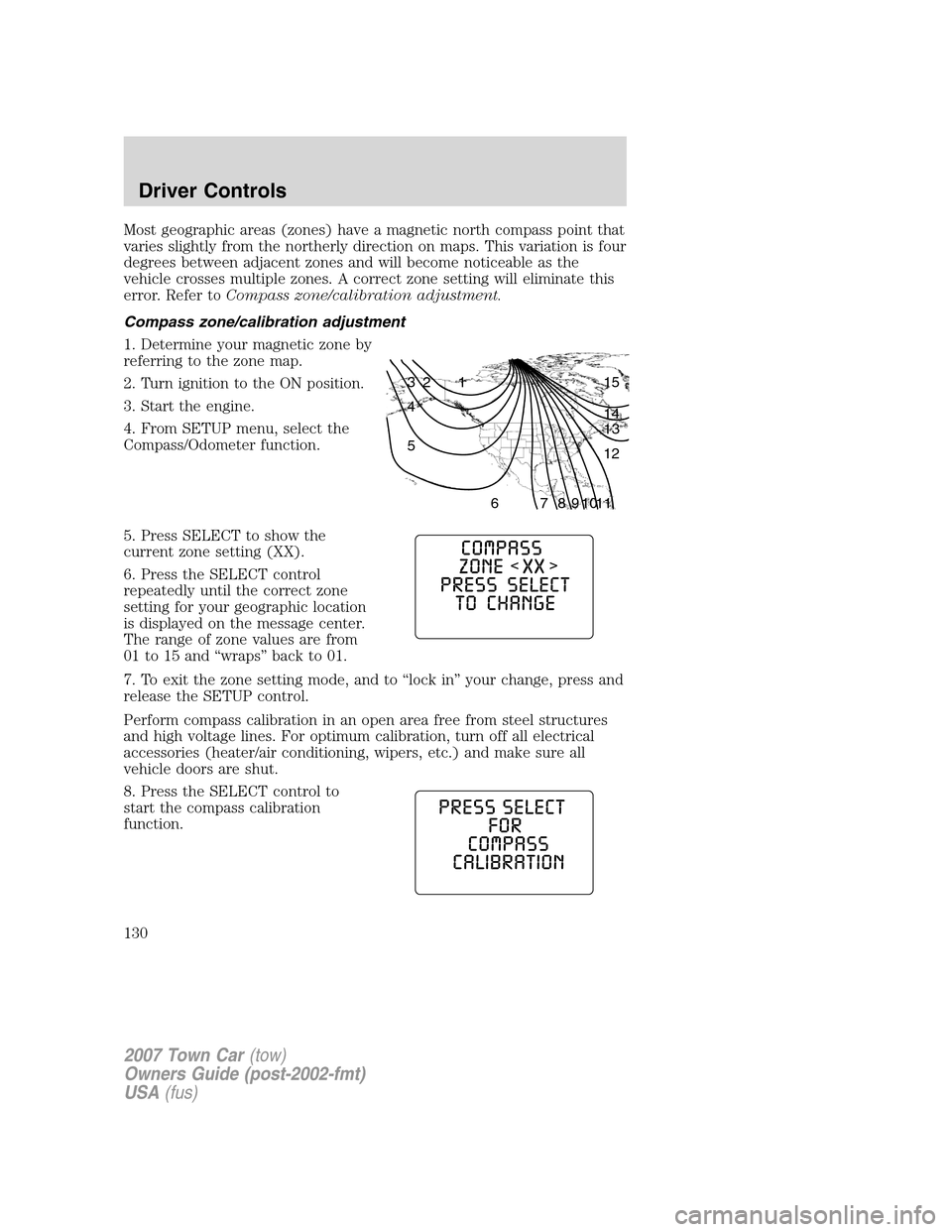
Most geographic areas (zones) have a magnetic north compass point that
varies slightly from the northerly direction on maps. This variation is four
degrees between adjacent zones and will become noticeable as the
vehicle crosses multiple zones. A correct zone setting will eliminate this
error. Refer toCompass zone/calibration adjustment.
Compass zone/calibration adjustment
1. Determine your magnetic zone by
referring to the zone map.
2. Turn ignition to the ON position.
3. Start the engine.
4. From SETUP menu, select the
Compass/Odometer function.
5. Press SELECT to show the
current zone setting (XX).
6. Press the SELECT control
repeatedly until the correct zone
setting for your geographic location
is displayed on the message center.
The range of zone values are from
01 to 15 and “wraps” back to 01.
7. To exit the zone setting mode, and to “lock in” your change, press and
release the SETUP control.
Perform compass calibration in an open area free from steel structures
and high voltage lines. For optimum calibration, turn off all electrical
accessories (heater/air conditioning, wipers, etc.) and make sure all
vehicle doors are shut.
8. Press the SELECT control to
start the compass calibration
function.
1 2 3
4
5
6 7 8 9 101112 13 14 15
2007 Town Car(tow)
Owners Guide (post-2002-fmt)
USA(fus)
Driver Controls
130
Page 157 of 328
Always drive and ride with your seatback upright and the lap
belt snug and low across the hips.
Reclining the seatback can cause an occupant to slide under the
seat’s safety belt, resulting in severe personal injuries in the
event of a collision.
Sitting improperly out of position or with the seat back reclined
too far can take off weight from the seat cushion and affect the
decision of the passenger sensing system, resulting in serious injury or
death in a crash. Always sit upright against your seatback, with your
feet on the floor.
To reduce the risk of possible serious injury: Do not hang objects
off seat back or stow objects in map pocket (if equipped) when
a child is in the front passenger seat. Do not place objects underneath
the front passenger seat or between the seat and the center console (if
equipped). Check Passenger Airbag Disable Indicator for proper Airbag
Status. Refer to Front Passenger Sensing System chapter for additional
details. Failure to follow these instructions may interfere with the front
passenger seat sensing system.
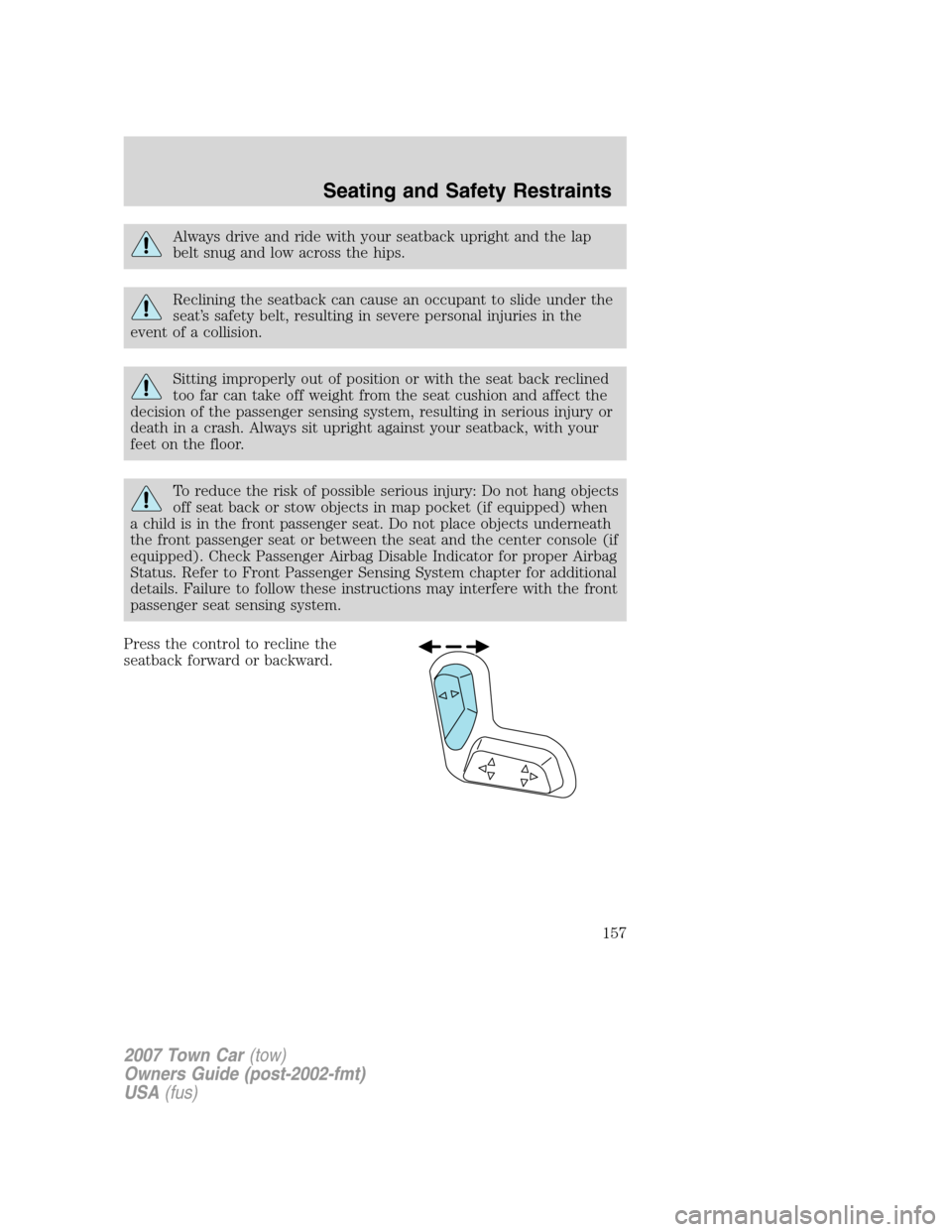
Press the control to recline the
seatback forward or backward.
2007 Town Car(tow)
Owners Guide (post-2002-fmt)
USA(fus)
Seating and Safety Restraints
157
Page 182 of 328
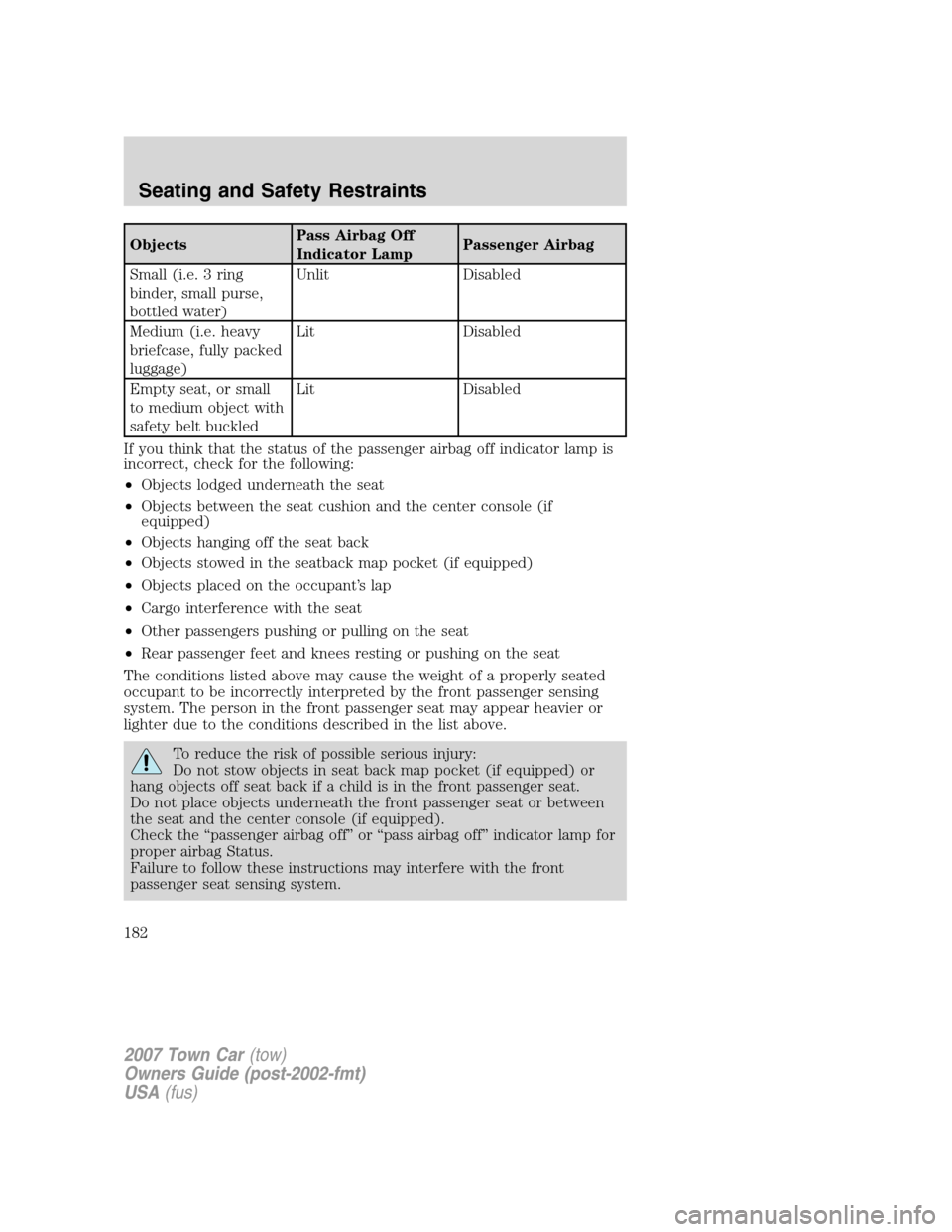
ObjectsPass Airbag Off
Indicator LampPassenger Airbag
Small (i.e. 3 ring
binder, small purse,
bottled water)Unlit Disabled
Medium (i.e. heavy
briefcase, fully packed
luggage)Lit Disabled
Empty seat, or small
to medium object with
safety belt buckledLit Disabled
If you think that the status of the passenger airbag off indicator lamp is
incorrect, check for the following:
•Objects lodged underneath the seat
•Objects between the seat cushion and the center console (if
equipped)
•Objects hanging off the seat back
•Objects stowed in the seatback map pocket (if equipped)
•Objects placed on the occupant’s lap
•Cargo interference with the seat
•Other passengers pushing or pulling on the seat
•Rear passenger feet and knees resting or pushing on the seat
The conditions listed above may cause the weight of a properly seated
occupant to be incorrectly interpreted by the front passenger sensing
system. The person in the front passenger seat may appear heavier or
lighter due to the conditions described in the list above.
To reduce the risk of possible serious injury:
Do not stow objects in seat back map pocket (if equipped) or
hang objects off seat back if a child is in the front passenger seat.
Do not place objects underneath the front passenger seat or between
the seat and the center console (if equipped).
Check the “passenger airbag off” or “pass airbag off” indicator lamp for
proper airbag Status.
Failure to follow these instructions may interfere with the front
passenger seat sensing system.
2007 Town Car(tow)
Owners Guide (post-2002-fmt)
USA(fus)
Seating and Safety Restraints
182
Page 320 of 328
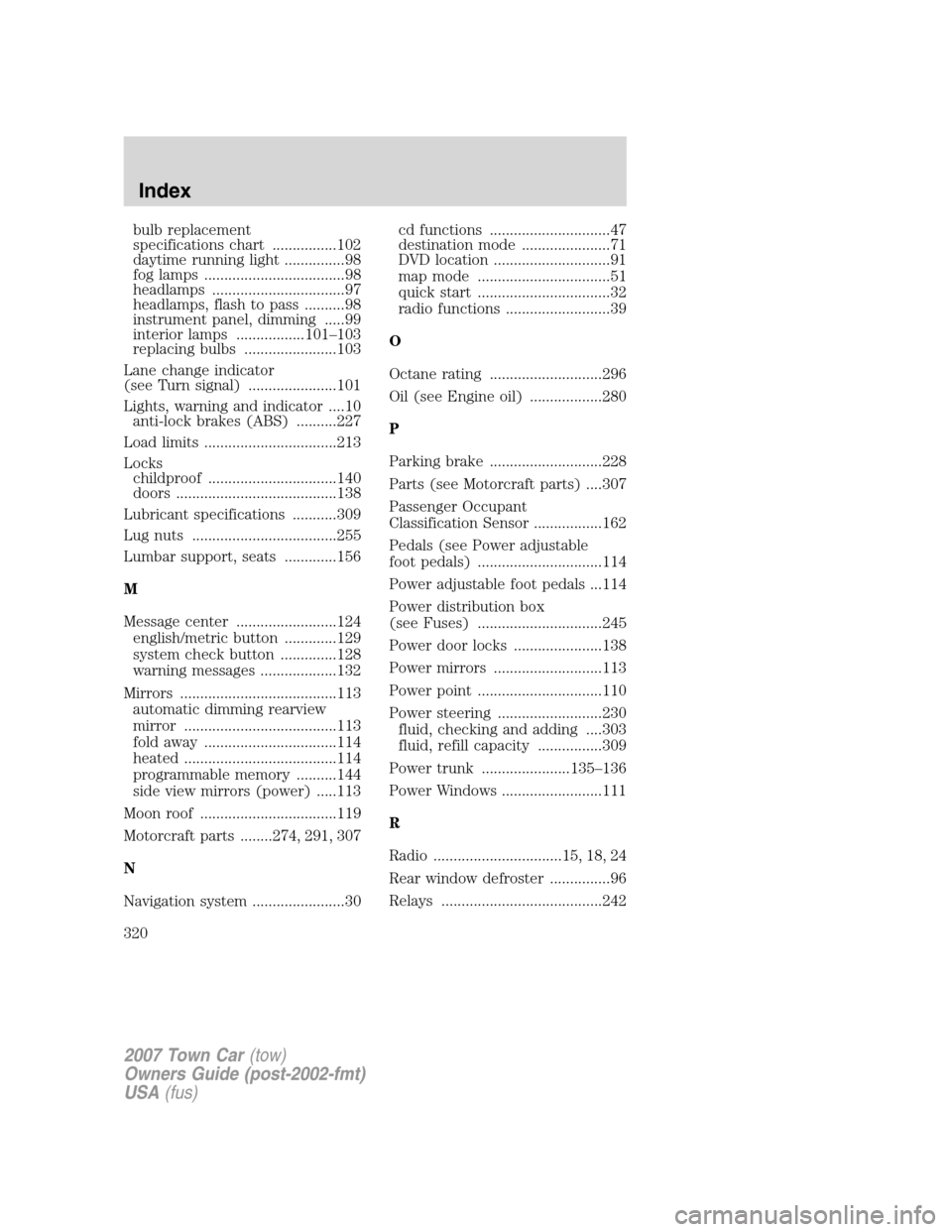
bulb replacement
specifications chart ................102
daytime running light ...............98
fog lamps ...................................98
headlamps .................................97
headlamps, flash to pass ..........98
instrument panel, dimming .....99
interior lamps .................101–103
replacing bulbs .......................103
Lane change indicator
(see Turn signal) ......................101
Lights, warning and indicator ....10
anti-lock brakes (ABS) ..........227
Load limits .................................213
Locks
childproof ................................140
doors ........................................138
Lubricant specifications ...........309
Lug nuts ....................................255
Lumbar support, seats .............156
M
Message center .........................124
english/metric button .............129
system check button ..............128
warning messages ...................132
Mirrors .......................................113
automatic dimming rearview
mirror ......................................113
fold away .................................114
heated ......................................114
programmable memory ..........144
side view mirrors (power) .....113
Moon roof ..................................119
Motorcraft parts ........274, 291, 307
N
Navigation system .......................30cd functions ..............................47
destination mode ......................71
DVD location .............................91
map mode .................................51
quick start .................................32
radio functions ..........................39
O
Octane rating ............................296
Oil (see Engine oil) ..................280
P
Parking brake ............................228
Parts (see Motorcraft parts) ....307
Passenger Occupant
Classification Sensor .................162
Pedals (see Power adjustable
foot pedals) ...............................114
Power adjustable foot pedals ...114
Power distribution box
(see Fuses) ...............................245
Power door locks ......................138
Power mirrors ...........................113
Power point ...............................110
Power steering ..........................230
fluid, checking and adding ....303
fluid, refill capacity ................309
Power trunk ......................135–136
Power Windows .........................111
R
Radio ................................15, 18, 24
Rear window defroster ...............96
Relays ........................................242
2007 Town Car(tow)
Owners Guide (post-2002-fmt)
USA(fus)
Index
320