wheel LUCID AIR 2022 User Guide
[x] Cancel search | Manufacturer: LUCID, Model Year: 2022, Model line: AIR, Model: LUCID AIR 2022Pages: 241, PDF Size: 5.15 MB
Page 79 of 241

Steering Wheel
Adjusting the Steering Wheel Position
Use the Pilot Panel to adjust steering wheel
position by touching
> .
Press the Up/Down/In/Out arrows to adjust.
Press RESTORE to return to the previous
position, or press SAVE TO PROFILE to save position to the current User Profile.
Press
to close.
Steering Feel and Sensitivity
The feel and sensitivity of the steering system
is determined by the current driving mode
selected for the vehicle. See Drive Modes.
Driving & Operating66
Page 80 of 241
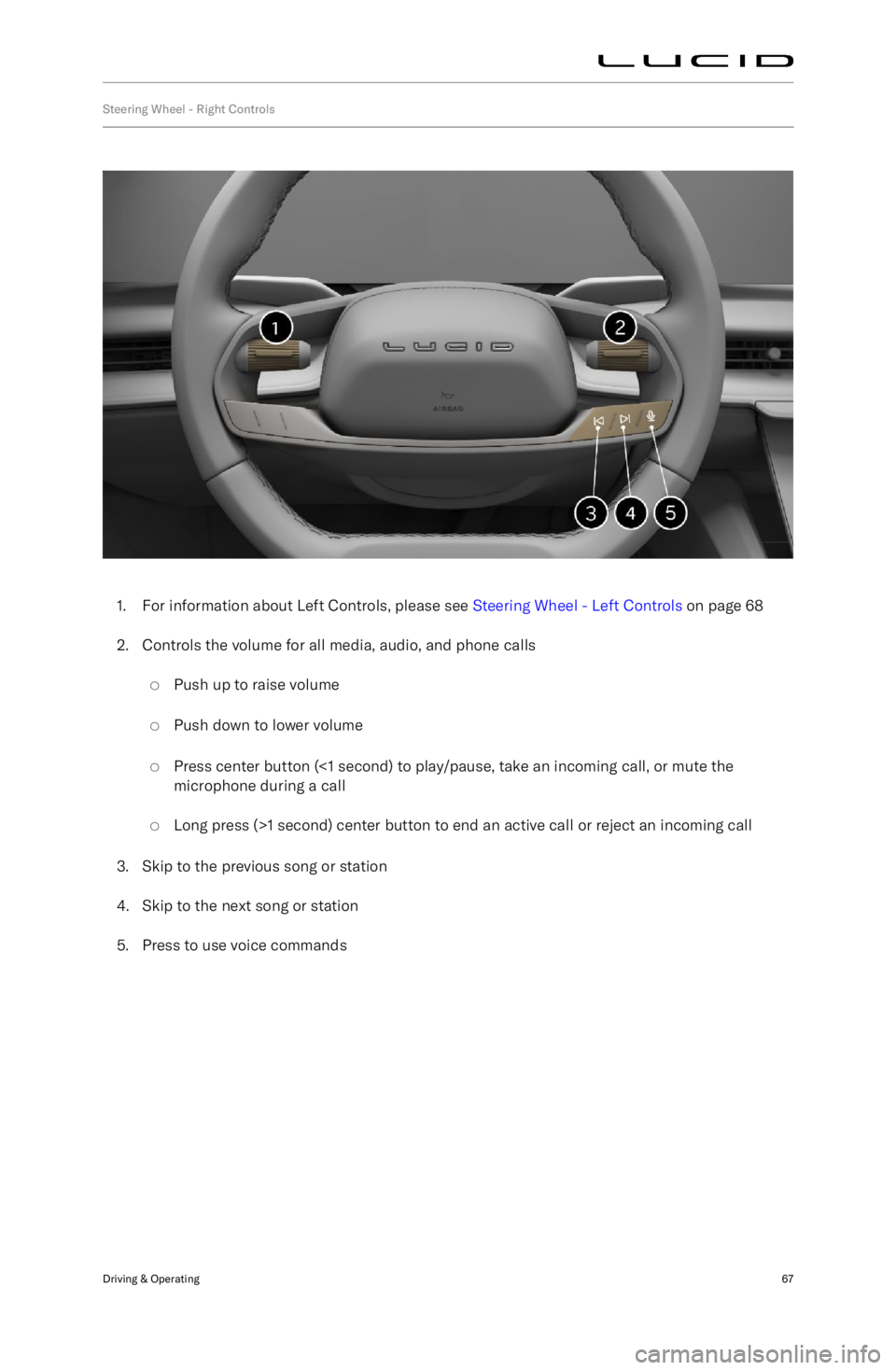
Steering Wheel - Right Controls
1. For information about Left Controls, please see Steering Wheel - Left Controls on page 68
2. Controls the volume for all media, audio, and phone calls
Page 81 of 241

Steering Wheel - Left Controls
1. Cancel cruise control.Set and adjust Adaptive Cruise Control
(ACC) cruising speed:
Page 87 of 241
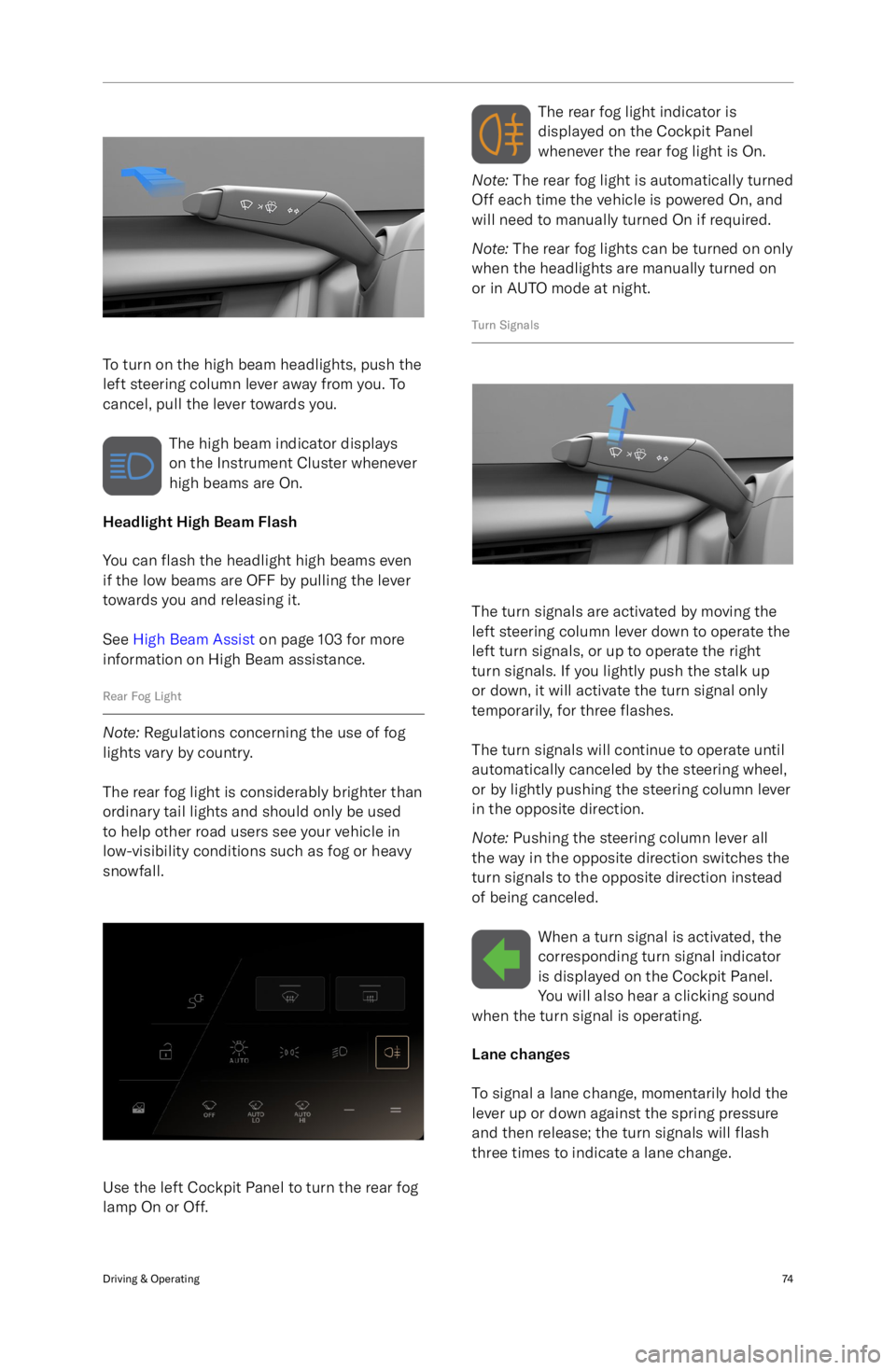
To turn on the high beam headlights, push the
left steering column lever away from you. To
cancel, pull the lever towards you.
The high beam indicator displays
on the Instrument Cluster whenever
high beams are On.
Headlight High Beam Flash
You can flash the headlight high beams even
if the low beams are OFF by pulling the lever
towards you and releasing it.
See High Beam Assist on page 103 for more
information on High Beam assistance.
Rear Fog Light
Note: Regulations concerning the use of fog
lights vary by country.
The rear fog light is considerably brighter than
ordinary tail lights and should only be used to help other road users see your vehicle in
low-visibility conditions such as fog or heavy
snowfall.
Use the left Cockpit Panel to turn the rear fog
lamp On or Off.
The rear fog light indicator is
displayed on the Cockpit Panel
whenever the rear fog light is On.
Note: The rear fog light is automatically turned
Off each time the vehicle is powered On, and
will need to manually turned On if required.
Note: The rear fog lights can be turned on only
when the headlights are manually turned on
or in AUTO mode at night.
Turn Signals
The turn signals are activated by moving the
left steering column lever down to operate the
left turn signals, or up to operate the right
turn signals. If you lightly push the stalk up
or down, it will activate the turn signal only
temporarily, for three flashes.
The turn signals will continue to operate until
automatically canceled by the steering wheel,
or by lightly pushing the steering column lever
in the opposite direction.
Note: Pushing the steering column lever all
the way in the opposite direction switches the
turn signals to the opposite direction instead
of being canceled.
When a turn signal is activated, thecorresponding turn signal indicator
is displayed on the Cockpit Panel.
You will also hear a clicking sound
when the turn signal is operating.
Lane changes
To signal a lane change, momentarily hold the
lever up or down against the spring pressure
and then release; the turn signals will flash
three times to indicate a lane change.
Driving & Operating74
Page 89 of 241
Interior Lights
Interior Lights
The interior lights automatically switch On
when a vehicle door is opened, and Off when all doors are closed.
Front seats
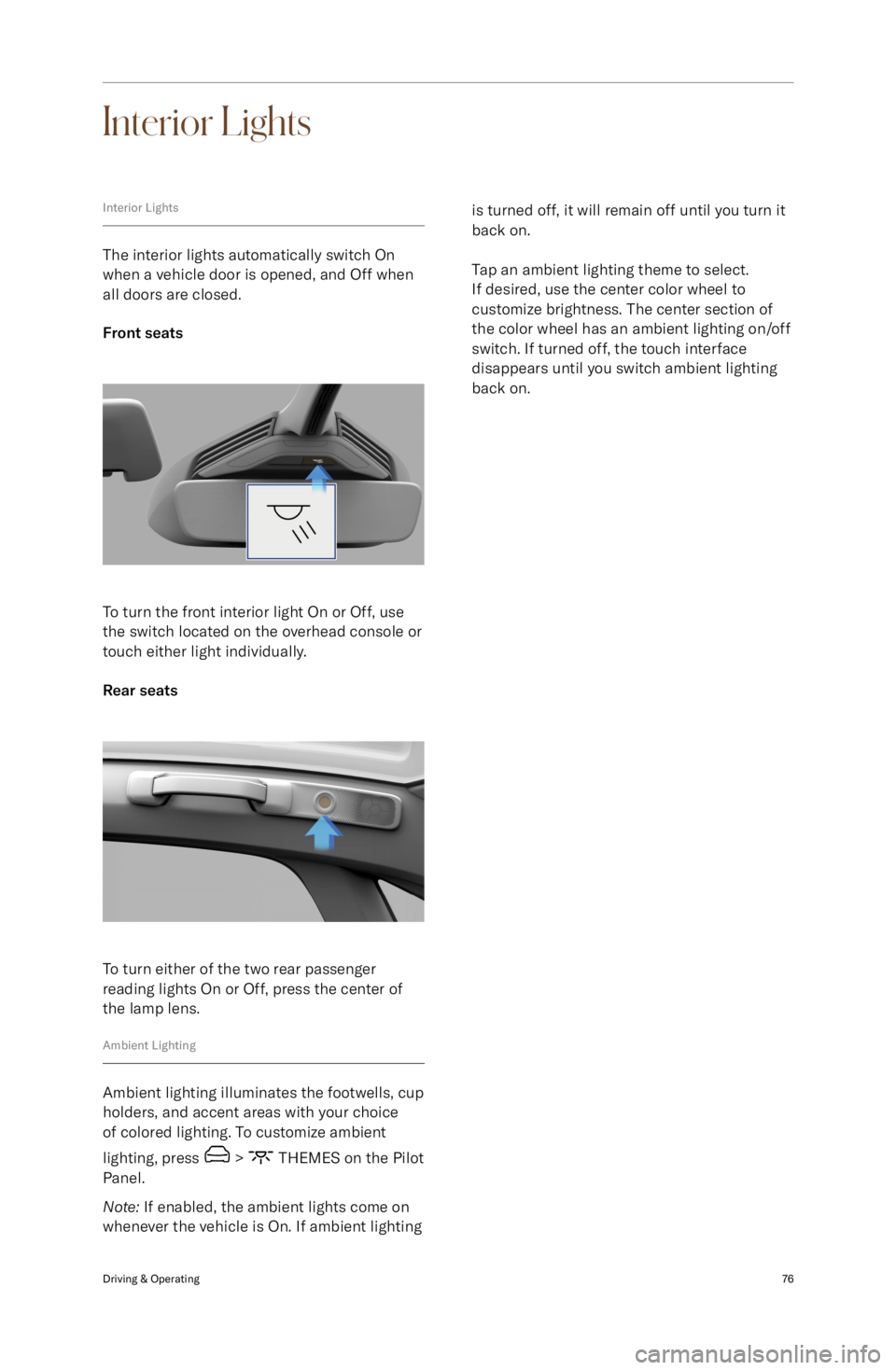
To turn the front interior light On or Off, use
the switch located on the overhead console or
touch either light individually.
Rear seats
To turn either of the two rear passenger
reading lights On or Off, press the center of
the lamp lens.
Ambient Lighting
Ambient lighting illuminates the footwells, cup
holders, and accent areas with your choice of colored lighting. To customize ambient
lighting, press
> THEMES on the Pilot
Panel.
Note: If enabled, the ambient lights come on
whenever the vehicle is On. If ambient lighting
is turned off, it will remain off until you turn it back on.
Tap an ambient lighting theme to select.
If desired, use the center color wheel to
customize brightness. The center section of
the color wheel has an ambient lighting on/off
switch. If turned off, the touch interface
disappears until you switch ambient lighting
back on.Driving & Operating76
Page 92 of 241
ABS warning indicatorThe ABS indicator displays on
the Cockpit Panel, along with a
notification message. If illuminated,
the ABS is disabled. Contact a Lucid
Service Center as soon as possible to have
the fault repaired.CAUTION: Even when ABS is disabled,
the pedal-operated braking system
remains operational. Be aware that
braking distances may increase and
wheels may lock under heavy braking.
Regenerative Braking
WARNING: If driving the vehicle in
reduced traction conditions (that is,
icy or snowy conditions), the use
of High regenerative braking level
may cause traction control to operate
more frequently. Lucid recommends
switching to Standard level when
driving in such conditions.
Whenever the vehicle is moving and your foot
is off the accelerator, regenerative braking
slows the vehicle and feeds energy back to
the high-voltage battery.
While you should still use the brake
pedal whenever needed to stop safely, you
can take advantage of regenerative braking
by anticipating your stops and reducing
accelerator pedal position.
Note: If regenerative braking is aggressively
slowing your vehicle (such as when your foot
is completely off the accelerator pedal at highway speeds), the brake lights turn on to
alert others that you are slowing down.
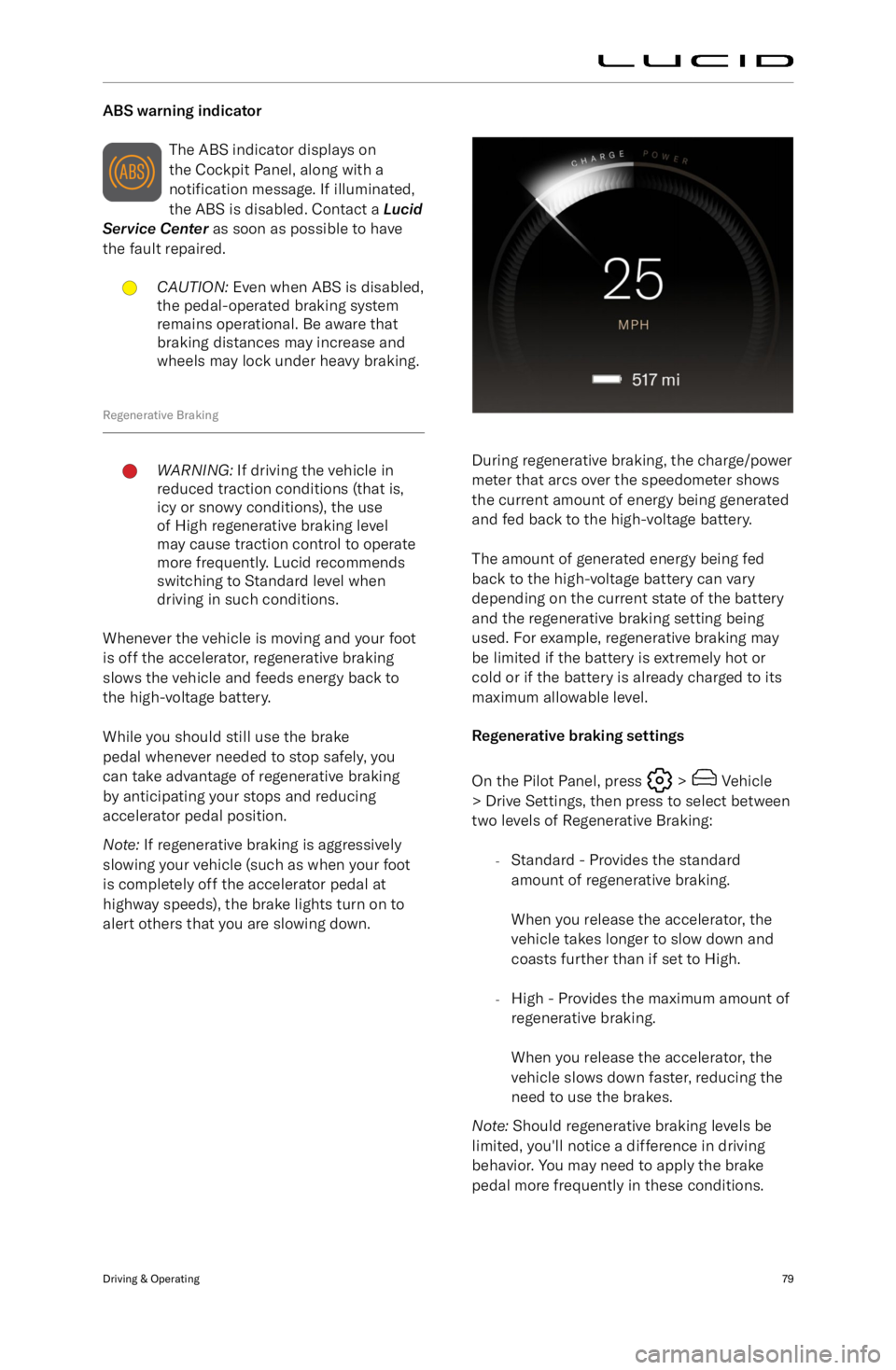
During regenerative braking, the charge/power
meter that arcs over the speedometer shows the current amount of energy being generated
and fed back to the high-voltage battery.
The amount of generated energy being fed
back to the high-voltage battery can vary
depending on the current state of the battery
and the regenerative braking setting being used. For example, regenerative braking maybe limited if the battery is extremely hot or
cold or if the battery is already charged to its
maximum allowable level.
Regenerative braking settings
On the Pilot Panel, press
> Vehicle
> Drive Settings, then press to select between
two levels of Regenerative Braking:
-Standard - Provides the standard
amount of regenerative braking.
When you release the accelerator, the
vehicle takes longer to slow down and
coasts further than if set to High.
- High - Provides the maximum amount of
regenerative braking.
When you release the accelerator, the
vehicle slows down faster, reducing the
need to use the brakes.
Note: Should regenerative braking levels be
limited, you
Page 93 of 241
Vehicle Hold
Vehicle Hold controls brake settings, and cankeep your vehicle stopped even when your
foot is not on the brake pedal.
When set to HOLD, the vehicle remains
stationary after a stop. The brakes hold until
the driver presses the accelerator pedal again.
If set to ROLL, the car rolls freely after releasing the accelerator.
To configure, use the Pilot Panel and touch
> Vehicle > Drive Settings, then
select the desired mode.
Note: The default setting is HOLD, and can
only be changed when the vehicle is in
P (Park). The setting saves to your User
Profile.
Note: Vehicle Hold disengages if the driver
shifts into N (Neutral) or presses and releases
the brake pedal.
Note: Vehicle Hold will disengage and shift
into P (Park) in any of the following instances:
-Hold has been braking for approximately
10 minutes.
- The system detects that the driver has
exited the vehicle.
Parking Brake
CAUTION: In the unlikely event that
your vehicle loses electrical power,
you will not be able to select another
gear and therefore will be unable to
release the parking brake. Contact a
Lucid Service Center for assistance.
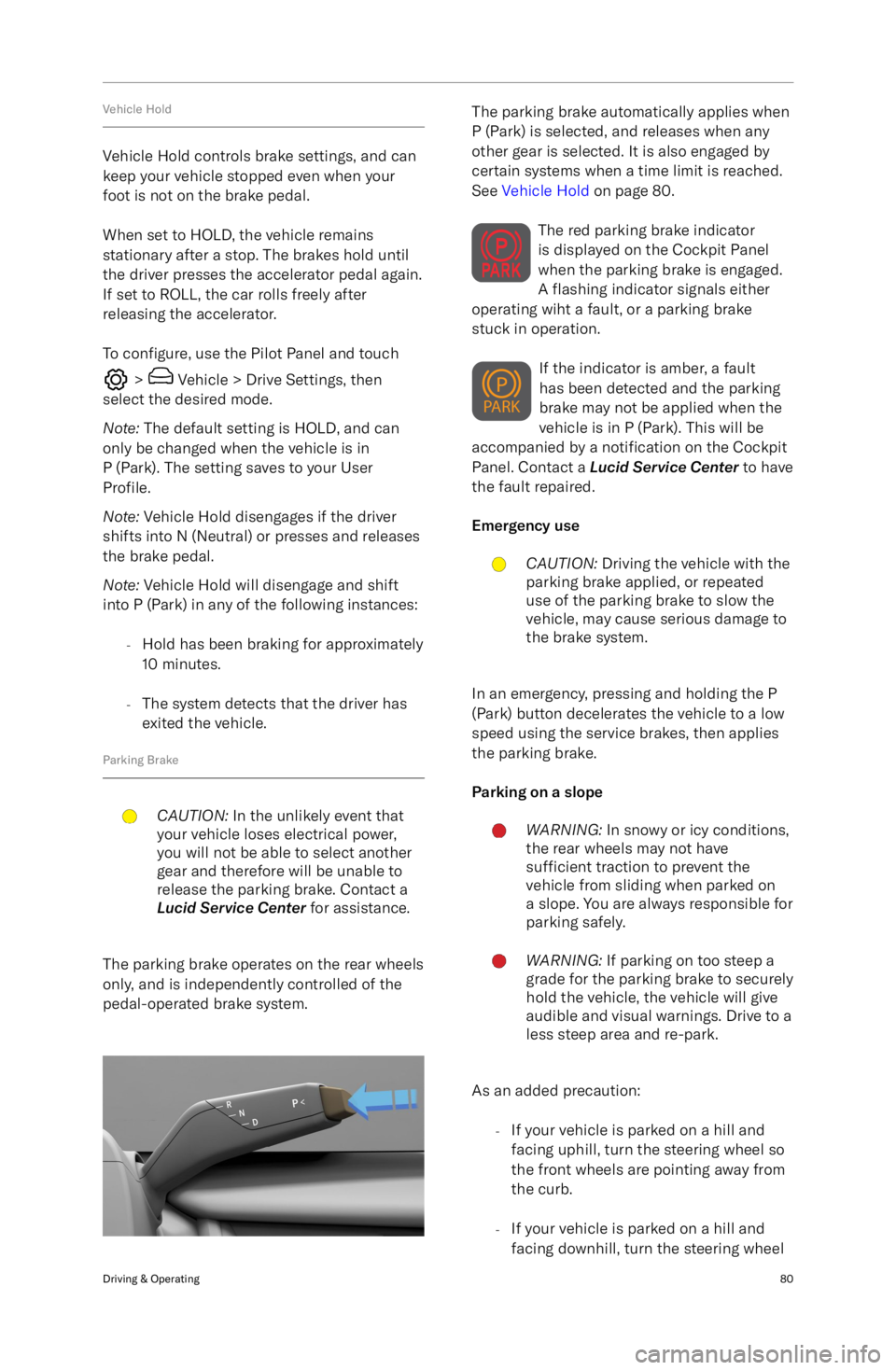
The parking brake operates on the rear wheels
only, and is independently controlled of the
pedal-operated brake system.
The parking brake automatically applies when
P (Park) is selected, and releases when any other gear is selected. It is also engaged by
certain systems when a time limit is reached. See Vehicle Hold on page 80.
The red parking brake indicator
is displayed on the Cockpit Panel
when the parking brake is engaged.
A flashing indicator signals either
operating wiht a fault, or a parking brake
stuck in operation.
If the indicator is amber, a fault
has been detected and the parking
brake may not be applied when the
vehicle is in P (Park). This will be
accompanied by a notification on the Cockpit
Panel. Contact a Lucid Service Center to have
the fault repaired.
Emergency useCAUTION: Driving the vehicle with the
parking brake applied, or repeated
use of the parking brake to slow the
vehicle, may cause serious damage to
the brake system.
In an emergency, pressing and holding the P
(Park) button decelerates the vehicle to a low
speed using the service brakes, then applies
the parking brake.
Parking on a slope
WARNING: In snowy or icy conditions,
the rear wheels may not have
sufficient traction to prevent the
vehicle from sliding when parked on
a slope. You are always responsible for parking safely.WARNING: If parking on too steep a
grade for the parking brake to securely
hold the vehicle, the vehicle will give
audible and visual warnings. Drive to a
less steep area and re-park.
As an added precaution:
-If your vehicle is parked on a hill and
facing uphill, turn the steering wheel so
the front wheels are pointing away from
the curb.
- If your vehicle is parked on a hill and
facing downhill, turn the steering wheel
Driving & Operating80
Page 94 of 241

so the front wheels are pointing towards
the curb.
Brake Pad WearWARNING: Neglecting to replace worn
brake pads can damage the brake
rotors, reduce the vehicle
Page 95 of 241

Lucid Stability Control
Lucid Stability ControlWARNING: No electronic system can
remove the need for safe driving
practices. Although the Lucid Stability
Control system can help to maintain
control of the vehicle under certain
driving conditions, it cannot prevent
any accident which may occur due
to unforeseen road conditions (e.g.
black ice, standing water, etc.) or
result from careless/dangerous driving
techniques.
The Lucid Stability Control system uses
multiple sensors to monitor driver inputs
and vehicle motion. Under certain driving
conditions, the system helps to perform the following functions:
-Controls brake pressure to reduce wheel
slip on one slipping drive wheel so
power is transferred to a drive wheel on the same axle that is not slipping.
- Controls brake pressure and traction
motor output to reduce drive wheel slip.
Controls brake pressure at individual
wheels and traction motor output to
help the driver maintain control of the
vehicle in the following conditions:
Page 109 of 241
Driving Experience
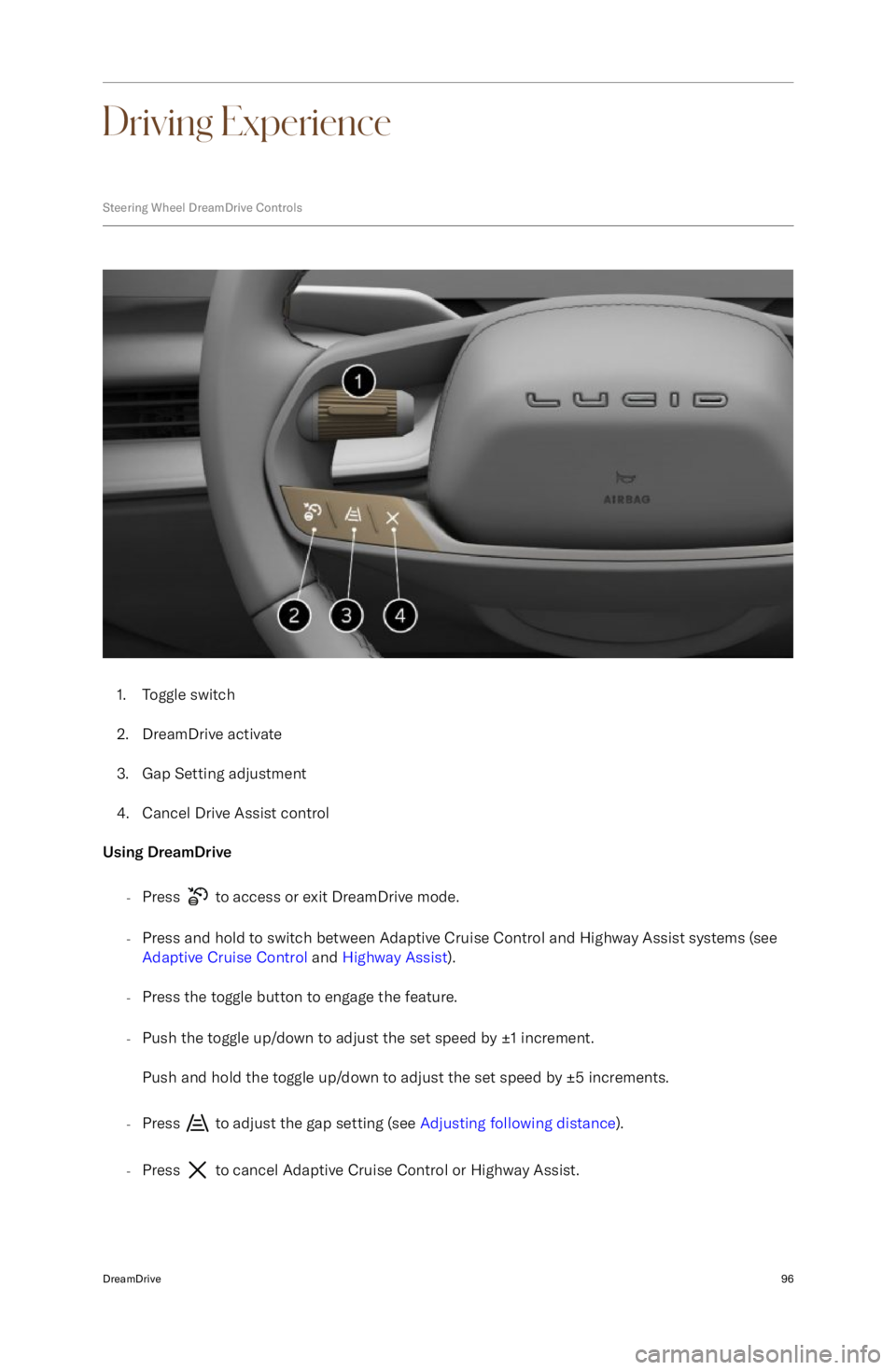
Steering Wheel DreamDrive Controls
1.Toggle switch
2. DreamDrive activate
3. Gap Setting adjustment
4. Cancel Drive Assist control
Using DreamDrive
-Press
to access or exit DreamDrive mode.
- Press and hold to switch between Adaptive Cruise Control and Highway Assist systems (see
Adaptive Cruise Control and Highway Assist ).
- Press the toggle button to engage the feature.
- Push the toggle up/down to adjust the set speed by