light MASERATI LEVANTE 2019 Owners Manual
[x] Cancel search | Manufacturer: MASERATI, Model Year: 2019, Model line: LEVANTE, Model: MASERATI LEVANTE 2019Pages: 436, PDF Size: 15.24 MB
Page 310 of 436
The BSA system monitors the detection
zones on both sides of the vehicle
when the vehicle speed reaches
approximately 6 mph (10 km/h) or
higher and will alert the driver of
vehicles in these areas.
WARNING!
• The BSA system does NOT alert the
driver about rapidly approaching
vehicles that are outside the
detection zones.
• The BSA might alert the driver too
late especially in case of rapidly
approaching vehicles.
WARNING!
Risk of accident despite Blind Spot
Assist (BSA).
BSA does not detect/react to the
following:
• Overtaking vehicles close on the
side, placing them in the blind spot
area. As a result, BSA may neither
give warnings nor intervene in such
situations. • Always pay attention to the traffic
situation and maintain a safe
distance at the side of the vehicle.
NOTE:
If
your vehicle has
experienced any
damage in the area where the sensor
is located, even if the fascia is not
damaged, the sensor may have
become misaligned. Take your vehicle
at an Authorized Maserati Dealer to
verify sensor alignment. Having a
sensor that is misaligned will result in
the BSA not operating to specification.
The area on the rear bumper fascia
where the radar sensors are located
must remain free of snow, ice, and
dirt/road contamination so that the
BSA system can function properly. Do
not cover or block the area of the rear
bumper fascia where the radar sensors
are located with foreign objects
(bumper stickers, spoilers, bicycle racks,
etc.).
The BSA system notifies the driver of
vehicles or objects in the detection
zones by illuminating the BSA warning
light located in the outside mirrors in
addition to sounding an audible
(chime) alert and reducing the radio
volume (if the radio is on). Refer to “BSA and RCP Setting” in this chapter
for further information.
The BSA system monitors the detection
zone from three different entry points
(side, rear, overtaking traffic) while
driving to see if an alert is necessary.
The BSA system will issue an alert
whenever a vehicle enters any one
detection zone as outlined below.
Speed Range of Use
Speed mph (km/h)
Minimum 6 (10)
Engaged/activated 6 (10)
Maximum – (–)
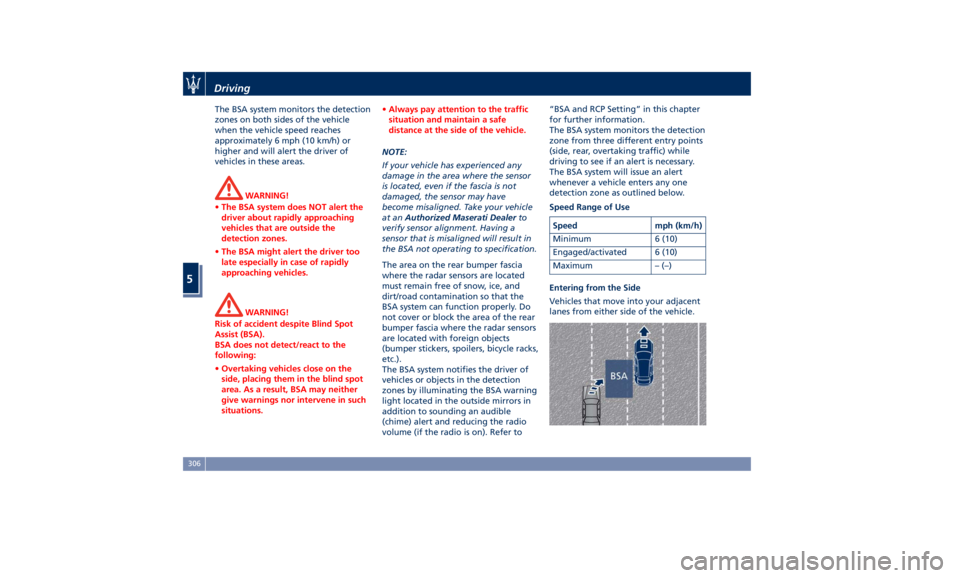
Entering from the Side
Vehicles that move into your adjacent
lanes from either side of the vehicle.Driving
5
306
Page 311 of 436
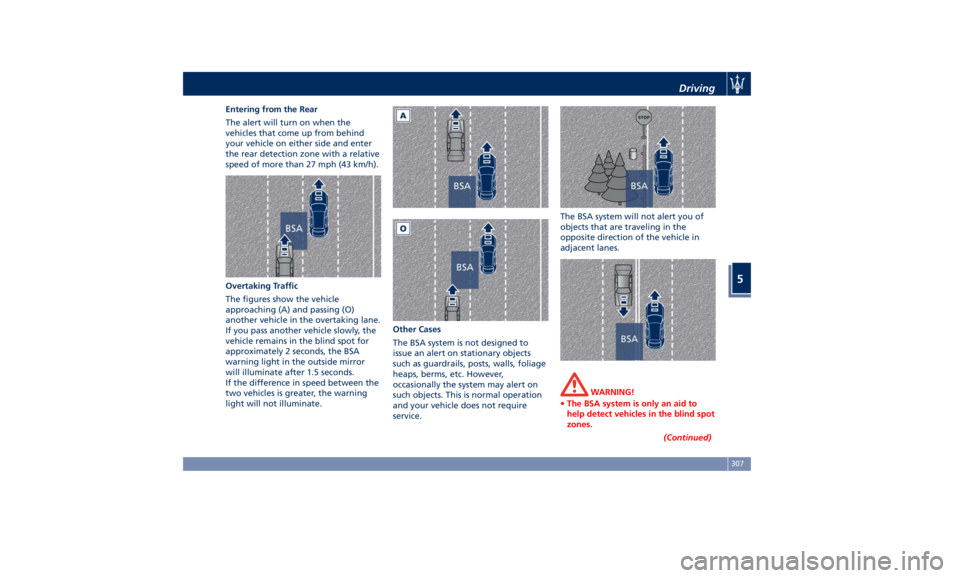
Entering from the Rear
The alert will turn on when the
vehicles that come up from behind
your vehicle on either side and enter
the rear detection zone with a relative
speed of more than 27 mph (43 km/h).
Overtaking Traffic
The figures show the vehicle
approaching (A) and passing (O)
another vehicle in the overtaking lane.
If you pass another vehicle slowly, the
vehicle remains in the blind spot for
approximately 2 seconds, the BSA
warning light in the outside mirror
will illuminate after 1.5 seconds.
If the difference in speed between the
two vehicles is greater, the warning
light will not illuminate. Other Cases
The BSA system is not designed to
issue an alert on stationary objects
such as guardrails, posts, walls, foliage
heaps, berms, etc. However,
occasionally the system may alert on
such objects. This is normal operation
and your vehicle does not require
service. The BSA system will not alert you of
objects that are traveling in the
opposite direction of the vehicle in
adjacent lanes.
WARNING!
• The BSA system is only an aid to
help detect vehicles in the blind spot
zones.
(Continued)Driving
5
307
Page 313 of 436
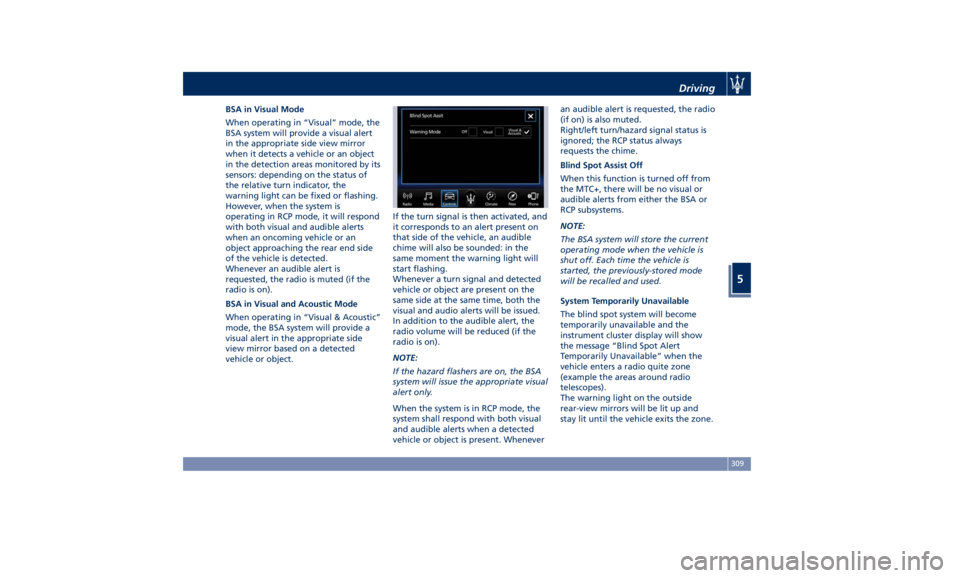
BSA in Visual Mode
When operating in “Visual” mode, the
BSA system will provide a visual alert
in the appropriate side view mirror
when it detects a vehicle or an object
in the detection areas monitored by its
sensors: depending on the status of
the relative turn indicator, the
warning light can be fixed or flashing.
However, when the system is
operating in RCP mode, it will respond
with both visual and audible alerts
when an oncoming vehicle or an
object approaching the rear end side
of the vehicle is detected.
Whenever an audible alert is
requested, the radio is muted (if the
radio is on).
BSA in Visual and Acoustic Mode
When operating in “Visual & Acoustic”
mode, the BSA system will provide a
visual alert in the appropriate side
view mirror based on a detected
vehicle or object. If the turn signal is then activated, and
it corresponds to an alert present on
that side of the vehicle, an audible
chime will also be sounded: in the
same moment the warning light will
start flashing.
Whenever a turn signal and detected
vehicle or object are present on the
same side at the same time, both the
visual and audio alerts will be issued.
In addition to the audible alert, the
radio volume will be reduced (if the
radio is on).
NOTE:
If the hazard flashers are on, the BSA
system will issue the appropriate visual
alert only.
When the system is in RCP mode, the
system shall respond with both visual
and audible alerts when a detected
vehicle or object is present. Whenever an audible alert is requested, the radio
(if on) is also muted.
Right/left turn/hazard signal status is
ignored; the RCP status always
requests the chime.
Blind Spot Assist Off
When this function is turned off from
the MTC+, there will be no visual or
audible alerts from either the BSA or
RCP subsystems.
NOTE:
The BSA system will store the current
operating mode when the vehicle is
shut off. Each time the vehicle is
started, the previously-stored mode
will be recalled and used.
System Temporarily Unavailable
The blind spot system will become
temporarily unavailable and the
instrument cluster display will show
the message “Blind Spot Alert
Temporarily Unavailable” when the
vehicle enters a radio quite zone
(example the areas around radio
telescopes).
The warning light on the outside
rear-view mirrors will be lit up and
stay lit until the vehicle exits the zone.Driving
5
309
Page 314 of 436
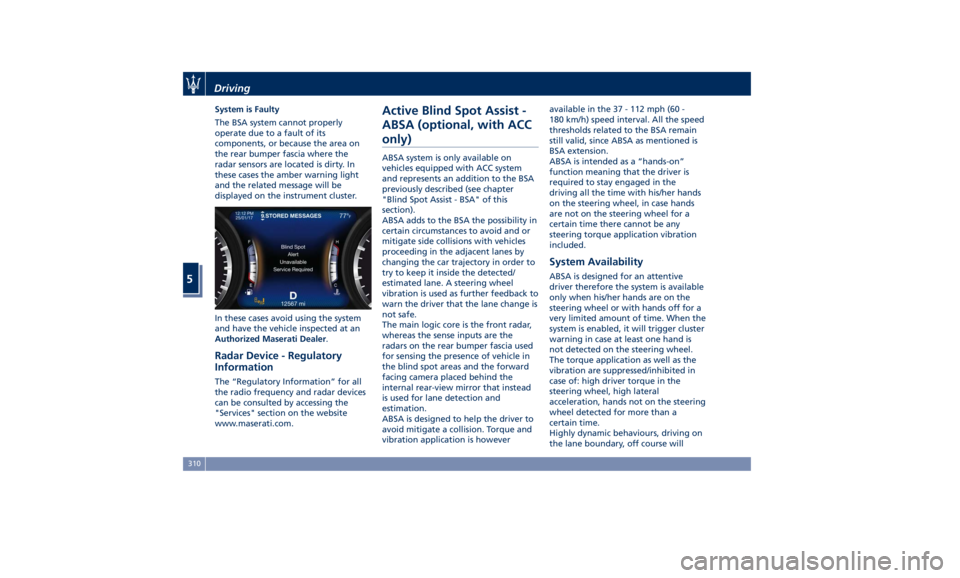
System is Faulty
The BSA system cannot properly
operate due to a fault of its
components, or because the area on
the rear bumper fascia where the
radar sensors are located is dirty. In
these cases the amber warning light
and the related message will be
displayed on the instrument cluster.
In these cases avoid using the system
and have the vehicle inspected at an
Authorized Maserati Dealer .
Radar Device - Regulatory
Information The “Regulatory Information” for all
the radio frequency and radar devices
can be consulted by accessing the
"Services" section on the website
www.maserati.com. Active Blind Spot Assist -
ABSA (optional, with ACC
only) ABSA system is only available on
vehicles equipped with ACC system
and represents an addition to the BSA
previously described (see chapter
"Blind Spot Assist - BSA" of this
section).
ABSA adds to the BSA the possibility in
certain circumstances to avoid and or
mitigate side collisions with vehicles
proceeding in the adjacent lanes by
changing the car trajectory in order to
try to keep it inside the detected/
estimated lane. A steering wheel
vibration is used as further feedback to
warn the driver that the lane change is
not safe.
The main logic core is the front radar,
whereas the sense inputs are the
radars on the rear bumper fascia used
for sensing the presence of vehicle in
the blind spot areas and the forward
facing camera placed behind the
internal rear-view mirror that instead
is used for lane detection and
estimation.
ABSA is designed to help the driver to
avoid mitigate a collision. Torque and
vibration application is however available in the 37 - 112 mph (60 -
180 km/h) speed interval. All the speed
thresholds related to the BSA remain
still valid, since ABSA as mentioned is
BSA extension.
ABSA is intended as a “hands-on”
function meaning that the driver is
required to stay engaged in the
driving all the time with his/her hands
on the steering wheel, in case hands
are not on the steering wheel for a
certain time there cannot be any
steering torque application vibration
included.
System Availability ABSA is designed for an attentive
driver therefore the system is available
only when his/her hands are on the
steering wheel or with hands off for a
very limited amount of time. When the
system is enabled, it will trigger cluster
warning in case at least one hand is
not detected on the steering wheel.
The torque application as well as the
vibration are suppressed/inhibited in
case of: high driver torque in the
steering wheel, high lateral
acceleration, hands not on the steering
wheel detected for more than a
certain time.
Highly dynamic behaviours, driving on
the lane boundary, off course willDriving
5
310
Page 317 of 436
When ABSA is turned off from MTC+
"Controls" page, there will be no
visual or audible alerts from RCP
subsystem.
When ABSA is turned on with any
setting,RCP subsystem shall respond
with both visual and audible alerts
when a detected vehicle or object is
present. Whenever an audible alert is
requested, the radio (if on) is also
muted.
Right/left turn/hazard signal status is
ignored; the RCP status always
requests the chime.
System Temporarily
Unavailable The blind spot system will become
temporarily unavailable and the
instrument cluster display will show
the message “Blind Spot Alert
Temporarily Unavailable” when the
vehicle enters a radio quite zone
(example the areas around radio
telescopes).
The warning light on the outside
rear-view mirrors will be lit up and
stay lit until the vehicle exits the zone.
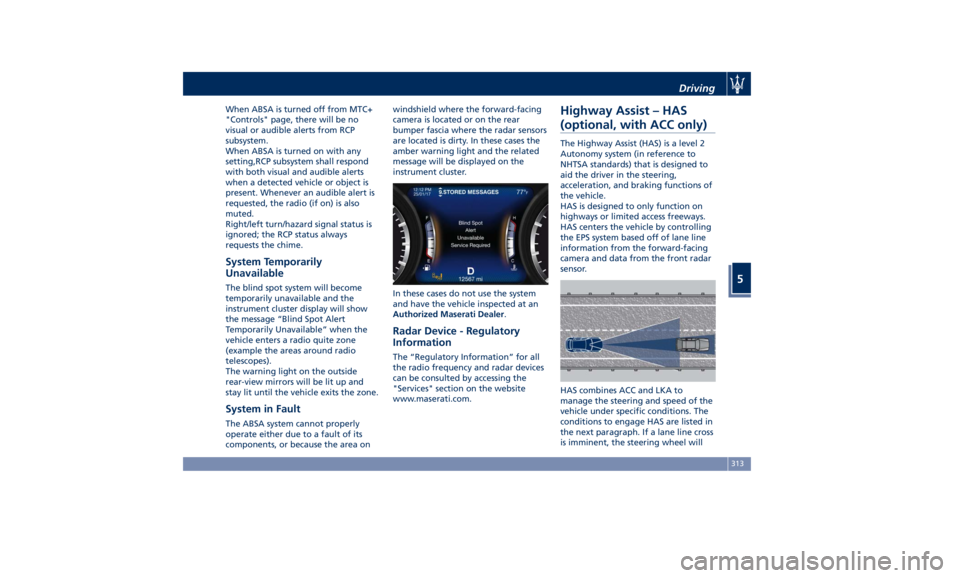
System in Fault The ABSA system cannot properly
operate either due to a fault of its
components, or because the area on windshield where the forward-facing
camera is located or on the rear
bumper fascia where the radar sensors
are located is dirty. In these cases the
amber warning light and the related
message will be displayed on the
instrument cluster.
In these cases do not use the system
and have the vehicle inspected at an
Authorized Maserati Dealer .
Radar Device - Regulatory
Information The “Regulatory Information” for all
the radio frequency and radar devices
can be consulted by accessing the
"Services" section on the website
www.maserati.com.Highway Assist – HAS
(optional, with ACC only) The Highway Assist (HAS) is a level 2
Autonomy system (in reference to
NHTSA standards) that is designed to
aid the driver in the steering,
acceleration, and braking functions of
the vehicle.
HAS is designed to only function on
highways or limited access freeways.
HAS centers the vehicle by controlling
the EPS system based off of lane line
information from the forward-facing
camera and data from the front radar
sensor.
HAS combines ACC and LKA to
manage the steering and speed of the
vehicle under specific conditions. The
conditions to engage HAS are listed in
the next paragraph. If a lane line cross
is imminent, the steering wheel willDriving
5
313
Page 318 of 436
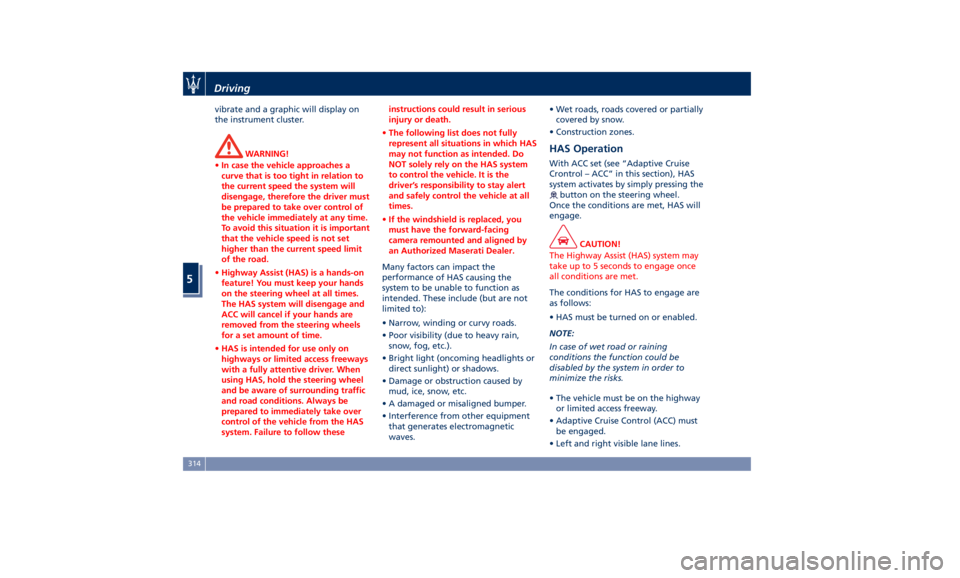
vibrate and a graphic will display on
the instrument cluster.
WARNING!
• In case the vehicle approaches a
curve that is too tight in relation to
the current speed the system will
disengage, therefore the driver must
be prepared to take over control of
the vehicle immediately at any time.
To avoid this situation it is important
that the vehicle speed is not set
higher than the current speed limit
of the road.
• Highway Assist (HAS) is a hands-on
feature! You must keep your hands
on the steering wheel at all times.
The HAS system will disengage and
ACC will cancel if your hands are
removed from the steering wheels
for a set amount of time.
• HAS is intended for use only on
highways or limited access freeways
with a fully attentive driver. When
using HAS, hold the steering wheel
and be aware of surrounding traffic
and road conditions. Always be
prepared to immediately take over
control of the vehicle from the HAS
system. Failure to follow these instructions could result in serious
injury or death.
• The following list does not fully
represent all situations in which HAS
may not function as intended. Do
NOT solely rely on the HAS system
to control the vehicle. It is the
driver’s responsibility to stay alert
and safely control the vehicle at all
times.
• If the windshield is replaced, you
must have the forward-facing
camera remounted and aligned by
an Authorized Maserati Dealer.
Many factors can impact the
performance
of HAS causing
the
system to be unable to function as
intended. These include (but are not
limited to):
• Narrow, winding or curvy roads.
• Poor visibility (due to heavy rain,
snow, fog, etc.).
• Bright light (oncoming headlights or
direct sunlight) or shadows.
• Damage or obstruction caused by
mud, ice, snow, etc.
• A damaged or misaligned bumper.
• Interference from other equipment
that generates electromagnetic
waves. • Wet roads, roads covered or partially
covered by snow.
• Construction zones.
HAS Operation With ACC set (see “Adaptive Cruise
Crontrol – ACC” in this section), HAS
system activates by simply pressing the
button on the steering wheel.
Once the conditions are met, HAS will
engage.
CAUTION!
The Highway Assist (HAS) system may
take up to 5 seconds to engage once
all conditions are met.
The conditions for HAS to engage are
as
follows:
• HAS must be turned on or enabled.
NOTE:
In case of wet road or raining
conditions the function could be
disabled by the system in order to
minimize the risks.
• The vehicle must be on the highway
or limited access freeway.
• Adaptive Cruise Control (ACC) must
be engaged.
• Left and right visible lane lines.Driving
5
314
Page 319 of 436
• Vehicle speed must be between 0 to
90 mph (0 and 145 km/h).
• No faults in the forward facing
camera, radar, EPS, or MTC+.
• Lane width between 3 to 4.6 yd (2.8
and 4.2 m).
• Turn signal not activated.
• No faults related to this system.
Speed Range of Use Speed mph (km/h)
Minimum 0 (0)
Engaged/activated
(with ACC engaged) 0 (0)
Engaged/activated
(with ACC not
engaged) 18 (30)
Maximum 90 (145)
• If set above the maximum speed,
HAS will not function after the
vehicle speed will reach the
maximum speed.
• If set below the maximum speed and
the ACC target speed is increased,
HAS will function up to the
maximum speed and then the system
will turn off automatically.
• When the ACC target speed is
reduce and speed is lower than the maximum speed, the system will
start automatically.
• If the ACC target speed is set under
the maximum speed, HAS is active
and vehicle speed increases above
the maximum speed due to slope,
HAS will continue to function.
HAS Monitoring on Instrument
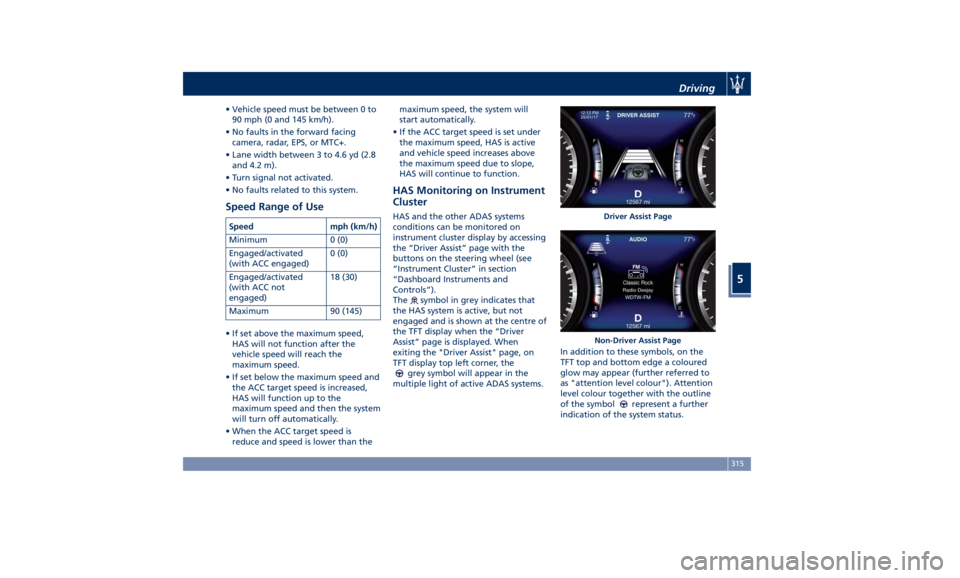
Cluster HAS and the other ADAS systems
conditions can be monitored on
instrument cluster display by accessing
the “Driver Assist” page with the
buttons on the steering wheel (see
“Instrument Cluster” in section
“Dashboard Instruments and
Controls”).
The
symbol in grey indicates that
the HAS system is active, but not
engaged and is shown at the centre of
the TFT display when the “Driver
Assist” page is displayed. When
exiting the "Driver Assist" page, on
TFT display top left corner, the
grey symbol will appear in the
multiple light of active ADAS systems. In addition to these symbols, on the
TFT top and bottom edge a coloured
glow may appear (further referred to
as "attention level colour"). Attention
level colour together with the outline
of the symbol
represent a further
indication of the system status. Driver Assist Page
Non-Driver Assist PageDriving
5
315
Page 322 of 436
• Press the HAS enable button on
the steering wheel.
• Begin steering manually.
• Press brake pedal.
• Turn off ACC.
• Unbuckle the driver’s seat belt.
• Press ACC Gap button for two
seconds to enable CC system.
• Shift out of the (D) Drive gear.
• Enter an Autonomous Emergency
Braking (AEB) event (See chapter
"Forward Collision Warning - FCW"
in this section).
• Turn signal activated.
System Cancellation The HAS system will cancel (without
driver intervention) if either of the
following actions occur:
• Curve that is too tight.
• When leaving the grip of the hands
on the steering wheel.
• Vehicle exits the highway or limited
access freeway.
• Lane line markers aren’t detected by
the forward facing camera.
• Any ADAS system faults.
• ACC cancellation.
• Vehicle speed exceeds the maximum
limit. • Lateral accelerations exceeds the
limits.
NOTE:
• When HAS cancels, the
symbol
will turn red then grey.
• The presence of the hands on the
steering wheel is detected by a logic
combination of a capacitive sensor
installed in the steering wheel and
the measured applied torque at the
steering column. This leads to a more
robust hands detection.
System Limitations HAS is unable to guide the vehicle
when the following conditions occur.
• Lane markings are not clear or
visibility is poor (i.e. heavy rain,
snow, fog, etc.).
• Obstructed, covered or damaged
forward-facing camera or sensor.
• When driving on hills or sharp curves.
• When approaching toll booths.
• When the highway entrance or exit is
wider than 20 ft (6 meters).
• Bright light (ex. direct sunlight or
glare) facing the forward camera. WARNING!
Many unforeseen conditions can occur
that can affect the performance of
Highway Assist (HAS). Always keep
this in mind and drive attentively. It is
the drivers responsibility to keep
control of the vehicle at all times.
Radar Device - Regulatory
Information The “Regulatory Information” for all
the radio frequency and radar devices
can be consulted by accessing the
"Services" section on the website
www.maserati.com.Driving
5
318
Page 323 of 436
Traffic Sign Assist – TSA
(optional) TSA detects traffic signs through the
use of a forward-facing digital camera
mounted on windshield, behind the
rear-view mirror. TSA assists the driver
by displaying on the instrument
cluster detected speed limits and
traffic signs with a restriction
indicated by an additional sign (e.g. in
snow conditions). TSA also uses the
data of the navigation system, in
order to provide information to the
driver in all cases in which the camera
is not able to detect the traffic signs
that are present on the road where
the car is travelling.
Some examples of these are: due to
low visibility, light reflection, damaged
traffic signs, traffic signs in wrong
position like rotated or fallen poles.
NOTE:
• Overtaking restriction signs are not
displayed by the TSA system.
• TSA provides a visual warning to the
driver when he/she unintentionally
reaches the maximum speed limit
allowed or when it exceeds the set
“Sensitivity” value. • The performance of TSA depends on
the update degree of navigation
system’s maps.
Customised Settings TSA is configurable by the customer
regarding the display mode on the
instrument cluster and the warning
sensitivity.
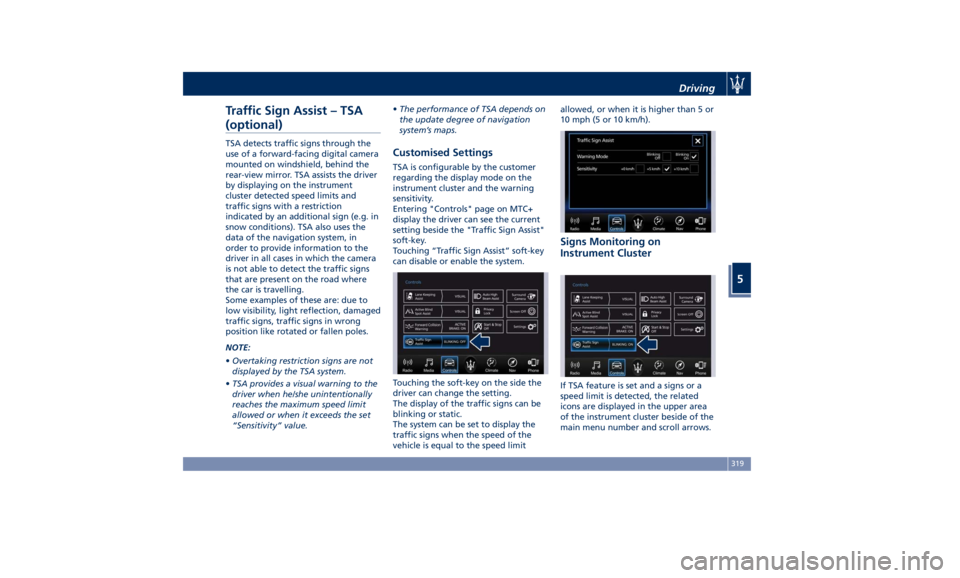
Entering "Controls" page on MTC+
display the driver can see the current
setting beside the "Traffic Sign Assist"
soft-key.
Touching “Traffic Sign Assist” soft-key
can disable or enable the system.
Touching the soft-key on the side the
driver can change the setting.
The display of the traffic signs can be
blinking or static.
The system can be set to display the
traffic signs when the speed of the
vehicle is equal to the speed limit allowed, or when it is higher than 5 or
10 mph (5 or 10 km/h).
Signs Monitoring on
Instrument Cluster
If TSA feature is set and a signs or a
speed limit is detected, the related
icons are displayed in the upper area
of the instrument cluster beside of the
main menu number and scroll arrows.Driving
5
319
Page 324 of 436
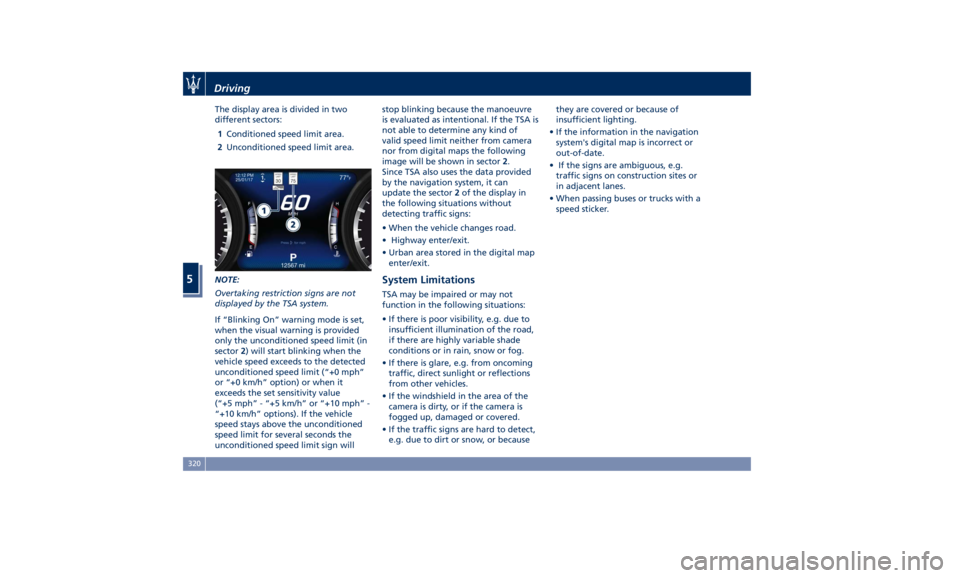
The display area is divided in two
different sectors:
1 Conditioned speed limit area.
2 Unconditioned speed limit area.
NOTE:
Overtaking restriction signs are not
displayed by the TSA system.
If “Blinking On” warning mode is set,
when the visual warning is provided
only the unconditioned speed limit (in
sector 2 ) will start blinking when the
vehicle speed exceeds to the detected
unconditioned speed limit (“+0 mph”
or “+0 km/h” option) or when it
exceeds the set sensitivity value
(“+5 mph” - “+5 km/h” or “+10 mph” -
“+10 km/h” options). If the vehicle
speed stays above the unconditioned
speed limit for several seconds the
unconditioned speed limit sign will stop blinking because the manoeuvre
is evaluated as intentional. If the TSA is
not able to determine any kind of
valid speed limit neither from camera
nor from digital maps the following
image will be shown in sector 2 .
Since TSA also uses the data provided
by the navigation system, it can
update the sector 2 of the display in
the following situations without
detecting traffic signs:
• When the vehicle changes road.
• Highway enter/exit.
• Urban area stored in the digital map
enter/exit.
System Limitations TSA may be impaired or may not
function in the following situations:
• If there is poor visibility, e.g. due to
insufficient illumination of the road,
if there are highly variable shade
conditions or in rain, snow or fog.
• If there is glare, e.g. from oncoming
traffic, direct sunlight or reflections
from other vehicles.
• If the windshield in the area of the
camera is dirty, or if the camera is
fogged up, damaged or covered.
• If the traffic signs are hard to detect,
e.g. due to dirt or snow, or because they are covered or because of
insufficient lighting.
• If the information in the navigation
system's digital map is incorrect or
out-of-date.
• If the signs are ambiguous, e.g.
traffic signs on construction sites or
in adjacent lanes.
• When passing buses or trucks with a
speed sticker.Driving
5
320