reset MASERATI LEVANTE 2019 Owner's Manual
[x] Cancel search | Manufacturer: MASERATI, Model Year: 2019, Model line: LEVANTE, Model: MASERATI LEVANTE 2019Pages: 436, PDF Size: 15.24 MB
Page 287 of 436
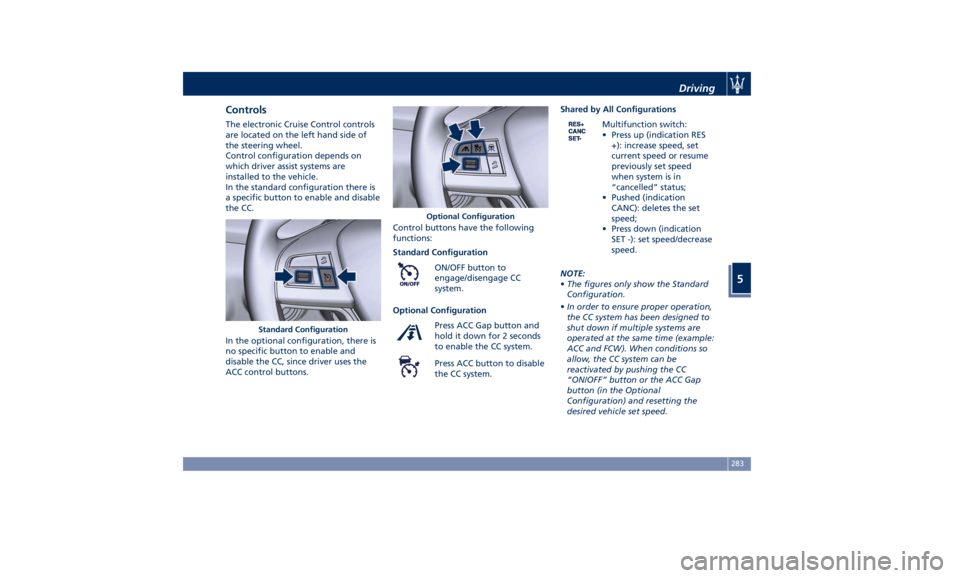
Controls The electronic Cruise Control controls
are located on the left hand side of
the steering wheel.
Control configuration depends on
which driver assist systems are
installed to the vehicle.
In the standard configuration there is
a specific button to enable and disable
the CC.
In the optional configuration, there is
no specific button to enable and
disable the CC, since driver uses the
ACC control buttons. Control buttons have the following
functions:
Standard Configuration
ON/OFF button to
engage/disengage CC
system.
Optional Configuration
Press ACC Gap button and
hold it down for 2 seconds
to enable the CC system.
Press ACC button to disable
the CC system. Shared by All Configurations
Multifunction switch:
• Press up (indication RES
+): increase speed, set
current speed or resume
previously set speed
when system is in
“cancelled” status;
• Pushed (indication
CANC): deletes the set
speed;
• Press down (indication
SET -): set speed/decrease
speed.
NOTE:
• The figures only show the Standard
Configuration.
• In order to ensure proper operation,
the CC system has been designed to
shut down if multiple systems are
operated at the same time (example:
ACC and FCW). When conditions so
allow, the CC system can be
reactivated by pushing the CC
“ON/OFF” button or the ACC Gap
button (in the Optional
Configuration) and resetting the
desired vehicle set speed.Standard Configuration Optional Configuration Driving
5
283
Page 292 of 436
Apart from the image at the center of
the display, CC, ACC, HDC, LKA and
HAS systems status is represented by
icons at the top left and right. These
icons remain displayed even when
exiting the “Driver Assist” screen.
The vehicle(s) and horizontal bars
represent the ACC status as ready
(white) or with sensed vehicle ahead
(green); the white, grey or yellow lines
represent the LKA and HAS systems.
The ACC screen can be displayed any
time driver changes system status or
settings. After 5 seconds of ACC
inactivity, the display goes back to last
screen.
ACC Controls and Activation
Conditions The buttons on the LH side of the
steering wheel control the ACC
operations and the other
functions/driver assist systems installed
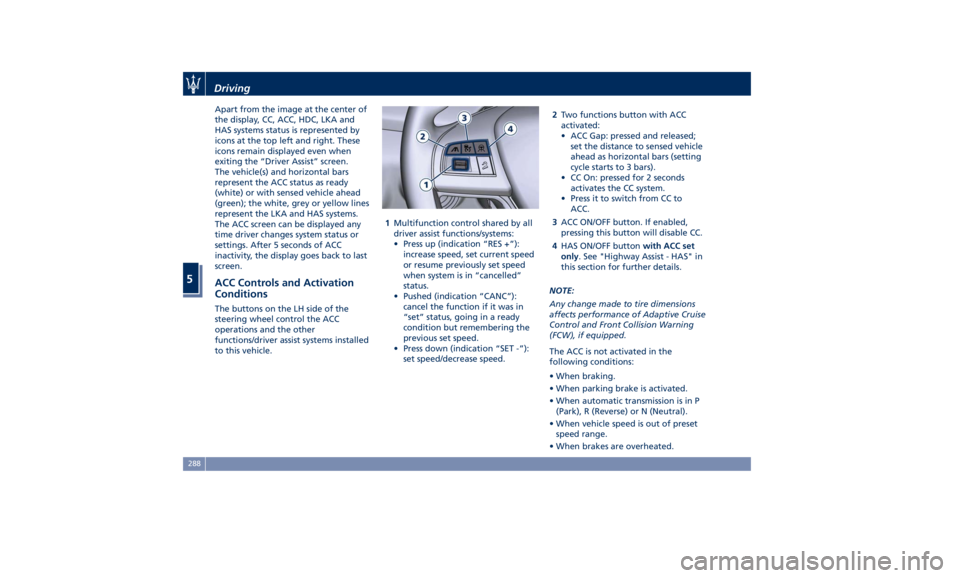
to this vehicle. 1 Multifunction control shared by all
driver assist functions/systems:
• Press up (indication “RES +”):
increase speed, set current speed
or resume previously set speed
when system is in “cancelled”
status.
• Pushed (indication “CANC”):
cancel the function if it was in
“set” status, going in a ready
condition but remembering the
previous set speed.
• Press down (indication “SET -”):
set speed/decrease speed. 2 Two functions button with ACC
activated:
• ACC Gap: pressed and released;
set the distance to sensed vehicle
ahead as horizontal bars (setting
cycle starts to 3 bars).
• CC On: pressed for 2 seconds
activates the CC system.
• Press it to switch from CC to
ACC.
3 ACC ON/OFF button. If enabled,
pressing this button will disable CC.
4 HAS ON/OFF button with ACC set
only . See "Highway Assist - HAS" in
this section for further details.
NOTE:
Any change made to tire dimensions
affects performance of Adaptive Cruise
Control and Front Collision Warning
(FCW), if equipped.
The ACC is not activated in the
following conditions:
• When braking.
• When parking brake is activated.
• When automatic transmission is in P
(Park), R (Reverse) or N (Neutral).
• When vehicle speed is out of preset
speed range.
• When brakes are overheated.Driving
5
288
Page 321 of 436
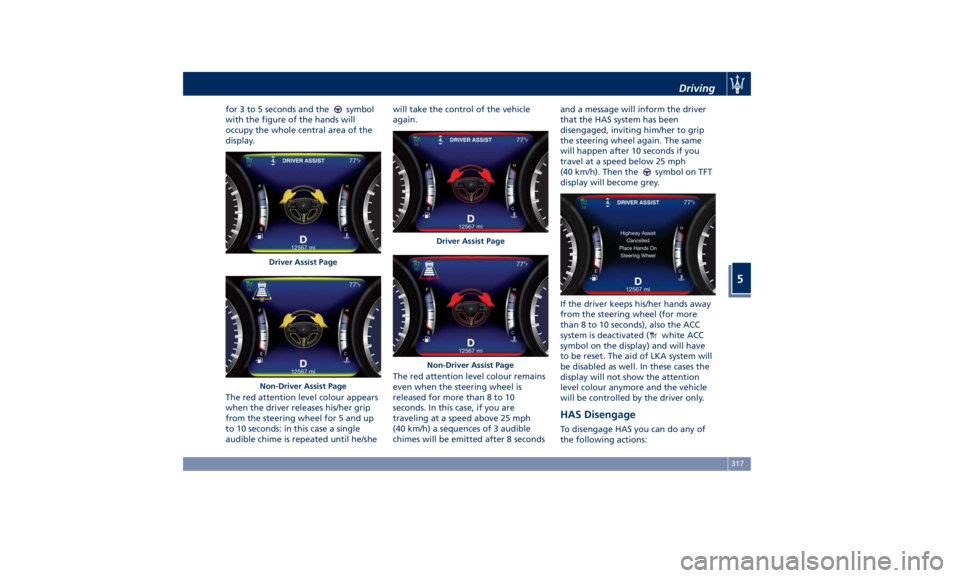
for 3 to 5 seconds and the symbol
with the figure of the hands will
occupy the whole central area of the
display.
The red attention level colour appears
when the driver releases his/her grip
from the steering wheel for 5 and up
to 10 seconds: in this case a single
audible chime is repeated until he/she will take the control of the vehicle
again.
The red attention level colour remains
even when the steering wheel is
released for more than 8 to 10
seconds. In this case, if you are
traveling at a speed above 25 mph
(40 km/h) a sequences of 3 audible
chimes will be emitted after 8 seconds and a message will inform the driver
that the HAS system has been
disengaged, inviting him/her to grip
the steering wheel again. The same
will happen after 10 seconds if you
travel at a speed below 25 mph
(40 km/h). Then the
symbol on TFT
display will become grey.
If the driver keeps his/her hands away
from the steering wheel (for more
than 8 to 10 seconds), also the ACC
system is deactivated (
white ACC
symbol on the display) and will have
to be reset. The aid of LKA system will
be disabled as well. In these cases the
display will not show the attention
level colour anymore and the vehicle
will be controlled by the driver only.
HAS Disengage To disengage HAS you can do any of
the following actions:Driver Assist Page
Non-Driver Assist Page Driver Assist Page
Non-Driver Assist Page Driving
5
317
Page 369 of 436
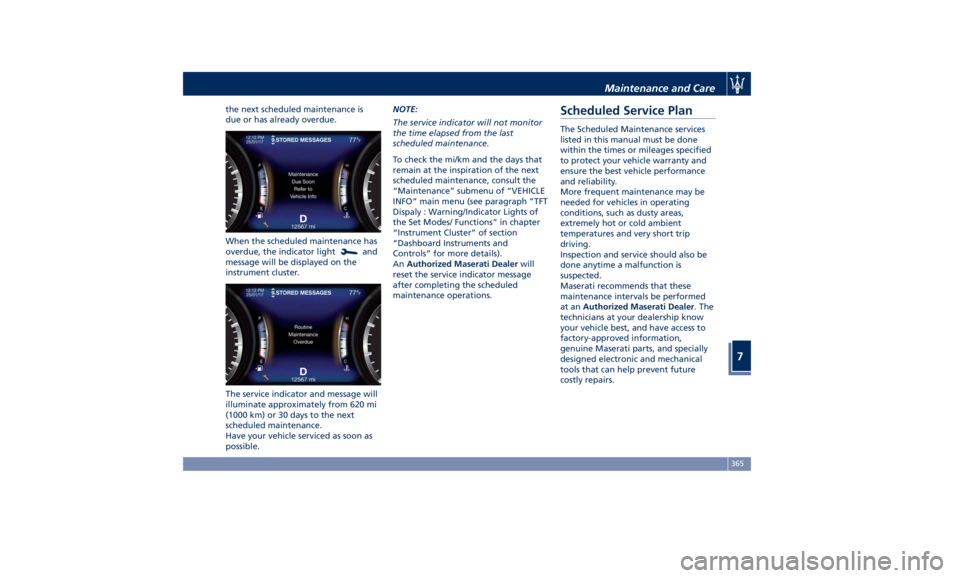
the next scheduled maintenance is
due or has already overdue.
When the scheduled maintenance has
overdue, the indicator light
and
message will be displayed on the
instrument cluster.
The service indicator and message will
illuminate approximately from 620 mi
(1000 km) or 30 days to the next
scheduled maintenance.
Have your vehicle serviced as soon as
possible. NOTE:
The service indicator will not monitor
the time elapsed from the last
scheduled maintenance.
To check the mi/km and the days that
remain at the inspiration of the next
scheduled maintenance, consult the
“Maintenance” submenu of “VEHICLE
INFO” main menu (see paragraph ”TFT
Dispaly : Warning/Indicator Lights of
the Set Modes/ Functions” in chapter
“Instrument Cluster” of section
“Dashboard Instruments and
Controls” for more details).
An Authorized Maserati Dealer will
reset the service indicator message
after completing the scheduled
maintenance operations.Scheduled Service Plan The Scheduled Maintenance services
listed in this manual must be done
within the times or mileages specified
to protect your vehicle warranty and
ensure the best vehicle performance
and reliability.
More frequent maintenance may be
needed for vehicles in operating
conditions, such as dusty areas,
extremely hot or cold ambient
temperatures and very short trip
driving.
Inspection and service should also be
done anytime a malfunction is
suspected.
Maserati recommends that these
maintenance intervals be performed
at an Authorized Maserati Dealer . The
technicians at your dealership know
your vehicle best, and have access to
factory-approved information,
genuine Maserati parts, and specially
designed electronic and mechanical
tools that can help prevent future
costly repairs.Maintenance and Care
7
365
Page 433 of 436
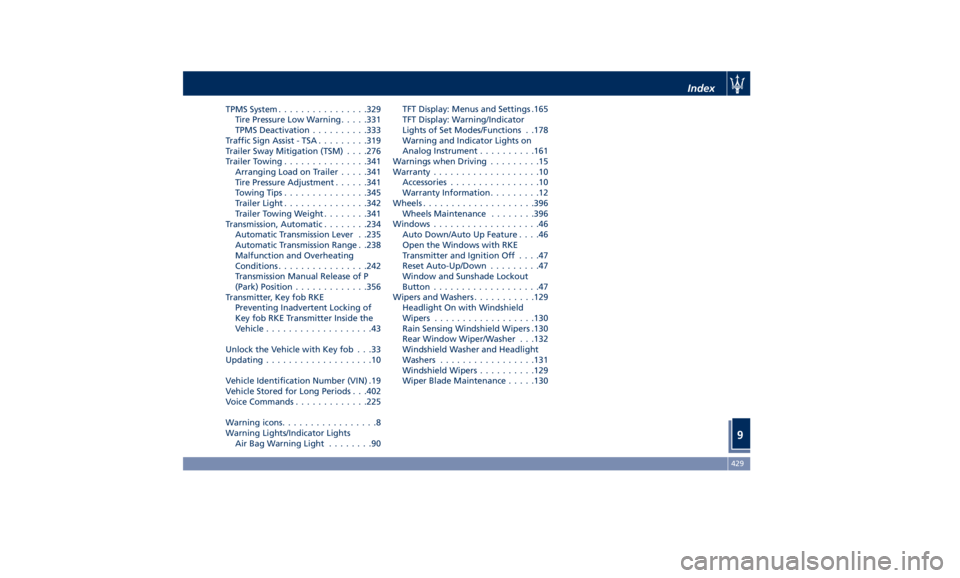
TPMS System ............... .329
Tire Pressure Low Warning .... .331
TPMS Deactivation ......... .333
Traffic Sign Assist - TSA ........ .319
Trailer Sway Mitigation (TSM) . . . .276
Trailer Towing .............. .341
Arranging Load on Trailer .... .341
Tire Pressure Adjustment ..... .341
Towing Tips .............. .345
Trailer Light .............. .342
Trailer Towing Weight ....... .341
Transmission, Automatic ....... .234
Automatic Transmission Lever . .235
Automatic Transmission Range . .238
Malfunction and Overheating
Conditions ............... .242
Transmission Manual Release of P
(Park) Position ............ .356
Transmitter, Key fob RKE
Preventing Inadvertent Locking of
Key fob RKE Transmitter Inside the
Vehicle ...................43
Unlock the Vehicle with Key fob . . .33
Updating ...................10
Vehicle Identification Number (VIN) .19
Vehicle Stored for Long Periods . . .402
Voice Commands ............ .225
Warning icons .................8
Warning Lights/Indicator Lights
Air Bag Warning Light ........90 TFT Display: Menus and Settings .165
TFT Display: Warning/Indicator
Lights of Set Modes/Functions . .178
Warning and Indicator Lights on
Analog Instrument ......... .161
Warnings when Driving .........15
Warranty ...................10
Accessories ................10
Warranty Information .........12
Wheels ................... .396
Wheels Maintenance ....... .396
Windows ...................46
Auto Down/Auto Up Feature ....46
Open the Windows with RKE
Transmitter and Ignition Off ....47
Reset Auto-Up/Down .........47
Window and Sunshade Lockout
Button ...................47
Wipers and Washers .......... .129
Headlight On with Windshield
Wipers ................. .130
Rain Sensing Windshield Wipers .130
Rear Window Wiper/Washer . . .132
Windshield Washer and Headlight
Washers ................ .131
Windshield Wipers ......... .129
Wiper Blade Maintenance .... .130 Index
9 429