snow MASERATI LEVANTE 2019 Owner's Manual
[x] Cancel search | Manufacturer: MASERATI, Model Year: 2019, Model line: LEVANTE, Model: MASERATI LEVANTE 2019Pages: 436, PDF Size: 15.24 MB
Page 299 of 436
When the condition that created
limited functionality is no longer
present, the ACC and FCW systems will
return to full functionality.
NOTE:
If the windshield wiper warning
message occurs frequently (e.g. more
than once on every trip) without any
snow, rain, mud, or other obstruction,
have the windshield and
forward-facing camera inspected at an
Authorized Maserati Dealer .
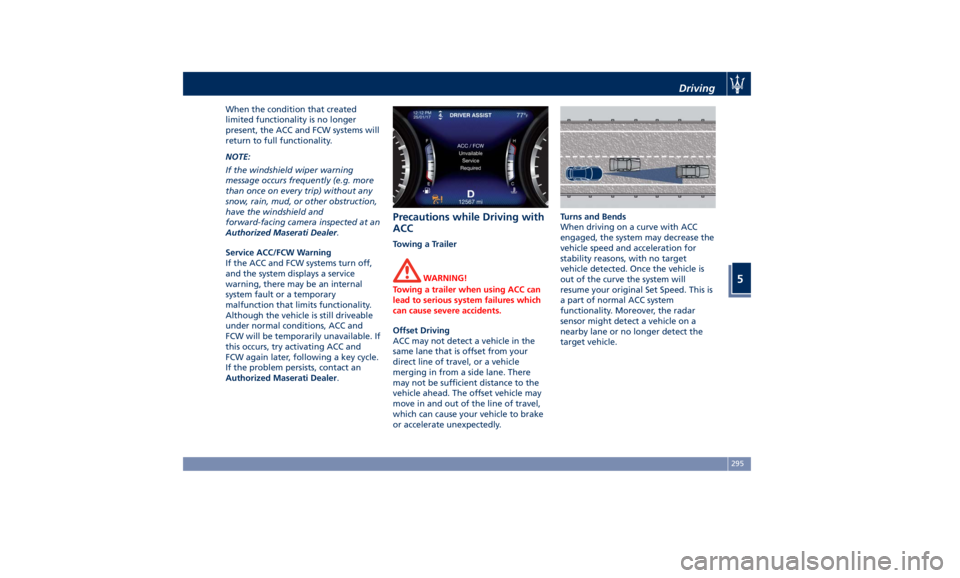
Service ACC/FCW Warning
If the ACC and FCW systems turn off,
and the system displays a service
warning, there may be an internal
system fault or a temporary
malfunction that limits functionality.
Although the vehicle is still driveable
under normal conditions, ACC and
FCW will be temporarily unavailable. If
this occurs, try activating ACC and
FCW again later, following a key cycle.
If the problem persists, contact an
Authorized Maserati Dealer .Precautions while Driving with
ACC Towing a Trailer
WARNING!
Towing a trailer when using ACC can
lead to serious system failures which
can cause severe accidents.
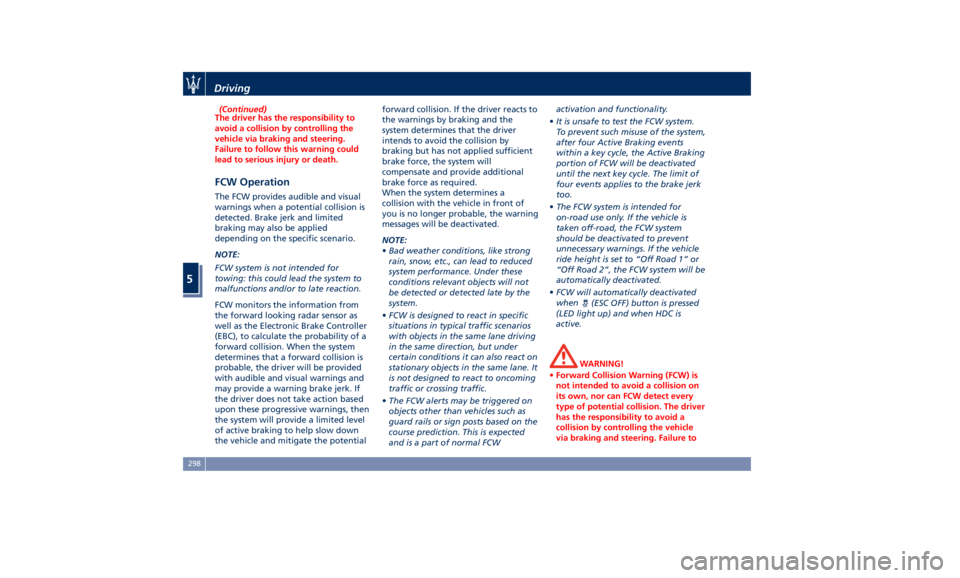
Offset Driving
ACC
may not detect
a vehicle in the
same lane that is offset from your
direct line of travel, or a vehicle
merging in from a side lane. There
may not be sufficient distance to the
vehicle ahead. The offset vehicle may
move in and out of the line of travel,
which can cause your vehicle to brake
or accelerate unexpectedly. Turns and Bends
When driving on a curve with ACC
engaged, the system may decrease the
vehicle speed and acceleration for
stability reasons, with no target
vehicle detected. Once the vehicle is
out of the curve the system will
resume your original Set Speed. This is
a part of normal ACC system
functionality. Moreover, the radar
sensor might detect a vehicle on a
nearby lane or no longer detect the
target vehicle.Driving
5
295
Page 302 of 436
(Continued)
The driver has the responsibility to
avoid a collision by controlling the
vehicle via braking and steering.
Failure to follow this warning could
lead to serious injury or death.
FCW Operation The FCW provides audible and visual
warnings when a potential collision is
detected. Brake jerk and limited
braking may also be applied
depending on the specific scenario.
NOTE:
FCW system is not intended for
towing: this could lead the system to
malfunctions and/or to late reaction.
FCW monitors the information from
the forward looking radar sensor as
well as the Electronic Brake Controller
(EBC), to calculate the probability of a
forward collision. When the system
determines that a forward collision is
probable, the driver will be provided
with audible and visual warnings and
may provide a warning brake jerk. If
the driver does not take action based
upon these progressive warnings, then
the system will provide a limited level
of active braking to help slow down
the vehicle and mitigate the potential forward collision. If the driver reacts to
the warnings by braking and the
system determines that the driver
intends to avoid the collision by
braking but has not applied sufficient
brake force, the system will
compensate and provide additional
brake force as required.
When the system determines a
collision with the vehicle in front of
you is no longer probable, the warning
messages will be deactivated.
NOTE:
• Bad weather conditions, like strong
rain, snow, etc., can lead to reduced
system performance. Under these
conditions relevant objects will not
be detected or detected late by the
system.
• FCW is designed to react in specific
situations in typical traffic scenarios
with objects in the same lane driving
in the same direction, but under
certain conditions it can also react on
stationary objects in the same lane. It
is not designed to react to oncoming
traffic or crossing traffic.
• The FCW alerts may be triggered on
objects other than vehicles such as
guard rails or sign posts based on the
course prediction. This is expected
and is a part of normal FCW activation and functionality.
• It is unsafe to test the FCW system.
To prevent such misuse of the system,
after four Active Braking events
within a key cycle, the Active Braking
portion of FCW will be deactivated
until the next key cycle. The limit of
four events applies to the brake jerk
too.
• The FCW system is intended for
on-road use only. If the vehicle is
taken off-road, the FCW system
should be deactivated to prevent
unnecessary warnings. If the vehicle
ride height is set to “Off Road 1” or
“Off Road 2”, the FCW system will be
automatically deactivated.
• FCW will automatically deactivated
when
(ESC OFF) button is pressed
(LED light up) and when HDC is
active.
WARNING!
• Forward Collision Warning (FCW) is
not intended to avoid a collision on
its own, nor can FCW detect every
type of potential collision. The driver
has the responsibility to avoid a
collision by controlling the vehicle
via braking and steering. Failure toDriving
5
298
Page 308 of 436
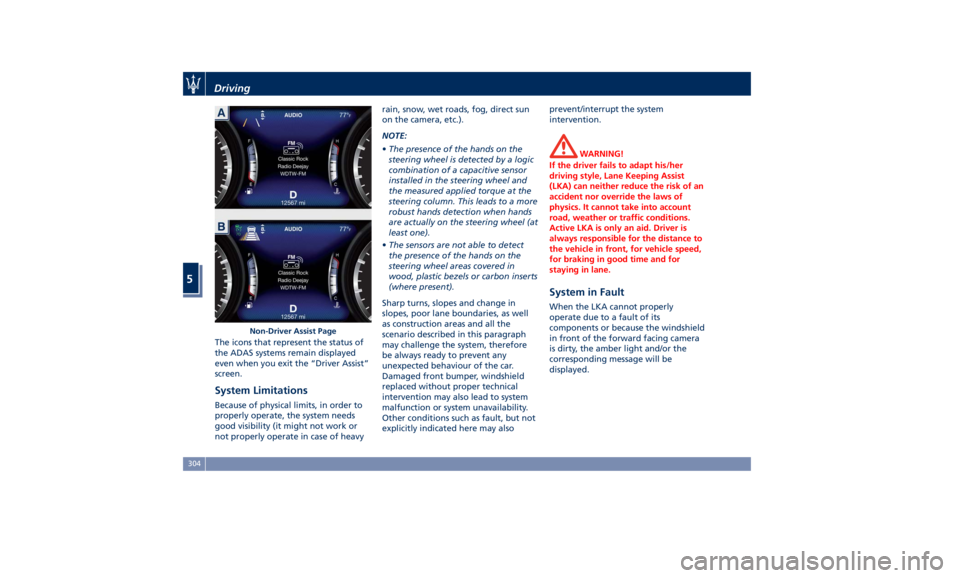
The icons that represent the status of
the ADAS systems remain displayed
even when you exit the “Driver Assist”
screen.
System Limitations Because of physical limits, in order to
properly operate, the system needs
good visibility (it might not work or
not properly operate in case of heavy rain, snow, wet roads, fog, direct sun
on the camera, etc.).
NOTE:
• The presence of the hands on the
steering wheel is detected by a logic
combination of a capacitive sensor
installed in the steering wheel and
the measured applied torque at the
steering column. This leads to a more
robust hands detection when hands
are actually on the steering wheel (at
least one).
• The sensors are not able to detect
the presence of the hands on the
steering wheel areas covered in
wood, plastic bezels or carbon inserts
(where present).
Sharp turns, slopes and change in
slopes, poor lane boundaries, as well
as construction areas and all the
scenario described in this paragraph
may challenge the system, therefore
be always ready to prevent any
unexpected behaviour of the car.
Damaged front bumper, windshield
replaced without proper technical
intervention may also lead to system
malfunction or system unavailability.
Other conditions such as fault, but not
explicitly indicated here may also prevent/interrupt the system
intervention.
WARNING!
If the driver fails to adapt his/her
driving style, Lane Keeping Assist
(LKA) can neither reduce the risk of an
accident nor override the laws of
physics. It cannot take into account
road, weather or traffic conditions.
Active LKA is only an aid. Driver is
always responsible for the distance to
the vehicle in front, for vehicle speed,
for braking in good time and for
staying in lane.
System in Fault When the LKA cannot properly
operate due to a fault of its
components or because the windshield
in front of the forward facing camera
is dirty, the amber light and/or the
corresponding message will be
displayed.Non-Driver Assist PageDriving
5
304
Page 310 of 436
The BSA system monitors the detection
zones on both sides of the vehicle
when the vehicle speed reaches
approximately 6 mph (10 km/h) or
higher and will alert the driver of
vehicles in these areas.
WARNING!
• The BSA system does NOT alert the
driver about rapidly approaching
vehicles that are outside the
detection zones.
• The BSA might alert the driver too
late especially in case of rapidly
approaching vehicles.
WARNING!
Risk of accident despite Blind Spot
Assist (BSA).
BSA does not detect/react to the
following:
• Overtaking vehicles close on the
side, placing them in the blind spot
area. As a result, BSA may neither
give warnings nor intervene in such
situations. • Always pay attention to the traffic
situation and maintain a safe
distance at the side of the vehicle.
NOTE:
If
your vehicle has
experienced any
damage in the area where the sensor
is located, even if the fascia is not
damaged, the sensor may have
become misaligned. Take your vehicle
at an Authorized Maserati Dealer to
verify sensor alignment. Having a
sensor that is misaligned will result in
the BSA not operating to specification.
The area on the rear bumper fascia
where the radar sensors are located
must remain free of snow, ice, and
dirt/road contamination so that the
BSA system can function properly. Do
not cover or block the area of the rear
bumper fascia where the radar sensors
are located with foreign objects
(bumper stickers, spoilers, bicycle racks,
etc.).
The BSA system notifies the driver of
vehicles or objects in the detection
zones by illuminating the BSA warning
light located in the outside mirrors in
addition to sounding an audible
(chime) alert and reducing the radio
volume (if the radio is on). Refer to “BSA and RCP Setting” in this chapter
for further information.
The BSA system monitors the detection
zone from three different entry points
(side, rear, overtaking traffic) while
driving to see if an alert is necessary.
The BSA system will issue an alert
whenever a vehicle enters any one
detection zone as outlined below.
Speed Range of Use
Speed mph (km/h)
Minimum 6 (10)
Engaged/activated 6 (10)
Maximum – (–)
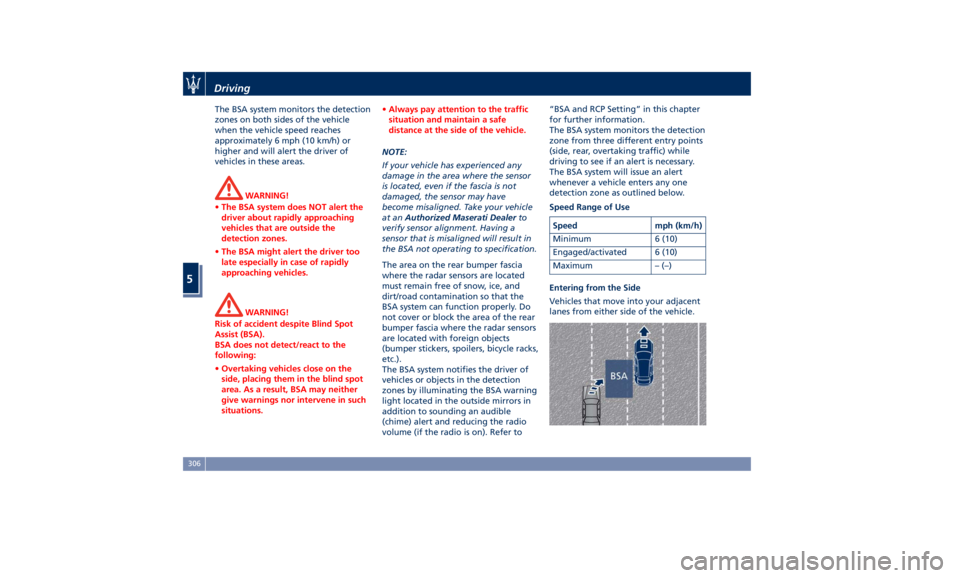
Entering from the Side
Vehicles that move into your adjacent
lanes from either side of the vehicle.Driving
5
306
Page 315 of 436
prevent the function from working.
FCW braking and stability system
interventions (ESC, ABS) will also
prevent the system from operating.
Changing lane results in system
inhibition for a certain time.
In addition the road must respect
some characteristics such as minimum-
maximum width, lane clearly defined
by two lane boundaries and only in
limited case for a limited time at least
one.
NOTE:
• In case of wet road or raining
conditions the function could be
disabled by the system in order to
minimize the risks.
• With lane boundaries it is mainly
referred to painted lines,
nevertheless the system in good
conditions might properly recognise
as valid lane boundaries also other
types (for example road edges,
curbs, etc..). Speed Range of Use Speed mph (km/h)
Minimum 37 (60)
Engaged/activated 37 (60)
Maximum 112 (180)
System Limitation Because of physical limits the system
to properly operate needs good
visibility (it might not work or not
properly operate in case of heavy rain,
snow, wet roads, fog, direct sun on
the camera, dirty windshield, low
illumination etc.)
Sharp turns, slopes and change in
slopes, poor lane boundaries, as well
as construction areas and all the
scenarios described in this paragraph
may challenge the system, therefore
be always ready to prevent any
unexpected behaviour of the car.
Damaged front bumper, windshield
replaced without proper technical
intervention may also lead to system
malfunction or system unavailability.
Other conditions such as faults, but
not explicitly indicated here may also
prevent/interrupt the system
intervention. ABSA Setting ABSA is configurable by the customer
in order to maximize its efficiency
based on the driver driving style and
his/her expectation of the system,
reducing at the same time the possible
invasiveness.
Setting modes can be selected from
the MTC+ System (see "MTC+
"Controls" Screen" in section
"Dashboard Instruments and
Controls" for further information).
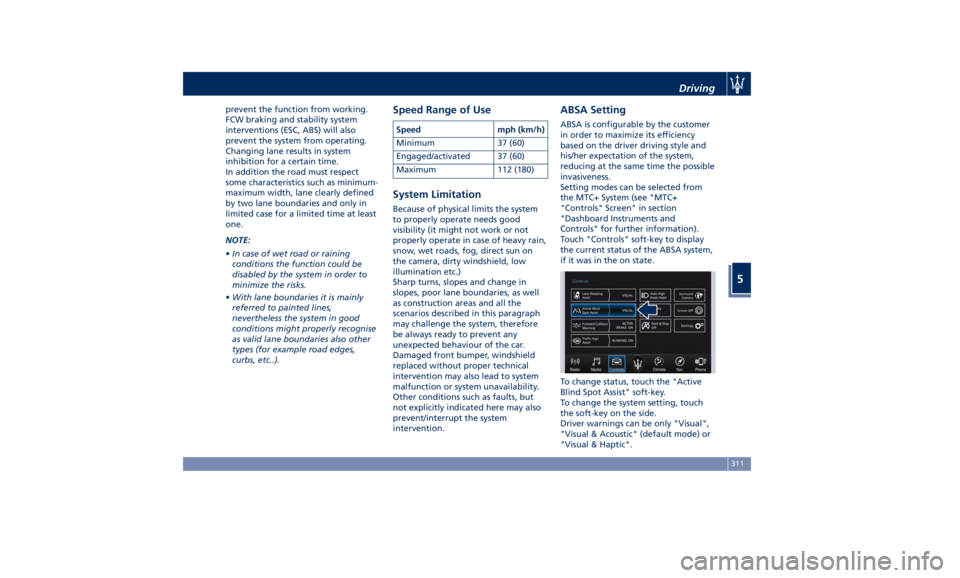
Touch "Controls" soft-key to display
the current status of the ABSA system,
if it was in the on state.
To change status, touch the "Active
Blind Spot Assist" soft-key.
To change the system setting, touch
the soft-key on the side.
Driver warnings can be only "Visual",
"Visual & Acoustic" (default mode) or
"Visual & Haptic".Driving
5
311
Page 318 of 436
vibrate and a graphic will display on
the instrument cluster.
WARNING!
• In case the vehicle approaches a
curve that is too tight in relation to
the current speed the system will
disengage, therefore the driver must
be prepared to take over control of
the vehicle immediately at any time.
To avoid this situation it is important
that the vehicle speed is not set
higher than the current speed limit
of the road.
• Highway Assist (HAS) is a hands-on
feature! You must keep your hands
on the steering wheel at all times.
The HAS system will disengage and
ACC will cancel if your hands are
removed from the steering wheels
for a set amount of time.
• HAS is intended for use only on
highways or limited access freeways
with a fully attentive driver. When
using HAS, hold the steering wheel
and be aware of surrounding traffic
and road conditions. Always be
prepared to immediately take over
control of the vehicle from the HAS
system. Failure to follow these instructions could result in serious
injury or death.
• The following list does not fully
represent all situations in which HAS
may not function as intended. Do
NOT solely rely on the HAS system
to control the vehicle. It is the
driver’s responsibility to stay alert
and safely control the vehicle at all
times.
• If the windshield is replaced, you
must have the forward-facing
camera remounted and aligned by
an Authorized Maserati Dealer.
Many factors can impact the
performance
of HAS causing
the
system to be unable to function as
intended. These include (but are not
limited to):
• Narrow, winding or curvy roads.
• Poor visibility (due to heavy rain,
snow, fog, etc.).
• Bright light (oncoming headlights or
direct sunlight) or shadows.
• Damage or obstruction caused by
mud, ice, snow, etc.
• A damaged or misaligned bumper.
• Interference from other equipment
that generates electromagnetic
waves. • Wet roads, roads covered or partially
covered by snow.
• Construction zones.
HAS Operation With ACC set (see “Adaptive Cruise
Crontrol – ACC” in this section), HAS
system activates by simply pressing the
button on the steering wheel.
Once the conditions are met, HAS will
engage.
CAUTION!
The Highway Assist (HAS) system may
take up to 5 seconds to engage once
all conditions are met.
The conditions for HAS to engage are
as
follows:
• HAS must be turned on or enabled.
NOTE:
In case of wet road or raining
conditions the function could be
disabled by the system in order to
minimize the risks.
• The vehicle must be on the highway
or limited access freeway.
• Adaptive Cruise Control (ACC) must
be engaged.
• Left and right visible lane lines.Driving
5
314
Page 322 of 436
• Press the HAS enable button on
the steering wheel.
• Begin steering manually.
• Press brake pedal.
• Turn off ACC.
• Unbuckle the driver’s seat belt.
• Press ACC Gap button for two
seconds to enable CC system.
• Shift out of the (D) Drive gear.
• Enter an Autonomous Emergency
Braking (AEB) event (See chapter
"Forward Collision Warning - FCW"
in this section).
• Turn signal activated.
System Cancellation The HAS system will cancel (without
driver intervention) if either of the
following actions occur:
• Curve that is too tight.
• When leaving the grip of the hands
on the steering wheel.
• Vehicle exits the highway or limited
access freeway.
• Lane line markers aren’t detected by
the forward facing camera.
• Any ADAS system faults.
• ACC cancellation.
• Vehicle speed exceeds the maximum
limit. • Lateral accelerations exceeds the
limits.
NOTE:
• When HAS cancels, the
symbol
will turn red then grey.
• The presence of the hands on the
steering wheel is detected by a logic
combination of a capacitive sensor
installed in the steering wheel and
the measured applied torque at the
steering column. This leads to a more
robust hands detection.
System Limitations HAS is unable to guide the vehicle
when the following conditions occur.
• Lane markings are not clear or
visibility is poor (i.e. heavy rain,
snow, fog, etc.).
• Obstructed, covered or damaged
forward-facing camera or sensor.
• When driving on hills or sharp curves.
• When approaching toll booths.
• When the highway entrance or exit is
wider than 20 ft (6 meters).
• Bright light (ex. direct sunlight or
glare) facing the forward camera. WARNING!
Many unforeseen conditions can occur
that can affect the performance of
Highway Assist (HAS). Always keep
this in mind and drive attentively. It is
the drivers responsibility to keep
control of the vehicle at all times.
Radar Device - Regulatory
Information The “Regulatory Information” for all
the radio frequency and radar devices
can be consulted by accessing the
"Services" section on the website
www.maserati.com.Driving
5
318
Page 323 of 436
Traffic Sign Assist – TSA
(optional) TSA detects traffic signs through the
use of a forward-facing digital camera
mounted on windshield, behind the
rear-view mirror. TSA assists the driver
by displaying on the instrument
cluster detected speed limits and
traffic signs with a restriction
indicated by an additional sign (e.g. in
snow conditions). TSA also uses the
data of the navigation system, in
order to provide information to the
driver in all cases in which the camera
is not able to detect the traffic signs
that are present on the road where
the car is travelling.
Some examples of these are: due to
low visibility, light reflection, damaged
traffic signs, traffic signs in wrong
position like rotated or fallen poles.
NOTE:
• Overtaking restriction signs are not
displayed by the TSA system.
• TSA provides a visual warning to the
driver when he/she unintentionally
reaches the maximum speed limit
allowed or when it exceeds the set
“Sensitivity” value. • The performance of TSA depends on
the update degree of navigation
system’s maps.
Customised Settings TSA is configurable by the customer
regarding the display mode on the
instrument cluster and the warning
sensitivity.
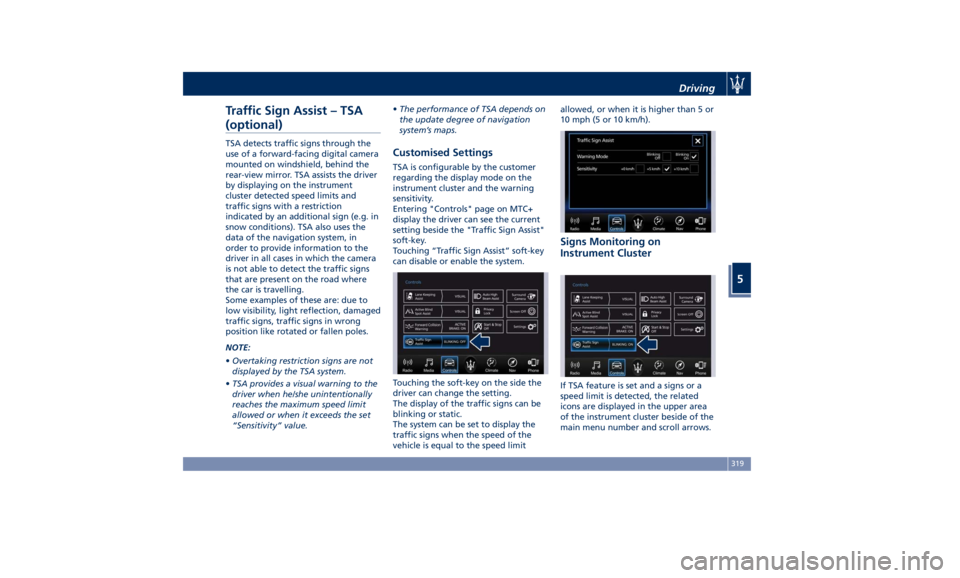
Entering "Controls" page on MTC+
display the driver can see the current
setting beside the "Traffic Sign Assist"
soft-key.
Touching “Traffic Sign Assist” soft-key
can disable or enable the system.
Touching the soft-key on the side the
driver can change the setting.
The display of the traffic signs can be
blinking or static.
The system can be set to display the
traffic signs when the speed of the
vehicle is equal to the speed limit allowed, or when it is higher than 5 or
10 mph (5 or 10 km/h).
Signs Monitoring on
Instrument Cluster
If TSA feature is set and a signs or a
speed limit is detected, the related
icons are displayed in the upper area
of the instrument cluster beside of the
main menu number and scroll arrows.Driving
5
319
Page 324 of 436
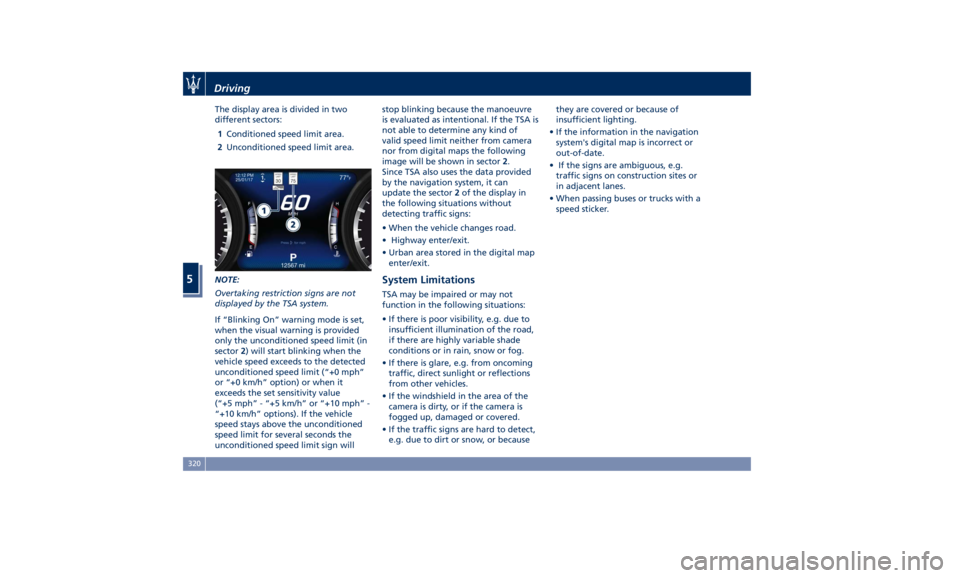
The display area is divided in two
different sectors:
1 Conditioned speed limit area.
2 Unconditioned speed limit area.
NOTE:
Overtaking restriction signs are not
displayed by the TSA system.
If “Blinking On” warning mode is set,
when the visual warning is provided
only the unconditioned speed limit (in
sector 2 ) will start blinking when the
vehicle speed exceeds to the detected
unconditioned speed limit (“+0 mph”
or “+0 km/h” option) or when it
exceeds the set sensitivity value
(“+5 mph” - “+5 km/h” or “+10 mph” -
“+10 km/h” options). If the vehicle
speed stays above the unconditioned
speed limit for several seconds the
unconditioned speed limit sign will stop blinking because the manoeuvre
is evaluated as intentional. If the TSA is
not able to determine any kind of
valid speed limit neither from camera
nor from digital maps the following
image will be shown in sector 2 .
Since TSA also uses the data provided
by the navigation system, it can
update the sector 2 of the display in
the following situations without
detecting traffic signs:
• When the vehicle changes road.
• Highway enter/exit.
• Urban area stored in the digital map
enter/exit.
System Limitations TSA may be impaired or may not
function in the following situations:
• If there is poor visibility, e.g. due to
insufficient illumination of the road,
if there are highly variable shade
conditions or in rain, snow or fog.
• If there is glare, e.g. from oncoming
traffic, direct sunlight or reflections
from other vehicles.
• If the windshield in the area of the
camera is dirty, or if the camera is
fogged up, damaged or covered.
• If the traffic signs are hard to detect,
e.g. due to dirt or snow, or because they are covered or because of
insufficient lighting.
• If the information in the navigation
system's digital map is incorrect or
out-of-date.
• If the signs are ambiguous, e.g.
traffic signs on construction sites or
in adjacent lanes.
• When passing buses or trucks with a
speed sticker.Driving
5
320
Page 332 of 436
(Continued)
rating on the tire sidewall on any
tire on the vehicle.
• Never exceed the maximum speed
rating of the tires. Risk of accident
and serious personal injury due to
excessive speed.
• Failure to equip your vehicle with
tires having adequate speed
capability can result in tire failure.
CAUTION!
Replacing original tires with tires of a
different size may result in false
speedometer and odometer readings.
Winter Tires These tires are specially designed for
driving on snow and ice and are fitted
to replace the ones supplied with the
vehicle. Winter or all-season tires can
be identified by the M+S (Mud &
Snow) or 3PMSF (3 Peaks Mountain
Snow Flake) designation on the tire
sidewall.
Before mounting winter tires, contact
an Authorized Maserati Dealer to
receive the technical information
necessary to advise you on wheel and
tire compatibility. As to the type of tires to use, inflation
pressures and winter tires
specifications, carefully follow the
indications as reported in the
“Technical Data” and “Tire Inflation
Pressure” chapters in section “Features
and Specifications”.
WARNING!
The standard tires profile and rubber
mixture are optimized for wet and dry
driving conditions. Standard tires may
not prove favorable for snow
conditions.
NOTE:
Snow
tires should have the same load
capacity as original equipment tires
and should be mounted on all four
wheels.
Snow Chains Maserati approved traction devices (or
snow chains) may be used to improve
traction on compacted snow in heavy
snow conditions.
They should not be used in off-road
conditions where there is no
compacted snow.
Maserati tested and recommends to
use traction devices with air suspension system in “Off Road 1” or
“Off Road 2” ride height in order to
increase wheel clearance.
In any case do not exceed 30 mph
(50 km/h).
Please contact an Authorized Maserati
Dealer for further information.
The chains may be fitted only on rear
wheel tires.
Check the snow chain tension after
driving for a distance of about 55 yd
(50 m) with the chains fitted.
With the snow chains fitted, it is
advisable to deactivate the ESC system
(see chapter “Drive Mode” in this
section).
CAUTION!
• The use of non-recommended snow
chains may damage the vehicle.
• Broken snow chains can cause serious
damage. Stop the vehicle
immediately if noise occurs that
could indicate snow chain breakage.
Replace the damaged parts of the
snow chain before further use.
• Do not exceed 30 mph (50 km/h).
• Drive cautiously and avoid severe
turns and large bumps, especially
with a loaded vehicle.Driving
5
328