seats MASERATI LEVANTE 2019 Owner's Guide
[x] Cancel search | Manufacturer: MASERATI, Model Year: 2019, Model line: LEVANTE, Model: MASERATI LEVANTE 2019Pages: 436, PDF Size: 15.24 MB
Page 139 of 436
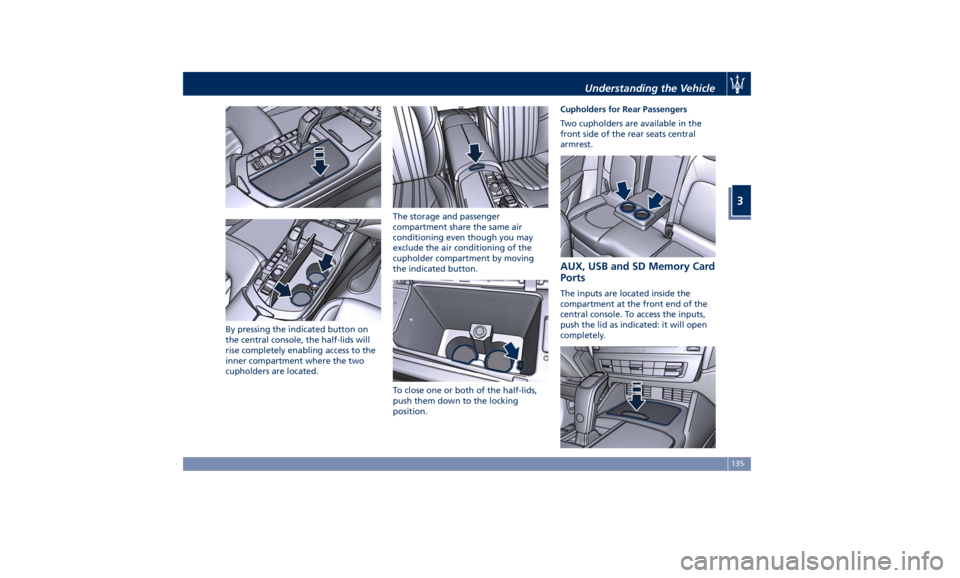
By pressing the indicated button on
the central console, the half-lids will
rise completely enabling access to the
inner compartment where the two
cupholders are located. The storage and passenger
compartment share the same air
conditioning even though you may
exclude the air conditioning of the
cupholder compartment by moving
the indicated button.
To close one or both of the half-lids,
push them down to the locking
position. Cupholders for Rear Passengers
Two cupholders are available in the
front side of the rear seats central
armrest.
AUX, USB and SD Memory Card
Ports The inputs are located inside the
compartment at the front end of the
central console. To access the inputs,
push the lid as indicated: it will open
completely.Understanding the Vehicle
3
135
Page 141 of 436
for extended periods of time: extreme
temperatures and humidity can occur
in the vehicle.
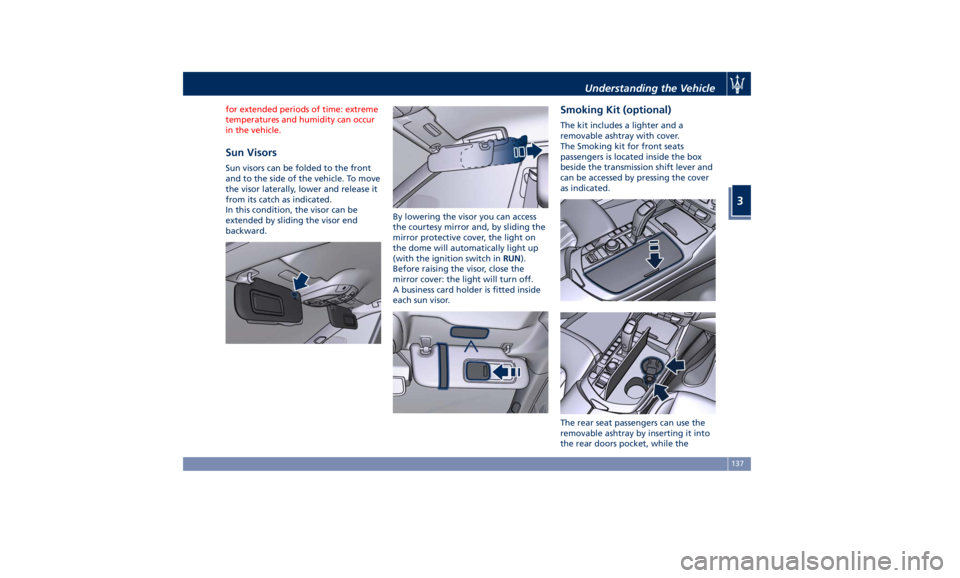
Sun Visors Sun visors can be folded to the front
and to the side of the vehicle. To move
the visor laterally, lower and release it
from its catch as indicated.
In this condition, the visor can be
extended by sliding the visor end
backward. By lowering the visor you can access
the courtesy mirror and, by sliding the
mirror protective cover, the light on
the dome will automatically light up
(with the ignition switch in RUN ).
Before raising the visor, close the
mirror cover: the light will turn off.
A business card holder is fitted inside
each sun visor. Smoking Kit (optional) The kit includes a lighter and a
removable ashtray with cover.
The Smoking kit for front seats
passengers is located inside the box
beside the transmission shift lever and
can be accessed by pressing the cover
as indicated.
The rear seat passengers can use the
removable ashtray by inserting it into
the rear doors pocket, while theUnderstanding the Vehicle
3
137
Page 142 of 436
lighter can be inserted into the power
outlet at the end of the central
console.
Press the central button to activate the
cigarette lighter. After about 20
seconds the button returns
automatically to the initial position
and stops the heating: from this time
the cigarette lighter is ready for use.
CAUTION!
After use, always make sure that the
cigarette lighter is switched off.
WARNING!
• The cigarette lighter reaches high
temperatures. Handle it carefully and
do not allow children to use it so as
to avoid risk of fire and injury!
• The cigarette lighter may not be
used as a power outlet.
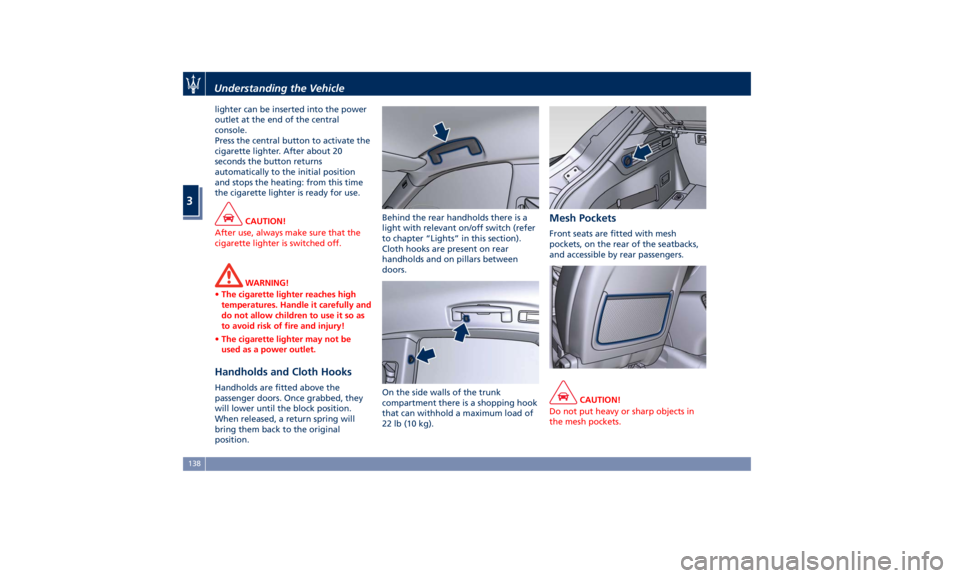
Handholds and Cloth Hooks Handholds are fitted above the
passenger doors. Once grabbed, they
will lower until the block position.
When released, a return spring will
bring them back to the original
position. Behind the rear handholds there is a
light with relevant on/off switch (refer
to chapter “Lights” in this section).
Cloth hooks are present on rear
handholds and on pillars between
doors.
On the side walls of the trunk
compartment there is a shopping hook
that can withhold a maximum load of
22 lb (10 kg). Mesh Pockets Front seats are fitted with mesh
pockets, on the rear of the seatbacks,
and accessible by rear passengers.
CAUTION!
Do not put heavy or sharp objects in
the mesh pockets.Understanding the Vehicle
3
138
Page 143 of 436
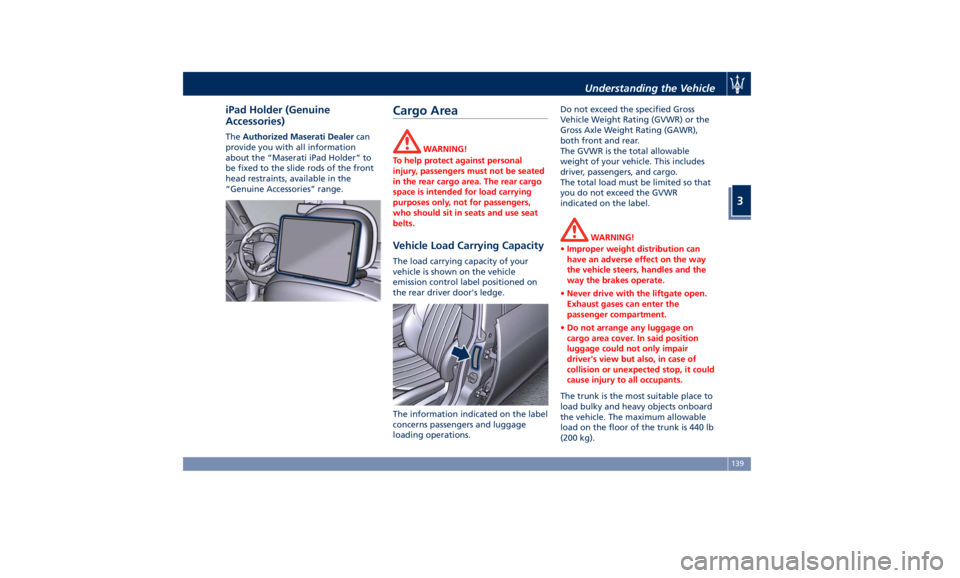
iPad Holder (Genuine
Accessories) The Authorized Maserati Dealer can
provide you with all information
about the “Maserati iPad Holder” to
be fixed to the slide rods of the front
head restraints, available in the
“Genuine Accessories” range.
Cargo Area WARNING!
To help protect against personal
injury, passengers must not be seated
in the rear cargo area. The rear cargo
space is intended for load carrying
purposes only, not for passengers,
who should sit in seats and use seat
belts.
Vehicle Load Carrying Capacity The load carrying capacity of your
vehicle is shown on the vehicle
emission control label positioned on
the rear driver door's ledge.
The information indicated on the label
concerns passengers and luggage
loading operations. Do not exceed the specified Gross
Vehicle Weight Rating (GVWR) or the
Gross Axle Weight Rating (GAWR),
both front and rear.
The GVWR is the total allowable
weight of your vehicle. This includes
driver, passengers, and cargo.
The total load must be limited so that
you do not exceed the GVWR
indicated on the label.
WARNING!
• Improper weight distribution can
have an adverse effect on the way
the vehicle steers, handles and the
way the brakes operate.
• Never drive with the liftgate open.
Exhaust gases can enter the
passenger compartment.
• Do not arrange any luggage on
cargo area cover. In said position
luggage could not only impair
driver's view but also, in case of
collision or unexpected stop, it could
cause injury to all occupants.
The trunk is the most suitable place to
load
bulky and heavy
objects onboard
the vehicle. The maximum allowable
load on the floor of the trunk is 440 lb
(200 kg).Understanding the Vehicle
3
139
Page 145 of 436
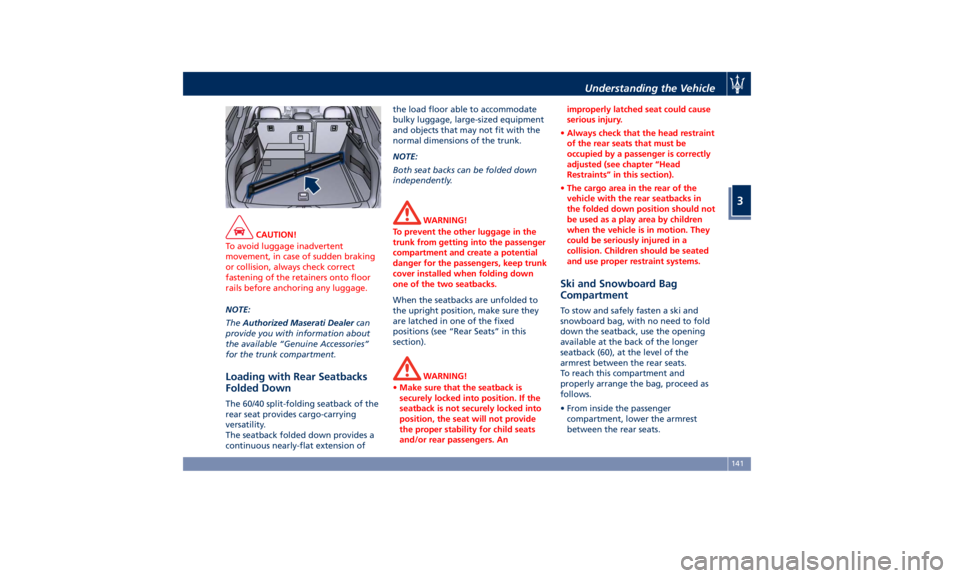
CAUTION!
To avoid luggage inadvertent
movement, in case of sudden braking
or collision, always check correct
fastening of the retainers onto floor
rails before anchoring any luggage.
NOTE:
The Authorized
Maserati Dealer can
provide you with information about
the available “Genuine Accessories”
for the trunk compartment.
Loading with Rear Seatbacks
Folded Down The 60/40 split-folding seatback of the
rear seat provides cargo-carrying
versatility.
The seatback folded down provides a
continuous nearly-flat extension of the load floor able to accommodate
bulky luggage, large-sized equipment
and objects that may not fit with the
normal dimensions of the trunk.
NOTE:
Both seat backs can be folded down
independently.
WARNING!
To prevent the other luggage in the
trunk from getting into the passenger
compartment and create a potential
danger for the passengers, keep trunk
cover installed when folding down
one of the two seatbacks.
When the seatbacks are unfolded to
the
upright position, make
sure they
are latched in one of the fixed
positions (see “Rear Seats” in this
section).
WARNING!
• Make sure that the seatback is
securely locked into position. If the
seatback is not securely locked into
position, the seat will not provide
the proper stability for child seats
and/or rear passengers. An improperly latched seat could cause
serious injury.
• Always check that the head restraint
of the rear seats that must be
occupied by a passenger is correctly
adjusted (see chapter “Head
Restraints” in this section).
• The cargo area in the rear of the
vehicle with the rear seatbacks in
the folded down position should not
be used as a play area by children
when the vehicle is in motion. They
could be seriously injured in a
collision. Children should be seated
and use proper restraint systems.
Ski and Snowboard Bag
Compartment To stow and safely fasten a ski and
snowboard bag, with no need to fold
down the seatback, use the opening
available at the back of the longer
seatback (60), at the level of the
armrest between the rear seats.
To reach this compartment and
properly arrange the bag, proceed as
follows.
• From inside the passenger
compartment, lower the armrest
between the rear seats.Understanding the Vehicle
3
141
Page 147 of 436
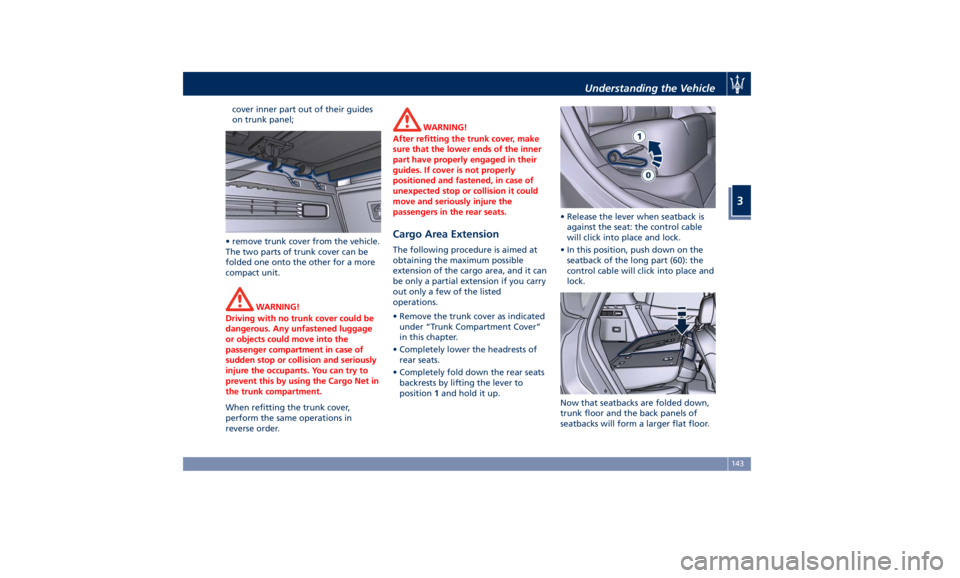
cover inner part out of their guides
on trunk panel;
• remove trunk cover from the vehicle.
The two parts of trunk cover can be
folded one onto the other for a more
compact unit.
WARNING!
Driving with no trunk cover could be
dangerous. Any unfastened luggage
or objects could move into the
passenger compartment in case of
sudden stop or collision and seriously
injure the occupants. You can try to
prevent this by using the Cargo Net in
the trunk compartment.
When refitting the trunk cover,
perform
the same operations in
reverse order. WARNING!
After refitting the trunk cover, make
sure that the lower ends of the inner
part have properly engaged in their
guides. If cover is not properly
positioned and fastened, in case of
unexpected stop or collision it could
move and seriously injure the
passengers in the rear seats.
Cargo Area Extension The following procedure is aimed at
obtaining the maximum possible
extension of the cargo area, and it can
be only a partial extension if you carry
out only a few of the listed
operations.
• Remove the trunk cover as indicated
under “Trunk Compartment Cover”
in this chapter.
• Completely lower the headrests of
rear seats.
• Completely fold down the rear seats
backrests by lifting the lever to
position 1 and hold it up. • Release the lever when seatback is
against the seat: the control cable
will click into place and lock.
• In this position, push down on the
seatback of the long part (60): the
control cable will click into place and
lock.
Now that seatbacks are folded down,
trunk floor and the back panels of
seatbacks will form a larger flat floor.Understanding the Vehicle
3
143
Page 148 of 436
CAUTION!
Seatback rear panel is not suitable to
support heavy loads and metal objects
with protruding elements that might
scratch its surface. If necessary, protect
the seatback rear panel surface using
rigid panels.
Installing the Cargo Net for
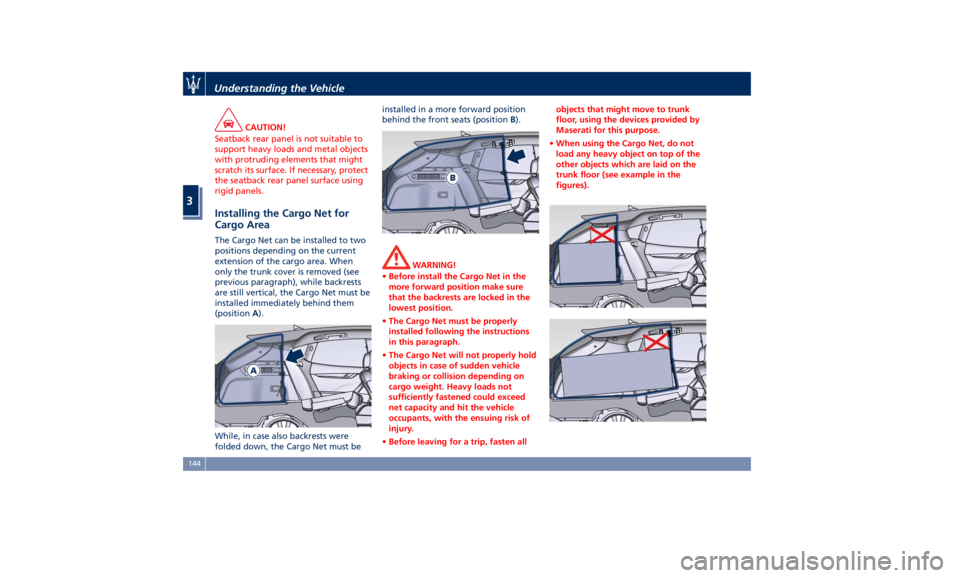
Cargo Area The Cargo Net can be installed to two
positions depending on the current
extension of the cargo area. When
only the trunk cover is removed (see
previous paragraph), while backrests
are still vertical, the Cargo Net must be
installed immediately behind them
(position A ).
While, in case also backrests were
folded down, the Cargo Net must be installed in a more forward position
behind the front seats (position B ).
WARNING!
• Before install the Cargo Net in the
more forward position make sure
that the backrests are locked in the
lowest position.
• The Cargo Net must be properly
installed following the instructions
in this paragraph.
• The Cargo Net will not properly hold
objects in case of sudden vehicle
braking or collision depending on
cargo weight. Heavy loads not
sufficiently fastened could exceed
net capacity and hit the vehicle
occupants, with the ensuing risk of
injury.
• Before leaving for a trip, fasten all objects that might move to trunk
floor, using the devices provided by
Maserati for this purpose.
• When using the Cargo Net, do not
load any heavy object on top of the
other objects which are laid on the
trunk floor (see example in the
figures).Understanding the Vehicle
3
144
Page 150 of 436
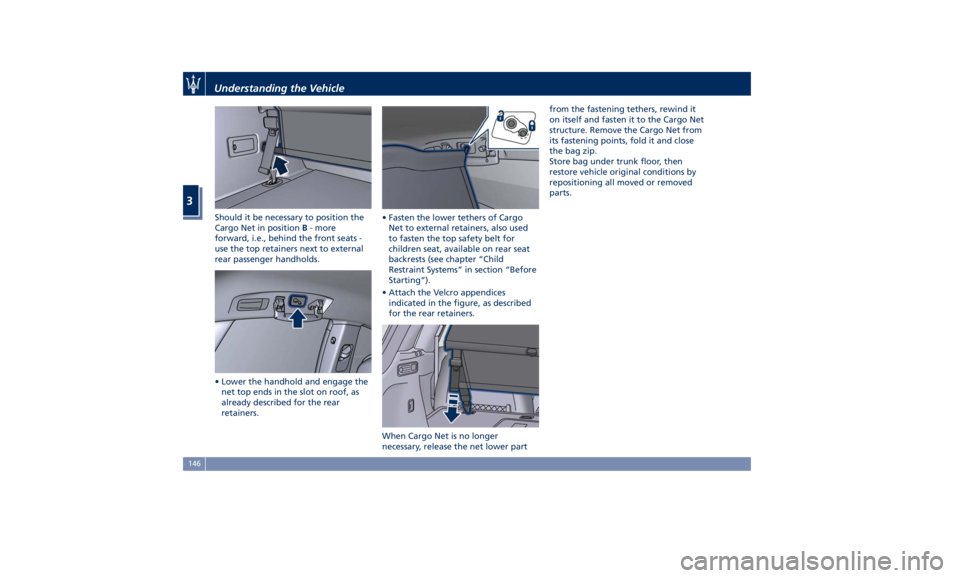
Should it be necessary to position the
Cargo Net in position B - more
forward, i.e., behind the front seats -
use the top retainers next to external
rear passenger handholds.
• Lower the handhold and engage the
net top ends in the slot on roof, as
already described for the rear
retainers. • Fasten the lower tethers of Cargo
Net to external retainers, also used
to fasten the top safety belt for
children seat, available on rear seat
backrests (see chapter “Child
Restraint Systems” in section “Before
Starting”).
• Attach the Velcro appendices
indicated in the figure, as described
for the rear retainers.
When Cargo Net is no longer
necessary, release the net lower part from the fastening tethers, rewind it
on itself and fasten it to the Cargo Net
structure. Remove the Cargo Net from
its fastening points, fold it and close
the bag zip.
Store bag under trunk floor, then
restore vehicle original conditions by
repositioning all moved or removed
parts.Understanding the Vehicle
3
146
Page 160 of 436
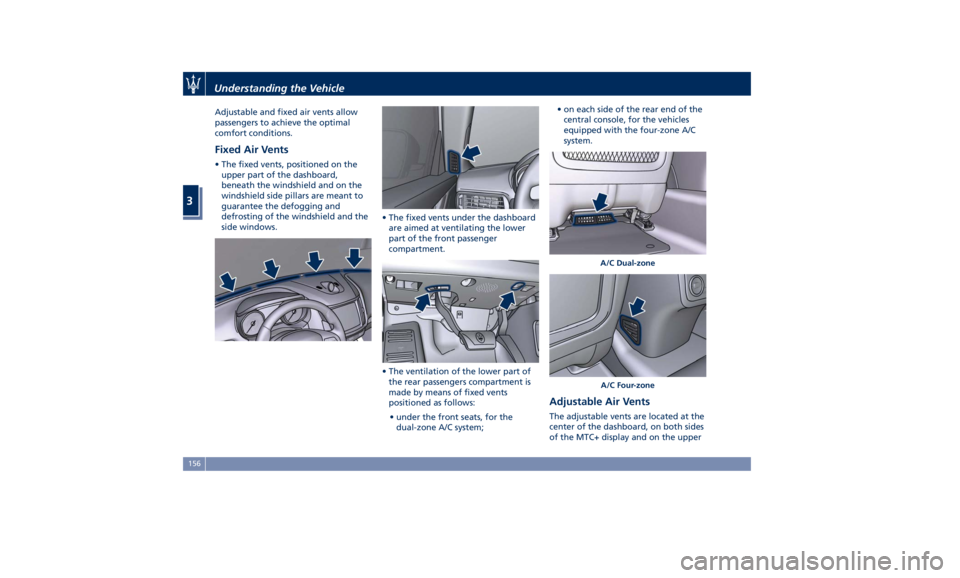
Adjustable and fixed air vents allow
passengers to achieve the optimal
comfort conditions.
Fixed Air Vents • The fixed vents, positioned on the
upper part of the dashboard,
beneath the windshield and on the
windshield side pillars are meant to
guarantee the defogging and
defrosting of the windshield and the
side windows. • The fixed vents under the dashboard
are aimed at ventilating the lower
part of the front passenger
compartment.
• The ventilation of the lower part of
the rear passengers compartment is
made by means of fixed vents
positioned as follows:
• under the front seats, for the
dual-zone A/C system; • on each side of the rear end of the
central console, for the vehicles
equipped with the four-zone A/C
system.
A/C Dual-zone
A/C Four-zone
Adjustable Air Vents The adjustable vents are located at the
center of the dashboard, on both sides
of the MTC+ display and on the upperUnderstanding the Vehicle
3
156
Page 191 of 436
selected, or the favorites when the
“Nav (Navigation)” menu is selected.
Back button
Press this button to go back to
previous menu or previous screen.
Press this button to shift the
navigation one level backwards on
MTC+ screen. If it is pressed and held
for at least 2 seconds, it brings the
cursor back in the lower bar of the
main menus.
Enter Button
To confirm the function or setting
highlighted on MTC+ display.
When in “Radio” mode and the
ignition switch in RUN position, you
can save your preset stations.
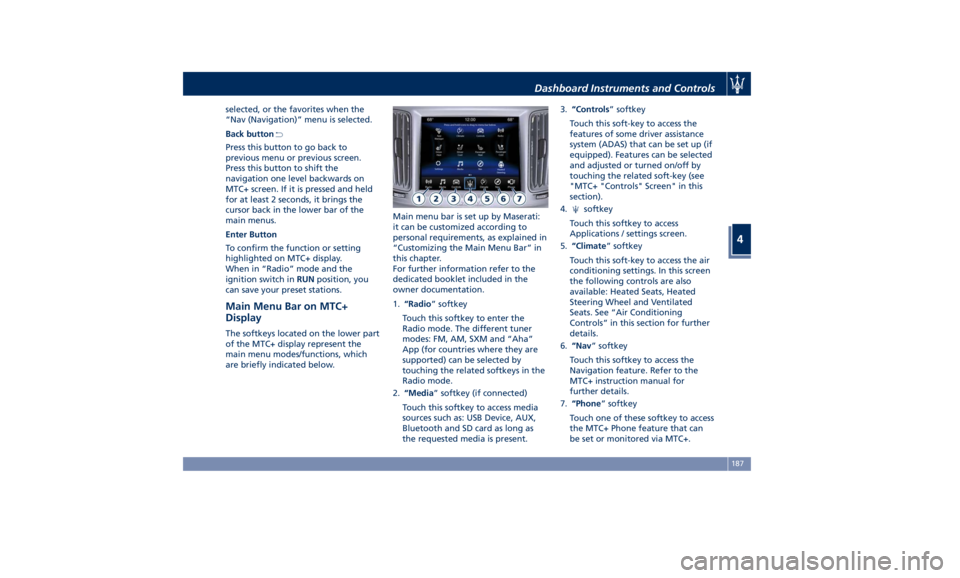
Main Menu Bar on MTC+
Display The softkeys located on the lower part
of the MTC+ display represent the
main menu modes/functions, which
are briefly indicated below. Main menu bar is set up by Maserati:
it can be customized according to
personal requirements, as explained in
“Customizing the Main Menu Bar” in
this chapter.
For further information refer to the
dedicated booklet included in the
owner documentation.
1. “Radio ” softkey
Touch this softkey to enter the
Radio mode. The different tuner
modes: FM, AM, SXM and “Aha”
App (for countries where they are
supported) can be selected by
touching the related softkeys in the
Radio mode.
2. “Media ” softkey (if connected)
Touch this softkey to access media
sources such as: USB Device, AUX,
Bluetooth and SD card as long as
the requested media is present. 3. “Controls ” softkey
Touch this soft-key to access the
features of some driver assistance
system (ADAS) that can be set up (if
equipped). Features can be selected
and adjusted or turned on/off by
touching the related soft-key (see
"MTC+ "Controls" Screen" in this
section).
4.
softkey
Touch this softkey to access
Applications / settings screen.
5. “Climate ” softkey
Touch this soft-key to access the air
conditioning settings. In this screen
the following controls are also
available: Heated Seats, Heated
Steering Wheel and Ventilated
Seats. See “Air Conditioning
Controls” in this section for further
details.
6. “Nav ” softkey
Touch this softkey to access the
Navigation feature. Refer to the
MTC+ instruction manual for
further details.
7. “Phone ” softkey
Touch one of these softkey to access
the MTC+ Phone feature that can
be set or monitored via MTC+.Dashboard Instruments and Controls
4
187