Led MAZDA CX90 2024 Service Manual
[x] Cancel search | Manufacturer: MAZDA, Model Year: 2024, Model line: CX90, Model: MAZDA CX90 2024Pages: 687, PDF Size: 15.46 MB
Page 150 of 687
How to Use the Rear SeatAlert
If any of the following operations is
performed, a message appears in the
instrument cluster to notify that the
system is active. Make sure that a
message appears. The message
disappears after a short period of time.
When the Rear Seat Alert is not
needed, temporarily deactivate the
system according to the message.
A rear door is opened and the hybrid
system is started.
The hybrid system is started within
about 10 minutes after a rear door is
opened and closed.
A rear door is opened after the
hybrid system is started.
The vehicle power is switched ON
while the system is active.
If the vehicle power is switched OFF
while the system is active, a message in
the instrument clus ter and a warning
sound indicate the possibility of
occupants or luggage on a second/
third-row seat. The message
disappears after a short period of time.
If the driver's door is opened/closed
after the message in the instrument
cluster disappears, notification is made
again.
When deactivating the system, perform
any of the following operations.
Switch the vehicle power to ACC or
OFF and open a rear door.
Switch the vehicle power ON again
and open a rear door before starting
the hybrid system.
Open a rear door and switch the
vehicle power to ACC or OFF.
Temporarily deactivate the system
according to the message in the
instrument cluster.
NOTE
The Rear Seat Alert determines if there
is the possibility that occupants or
luggage are on a second/third-row
seat based on the opening and closing
history of the rear doors. For this
reason, depending on the usage, it
may not be activated even if occupants
or luggage are on the second/
third-row seats, or it may activate even
if no occupants or luggage are on the
second/third-row seats. The system
will continue to be active until it is
canceled.
Examples of when the system does
not activate even if occupants or
luggage are on the second/third-row
seats.
A rear door is opened and closed in
a very short period of time.
Remote engine starting via
Connected Service is used*.The lead-acid battery charge is low.The lead-acid battery connection
was disconnected/connected.
Examples of when the system
activates even if no occupants or
luggage are on the second/third-row
seats.
A rear door is opened and closed,
but no occupant or luggage is in the
vehicle.
Occupants and luggage are
unloaded while the engine is
running.
A rear door is opened and closed in
a very short period of time.
Opening/closing
Rear Seat Alert
*Some models.4-43
CX-90_8KG7-EA-22L_Edition1_new 2022-11-17 16:05:04
Page 151 of 687

Temporarily Deactivating the Rear
Seat Alert
When the instrument cluster displays a
message concerning the Rear Seat
Alert, the driver can temporarily
deactivate the system.
Operate according to the message
displayed in the instrument cluster.
When the message "Press and Hold
INFO Switch to Deactivate Rear Seat
Alert" is displayed in the instrument
cluster, press and hold the INFO switch
for 2 seconds or longer.
When the system is temporarily
deactivated, a chime sounds and a
message to notify that the operation
was completed appears in the
instrument cluster. The message
disappears after a short period of time.
NOTE
When the vehicle power is switched
OFF, the temporary deactivation is
canceled.
Turning the Rear Seat Alert Off
The Rear Seat Alert can be set to off
using Mazda Connect.
Refer to Mazda Connect Owner's
Manual or consult an Authorized
Mazda Dealer.
NOTE
Under the following conditions, the
warning light
turns on 2 times to
indicate the system has been stopped
when the vehicle power is switched
ON, and then turns off after a short
period of time.
The Rear Seat Alert is turned off.The Rear Seat Alert is temporarily
deactivated.
Remote engine starting via
Connected Service is used*.The lead-acid battery charge is low.
Opening/closing
Rear Seat Alert
4-44*Some models.
CX-90_8KG7-EA-22L_Edition1_new 2022-11-17 16:05:04
Page 171 of 687
Be very careful of high temperature areas.
The hybrid system and the engine become hot when they operate. Follow the
instructions on the label attached to the vehicle and always pay attention to high
voltage areas and high temperature areas.
Do not touch the service plug.
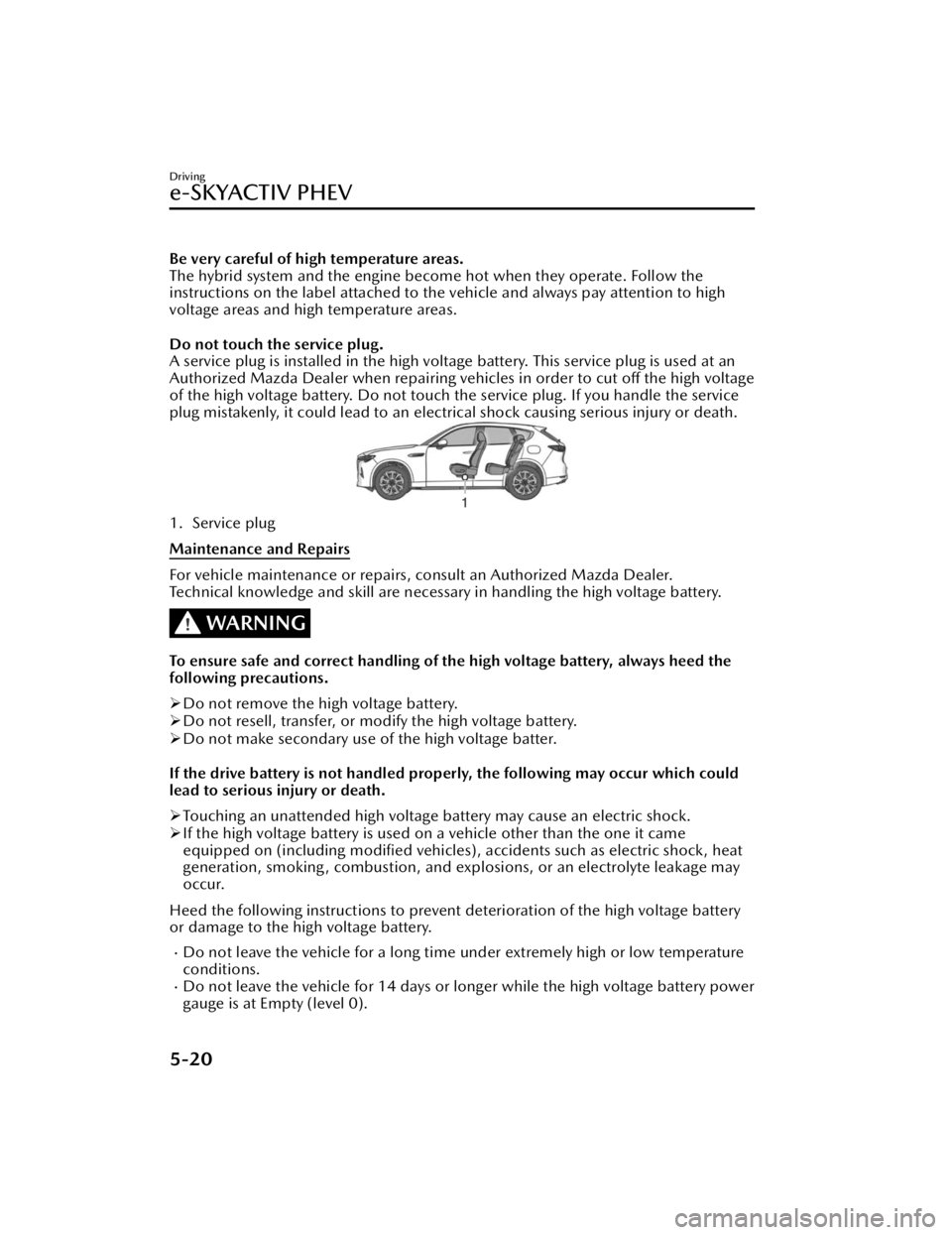
A service plug is installed in the high voltage battery. This service plug is used at an
Authorized Mazda Dealer when repairing vehicles in order to cut off the high voltage
of the high voltage battery. Do not touch the service plug. If you handle the service
plug mistakenly, it could lead to an electrical shock causing serious injury or death.
1. Service plug
Maintenance and Repairs
For vehicle maintenance or repairs, consult an Authorized Mazda Dealer.
Technical knowledge and skill are necessary in handling the high voltage battery.
WARNING
To ensure safe and correct handling of the high voltage battery, always heed the
following precautions.
Do not remove the high voltage battery.
Do not resell, transfer, or modify the high voltage battery.
Do not make secondary use of the high voltage batter.
If the drive battery is not handled properly, the following may occur which could
lead to serious injury or death.
Touching an unattended high voltage battery may cause an electric shock.
If the high voltage battery is used on a vehicle other than the one it came
equipped on (including modified vehicles), accidents such as electric shock, heat
generation, smoking, combustion, and explosions, or an electrolyte leakage may
occur.
Heed the following instructions to prevent deterioration of the high voltage battery
or damage to the high voltage battery.
Do not leave the vehicle for a long time under extremely high or low temperature
conditions.
Do not leave the vehicle for 14 days or longer while the high voltage battery power
gauge is at Empty (level 0).
Driving
e-SKYACTIV PHEV
5-20
CX-90_8KG7-EA-22L_Edition1_new 2022-11-17 16:05:04
Page 173 of 687

WARNING
Appropriate disposal of the high voltage battery.
If the high voltage battery is not collected and disposed of appropriately, such as by
leaving it unattended or illegally abando ning it, some other person may touch it
which could cause electrocution leading to serious injury.
Fuel
CAUTION
The e-SKYACTIV PHEV can be driven on electricity, but depending on the driving
conditions and mode, the vehicle will be driven using the engine and will need to
be refueled. Check the remaining amount of fuel and replenish the fuel if
necessary.
Refer to How to Use the Mazda intelligent Drive Select (Mi-Drive) on page 5-96.
Depending on the vehicle usage conditions, fuel may remain in the tank for a long
period of time and the quality of the fuel may change. Refuel at least 25 L of fuel
every 12 months (total amount of refueling for 12 months is at least 25 L), as this
may affect parts of the fuel system and the engine.
If the fuel has not been replenished for a certain period of time and the quality of
the fuel in the fuel tank is expected to change, a message is displayed in the
instrument cluster when the hybrid system is started. When a certain amount of
fuel is consumed, the message displayed in the instrument cluster is no longer
displayed.
Driving
e-SKYACTIV PHEV
5-22
CX-90_8KG7-EA-22L_Edition1_new 2022-11-17 16:05:04
Page 174 of 687

How to Use the
e-SKYACTIV PHEV
Switching the Drive Mode
You can switch the drive mode of the
hybrid system by operating the switch.
TOWING mode/SPORT mode/
NORMAL mode/EV mode/
OFF-ROAD mode
Refer to How to Use the Mazda
intelligent Drive Select (Mi-Drive) on
page 5-96.
CHARGE Mode
The engine is used as a generator, and
the vehicle is driven while charging the
high voltage battery.
1. Start the hybrid system.
2.
When CHARGE mode is activated, the
CHARGE mode indicator light
in
the instrument cluster turns on.
Power is generated to the preset target
charge amount, and when the target
charge amount is reached, power is
generated to maintain it.
NOTE
Switching to CHARGE mode may not
be possible depending on the
conditions of the hybrid system.
When power consumption is high
due to the vehicle driving conditions,
outside air temperature, or when the
air conditioner is used, charging may
take longer than usual or may not
occur.
When the vehicle is driven while in
CHARGE mode, the engine operates
to generate electricity, therefore fuel
consumption may increase
compared to when driving the
vehicle in a mode other than
CHARGE mode.
If the vehicle power is switched OFF
while switching the mode to
CHARGE mode, the CHARGE mode
will be canceled the next time the
vehicle power is switched ON.
When pressing the charge mode
switch while the Mazda intelligent
Drive Select (Mi-Drive) is in EV
mode, the Mi-Drive switches to
NORMAL mode and the vehicle is
driven in CHARGE mode.
The mode may not be able to switch
to CHARGE mode when the fuel is
low.
The target charge amount can be
changed.
Refer to the Settings section in the
Mazda Connect Owner's Manual.
Po we r Me te r
Displays in the instrument cluster while
driving in NORMAL mode or EV mode.
Driving
e-SKYACTIV PHEV
5-23
CX-90_8KG7-EA-22L_Edition1_new 2022-11-17 16:05:04
Page 187 of 687
How to Use the
Dashboard Illumination
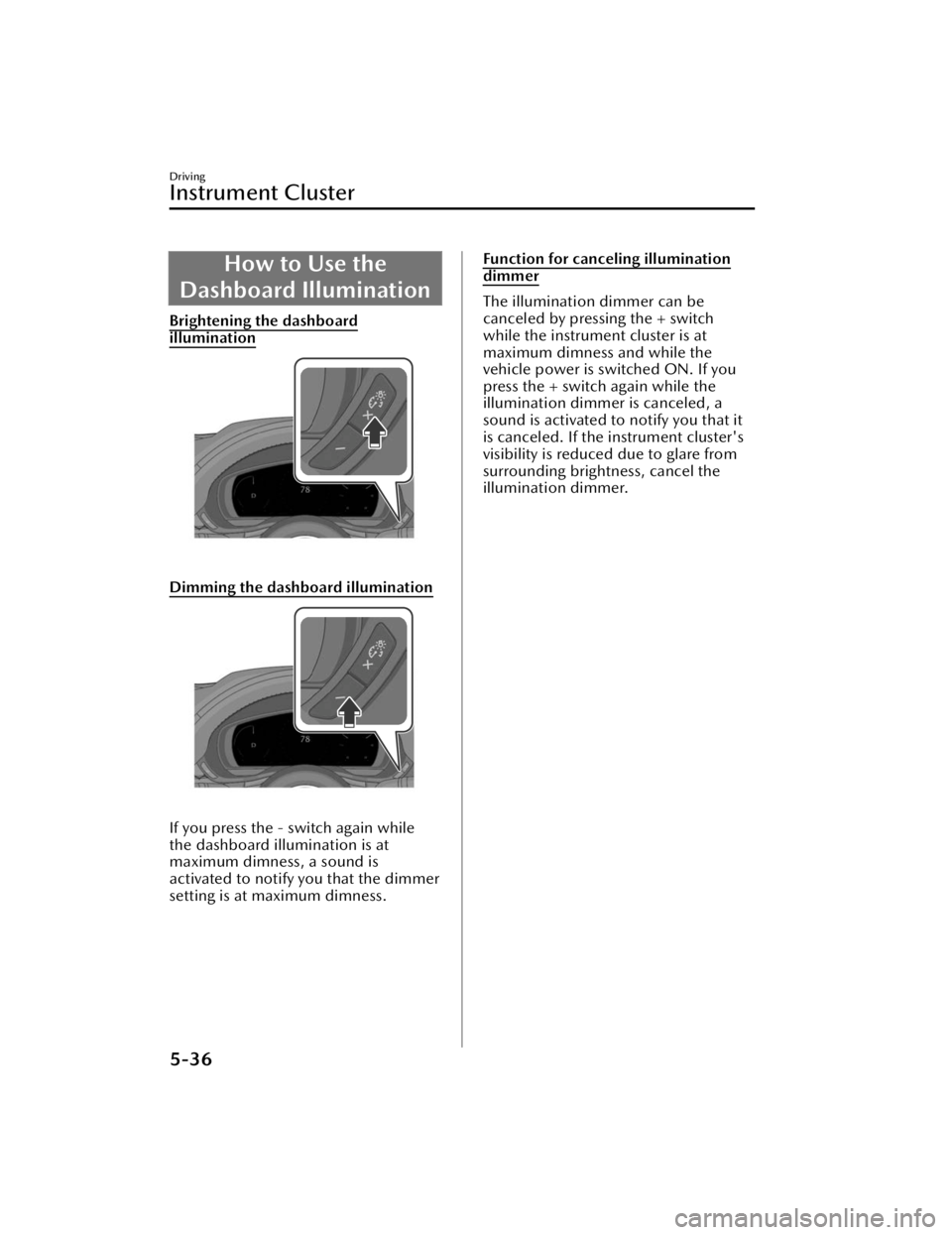
Brightening the dashboard
illumination
Dimming the dashboard illumination
If you press the - switch again while
the dashboard illumination is at
maximum dimness, a sound is
activated to notify you that the dimmer
setting is at maximum dimness.
Function for canceling illumination
dimmer
The illumination dimmer can be
canceled by pressing the + switch
while the instrument cluster is at
maximum dimness and while the
vehicle power is switched ON. If you
press the + switch again while the
illumination dimmer is canceled, a
sound is activated to notify you that it
is canceled. If the instrument cluster's
visibility is reduced due to glare from
surrounding brightness, cancel the
illumination dimmer.
Driving
Instrument Cluster
5-36
CX-90_8KG7-EA-22L_Edition1_new 2022-11-17 16:05:04
Page 189 of 687

Average Electrical PowerConsumption Rate Display
The average energy efficiency is
calculated every 30 seconds from the
total traveled distance and the total
electrical power consumption since
the vehicle was purchased or the past
data was reset, and the rate is
displayed.
How to Use the Average
Electrical Power
Consumption Rate
Display
To reset the displayed average
electrical power consumption rate
data, press the INFO switch for 2
seconds or longer.
After resetting the data, - - - kWh/100
km (- - - mile/kWh) is displayed
before the average electrical power
consumption rate is recalculated and
displayed.
The average electrical power
consumption rate is also reset at the
same time as the average fuel
economy.
Driving
Instrument Cluster
5-38
CX-90_8KG7-EA-22L_Edition1_new 2022-11-17 16:05:04
Page 190 of 687

Average Fuel EconomyDisplay
This mode displays the average fuel
economy by calculating the total
traveled distance and the total fuel
consumption since the vehicle was
purchased or the past data was reset.
The average fuel economy is calculated
and displayed every 30 seconds.
How to Use the AverageFuel Economy Display
To reset the displayed average fuel
economy data, press the INFO switch
for 2 seconds or longer.
After resetting the data, - - - L/100 km
(- - - mpg) is displayed until the
average fuel economy is recalculated
and displayed.
The average fuel economy is also reset
at the same time as the average
electrical power consumption rate.
Driving
Instrument Cluster
5-39
CX-90_8KG7-EA-22L_Edition1_new 2022-11-17 16:05:04
Page 191 of 687

Instantaneous Electrical
Power Consumption Rate Display
The instantaneous energy efficiency
while driving the vehicle is calculated
from the electrical power consumption
and displayed.
NOTE
Displays the 0 position when the
vehicle speed decreases to a
constant speed or slower.
The arrow on the instantaneous
electrical power consumption rate
gauge indicates the average electrical
power consumption rate.
Instantaneous Fuel
Economy Display
This displays the current fuel economy
by calculating the amount of fuel
consumption and the distance
traveled.
NOTE
Displays the 0 position when the
vehicle speed decreases to a constant
speed or slower.
Driving
Instrument Cluster
5-40
CX-90_8KG7-EA-22L_Edition1_new 2022-11-17 16:05:04
Page 194 of 687

Active Driving Display*
The active driving display indicates vehicle information and navigation information.
1. Front Cross Traffic Alert (FCTA) warning display area
2. Warning guidance display area
3. Blind Spot Monitoring (BSM) warning display area
4. i-ACTIVSENSE information display area
5. Vehicle speed display area and setting speed display area
6. Navigation information display area
NOTE
Wearing polarized sunglasses will reduce the visibility of the active driving display
due to the characteristics of the display.
If the lead-acid battery has been removed and re-installed or the lead-acid battery
voltage is low, the adjusted position may deviate.
The display may be difficult to view or temporarily affected by weather conditions
such as rain, snow, light, and temperature.
Driving
Active Driving Display
*Some models.5-43
CX-90_8KG7-EA-22L_Edition1_new2022-11-17 16:05:04