manual shift mode MAZDA MAZDA 2023 User Guide
[x] Cancel search | Manufacturer: MAZDA, Model Year: 2023, Model line: MAZDA, Model: MAZDA MAZDA 2023Pages: 623, PDF Size: 15.08 MB
Page 248 of 623
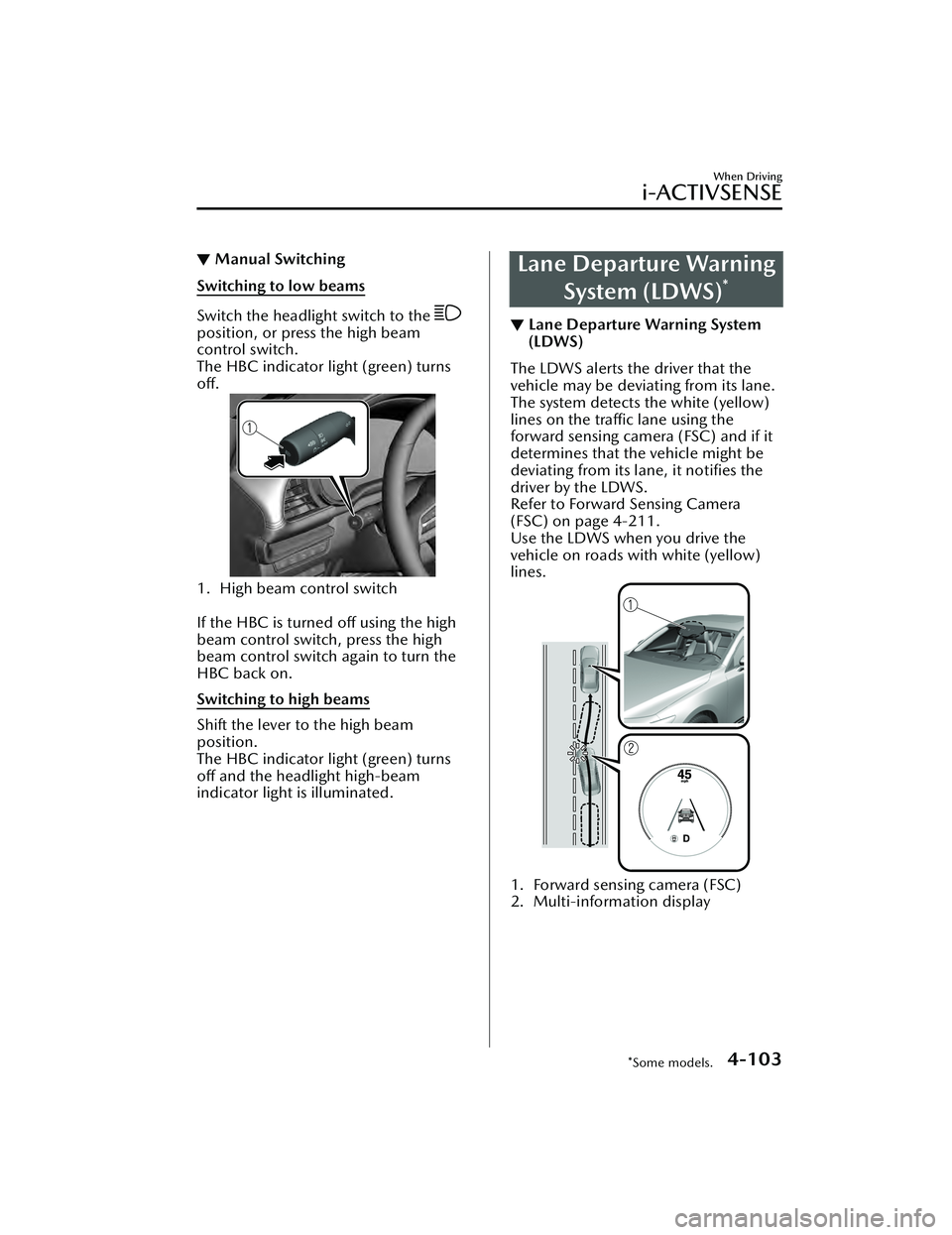
▼Manual Switching
Switching to low beams
Switch the headlight switch to the
position, or press the high beam
control switch.
The HBC indicator light (green) turns
off.
1. High beam control switch
If the HBC is turned off using the high
beam control switch, press the high
beam control switch again to turn the
HBC back on.
Switching to high beams
Shift the lever to the high beam
position.
The HBC indicator light (green) turns
off and the headlight high-beam
indicator light is illuminated.
Lane Departure Warning
System (LDWS)
*
▼Lane Departure Warning System
(LDWS)
The LDWS alerts the driver that the
vehicle may be deviating from its lane.
The system detects the white (yellow)
lines on the traffic lane using the
forward sensing camera (FSC) and if it
determines that the vehicle might be
deviating from its lane, it
notifies the
driver by the LDWS.
Refer to Forward Sensing Camera
(FSC) on page 4-211.
Use the LDWS when you drive the
vehicle on roads with white (yellow)
lines.
1. Forward sensing camera (FSC)
2. Multi-information display
When Driving
i-ACTIVSENSE
*Some models.4-103
Mazda3_8LC2-EA-22G_Edition1_new 2022-5-20 11:26:10
Page 263 of 623
Distance & Speed Alert(DSA)
*
▼Distance & Speed Alert (DSA)
The DSA is a system which provides
advice for maintaining the appropriate
distance between vehicles and
notifies
the driver of the recommended, safe
distance to maintain with a vehicle
ahead. The system measures the
distance between your vehicle and a
vehicle ahead while the vehicle speed
is about 30 km/h (19 mph) or faster. If
the distance between your vehicle and
a vehicle ahead is close, the system
alerts the driver of a possible collision
using an indication on the display.
WARNING
Do not rely completely on the DSA:
The ability of the system to detect a
vehicle ahead is limited depending on
the type of vehicle ahead, weather
conditions, or traffic conditions. In
addition, the system is not for
maintaining the distance between your
vehicle and a vehicle ahead. If you
neglect to operate the accelerator and
brake pedals correctly, it could lead to
an accident. Always check the safety of
the surrounding area and depress the
brake pedal or accelerator pedal while
keeping a safe distance from vehicles
ahead or on-coming vehicles.
Operation conditions
The DSA operates when the following
conditions are all met.
The ignition is switched ON.The DSA is turned on.The shift lever (manual transmission
vehicle) or the selector lever
(automatic transmission vehicle) is in
a position other than R.
The vehicle speed is about 30 km/h
(19 mph) or faster.
i-ACTIVSENSE status symbol
(warning/risk avoidance support
system) (green) is displayed.
NOTE
The objects which activate the
system are four-wheeled vehicles.
The DSA may also operate in the
presence of motorcycles and
bicycles.
The DSA may not operate normally
when the speed of a vehicle ahead is
too slow.
The system does not operate with
the following objects.
Vehicles approaching in the
opposite direction.
Stationary objects (stopped
vehicles, obstructions)
The DSA can be set to inoperable.
(If only the DSA is turned off)
Refer to the Settings section in the
Mazda Connect Owner's Manual.
(If the DSA is turned off by
operating the i-ACTIVSENSE OFF
switch)
Refer to i-ACTIVSENSE OFF Switch
on page 4-100.
When Driving
i-ACTIVSENSE
4-118*Some models.
Mazda3_8LC2-EA-22G_Edition1_new 2022-5-20 11:26:10
Page 269 of 623
Operation conditions
The system operates when all of the
following conditions are met:
When your vehicle is driven at less
than about 10 km/h (6 mph).
(Automatic transmission)
The selector lever is in the D
position.
(Manual transmission)
The shift lever is in a position other
than N or R.
When a vehicle approaches from the
front side of your vehicle at a vehicle
speed of about 5 km/h (3 mph) or
faster.
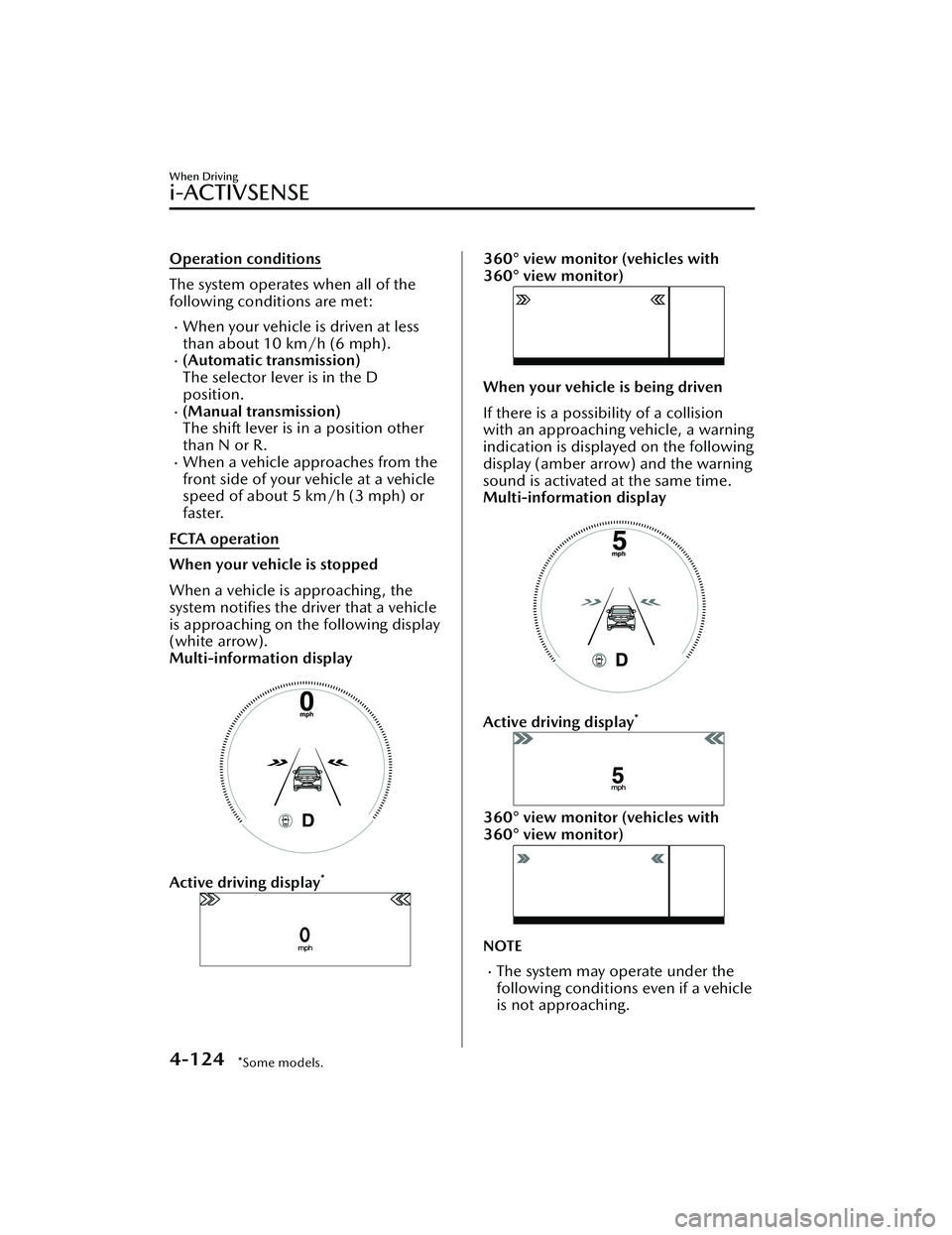
FCTA operation
When your vehicle is stopped
When a vehicle is approaching , the
system notifies the driver that a vehicle
is approaching on the following display
(white arrow).
Multi-information display
Active driving display*
360° view monitor (vehicles with
360° view monitor)
When your vehicle is being driven
If there is a possibility of a collision
with an approaching vehicle, a warning
indication is displayed on the following
display (amber arrow) and the warning
sound is activated at the same time.
Multi-information display
Active driving display*
360° view monitor (vehicles with
360° view monitor)
NOTE
The system may operate under the
following conditions even if a vehicle
is not approaching.
When Driving
i-ACTIVSENSE
4-124*Some models.
Mazda3_8LC2-EA-22G_Edition1_new 2022-5-20 11:26:10
Page 301 of 623
▼Setting the System
Operation conditions
Headway control function
The TJA operates when all of the following conditions are met.
(Automatic transmission vehicle)
The vehicle speed is about 0 km/h (0 mph) to 145 km/h (90 mph).The selector lever is in the D or M position (manual mode).(Manual transmission vehicle)
The vehicle speed is about 30 km/h (19 mph) to 145 km/h (90 mph).The shift lever is in a position other than the R or N position.The clutch pedal is not depressed.The TJA is operating.The headway control function of the Mazda Radar Cruise Control (MRCC) or
Mazda Radar Cruise Control with Stop
& Go function (MRCC with Stop & Go
function) is set to operable (if it was set to inoperable, set it to operable using the
personalization function).
The brake pedal is not depressed.The parking brake is released (Electric Parking Brake (EPB) indicator light is turned off).
There is no problem with the DSC.All the doors are closed.The driver's seat belt is fastened.
NOTE
(Automatic transmission vehicle)
Under the following conditions, the TJA cannot be used when the vehicle speed is
30 km/h (19 mph) or slower.
There is a problem with the stop hold control function.There is a problem with the Electric Parking Brake (EPB).The TJA may not launch directly after the engine starts.
When Driving
i-ACTIVSENSE
4-156
Mazda3_8LC2-EA-22G_Edition1_new 2022-5-20 11:26:10
Page 372 of 623
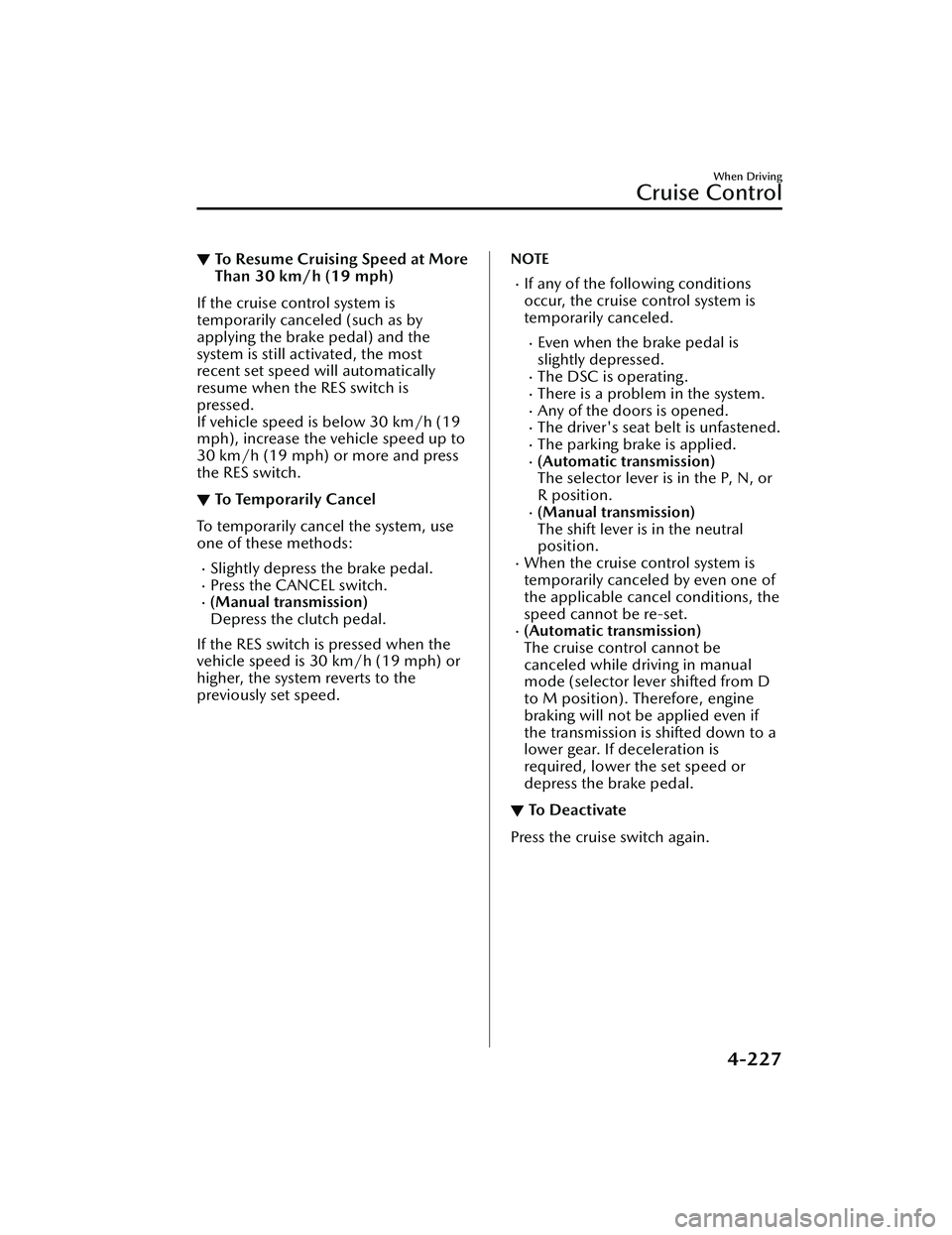
▼To Resume Cruising Speed at More
Than 30 km/h (19 mph)
If the cruise control system is
temporarily canceled (such as by
applying the brake pedal) and the
system is still activated, the most
recent set speed will automatically
resume when the RES switch is
pressed.
If vehicle speed is below 30 km/h (19
mph), increase the vehicle speed up to
30 km/h (19 mph) or more and press
the RES switch.
▼To Te m p o ra r i l y C a n c e l
To temporarily cancel the system, use
one of these methods:
Slightly depress the brake pedal.Press the CANCEL switch.(Manual transmission)
Depress the clutch pedal.
If the RES switch is pressed when the
vehicle speed is 30 km/h (19 mph) or
higher, the system reverts to the
previously set speed.
NOTE
If any of the following conditions
occur, the cruise control system is
temporarily canceled.
Even when the brake pedal is
slightly depressed.
The DSC is operating.There is a problem in the system.Any of the doors is opened.The driver's seat belt is unfastened.The parking brake is applied.(Automatic transmission)
The selector lever is in the P, N, or
R position.
(Manual transmission)
The shift lever is in the neutral
position.
When the cruise control system is
temporarily canceled by even one of
the applicable cancel conditions, the
speed cannot be re-set.
(Automatic transmission)
The cruise control cannot be
canceled while driving in manual
mode (selector lever shifted from D
to M position). Therefore, engine
braking will not be applied even if
the transmission is shifted down to a
lower gear. If deceleration is
required, lower the set speed or
depress the brake pedal.
▼ To D e a c t i va t e
Press the cruise switch again.
When Driving
Cruise Control
4-227
Mazda3_8LC2-EA-22G_Edition1_new
2022-5-20 11:26:10
Page 615 of 623
Index
A
Accessory Socket....................... 5-42
Active Driving Display................4-36
Adaptive Front Lighting System
(AFS)...................................... 4-101
Add-On Non-Genuine Parts and
Accessories............................... 8-17
Advanced KeyAdvanced keyless entry
system................................... 3-9
Operational range................ 3-10
Advanced Keyless Entry System..... 3-9
Antilock Brake System (ABS).......4-88
Assist Grips............................... 5-45
AUTOHOLD.............................. 4-82
AUTOHOLD Warning Beep........ 7-46
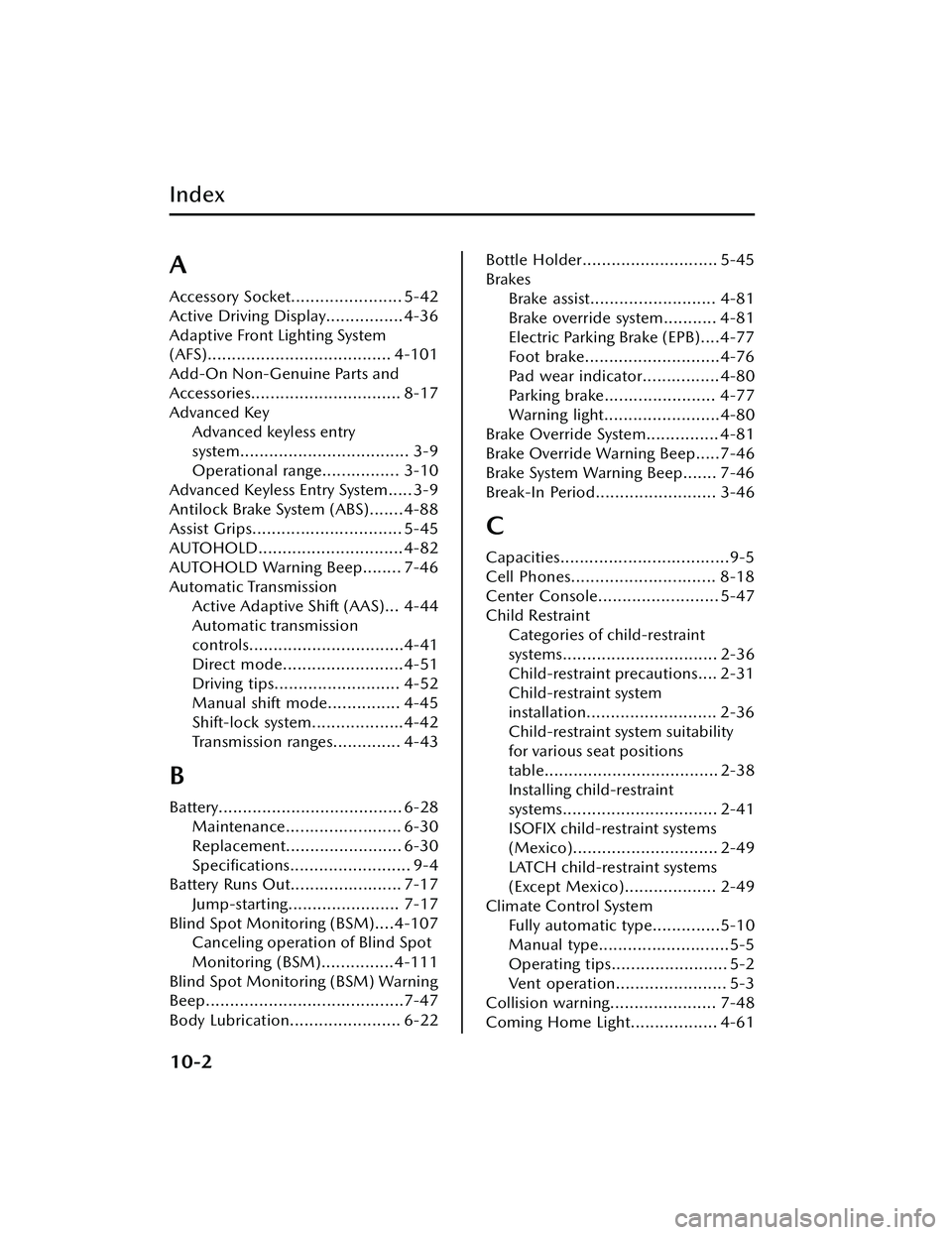
Automatic Transmission Active Adaptive Shift (AAS)... 4-44
Automatic transmission
controls................................4-41
Direct mode.........................4-51
Driving tips.......................... 4-52
Manual shift mode............... 4-45
Shift-lock system...................4-42
Transmission ranges.............. 4-43
B
Battery...................................... 6-28Maintenance........................ 6-30
Replacement........................ 6-30
Specifications......................... 9-4
Battery Runs Out....................... 7-17
Jump-starting....................... 7-17
Blind Spot Monitoring (BSM)....4-107 Canceling operation of Blind Spot
Monitoring (BSM)...............4-111
Blind Spot Monitoring (BSM) Warning
Beep.........................................7-47
Body Lubrication....................... 6-22
Bottle Holder............................ 5-45
Brakes Brake assist.......................... 4-81
Brake override system........... 4-81
Electric Parking Brake (EPB)....4-77
Foot brake............................4-76
Pad wear indicator................4-80
Parking brake....................... 4-77
Warning light........................4-80
Brake Override System............... 4-81
Brake Override Warning Beep.....7-46
Brake System Warning Beep....... 7-46
Break-In Period......................... 3-46
C
Capacities...................................9-5
Cell Phones.............................. 8-18
Center Console......................... 5-47
Child Restraint Categories of child-restraint
systems................................ 2-36
Child-restraint precautions.... 2-31
Child-restraint system
installation........................... 2-36
Child-restraint system suitability
for various seat positions
table.................................... 2-38
Installing child-restraint
systems................................ 2-41
ISOFIX child-restraint systems
(Mexico).............................. 2-49
LATCH child-restraint systems
(Except Mexico)................... 2-49
Climate Control System Fully automatic type..............5-10
Manual type...........................5-5
Operating tips........................ 5-2
Vent operation....................... 5-3
Collision warning...................... 7-48
Coming Home Light.................. 4-61
10-2
Mazda3_8LC2-EA-22G_Edition1_new 2022-5-20 11:26:10