Mount MAZDA MODEL 3 4-DOOR 2005 Owners Manual
[x] Cancel search | Manufacturer: MAZDA, Model Year: 2005, Model line: MODEL 3 4-DOOR, Model: MAZDA MODEL 3 4-DOOR 2005Pages: 378, PDF Size: 5.32 MB
Page 56 of 378
Black plate (56,1)
Supplemental Restraint System Components
The supplemental restraint systems (SRS) have two basic subsystems:
lThe air bag system with inflators and air bags.
lThe electrical system with crash sensors and diagnostic module.
The air bags are mounted in the following locations:
lThe steering wheel hub
lThe front passenger dashboard
lThe outboard sides of the front seatbacksí
lThe front and rear window pillars, and the roof edge along both sidesí
The air bags are out of sight until activated.
2-42
Essential Safety Equipment
íSome models.
SRS Air Bags
Mazda3_8T96-EA-04J_Edition3 Page56
Wednesday, May 11 2005 3:36 PM
Form No.8T96-EA-04J
Page 119 of 378
Black plate (119,1)
WARNING
Driving with Wet Brakes:
Driving with wet brakes is dangerous.
Increased stopping distance or the
vehicle pulling to one side when
braking could result in a serious
accident. Light braking will indicate
whether the brakes have been affected.
Dry the brakes by driving very slowly
and applying the brakes lightly until
brake performance is normal.
qParking Brake
WARNING
Not Setting the Parking Brake:
Leaving the driver's seat without
setting the parking brake is
dangerous. Unexpected vehicle
movement could occur if the parking
brake is not set. This could cause an
accident. Before leaving the driver's
seat, always set the parking brake and
make sure the shift lever is in P with
an automatic transaxle or in 1 or R
with a manual transaxle.
CAUTION
Driving with the parking brake on will
cause excessive wear of the brake
linings or pads.
NOTE
For parking in snow, refer to Winter
Driving (page 4-9) regarding parking
brake use.
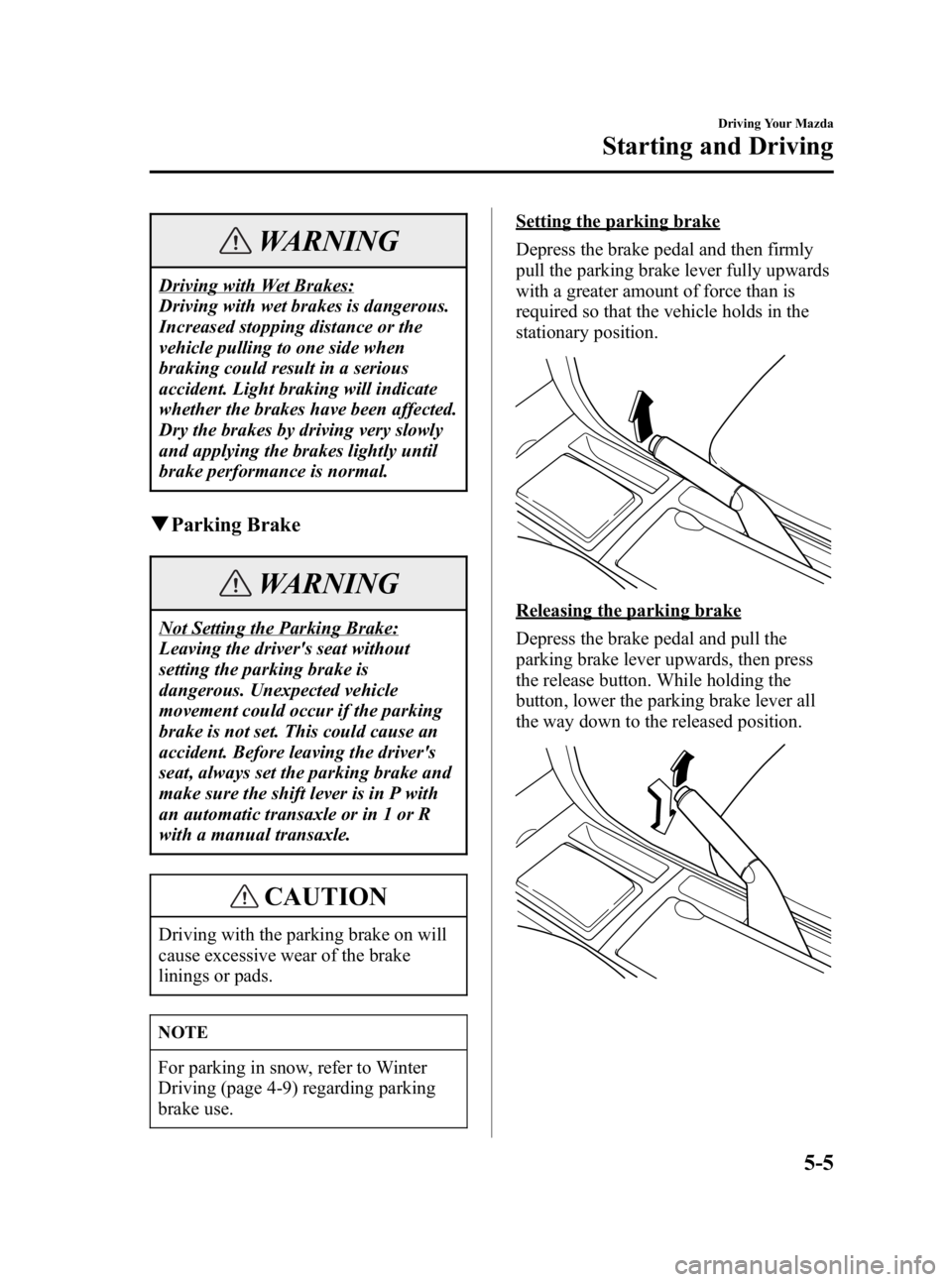
Setting the parking brake
Depress the brake pedal and then firmly
pull the parking brake lever fully upwards
with a greater amount of force than is
required so that the vehicle holds in the
stationary position.
Releasing the parking brake
Depress the brake pedal and pull the
parking brake lever upwards, then press
the release button. While holding the
button, lower the parking brake lever all
the way down to the released position.
Driving Your Mazda
Starting and Driving
5-5
Mazda3_8T96-EA-04J_Edition3 Page119
Wednesday, May 11 2005 3:37 PM
Form No.8T96-EA-04J
Page 164 of 378

Black plate (164,1)
NOTE
Because heavy ice and snow can jam
the wiper blades, the wiper motor is
protected from motor breakdown,
overheating and possible fire by a
circuit breaker. This mechanism will
automatically stop operation of the
blades, but only for about 5 minutes.
If this happens, turn off the wiper
switch and park off the right-of-way,
and remove the snow and ice.
After 5 minutes, turn on the switch and
the blades should operate normally. If
they don't resume functioning, consult
an Authorized Mazda Dealer as soon as
possible. Drive to the side of the road
and park off the right-of-way. Wait until
the weather clears before trying to drive
with the wipers inoperative.
qWindshield Wipers
Type A (With INT position)
Turn the wipers on by pulling the lever
down.
― Mist
INT ―Intermittent
1 ― Low speed
2 ― High speed For a single wiping cycle, push the lever
up to
.
Type B (With AUTO position)
Turn the wipers on by pulling the lever
down.
―
Mist
AUTO ―Auto control
1 ― Low speed
2 ― High speed
For a single wiping cycle, push the lever
up to
.
AUTO (Auto-wiper control)
When the wiper lever is in the AUTO
position, the rain sensor senses the
amount of rainfall on the windshield and
turns the wiper on or off automatically
(off ―intermittent ―low speed ―high
speed).
5-50
Driving Your Mazda
Switches and Controls
Mazda3_8T96-EA-04J_Edition3 Page164
Wednesday, May 11 2005 3:37 PM
Form No.8T96-EA-04J
Page 166 of 378

Black plate (166,1)
NOTE
lThe auto-wiper control may not
operate when the rain sensor
temperature is about_
10 °C (14 °F)
or lower, or about 85 °C (185 °F) or
higher.
lIf the windshield is coated with
water repellent, the rain sensor may
not be able to sense the amount of
rainfall correctly and auto-wiper
control may not operate properly.
lIf dirt or foreign matter (e.g. ice or
matter containing salt water) adheres
to the windshield above the rain
sensor or if the windshield is iced, it
could cause the wipers to move
automatically. However, if the wipers
cannot remove this ice, dirt or
foreign matter, the auto-wiper
control will stop operation. In this
case, pull the wiper lever to the 1 or
2 position for manual operation, or
remove the ice, dirt or foreign matter
by hand to restore the auto-wiper
operation.
q Windshield Washer
Pull the lever toward you and hold it to
spray washer fluid.
OFF
Washer
NOTE
With the wiper lever in the OFF or INT
(Type A)/AUTO (Type B) position, the
wipers will operate continuously until
the lever is released.
If the washer doesn't work, inspect the
fluid level (page 8-23). If it's OK, consult
an Authorized Mazda Dealer.
5-52
Driving Your Mazda
Switches and Controls
Mazda3_8T96-EA-04J_Edition3 Page166
Wednesday, May 11 2005 3:37 PM
Form No.8T96-EA-04J
Page 176 of 378
Black plate (176,1)
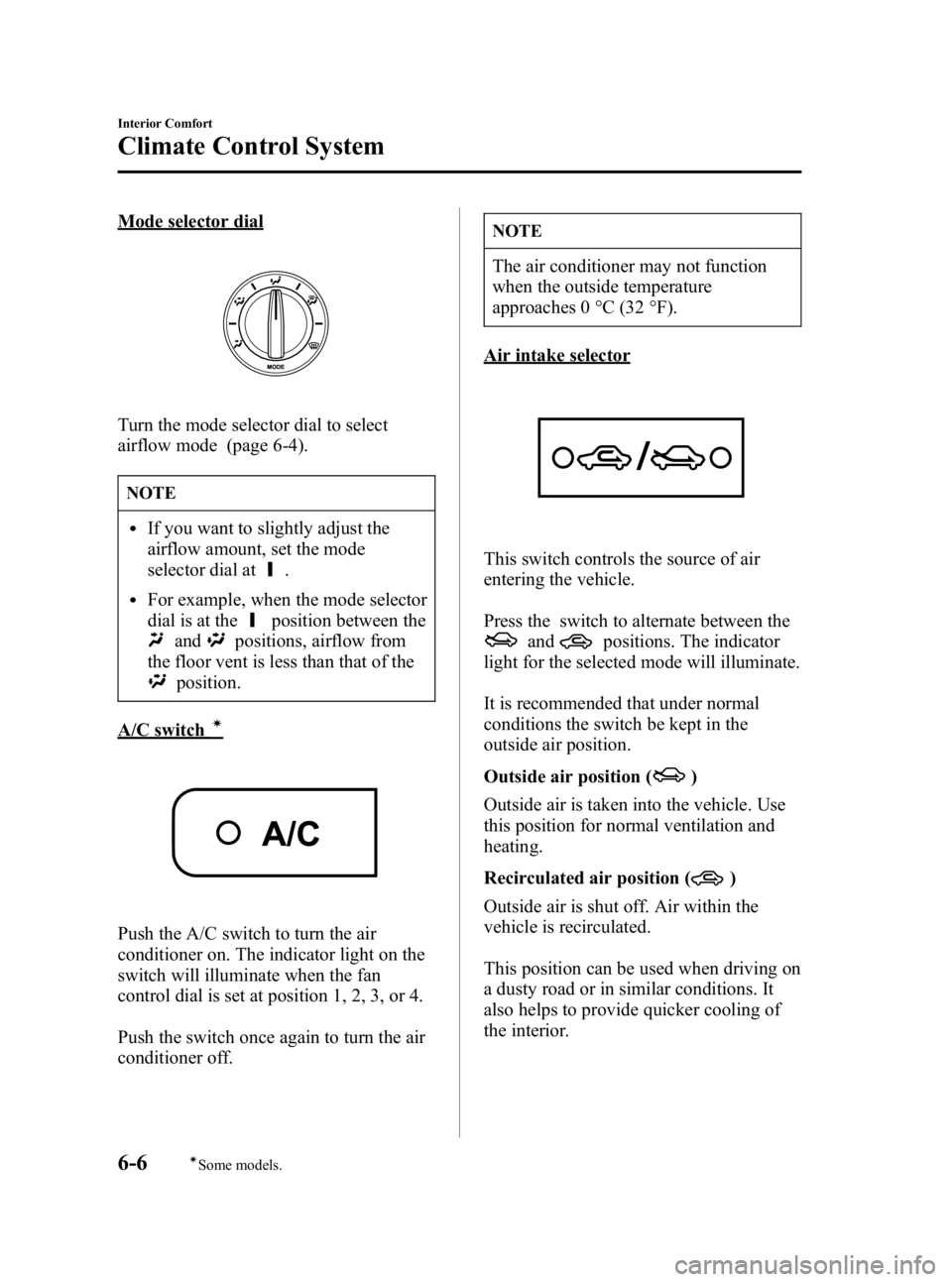
Mode selector dial
Turn the mode selector dial to select
airflow mode (page 6-4).
NOTE
lIf you want to slightly adjust the
airflow amount, set the mode
selector dial at
.
lFor example, when the mode selector
dial is at the
position between the
andpositions, airflow from
the floor vent is less than that of the
position.
A/C switchí
Push the A/C switch to turn the air
conditioner on. The indicator light on the
switch will illuminate when the fan
control dial is set at position 1, 2, 3, or 4.
Push the switch once again to turn the air
conditioner off.
NOTE
The air conditioner may not function
when the outside temperature
approaches 0 °C (32 °F).
Air intake selector
This switch controls the source of air
entering the vehicle.
Press the switch to alternate between the
andpositions. The indicator
light for the selected mode will illuminate.
It is recommended that under normal
conditions the switch be kept in the
outside air position.
Outside air position (
)
Outside air is taken into the vehicle. Use
this position for normal ventilation and
heating.
Recirculated air position (
)
Outside air is shut off. Air within the
vehicle is recirculated.
This position can be used when driving on
a dusty road or in similar conditions. It
also helps to provide quicker cooling of
the interior.
6-6
Interior Comfort
íSome models.
Climate Control System
Mazda3_8T96-EA-04J_Edition3 Page176
Wednesday, May 11 2005 3:37 PM
Form No.8T96-EA-04J
Page 181 of 378
Black plate (181,1)
qRadio Reception
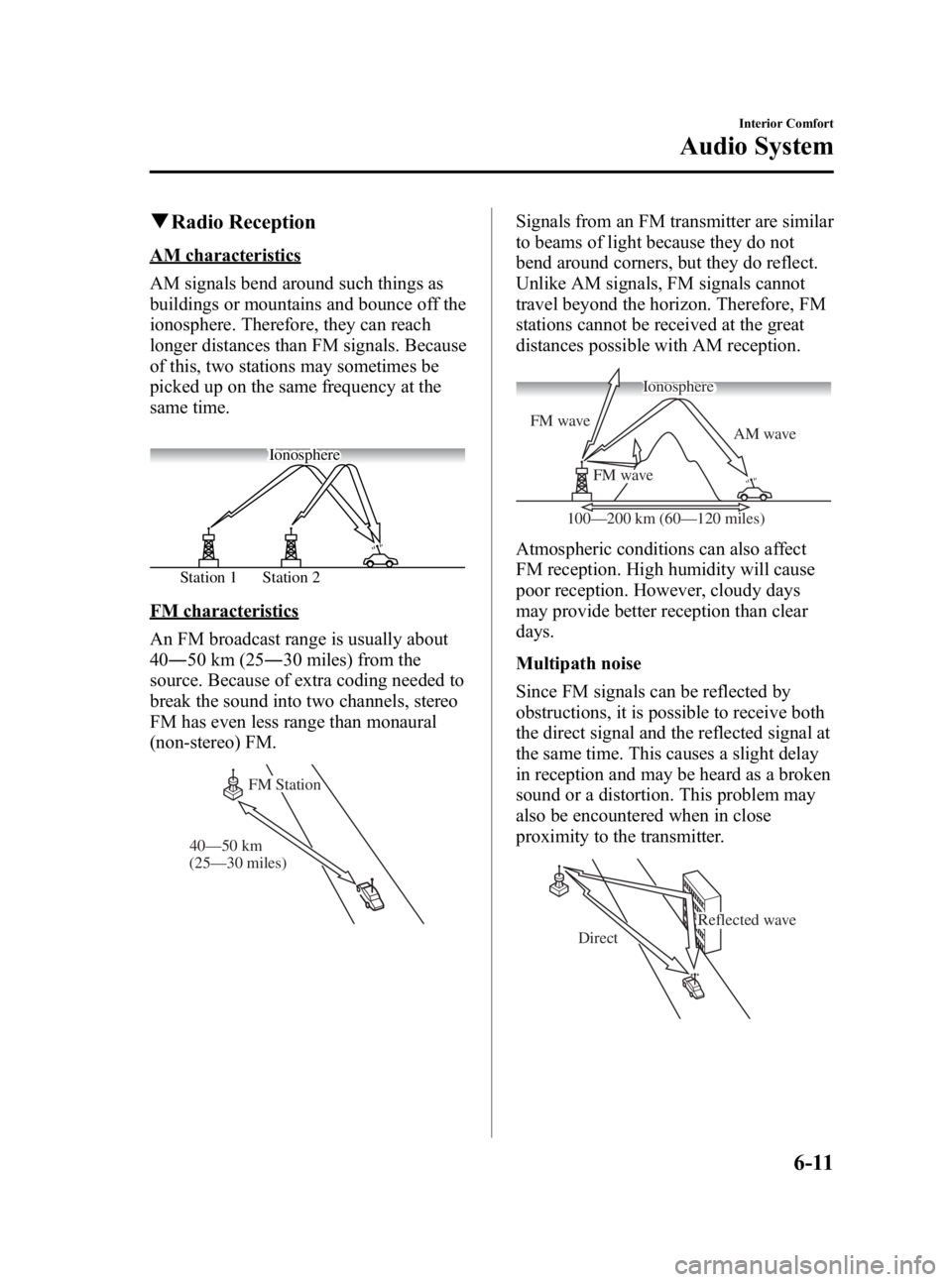
AM characteristics
AM signals bend around such things as
buildings or mountains and bounce off the
ionosphere. Therefore, they can reach
longer distances than FM signals. Because
of this, two stations may sometimes be
picked up on the same frequency at the
same time.
Station 2
Station 1 Ionosphere
FM characteristics
An FM broadcast range is usually about
40
―50 km (25 ―30 miles) from the
source. Because of extra coding needed to
break the sound into two channels, stereo
FM has even less range than monaural
(non-stereo) FM.
(25—30 miles) 40—50 km FM Station
Signals from an FM transmitter are similar
to beams of light because they do not
bend around corners, but they do reflect.
Unlike AM signals, FM signals cannot
travel beyond the horizon. Therefore, FM
stations cannot be received at the great
distances possible with AM reception.
AM wave
FM wave
FM wave
100—200 km (60—120 miles) Ionosphere
Atmospheric conditions can also affect
FM reception. High humidity will cause
poor reception. However, cloudy days
may provide better reception than clear
days.
Multipath noise
Since FM signals can be reflected by
obstructions, it is possible to receive both
the direct signal and the reflected signal at
the same time. This causes a slight delay
in reception and may be heard as a broken
sound or a distortion. This problem may
also be encountered when in close
proximity to the transmitter.
Reflected wave
Direct
Interior Comfort
Audio System
6-11
Mazda3_8T96-EA-04J_Edition3 Page181
Wednesday, May 11 2005 3:37 PM
Form No.8T96-EA-04J
Page 182 of 378

Black plate (182,1)
Flutter/Skip noise
Signals from an FM transmitter move in
straight lines and become weak in valleys
between tall buildings, mountains, and
other obstacles. When a vehicle passes
through such an area, the reception
conditions may change suddenly, resulting
in annoying noise.
Weak signal noise
In suburban areas, broadcast signals
become weak because of distance from
the transmitter. Reception in such fringe
areas is characterized by sound breakup.
Strong signal noise
This occurs very close to a transmitter
tower. The broadcast signals are
extremely strong, so the result is noise and
sound breakup at the radio receiver.
Station drift noise
When a vehicle reaches the area of two
strong stations broadcasting at similar
frequencies, the original station may be
temporarily lost and the second station
picked up. At this time there will be some
noise from this disturbance.
Station 2
88.3 MHz
Station 1
88.1 MHz
6-12
Interior Comfort
Audio System
Mazda3_8T96-EA-04J_Edition3 Page182
Wednesday, May 11 2005 3:37 PM
Form No.8T96-EA-04J
Page 186 of 378
Black plate (186,1)
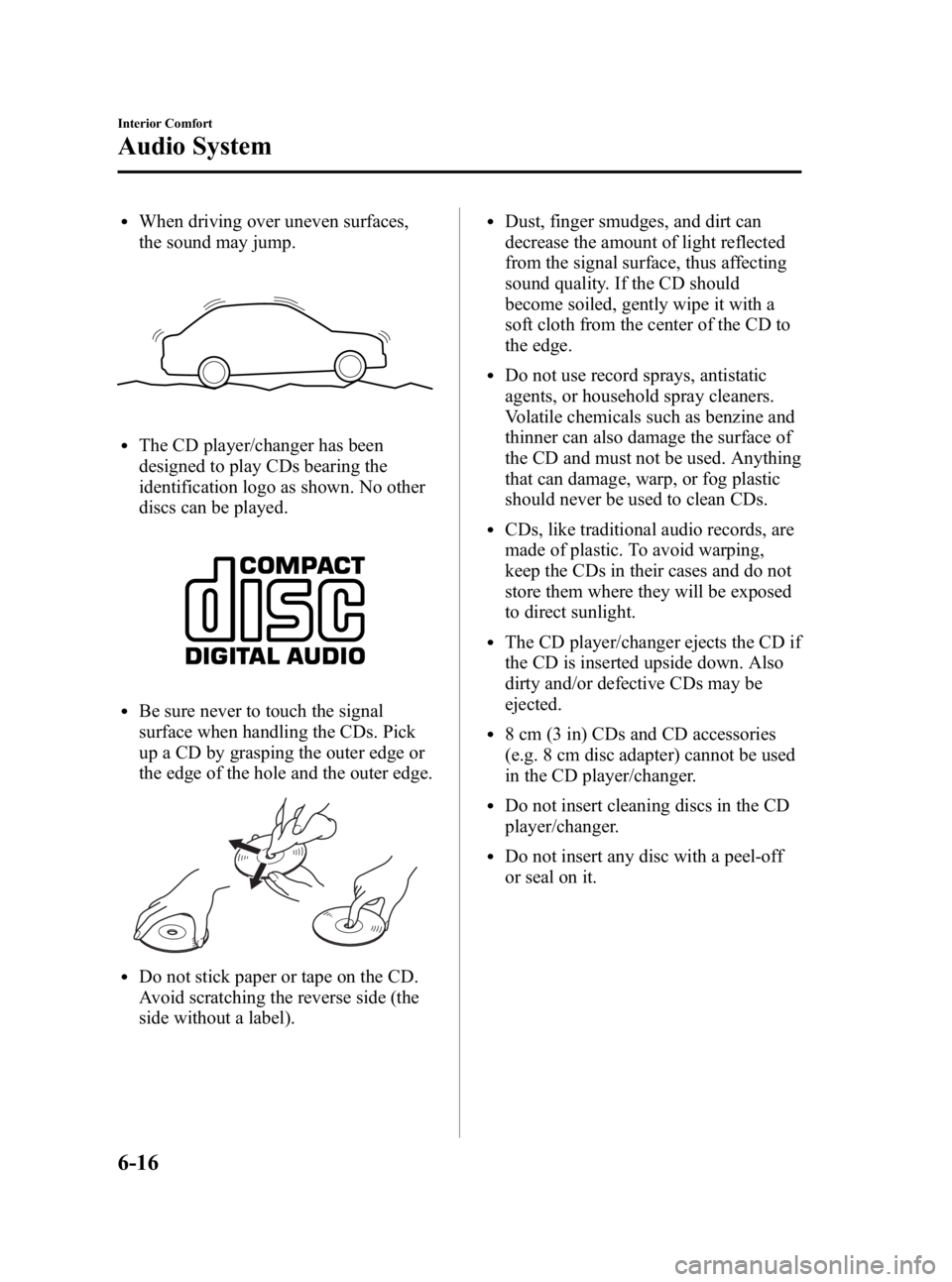
lWhen driving over uneven surfaces,
the sound may jump.
lThe CD player/changer has been
designed to play CDs bearing the
identification logo as shown. No other
discs can be played.
lBe sure never to touch the signal
surface when handling the CDs. Pick
up a CD by grasping the outer edge or
the edge of the hole and the outer edge.
lDo not stick paper or tape on the CD.
Avoid scratching the reverse side (the
side without a label).
lDust, finger smudges, and dirt can
decrease the amount of light reflected
from the signal surface, thus affecting
sound quality. If the CD should
become soiled, gently wipe it with a
soft cloth from the center of the CD to
the edge.
lDo not use record sprays, antistatic
agents, or household spray cleaners.
Volatile chemicals such as benzine and
thinner can also damage the surface of
the CD and must not be used. Anything
that can damage, warp, or fog plastic
should never be used to clean CDs.
lCDs, like traditional audio records, are
made of plastic. To avoid warping,
keep the CDs in their cases and do not
store them where they will be exposed
to direct sunlight.
lThe CD player/changer ejects the CD if
the CD is inserted upside down. Also
dirty and/or defective CDs may be
ejected.
l8 cm (3 in) CDs and CD accessories
(e.g. 8 cm disc adapter) cannot be used
in the CD player/changer.
lDo not insert cleaning discs in the CD
player/changer.
lDo not insert any disc with a peel-off
or seal on it.
6-16
Interior Comfort
Audio System
Mazda3_8T96-EA-04J_Edition3 Page186
Wednesday, May 11 2005 3:38 PM
Form No.8T96-EA-04J
Page 229 of 378
Black plate (229,1)
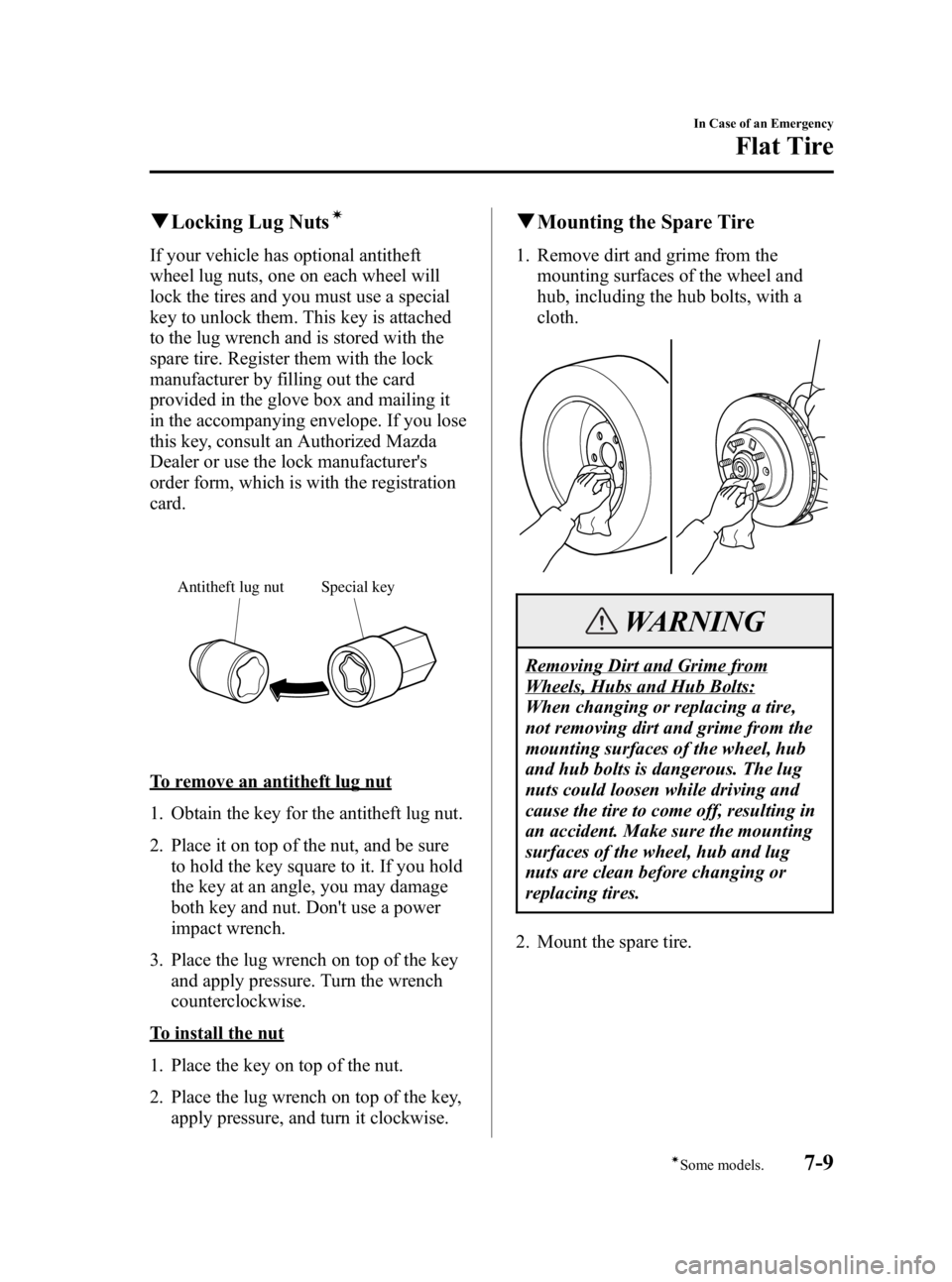
qLocking Lug Nutsí
If your vehicle has optional antitheft
wheel lug nuts, one on each wheel will
lock the tires and you must use a special
key to unlock them. This key is attached
to the lug wrench and is stored with the
spare tire. Register them with the lock
manufacturer by filling out the card
provided in the glove box and mailing it
in the accompanying envelope. If you lose
this key, consult an Authorized Mazda
Dealer or use the lock manufacturer's
order form, which is with the registration
card.
Special key
Antitheft lug nut
To remove an antitheft lug nut
1. Obtain the key for the antitheft lug nut.
2. Place it on top of the nut, and be sure
to hold the key square to it. If you hold
the key at an angle, you may damage
both key and nut. Don't use a power
impact wrench.
3. Place the lug wrench on top of the key and apply pressure. Turn the wrench
counterclockwise.
To install the nut
1. Place the key on top of the nut.
2. Place the lug wrench on top of the key,apply pressure, and turn it clockwise.
qMounting the Spare Tire
1. Remove dirt and grime from the
mounting surfaces of the wheel and
hub, including the hub bolts, with a
cloth.
WARNING
Removing Dirt and Grime from
Wheels, Hubs and Hub Bolts:
When changing or replacing a tire,
not removing dirt and grime from the
mounting surfaces of the wheel, hub
and hub bolts is dangerous. The lug
nuts could loosen while driving and
cause the tire to come off, resulting in
an accident. Make sure the mounting
surfaces of the wheel, hub and lug
nuts are clean before changing or
replacing tires.
2. Mount the spare tire.
In Case of an Emergency
Flat Tire
7-9íSome models.
Mazda3_8T96-EA-04J_Edition3 Page229
Wednesday, May 11 2005 3:38 PM
Form No.8T96-EA-04J
Page 238 of 378
Black plate (238,1)
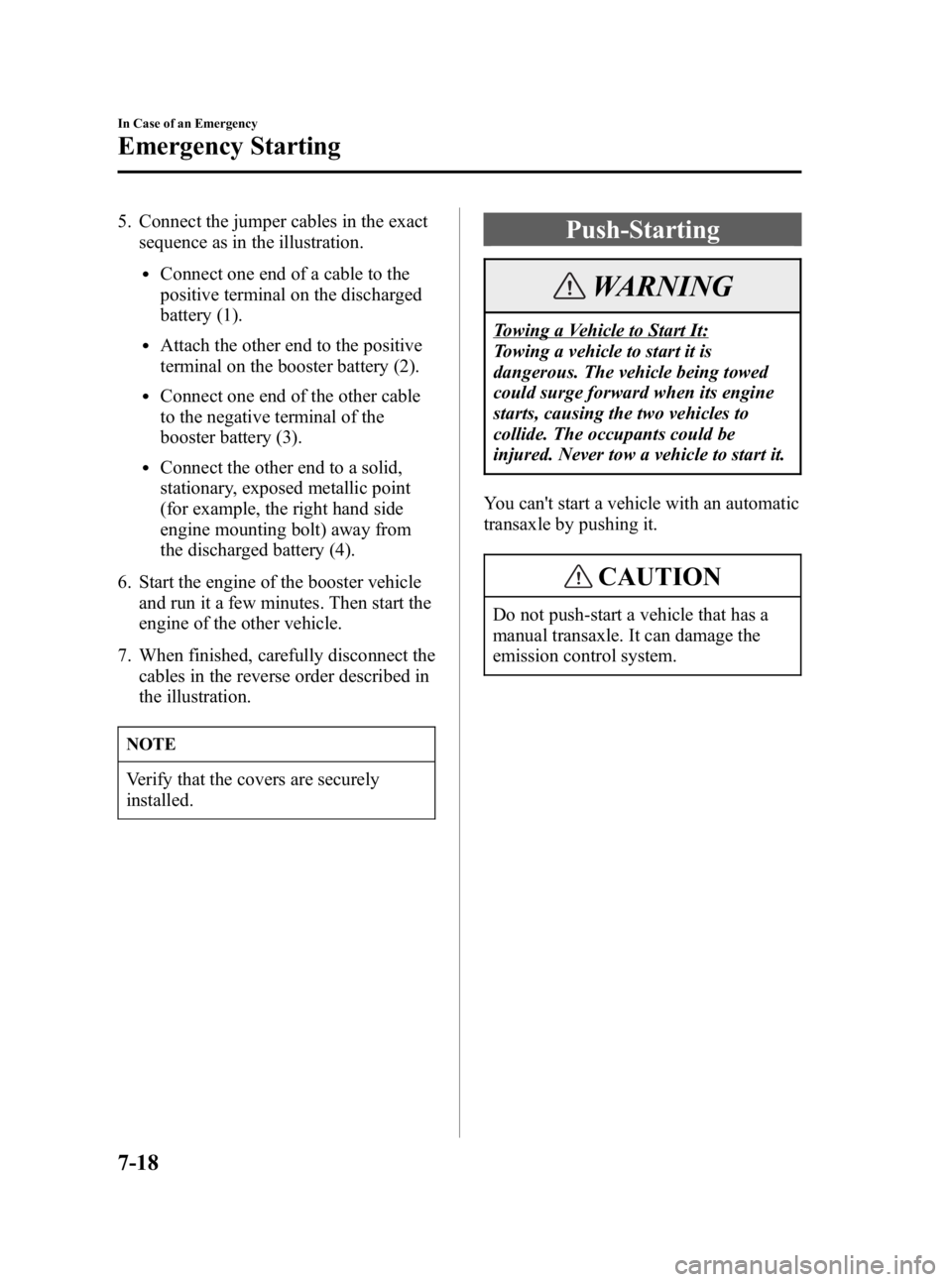
5. Connect the jumper cables in the exactsequence as in the illustration.
lConnect one end of a cable to the
positive terminal on the discharged
battery (1).
lAttach the other end to the positive
terminal on the booster battery (2).
lConnect one end of the other cable
to the negative terminal of the
booster battery (3).
lConnect the other end to a solid,
stationary, exposed metallic point
(for example, the right hand side
engine mounting bolt) away from
the discharged battery (4).
6. Start the engine of the booster vehicle and run it a few minutes. Then start the
engine of the other vehicle.
7. When finished, carefully disconnect the cables in the reverse order described in
the illustration.
NOTE
Verify that the covers are securely
installed.
Push-Starting
WARNING
Towing a Vehicle to Start It:
Towing a vehicle to start it is
dangerous. The vehicle being towed
could surge forward when its engine
starts, causing the two vehicles to
collide. The occupants could be
injured. Never tow a vehicle to start it.
You can't start a vehicle with an automatic
transaxle by pushing it.
CAUTION
Do not push-start a vehicle that has a
manual transaxle. It can damage the
emission control system.
7-18
In Case of an Emergency
Emergency Starting
Mazda3_8T96-EA-04J_Edition3 Page238
Wednesday, May 11 2005 3:39 PM
Form No.8T96-EA-04J