weight MAZDA MODEL 3 4-DOOR 2008 Owner's Manual
[x] Cancel search | Manufacturer: MAZDA, Model Year: 2008, Model line: MODEL 3 4-DOOR, Model: MAZDA MODEL 3 4-DOOR 2008Pages: 412, PDF Size: 5.26 MB
Page 74 of 412

Black plate (74,1)
lThe air bag system warning beep
sound will be heard.
lThe air bags have deployed.lFront passenger air bag deactivation
indicator light does not illuminate
when the ignition switch is turned to
the ON position or does not illuminate
as indicated in the chart. For more
details about this indicator light and
this chart, refer to“Front passenger
seat weight sensors ”(page 2-50).
WARNING
Do not operate a vehicle with damaged
air bag/seat belt pretensioner system
components:
Expended or damaged air bag/seat
belt pretensioner system components
must be replaced after any collision
which caused them to deploy or
damage them. Only a trained
Authorized Mazda Dealer can fully
evaluate these systems to see that
they will work in any subsequent
accident. Driving with an expended
or damaged air bag or pretensioner
unit will not afford you the necessary
protection in the event of any
subsequent accident which could
result in serious injury or death.
Do not remove interior air bag parts: Removing any components such as
the front seats, front dashboard, the
steering wheel or parts on the front
and rear window pillars and along
the roof edge, containing air bag
parts or sensors is dangerous. These
parts contain essential air bag
components. The air bag could
accidentally activate and cause
serious injuries. Always have an
Authorized Mazda Dealer remove
these parts.
Dispose of the air bag properly: Improper disposal of an air bag or a
vehicle with live air bags in it can be
extremely dangerous. Unless all
safety procedures are followed, injury
can result. Ask an Authorized Mazda
Dealer how to safely dispose of an air
bag or how to scrap an air bag
equipped vehicle.
2-60
Essential Safety Equipment
SRS Air Bags
Mazda3_8Y64-EA-08A_Edition1 Page74
Tuesday, November 27 2007 9:0 AM
Form No.8Y64-EA-08A
Page 88 of 412
Black plate (88,1)
NOTE
If the vehicle battery is dead or there is a
malfunction in the electrical system and the
liftgate cannot be unlocked, perform the
following procedure as an emergency measure
to unlock it:
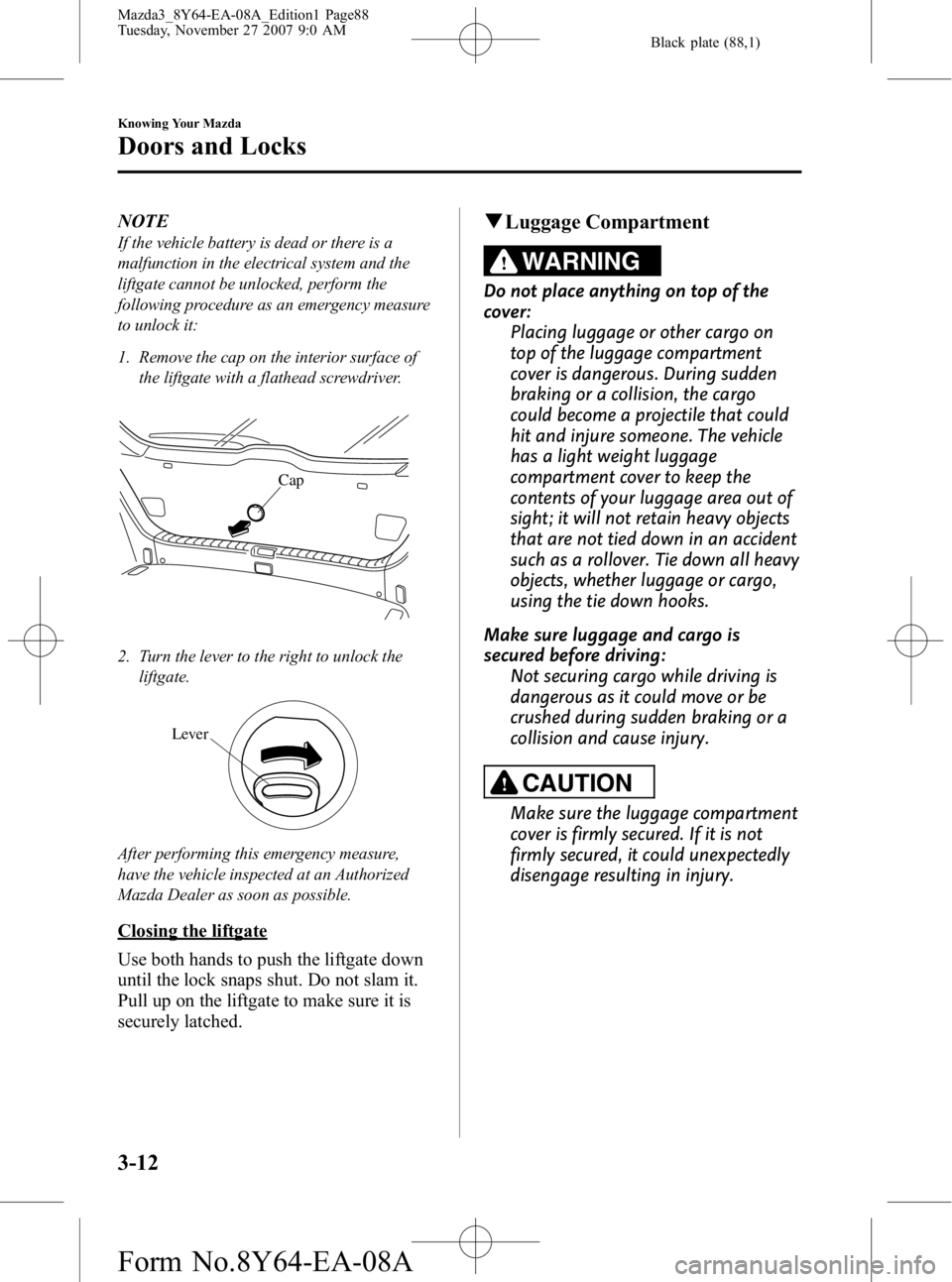
1. Remove the cap on the interior surface ofthe liftgate with a flathead screwdriver.
Cap
2. Turn the lever to the right to unlock theliftgate.
Lever
After performing this emergency measure,
have the vehicle inspected at an Authorized
Mazda Dealer as soon as possible.
Closing the liftgate
Use both hands to push the liftgate down
until the lock snaps shut. Do not slam it.
Pull up on the liftgate to make sure it is
securely latched.
qLuggage Compartment
WARNING
Do not place anything on top of the
cover:
Placing luggage or other cargo on
top of the luggage compartment
cover is dangerous. During sudden
braking or a collision, the cargo
could become a projectile that could
hit and injure someone. The vehicle
has a light weight luggage
compartment cover to keep the
contents of your luggage area out of
sight; it will not retain heavy objects
that are not tied down in an accident
such as a rollover. Tie down all heavy
objects, whether luggage or cargo,
using the tie down hooks.
Make sure luggage and cargo is
secured before driving: Not securing cargo while driving is
dangerous as it could move or be
crushed during sudden braking or a
collision and cause injury.
CAUTION
Make sure the luggage compartment
cover is firmly secured. If it is not
firmly secured, it could unexpectedly
disengage resulting in injury.
3-12
Knowing Your Mazda
Doors and Locks
Mazda3_8Y64-EA-08A_Edition1 Page88
Tuesday, November 27 2007 9:0 AM
Form No.8Y64-EA-08A
Page 115 of 412

Black plate (115,1)
Break-In Period
No special break-in is necessary, but a few
precautions in the first 1,000 km (600
miles) may add to the performance,
economy, and life of your Mazda.
lDon't race the engine.lDon't maintain one constant speed,
either slow or fast, for a long period of
time.
lDon't drive constantly at full-throttle or
high engine rpm for extended periods
of time.
lAvoid unnecessary hard stops.lAvoid full-throttle starts.
Money-Saving Suggestions
How you operate your Mazda determines
how far it will travel on a tank of fuel. Use
these suggestions to help save money on
fuel and repairs.
lAvoid long warm-ups. Once the engine
runs smoothly, begin driving.
lAvoid fast starts.lKeep the engine tuned. Follow the
maintenance schedule (page 8-3) and
have an Authorized Mazda Dealer
perform inspections and servicing.
lUse the air conditioner only when
necessary.
lSlow down on rough roads.lKeep the tires properly inflated.lDon't carry unnecessary weight.lDon't rest your foot on the brake pedal
while driving.
lKeep the wheels in correct alignment.lKeep windows closed at high speeds.lSlow down when driving in crosswinds
and headwinds.
WARNING
Never stop the engine when going
down a hill:Stopping the engine when going
down a hill is dangerous. This causes
the loss of power steering and power
brake control, and may cause
damage to the drivetrain. Any loss of
steering or braking control could
cause an accident.
Before Driving Your Mazda
Driving Tips
4-7
Mazda3_8Y64-EA-08A_Edition1 Page115
Tuesday, November 27 2007 9:0 AM
Form No.8Y64-EA-08A
Page 119 of 412
Black plate (119,1)
Driving In Flooded Area
WARNING
Dry wet brakes by driving very slowly
and applying the brakes lightly until
brake performance returns to normal:Driving with wet brakes is
dangerous. Increased stopping
distance or the vehicle pulling to one
side when braking could result in a
serious accident. Light braking will
indicate whether the brakes have
been affected.
CAUTION
Do not drive the vehicle on flooded
roads as it could cause short
circuiting of electrical/electronic
parts, or engine damage or stalling
from water absorption. If the vehicle
has been immersed in water, consult
an Authorized Mazda Dealer.
Overloading
WARNING
Be careful not to overload your vehicle:The gross axle weight rating (GAWR)
and the gross vehicle weight rating
(GVWR) of your vehicle are on the
Motor Vehicle Safety Standard Label
on the driver's door frame. Exceeding
these ratings can cause an accident
or vehicle damage. You can estimate
the weight of your load by weighing
the items (or people) before putting
them in the vehicle.
Before Driving Your Mazda
Driving Tips
4-11
Mazda3_8Y64-EA-08A_Edition1 Page119
Tuesday, November 27 2007 9:0 AM
Form No.8Y64-EA-08A
Page 140 of 412
Black plate (140,1)
(2.3-liter engine model)Gear Vehicle speed
M1 to M2 24 km/h (15 mph)
M2 to M3 40 km/h (25 mph)
M3 to M4 65 km/h (40 mph)
M4 to M5 73 km/h (45 mph)
Downshifting
When you must slow down in heavy
traffic or on a steep upgrade, downshift
before the engine starts to overwork. This
gives better acceleration when you need
more speed.
On a steep downgrade , downshifting
helps maintain safe speed and prolongs
brake life.
q Driving Tips
Passing
For extra power when passing another
vehicle or climbing steep grades, depress
the accelerator fully. The transaxle will
shift to a lower gear, depending on vehicle
speed.
Climbing steep grades from a stop
To climb a steep grade from a stopped
position:
1. Depress the brake pedal.
2. Shift to D or M1, depending on the
load weight and grade steepness.
3. Release the brake pedal while gradually accelerating.
Descending steep grades
When descending a steep grade, shift to
lower gears, depending on load weight
and grade steepness. Descend slowly,
using the brakes only occasionally to
prevent them from overheating.
Power Steering
Power steering is only operable when the
engine is running. If the engine is off or if
the power steering system is inoperable,
you can still steer, but it requires more
physical effort.
If the steering feels stiffer than usual
during normal driving, consult an
Authorized Mazda Dealer.
CAUTION
Never hold the steering wheel to the
extreme left or right for more than 5
seconds with the engine running.
This could damage the power
steering system.
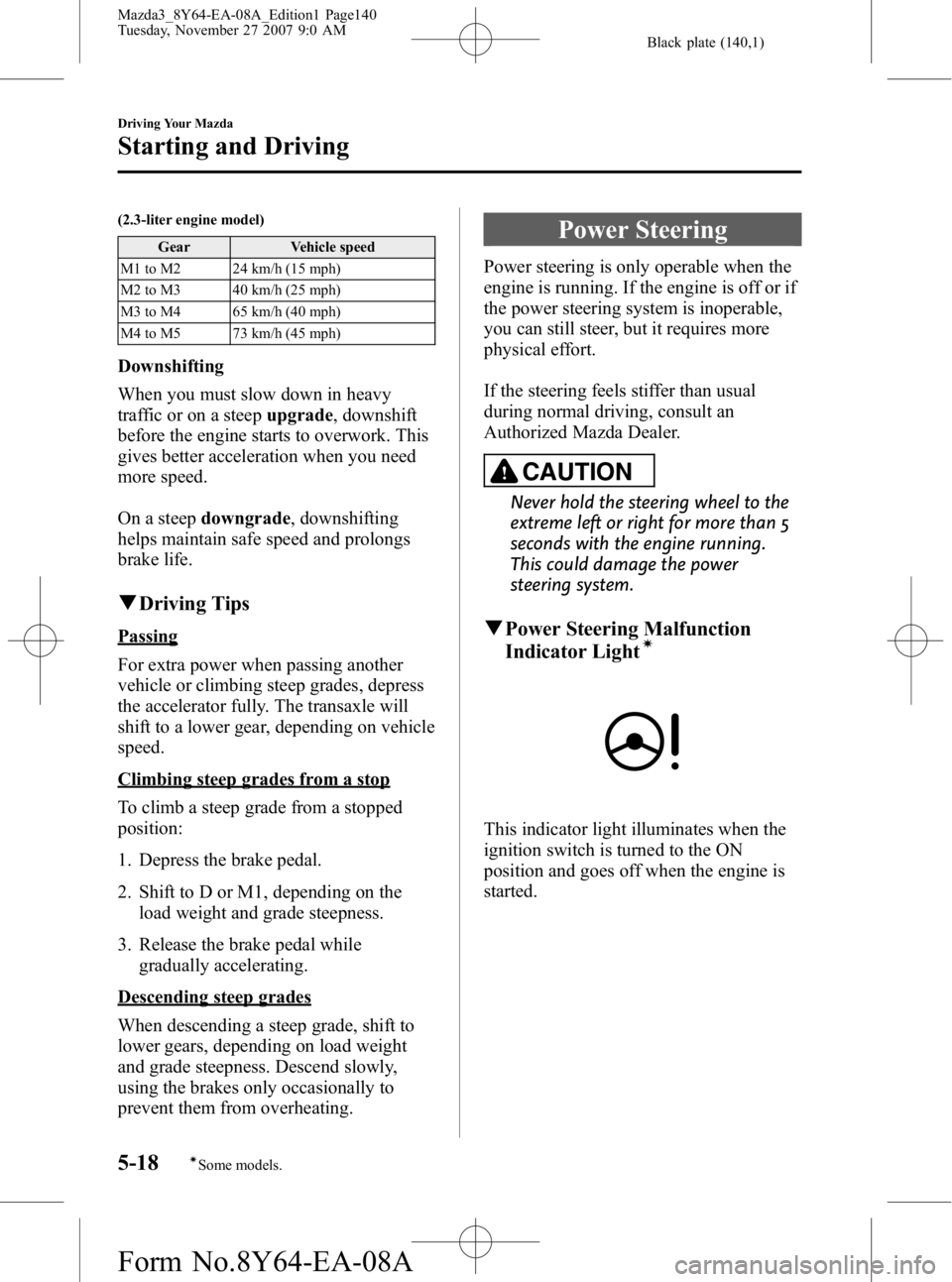
qPower Steering Malfunction
Indicator Lightí
This indicator light illuminates when the
ignition switch is turned to the ON
position and goes off when the engine is
started.
5-18
Driving Your Mazda
íSome models.
Starting and Driving
Mazda3_8Y64-EA-08A_Edition1 Page140
Tuesday, November 27 2007 9:0 AM
Form No.8Y64-EA-08A
Page 165 of 412
Black plate (165,1)
Once the beep sound is heard, it continues
sounding even if the vehicle speed lowers
to 20 km/h (12 mph) or less until the
seatbelt is fastened or the beep sound
period has passed.
Driver seated/Front passenger seated
The seat belt warning function reminds
the front passenger to fasten the seat belt
according to the chart below.
ConditionVehicle speed
Between 0 ―20
km/h
(0 ― 12 mph) 20 km/h
(12 mph) or more
Seat belt
(Driver)
Seat belt
(Passenger)
Indicator
Beep
: Fastened: Unfastened: Illuminated: Flashing: Beep
Placing heavy items on the front
passenger seat may cause the front
passenger seat belt warning function to
operate depending on the weight of the
item.
Once the beep sound is heard, it continues
sounding even if the vehicle speed lowers
to 20 km/h (12 mph) or less until the
seatbelt is fastened or the beep sound
period has passed. NOTE
lTo allow the front passenger seat weight
sensor to function properly, do not place
and sit on an additional seat cushion on the
front passenger seat. The sensor may not
function properly because the additional
seat cushion could cause sensor
interference.
lWhen a small child sits on the front
passenger seat, it is possible that neither
the warning light nor the warning beep
operate.
q
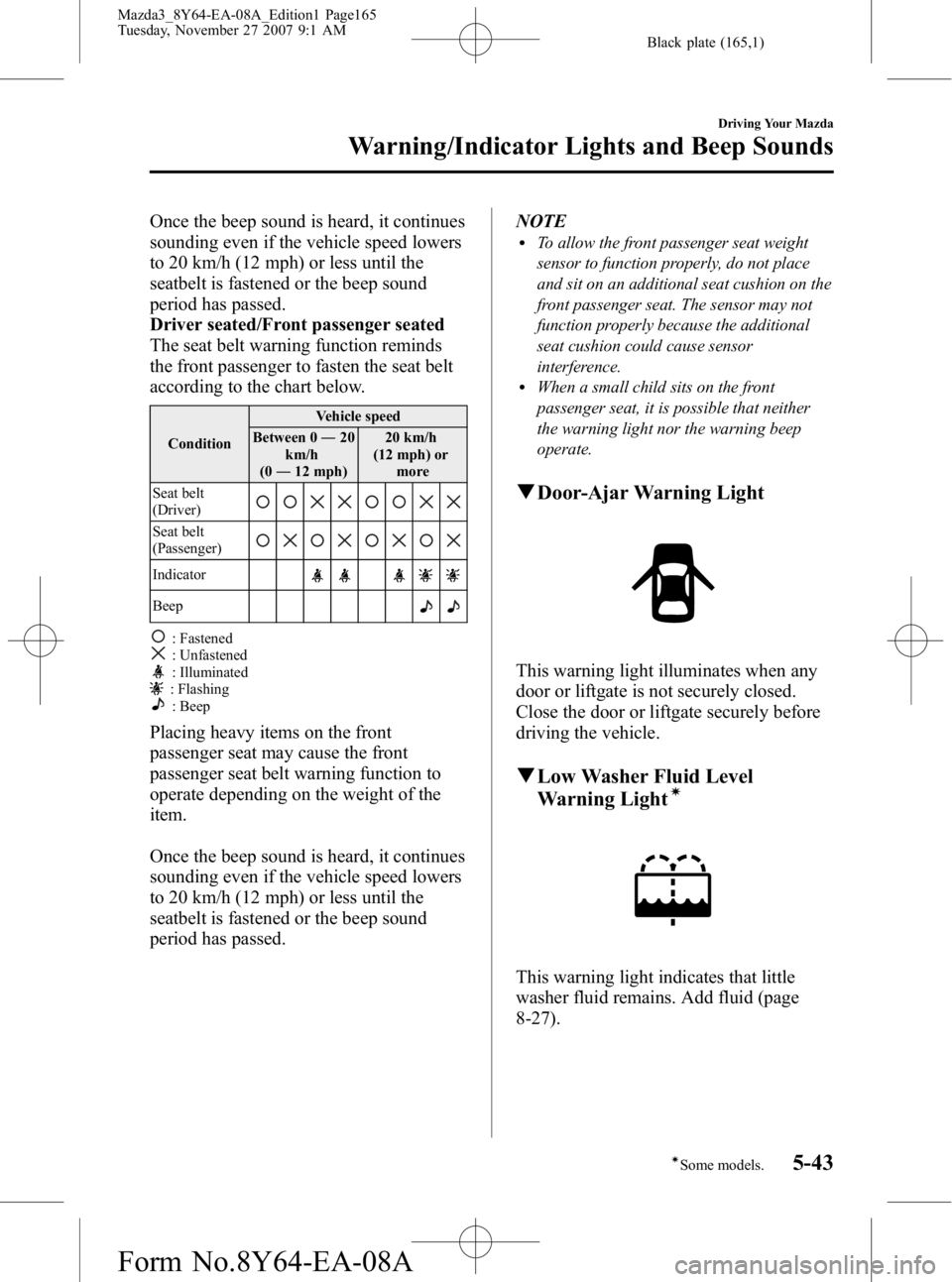
Door-Ajar Warning Light
This warning light illuminates when any
door or liftgate is not securely closed.
Close the door or liftgate securely before
driving the vehicle.
qLow Washer Fluid Level
Warning Lightí
This warning light indicates that little
washer fluid remains. Add fluid (page
8-27).
Driving Your Mazda
Warning/Indicator Lights and Beep Sounds
5-43íSome models.
Mazda3_8Y64-EA-08A_Edition1 Page165
Tuesday, November 27 2007 9:1 AM
Form No.8Y64-EA-08A
Page 174 of 412
Black plate (174,1)
qLights-On Reminder
If lights are on and the key is removed
from the ignition switch, a continuous
beep sound will be heard when the
driver's door is opened.
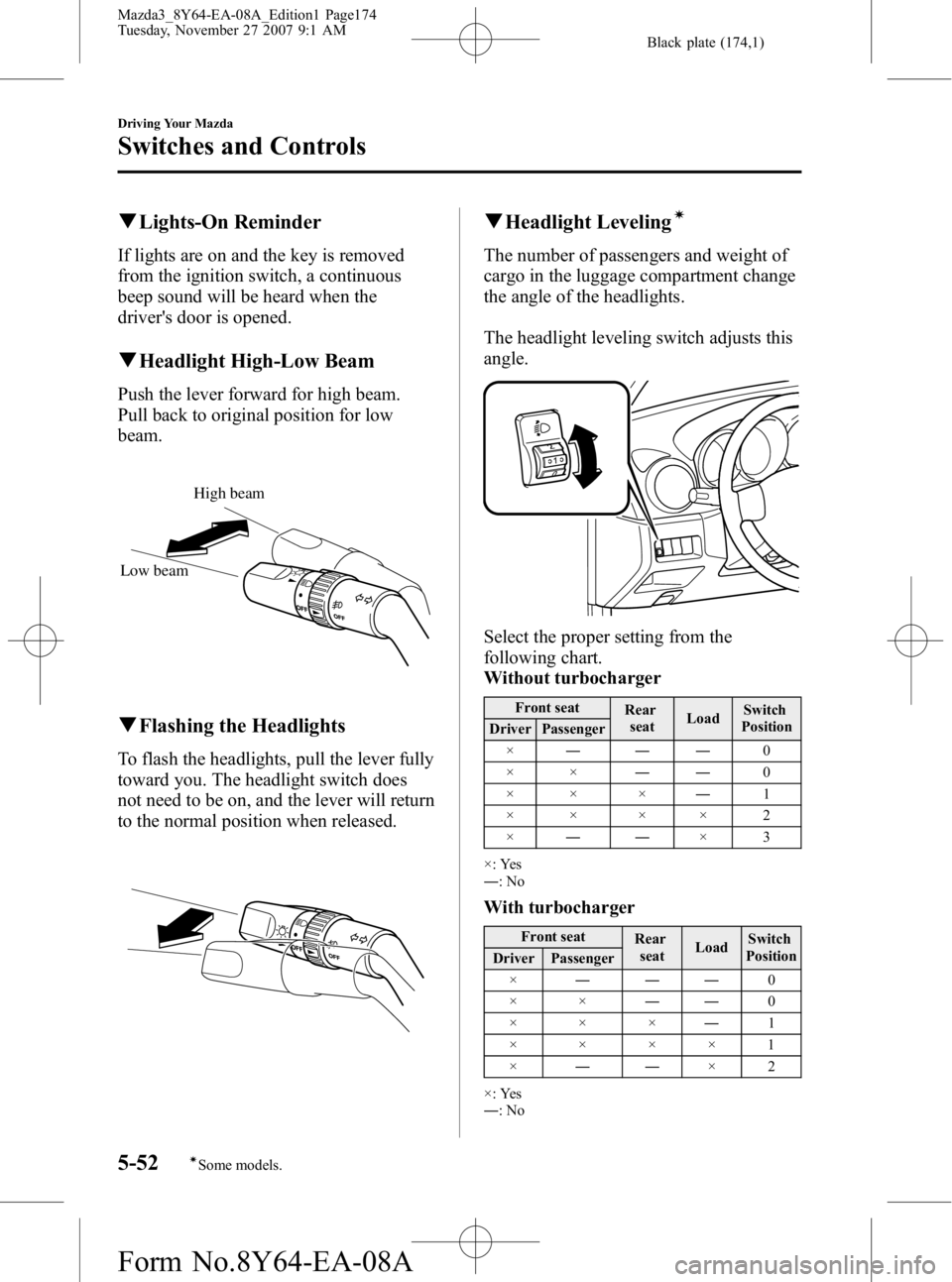
qHeadlight High-Low Beam
Push the lever forward for high beam.
Pull back to original position for low
beam.
High beam
Low beam
q Flashing the Headlights
To flash the headlights, pull the lever fully
toward you. The headlight switch does
not need to be on, and the lever will return
to the normal position when released.
qHeadlight Levelingí
The number of passengers and weight of
cargo in the luggage compartment change
the angle of the headlights.
The headlight leveling switch adjusts this
angle.
Select the proper setting from the
following chart.
Without turbocharger
Front seat
Rear
seat Load Switch
Position
Driver Passenger
× ――― 0
×× ――0
×× × ―1
×× ×× 2
× ―― ×3
×: Yes
― :No
With turbocharger
Front seat
Rear
seat LoadSwitch
Position
Driver Passenger
× ――― 0
×× ――0
××× ―1
××××1
× ―― ×2
×: Yes
― :No
5-52
Driving Your Mazda
íSome models.
Switches and Controls
Mazda3_8Y64-EA-08A_Edition1 Page174
Tuesday, November 27 2007 9:1 AM
Form No.8Y64-EA-08A
Page 227 of 412
Black plate (227,1)
(Registered ID code input)
5. Input the registered ID code usingchannel preset buttons 1-4. Example:
When the registered ID code is “2323 ”,
input “2323 ”. At this time “SR1 2323 ”
is displayed. Press the scan button after
the code is input.
NOTE
If “Err ”is displayed, go to the
“ INITIALIZATION OF ID CODE” section to
reset the ID code to [0000].
(Registered ID code input
determination)
6. Determine the input code by pressing the scan button briefly.
7. If it does not match the registered code, “SR1 Err ”is displayed and then it
returns to “SR1 - - - - ”.
8. If it matches the registered code, “SR1 UNLOCK ”appears for 3
seconds which indicates that the code
input has been completed.
9. “SR1 100 ”appears which indicates that
the parental lock is activated. At this
time, mute is on and no sound is heard.
(How to clear the message)
lPress any of the following FM/AM,
SAT, CD, MEDIA, CAT, ESN/DISP,
Instant replay, POWER buttons.
lTurn the ACC off or insert a CD.lChange a channel.lIf an ID code is not input for 10
seconds, “Err ”is displayed and it
returns to the former display.
lChannel preset buttons 1, 2, 3, 4 and
the scan button are used for input of the
ID code. Buttons 5 and 6 cannot be
used.
Error signs
(1) Depending on the surrounding
conditions (such as large trees,
buildings, or tunnels) and special
weather conditions, the reception of
SIRIUS radio waves may be
decreased or temporarily interrupted.
“ACQUIRING SIGNAL ”may
appear.
(2) In case of an antenna malfunction, “ANTENNA FAIL ”is displayed.
Check the antenna (type B), antenna
cable and DLP antenna connector.
NOTE
If a broken DLP* unit is replaced with a new
unit, cancel the license for the broken unit and
make sure to carry out new registration for the
replaced unit. If the license for the broken unit
is not canceled, you will be charged a
reception fee for both units.
* DLP: Down Link Processor (SATELLITE RADIO Module)
specification
DIGITAL RADIO SECTION
lFrequency Range: 2320 MHz - 2332.5
MHz (Bandwidth 12.5 MHz)
lTDM1 (fc): 2322.293 MHzlTDM2 (fc): 2330.207 MHzlCOFDM (fc): 2326.25 MHz
AUDIO SECTION
lOutput level: 525 mV ± 100 mV
(DC14.4 V)
lChannel Balance: ±2 dBlDistortion 1 kHz with 20 kHz LPF:
under 0.2%
lFrequency Response: 20 Hz-14.8 kHz
GENERAL
lOperating Voltage: DC14.4 VlDimensions (W×H×D):141 x 31 x
87.3 mm
lWeight: 400 g
Interior Comfort
Audio System
6-45
Mazda3_8Y64-EA-08A_Edition1 Page227
Tuesday, November 27 2007 9:1 AM
Form No.8Y64-EA-08A
Page 259 of 412
Black plate (259,1)
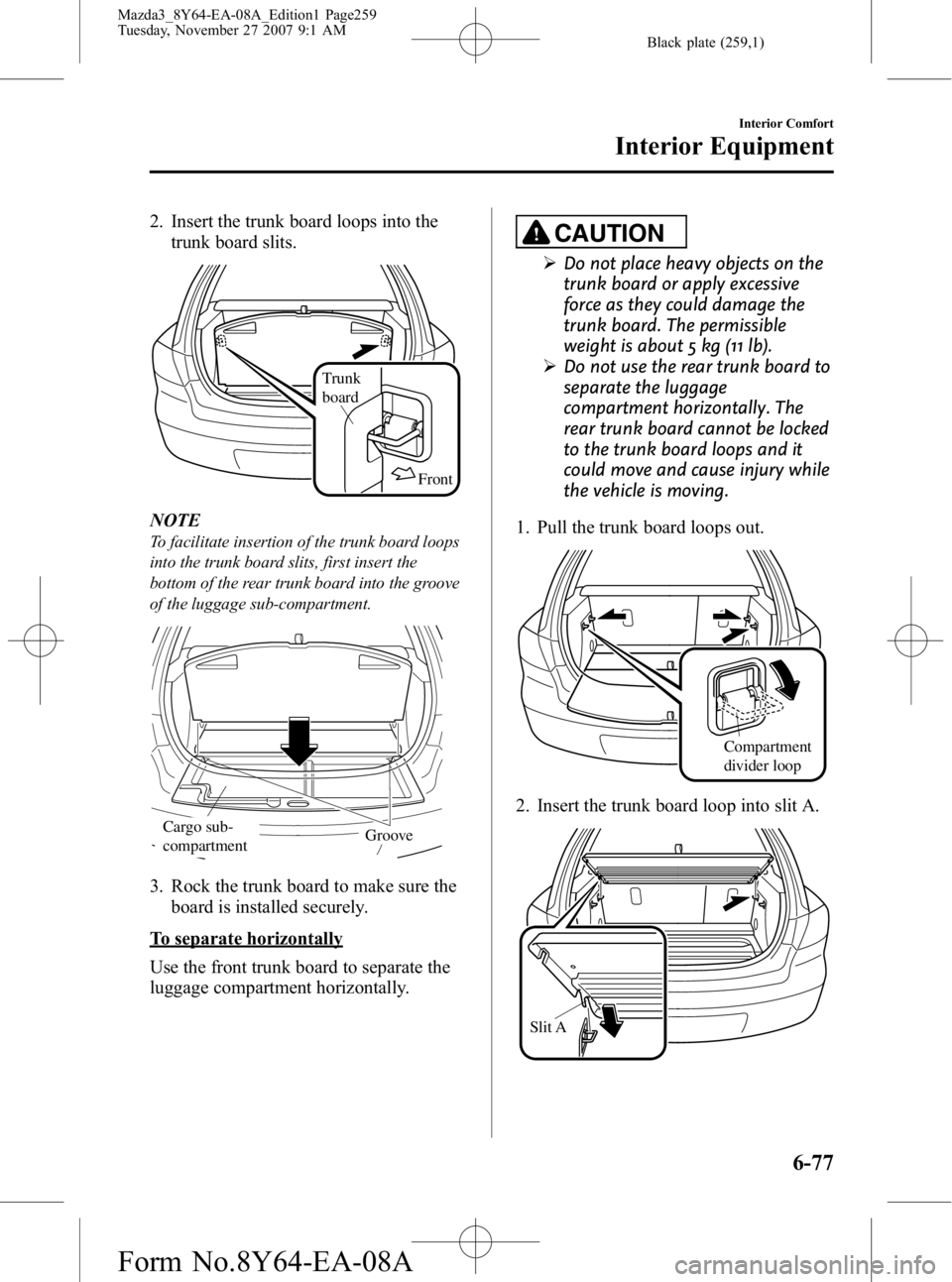
2. Insert the trunk board loops into thetrunk board slits.
Front
Trunk
board
NOTE
To facilitate insertion of the trunk board loops
into the trunk board slits, first insert the
bottom of the rear trunk board into the groove
of the luggage sub-compartment.
GrooveCargo sub-
compartment
3. Rock the trunk board to make sure the
board is installed securely.
To separate horizontally
Use the front trunk board to separate the
luggage compartment horizontally.
CAUTION
ØDo not place heavy objects on the
trunk board or apply excessive
force as they could damage the
trunk board. The permissible
weight is about 5 kg (11 lb).
Ø Do not use the rear trunk board to
separate the luggage
compartment horizontally. The
rear trunk board cannot be locked
to the trunk board loops and it
could move and cause injury while
the vehicle is moving.
1. Pull the trunk board loops out.
Compartment
divider loop
2. Insert the trunk board loop into slit A.
Slit A
Interior Comfort
Interior Equipment
6-77
Mazda3_8Y64-EA-08A_Edition1 Page259
Tuesday, November 27 2007 9:1 AM
Form No.8Y64-EA-08A
Page 321 of 412
Black plate (321,1)
Tires
For reasons of proper performance, safety,
and better fuel economy, always maintain
recommended tire inflation pressures and
stay within the recommended load limits
and weight distribution.
WARNING
Using Different Tire Types:Driving your vehicle with different
types of tires is dangerous. It could
cause poor handling and poor
braking; leading to loss of control.
Except for the limited use of the
temporary spare tire, use only the
same type tires (radial, bias-belted,
bias-type) on all four wheels.
Using Wrong-Sized Tires: Using any other tire size than what is
specified for your Mazda (page 10-8)
is dangerous. It could seriously affect
ride, handling, ground clearance, tire
clearance, and speedometer
calibration. This could cause you to
have an accident. Use only tires that
are the correct size specified for your
Mazda.
qTire Inflation Pressure
WARNING
Always inflate the tires to the correct
pressure:
Overinflation or underinflation of
tires is dangerous. Adverse handling
or unexpected tire failure could result
in a serious accident.
Refer to specification charts on page
10-8. The Tire Pressure Monitoring System
í
does not alleviate the need to check the
tire condition every day, including
whether the tires all look inflated properly.
Inspect all tire pressure monthly
(including the spare) when the tires are
cold. Maintain recommended pressures
for the best ride, handling, and minimum
tire wear.
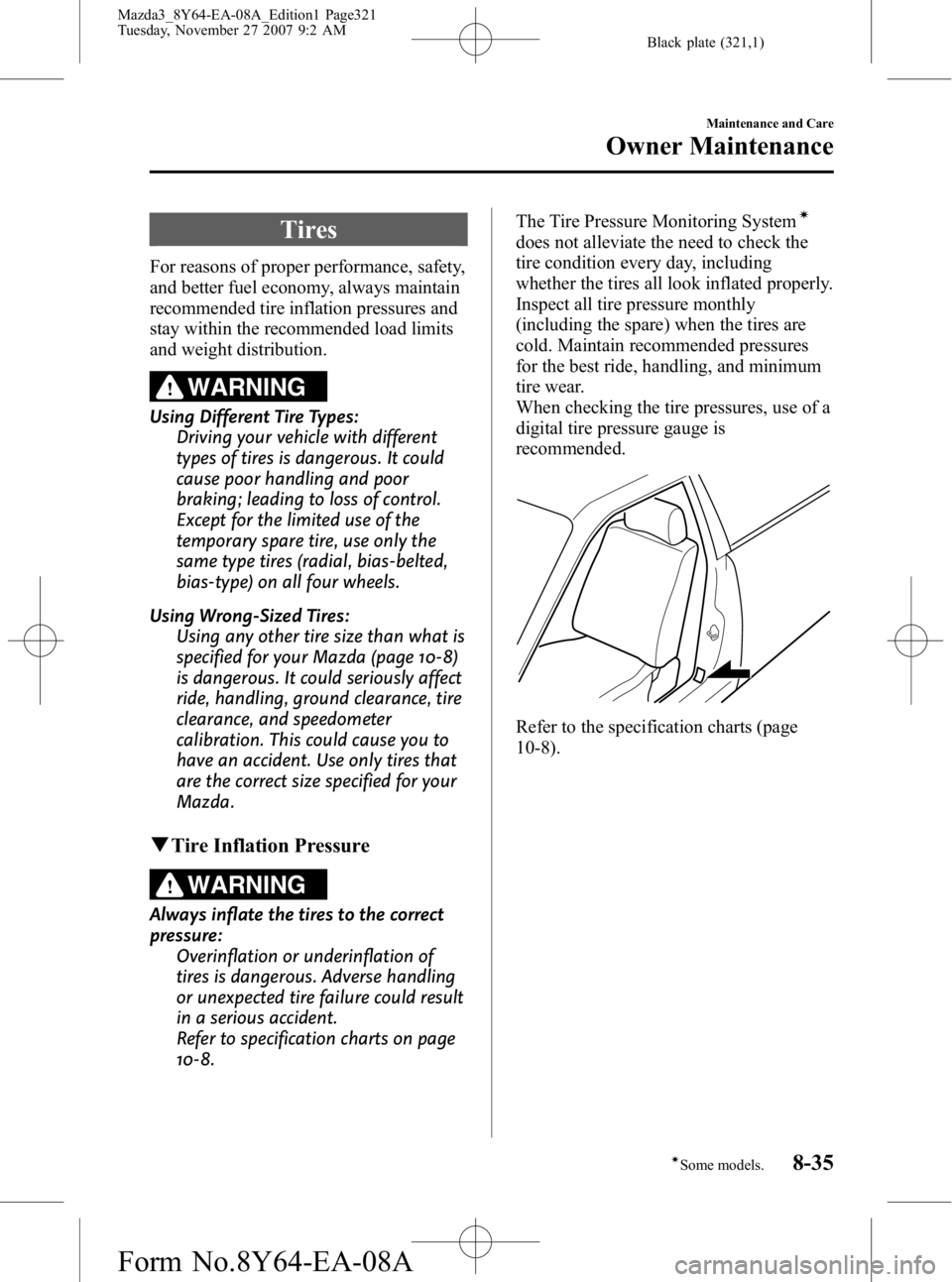
When checking the tire pressures, use of a
digital tire pressure gauge is
recommended.
Refer to the specification charts (page
10-8).
Maintenance and Care
Owner Maintenance
8-35íSome models.
Mazda3_8Y64-EA-08A_Edition1 Page321
Tuesday, November 27 2007 9:2 AM
Form No.8Y64-EA-08A