AUX MAZDA MODEL 3 4-DOOR 2012 Owner's Manual
[x] Cancel search | Manufacturer: MAZDA, Model Year: 2012, Model line: MODEL 3 4-DOOR, Model: MAZDA MODEL 3 4-DOOR 2012Pages: 528, PDF Size: 6.47 MB
Page 221 of 528
Black plate (221,1)
If the warning light illuminates again even
after the tire pressures are adjusted, there
may be a tire puncture. Replace the
punctured tire with the temporary spare
tire (page 7-9).
NOTE
A tire pressure sensor is not installed to the
temporary spare tire. The warning light will
flash continuously while the temporary spare
tire is being used.
Warning light flashes
When the warning light flashes, there may
be a system malfunction. Consult an
Authorized Mazda Dealer.
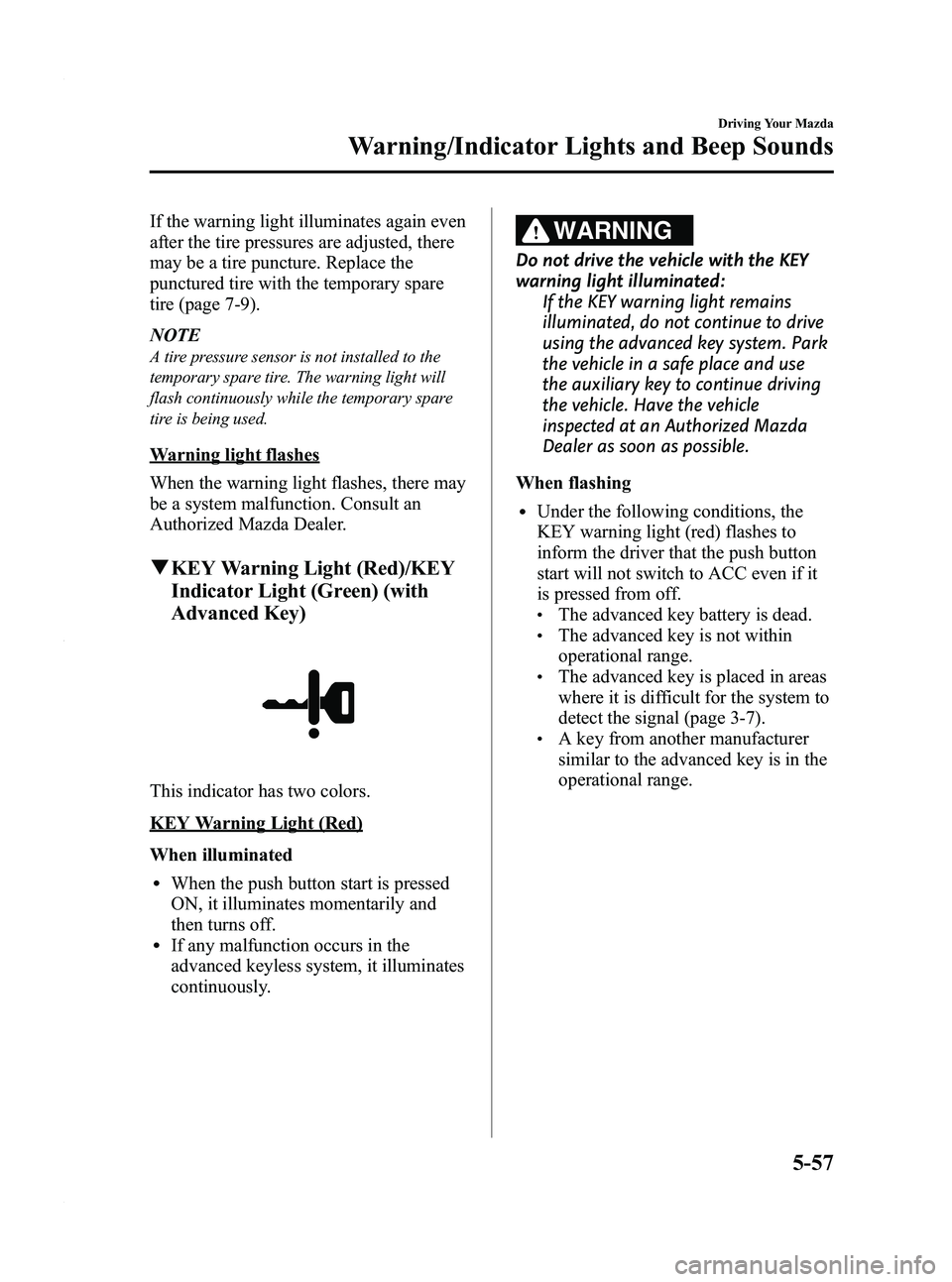
qKEY Warning Light (Red)/KEY
Indicator Light (Green) (with
Advanced Key)
This indicator has two colors.
KEY Warning Light (Red)
When illuminated
lWhen the push button start is pressed
ON, it illuminates momentarily and
then turns off.
lIf any malfunction occurs in the
advanced keyless system, it illuminates
continuously.
WARNING
Do not drive the vehicle with the KEY
warning light illuminated:
If the KEY warning light remains
illuminated, do not continue to drive
using the advanced key system. Park
the vehicle in a safe place and use
the auxiliary key to continue driving
the vehicle. Have the vehicle
inspected at an Authorized Mazda
Dealer as soon as possible.
When flashing
lUnder the following conditions, the
KEY warning light (red) flashes to
inform the driver that the push button
start will not switch to ACC even if it
is pressed from off.
lThe advanced key battery is dead.lThe advanced key is not within
operational range.
lThe advanced key is placed in areas
where it is difficult for the system to
detect the signal (page 3-7).
lA key from another manufacturer
similar to the advanced key is in the
operational range.
Driving Your Mazda
Warning/Indicator Lights and Beep Sounds
5-57
Mazda3_8BY6-EA-11F_Edition3 Page221
Thursday, March 1 2012 10:17 AM
Form No.8BY6-EA-11F
Page 243 of 528
Black plate (243,1)
6Interior Comfort
Use of various features for drive comfort, including air-conditioning and audio
system.
Climate Control System .......................... 6-2 Operating Tips .................................... 6-2
Vent Operation .................................... 6-3
Types of the Climate Control
System ................................................. 6-5
Manual Type
í.................................... 6-6
Fully Automatic Typeí.................... 6-10
Audio System ......................................... 6-16 Antenna ............................................. 6-16
Operating Tips for Audio System ..... 6-17
Audio Set .......................................... 6-27
Audio Control Switch Operation
í.... 6-56
AUX Mode (Auxiliary input) ........... 6-59
Safety Certification ........................... 6-61
Bluetooth® Audio .................................. 6-62 Bluetooth® Audio
í.......................... 6-62
Bluetooth® Hands-Free ........................ 6-72 Bluetooth® Hands-Free
í................. 6-72
Basic Bluetooth® Hands-Free
Operation .......................................... 6-76
Convenient Use of the Hands-Free
System ............................................... 6-81
Hands-Free Setting ............................ 6-87
When Bluetooth® Hands-Free Cannot be
Used .................................................. 6-93
Safety Certification ........................... 6-94
Mazda Bluetooth® Hands-Free Customer
Service .............................................. 6-94 Interior Equipment ............................... 6-95
Sunvisors ........................................... 6-95
Interior Lights ................................... 6-95
Information Display .......................... 6-97
Multi Information Display
í............. 6-99
Cup Holder ...................................... 6-109
Bottle Holder ................................... 6-110
Storage Compartments .................... 6-111
Accessory Sockets ........................... 6-114
6-1íSome models.
Mazda3_8BY6-EA-11F_Edition3 Page243
Thursday, March 1 2012 10:17 AM
Form No.8BY6-EA-11F
Page 269 of 528
Black plate (269,1)
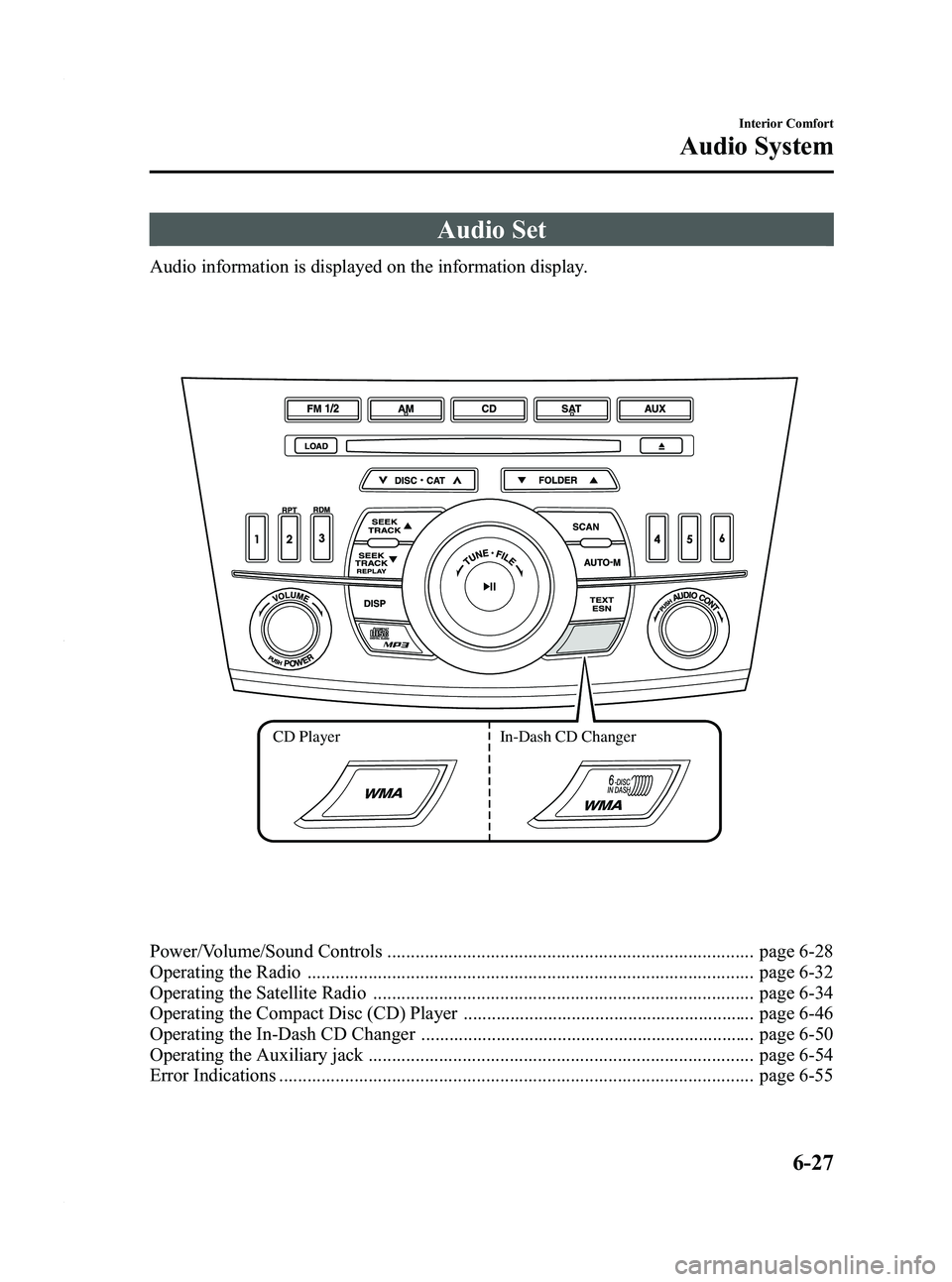
Audio Set
Audio information is displayed on the information display.
CD PlayerIn-Dash CD Changer
Power/Volume/Sound Controls .............................................................................. page 6-28
Operating the Radio ............................................................................................... page 6-32
Operating the Satellite Radio ................................................................................. page 6-34
Operating the Compact Disc (CD) Player .............................................................. page 6-46
Operating the In-Dash CD Changer ....................................................................... page 6-50
Operating the Auxiliary jack .................................................................................. page 6-54
Error Indications ..................................................................................................... page 6-55
Interior Comfort
Audio System
6-27
Mazda3_8BY6-EA-11F_Edition3 Page269
Thursday, March 1 2012 10:17 AM
Form No.8BY6-EA-11F
Page 273 of 528
Black plate (273,1)
AudioPilot®2*(Bose®Sound System-
equipped model)
AudioPilot
®2 automatically adjusts audio
volume and sound quality in accordance
with the level of noise entering the vehicle
interior while driving. When AudioPilot
®
2 is turned on, the system automatically
calculates the conditions for optimum
hearing of sound which may be difficult
to hear depending on exterior noise.
* AudioPilot
®2 is a registered trademark
of Bose Corporation.
Centerpoint®*(Bose®Sound System-
equipped model)
Centerpoint
®offers you the experience of
5.1-channel surround sound in your
vehicle even with your conventional 2-
channel stereo CDs.
Centerpoint
®can be set on or off.
NOTE
lCenterpoint®operates optimally with a 2-
channel stereo CD. MP3 audio files can be
played, however, MP3 audio files encoded
with high compression may result in poor
sound quality.
lCenterpoint®is available for 2-channel
stereo audio except for AM radio/FM radio/
SIRIUS digital satellite radio/AUX/BT
audio.
* Centerpoint®is a registered trademark
of Bose Corporation.
BEEP setting
The beep-sound when operating the audio
system can be set on or off.
ILLM EFT setting (Action Illumination
setting during operation)
The audio system illumination during
operation can be set on or off.
Welcome mode (Welcome sound)
Sound is heard when the ignition is
switched ON.
BT SETUP modeí
Music and other audio such as voice data
recorded on portable audio devices and
mobile phones available on the market
which are equipped with the Bluetooth
®
transmission function can be listened to
via wireless transmission over the
vehicle's speakers. Using the BT SETUP
mode, these devices can be programmed
to the Bluetooth
®unit or changed.
Refer to Bluetooth® Audio on page 6-62.
Interior Comfort
Audio System
6-31íSome models.
Mazda3_8BY6-EA-11F_Edition3 Page273
Thursday, March 1 2012 10:17 AM
Form No.8BY6-EA-11F
Page 296 of 528
Black plate (296,1)
NOTElThe information viewable in the display is
only CD information (such as artist name,
song title) which has been recorded to the
CD.
lThe system can only display one-byte
alphabetic characters. If two-byte or other
types of characters have been recorded to
the CD, they may not display correctly.
Display scroll
Only 12 characters (Except file name) can
be displayed at one time. To display the
rest of the characters of a long title, press
the text button (
). The display
scrolls the next 12 characters. Press the
text button (
) again after the last 12
characters have been displayed to return
to the beginning of the title.
NOTE
The displayable number of characters is
limited. If the number of characters, including
the file extension (.mp3/.wma), exceeds 32
characters, it may not be fully displayed.
Message display
If “CHECK CD ”is displayed, it means
that there is some CD malfunction. Check
the CD for damage, dirt, or smudges, and
then properly reinsert. If the message
appears again, take the unit to an
Authorized Mazda Dealer for service.
q Operating the Auxiliary jack
You can connect portable audio units,
such as an MP3 player or similar products
on the market, to the auxiliary jack to
listen to music or audio over the vehicle's
speakers. Use a commercially-available,
non-impedance (3.5
) stereo mini plug
cable. Refer to Auxiliary Input (page
6-59).
6-54
Interior Comfort
Audio System
Mazda3_8BY6-EA-11F_Edition3 Page296
Thursday, March 1 2012 10:18 AM
Form No.8BY6-EA-11F
Page 299 of 528
Black plate (299,1)
qChanging the Source
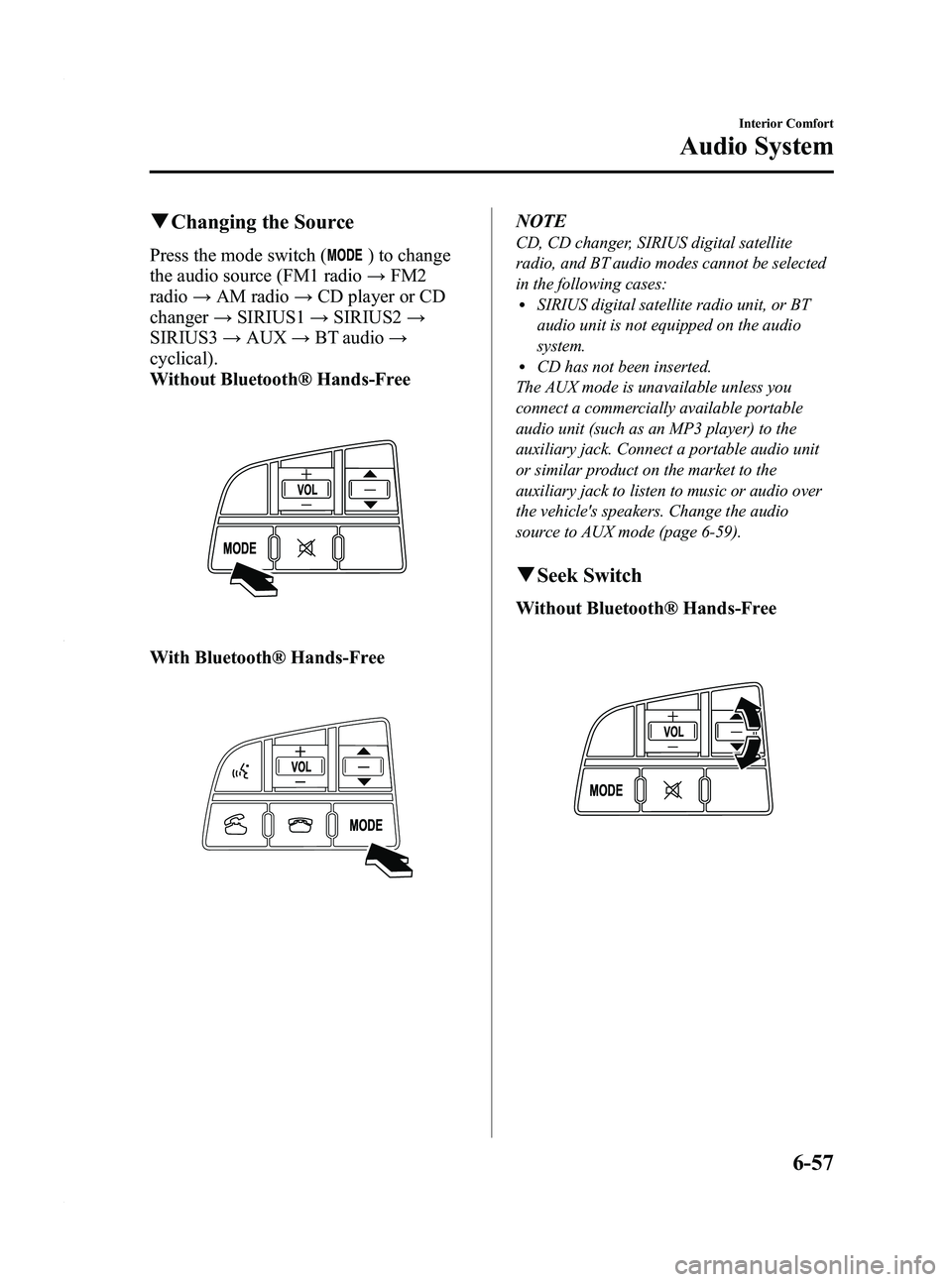
Press the mode switch () to change
the audio source (FM1 radio →FM2
radio →AM radio →CD player or CD
changer →SIRIUS1 →SIRIUS2 →
SIRIUS3 →AUX →BT audio →
cyclical).
Without Bluetooth® Hands-Free
With Bluetooth® Hands-Free
NOTE
CD, CD changer, SIRIUS digital satellite
radio, and BT audio modes cannot be selected
in the following cases:
lSIRIUS digital satellite radio unit, or BT
audio unit is not equipped on the audio
system.
lCD has not been inserted.
The AUX mode is unavailable unless you
connect a commercially available portable
audio unit (such as an MP3 player) to the
auxiliary jack. Connect a portable audio unit
or similar product on the market to the
auxiliary jack to listen to music or audio over
the vehicle's speakers. Change the audio
source to AUX mode (page 6-59).
q Seek Switch
Without Bluetooth® Hands-Free
Interior Comfort
Audio System
6-57
Mazda3_8BY6-EA-11F_Edition3 Page299
Thursday, March 1 2012 10:18 AM
Form No.8BY6-EA-11F
Page 301 of 528
Black plate (301,1)
AUX Mode (Auxiliary input)
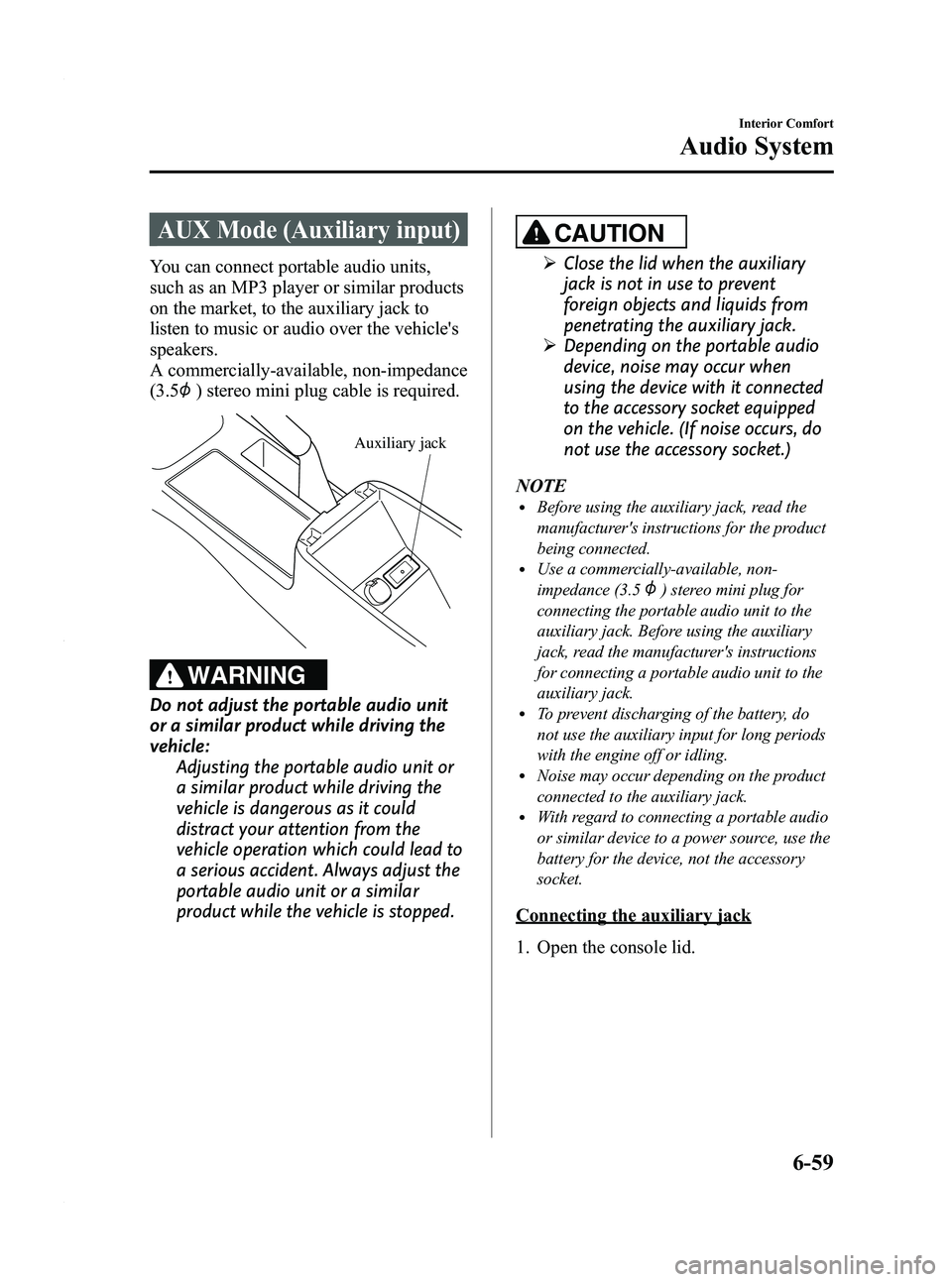
You can connect portable audio units,
such as an MP3 player or similar products
on the market, to the auxiliary jack to
listen to music or audio over the vehicle's
speakers.
A commercially-available, non-impedance
(3.5
) stereo mini plug cable is required.
Auxiliary jack
WARNING
Do not adjust the portable audio unit
or a similar product while driving the
vehicle:Adjusting the portable audio unit or
a similar product while driving the
vehicle is dangerous as it could
distract your attention from the
vehicle operation which could lead to
a serious accident. Always adjust the
portable audio unit or a similar
product while the vehicle is stopped.
CAUTION
ØClose the lid when the auxiliary
jack is not in use to prevent
foreign objects and liquids from
penetrating the auxiliary jack.
Ø Depending on the portable audio
device, noise may occur when
using the device with it connected
to the accessory socket equipped
on the vehicle. (If noise occurs, do
not use the accessory socket.)
NOTE
lBefore using the auxiliary jack, read the
manufacturer's instructions for the product
being connected.
lUse a commercially-available, non-
impedance (3.5
) stereo mini plug for
connecting the portable audio unit to the
auxiliary jack. Before using the auxiliary
jack, read the manufacturer's instructions
for connecting a portable audio unit to the
auxiliary jack.
lTo prevent discharging of the battery, do
not use the auxiliary input for long periods
with the engine off or idling.
lNoise may occur depending on the product
connected to the auxiliary jack.
lWith regard to connecting a portable audio
or similar device to a power source, use the
battery for the device, not the accessory
socket.
Connecting the auxiliary jack
1. Open the console lid.
Interior Comfort
Audio System
6-59
Mazda3_8BY6-EA-11F_Edition3 Page301
Thursday, March 1 2012 10:18 AM
Form No.8BY6-EA-11F
Page 302 of 528
Black plate (302,1)
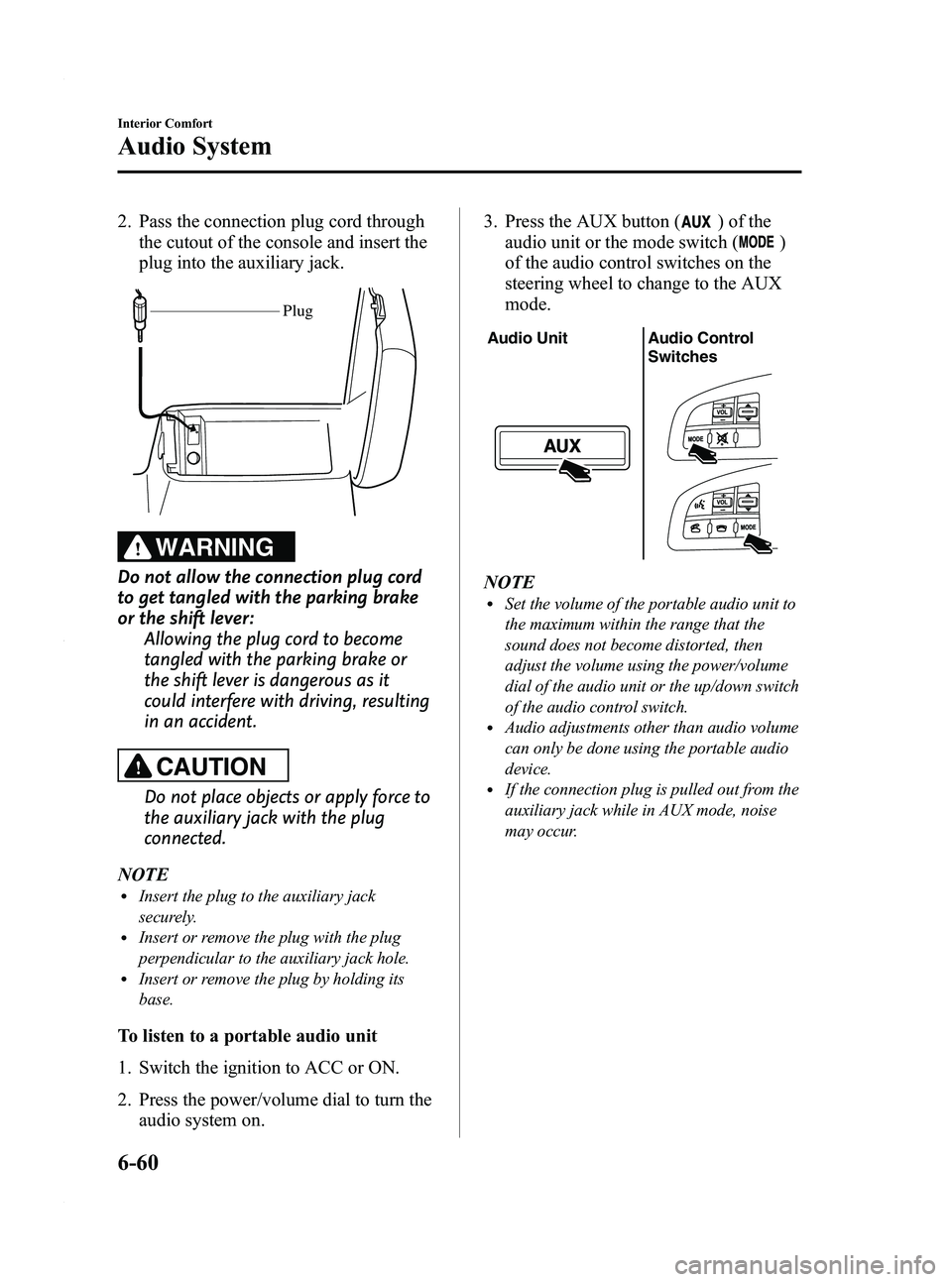
2. Pass the connection plug cord throughthe cutout of the console and insert the
plug into the auxiliary jack.
Plug
WARNING
Do not allow the connection plug cord
to get tangled with the parking brake
or the shift lever: Allowing the plug cord to become
tangled with the parking brake or
the shift lever is dangerous as it
could interfere with driving, resulting
in an accident.
CAUTION
Do not place objects or apply force to
the auxiliary jack with the plug
connected.
NOTE
lInsert the plug to the auxiliary jack
securely.
lInsert or remove the plug with the plug
perpendicular to the auxiliary jack hole.
lInsert or remove the plug by holding its
base.
To listen to a portable audio unit
1. Switch the ignition to ACC or ON.
2. Press the power/volume dial to turn the audio system on. 3. Press the AUX button (
) of the
audio unit or the mode switch (
)
of the audio control switches on the
steering wheel to change to the AUX
mode.
Audio Unit Audio Control
Switches
NOTElSet the volume of the portable audio unit to
the maximum within the range that the
sound does not become distorted, then
adjust the volume using the power/volume
dial of the audio unit or the up/down switch
of the audio control switch.
lAudio adjustments other than audio volume
can only be done using the portable audio
device.
lIf the connection plug is pulled out from the
auxiliary jack while in AUX mode, noise
may occur.
6-60
Interior Comfort
Audio System
Mazda3_8BY6-EA-11F_Edition3 Page302
Thursday, March 1 2012 10:18 AM
Form No.8BY6-EA-11F
Page 304 of 528
Black plate (304,1)
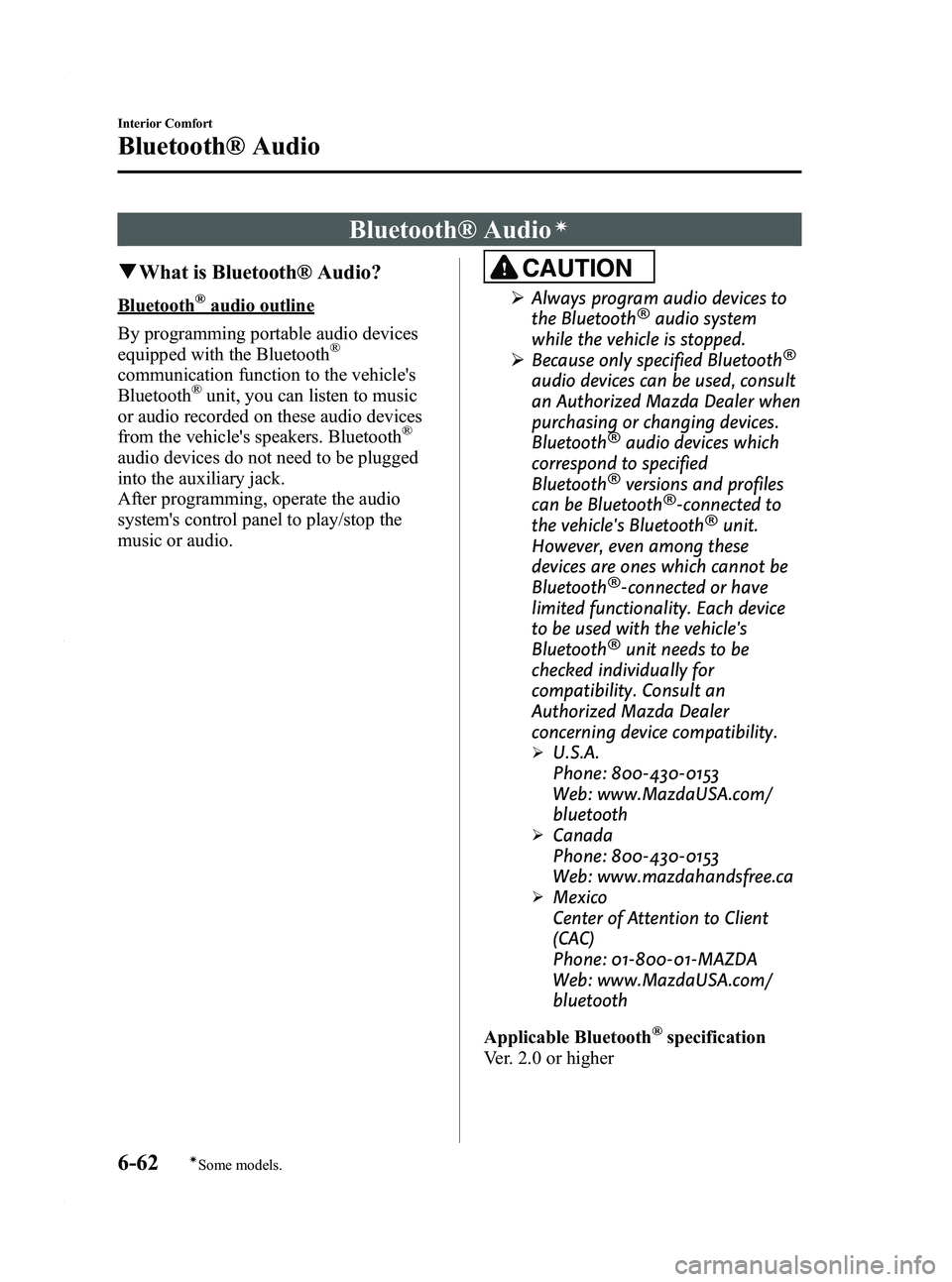
Bluetooth® Audioí
qWhat is Bluetooth® Audio?
Bluetooth®audio outline
By programming portable audio devices
equipped with the Bluetooth
®
communication function to the vehicle's
Bluetooth®unit, you can listen to music
or audio recorded on these audio devices
from the vehicle's speakers. Bluetooth
®
audio devices do not need to be plugged
into the auxiliary jack.
After programming, operate the audio
system's control panel to play/stop the
music or audio.
CAUTION
Ø Always program audio devices to
the Bluetooth®audio system
while the vehicle is stopped.
Ø Because only specified Bluetooth
®
audio devices can be used, consult
an Authorized Mazda Dealer when
purchasing or changing devices.
Bluetooth
®audio devices which
correspond to specified
Bluetooth
®versions and profiles
can be Bluetooth®-connected to
the vehicle's Bluetooth®unit.
However, even among these
devices are ones which cannot be
Bluetooth
®-connected or have
limited functionality. Each device
to be used with the vehicle's
Bluetooth
®unit needs to be
checked individually for
compatibility. Consult an
Authorized Mazda Dealer
concerning device compatibility.
ØU.S.A.
Phone: 800-430-0153
Web: www.MazdaUSA.com/
bluetooth
ØCanada
Phone: 800-430-0153
Web: www.mazdahandsfree.ca
ØMexico
Center of Attention to Client
(CAC)
Phone: 01-800-01-MAZDA
Web: www.MazdaUSA.com/
bluetooth
Applicable Bluetooth
®specification
Ver. 2.0 or higher
6-62
Interior Comfort
íSome models.
Bluetooth® Audio
Mazda3_8BY6-EA-11F_Edition3 Page304
Thursday, March 1 2012 10:18 AM
Form No.8BY6-EA-11F
Page 305 of 528
Black plate (305,1)
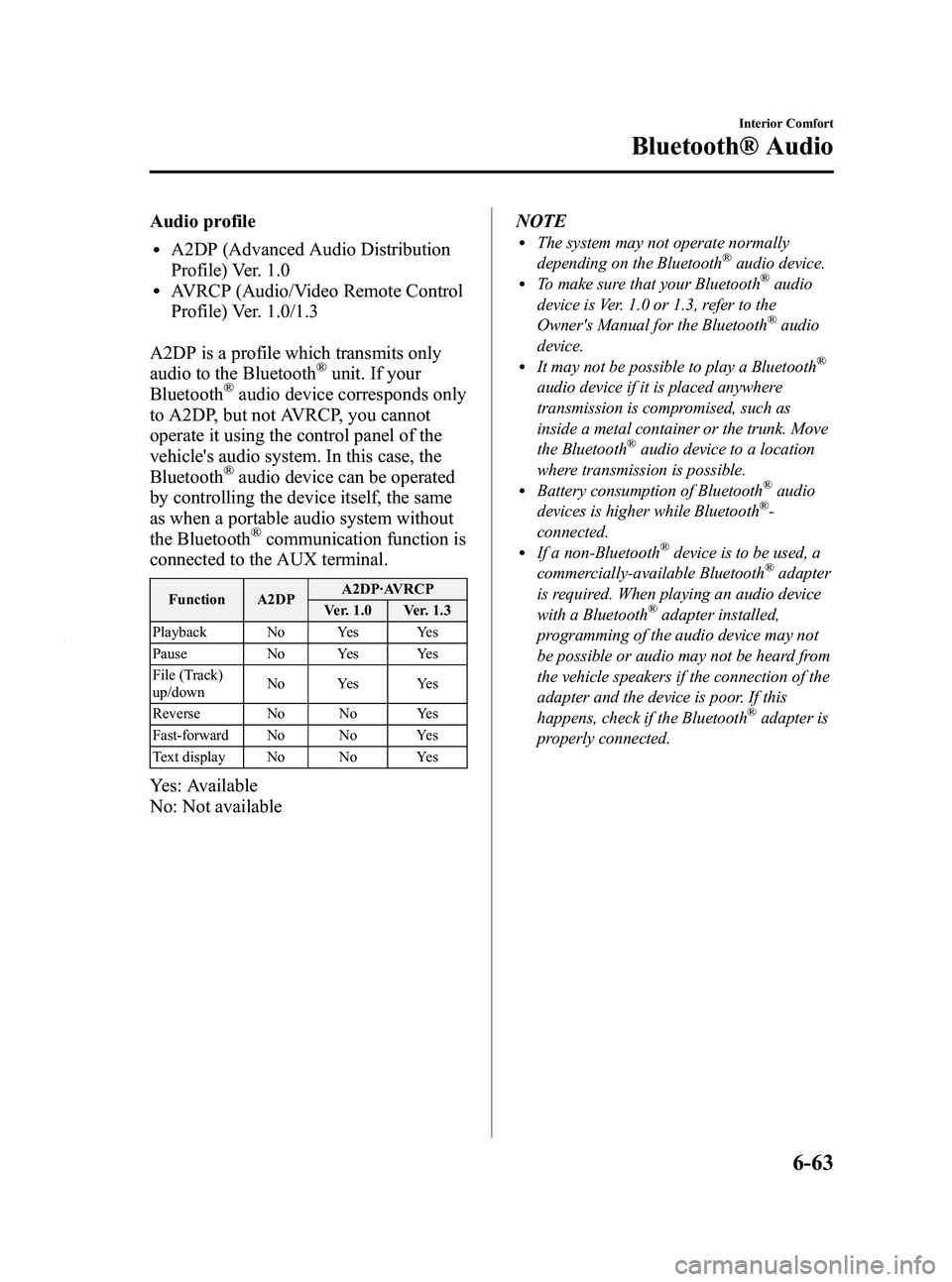
Audio profile
lA2DP (Advanced Audio Distribution
Profile) Ver. 1.0
lAVRCP (Audio/Video Remote Control
Profile) Ver. 1.0/1.3
A2DP is a profile which transmits only
audio to the Bluetooth
®unit. If your
Bluetooth®audio device corresponds only
to A2DP, but not AVRCP, you cannot
operate it using the control panel of the
vehicle's audio system. In this case, the
Bluetooth
®audio device can be operated
by controlling the device itself, the same
as when a portable audio system without
the Bluetooth
®communication function is
connected to the AUX terminal.
Function A2DP A2DP·AVRCP
Ver. 1.0 Ver. 1.3
Playback No Yes Yes
Pause No Yes Yes
File (Track)
up/down No Yes Yes
Reverse No No Yes
Fast-forward No No Yes
Text display No No Yes
Yes: Available
No: Not available NOTE
lThe system may not operate normally
depending on the Bluetooth®audio device.lTo make sure that your Bluetooth®audio
device is Ver. 1.0 or 1.3, refer to the
Owner's Manual for the Bluetooth
®audio
device.
lIt may not be possible to play a Bluetooth®
audio device if it is placed anywhere
transmission is compromised, such as
inside a metal container or the trunk. Move
the Bluetooth
®audio device to a location
where transmission is possible.
lBattery consumption of Bluetooth®audio
devices is higher while Bluetooth®-
connected.
lIf a non-Bluetooth®device is to be used, a
commercially-available Bluetooth®adapter
is required. When playing an audio device
with a Bluetooth
®adapter installed,
programming of the audio device may not
be possible or audio may not be heard from
the vehicle speakers if the connection of the
adapter and the device is poor. If this
happens, check if the Bluetooth
®adapter is
properly connected.
Interior Comfort
Bluetooth® Audio
6-63
Mazda3_8BY6-EA-11F_Edition3 Page305
Thursday, March 1 2012 10:18 AM
Form No.8BY6-EA-11F