brake light MAZDA MODEL 3 4-DOOR 2013 User Guide
[x] Cancel search | Manufacturer: MAZDA, Model Year: 2013, Model line: MODEL 3 4-DOOR, Model: MAZDA MODEL 3 4-DOOR 2013Pages: 610, PDF Size: 7.05 MB
Page 163 of 610
Black plate (163,1)
5Driving Your Mazda
Explanation of instruments and controls.
Starting and Driving ..................................................................... 5-2Ignition Switch .......................................................................... 5-2
Starting the Engine .................................................................... 5-3
Turning the Engine Off ............................................................. 5-4
Brake System ............................................................................ 5-5
Manual Transaxle Operation ................................................... 5-10
Automatic Transaxle Controls ................................................ 5-13
Power Steering ........................................................................ 5-21
Cruise Control
í...................................................................... 5-22
Traction Control System (TCS)í........................................... 5-27
Dynamic Stability Control (DSC)í........................................ 5-28
Tire Pressure Monitoring Systemí......................................... 5-31
Blind Spot Monitoring (BSM) Systemí................................. 5-37
Instrument Cluster and Indicators ............................................ 5-42 Meters and Gauges .................................................................. 5-42
Warning/Indicator Lights and Beep Sounds ............................ 5-47 Warning/Indicator Lights ........................................................ 5-47
Beep Sounds ........................................................................... 5-62
Switches and Controls ................................................................ 5-64 Lighting Control ..................................................................... 5-64
Turn and Lane-Change Signals ............................................... 5-69
Fog Lights
í............................................................................ 5-70
Windshield Wipers and Washer .............................................. 5-71
Rear Window Wiper and Washer (5 Door) ............................. 5-75
Rear Window Defroster ........................................................... 5-75
Horn ........................................................................................ 5-76
Hazard Warning Flasher .......................................................... 5-77
5-1íSome models.
Mazda3_8CV6-EA-12H_Edition3 Page163
Thursday, February 28 2013 11:27 AM
Form No.8CV6-EA-12H
Page 164 of 610
Black plate (164,1)
Ignition Switch
With advanced key
Refer to“Starting the engine (page 3-12) ”
for information on how to use the ignition
switch.
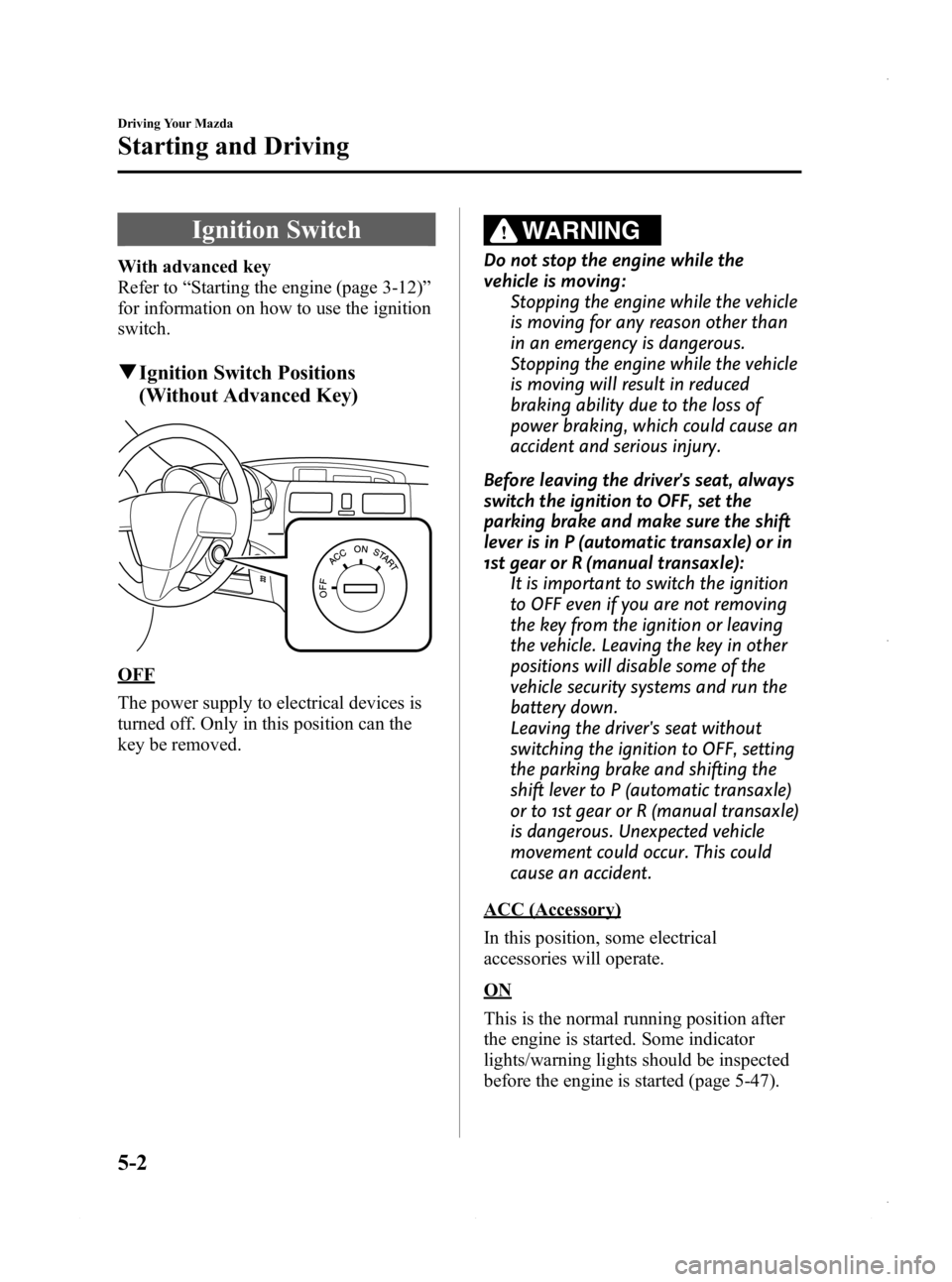
q Ignition Switch Positions
(Without Advanced Key)
OFF
The power supply to electrical devices is
turned off. Only in this position can the
key be removed.
WARNING
Do not stop the engine while the
vehicle is moving:
Stopping the engine while the vehicle
is moving for any reason other than
in an emergency is dangerous.
Stopping the engine while the vehicle
is moving will result in reduced
braking ability due to the loss of
power braking, which could cause an
accident and serious injury.
Before leaving the driver's seat, always
switch the ignition to OFF, set the
parking brake and make sure the shift
lever is in P (automatic transaxle) or in
1st gear or R (manual transaxle): It is important to switch the ignition
to OFF even if you are not removing
the key from the ignition or leaving
the vehicle. Leaving the key in other
positions will disable some of the
vehicle security systems and run the
battery down.
Leaving the driver's seat without
switching the ignition to OFF, setting
the parking brake and shifting the
shift lever to P (automatic transaxle)
or to 1st gear or R (manual transaxle)
is dangerous. Unexpected vehicle
movement could occur. This could
cause an accident.
ACC (Accessory)
In this position, some electrical
accessories will operate.
ON
This is the normal running position after
the engine is started. Some indicator
lights/warning lights should be inspected
before the engine is started (page 5-47).
5-2
Driving Your Mazda
Starting and Driving
Mazda3_8CV6-EA-12H_Edition3 Page164
Thursday, February 28 2013 11:27 AM
Form No.8CV6-EA-12H
Page 167 of 610
Black plate (167,1)
Brake System
qFoot Brake
Your Mazda has power-assisted brakes
that adjust automatically through normal
use.
Should power-assist fail, you can stop by
applying greater force than normal to the
brake pedal. But the distance required to
stop will be greater than usual.
WARNING
Do not coast with the engine stalled or
turned off, find a safe place to stop:
Coasting with the engine stalled or
turned off is dangerous. Braking will
require more effort, and the brake's
power-assist could be depleted if you
pump the brake. This will cause
longer stopping distances or even an
accident.
Shift to a lower gear when going down
steep hills: Driving with your foot continuously
on the brake pedal or steadily
applying the brakes for long
distances is dangerous. This causes
overheated brakes, resulting in
longer stopping distances or even
total brake failure. This could cause
loss of vehicle control and a serious
accident. Avoid continuous
application of the brakes.
Dry off brakes that have become wet
by driving slowly, releasing the
accelerator pedal and lightly applying
the brakes several times until the brake
performance returns to normal: Driving with wet brakes is
dangerous. Increased stopping
distance or the vehicle pulling to one
side when braking could result in a
serious accident. Light braking will
indicate whether the brakes have
been affected.
Driving Your Mazda
Starting and Driving
5-5
Mazda3_8CV6-EA-12H_Edition3 Page167
Thursday, February 28 2013 11:27 AM
Form No.8CV6-EA-12H
Page 169 of 610

Black plate (169,1)
Setting the parking brake
Depress the brake pedal and then firmly
pull the parking brake lever fully upwards
with sufficient force to hold the vehicle in
a stationary position.
Releasing the parking brake
Depress the brake pedal and pull the
parking brake lever upwards, then press
the release button. While holding the
button, lower the parking brake lever all
the way down to the released position.
qBrake System Warning Light
This warning has the following functions:
Parking brake warning
The light illuminates when the parking
brake is applied with the ignition switched
to START or ON. It turns off when the
parking brake is fully released.
Low brake fluid level warning
If the light stays on after the parking brake
is fully released, you may have a brake
problem.
Drive to the side of the road and park off
the right-of-way.
You may notice that the pedal is harder to
depress or that it may go closer to the
floor. In either case, it will take longer to
stop the vehicle.
1. With the engine stopped, open the
hood and check the brake fluid level
immediately, and then add fluid if
required (page 8-27).
2. After adding fluid, check the light again.
If the warning light remains on, or if the
brakes do not operate properly, do not
drive the vehicle. Have it towed to an
Authorized Mazda Dealer.
Even if the light turns off, have your
brake system inspected as soon as
possible by an Authorized Mazda Dealer.
Driving Your Mazda
Starting and Driving
5-7
Mazda3_8CV6-EA-12H_Edition3 Page169
Thursday, February 28 2013 11:27 AM
Form No.8CV6-EA-12H
Page 170 of 610

Black plate (170,1)
NOTE
Having to add brake fluid is sometimes an
indicator of leakage. Consult an Authorized
Mazda Dealer as soon as possible even if the
brake light is no longer illuminated.
WARNING
Do not drive with the brake system
warning light illuminated. Contact an
Authorized Mazda Dealer to have the
brakes inspected as soon as possible:Driving with the brake system
warning light illuminated is
dangerous. It indicates that your
brakes may not work at all or that
they could completely fail at any
time. If this light remains
illuminated, after checking that the
parking brake is fully released, have
the brakes inspected immediately.
qAnti-Lock Brake System (ABS)
The ABS control unit continuously
monitors the speed of each wheel. If one
wheel is about to lock up, the ABS
responds by automatically releasing and
reapplying that wheel's brake.
The driver will feel a slight vibration in
the brake pedal and may hear a chattering
noise from the brake system. This is
normal ABS system operation. Continue
to depress the brake pedal without
pumping the brakes.
WARNING
Do not rely on ABS as a substitute for
safe driving:
The ABS cannot compensate for
unsafe and reckless driving, excessive
speed, tailgating (following another
vehicle too closely), driving on ice and
snow, and hydroplaning (reduced tire
friction and road contact because of
water on the road surface). You can
still have an accident.
NOTE
lBraking distances may be longer on loose
surfaces (snow or gravel, for example)
which usually have a hard foundation. A
vehicle with a normal braking system may
require less distance to stop under these
conditions because the tires will build up a
wedge of surface layer when the wheels
skid.
lThe sound of the ABS operating may be
heard when starting the engine or
immediately after starting the vehicle,
however, it does not indicate a malfunction.
q ABS Warning Light
The warning light stays on for a few
seconds when the ignition is switched
ON.
5-8
Driving Your Mazda
Starting and Driving
Mazda3_8CV6-EA-12H_Edition3 Page170
Thursday, February 28 2013 11:27 AM
Form No.8CV6-EA-12H
Page 171 of 610
Black plate (171,1)
If the ABS warning light stays on while
you're driving, the ABS control unit has
detected a system malfunction. If this
occurs, your brakes will function normally
as if the vehicle had no ABS.
Should this happen, consult an Authorized
Mazda Dealer as soon as possible.
NOTE
lWhen the engine is jump-started to charge
the battery, uneven rpm occurs and the ABS
warning light may illuminate. If this occurs,
it is the result of the weak battery and does
not indicate an ABS malfunction.
Recharge the battery.
l(With DSC vehicles)
The brake assist system does not operate
while the ABS warning light is illuminated.
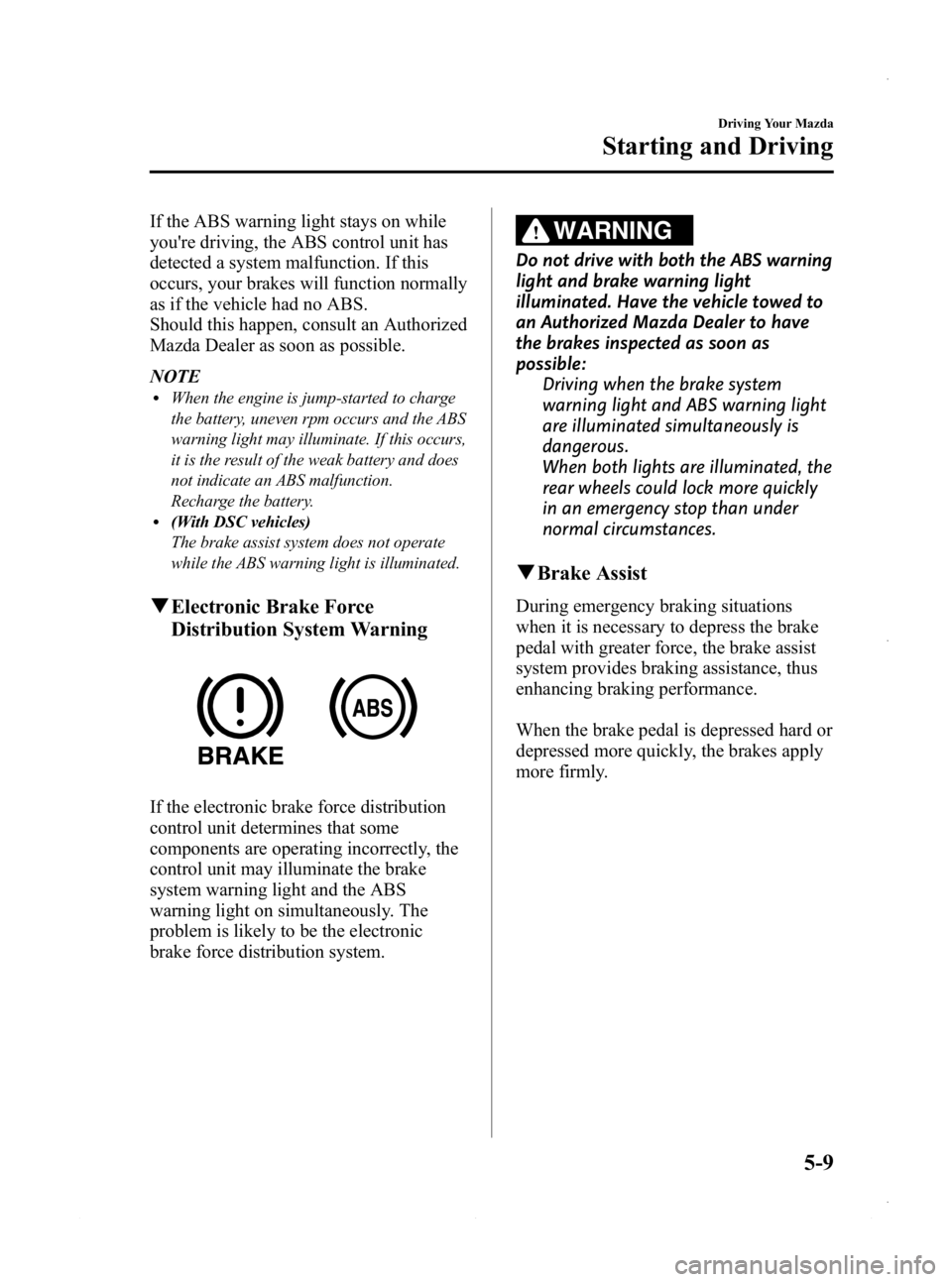
qElectronic Brake Force
Distribution System Warning
If the electronic brake force distribution
control unit determines that some
components are operating incorrectly, the
control unit may illuminate the brake
system warning light and the ABS
warning light on simultaneously. The
problem is likely to be the electronic
brake force distribution system.
WARNING
Do not drive with both the ABS warning
light and brake warning light
illuminated. Have the vehicle towed to
an Authorized Mazda Dealer to have
the brakes inspected as soon as
possible:
Driving when the brake system
warning light and ABS warning light
are illuminated simultaneously is
dangerous.
When both lights are illuminated, the
rear wheels could lock more quickly
in an emergency stop than under
normal circumstances.
qBrake Assist
During emergency braking situations
when it is necessary to depress the brake
pedal with greater force, the brake assist
system provides braking assistance, thus
enhancing braking performance.
When the brake pedal is depressed hard or
depressed more quickly, the brakes apply
more firmly.
Driving Your Mazda
Starting and Driving
5-9
Mazda3_8CV6-EA-12H_Edition3 Page171
Thursday, February 28 2013 11:27 AM
Form No.8CV6-EA-12H
Page 176 of 610
Black plate (176,1)
qTransaxle Ranges
The shift lever must be in P or N to
operate the starter.
P (Park)
P locks the transaxle and prevents the
front wheels from rotating.
WARNING
Always set the shift lever to P and set
the parking brake:
Only setting the shift lever to the P
position without using the parking
brake to hold the vehicle is
dangerous. If P fails to hold, the
vehicle could move and cause an
accident.
CAUTION
ØShifting into P, N or R while the
vehicle is moving can damage
your transaxle.
Ø Shifting into a driving gear or
reverse when the engine is running
faster than idle can damage the
transaxle.
R (Reverse)
In position R, the vehicle moves only
backward. You must be at a complete stop
before shifting to or from R, except under
rare circumstances as explained in
Rocking the Vehicle (page 4-9).
N (Neutral)
In N, the wheels and transaxle are not
locked. The vehicle will roll freely even
on the slightest incline unless the parking
brake or brakes are on.
WARNING
If the engine is running faster than idle,
do not shift from N or P into a driving
gear:
It's dangerous to shift from N or P
into a driving gear when the engine
is running faster than idle. If this is
done, the vehicle could move
suddenly, causing an accident or
serious injury.
Do not shift into N when driving the
vehicle: Shifting into N while driving is
dangerous. Engine braking cannot be
applied when decelerating which
could lead to an accident or serious
injury.
CAUTION
Do not shift into N when driving the
vehicle. Doing so can cause transaxle
damage.
NOTE
Apply the parking brake or depress the brake
pedal before moving the shift lever from N to
prevent the vehicle from moving unexpectedly.
D (Drive)
D is the normal driving position. From a
stop, the transaxle will automatically shift
through a 5-gear/6-gear
*sequence.
* SKYACTIV-G 2.0
M (Manual)
M is the manual shift mode position.
Gears can be shifted up or down by
operating the shift lever.
Refer to Manual Shift Mode (page 5-16).
5-14
Driving Your Mazda
Starting and Driving
Mazda3_8CV6-EA-12H_Edition3 Page176
Thursday, February 28 2013 11:27 AM
Form No.8CV6-EA-12H
Page 188 of 610
Black plate (188,1)
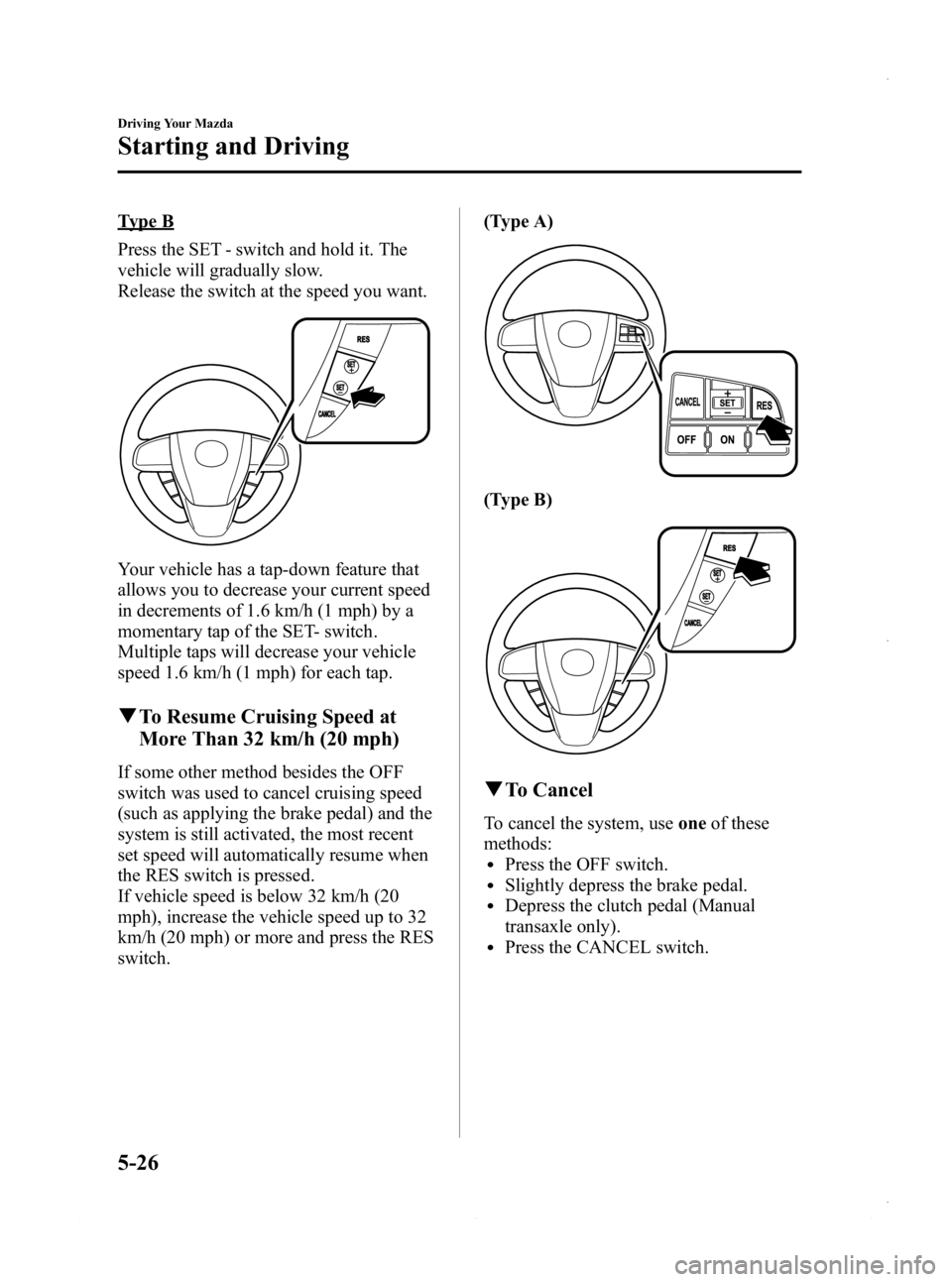
Type B
Press the SET - switch and hold it. The
vehicle will gradually slow.
Release the switch at the speed you want.
Your vehicle has a tap-down feature that
allows you to decrease your current speed
in decrements of 1.6 km/h (1 mph) by a
momentary tap of the SET- switch.
Multiple taps will decrease your vehicle
speed 1.6 km/h (1 mph) for each tap.
qTo Resume Cruising Speed at
More Than 32 km/h (20 mph)
If some other method besides the OFF
switch was used to cancel cruising speed
(such as applying the brake pedal) and the
system is still activated, the most recent
set speed will automatically resume when
the RES switch is pressed.
If vehicle speed is below 32 km/h (20
mph), increase the vehicle speed up to 32
km/h (20 mph) or more and press the RES
switch. (Type A)
(Type B)
q
To Cancel
To cancel the system, use oneof these
methods:
lPress the OFF switch.lSlightly depress the brake pedal.lDepress the clutch pedal (Manual
transaxle only).
lPress the CANCEL switch.
5-26
Driving Your Mazda
Starting and Driving
Mazda3_8CV6-EA-12H_Edition3 Page188
Thursday, February 28 2013 11:28 AM
Form No.8CV6-EA-12H
Page 192 of 610
Black plate (192,1)
NOTElWhen DSC is on and you attempt to free the
vehicle when it is stuck, or drive it out of
freshly fallen snow, the TCS (part of the
DSC system) will activate. Depressing the
accelerator will not increase engine power
and freeing the vehicle may be difficult.
When this happens, turn off the TCS/DSC.
lIf the TCS/DSC is off when the engine is
turned off, it automatically activates when
the ignition is switched ON.
lLeaving the TCS/DSC on will provide the
best stability.
lThe DSC only operates when the brake
pedal is depressed while driving and it is
determined that operation of the DSC is
required, even if the DSC OFF indicator
light illuminates by pressing the DSC OFF
switch.
lThe TCS/DSC can be cancelled. By
pressing the DSC OFF switch for more
than five seconds, the DSC OFF indicator
light illuminates, and the TCS/DSC is
cancelled.
The TCS/DSC remains cancelled until the
ignition is switched off. When the ignition is
switched from OFF to ON, the system turns
back on automatically.
5-30
Driving Your Mazda
Starting and Driving
Mazda3_8CV6-EA-12H_Edition3 Page192
Thursday, February 28 2013 11:28 AM
Form No.8CV6-EA-12H
Page 209 of 610

Black plate (209,1)
Warning/Indicator Lights
Warning/Indicator lights will appear in any of the highlighted areas
SignalWarning/Indicator Lights Page
Brake System Warning Light 5-49
Malfunction Warning Light5-50
Charging System Warning Light5-51
Engine Oil Pressure Warning Light5-51
Check Engine Light5-52
High Engine Coolant Temperature Warning Light (Red)5-52
ABS Warning Light5-50
Driving Your Mazda
Warning/Indicator Lights and Beep Sounds
5-47
Mazda3_8CV6-EA-12H_Edition3 Page209
Thursday, February 28 2013 11:28 AM
Form No.8CV6-EA-12H