master warning MAZDA MODEL 3 4-DOOR 2018 Owners Manual
[x] Cancel search | Manufacturer: MAZDA, Model Year: 2018, Model line: MODEL 3 4-DOOR, Model: MAZDA MODEL 3 4-DOOR 2018Pages: 624, PDF Size: 59.23 MB
Page 156 of 624
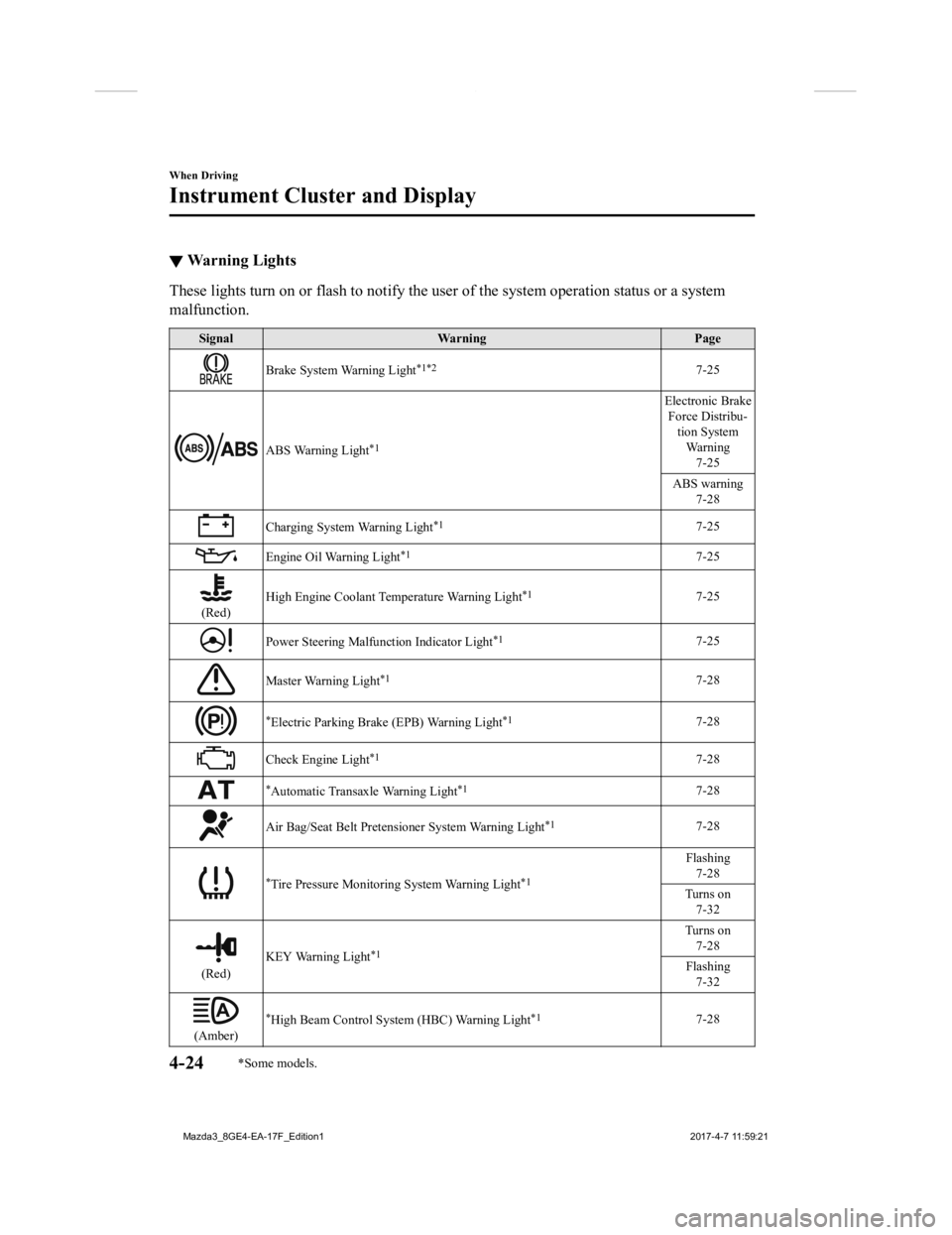
▼Warning Lights
These lights turn on or flash to notify the user of the system
operation status or a system
malfunction.
Signal Warning Page
Brake System Warning Light*1*27-25
ABS Warning Light*1
Electronic Brake
Force Distribu- tion SystemWa r n i n g 7-25
ABS warning 7-28
Charging System Warning Light*17-25
Engine Oil Warning Light*17-25
(Red) High Engine Coolant Temperature Warning Light
*17-25
Power Steering Malfunction Indicator Light*17-25
Master Warning Light*17-28
*Electric Parking Brake (EPB) Warning Light*17-28
Check Engine Light*17-28
*Automatic Transaxle Warning Light*17-28
Air Bag/Seat Belt Pretensioner System Warning Light*17-28
*Tire Pressure Monitoring System Warning Light*1
Flashing
7-28
Turns on 7-32
(Red) KEY Warning Light
*1
Turns on
7-28
Flashing 7-32
(Amber)
*High Beam Control System (HBC) Warning Light*17-28
When Driving
Instrument Cluster and Display
4-24*Some models.
Mazda3_8GE4-EA-17F_Edition1 2017-4-7 11:59:21
Page 444 of 624
Maintenance Monitor
▼Maintenance Monitor (Type A audio)
Based on the engine operating conditions, the onboard computer
in your vehicle calculates
the remaining oil life in the Un ited States and Puerto Rico. Th e wrench indicator light in the
instrument cluster will be illuminated when remaining oil life becomes less than 1,000 km
(600 mile), or remaining days are less than 15 (whichever comes first).
The system must be reset whenever replacing the engine oil.
Reset method
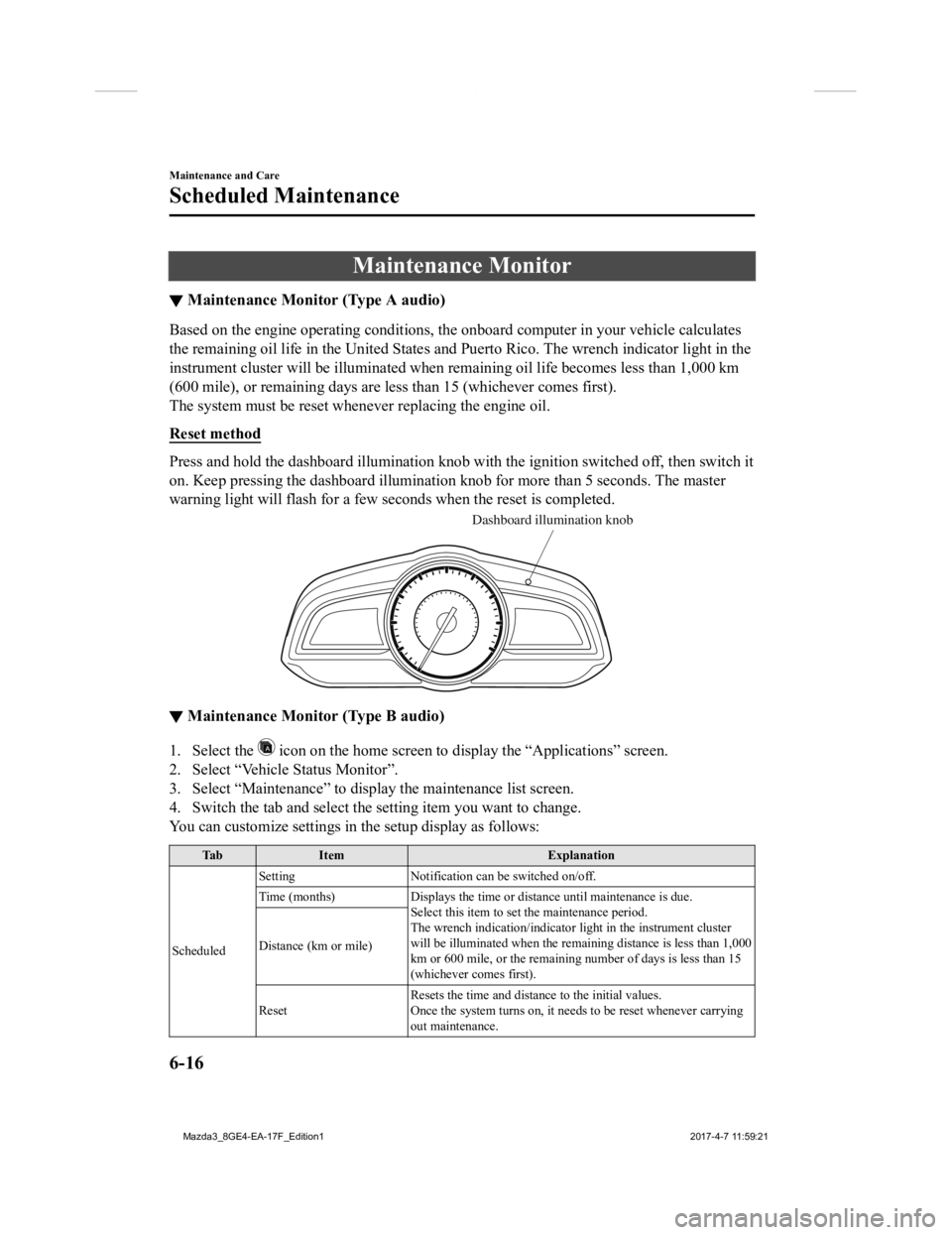
Press and hold the dashboard illumination knob with the ignitio n switched off, then switch it
on. Keep pressing the dashboard il lumination knob for more than 5 seconds. The master
warning light will flash for a few seconds when the reset is completed.
Dashboard illumination knob
▼Maintenance Monitor (Type B audio)
1. Select the icon on the home screen to display the “Applications” screen.
2. Select “Vehicle Status Monitor”.
3. Select “Maintenance” to display the maintenance list screen.
4. Switch the tab and select the setting item you want to change .
You can customize settings in the setup display as follows:
Ta b I t e m E x p l a n a t i o n
Scheduled Setting
Notification can be switched on/off.
Time (months) Displays the time or distance until maintenance is due.
Select this item to set the maintenance period.
The wrench indication/indicator light in the instrument cluster
will be illuminated when the remaining distance is less than 1, 000
km or 600 mile, or the remaining number of days is less than 15
(whichever comes first).
Distance (km or mile)
Reset
Resets the time and distance to the initial values.
Once the system turns on, it needs to be reset whenever carrying
out maintenance.
Maintenance and Care
Scheduled Maintenance
6-16
Mazda3_8GE4-EA-17F_Edition1
2017-4-7 11:59:21
Page 528 of 624
SignalWarning
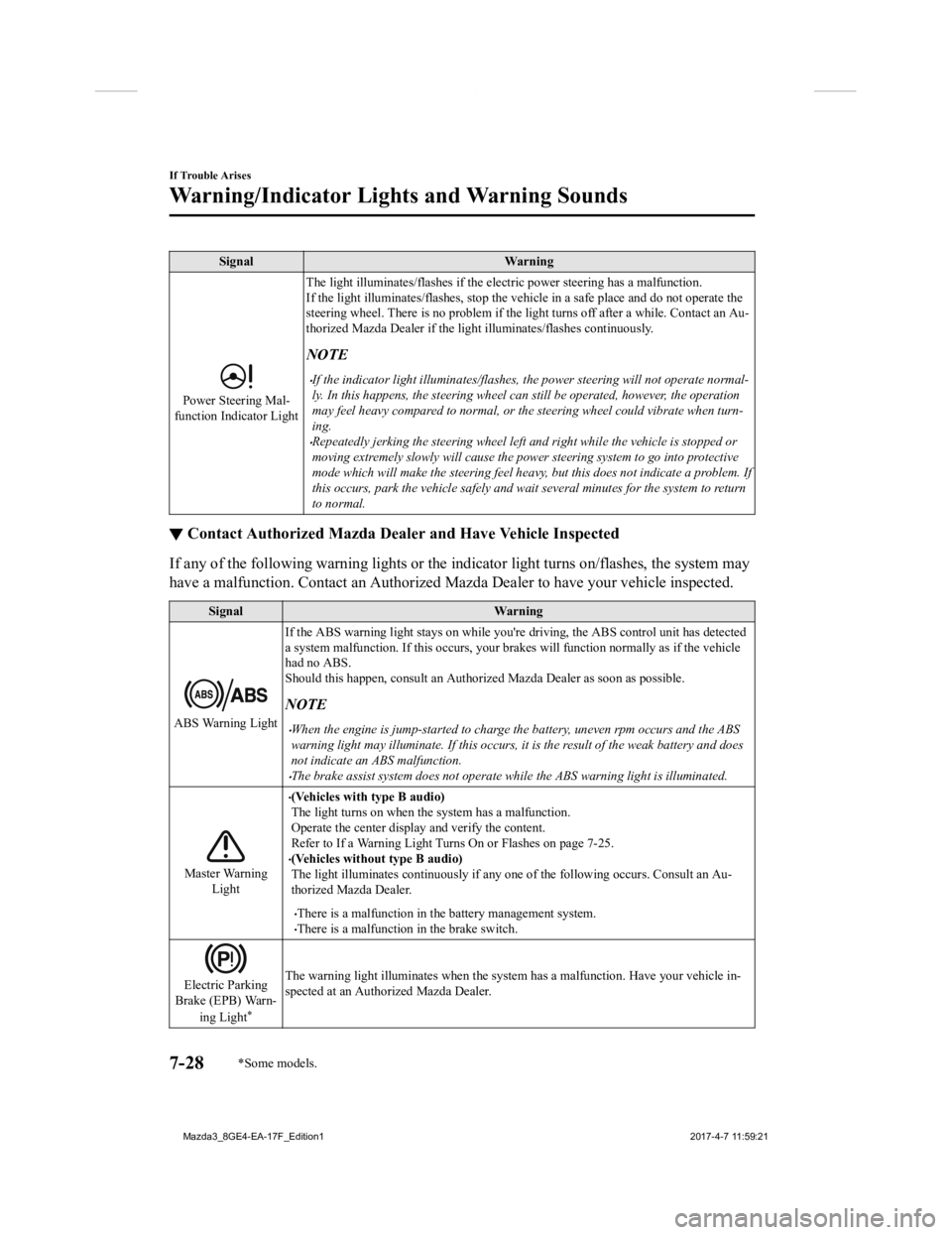
Power Steering Mal-
function Indicator Light The light illuminates/flashes if the electric power steering ha
s a malfunction.
If the light illuminates/flashes, stop the vehicle in a safe pl ace and do not operate the
steering wheel. There is no problem if the light turns off afte r a while. Contact an Au-
thorized Mazda Dealer if the lig ht illuminates/flashes continuously.
NOTE
If the indicator light illuminates/flashes, the power steering will not operate normal-
ly. In this happens, the st eering wheel can still be oper ated, however, the operation
may feel heavy compar ed to normal, or the steering wheel could vibrate when turn-
ing.
Repeatedly jerking the steering wheel left and right while the vehicle is stopped or
moving extremely slowly will cause the power steering system to go into protective
mode which will make the steering feel heavy, but this does not indicate a problem. If
this occurs, park the vehicle safely and wait several minutes for the system to return
to normal.
▼ Contact Authorized Mazda Deal
er and Have Vehicle Inspected
If any of the following warning lights o r the indicator light turns on/flashes, the system may
have a malfunction. Contact an Authorized Mazda Dealer to have your vehicle inspected.
SignalWarning
ABS Warning LightIf the ABS warning light stays on while you're driving, the ABS
control unit has detected
a system malfunction. If this occurs, your brakes will function normally as if the vehicle
had no ABS.
Should this happen, consult an A uthorized Mazda Dealer as soon as possible.
NOTE
When the engine is jump-started to charge the battery, uneven rpm occurs and the ABS
warning light may illuminate. If this occurs, it is the result of the weak battery and does
not indicate an ABS malfunction.
The brake assist system does not operate while the ABS warning light is illuminated.
Master Warning
Light
(Vehicles with type B audio)
The light turns on when the system has a malfunction.
Operate the center display and verify the content.
Refer to If a Warning Light Turns On or Flashes on page 7-25.
(Vehicles without type B audio)
The light illuminates continuously if any one of the following occurs. Consult an Au-
thorized Mazda Dealer.
There is a malfunction in the battery management system.There is a malfunction in the brake switch.
Electric Parking
Brake (EPB) Warn-
ing Light
*
The warning light illuminates when the system has a malfunction . Have your vehicle in-
spected at an Authorized Mazda Dealer.
If Trouble Arises
Warning/Indicator Lights and Warning Sounds
7-28*Some models.
Mazda3_8GE4-EA-17F_Edition1 2017-4-7 11:59:21