warning MAZDA MODEL 3 5-DOOR 2016 Owners Manual
[x] Cancel search | Manufacturer: MAZDA, Model Year: 2016, Model line: MODEL 3 5-DOOR, Model: MAZDA MODEL 3 5-DOOR 2016Pages: 598, PDF Size: 30.13 MB
Page 241 of 598

4–113
When Driving
i-ACTIVSENSE
Radar Sensor (Front)
Your vehicle is equipped with a radar sensor (front).
The following systems also use the radar sensor (front).
Mazda Radar Cruise Control (MRCC) Forward Obstruction Warning (FOW)
The radar sensor (front) functions by detecting the radio waves reflected off a vehicle ahead
or an obstruction sent from the radar sensor (front).
The radar sensor (front) is mounted behind the front emblem.
Radar sensor (front)
If the Forward Obstruction Warning (FOW) warning light (amber) is illuminated, the area
around the radar sensor (front) may be dirty. Refer to “Warning Guidance” in the center
display (Type B audio).
Refer to If a Warning Light Turns On or Flashes on page 7-24.
Mazda3_8FA4-EA-15G_Edition1.indb 1132015/05/11 14:01:09
Page 243 of 598

4–115
When Driving
i-ACTIVSENSE
NOTE
In the following cases, the radar sensor (front) may not be able to detect vehicles ahead
or obstructions.
The rear surface of a vehicle ahead does not reflect radio waves effectively, such as
an unloaded trailer or an automobile with a loading platform covered by a soft top,
vehicles with a hard plastic tailgate, and round-shaped vehicles.
Vehicles ahead with low vehicle height and thus less area for reflecting radio waves. Visibility is reduced due to a vehicle ahead casting off water, snow, or sand from its
tires and onto your windshield. The trunk/luggage compartment is loaded with heavy objects or the r ear passenger
seats are occupied. Ice, snow, or soiling is on the front surface of the front emblem. During inclement weather such as rain, snow, or sand storms. When driving near facilities or objects emitting str ong radio waves.
In the following cases, the radar sensor (front) may detect vehicles in the opposite lane or
surrounding obstructions, or it may not be able to detect vehicles ahead or \
obstructions.
The beginning and end of a curve. Roads with continuous curves. Narrow lane roads due to road construction or lane closures. The vehicle ahead enters the radar sensor's blind spot. The vehicle ahead is running abnormally due to accident or vehicle damag\
e. Roads with repeated up and down slopes Driving on poor r oads or unpaved roads. The distance between your vehicle and the vehicle ahead is extr emely short. A vehicle suddenly comes close such as by cutting into the lane.
To prevent incorrect operation of the system, use tires of the same specified size,
manufacturer, brand, and tread pattern on all four wheels. In addition, do not use tires
with significantly different wear patterns or tire pressures on the same vehicle. (Including
the temporary spare tire)
If the battery power is weak, the system may not operate correctly. When driving on roads with little traffic and few vehicles ahead or obstructions for the
radar sensor (front) to detect, Forward Obstruction Warning/Smart City Brake Support
(FOW/SCBS) warning light (amber) temporarily illuminates, however, this does not
indicate a problem.
Mazda3_8FA4-EA-15G_Edition1.indb 1152015/05/11 14:01:09
Page 244 of 598

4–116
When Driving
i-ACTIVSENSE
Laser Sensor (Front)
The Smart City Brake Support (SCBS) laser sensor is installed at the top of the windshield
near the rearview mirror.
Laser sensor (front)
Always keep the surface of the windshield around the laser sensor clean \
to assure proper
operation of the Smart City Brake Support (SCBS) system.
WARNING
As there is the possibility of eye damage occurring from the laser, always heed the
following precautions:
Never remove the sensor. A removed sensor will not meet the conditions for a class 1M laser under the IEC
60825-1 specification and therefore eye safety cannot be assured. Do not peer into the sensor using optical instruments with a magnification function
such as magnifying glasses, and microscopic and objective lenses within a distance of
100 mm (3.94 in) from the sensor.
Mazda3_8FA4-EA-15G_Edition1.indb 1162015/05/11 14:01:09
Page 247 of 598
.
WARNING
Do not use the c")
4–119
When Driving
Cruise Control
*Some models.
Cruise Control*
With cruise control, you can set and automatically maintain any speed of \
more than about
25 km/h (16 mph).
WARNING
Do not use the cruise control under the following conditions:
Using the cruise control under the following conditions is dangerous and could result in
loss of vehicle control.
Hilly terrain Steep inclines Heavy or unsteady traffic Slippery or winding roads Similar restrictions that require inconsistent speed
Cruise Control Switch
CANCEL switch
OFF switch ON switch RESUME switch
Cruise control
SET+/SET- switch
Mazda3_8FA4-EA-15G_Edition1.indb 1192015/05/11 14:01:10
Page 248 of 598
4–120
When Driving
Cruise Control
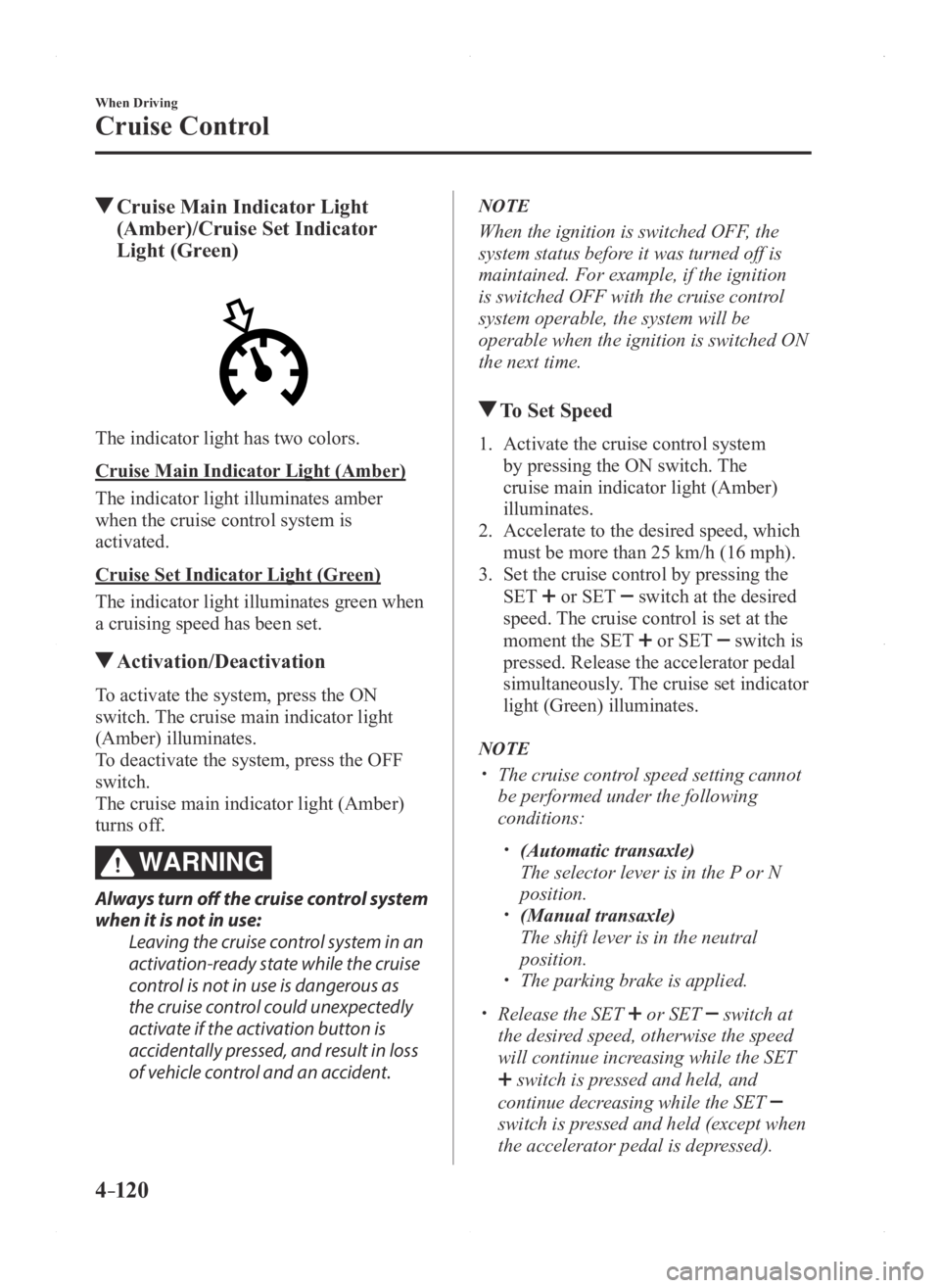
Cruise Main Indicator Light
(Amber)/Cruise Set Indicator
Light (Green)
The indicator light has two colors.
Cruise Main Indicator Light (Amber)
The indicator light illuminates amber
when the cruise control system is
activated.
Cruise Set Indicator Light (Green)
The indicator light illuminates green when
a cruising speed has been set.
Activation/Deactivation
To activate the system, press the ON
switch. The cruise main indicator light
(Amber) illuminates.
To deactivate the system, press the OFF
switch.
The cruise main indicator light (Amber)
turns off.
WARNING
Always turn off the cruise control system
when it is not in use:
Leaving the cruise control system in an
activation-ready state while the cruise
control is not in use is dangerous as
the cruise control could unexpectedly
activate if the activation button is
accidentally pressed, and result in loss
of vehicle control and an accident.
NOTE
When the ignition is switched OFF, the
system status before it was turned off is
maintained. For example, if the ignition
is switched OFF with the cruise control
system operable, the system will be
operable when the ignition is switched ON
the next time.
To Set Speed
1. Activate the cruise control system
by pressing the ON switch. The
cruise main indicator light (Amber)
illuminates.
2. Accelerate to the desired speed, which
must be more than 25 km/h (16 mph).
3. Set the cruise control by pressing the
SET or SET switch at the desired
speed. The cruise control is set at the
moment the SET
or SET switch is
pressed. Release the accelerator pedal
simultaneously. The cruise set indicator
light (Green) illuminates.
NOTE
The cruise contr ol speed setting cannot
be performed under the following
conditions:
(Automatic transaxle)
The selector lever is in the P or N
position. (Manual transaxle)
The shift lever is in the neutral
position. The parking brake is applied.
Release the SET or SET switch at
the desired speed, otherwise the speed
will continue increasing while the SET
switch is pressed and held, and
continue decreasing while the SET
switch is pressed and held (except when
the accelerator pedal is depressed).
Mazda3_8FA4-EA-15G_Edition1.indb 1202015/05/11 14:01:10
Page 251 of 598
 monitors the air pressure of all\
four tires. If
the ai")
4–123
When Driving
Tire Pressure Monitoring System
*Some models.
Tire Pressure Monitoring System*
The Tire Pressure Monitoring System (TPMS) monitors the air pressure of all\
four tires. If
the air pressure of one or more tires is too low, the system warns the driver by indicating the
tire pressure monitoring system warning light in the instrument cluster \
and operating a beep
sound. The system monitors the tire pressures indirectly using the data sent from the ABS
wheel speed sensors.
To allow the system to operate correctly, the system needs to be initialized with the specified
tire pressure (value on the tire pressure label). Follow the procedure\
and perform the
initialization.
Refer to Tire Pressure Monitoring System Initialization on page 4-126.
The warning light flashes when the system has a malfunction.
Refer to Warning Lights on page 4-21.
ABS wheel speed sensor
Mazda3_8FA4-EA-15G_Edition1.indb 1232015/05/11 14:01:11
Page 253 of 598
4–125
When Driving
Tire Pressure Monitoring System
NOTE
Because this system detects slight changes in tire conditions, the timing of the warning may
be faster or slower in the following cases:
The size, manufacturer, or the type of tires is different from the specification. The size, manufacturer, or the type of a tire is different from the others, or the level of tire
wear is excessively different between them. A run-flat tire, studless tire, snow tire, or tire chains are used. An emergency tire is used (The tire pressure monitoring system warning light may flash
and then continue illuminating). A tire is repaired using the emergency flat tire repair kit. The tire pressure is excessively higher than the specified pressure, or the tire pressure is
suddenly lowered for some reason such as a tire burst during driving. The vehicle speed is lower than about 15 km/h (9.3 mph) (including wh\
en the vehicle is
stopped), or the drive period is shorter than 5 minutes. The vehicle is driven on an extr emely rough road or a slippery, icy road. Hard steering and rapid acceleration/deceleration are repeated such as during aggressive
driving on a winding road. Load on the vehicle is applied to a tir e such as by loading heavy luggage to one side of
the vehicle. System initialization has not been implemented with the specifie d tire pressure.
Mazda3_8FA4-EA-15G_Edition1.indb 1252015/05/11 14:01:11
Page 254 of 598
4–126
When Driving
Tire Pressure Monitoring System
Tire Pressure Monitoring System
Initialization
In the following cases, system
initialization must be performed so that the
system operates normally.
A tire pressure is adjusted. Tire rotation is performed. A tire or wheel is replaced. The battery is replaced or completely
drained. The tire pressure monitoring system
warning light is illuminated.
Initialization method
1. Park the car in a safe place and firmly
apply the parking brake.
2. Let the tires cool, then adjust the tire
pressure of all four (4) tires to the
specified pressure indicated on the tire
pressure label located on the driver's
door frame (door open).
Refer to Tires on page 9-10.
3. Switch the ignition ON.
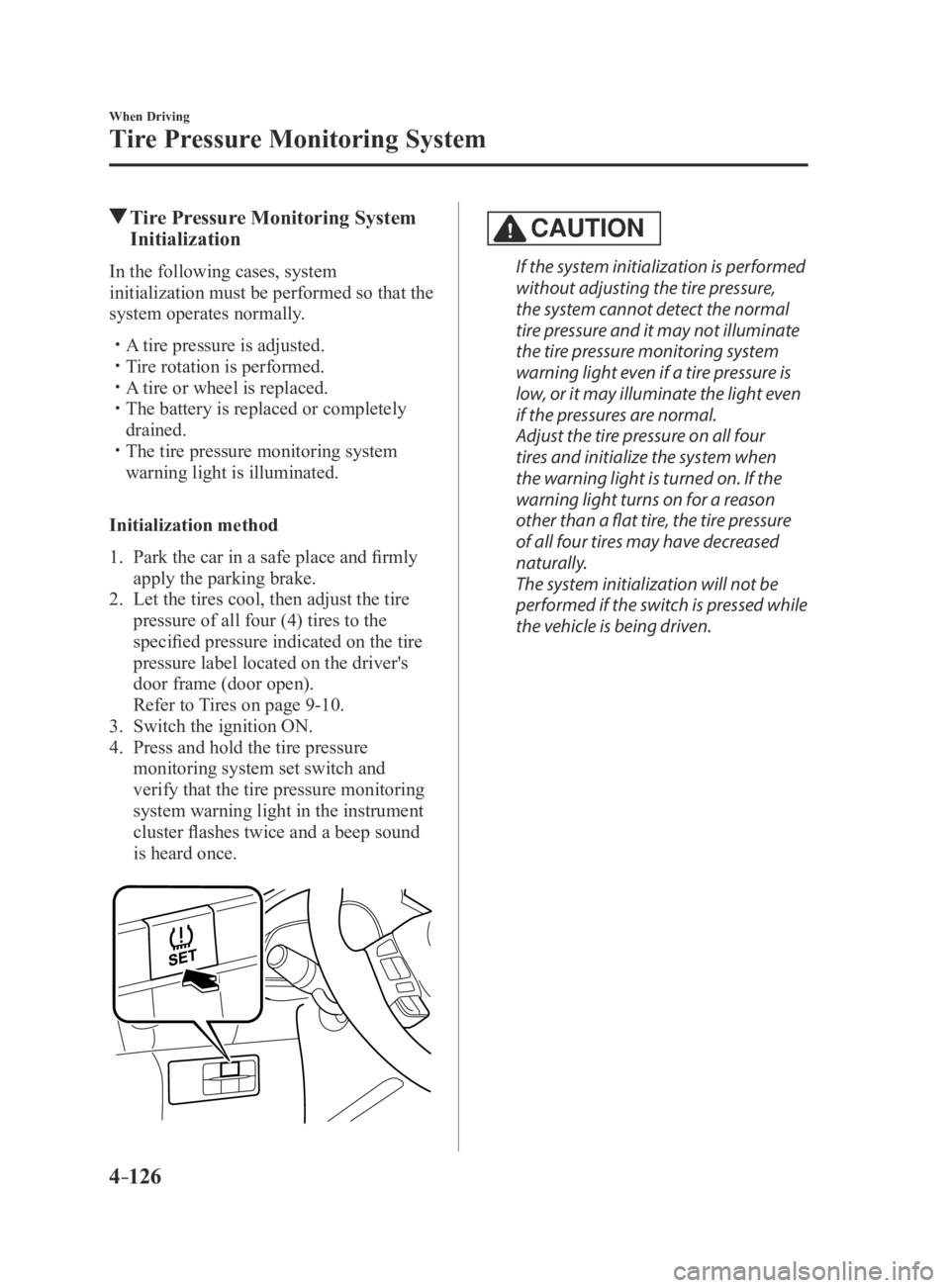
4. Press and hold the tire pressure
monitoring system set switch and
verify that the tire pressure monitoring
system warning light in the instrument
cluster flashes twice and a beep sound
is heard once.
CAUTION
If the system initialization is performed
without adjusting the tire pressure,
the system cannot detect the normal
tire pressure and it may not illuminate
the tire pressure monitoring system
warning light even if a tire pressure is
low, or it may illuminate the light even
if the pressures are normal.
Adjust the tire pressure on all four
tires and initialize the system when
the warning light is turned on. If the
warning light turns on for a reason
other than a flat tire, the tire pressure
of all four tires may have decreased
naturally.
The system initialization will not be
performed if the switch is pressed while
the vehicle is being driven.
Mazda3_8FA4-EA-15G_Edition3.indb 1262015/12/04 19:23:30
Page 255 of 598

4–127
When Driving
Rear View Monitor
*Some models.
Rear View Monitor*
The rear view monitor provides visual images of the rear of the vehicle \
when reversing.
WARNING
Always drive carefully confirming the safety of the rear and the surrounding conditions
by looking directly with your eyes:Reversing the vehicle by only looking at the screen is dangerous as it may cause an
accident or a collision with an object. The rear view monitor is only a visual assist device
when reversing the vehicle. The images on the screen may be different from the actual
conditions.
CAUTION
Do not use the rear view monitor under the following conditions: Using the rear view
monitor under the following conditions is dangerous and could result in injury or vehicle
damage or both.
Icy or snow-covered roads. Tire chains or a temporary spare tire is installed. The liftgate/trunk lid is not fully closed. The vehicle is on a road incline.
When the display is cold, images may course across the monitor or the screen and may be
dimmer than usual, which could cause difficulty in confirming the surrounding conditions
of the vehicle. Always drive carefully confirming the safety of the rear and the surrounding
conditions by looking directly with your eyes.
Do not apply excessive force to the camera. The camera position and angle may deviate. Do not disassemble, modify, or remove it as it may no longer be waterproof. The camera cover is made of plastic. Do not apply degreasing agents, organic solvents,
wax, or glass coating agents to the camera cover. If any are spilled on the cover, wipe off
with a soft cloth immediately.
Do not rub the camera cover forcefully with an abrasive or hard brush. The camera cover or
lens may be scratched which might affect the images.
Mazda3_8FA4-EA-15G_Edition1.indb 1272015/05/11 14:01:12
Page 262 of 598

4–134
When Driving
Rear View Monitor
Three-dimensional object on vehicle rear
Because the distance guide lines are displayed based on a flat surface, the distance to the
three-dimensional object displayed on the screen is different from the actual distance.
A
A
C B
CB
(Actual distance) B>C=A
Sensed distance on screen A>B>C (Screen display)
(Actual condition)
Picture Quality Adjustment
WARNING
Always adjust the picture quality of the rear view monitor while the vehicle is stopped:
Do not adjust the picture quality of the rear view monitor while driving the vehicle.
Adjusting the picture quality of the rear view monitor such as brightness, contrast, color,
and tint while driving the vehicle is dangerous as it could distract your attention from the
vehicle operation which could lead to an accident.
Picture quality adjustment can be done while the shift lever is in reverse (R).
There are four settings which can be adjusted including, brightness, con\
trast, tint, and color.
When adjusting, pay sufficient attention to the vehicle surroundings.
1. Select the icon on the screen to display the tabs.
2. Select the desired tab item.
3. Adjust the brightness, contrast, tint, and color using the slider .
If you need to reset, press the reset button.
4. Select the icon on the screen to close the tab.
Mazda3_8FA4-EA-15G_Edition1.indb 1342015/05/11 14:01:14