buttons MAZDA MODEL 3 5-DOOR 2017 User Guide
[x] Cancel search | Manufacturer: MAZDA, Model Year: 2017, Model line: MODEL 3 5-DOOR, Model: MAZDA MODEL 3 5-DOOR 2017Pages: 612
Page 340 of 612
5–48
Interior Features
Audio System
Selection from channel list
Receivable channels can be displayed on
the channel list screen. You can easily
select the channel you want to listen
from the list. Each category can be also
displayed.
1. Select the icon to display the
channel list.
2. Select a desired channel.
(Select from category list)
1. Select the icon to display the
channel list.
2. Select to display the category
list.
3. Select a desired category .
Parental lock
If a channel is locked, the channel is
muted.
To use the parental lock function, the PIN
code must be initialized first.
By using the session lock, the parental
lock can be enabled or disabled during the
current drive cycle (from when the ignition
is switched on to switched off). When
the session lock is on, the parental lock is
available. When the session lock is off, the
parental lock is temporarily cancelled.
When canceling the parental lock or
session lock, or when changing the PIN
code, PIN code input is required. PIN code reset
If the registered code has been forgotten,
reset the code to the default [0000] code.
1. Select the icon.
2. If the selected channel is locked, input
the PIN code to cancel the parental lock
temporarily.
3. Select .
4. Input the default code [0000] using the
number buttons.
5. Select .
6. Input the new PIN code using the
number buttons.
7. Select .
Mazda3_8FL6-EA-16F_Edition2.indb 482016/08/10 17:37:43
Page 368 of 612
5–76
Interior Features
Bluetooth®
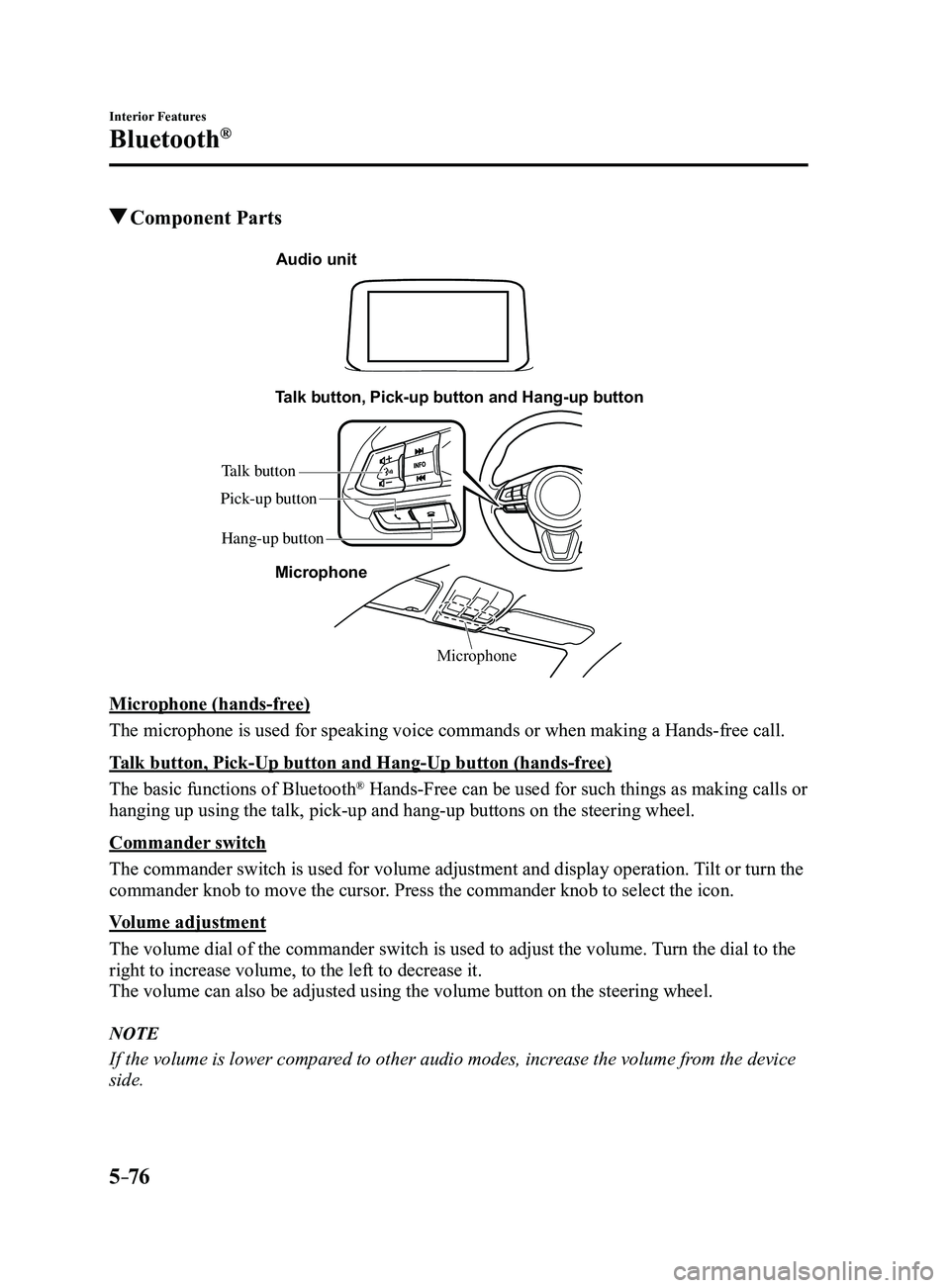
Component Parts
Microphone
Talk button, Pick-up button and Hang-up button
Microphone
Audio unit
Talk button
Hang-up button
Pick-up button
Microphone (hands-free)
The microphone is used for speaking voice commands or when making a Hand\
s-free call.
Talk button, Pick-Up button and Hang-Up button (hands-free)
The basic functions of Bluetooth
® Hands-Free can be used for such things as making calls or
hanging up using the talk, pick-up and hang-up buttons on the steering w\
heel.
Commander switch
The commander switch is used for volume adjustment and display operation\
. Tilt or turn the
commander knob to move the cursor. Press the commander knob to select the icon.
Volume adjustment
The volume dial of the commander switch is used to adjust the volume. Turn the dial to the
right to increase volume, to the left to decrease it.
The volume can also be adjusted using the volume button on the steering \
wheel.
NOTE
If the volume is lower compared to other audio modes, increase the volume from the device
side.
Mazda3_8FL6-EA-16F_Edition2.indb 762016/08/10 17:37:58
Page 450 of 612
6–38
Maintenance and Care
Owner Maintenance
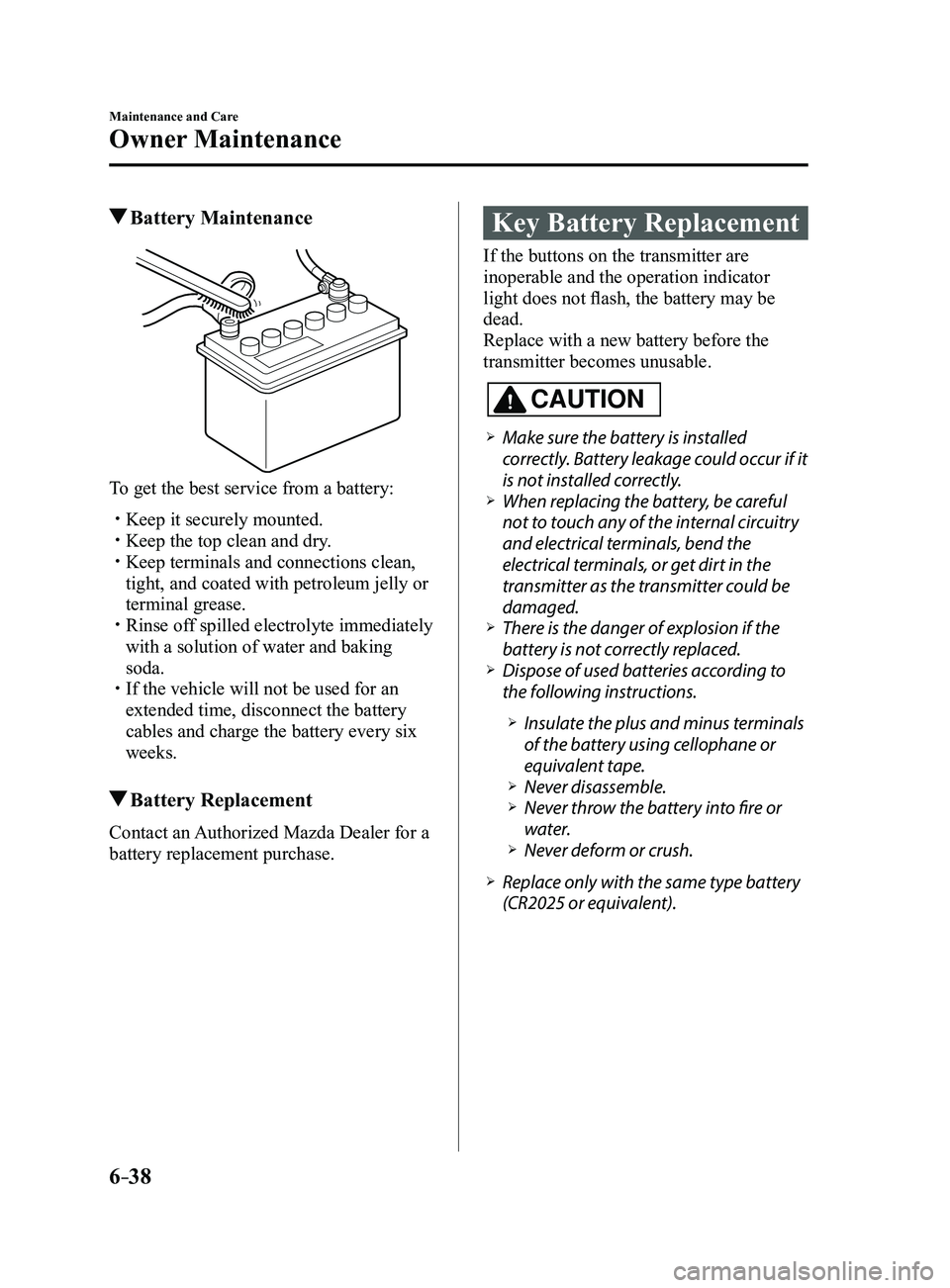
Battery Maintenance
To get the best service from a battery:
Keep it securely mounted. Keep the top clean and dry. Keep terminals and connections clean,
tight, and coated with petroleum jelly or
terminal grease.
Rinse off spilled electrolyte immediately
with a solution of water and baking
soda.
If the vehicle will not be used for an
extended time, disconnect the battery
cables and charge the battery every six
weeks.
Battery Replacement
Contact an Authorized Mazda Dealer for a
battery replacement purchase.
Key Battery Replacement
If the buttons on the transmitter are
inoperable and the operation indicator
light does not flash, the battery may be
dead.
Replace with a new battery before the
transmitter becomes unusable.
CAUTION
Make sure the battery is installed
correctly. Battery leakage could occur if it
is not installed correctly.
When replacing the battery, be careful
not to touch any of the internal circuitry
and electrical terminals, bend the
electrical terminals, or get dirt in the
transmitter as the transmitter could be
damaged.
There is the danger of explosion if the
battery is not correctly replaced. Dispose of used batteries according to
the following instructions.
Insulate the plus and minus terminals
of the battery using cellophane or
equivalent tape.
Never disassemble. Never throw the battery into fire or
water. Never deform or crush.
Replace only with the same type battery
(CR2025 or equivalent).
Mazda3_8FL6-EA-16F_Edition2.indb 382016/08/10 17:38:45
Page 451 of 612
6–39
Maintenance and Care
Owner Maintenance
The following conditions indicate that the
battery power is low:
The KEY indicator light (green) flashes
in the instrument cluster for about 30
seconds after the engine is turned off.
The system does not operate and
the operation indicator light on the
transmitter does not flash when the
buttons are pressed.
The system's operational range is
reduced.
Replacing the battery at an Authorized
Mazda Dealer is recommended to prevent
damage to the key. If replacing the battery
by yourself, follow the instruction.
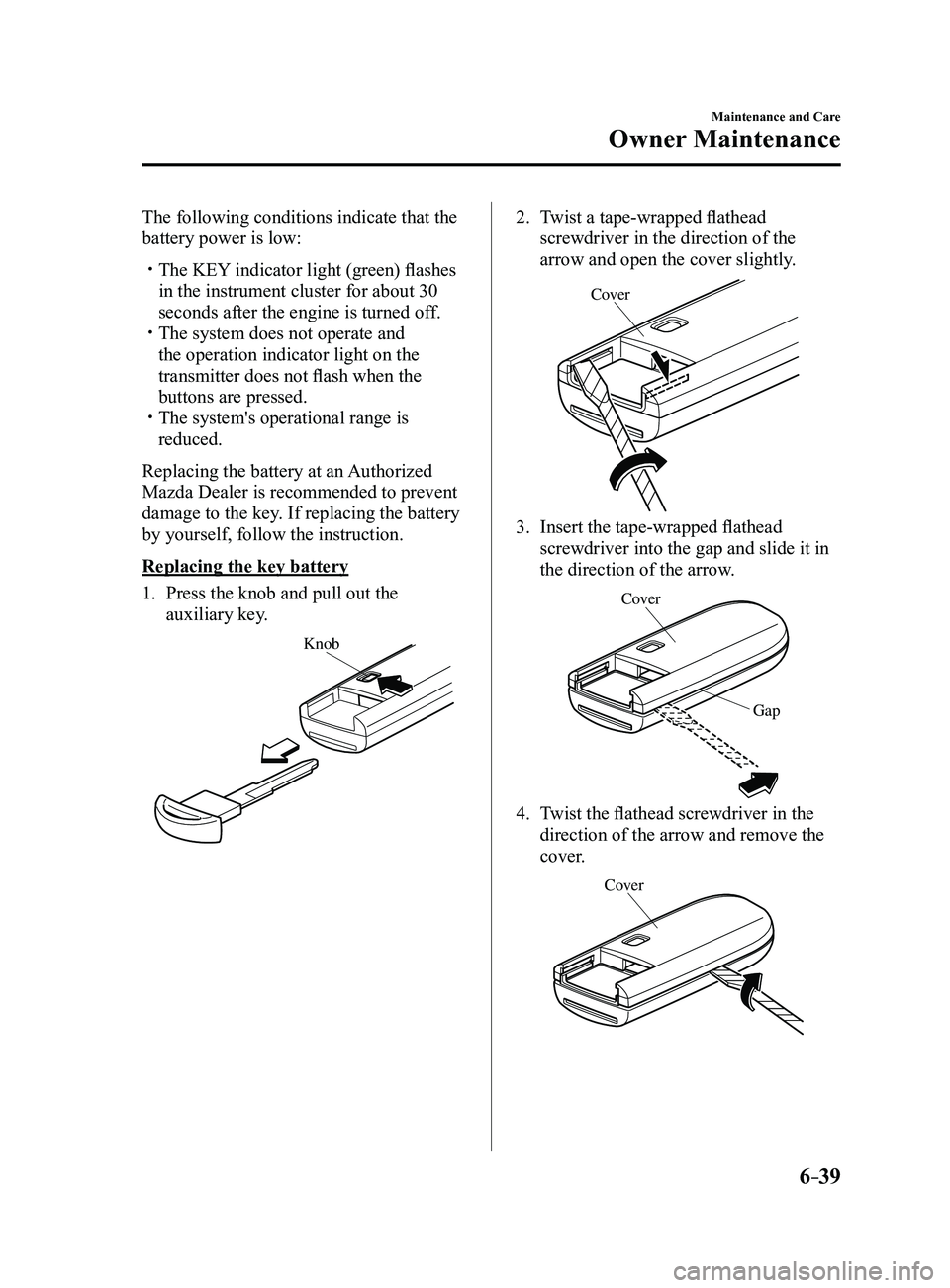
Replacing the key battery
1. Press the knob and pull out the
auxiliary key.
Knob
2. Twist a tape-wrapped flathead
screwdriver in the direction of the
arrow and open the cover slightly.
Cove r
3. Insert the tape-wrapped flathead
screwdriver into the gap and slide it in
the direction of the arrow.
Cover
Gap
4. Twist the flathead screwdriver in the
direction of the arrow and remove the
cover.
Cover
Mazda3_8FL6-EA-16F_Edition2.indb 392016/08/10 17:38:46