buttons MAZDA MODEL 3 5-DOOR 2017 Owners Manual
[x] Cancel search | Manufacturer: MAZDA, Model Year: 2017, Model line: MODEL 3 5-DOOR, Model: MAZDA MODEL 3 5-DOOR 2017Pages: 612
Page 79 of 612
3–3
Before Driving
Keys
A code number is stamped on the plate
attached to the key set; detach this plate
and store it in a safe place (not in the
vehicle) for use if you need to make a
replacement key (auxiliary key).
Also write down the code number and
keep it in a separate safe and convenient
place, but not in the vehicle.
If your key (auxiliary key) is lost, consult
your Authorized Mazda Dealer and have
your code number ready.
NOTE
The driver must carry the key to ensure the
system functions properly.
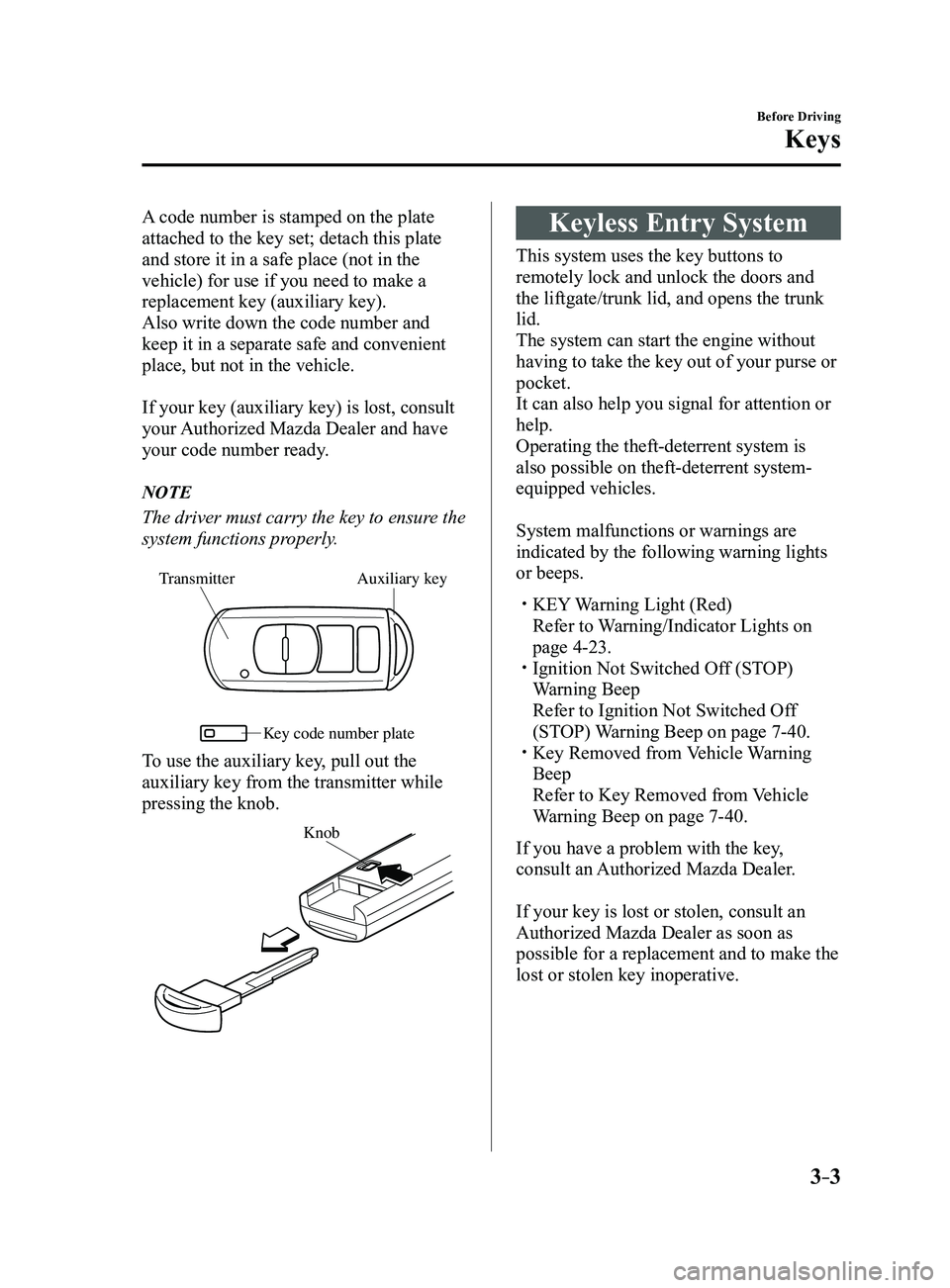
Auxiliary key
Transmitter
Ke y code number plate
To use the auxiliary key, pull out the
auxiliary key from the transmitter while
pressing the knob.
Knob
Keyless Entry System
This system uses the key buttons to
remotely lock and unlock the doors and
the liftgate/trunk lid, and opens the trunk
lid.
The system can start the engine without
having to take the key out of your purse or
pocket.
It can also help you signal for attention or
help.
Operating the theft-deterrent system is
also possible on theft-deterrent system-
equipped vehicles.
System malfunctions or warnings are
indicated by the following warning lights
or beeps.
KEY Warning Light (Red)
Refer to Warning/Indicator Lights on
page 4-23. Ignition Not Switched Of f (STOP)
Warning Beep
Refer to Ignition Not Switched Of f
(STOP) Warning Beep on page 7-40. Key Removed from Vehicle Warning
Beep
Refer to Key Removed from Vehicle
Warning Beep on page 7-40.
If you have a problem with the key,
consult an Authorized Mazda Dealer.
If your key is lost or stolen, consult an
Authorized Mazda Dealer as soon as
possible for a replacement and to make the
lost or stolen key inoperative.
Mazda3_8FL6-EA-16F_Edition2.indb 32016/08/10 17:35:16
Page 81 of 612
3–5
Before Driving
Keys
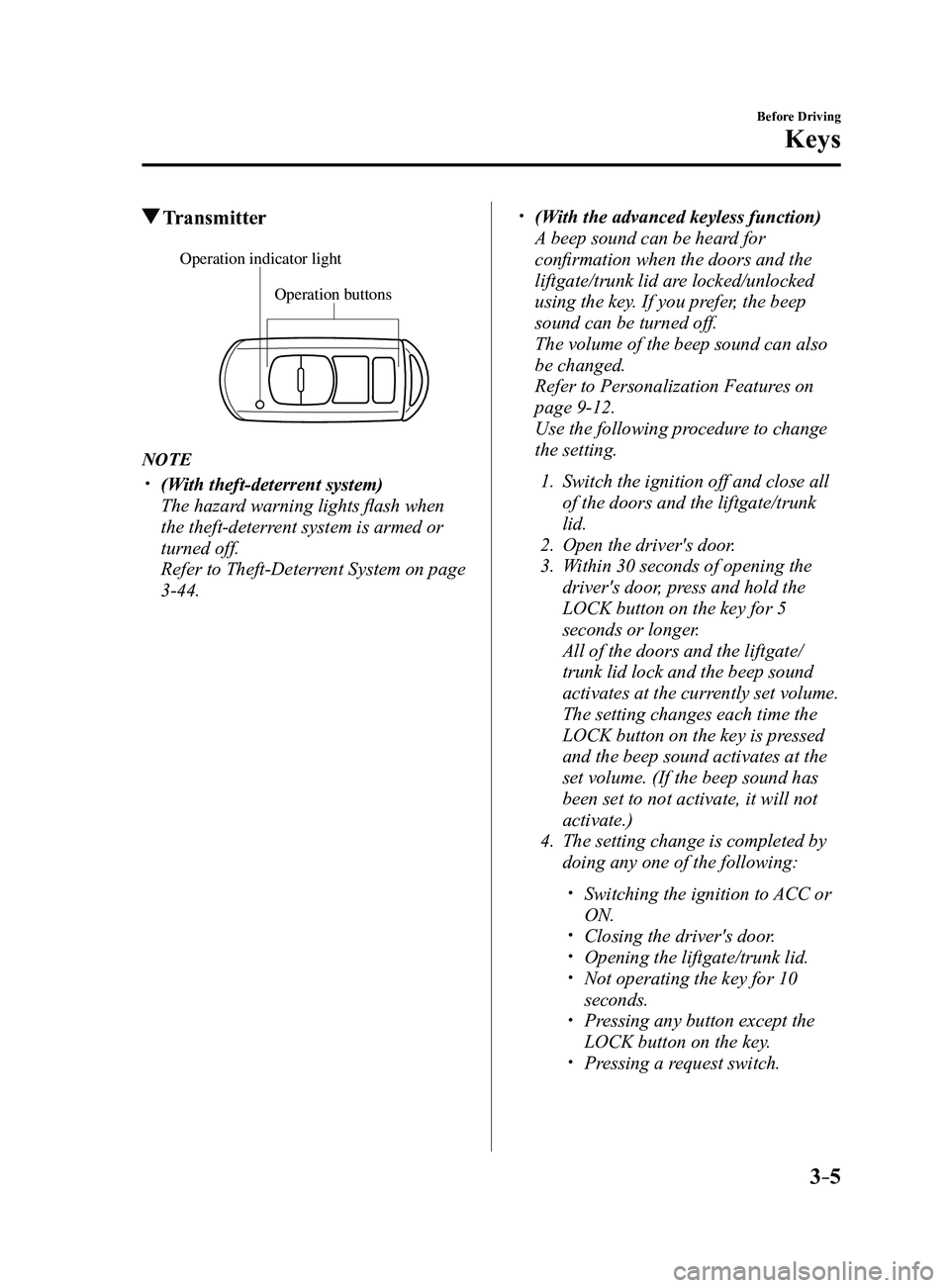
Transmitter
Operation buttons
Operation indicator light
NOTE
(With theft-deterrent system)
The hazard warning lights flash when
the theft-deterrent system is armed or
turned off.
Refer to Theft-Deterrent System on page
3-44.
(With the advanced keyless function)
A beep sound can be heard for
confirmation when the doors and the
liftgate/trunk lid are locked/unlocked
using the key. If you prefer, the beep
sound can be turned off.
The volume of the beep sound can also
be changed.
Refer to Personalization Featur es on
page 9-12.
Use the following procedure to change
the setting.
1. Switch the ignition off and close all
of the doors and the liftgate/trunk
lid.
2. Open the driver's door .
3. Within 30 seconds of opening the
driver's door, press and hold the
LOCK button on the key for 5
seconds or longer.
All of the doors and the liftgate/
trunk lid lock and the beep sound
activates at the currently set volume.
The setting changes each time the
LOCK button on the key is pressed
and the beep sound activates at the
set volume. (If the beep sound has
been set to not activate, it will not
activate.)
4. The setting change is completed by
doing any one of the following:
Switching the ignition to ACC or
ON. Closing the driver's door. Opening the liftgate/trunk lid. Not operating the key for 10
seconds. Pressing any button except the
LOCK button on the key. Pressing a request switch.
Mazda3_8FL6-EA-16F_Edition2.indb 52016/08/10 17:35:17
Page 82 of 612
3–6
Before Driving
Keys
The operation indicator light flashes when
the buttons are pressed.
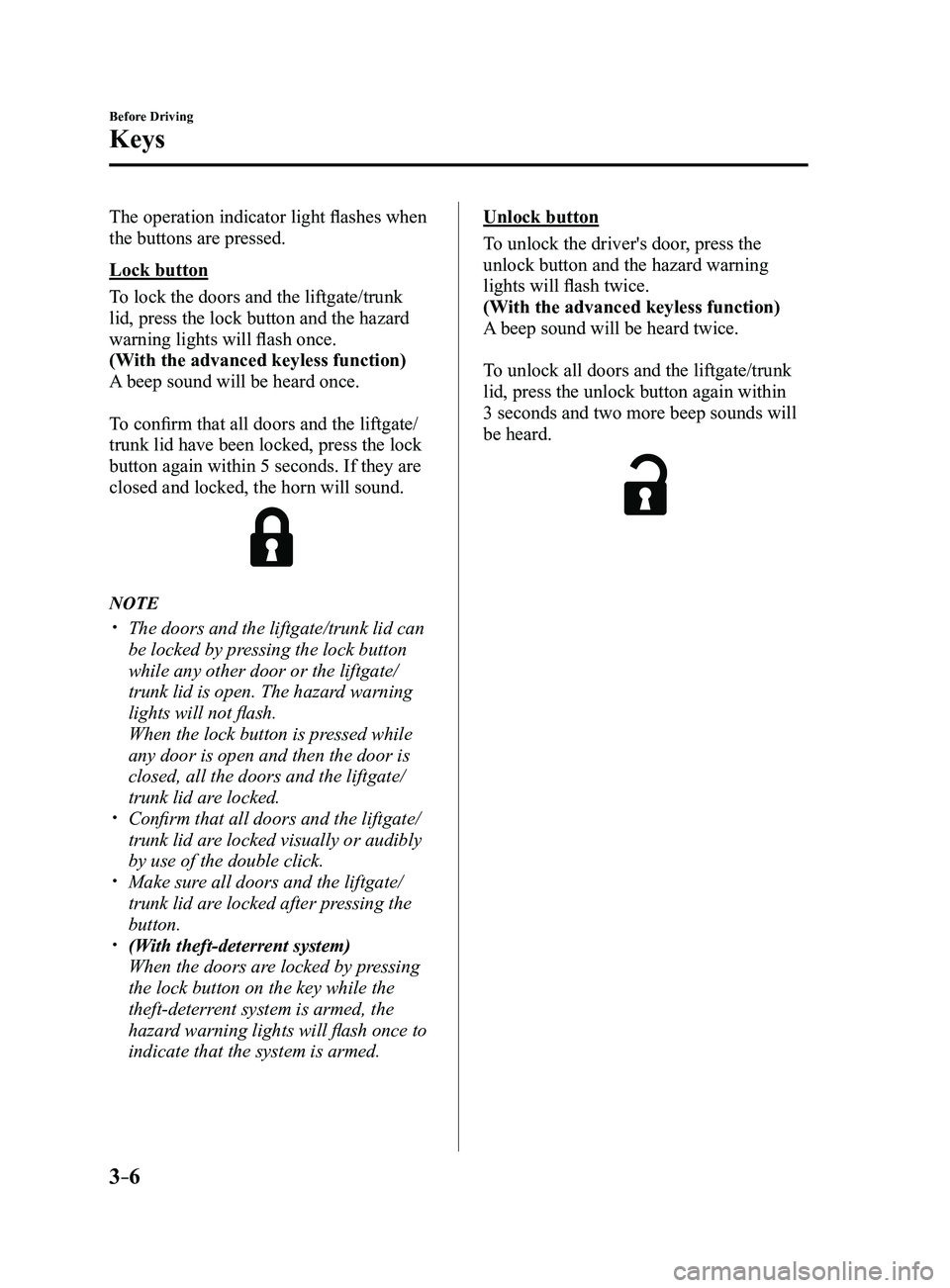
Lock button
To lock the doors and the liftgate/trunk
lid, press the lock button and the hazard
warning lights will flash once.
(With the advanced keyless function)
A beep sound will be heard once.
To confirm that all doors and the liftgate/
trunk lid have been locked, press the lock
button again within 5 seconds. If they are
closed and locked, the horn will sound.
NOTE
The doors and the liftgate/trunk lid can
be locked by pressing the lock button
while any other door or the liftgate/
trunk lid is open. The hazard warning
lights will not flash.
When the lock button is pressed while
any door is open and then the door is
closed, all the doors and the liftgate/
trunk lid are locked.
Confirm that all doors and the liftgate/
trunk lid are locked visually or audibly
by use of the double click.
Make sure all doors and the liftgate/
trunk lid are locked after pressing the
button.
(With theft-deterrent system)
When the doors are locked by pressing
the lock button on the key while the
theft-deterrent system is armed, the
hazard warning lights will flash once to
indicate that the system is armed.
Unlock button
To unlock the driver's door, press the
unlock button and the hazard warning
lights will flash twice.
(With the advanced keyless function)
A beep sound will be heard twice.
To unlock all doors and the liftgate/trunk
lid, press the unlock button again within
3 seconds and two more beep sounds will
be heard.
Mazda3_8FL6-EA-16F_Edition2.indb 62016/08/10 17:35:17
Page 112 of 612
3–36
Before Driving
Mirrors
(Without Homelink wireless control
system)
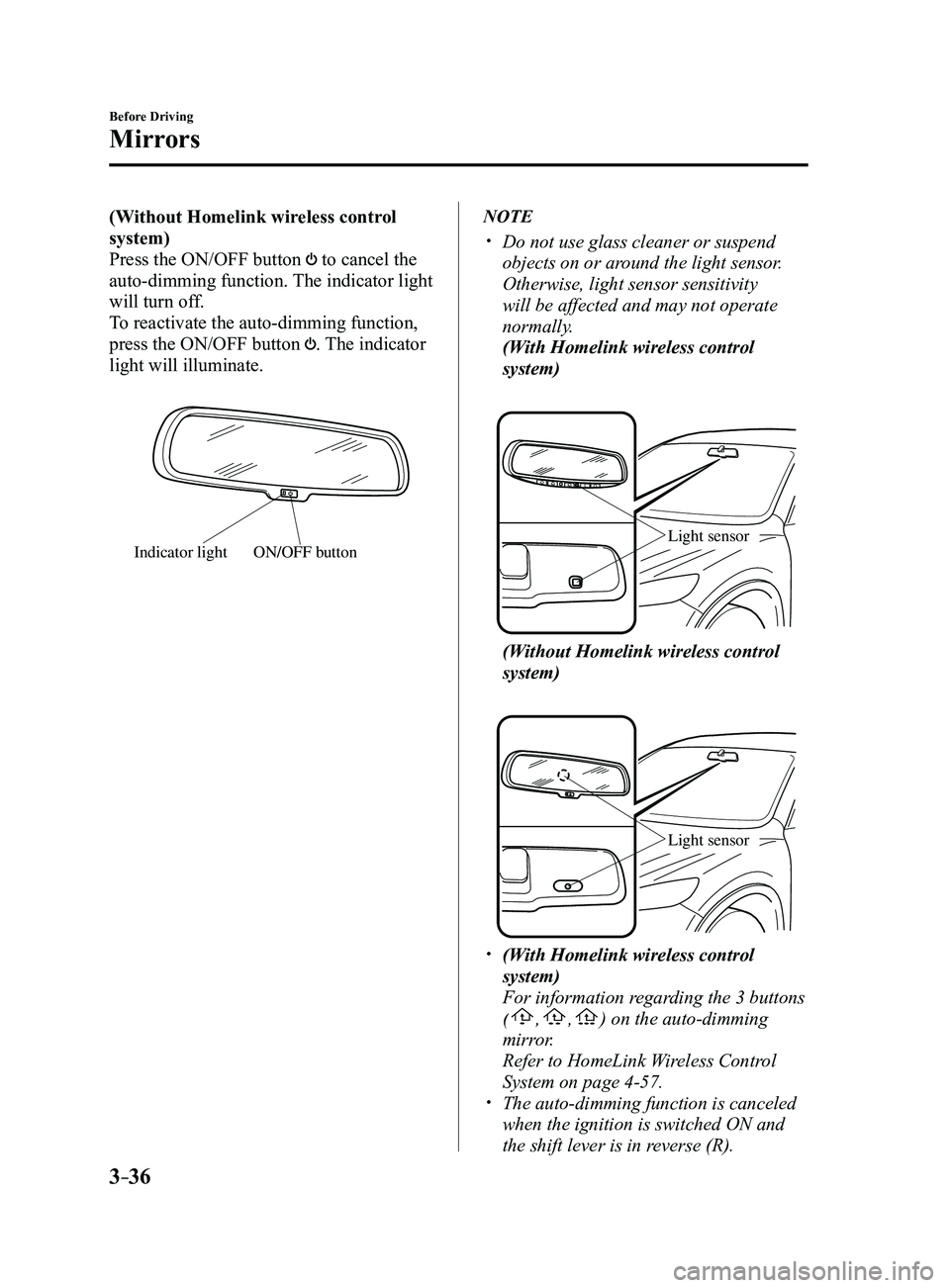
Press the ON/OFF button
to cancel the
auto-dimming function. The indicator light
will turn off.
To reactivate the auto-dimming function,
press the ON/OFF button
. The indicator
light will illuminate.
ON/OFF buttonIndicator light
NOTE
Do not use glass cleaner or suspend
objects on or around the light sensor.
Otherwise, light sensor sensitivity
will be affected and may not operate
normally.
(With Homelink wireless control
system)
Light sensor
(Without Homelink wireless control
system)
Light sensor
(With Homelink wireless control
system)
For information regarding the 3 buttons
(,,) on the auto-dimming
mirror.
Refer to HomeLink W ireless Control
System on page 4-57. The auto-dimming function is canceled
when the ignition is switched ON and
the shift lever is in reverse (R).
Mazda3_8FL6-EA-16F_Edition2.indb 362016/08/10 17:35:33
Page 188 of 612
4–58
When Driving
Switches and Controls
Pre-programming the HomeLink
System
NOTE
It is recommended that a new battery be
placed in the hand-held transmitter of the
device being programmed to HomeLink
for quicker training and accurate
transmission of the radio-frequency signal.
Verify that there is a remote control
transmitter available for the device you
would like to program.
Disconnect the power to the device.
Programming the HomeLink
System
CAUTION
When programming a garage door
opener or a gate, disconnect the power
to these devices before performing
programming. Continuous operation
of the devices could damage the
motor.
The HomeLink system provides 3 buttons
which can be individually selected and
programmed using the transmitters for
current, on-market devices as follows:
1. Disconnect the power to the garage
door opener or gate programmed to the
hand-held transmitter.
2. Position the end of your hand-held
transmitter 2.5—7.5 cm (1—3 inches)
away from the HomeLink button you
wish to program while keeping the
indicator light in view.
3. Simultaneously press and hold both
the chosen HomeLink and hand-held
transmitter buttons. Do not release
the buttons until step 3 has been
completed.
NOTE
Some gate operators and garage door
openers may require you to replace this
Programming Step 2 with procedures
noted in the “Gate Operator/Canadian
Programming” section.
4. After the HomeLink indicator light
changes from a slow to a rapidly
blinking light, release both the
HomeLink and hand-held transmitter
buttons.
NOTE
If the HomeLink indicator light does not
change to a rapidly blinking light, contact
HomeLink at www.homelink.com or call
1-800-355-3515 for assistance.
5. Connect the power to the garage door
opener or gate programmed to the
hand-held transmitter.
6. Firmly press and hold the programmed
HomeLink button for five seconds,
and then release it. Perform this
operation two times to activate the door
or gate. If the door or gate does not
activate, press and hold the just-trained
HomeLink button and observe the
indicator light.
If the indicator light stays on
constantly, programming is complete
and your device should activate when
the HomeLink button is pressed and
released.
Mazda3_8FL6-EA-16F_Edition2.indb 582016/08/10 17:36:24
Page 189 of 612
4–59
When Driving
Switches and Controls
NOTE
To program the remaining two HomeLink
buttons, begin with “Programming”—
step 1
If the indicator light blinks rapidly
for two seconds and then turns
to a constant light, continue with
“Programming” steps 7—9 to
complete the programming of a rolling
code equipped device (most commonly
a garage door opener).
7. At the garage door opener receiver
(motor-head unit) in the garage, locate
the “learn” or “smart” button. This can
usually be found where the hanging
antenna wire is attached to the motor-
head unit.
8. Firmly press and release the “learn” or
“smart” button. (The name and color of
the button may vary by manufacturer.)
NOTE
Complete the programming within 30
seconds.
9. Return to the vehicle and firmly press,
hold for two seconds and release the
programmed HomeLink button. Repeat
the “ press/hold/release” sequence a
second time, and, depending on the
brand of the garage door opener (or
other rolling code equipped device),
repeat this sequence a third time to
complete the programming process.
HomeLink should now activate your
rolling code equipped device.
NOTE
To program the remaining two HomeLink
buttons, begin with “Programming”—
step 1
For questions or comments, please contact
HomeLink at www.homelink.com or 1-
800-355-3515.
Gate operator/Canadian
Programming
Canadian radio-frequency laws require
transmitter signals to “time-out” (or quit)
after several seconds of transmission
— which may not be long enough for
HomeLink to pick up the signal during
programming. Similar to this Canadian
law, some U.S. gate operators are designed
to “time-out” in the same manner.
If you live in Canada or you are having
difficulties programming a gate operator
by using the “Programming” procedures
(regardless of where you live), replace
“Programming HomeLink” step 3 with
the following:
NOTE
If programming a garage door opener or
gate operator, it is advised to unplug the
device during the “cycling” process to
prevent possible overheating.
Continue to press and hold the HomeLink
button while you press and release
— every two seconds (“cycle”) your
hand-held transmitter until the frequency
signal has successfully been accepted by
HomeLink. (The indicator light will flash
slowly and then rapidly.)
Proceed with “Programming” step 4 to
complete.
Mazda3_8FL6-EA-16F_Edition2.indb 592016/08/10 17:36:25
Page 190 of 612
4–60
When Driving
Switches and Controls
Operating the HomeLink System
Press the programmed HomeLink button
to operate a programmed device. The
code will continue being transmitted for a
maximum of 20 seconds.
Reprogramming the HomeLink
system
To program a device to HomeLink using
a HomeLink button previously trained,
follow these steps:
1. Press and hold the desired HomeLink
button. DO NOT release the button.
2. The indicator light will begin to flash
after 20 seconds. Without releasing
the HomeLink button, proceed with
“Programming” - step 1.
Erasing Programmed HomeLink
Buttons
To erase the existing programming from
all three operating channels, press and
hold the two outside buttons (
, ) on
the auto-dimming mirror until the
HomeLink indicator light begins to flash
after approximately 10 seconds.
Verify that the programming has been
erased when you resell the vehicle.
Mazda3_8FL6-EA-16F_Edition2.indb 602016/08/10 17:36:25
Page 324 of 612
5–32
Interior Features
Audio System
Operating the Radio
Band selector button
Channel preset buttons
Scan button Auto memory button
Tuning button
Audio display
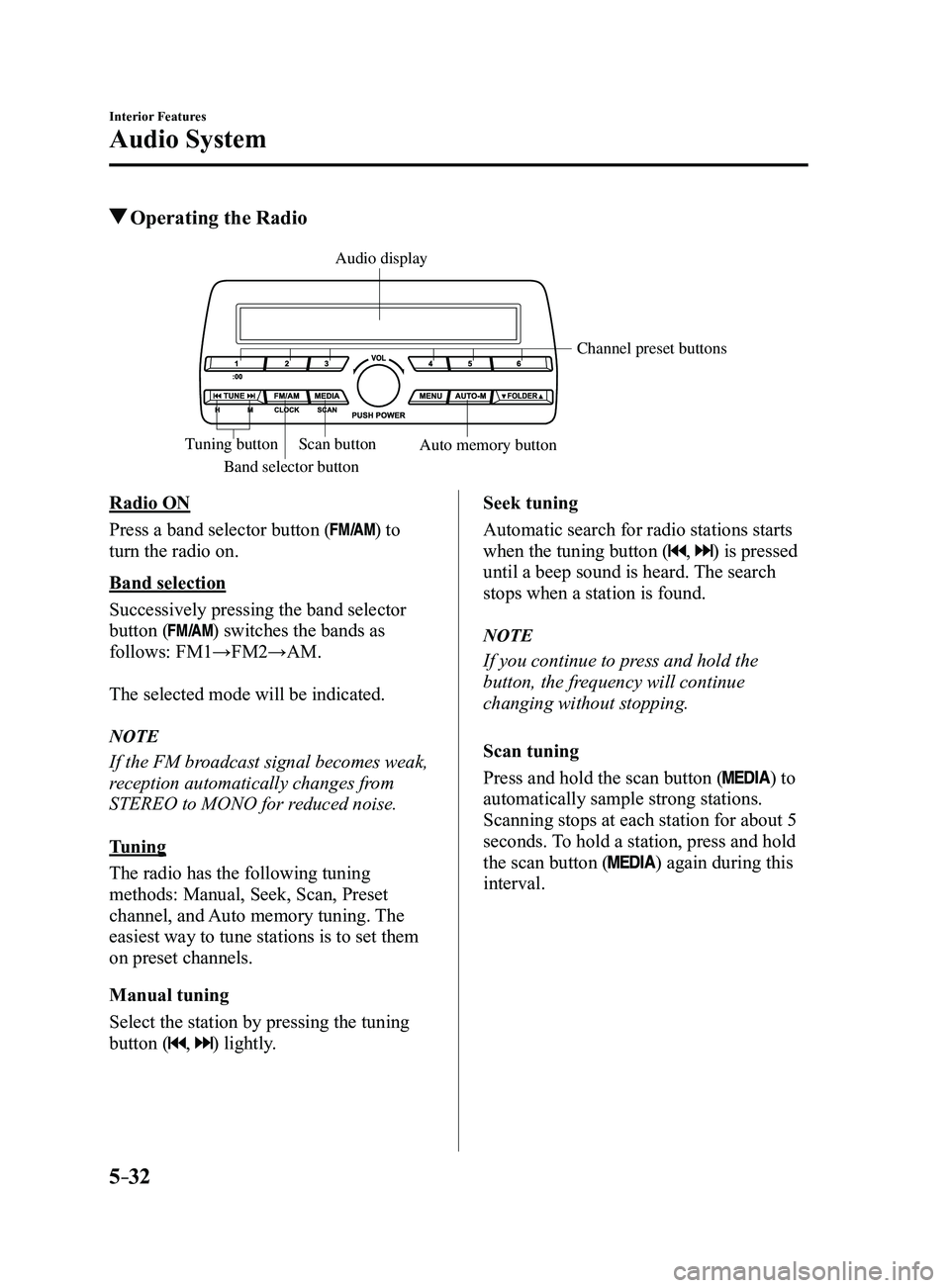
Radio ON
Press a band selector button (
) to
turn the radio on.
Band selection
Successively pressing the band selector
button (
) switches the bands as
follows: FM1→FM2→AM.
The selected mode will be indicated.
NOTE
If the FM broadcast signal becomes weak,
reception automatically changes from
STEREO to MONO for reduced noise.
Tuning
The radio has the following tuning
methods: Manual, Seek, Scan, Preset
channel, and Auto memory tuning. The
easiest way to tune stations is to set them
on preset channels.
Manual tuning
Select the station by pressing the tuning
button (
, ) lightly. Seek tuning
Automatic search for radio stations starts
when the tuning button (
, ) is pressed
until a beep sound is heard. The search
stops when a station is found.
NOTE
If you continue to press and hold the
button, the frequency will continue
changing without stopping.
Scan tuning
Press and hold the scan button (
) to
automatically sample strong stations.
Scanning stops at each station for about 5
seconds. To hold a station, press and hold
the scan button (
) again during this
interval.
Mazda3_8FL6-EA-16F_Edition2.indb 322016/08/10 17:37:28
Page 326 of 612
![MAZDA MODEL 3 5-DOOR 2017 Owners Manual 5–34
Interior Features
Audio System
Audio set [Type B (touchscreen)]
NOTE
The explanation of functions described in this manual may differ from the actual
operation, and the shapes of screens and b](/img/28/40993/w960_40993-325.png "MAZDA MODEL 3 5-DOOR 2017 Owners Manual 5–34
Interior Features
Audio System
Audio set [Type B (touchscreen)]
NOTE
The explanation of functions described in this manual may differ from the actual
operation, and the shapes of screens and b")
5–34
Interior Features
Audio System
Audio set [Type B (touchscreen)]
NOTE
The explanation of functions described in this manual may differ from the actual
operation, and the shapes of screens and buttons and the letters and cha\
racters displayed
may also differ from the actual appearance.
Additionally, depending on future software updates, the content may successively cha\
nge
without notice.
Audio Set (Type B) has three different human interfaces.
Commander switch Touch panel Voice recognition with steering switch and microphone
Commander switch operation
NOTE
For safety reasons, some operations are disabled while the vehicle is being driven.
Volume dial operation
Volume dial
Press the volume dial to switch the audio MUTE on and off.
Turn the volume dial to adjust the volume. The volume increases by turning the dial
clockwise, and decreases by turning it counterclockwise.
Mazda3_8FL6-EA-16F_Edition2.indb 342016/08/10 17:37:29
Page 338 of 612
5–46
Interior Features
Audio System
Commercial-free music from nearly
every genre —rock to pop, hip-hop to
country, jazz, classical and more. Plus
live performances and artist-dedicated
channels.
Live sports Play-by-Play & Expert Talk
—every NFL game, every NASCAR
®
race, 24/7 sports talk, college sports and
more.
Exclusive entertainment, comedy and
talk —The biggest names, compelling
talk, hilarious comedy.
World-class news plus local traffic and
weather.
Sign up for SiriusXM Satellite Radio
today!
NOTE
To listen to SiriusXM, a prior
subscription (fee-based) is required. The channels which you can r eceive
depend on the package you subscribe
to.
Satellite radio is broadcast as Sirius,
XM, and SiriusXM in the U.S.A.,
and Sirius and XM in Canada. In
this owner’s manual, only the name
SiriusXM is used.
For traffic and weather channels, map
information is not displayed and only
audio broadcasts can be received.
Call 877-447-0011 (U.S.A.)/
877-209-0079 (Canada) to activate.
For more information, visit www.
siriusxm.com (U.S.A.)/www.siriusxm.
ca (Canada). Satellite radio is only
available in regions providing satellite
radio service (some areas of the United
States and Canada). Contact Authorized
Mazda Dealer for details.
How to Activate Satellite Radio
You must call SiriusXM to activate your
service. Activation is free and takes only a
few minutes.
New customers can receive a free
introductory subscription with a limited
term trial offer by calling 877-447-0011
(U.S.A.)/877-209-0079 (Canada) to
activate.
SiriusXM service uses an ID code to
identify your radio. This code is needed to
activate SiriusXM service, and report any
problems.
Please have the following information
ready:
Radio ID (8-digit electronic serial No.)
Refer to Displaying the Radio ID (ESN) Valid credit card information (may not
be required at initial sign-up)
Be sure you are parked outside with a clear
view of open sky, you will be instructed
to turn on your radio (in SiriusXM mode
and tuned to channel 184 (Sirius)/1 (XM
and SiriusXM)). Activation typically takes
only 2—5 minutes.
Displaying the Radio ID (ESN)
When channel 0 is selected, the radio ID is
displayed. Use the PREVIOUS or NEXT
channel buttons to select channel 0.
Mazda3_8FL6-EA-16F_Edition2.indb 462016/08/10 17:37:41