change time MAZDA MODEL 3 5-DOOR 2017 Owner's Manual
[x] Cancel search | Manufacturer: MAZDA, Model Year: 2017, Model line: MODEL 3 5-DOOR, Model: MAZDA MODEL 3 5-DOOR 2017Pages: 612
Page 242 of 612
4–112
When Driving
i-ACTIVSENSE
Changing the Set Vehicle Speed
Changing the set vehicle speed using the
SET switch
Press the SET
switch to accelerate.
Press the SET
switch to decelerate.
The set vehicle speed changes as follows
each time the SET switch is pressed.
Short press 1km/h (1 mph)
Long press 10 km/h (5 mph)
NOTE
For example, the set vehicle speed is
changed by pressing the SET switch four
times as follows:
The vehicle speed accelerates or
decelerates by 4 km/h (4 mph).
To accelerate using the accelerator
pedal
Depress the accelerator pedal and press
and release the SET
or SET switch at
the desired speed. If a switch cannot be
operated, the system returns to the set
speed when you release your foot from the
accelerator pedal.
CAUTION
The warnings and brake control do not
operate while the accelerator pedal is
depressed.
NOTE
When accelerating using the SET
switch while in headway control, the set
vehicle speed can be adjusted but
acceleration is not possible. If there is
no longer a vehicle ahead, acceleration
continues until reaching the set vehicle
speed. Check the set vehicle speed by
viewing the set vehicle speed display in
the active driving display.
When depressing the accelerator pedal,
the inter-vehicle distance display in the
active driving display changes to the
white-line display.
The minimum settable speed is 30 km/h
(19 mph). If the set vehicle speed
reaches 30 km/h (19 mph) using the
switch operation, constant speed travel
is maintained at about 30 km/h (19
mph) even if the SET
switch is
pressed. The Mazda Radar Cruise
Control (MRCC) system is not canceled.
To Deactivate
The Mazda Radar Cruise Control (MRCC)
is deactivated when the OFF/CAN switch
is pressed twice.
When the system is temporarily
canceled
In the following cases, the Mazda Radar
Cruise Control (MRCC) is temporarily
canceled, the Mazda Radar Cruise Control
(MRCC) set indication (green) is turned
off, and the Mazda Radar Cruise Control
(MRCC) main indication (white) is turned
on.
The OFF/CAN switch is pressed once. The brake pedal is depressed. The parking brake is applied.
Mazda3_8FL6-EA-16F_Edition2.indb 1122016/08/10 17:36:50
Page 249 of 612
 line, the system determines that")
4–119
When Driving
i-ACTIVSENSE
If the steering wheel, accelerator pedal, or brake pedal is operated abr\
uptly and the vehicle
moves close to a white (yellow) line, the system determines that the d\
river is making a lane
change and the Lane-keep Assist System (LAS) & Lane Departure Warning System (LDWS)
operation is temporarily canceled. The Lane-keep Assist System (LAS) & Lane Departure
Warning System (LDWS) becomes operational again when the system detects\
white (yellow)
lane lines while the vehicle is being driven normally within its vehicle\
lane.
If the vehicle deviates from its lane repeatedly within a short period of time, the Lane-
keep Assist System (LAS) & Lane Departure Warning System (LDWS) may not operate. When white (yellow) lane lines ar e not detected, the Lane-keep Assist System (LAS) &
Lane Departure Warning System (LDWS) does not operate. Under the following conditions, the Lane-keep Assist System (LAS) & Lane Departure
Warning System (LDWS) may not be able to detect white (yellow) lane l\
ines correctly and
it may not operate normally.
If an object placed on the dashboard is reflected in the windshield and picked up by the
camera. Heavy luggage is loaded in the luggage compartment or on the r ear seat and the
vehicle is tilted. The tire pressures are not adjusted to the specified pressure. Tires other than conventional tires are equipped. When the vehicle is driven on the guiding branch to or from the rest area or tollgate of
a highway. The white (yellow) lane lines are less visible because of dirt or fading/patchiness. A vehicle in front of your vehicle is running near a white (yellow) lane line making \
it
less visible. A white (yellow) lane line is less visible because of bad weather (rai\
n, fog, or snow). The vehicle is driven on a temporary lane or section with a closed lane \
resulting from
construction where there may be multiple white (yellow) lane lines or they are interrupted.
A misleading line is picked up on the road such as a temporary line for construction,
or because of shade, lingering snow, or grooves filled with water. The surrounding brightness suddenly changes such as when entering or exiting a t\
unnel. The illumination of the headlights is weakened because of dirt or the op\
tical axis is
deviated. The windshield is dirty or foggy . The windshield, camera is fogged (water dr oplets). Back-light is reflected off the road surface. The road surface is wet and shiny after rain, or there are puddles on the road. The shade of a guar drail parallel to a white (yellow) lane line is cast on the road. The width of the driving lane is narr ow (less than about 2.5 m (98 in)) or wide (more
than about 4.5 m (178 in)) Driving on roads with tight curves. The road is excessively uneven. The vehicle is shaken after hitting a r oad bump. There are two or more adjacent white (yellow) lane lines. There are various road markings or lane markings of various shapes near an intersection.
Mazda3_8FL6-EA-16F_Edition2.indb 1192016/08/10 17:36:52
Page 255 of 612
4–125
When Driving
i-ACTIVSENSE
(Auto cancel of warnings)
When the following operations are performed, the Lane-keep Assist System (LAS) &
Lane Departure Warning System (LDWS) determines that the driver intends to make a
lane change and the system operation is canceled automatically. The Lane-keep Assist
System (LAS) & Lane Departure Warning System (LDWS) resumes automatically after the
operation.
The steering wheel is operated abruptly. The brake pedal is depressed. The accelerator pedal is depressed.
(To cancel the automatic sensitivity cancel function, deselect “Warning sensitivity” in the
personalization features setting.) The turn signal lever is operated. The vehicle crosses a lane line.
System Canceling
When the Lane-keep Assist System
(LAS) & Lane Departure Warning System
(LDWS) is turned off, press the Lane-keep
Assist System (LAS) & Lane Departure
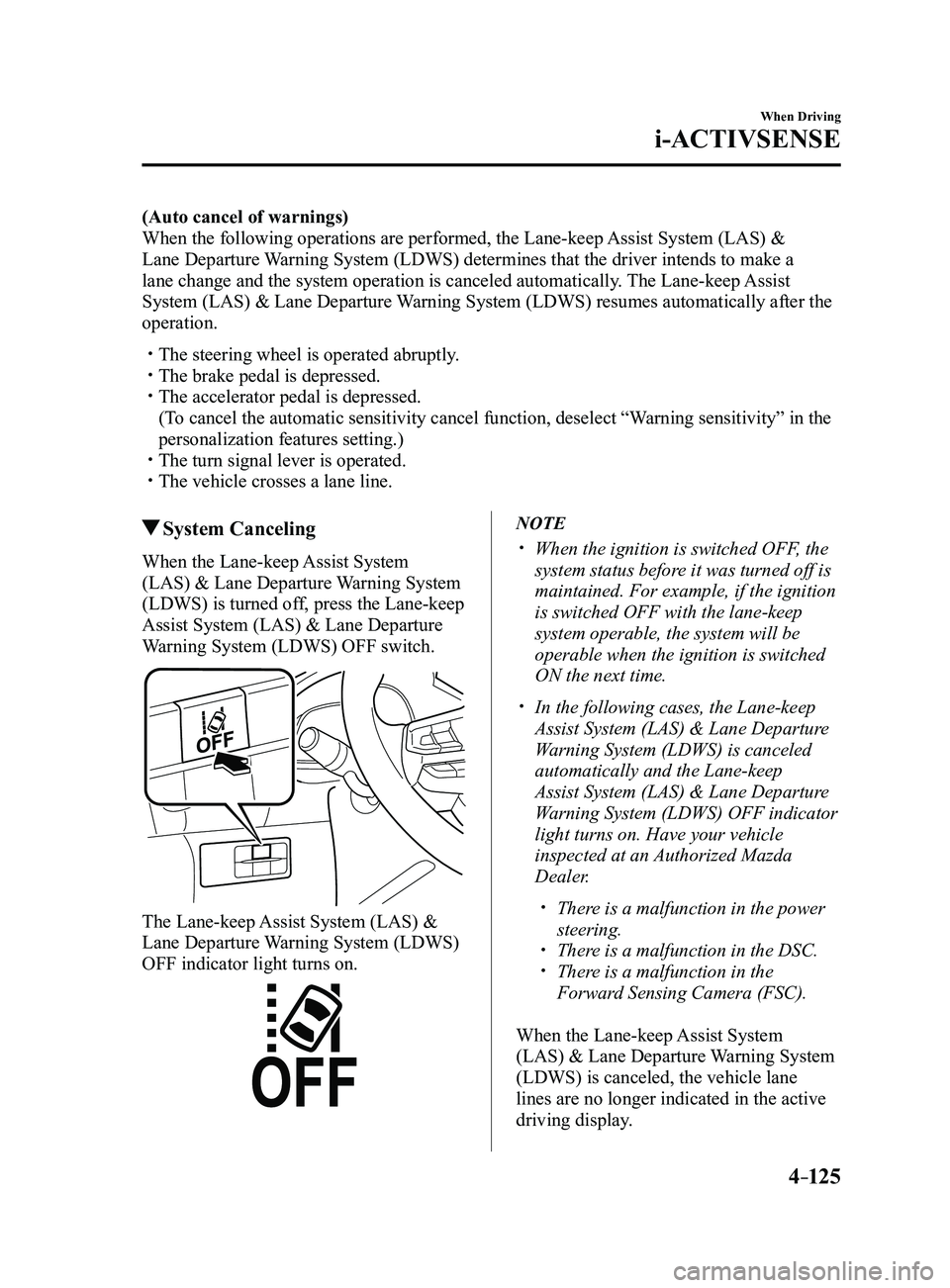
Warning System (LDWS) OFF switch.
The Lane-keep Assist System (LAS) &
Lane Departure Warning System (LDWS)
OFF indicator light turns on.
NOTE
When the ignition is switched OFF, the
system status before it was turned off is
maintained. For example, if the ignition
is switched OFF with the lane-keep
system operable, the system will be
operable when the ignition is switched
ON the next time.
In the following cases, the Lane-keep
Assist System (LAS) & Lane Departure
Warning System (LDWS) is canceled
automatically and the Lane-keep
Assist System (LAS) & Lane Departure
Warning System (LDWS) OFF indicator
light turns on. Have your vehicle
inspected at an Authorized Mazda
Dealer.
There is a malfunction in the power
steering. There is a malfunction in the DSC. There is a malfunction in the
Forward Sensing Camera (FSC).
When the Lane-keep Assist System
(LAS) & Lane Departure Warning System
(LDWS) is canceled, the vehicle lane
lines are no longer indicated in the active
driving display.
Mazda3_8FL6-EA-16F_Edition2.indb 1252016/08/10 17:36:54
Page 261 of 612
4–131
When Driving
i-ACTIVSENSE
Smart City Brake Support (SCBS)
Indicator Light (Red)
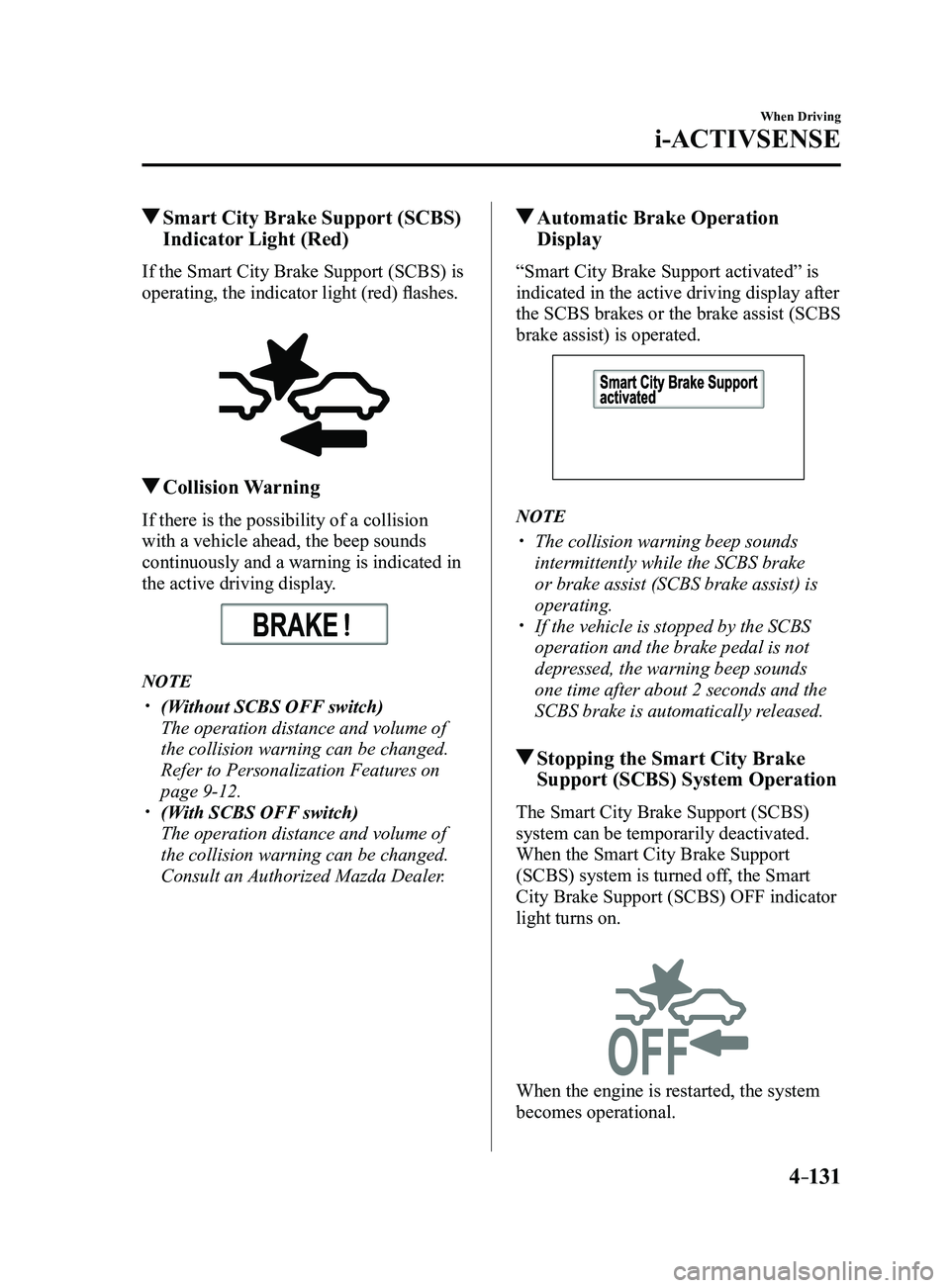
If the Smart City Brake Support (SCBS) is
operating, the indicator light (red) flashes.
Collision Warning
If there is the possibility of a collision
with a vehicle ahead, the beep sounds
continuously and a warning is indicated in
the active driving display.
NOTE
(Without SCBS OFF switch)
The operation distance and volume of
the collision warning can be changed.
Refer to Personalization Features on
page 9-12. (With SCBS OFF switch)
The operation distance and volume of
the collision warning can be changed.
Consult an Authorized Mazda Dealer.
Automatic Brake Operation
Display
“Smart City Brake Support activated” is
indicated in the active driving display after
the SCBS brakes or the brake assist (SCBS
brake assist) is operated.
NOTE
The collision warning beep sounds
intermittently while the SCBS brake
or brake assist (SCBS brake assist) is
operating.
If the vehicle is stopped by the SCBS
operation and the brake pedal is not
depressed, the warning beep sounds
one time after about 2 seconds and the
SCBS brake is automatically released.
Stopping the Smart City Brake
Support (SCBS) System Operation
The Smart City Brake Support (SCBS)
system can be temporarily deactivated.
When the Smart City Brake Support
(SCBS) system is turned off, the Smart
City Brake Support (SCBS) OFF indicator
light turns on.
When the engine is restarted, the system
becomes operational.
Mazda3_8FL6-EA-16F_Edition2.indb 1312016/08/10 17:36:57
Page 269 of 612
4–139
When Driving
i-ACTIVSENSE
In the following cases, the Forward Sensing Camera (FSC) may not be able to detect
target objects correctly.
Under bad weather condition, such as rain, fog and snow . The window washer is being used or the windshield wipers ar e not used when it's
raining. Ice, fog, snow, frost, rainfall, dirt, or foreign matter such as a plastic bag is stuck on
the windshield. Trucks with low loading platforms and vehicles with an extremely low or high profile. When driving next to walls with no patterning (including fences and lon\
gitudinally
striped walls). The taillights of the vehicle ahead ar e turned off. A vehicle is outside the illumination range of the headlights. The vehicle is making a sharp turn, or ascending or descending a steep s\
lope. Entering or exiting a tunnel. Heavy luggage is loaded causing the vehicle to tilt. Strong light is shone at the front of the vehicle (back light or high-beam light from on-
coming vehicles). There are many light emitters on the vehicle ahead. When the vehicle ahead is not equipped with taillights or the taillights\
ar e turned off at
nighttime. Elongated luggage or cargo is loaded onto installed roof rails and covers the Forward
Sensing Camera (FSC). Exhaust gas from the vehicle in front, sand, snow, and water vapor rising from
manholes and grating, and water splashed into the air. When towing a malfunctioning vehicle. The vehicle is driven with tir es having significantly different wear. The vehicle is driven on down slopes or bumpy r oads. There are water puddles on the road. The surroundings are dark such as during the night, early evening, or early morning,
or in a tunnel or indoor parking lot. The illumination brightness of the headlights is r educed or the headlight illumination
is weakened due to dirt or a deviated optical axis. The target object enters the blind spot of the Forward Sensing Camera (FSC). A person or object bursts onto the road from the shoulder or cuts right in front of you. You change lanes and approach a vehicle ahead. When driving extremely close to the target object. Tire chains or a temporary spare tire is installed. The vehicle ahead has a special shape. For example, a vehicle towing a t\
railer house
or a boat, or a vehicle carrier carrying a vehicle with its front pointed rearward.
Mazda3_8FL6-EA-16F_Edition2.indb 1392016/08/10 17:36:59
Page 272 of 612
4–142
When Driving
i-ACTIVSENSE
CAUTION
Heed the following precautions to assure correct operation of each system.
Do not adhere stickers (including transparent stickers) to the surface of the radiator
grille and front emblem in and around the radar sensor (front), and do not replace
the radiator grille and front emblem with any product that is not a genuine product
designed for use with the radar sensor (front).
The radar sensor (front) includes a function for detecting soiling of the radar sensor's
front surface and informing the driver, however, depending on the conditions, it may
require time to detect or it may not detect plastic shopping bags, ice or snow. If this
occurs, the system may not operate correctly, therefore always keep the radar sensor
(front) clean.
Do not install a grille guard. If the front part of the vehicle has been damaged in a vehicle accident, the position of
the radar sensor (front) may have moved. Stop the system immediately and always
have the vehicle inspected at an Authorized Mazda Dealer.
Do not use the front bumper to push other vehicles or obstructions such as when
pulling out of a parking space. Otherwise, the radar sensor (front) could be hit and its
position deviated.
Do not remove, disassemble, or modify the radar sensor (front). For repairs, replacement or paint work around the radar sensor (front), consult an
Authorized Mazda Dealer. Do not modify the suspension. If the suspension are modified, the vehicle's posture
could change and the radar sensor (front) may not be able to correctly detect a vehicle
ahead or an obstruction.
Mazda3_8FL6-EA-16F_Edition2.indb 1422016/08/10 17:37:00
Page 279 of 612
4–149
When Driving
Cruise Control
To Increase Cruising Speed
Follow either of these procedures.
To increase speed using cruise control
switch
Press the RES/
switch and hold it. Your
vehicle will accelerate. Release the switch
at the desired speed.
Press the RES/
switch and release it
immediately to adjust the preset speed.
Multiple operations will increase the
preset speed according to the number of
times it is operated.
Increasing speed with a single RES/
switch operation
Instrument cluster display for vehicle
speed indicated in km/h: 1 km/h (0.6 mph)
Instrument cluster display for vehicle
speed indicated in mph: 1 mph (1.6 km/h)
To increase speed using accelerator
pedal
Depress the accelerator pedal to accelerate
to the desired speed. Press the SET
switch and release it immediately.
NOTE
Accelerate if you want to speed up
temporarily when the cruise control is on.
Greater speed will not interfere with or
change the set speed. Take your foot off the
accelerator to return to the set speed.
To Decrease Cruising Speed
Press the SET switch and hold it. The
vehicle will gradually slow.
Release the switch at the desired speed.
Press the SET
switch and release it
immediately to adjust the preset speed.
Multiple operations will decrease the
preset speed according to the number of
times it is operated.
Decreasing speed with a single SET
switch operation
Instrument cluster display for vehicle
speed indicated in km/h: 1 km/h (0.6 mph)
Instrument cluster display for vehicle
speed indicated in mph: 1 mph (1.6 km/h)
To Resume Cruising Speed at
More Than 25 km/h (16 mph)
If some other method besides the OFF/
CAN switch was used to cancel cruising
speed (such as applying the brake pedal)
and the system is still activated, the most
recent set speed will automatically resume
when the RES/
switch is pressed.
If vehicle speed is below 25 km/h (16
mph), increase the vehicle speed up to 25
km/h (16 mph) or more and press the
RES/
switch.
To Temporarily Cancel
To temporarily cancel the system, use one
of these methods:
Slightly depress the brake pedal. (Manual transaxle)
Depress the clutch pedal. Press the OFF/CAN switch.
If the RES/ switch is pressed when the
vehicle speed is 25 km/h (16 mph) or
higher, the system reverts to the previously
set speed.
Mazda3_8FL6-EA-16F_Edition2.indb 1492016/08/10 17:37:03
Page 311 of 612
5–19
Interior Features
Audio System
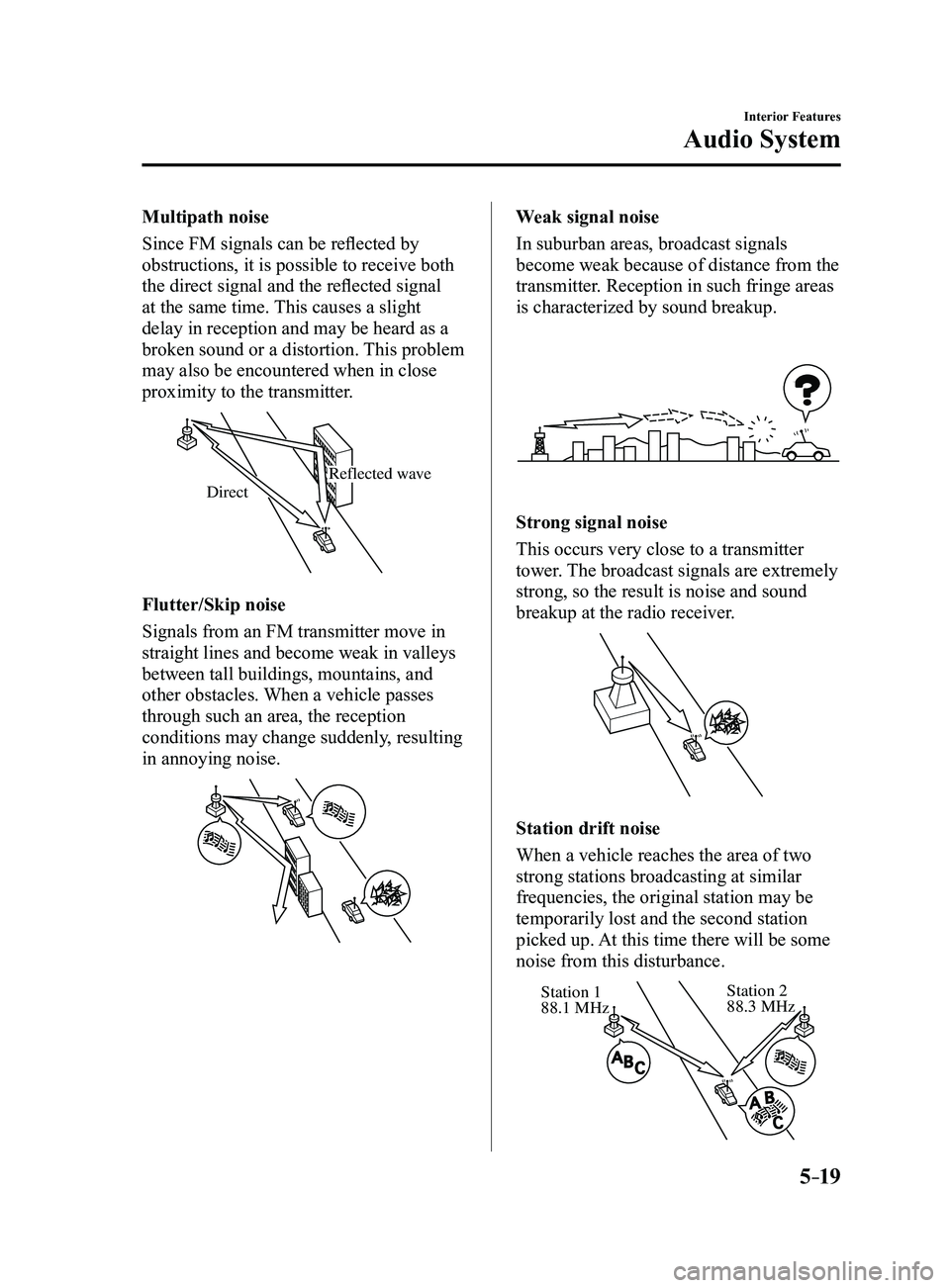
Multipath noise
Since FM signals can be reflected by
obstructions, it is possible to receive both
the direct signal and the reflected signal
at the same time. This causes a slight
delay in reception and may be heard as a
broken sound or a distortion. This problem
may also be encountered when in close
proximity to the transmitter.
Reflected wave
Direct
Flutter/Skip noise
Signals from an FM transmitter move in
straight lines and become weak in valleys
between tall buildings, mountains, and
other obstacles. When a vehicle passes
through such an area, the reception
conditions may change suddenly, resulting
in annoying noise.
Weak signal noise
In suburban areas, broadcast signals
become weak because of distance from the
transmitter. Reception in such fringe areas
is characterized by sound breakup.
Strong signal noise
This occurs very close to a transmitter
tower. The broadcast signals are extremely
strong, so the result is noise and sound
breakup at the radio receiver.
Station drift noise
When a vehicle reaches the area of two
strong stations broadcasting at similar
frequencies, the original station may be
temporarily lost and the second station
picked up. At this time there will be some
noise from this disturbance.
Station 2 88.3 MHzStation 1
88.1 MHz
Mazda3_8FL6-EA-16F_Edition2.indb 192016/08/10 17:37:21
Page 314 of 612
5–22
Interior Features
Audio System
Operating Tips for MP3
MP3 stands for MPEG Audio Layer 3,
which is standardized voice compression
established by the ISO
*1 working group
(MPEG).
Use of MP3 allows for audio data to be
compressed to approximately a tenth of
the source data size.
This unit plays files with the extension
(.mp3) as MP3 files.
*1 International Or ganization for
Standardization
CAUTION
Do not use an audio file extension on
files other than audio files. In addition,
do not change the audio file extension.
Otherwise, the unit will not recognize
the file correctly resulting in noise or a
malfunction.
NOTE
Supply of this product only conveys a
license for private, non-commercial
use and does not convey a license nor
imply any right to use this product in any
commercial (i.e. revenue-generating)
real time broadcasting (terrestrial,
satellite, cable and/or any other media),
broadcasting/streaming via the Internet,
intranets and/or other networks or in other
electronic content distribution systems,
such as pay-audio or audio-on-demand
applications. An independent license for
such use is required. For details, please
visit http://www.mp3licensing.com.
This audio system handles MP3 files
that have been recorded on CD-R/CD-
RW/CD-ROMs.
When naming an MP3 file, be sure to
add an MP3 file extension (.mp3) after
the file name.
The number of characters which can be
displayed is restricted.
Operating Tips for WMA
WMA is short for Windows Media*1 Audio
and is the audio compression format used
by Microsoft
*1.
Audio data can be created and stored at a
higher compression ratio than MP3.
This unit plays files with the extension
(.wma) as WMA files.
*1 Windows Media and Microsoft are
registered trademarks of Microsoft
Corporation U.S. in the United States
and other countries.
CAUTION
Do not use an audio file extension on
files other than audio files. In addition,
do not change the audio file extension.
Otherwise, the unit will not recognize
the file correctly resulting in noise or a
malfunction.
WMA files written under specifications
other than the indicated specification
may not play normally or files or folder
names may not display correctly.
The file extension may not be provided
depending on the computer operating
system, version, software, or settings. In
this case, add the file extension “.wma”
to the end of the file name, and then
write it to the disc/memory.
Mazda3_8FL6-EA-16F_Edition2.indb 222016/08/10 17:37:23
Page 321 of 612
5–29
Interior Features
Audio System
NOTE
If not operated for several seconds, the
display returns to the previous display. To
reset bass, treble, fade, and balance, press
the menu button (
) for 2 seconds.
The unit will beep and “CLEAR” will be
displayed.
ALC (Automatic volume adjustment)
The automatic level control (ALC)
changes the audio volume automatically
according to the vehicle speed. The faster
the vehicle speed, the higher the volume
increases. ALC has ALC OFF and ALC
LEVEL 1 to 7 modes. At ALC LEVEL 7,
the amount that the volume can increase
is at the maximum. Select the mode
according to the driving conditions.
BEEP (Audio operation sound)
The setting for the operation sound when
pressing and holding a button can be
changed. The initial setting is ON. Set to
OFF to mute the operation sound.
12Hr
24Hr (12 Hr/24 Hr time
adjustment)
Rotating the audio control dial switches
the display between 12 and 24-hour clock
time (page
5-30).
Mazda3_8FL6-EA-16F_Edition2.indb 292016/08/10 17:37:26