steering MAZDA MODEL 3 5-DOOR 2017 Owner's Manual
[x] Cancel search | Manufacturer: MAZDA, Model Year: 2017, Model line: MODEL 3 5-DOOR, Model: MAZDA MODEL 3 5-DOOR 2017Pages: 612
Page 247 of 612
4–117
When Driving
i-ACTIVSENSE
*Some models.
Lane-keep Assist System (LAS) & Lane Departure
Warning System (LDWS)*
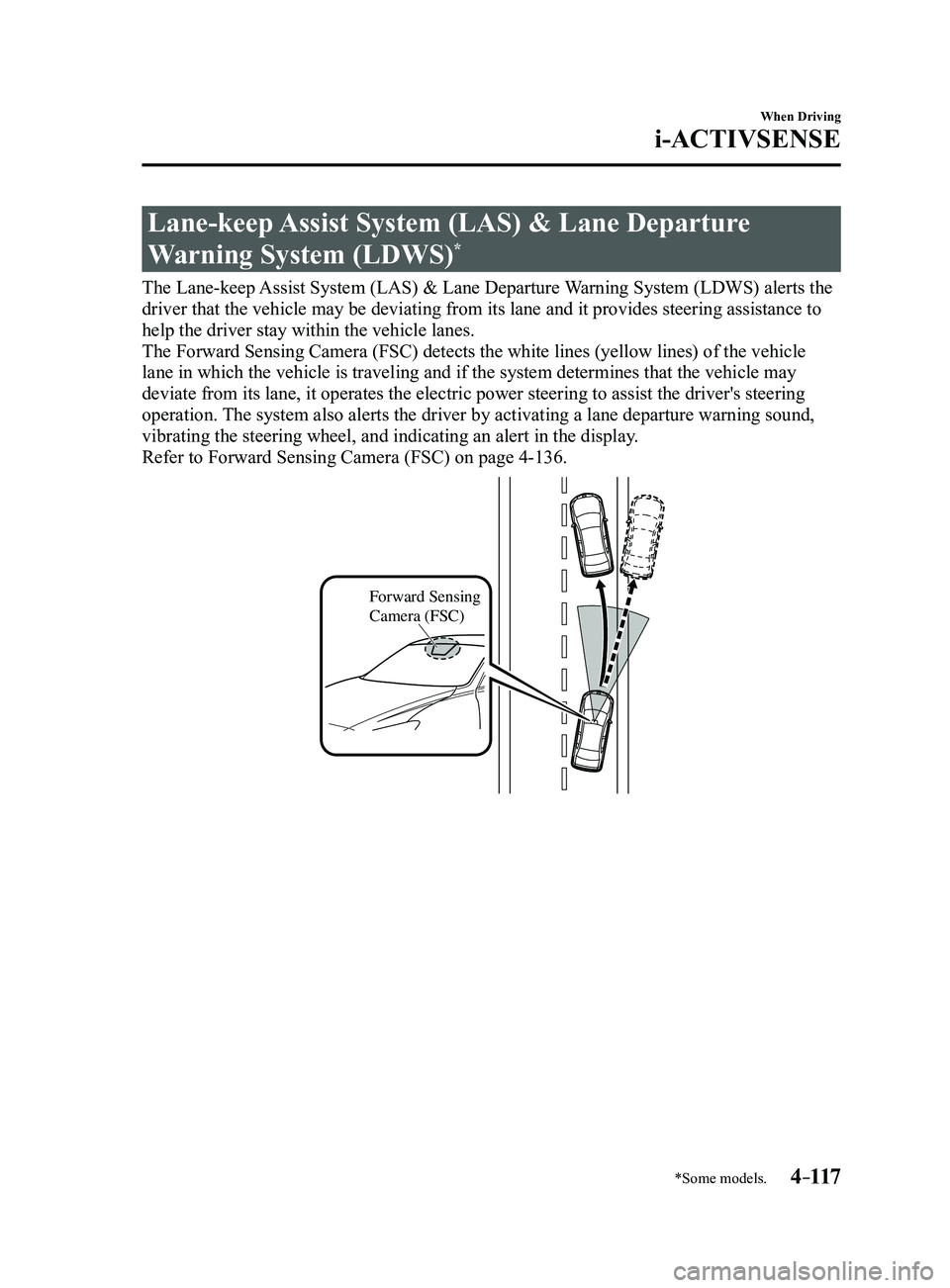
The Lane-keep Assist System (LAS) & Lane Departure Warning System (LDWS) alerts the
driver that the vehicle may be deviating from its lane and it provides s\
teering assistance to
help the driver stay within the vehicle lanes.
The Forward Sensing Camera (FSC) detects the white lines (yellow line\
s) of the vehicle
lane in which the vehicle is traveling and if the system determines that\
the vehicle may
deviate from its lane, it operates the electric power steering to assist\
the driver's steering
operation. The system also alerts the driver by activating a lane departure warning\
sound,
vibrating the steering wheel, and indicating an alert in the display.
Refer to Forward Sensing Camera (FSC) on page
4-136.
Forward Sensing
Camera (FSC)
Mazda3_8FL6-EA-16F_Edition2.indb 1172016/08/10 17:36:52
Page 248 of 612
4–118
When Driving
i-ACTIVSENSE
WARNING
Do not rely completely on the Lane-keep Assist System (LAS) & Lane Departure
Warning System (LDWS):
The Lane-keep Assist System (LAS) & Lane Departure Warning System (LDWS) is not an
automatic driving system. In addition, the system is not designed to compensate for a
driver's lack of caution, and over-reliance on the system could lead to an accident.
The detection ability of the Lane-keep Assist System (LAS) & Lane Departure Warning
System (LDWS) is limited. Always stay on course using the steering wheel and drive
with care.
Do not use the Lane-keep Assist System (LAS) & Lane Departure Warning System
(LDWS) in the following cases: The system may not operate adequately according to the actual driving conditions,
resulting in an accident.
Driving on roads with tight curves. Driving under bad weather conditions (rain, fog, and snow). Slippery roads such as ice or snow-bound roads. Roads with heav y traffic and insufficient distance between vehicles. Roads with no whit e (yellow) lane lines. Narrow roads resulting from road construction or lane closures. The vehicle is driven on a temporary lane or section with a closed lane resulting from
road construction where there may be multiple white (yellow) lane lines or they are
interrupted.
The tire pressures are not adjusted to the specified pressure. Tires of a different specified size are used, such as an emergency spare tire.
CAUTION
Heed the following cautions so that the Lane-keep Assist System (LAS) & Lane Departure
Warning System (LDWS) can operate normally.
Do not modify the suspensions. Always use wheels of the specified type and size for the front and rear wheels. Consult
an Authorized Mazda Dealer for tire replacement.
NOTE
When the turn signal lever is operated for a lane change, the Lane-keep \
Assist System
(LAS) & Lane Departure Warning System (LDWS) is automatically disabled. The
Lane-keep Assist System (LAS) & Lane Departure Warning System (LDWS) becomes
operational again when the turn signal lever is returned and the system detects white
(yellow) lane lines while the vehicle is being driven normally within \
its vehicle lane.
Mazda3_8FL6-EA-16F_Edition2.indb 1182016/08/10 17:36:52
Page 249 of 612
 line, the system determines that")
4–119
When Driving
i-ACTIVSENSE
If the steering wheel, accelerator pedal, or brake pedal is operated abr\
uptly and the vehicle
moves close to a white (yellow) line, the system determines that the d\
river is making a lane
change and the Lane-keep Assist System (LAS) & Lane Departure Warning System (LDWS)
operation is temporarily canceled. The Lane-keep Assist System (LAS) & Lane Departure
Warning System (LDWS) becomes operational again when the system detects\
white (yellow)
lane lines while the vehicle is being driven normally within its vehicle\
lane.
If the vehicle deviates from its lane repeatedly within a short period of time, the Lane-
keep Assist System (LAS) & Lane Departure Warning System (LDWS) may not operate. When white (yellow) lane lines ar e not detected, the Lane-keep Assist System (LAS) &
Lane Departure Warning System (LDWS) does not operate. Under the following conditions, the Lane-keep Assist System (LAS) & Lane Departure
Warning System (LDWS) may not be able to detect white (yellow) lane l\
ines correctly and
it may not operate normally.
If an object placed on the dashboard is reflected in the windshield and picked up by the
camera. Heavy luggage is loaded in the luggage compartment or on the r ear seat and the
vehicle is tilted. The tire pressures are not adjusted to the specified pressure. Tires other than conventional tires are equipped. When the vehicle is driven on the guiding branch to or from the rest area or tollgate of
a highway. The white (yellow) lane lines are less visible because of dirt or fading/patchiness. A vehicle in front of your vehicle is running near a white (yellow) lane line making \
it
less visible. A white (yellow) lane line is less visible because of bad weather (rai\
n, fog, or snow). The vehicle is driven on a temporary lane or section with a closed lane \
resulting from
construction where there may be multiple white (yellow) lane lines or they are interrupted.
A misleading line is picked up on the road such as a temporary line for construction,
or because of shade, lingering snow, or grooves filled with water. The surrounding brightness suddenly changes such as when entering or exiting a t\
unnel. The illumination of the headlights is weakened because of dirt or the op\
tical axis is
deviated. The windshield is dirty or foggy . The windshield, camera is fogged (water dr oplets). Back-light is reflected off the road surface. The road surface is wet and shiny after rain, or there are puddles on the road. The shade of a guar drail parallel to a white (yellow) lane line is cast on the road. The width of the driving lane is narr ow (less than about 2.5 m (98 in)) or wide (more
than about 4.5 m (178 in)) Driving on roads with tight curves. The road is excessively uneven. The vehicle is shaken after hitting a r oad bump. There are two or more adjacent white (yellow) lane lines. There are various road markings or lane markings of various shapes near an intersection.
Mazda3_8FL6-EA-16F_Edition2.indb 1192016/08/10 17:36:52
Page 251 of 612
4–121
When Driving
i-ACTIVSENSE
The Lane-keep Assist System (LAS) & Lane Departure Warning System (LDWS) goes on
stand-by status in the following cases:
The system cannot detect white (yellow) lane lines. The vehicle speed is less than about 60 km/h (37 mph). The ABS/TCS/DSC is operating. The DSC is turned off.
(If the DSC is turned of f while the system is operational, a warning beep is heard and the
system goes on standby.) The vehicle is making a sharp curve. The steering wheel is operated abruptly . The brake pedal is depressed. The width of a lane is excessively narrow or wide.
NOTE
The Lane-keep Assist System (LAS) & Lane Departure Warning System (LDWS) does not
operate until the system detects white (yellow) lane lines on either t\
he left or right. When the system detects a white (yellow) lane line on one side only , the system will not
activate warnings for the lane line on the side that is not being detect\
ed. The warning is
only for a lane deviation on the side that is being detected.
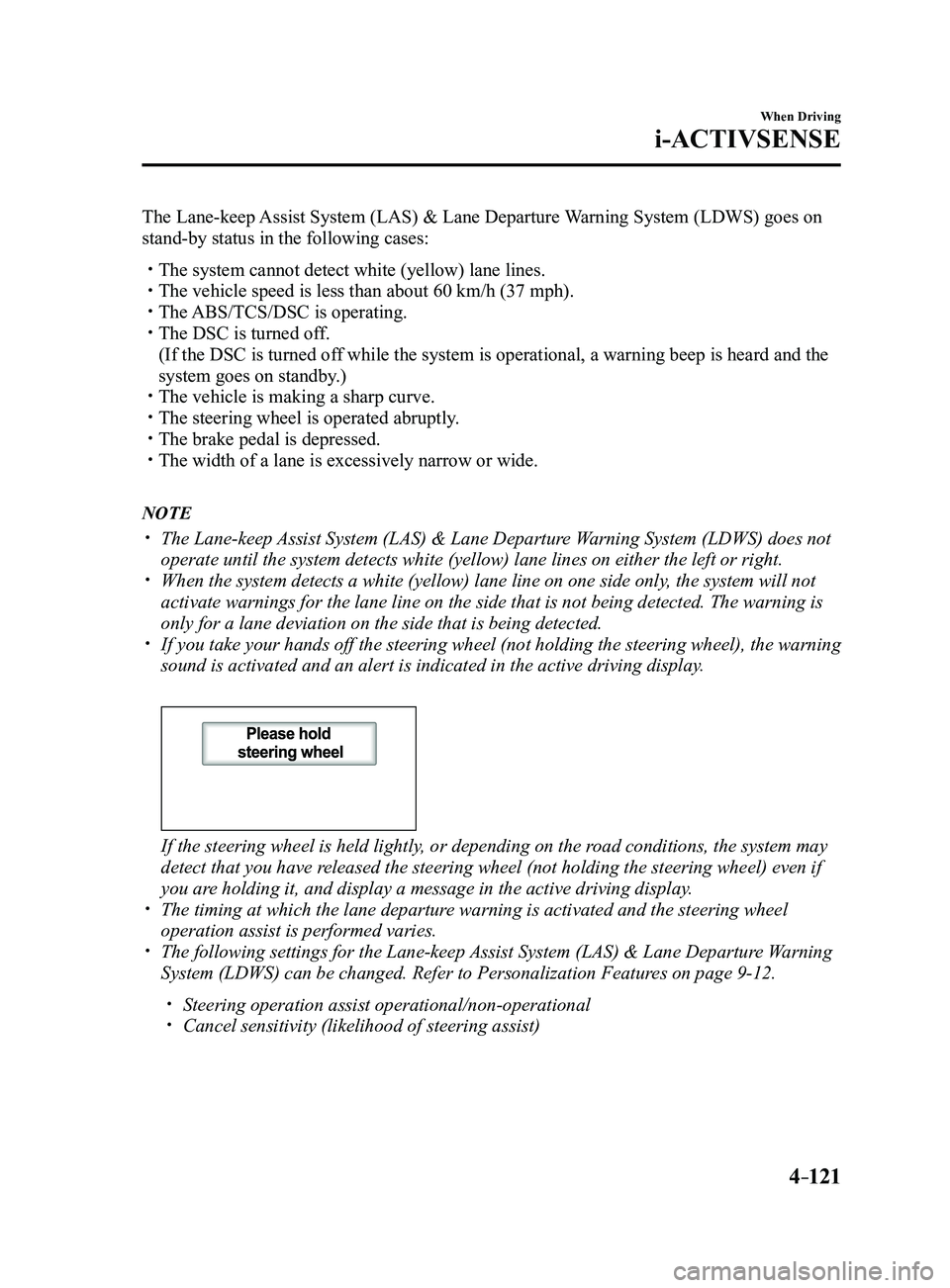
If you take your hands off the steering wheel (not holding the steering\
wheel), the warning
sound is activated and an alert is indicated in the active driving displ\
ay.
If the steering wheel is held lightly, or depending on the road conditions, the system may
detect that you have released the steering wheel (not holding the steering wheel) even if
you are holding it, and display a message in the active driving display.
The timing at which the lane departur e warning is activated and the steering wheel
operation assist is performed varies. The following settings for the Lane-keep Assist System (LAS) & Lane Departure Warning
System (LDWS) can be changed. Refer to Personalization Features on page 9-12.
Steering operation assist operational/non-operational Cancel sensitivity (likelihood of steering assist)
Mazda3_8FL6-EA-16F_Edition2.indb 1212016/08/10 17:36:53
Page 252 of 612
4–122
When Driving
i-ACTIVSENSE
Vehicle lane line display
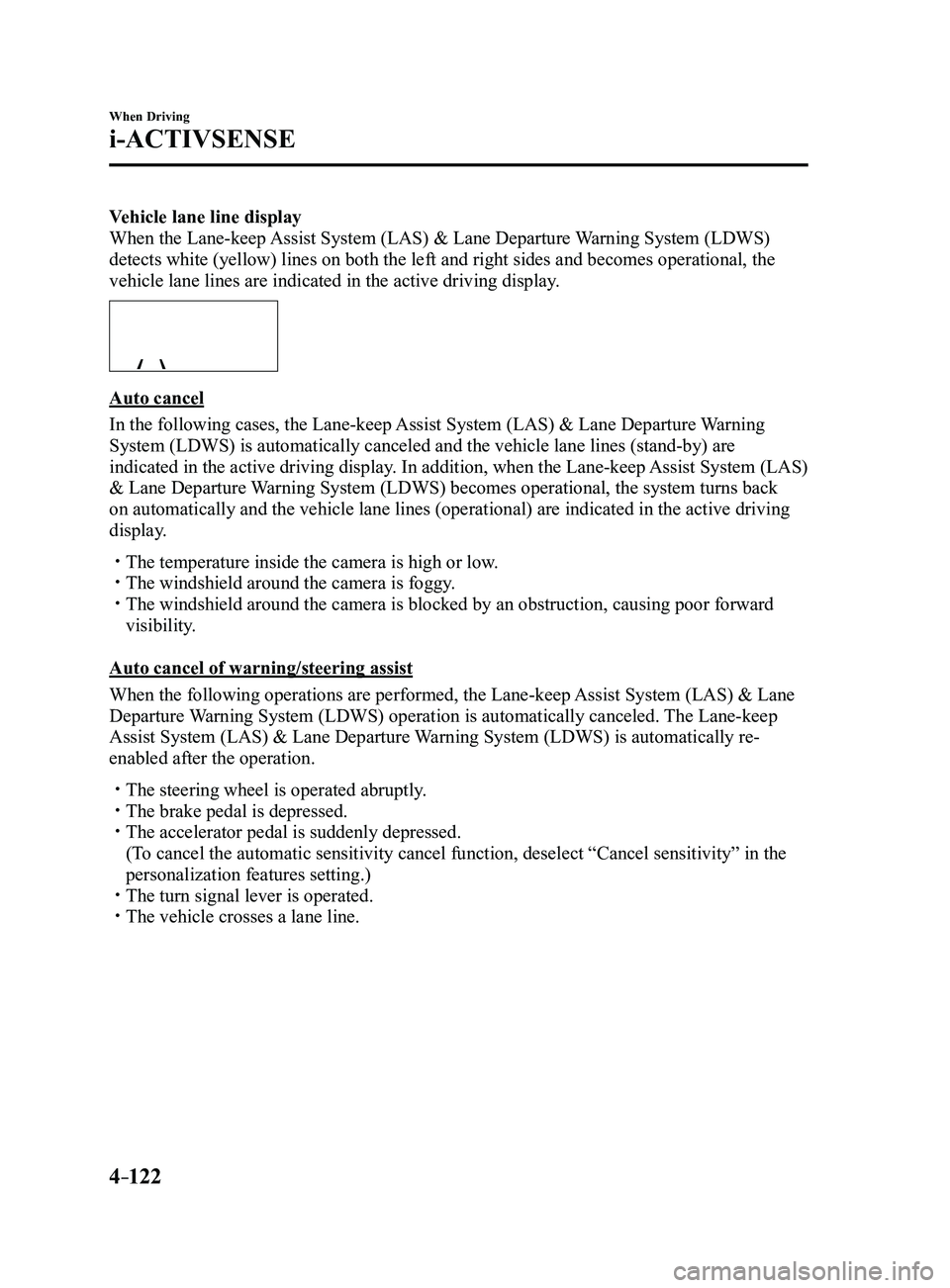
When the Lane-keep Assist System (LAS) & Lane Departure Warning System (LDWS)
detects white (yellow) lines on both the left and right sides and beco\
mes operational, the
vehicle lane lines are indicated in the active driving display.
Auto cancel
In the following cases, the Lane-keep Assist System (LAS) & Lane Departure Warning
System (LDWS) is automatically canceled and the vehicle lane lines (s\
tand-by) are
indicated in the active driving display. In addition, when the Lane-keep Assist System (LAS)
& Lane Departure Warning System (LDWS) becomes operational, the system turns back
on automatically and the vehicle lane lines (operational) are indicate\
d in the active driving
display.
The temperature inside the camera is high or low. The windshield around the camera is foggy. The windshield around the camera is blocked by an obstruction, causing p\
oor forward
visibility.
Auto cancel of warning/steering assist
When the following operations are performed, the Lane-keep Assist System (LAS) & Lane
Departure Warning System (LDWS) operation is automatically canceled. The Lane-keep
Assist System (LAS) & Lane Departure Warning System (LDWS) is automatically re-
enabled after the operation.
The steering wheel is operated abruptly . The brake pedal is depressed. The accelerator pedal is suddenly depressed.
(To cancel the automatic sensitivity cancel function, deselect “Cancel sensitivity” in the
personalization features setting.) The turn signal lever is operated. The vehicle crosses a lane line.
Mazda3_8FL6-EA-16F_Edition2.indb 1222016/08/10 17:36:54
Page 253 of 612
 & Lane Departure Warning
System (LDWS) operation may not operate for a period of 5 seconds at t\
he m")
4–123
When Driving
i-ACTIVSENSE
NOTE
After the operation, the Lane-keep Assist System (LAS) & Lane Departure Warning
System (LDWS) operation may not operate for a period of 5 seconds at t\
he most until the
lane lines are detected.
Under the following conditions, the Lane-keep Assist System (LAS) & Lane Departure
Warning System (LDWS) cancels the warning/steering assist automatically\
.
The driver takes his/her hands off the steering wheel.
(The Lane-keep Assist System (LAS) & Lane Departure Warning System (LDWS)
is designed to assist the driver's steering operation and it will resume operation
automatically when the driver holds the steering wheel.)
The DSC OFF switch is pr essed to cancel the DSC.
Steering operation assist OFF (non-operational)
The steering operation assist for the Lane-keep Assist System (LAS) & Lane Departure
Warning System (LDWS) can be changed to non-operational (OFF).
Refer to Setting Change (Personalization Features) on page
9-12.
When the steering operation assist has been changed to inoperable (OFF)\
, operate the Lane-
keep Assist System (LAS) & Lane Departure Warning System (LDWS) as follows:
System operation
If the Lane-keep Assist System (LAS) & Lane Departure Warning System (LDWS) OFF
indicator light in the instrument cluster turns off when the ignition is switched ON, the
system goes on standby.
If the Lane-keep Assist System (LAS) & Lane Departure Warning System (LDWS) OFF
indicator light in the instrument cluster turns on when the ignition is switched ON, press the
Lane-keep Assist System (LAS) & Lane Departure Warning System (LDWS) OFF switch so
that the system goes on standby.
Mazda3_8FL6-EA-16F_Edition2.indb 1232016/08/10 17:36:54
Page 255 of 612
4–125
When Driving
i-ACTIVSENSE
(Auto cancel of warnings)
When the following operations are performed, the Lane-keep Assist System (LAS) &
Lane Departure Warning System (LDWS) determines that the driver intends to make a
lane change and the system operation is canceled automatically. The Lane-keep Assist
System (LAS) & Lane Departure Warning System (LDWS) resumes automatically after the
operation.
The steering wheel is operated abruptly. The brake pedal is depressed. The accelerator pedal is depressed.
(To cancel the automatic sensitivity cancel function, deselect “Warning sensitivity” in the
personalization features setting.) The turn signal lever is operated. The vehicle crosses a lane line.
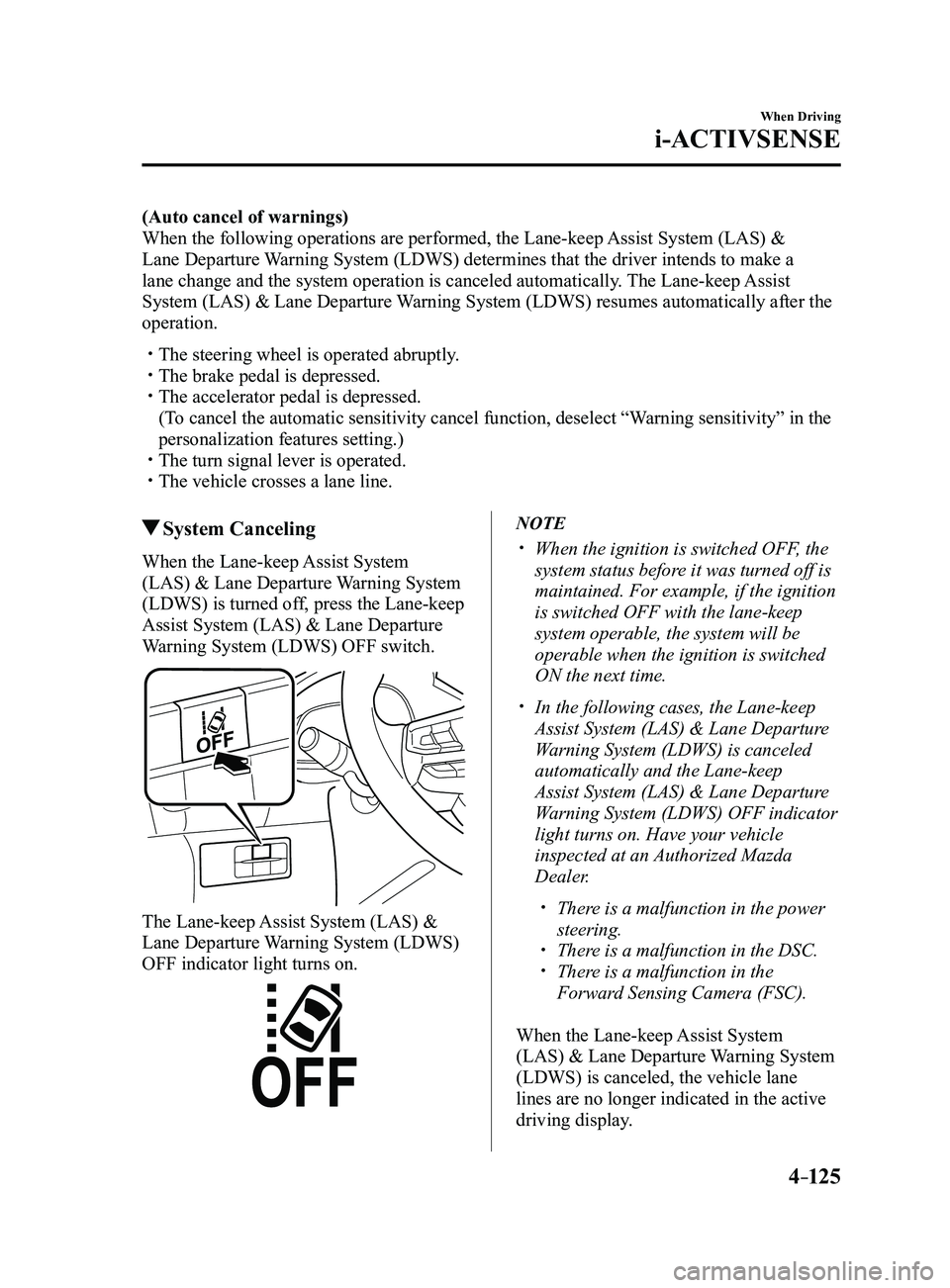
System Canceling
When the Lane-keep Assist System
(LAS) & Lane Departure Warning System
(LDWS) is turned off, press the Lane-keep
Assist System (LAS) & Lane Departure
Warning System (LDWS) OFF switch.
The Lane-keep Assist System (LAS) &
Lane Departure Warning System (LDWS)
OFF indicator light turns on.
NOTE
When the ignition is switched OFF, the
system status before it was turned off is
maintained. For example, if the ignition
is switched OFF with the lane-keep
system operable, the system will be
operable when the ignition is switched
ON the next time.
In the following cases, the Lane-keep
Assist System (LAS) & Lane Departure
Warning System (LDWS) is canceled
automatically and the Lane-keep
Assist System (LAS) & Lane Departure
Warning System (LDWS) OFF indicator
light turns on. Have your vehicle
inspected at an Authorized Mazda
Dealer.
There is a malfunction in the power
steering. There is a malfunction in the DSC. There is a malfunction in the
Forward Sensing Camera (FSC).
When the Lane-keep Assist System
(LAS) & Lane Departure Warning System
(LDWS) is canceled, the vehicle lane
lines are no longer indicated in the active
driving display.
Mazda3_8FL6-EA-16F_Edition2.indb 1252016/08/10 17:36:54
Page 256 of 612

4–126
When Driving
i-ACTIVSENSE
Lane Departure Warning
If the system determines that the vehicle may deviate from its lane, the\
lane departure
warning (beep sound, rumble sound*1, or steering wheel vibration) is activated and the
direction in which the system determines that the vehicle may deviate is\
indicated in the
active driving display.
If the system determines that the vehicle may deviate from its lane, the\
color of the lane line
on the side being detected by the system changes from white to amber, and flashes.
Multi-information Display Active Driving Display
Mazda3_8FL6-EA-16F_Edition2.indb 1262016/08/10 17:36:55
Page 257 of 612
4–127
When Driving
i-ACTIVSENSE
NOTE
If you have set the lane departure warning sound to the beep sound/rumble sound*1
setting, the warning sound may not be heard depending on the surrounding noise
conditions.
If you have set the lane departur e warning system to the steering wheel vibrations setting,
the vibration may not be felt depending on the road surface conditions. When the setting for the steering operation assist is changed to operati\
onal, the warnings
can be set to activate/not activate. (When the setting for the steering\
operation assist is
changed to non-operational, the warnings cannot be set to not activate.)\
Refer to Setting Change (Personalization Featur es) on page 9-12. The Lane-keep Assist System (LAS) & Lane Departure Warning System (LDWS) can be
changed to the following settings regardless of whether the steering operation assist has
been set to operational/non-operational. Always check the setting status when driving the
vehicle and make setting changes if necessary.
Refer to Setting Change (Personalization Featur es) on page 9-12.
Steering wheel vibration: Strong/weak Warning sound volume Types of warnings (steering wheel vibration/beep sound/rumble sound*1)
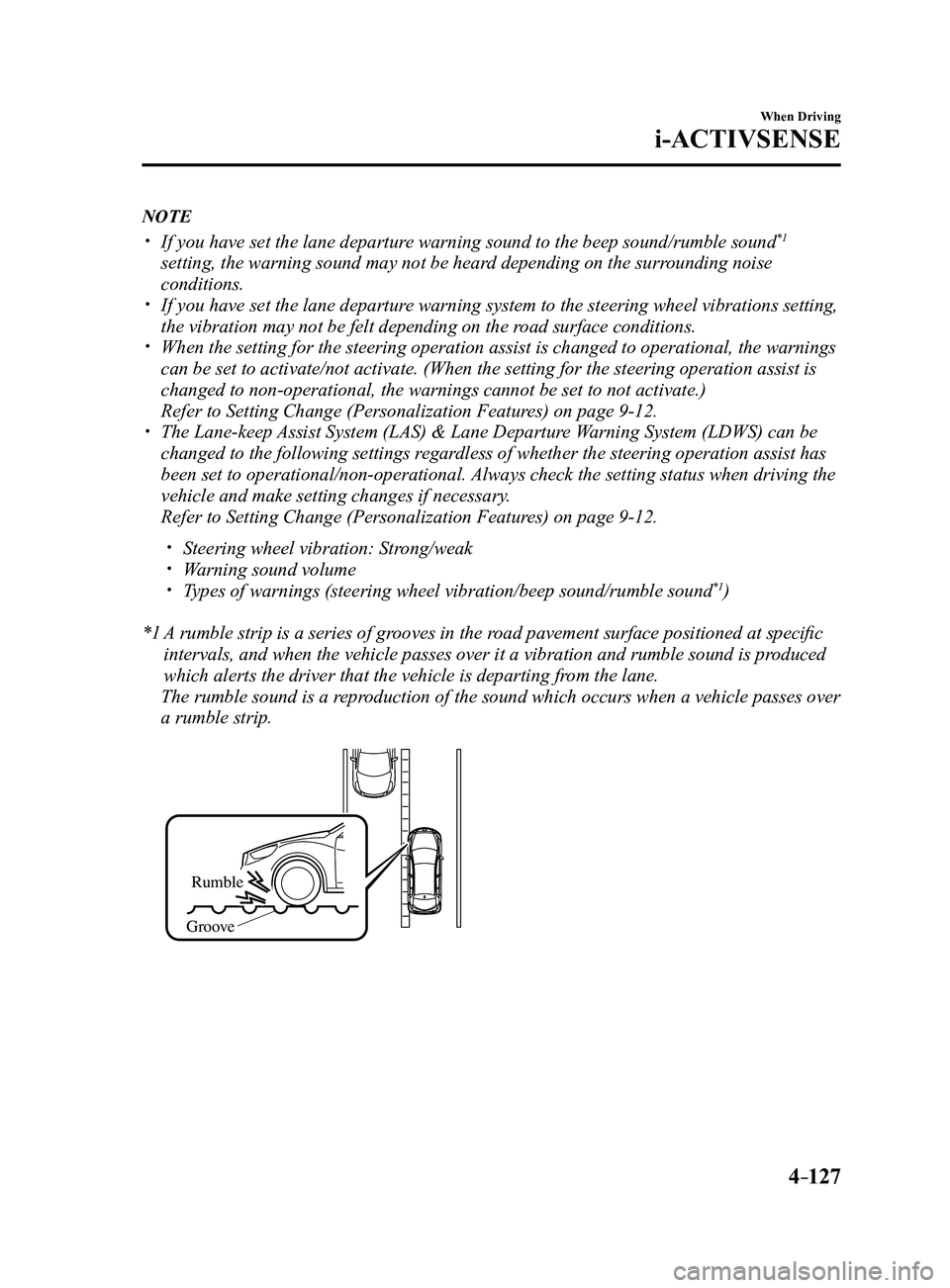
*1 A rumble strip is a series of grooves in the road pavement surface positioned at specific
intervals, and when the vehicle passes over it a vibration and rumble so\
und is produced
which alerts the driver that the vehicle is departing from the lane.
The rumble sound is a reproduction of the sound which occurs when a vehicle passes over
a rumble strip.
Rumble
Groove
Mazda3_8FL6-EA-16F_Edition2.indb 1272016/08/10 17:36:55
Page 260 of 612
 system will operate under the foll\
owing conditions.
The engine is running. The Smart Brake Support/Smart City Br")
4–130
When Driving
i-ACTIVSENSE
NOTE
The Smart City Brake Support (SCBS) system will operate under the foll\
owing conditions.
The engine is running. The Smart Brake Support/Smart City Brake Support (SBS/SCBS) system war\
ning light
(amber) does not illuminate. (Rear-end collision warning)
The vehicle speed is about 4 to 80 km/h (2 to 50 mph). (Brake control (SCBS brake))
The vehicle speed is about 4 to 30 km/h (2 to 18 mph). The Smart City Brake Support (SCBS) system is not turned off.
Under the following conditions, the Smart City Brake Support (SCBS) sy\
stem may not
operate normally:
The Smart City Brake Support (SCBS) system will not operate if the dri\
ver is
deliberately performing driving operations (accelerator pedal and steer\
ing wheel). If there is the possibility of partial contact with a vehicle ahead. The vehicle is driven on a slippery road surface such as wet roads or icy or snow-
bound roads. The braking performance is adversely affected due to cold temperatur es or wet brakes. The vehicle is driven at the same speed as the vehicle ahead. The accelerator pedal is depressed. The brake pedal is depressed. The steering wheel is being operated. The selector lever is being operated.
In the following cases, the Forwar d Sensing Camera (FSC) determines that there is a
vehicle ahead and the Smart City Brake Support (SCBS) may operate.
Objects on the road at the entrance to a curve. Vehicles passing in the opposite lane while making a curve. Metal objects, bumps, or pr otruding objects on the road. When passing through a toll gate. When passing through low gates, narrow gates, car washing machines, or tunnels. If you suddenly come close to a vehicle ahead. 2-wheeled vehicles, pedestrians, animals or standing tr ees. Vehicle is driven with some of the tires having significant wear.
(Manual transaxle)
If the vehicle is stopped by the SCBS operation and the clutch pedal is \
not depr essed, the
engine stops.
Mazda3_8FL6-EA-16F_Edition2.indb 1302016/08/10 17:36:56