radio MAZDA MODEL 3 5-DOOR 2017 Owners Manual
[x] Cancel search | Manufacturer: MAZDA, Model Year: 2017, Model line: MODEL 3 5-DOOR, Model: MAZDA MODEL 3 5-DOOR 2017Pages: 612
Page 78 of 612
3–2
Before Driving
Keys
Keys
WARNING
Do not leave the key in your vehicle with
children and keep them in a place where
your children will not find or play with
them:Leaving children in a vehicle with the
key is dangerous. This could result in
someone being badly injured or even
killed. Children may find these keys to
be an interesting toy to play with and
could cause the power windows or
other controls to operate, or even make
the vehicle move.
CAUTION
Because the key (transmitter) uses
low-intensity radio waves, it may not
function correctly under the following
conditions:
The key is carried with
communication devices such as
cellular phones.
The key contacts or is covered by a
metal object. The key is near electronic devices such
as personal computers. Non-Mazda genuine electronic
equipment is installed in the vehicle. There is equipment which discharges
radio waves near the vehicle.
The key (transmitter) may consume
battery power excessively if it receives
high-intensity radio waves. Do not place
the key near electronic devices such as
televisions or personal computers.
To avoid damage to the key
(transmitter), DO NOT:
Drop the key. Get the key wet. Disassemble the key. Expose the key to high temperatures
on places such as the dashboard or
hood, under direct sunlight.
Expose the key to any kind of
magnetic field. Place heavy objects on the key. Put the key in an ultrasonic cleaner. Put any magnetized objects close to
the key.
Mazda3_8FL6-EA-16F_Edition2.indb 22016/08/10 17:35:15
Page 80 of 612
3–4
Before Driving
Keys
CAUTION
Radio equipment like this is governed
by laws in the United States.
Changes or modifications not expressly
approved by the party responsible
for compliance could void the user's
authority to operate the equipment.
NOTE
The keyless entry system operation may
vary due to local conditions. The keyless entry system is fully
operational (door/liftgate/trunk lid lock/
unlock) when the ignition is switched
off. The system does not operate if the
ignition is switched to any position
other than off.
If the key does not operate when
pressing a button or the operational
range becomes too small, the battery
may be weak. To install a new battery,
refer to Key Battery Replacement (page
6-38). Battery life is about one year. Replace
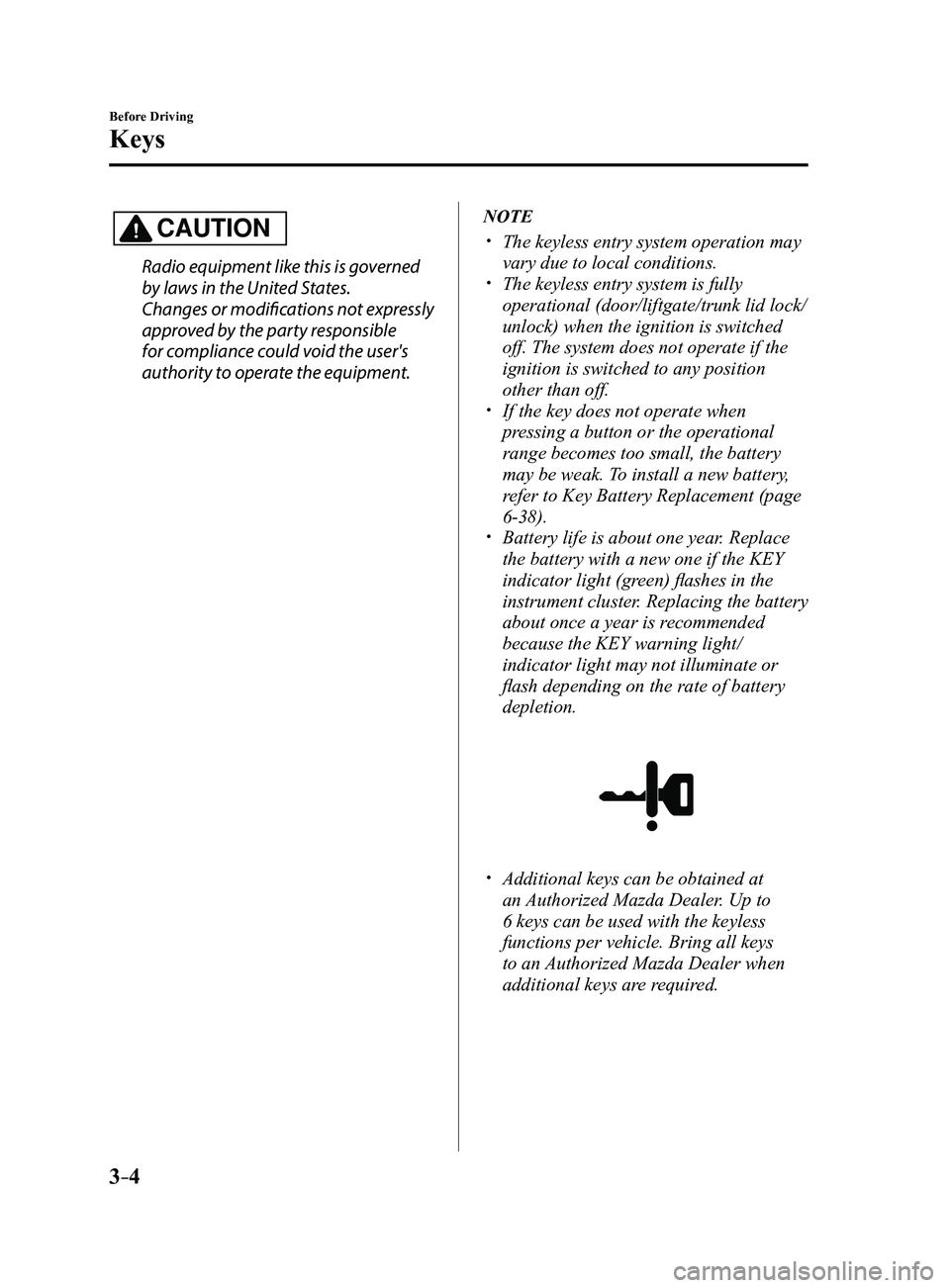
the battery with a new one if the KEY
indicator light (green) flashes in the
instrument cluster. Replacing the battery
about once a year is recommended
because the KEY warning light/
indicator light may not illuminate or
flash depending on the rate of battery
depletion.
Additional keys can be obtained at
an Authorized Mazda Dealer. Up to
6 keys can be used with the keyless
functions per vehicle. Bring all keys
to an Authorized Mazda Dealer when
additional keys are required.
Mazda3_8FL6-EA-16F_Edition2.indb 42016/08/10 17:35:16
Page 86 of 612
3–10
Before Driving
Advanced Keyless Entry System
*Some models.
Advanced Keyless Entry
System*
WARNING
Radio waves from the key may affect
medical devices such as pacemakers:Before using the key near people who
use medical devices, ask the medical
device manufacturer or your physician
if radio waves from the key will affect
the device.
The advanced keyless function allows you
to lock/unlock the door and the liftgate, or
open the liftgate/trunk lid while carrying
the key.
System malfunctions or warnings are
indicated by the following warning beeps.
Request switch Inoperable Warning
Beep
Refer to Request Switch Inoperable
Warning Beep (With the advanced
keyless function) on page
7-40. Key Left-in-luggage Compartment/
Trunk Warning Beep
Refer to Key Left-in-luggage
Compartment Warning Beep (With the
advanced keyless function) on page
7-41. Key Left-in-vehicle Warning Beep
Refer to Key Left-in-vehicle Warning
Beep (With the advanced keyless
function) on page
7-41.
NOTE
The advanced keyless entry system
functions can be deactivated to prevent
any possible adverse effect on a user
wearing a pacemaker or other medical
device. If the system is deactivated, you
will be unable to start the engine by
carrying the key. Consult an Authorized
Mazda Dealer for details. If the advanced
keyless entry system has been deactivated,
you can start the engine by following the
procedure indicated when the key battery
goes dead.
Refer to Engine Start Function When Key
Battery is Dead on page
4-8.
Mazda3_8FL6-EA-16F_Edition2.indb 102016/08/10 17:35:18
Page 87 of 612
3–11
Before Driving
Advanced Keyless Entry System
Operational Range
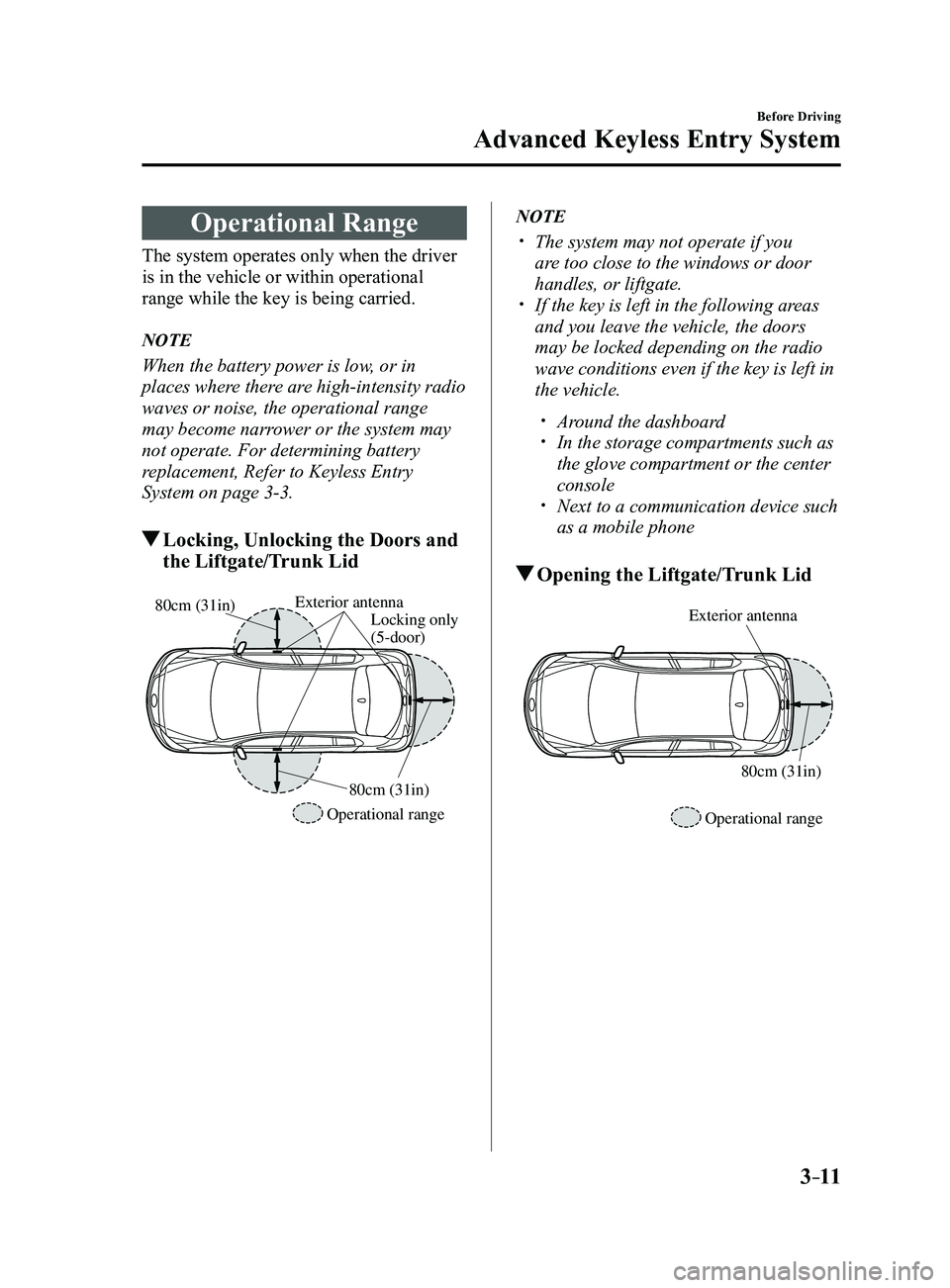
The system operates only when the driver
is in the vehicle or within operational
range while the key is being carried.
NOTE
When the battery power is low, or in
places where there are high-intensity radio
waves or noise, the operational range
may become narrower or the system may
not operate. For determining battery
replacement, Refer to Keyless Entry
System on page
3-3.
Locking, Unlocking the Doors and
the Liftgate/Trunk Lid
Exterior antennaLocking only
(5-door)
Operational range 80cm (31in)
80cm (31in)
NOTE
The system may not operate if you
are too close to the windows or door
handles, or liftgate.
If the key is left in the following ar
eas
and you leave the vehicle, the doors
may be locked depending on the radio
wave conditions even if the key is left in
the vehicle.
Around the dashboard In the storage compartments such as
the glove compartment or the center
console
Next to a communication device such
as a mobile phone
Opening the Liftgate/Trunk Lid
Exterior antenna
Operational range80cm (31in)
Mazda3_8FL6-EA-16F_Edition2.indb 112016/08/10 17:35:19
Page 89 of 612
3–13
Before Driving
Doors and Locks
NOTE
Always stop the engine and lock the
doors. In addition, to prevent theft of
valuables, do not leave them inside the
cabin.
If the key is left in the following areas
and you leave the vehicle, the doors
may be locked depending on the radio
wave conditions even if the key is left in
the vehicle.
Around the dashboard In the storage compartments such as
the glove compartment or the center
console
Next to a communication device such
as a mobile phone
When the ignition is switched to ACC
or ON, the vehicle lock-out prevention
feature prevents you from locking
yourself out of the vehicle.
All doors and the liftgate/trunk lid will
automatically unlock if they are locked
using the power door locks with any
door open.
The vehicle lock-out prevention feature
does not operate while the ignition is
switched off.
When any door is opened fr om the
outside while the key is inside the
vehicle, the closed doors are locked. All
the doors are automatically unlocked by
closing the open door.
(With the advanced keyless function)
The beep sound is heard for about 10
seconds to notify the driver that the key
has been left in the vehicle.
(Without the advanced keyless
function)
The horn sound is hear d twice to notify
the driver that the key has been left in
the vehicle.
(Door unlock (control) system with
collision detection)
This system automatically unlocks
the doors and the liftgate/trunk lid in
the event the vehicle is involved in an
accident to allow passengers to get
out of the vehicle immediately and
prevent being trapped inside. While
the ignition is switched ON and in the
event the vehicle receives an impact
strong enough to inflate the air bags,
all the doors and the liftgate/trunk lid
are automatically unlocked after about
6 seconds have elapsed from the time of
the accident.
The doors and the liftgate/trunk lid may
not unlock depending on how an impact
is applied, the force of the impact, and
other conditions of the accident.
If door-related systems or the battery
is malfunctioning, the doors and the
liftgate/trunk lid will not unlock.
Mazda3_8FL6-EA-16F_Edition2.indb 132016/08/10 17:35:19
Page 118 of 612
3–42
Before Driving
Security System
Modification and Add-On
Equipment
Mazda cannot guarantee the immobilizer
and the theft-deterrent systems' operation
if the system has been modified or if any
add-on equipment has been installed.
CAUTION
To avoid damage to the vehicle, do
not modify the system or install any
add-on equipment to the immobilizer
and the theft-deterrent systems or the
vehicle.
Immobilizer System
The immobilizer system allows the
engine to start only with a key the system
recognizes.
If someone attempts to start the engine
with an unrecognized key, the engine
will not start, thereby helping to prevent
vehicle theft.
If you have a problem with the
immobilizer system or the key, consult an
Authorized Mazda Dealer.
CAUTION
Radio equipment like this is governed by
laws in the United States.
Changes or modifications not expressly
approved by the party responsible
for compliance could void the user's
authority to operate the equipment.
To avoid damage to the key, do not:
Drop the key. Get the key wet. Expose the key to any kind of
magnetic field. Expose the key to high temperatures
on places such as the dashboard or
hood, under direct sunlight.
If the engine does not start with the
correct key, and the security indicator
light keeps illuminating or flashing, the
system may have a malfunction. Consult
an Authorized Mazda Dealer.
Mazda3_8FL6-EA-16F_Edition2.indb 422016/08/10 17:35:36
Page 119 of 612
3–43
Before Driving
Security System
NOTE
The keys carry a unique electronic code.
For this reason, and to assure your
safety, obtaining a replacement key
requires some waiting time. They are
only available through an Authorized
Mazda Dealer.
Always keep a spare key in case one
is lost. If a key is lost, consult an
Authorized Mazda Dealer as soon as
possible.
If you lose a key, an Authorized Mazda
Dealer will reset the electronic codes of
your remaining keys and immobilizer
system. Bring all the remaining keys to
an Authorized Mazda Dealer to reset.
Starting the vehicle with a key that has
not been reset is not possible.
Operation
NOTE
The engine may not start and security
indicator light may illuminate or flash
if the key is placed in an area where it
is difficult for the system to detect the
signal, such as on the dashboard or in
the glove compartment. Move the key
to a location within the signal range,
switch the ignition off, and then restart
the engine.
Signals from a TV or radio station, or
from a transceiver or mobile telephone
could interfere with your immobilizer
system. If you are using the proper key
and the engine fails to start, check the
security indicator light.
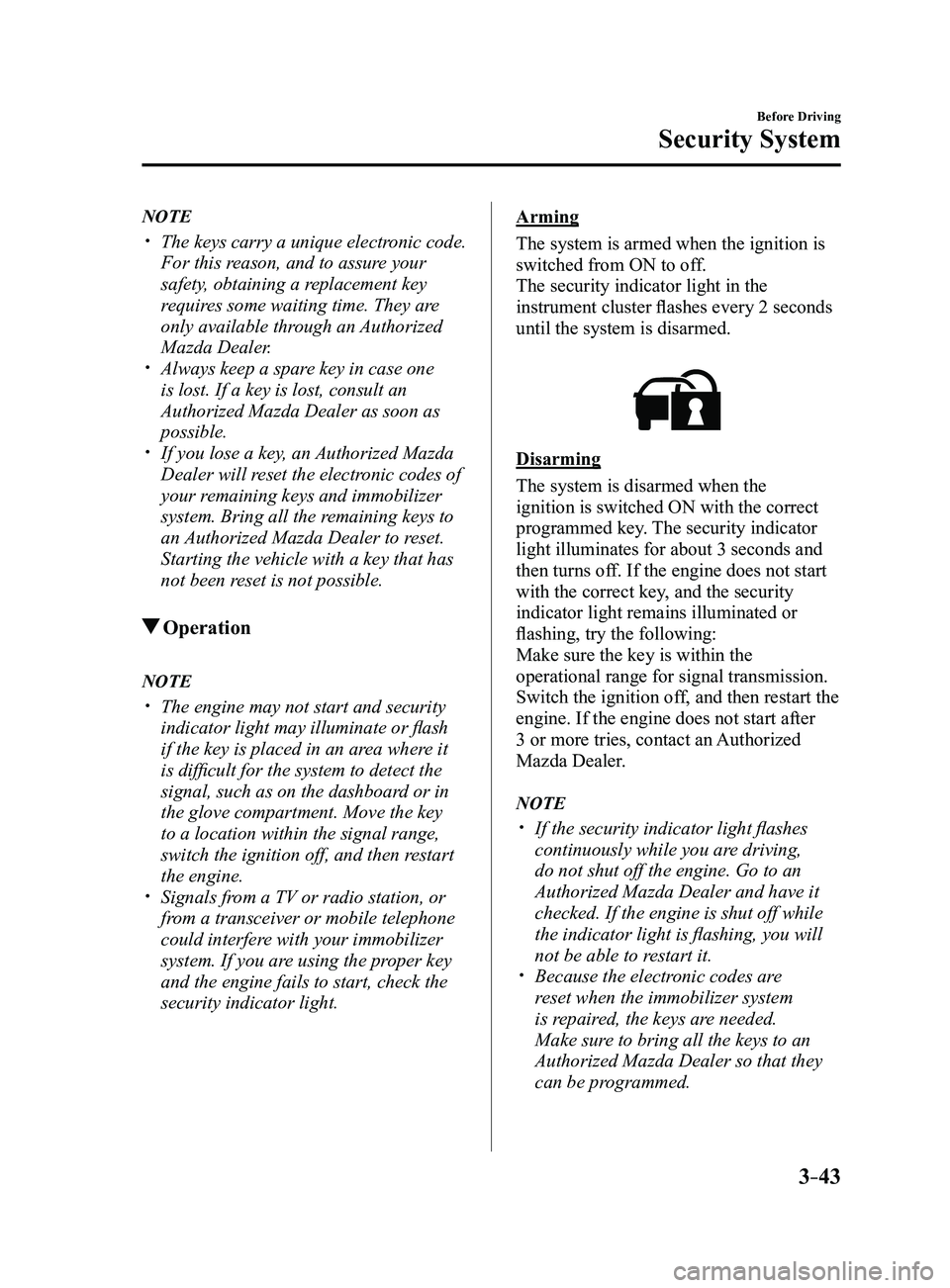
Arming
The system is armed when the ignition is
switched from ON to off.
The security indicator light in the
instrument cluster flashes every 2 seconds
until the system is disarmed.
Disarming
The system is disarmed when the
ignition is switched ON with the correct
programmed key. The security indicator
light illuminates for about 3 seconds and
then turns off. If the engine does not start
with the correct key, and the security
indicator light remains illuminated or
flashing, try the following:
Make sure the key is within the
operational range for signal transmission.
Switch the ignition off, and then restart the
engine. If the engine does not start after
3 or more tries, contact an Authorized
Mazda Dealer.
NOTE
If the security indicator light flashes
continuously while you are driving,
do not shut off the engine. Go to an
Authorized Mazda Dealer and have it
checked. If the engine is shut off while
the indicator light is flashing, you will
not be able to restart it.
Because the electr onic codes are
reset when the immobilizer system
is repaired, the keys are needed.
Make sure to bring all the keys to an
Authorized Mazda Dealer so that they
can be programmed.
Mazda3_8FL6-EA-16F_Edition2.indb 432016/08/10 17:35:37
Page 135 of 612
4–5
When Driving
Start/Stop Engine
ACC (Accessory)
Some electrical accessories will operate
and the indicator light (amber) illuminates.
NOTE
The keyless entry system does not function
while the push button start has been
pressed to ACC, and the doors will not
lock/unlock even if they have been locked
manually.
ON
This is the normal running position after
the engine is started. The indicator light
(amber) turns off. (The indicator light
(amber) illuminates when the ignition
is switched ON and the engine is not
running.)
Some indicator lights/warning lights
should be inspected before the engine is
started (page
4-23).
NOTE
When the push button start is pressed to
ON, the sound of the fuel pump motor
operating near the fuel tank can be heard.
This does not indicate an abnormality.
Starting the Engine
WARNING
Radio waves from the key may affect
medical devices such as pacemakers:
Before using the key near people who use
medical devices, ask the medical device
manufacturer or your physician if radio
waves from the key will affect the device.
NOTE
The key must be carried because the key
carries an immobilizer chip that must
communicate with the engine controls at
short range.
The engine can be started when the push
button start is pressed from off, ACC, or ON.
The push button start system functions
(function which can start the engine by
only carrying the key) can be deactivated
to prevent any possible adverse effect
on a user wearing a pacemaker or
other medical device. If the system is
deactivated, you will be unable to start
the engine by carrying the key. Consult
an Authorized Mazda Dealer for details.
If the push button start system functions
have been deactivated, you can start
the engine by following the procedure
indicated when the key battery goes dead.
Refer to Engine Start Function When
Key Battery is Dead on page 4-8. After starting a cold engine, the engine
speed increases and a whining sound from
the engine compartment can be heard.
This is for improved exhaust gas purification
and does not indicate any parts defect.
Engine-starting is controlled by the
spark ignition system.
This system meets all Canadian
Interference-Causing Equipment Standard
requirements regulating the impulse
electrical field strength of radio noise.
Mazda3_8FL6-EA-16F_Edition2.indb 52016/08/10 17:35:41
Page 188 of 612
4–58
When Driving
Switches and Controls
Pre-programming the HomeLink
System
NOTE
It is recommended that a new battery be
placed in the hand-held transmitter of the
device being programmed to HomeLink
for quicker training and accurate
transmission of the radio-frequency signal.
Verify that there is a remote control
transmitter available for the device you
would like to program.
Disconnect the power to the device.
Programming the HomeLink
System
CAUTION
When programming a garage door
opener or a gate, disconnect the power
to these devices before performing
programming. Continuous operation
of the devices could damage the
motor.
The HomeLink system provides 3 buttons
which can be individually selected and
programmed using the transmitters for
current, on-market devices as follows:
1. Disconnect the power to the garage
door opener or gate programmed to the
hand-held transmitter.
2. Position the end of your hand-held
transmitter 2.5—7.5 cm (1—3 inches)
away from the HomeLink button you
wish to program while keeping the
indicator light in view.
3. Simultaneously press and hold both
the chosen HomeLink and hand-held
transmitter buttons. Do not release
the buttons until step 3 has been
completed.
NOTE
Some gate operators and garage door
openers may require you to replace this
Programming Step 2 with procedures
noted in the “Gate Operator/Canadian
Programming” section.
4. After the HomeLink indicator light
changes from a slow to a rapidly
blinking light, release both the
HomeLink and hand-held transmitter
buttons.
NOTE
If the HomeLink indicator light does not
change to a rapidly blinking light, contact
HomeLink at www.homelink.com or call
1-800-355-3515 for assistance.
5. Connect the power to the garage door
opener or gate programmed to the
hand-held transmitter.
6. Firmly press and hold the programmed
HomeLink button for five seconds,
and then release it. Perform this
operation two times to activate the door
or gate. If the door or gate does not
activate, press and hold the just-trained
HomeLink button and observe the
indicator light.
If the indicator light stays on
constantly, programming is complete
and your device should activate when
the HomeLink button is pressed and
released.
Mazda3_8FL6-EA-16F_Edition2.indb 582016/08/10 17:36:24
Page 189 of 612
4–59
When Driving
Switches and Controls
NOTE
To program the remaining two HomeLink
buttons, begin with “Programming”—
step 1
If the indicator light blinks rapidly
for two seconds and then turns
to a constant light, continue with
“Programming” steps 7—9 to
complete the programming of a rolling
code equipped device (most commonly
a garage door opener).
7. At the garage door opener receiver
(motor-head unit) in the garage, locate
the “learn” or “smart” button. This can
usually be found where the hanging
antenna wire is attached to the motor-
head unit.
8. Firmly press and release the “learn” or
“smart” button. (The name and color of
the button may vary by manufacturer.)
NOTE
Complete the programming within 30
seconds.
9. Return to the vehicle and firmly press,
hold for two seconds and release the
programmed HomeLink button. Repeat
the “ press/hold/release” sequence a
second time, and, depending on the
brand of the garage door opener (or
other rolling code equipped device),
repeat this sequence a third time to
complete the programming process.
HomeLink should now activate your
rolling code equipped device.
NOTE
To program the remaining two HomeLink
buttons, begin with “Programming”—
step 1
For questions or comments, please contact
HomeLink at www.homelink.com or 1-
800-355-3515.
Gate operator/Canadian
Programming
Canadian radio-frequency laws require
transmitter signals to “time-out” (or quit)
after several seconds of transmission
— which may not be long enough for
HomeLink to pick up the signal during
programming. Similar to this Canadian
law, some U.S. gate operators are designed
to “time-out” in the same manner.
If you live in Canada or you are having
difficulties programming a gate operator
by using the “Programming” procedures
(regardless of where you live), replace
“Programming HomeLink” step 3 with
the following:
NOTE
If programming a garage door opener or
gate operator, it is advised to unplug the
device during the “cycling” process to
prevent possible overheating.
Continue to press and hold the HomeLink
button while you press and release
— every two seconds (“cycle”) your
hand-held transmitter until the frequency
signal has successfully been accepted by
HomeLink. (The indicator light will flash
slowly and then rapidly.)
Proceed with “Programming” step 4 to
complete.
Mazda3_8FL6-EA-16F_Edition2.indb 592016/08/10 17:36:25