brake MAZDA MODEL 3 HATCHBACK 2005 (in English) User Guide
[x] Cancel search | Manufacturer: MAZDA, Model Year: 2005, Model line: MODEL 3 HATCHBACK, Model: MAZDA MODEL 3 HATCHBACK 2005Pages: 322, PDF Size: 4.7 MB
Page 115 of 322
Black plate (115,1)
WARNING
Driving with Wet Brakes:
Driving with wet brakes is dangerous.
Increased stopping distance or the
vehicle pulling to one side when
braking could result in a serious
accident. Light braking will indicate
whether the brakes have been affected.
Dry the brakes by driving very slowly
and applying the brakes lightly until
brake performance is normal.
qParking Brake
CAUTION
Driving with the parking brake on will
cause excessive wear of the brake
linings or pads.
NOTE
For parking in snow, refer to Winter
Driving (page 4-9) regarding parking
brake use.
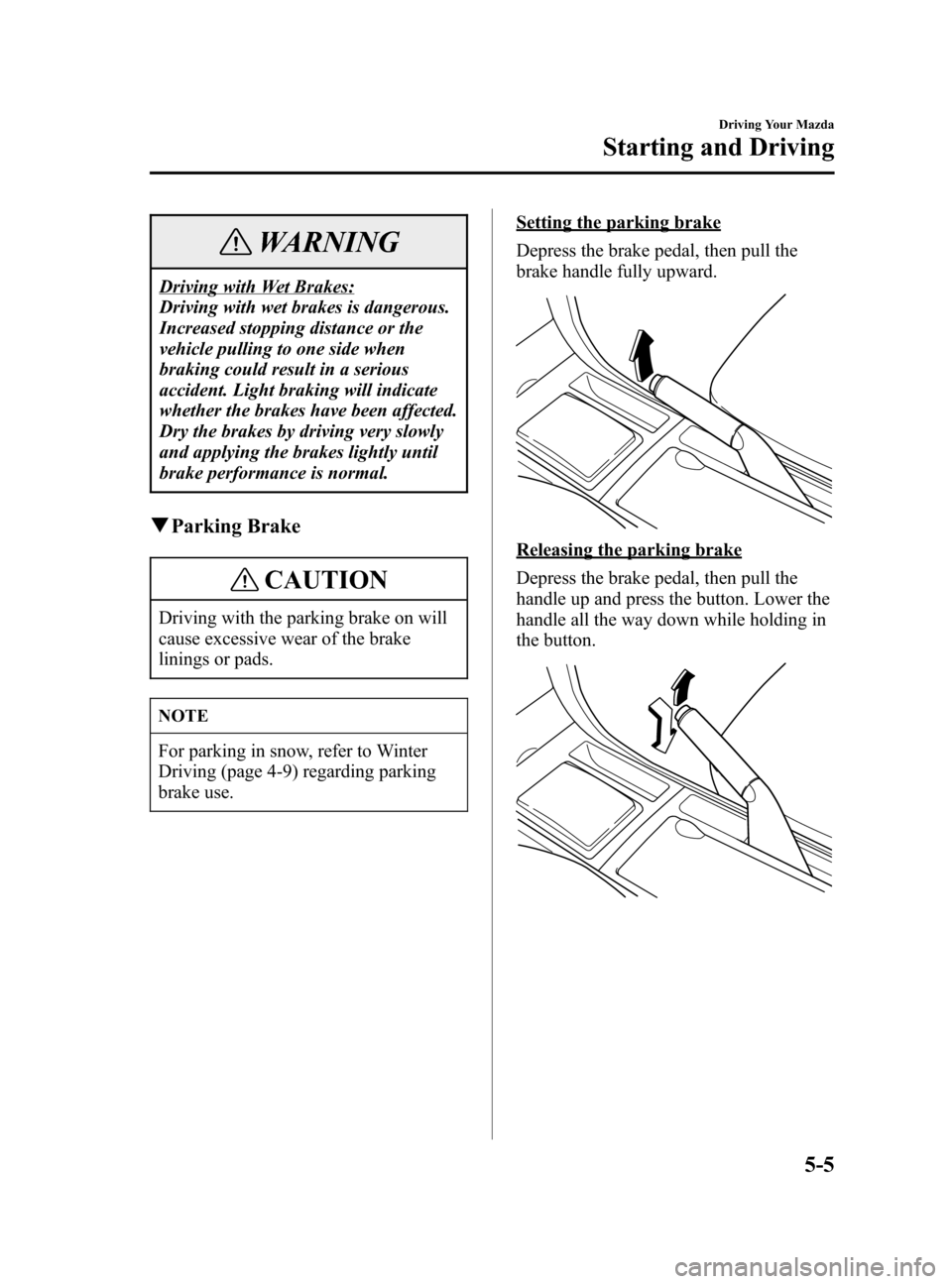
Setting the parking brake
Depress the brake pedal, then pull the
brake handle fully upward.
Releasing the parking brake
Depress the brake pedal, then pull the
handle up and press the button. Lower the
handle all the way down while holding in
the button.
Driving Your Mazda
Starting and Driving
5-5
Mazda3_8T97-EC-04J_Edition1 Page115
Saturday, September 25 2004 2:9 PM
Form No.8T97-EC-04J
Page 116 of 322
Black plate (116,1)
qBrake System Warning Light
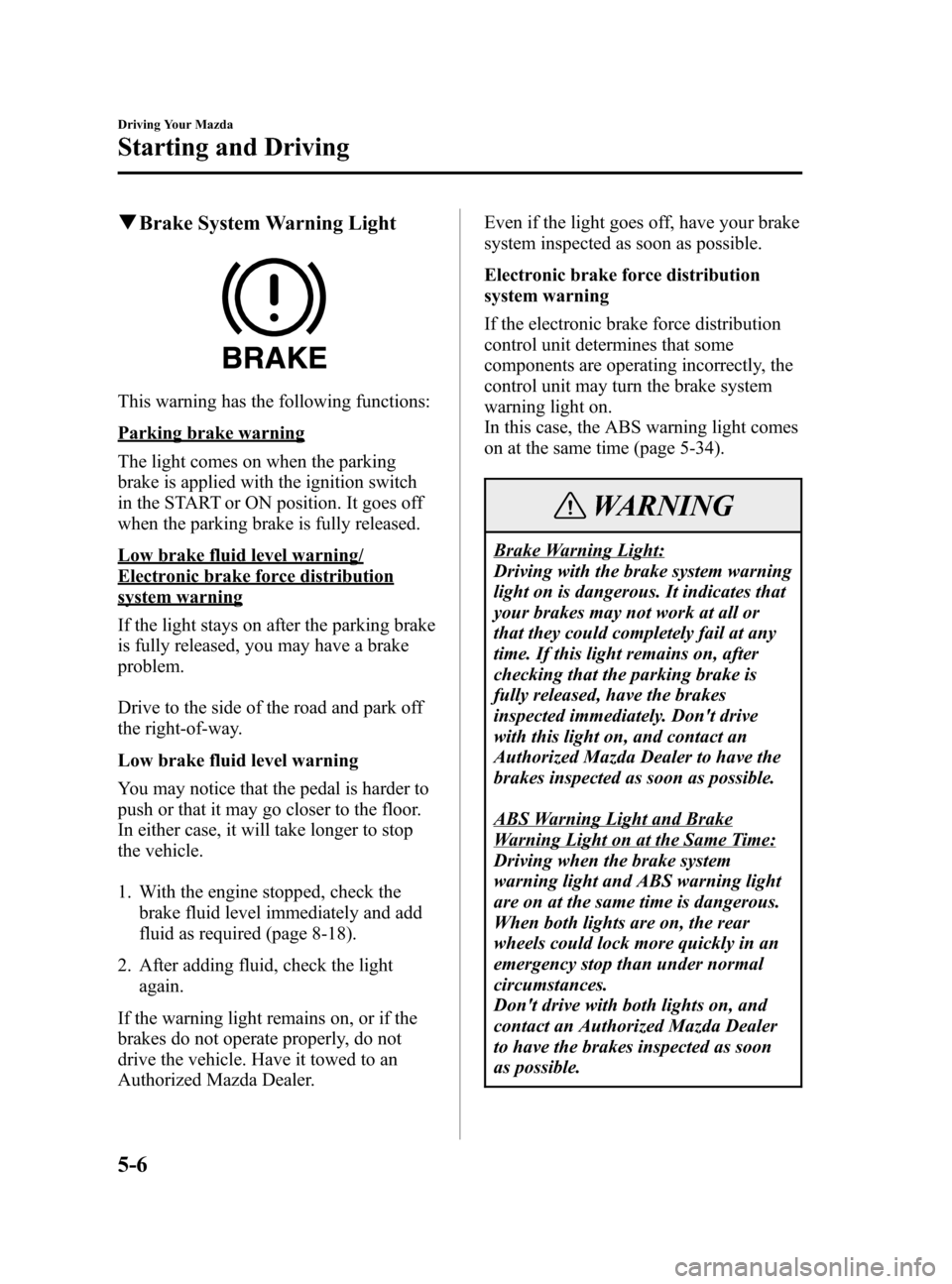
This warning has the following functions:
Parking brake warning
The light comes on when the parking
brake is applied with the ignition switch
in the START or ON position. It goes off
when the parking brake is fully released.
Low brake fluid level warning/
Electronic brake force distribution
system warning
If the light stays on after the parking brake
is fully released, you may have a brake
problem.
Drive to the side of the road and park off
the right-of-way.
Low brake fluid level warning
You may notice that the pedal is harder to
push or that it may go closer to the floor.
In either case, it will take longer to stop
the vehicle.
1. With the engine stopped, check the
brake fluid level immediately and add
fluid as required (page 8-18).
2. After adding fluid, check the light
again.
If the warning light remains on, or if the
brakes do not operate properly, do not
drive the vehicle. Have it towed to an
Authorized Mazda Dealer.Even if the light goes off, have your brake
system inspected as soon as possible.
Electronic brake force distribution
system warning
If the electronic brake force distribution
control unit determines that some
components are operating incorrectly, the
control unit may turn the brake system
warning light on.
In this case, the ABS warning light comes
on at the same time (page 5-34).
WARNING
Brake Warning Light:
Driving with the brake system warning
light on is dangerous. It indicates that
your brakes may not work at all or
that they could completely fail at any
time. If this light remains on, after
checking that the parking brake is
fully released, have the brakes
inspected immediately. Don't drive
with this light on, and contact an
Authorized Mazda Dealer to have the
brakes inspected as soon as possible.
ABS Warning Light and Brake
Warning Light on at the Same Time:
Driving when the brake system
warning light and ABS warning light
are on at the same time is dangerous.
When both lights are on, the rear
wheels could lock more quickly in an
emergency stop than under normal
circumstances.
Don't drive with both lights on, and
contact an Authorized Mazda Dealer
to have the brakes inspected as soon
as possible.
5-6
Driving Your Mazda
Starting and Driving
Mazda3_8T97-EC-04J_Edition1 Page116
Saturday, September 25 2004 2:9 PM
Form No.8T97-EC-04J
Page 117 of 322
Black plate (117,1)
qAnti-Lock Brake System (ABS)í
The ABS control unit continuously
monitors the speed of each wheel. If one
is about to lock up, the ABS responds by
automatically releasing and reapplying
that wheel's brake.
The driver will feel a slight vibration in
the brake pedal and may hear a chattering
noise from the brake system. This is
normal when the ABS operates. Don't
pump the brakes, continue to press down
on the brake pedal.
WARNING
ABS:
The ABS cannot compensate for
unsafe and reckless driving, excessive
speed, tailgating (following another
vehicle too closely), and hydroplaning
(reduced tire friction and road contact
because of water on the road surface).
You can still have an accident. So
don't rely on ABS as a substitute for
safe driving.
NOTE
Braking distances may be longer on
loose surfaces (snow or gravel, for
example) which usually have a hard
foundation. A vehicle with a normal
braking system may require less
distance to stop under these conditions
because the tires will build up a wedge
of surface layer when the wheels skid.
qABS Warning Lightí
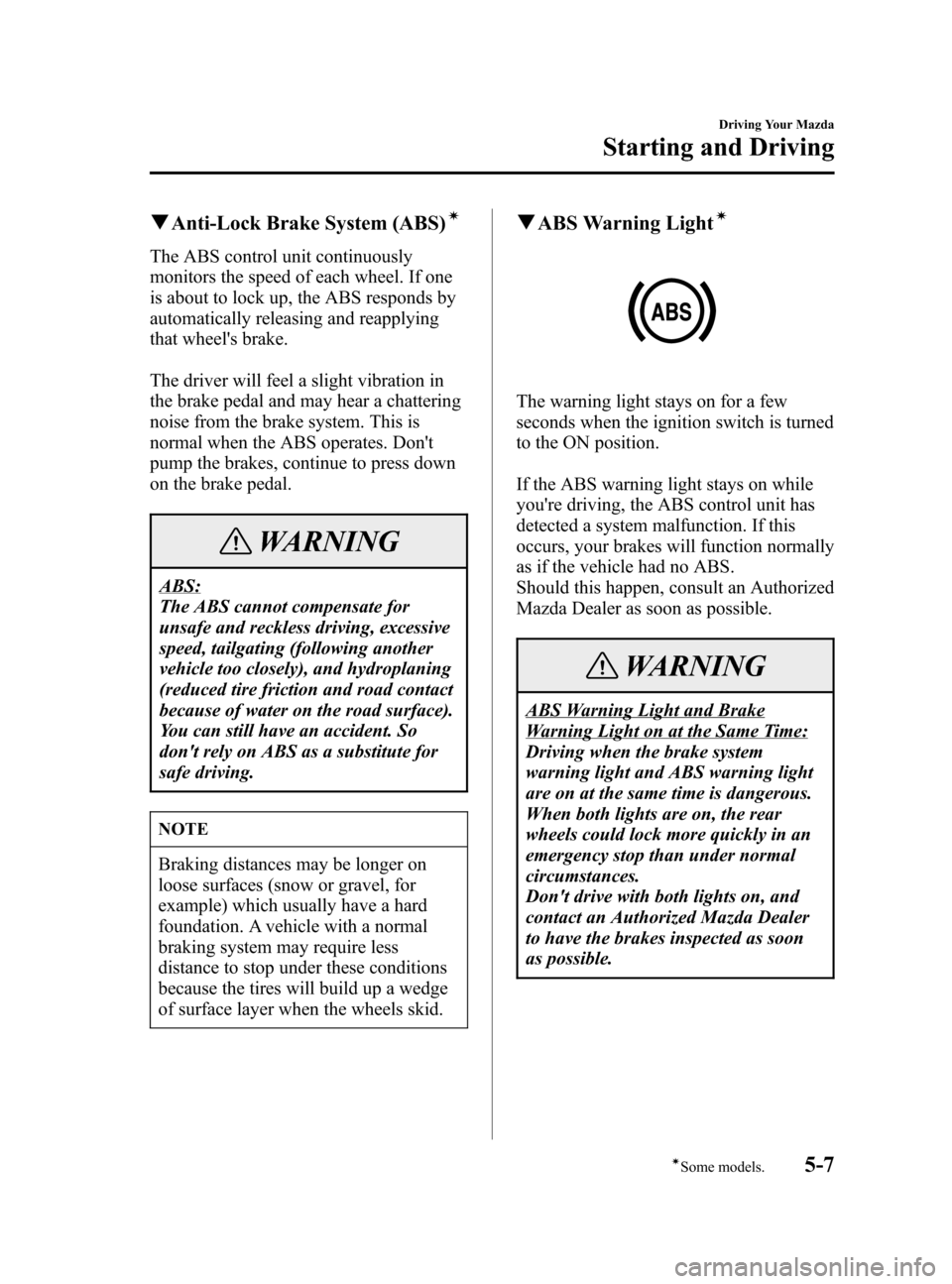
The warning light stays on for a few
seconds when the ignition switch is turned
to the ON position.
If the ABS warning light stays on while
you're driving, the ABS control unit has
detected a system malfunction. If this
occurs, your brakes will function normally
as if the vehicle had no ABS.
Should this happen, consult an Authorized
Mazda Dealer as soon as possible.
WARNING
ABS Warning Light and Brake
Warning Light on at the Same Time:
Driving when the brake system
warning light and ABS warning light
are on at the same time is dangerous.
When both lights are on, the rear
wheels could lock more quickly in an
emergency stop than under normal
circumstances.
Don't drive with both lights on, and
contact an Authorized Mazda Dealer
to have the brakes inspected as soon
as possible.
Driving Your Mazda
Starting and Driving
5-7íSome models. Mazda3_8T97-EC-04J_Edition1 Page117
Saturday, September 25 2004 2:9 PM
Form No.8T97-EC-04J
Page 118 of 322
Black plate (118,1)
NOTE
When the engine is jump-started to
charge the battery, uneven rpm occurs
and the ABS warning light comes on.
This is due to a weak battery, not a
malfunction.
Recharge the battery.
qBrake Assistí
During emergency braking situations
when it is necessary to depress the brake
pedal with greater force, the brake assist
system provides braking assistance, thus
enhancing braking performance.
When the brake pedal is depressed hard or
depressed more quickly, the brakes apply
more firmly.
NOTE
lWhen the brake pedal is depressed
hard or depressed more quickly, the
pedal will feel softer but the brakes
will apply more firmly. This is a
normal effect of the brake assist
operation and does not indicate an
abnormality.
lWhen the brake pedal is depressed
hard or depressed more quickly, a
clicking noise from the brake booster
may be heard. This is a normal effect
of the brake assist and does not
indicate an abnormality.
lThe brake assist equipment does not
supersede the functionality of the
vehicle's main braking system.
Manual Transaxle
Operation
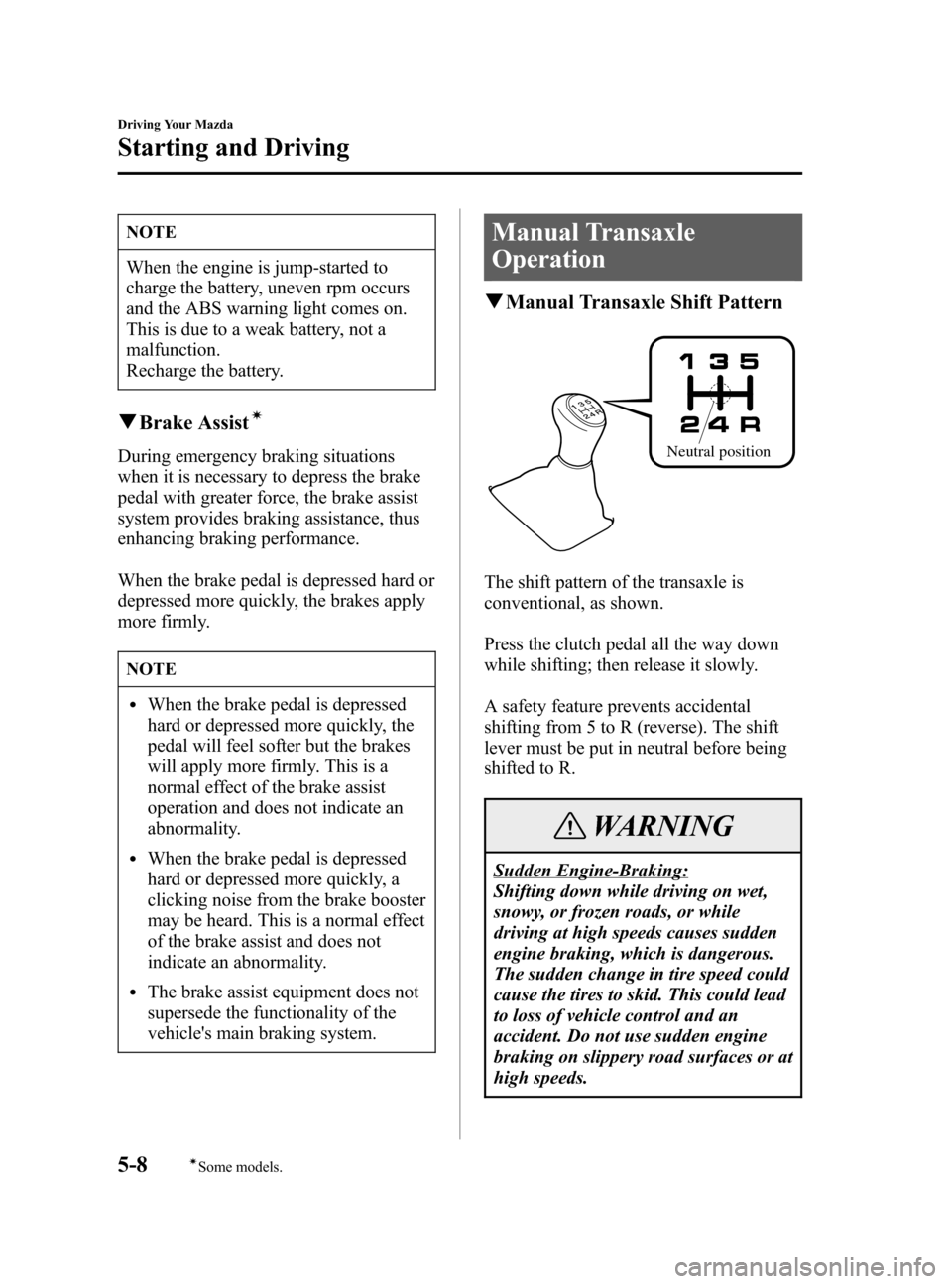
qManual Transaxle Shift Pattern
Neutral position
The shift pattern of the transaxle is
conventional, as shown.
Press the clutch pedal all the way down
while shifting; then release it slowly.
A safety feature prevents accidental
shifting from 5 to R (reverse). The shift
lever must be put in neutral before being
shifted to R.
WARNING
Sudden Engine-Braking:
Shifting down while driving on wet,
snowy, or frozen roads, or while
driving at high speeds causes sudden
engine braking, which is dangerous.
The sudden change in tire speed could
cause the tires to skid. This could lead
to loss of vehicle control and an
accident. Do not use sudden engine
braking on slippery road surfaces or at
high speeds.
5-8
Driving Your Mazda
íSome models.
Starting and Driving
Mazda3_8T97-EC-04J_Edition1 Page118
Saturday, September 25 2004 2:10 PM
Form No.8T97-EC-04J
Page 119 of 322

Black plate (119,1)
CAUTION
lKeep your foot off the clutch pedal
except when shifting gears. Also,
don't use the clutch to hold the
vehicle on an upgrade. Riding the
clutch will cause needless clutch
wear and damage.
lMake sure the vehicle comes to a
complete stop before shifting to R.
Shifting to R while the vehicle is still
moving may damage the transaxle.
NOTE
If shifting to R is difficult, shift back
into neutral, release the clutch pedal,
and try again.
qRecommendations for Shifting
Upshifting
For normal acceleration, we recommend
these shift points.
Gear Vehicle speed
1 to 2 21 km/h (13 mph)
2 to 3 39 km/h (24 mph)
3 to 4 55 km/h (34 mph)
4 to 5 78 km/h (49 mph)
For cruising
Gear Vehicle speed
1 to 2 18 km/h (11 mph)
2 to 3 29 km/h (18 mph)
3 to 4 47 km/h (29 mph)
4 to 5 68 km/h (42 mph)
Downshifting
When you must slow down in heavy
traffic or on a steepupgrade, downshift
before the engine starts to overwork. This
reduces the chance of stalling and gives
better acceleration when you need more
speed.
On a steepdowngrade, downshifting
helps maintain safe speed and prolongs
brake life.
Driving Your Mazda
Starting and Driving
5-9
Mazda3_8T97-EC-04J_Edition1 Page119
Saturday, September 25 2004 2:10 PM
Form No.8T97-EC-04J
Page 120 of 322

Black plate (120,1)
Automatic Transaxle Controls
Indicates that you must depress the brake pedal to shift (The ignition
switch must be in the ON position).
Indicates the shift lever can be shifted freely into any position.
Various Lockouts:
qTransaxle Ranges
The shift lever must be in P or N to
operate the starter.
P (Park)
P locks the transaxle and prevents the
front wheels from rotating.
WARNING
Holding the Vehicle with P:
Only setting the shift lever to the P
position without using the parking
brake to hold the vehicle is dangerous.
If P fails to hold, the vehicle could
move and cause an accident. To hold
the vehicle, set the shift lever to P AND
set the parking brake.
CAUTION
lShifting into P, N or R while the
vehicle is moving can damage your
transaxle.
lShifting into a driving gear or
reverse when the engine is running
faster than idle can damage the
transaxle.
R (Reverse)
In position R, the vehicle moves only
backward. You must be at a complete stop
before shifting to or from R, except under
rare circumstances as explained in
Rocking the Vehicle (page 4-8).
5-10
Driving Your Mazda
Starting and Driving
Mazda3_8T97-EC-04J_Edition1 Page120
Saturday, September 25 2004 2:10 PM
Form No.8T97-EC-04J
Page 121 of 322
Black plate (121,1)
N (Neutral)
In N, the wheels and transaxle are not
locked. The vehicle will roll freely even
on the slightest incline unless the parking
brake or brakes are on.
WARNING
Shifting from N or P:
It's dangerous to shift from N or P
into a driving gear when the engine is
running faster than idle. If this is
done, the vehicle could move suddenly,
causing an accident or serious injury.
If the engine is running faster than
idle, don't shift from N or P into a
driving gear.
Shifting into N while Driving:
Shifting into N while driving is
dangerous. Engine braking cannot be
applied when decelerating which
could lead to an accident or serious
injury. Do not shift into N when
driving the vehicle.
CAUTION
Do not shift into N when driving the
vehicle. Doing so can cause transaxle
damage.
D (Drive)
D is the normal driving position. From a
stop, the transaxle will automatically shift
through a 4-gear sequence.
M (Manual)
M is the manual shift mode position.
Gears can be shifted up or down by
operating the shift lever.
Refer to Manual Shift Mode (page 5-12).
qShift-Lock System
The shift-lock system prevents shifting
out of P unless the brake pedal is
depressed.
To shift from P:
1. Depress and hold the brake pedal.
2. Start the engine.
3. Move the shift lever.
NOTE
lWhen the ignition switch is in the
ACC or LOCK position, the shift
lever cannot be shifted from P.
lTo be sure the vehicle is in park,the
ignition key cannot be removed
unless the shift lever is in P.
qShift-Lock Override
If the shift lever won't move from P using
the proper shift procedure, continue to
hold down the pedal.
1. Remove the shift-lock override cover
with a screwdriver.
Driving Your Mazda
Starting and Driving
5-11
Mazda3_8T97-EC-04J_Edition1 Page121
Saturday, September 25 2004 2:10 PM
Form No.8T97-EC-04J
Page 125 of 322
Black plate (125,1)
NOTE
If the vehicle is driven at a low speed
from a standing start while in M2, the
gear may not shift down to M1
automatically.
If the vehicle is kicked down at the
following speeds or lower, the gears shift
down automatically:
Gear Vehicle speed
M4→M3 135 km/h (83 mph)
M3→M2 64 km/h (39 mph)
Recommendations for shifting
Upshifting
For normal acceleration and cruising, we
recommend these shift points.
Gear Vehicle speed
M1 to M2 24 km/h (15 mph)
M2 to M3 40 km/h (25 mph)
M3 to M4 65 km/h (40 mph)
Downshifting
When you must slow down in heavy
traffic or on a steepupgrade, downshift
before the engine starts to overwork. This
gives better acceleration when you need
more speed.
On a steepdowngrade, downshifting
helps maintain safe speed and prolongs
brake life.
qDriving Tips
Passing
For extra power when passing another
vehicle or climbing steep grades, depress
the accelerator fully. The transaxle will
shift to a lower gear, depending on vehicle
speed.
Climbing steep grades from a stop
To climb a steep grade from a stopped
position:
1. Depress the brake pedal.
2. Shift to D or M1, depending on the
load weight and grade steepness.
3. Release all brakes while gradually
accelerating.
Descending steep grades
When descending a steep grade, shift to
lower gears, depending on load weight
and grade steepness. Descend slowly,
using the brakes only occasionally to
prevent them from overheating.
Driving Your Mazda
Starting and Driving
5-15
Mazda3_8T97-EC-04J_Edition1 Page125
Saturday, September 25 2004 2:10 PM
Form No.8T97-EC-04J
Page 130 of 322

Black plate (130,1)
qTo Resume Cruising Speed at
More Than 30 km/h (19 mph)
If some other method besides the ON/
OFF switch was used to cancel cruising
speed and the system is still activated, the
most recent set speed will automatically
resume when the RES/ACCEL button is
pressed.
If vehicle speed is below 30 km/h (19
mph), increase the vehicle speed up to 30
km/h (19 mph) and press the RES/
ACCEL button.
qTo Cancel
To turn off the system, useoneof these
methods:
lPress the ON/OFF switch.
lSlightly depress the brake pedal.
lDepress the clutch pedal. (Manual
transaxle only)
lPress the CANCEL button.
The system is off when the ignition is off.
NOTE
Cruise control will cancel at about 15
km/h (9 mph) below the preset speed or
below 30 km/h (19 mph).
5-20
Driving Your Mazda
Starting and Driving
Mazda3_8T97-EC-04J_Edition1 Page130
Saturday, September 25 2004 2:10 PM
Form No.8T97-EC-04J
Page 140 of 322
Black plate (140,1)
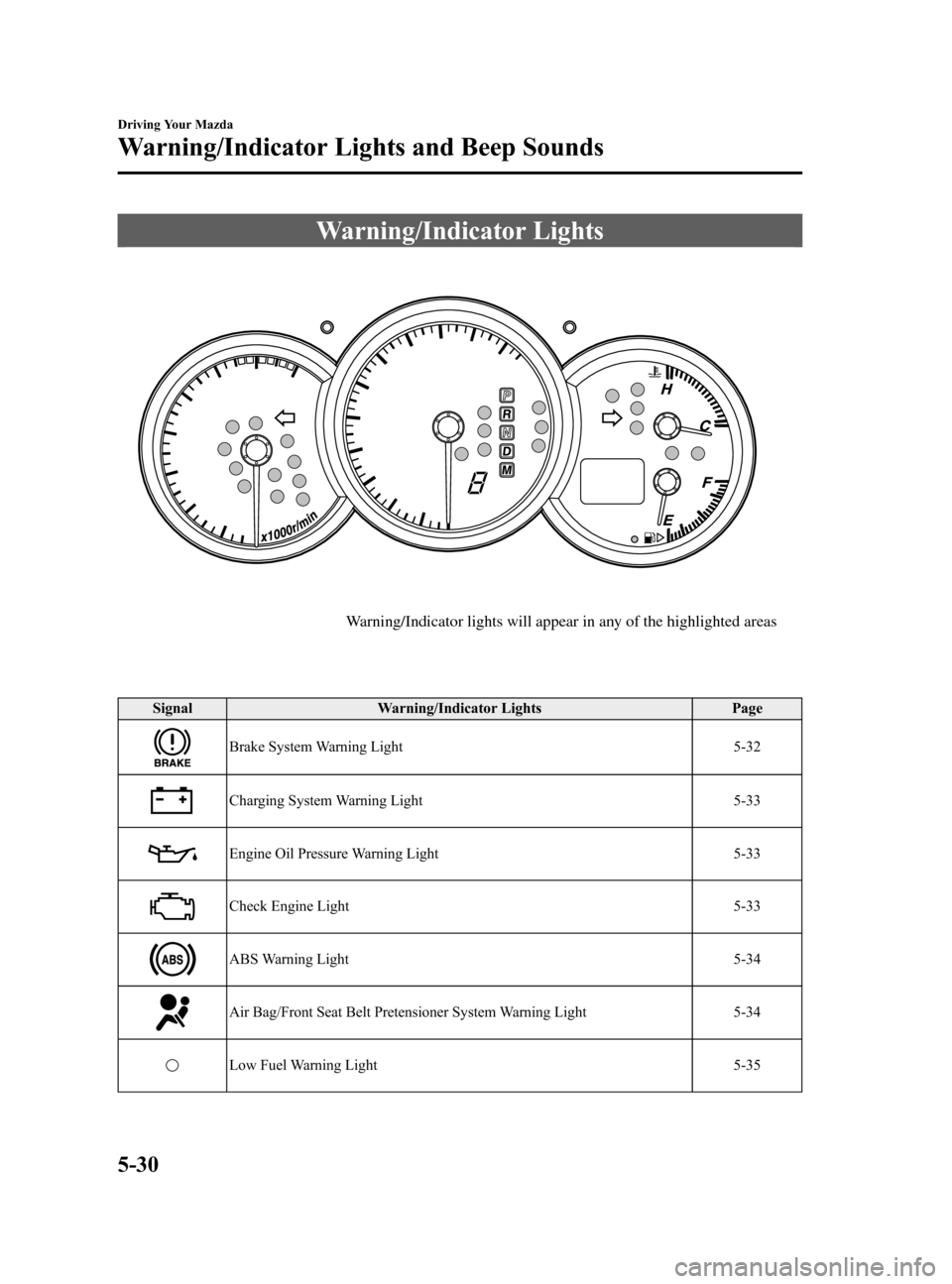
Warning/Indicator Lights
Warning/Indicator lights will appear in any of the highlighted areas
Signal Warning/Indicator Lights Page
Brake System Warning Light 5-32
Charging System Warning Light 5-33
Engine Oil Pressure Warning Light 5-33
Check Engine Light 5-33
ABS Warning Light 5-34
Air Bag/Front Seat Belt Pretensioner System Warning Light 5-34
Low Fuel Warning Light 5-35
5-30
Driving Your Mazda
Warning/Indicator Lights and Beep Sounds
Mazda3_8T97-EC-04J_Edition1 Page140
Saturday, September 25 2004 2:10 PM
Form No.8T97-EC-04J