audio MAZDA MODEL 3 HATCHBACK 2012 (in English) Repair Manual
[x] Cancel search | Manufacturer: MAZDA, Model Year: 2012, Model line: MODEL 3 HATCHBACK, Model: MAZDA MODEL 3 HATCHBACK 2012Pages: 525, PDF Size: 5.95 MB
Page 317 of 525

Black plate (316,1)
Device programming (Pairing)
To use Bluetooth Hands-Free, the device
equipped with Bluetooth has to be
programmed to the hands-free unit using
the following procedure.
A maximum of seven devices including
hands-free mobile phones and Bluetooth
audio devices can be programmed to one
vehicle.
NOTE
lA device can be programmed only when the
vehicle is parked. If the vehicle starts to
move, the pairing procedure will end.
Programming is dangerous while driving -
pair up your device before you start
driving. Park the car in a safe place before
programming.
lIf a Bluetooth device has already been
programmed to the vehicle as a Bluetooth
audio device, it does not need to be
programmed again when using the device
as a hands-free mobile phone. Conversely,
it does not need to be programmed again as
a Bluetooth audio device if it has already
been programmed as a hands-free mobile
phone.
lSince the communication range of a
Bluetooth equipped device is about 10
meters (32 ft), if a device is placed within a
10-meter (32 ft) radius of the vehicle, it may
be detected/programmed unintentionally
while another device is being programmed.
1. Activate the Bluetooth application ofthe device.
NOTE
For the operation of the device, refer to its
instruction manual.
2. Press the pick-up button or talk button with a short press.
3. Say: [Beep] “Setup ” 4.
Prompt: “Select one of the following:
Pairing options, confirmation prompts,
language, passcode, select phone or
select music player.”
5. Say: [Beep] “Pairing options ”
6. Prompt: “Available options are: Pair,
Edit, Delete, List, or Set Pairing Code. ”
7. Say: [Beep] “Pair ”
8. Prompt: “Start the pairing process on
your Bluetooth device. Your pairing
code is 0000 (XXXX). Input this on
your Bluetooth device when prompted
on the device. See device manual for
instructions. ”
9. Using the device, perform a search for the Bluetooth device (Peripheral
device).
NOTE
For the operation of the device, refer to its
instruction manual.
10. Select “Mazda ”from the device list
searched by the device.
11. Input the 4-digit pairing code to the device.
12. Prompt: “Please say the name of the
device after the beep. ”
13. Say: [Beep] “XXXX - - - ”(Speak a
“ device tag ”, an arbitrary name for
the device.)
Example: “Stan's device. ”
NOTE
Speak a programmed “device tag ”within 10
seconds.
If more than two devices are to be
programmed, they cannot be programmed with
the same or similar “device tag ”.
6-78
Interior Comfort
Bluetooth Hands-Free
Mazda3_8BY7-EC-11F_Edition1 Page316
Friday, June 17 2011 2:56 PM
Form No.8BY7-EC-11F
Page 318 of 525
![MAZDA MODEL 3 HATCHBACK 2012 (in English) Repair Manual Black plate (317,1)
14.Prompt: “XXXXXX - - - (Ex.
“ Stans device ”) (Device tag). Is this
correct? ”
15. Say: [Beep] “Ye s ”
16. Prompt: “Pairing complete ”
After a device is register](/img/28/13456/w960_13456-317.png "MAZDA MODEL 3 HATCHBACK 2012 (in English) Repair Manual Black plate (317,1)
14.Prompt: “XXXXXX - - - (Ex.
“ Stans device ”) (Device tag). Is this
correct? ”
15. Say: [Beep] “Ye s ”
16. Prompt: “Pairing complete ”
After a device is register")
Black plate (317,1)
14.Prompt: “XXXXXX - - - (Ex.
“ Stan's device ”) (Device tag). Is this
correct? ”
15. Say: [Beep] “Ye s ”
16. Prompt: “Pairing complete ”
After a device is registered, the system
automatically identifies the device. By
activating Bluetooth Hands-Free again, or
by activating Bluetooth Hands-Free first
after switching the ignition from OFF to
ACC, the system reads out a voice
guidance, “XXXXXX - - - (Ex. “Stan's
device ”) (Device tag) is connected ”.
NOTE
lDevice registration can also be done by
operating the audio unit. Refer to
“ Bluetooth Audio Preparation ”(page
6-64).
lDepending on the device, the registration
status may be lost after a certain period of
time. If this occurs, repeat the entire
process from Step 1.
q Making a Call Using a Telephone
Number
NOTE
Practice this while parked until you are
confident you can do it while driving in a non-
taxing road situation. If you are not completely
comfortable, make all calls from a safe
parking position, and move out only when fully
under control and you can devote your eyes
and mind to driving.
1. Press the pick-up button or talk button
with a short press.
2. Say: [Beep] “Dial ”
3. Prompt: “Number, please ”
4. Say: [Beep] “XXXXXXXXXXX
(Telephone number) ” 5.
Prompt: “XXXXXXXXXXX.
(Telephone number) After the beep,
continue to add numbers, or say Go-
Back to re-enter the last entered
numbers, or press the Pick-Up button
to execute dialing. ”
6. (Dialing)
Press the pick-up button or say “Dial ”,
then go to Step 7.
(Adding/inputting telephone
number)
Say, “XXXX ”(desired telephone
number), then go to Step 5.
(Telephone number correction)
Say, “Go Back ”. The prompt replies,
“ Go Back. The last entered numbers
have been removed. ”. Then go back to
Step 3.
7. Prompt: “Dialing ”
NOTE
The “Dial ”command and a telephone number
can be combined.
Ex. In Step 2, say, “Dial 123-4567 ”, then,
Steps 3 and 4 can be skipped.
Interior Comfort
Bluetooth Hands-Free
6-79
Mazda3_8BY7-EC-11F_Edition1 Page317
Friday, June 17 2011 2:56 PM
Form No.8BY7-EC-11F
Page 319 of 525

Black plate (318,1)
qReceiving an Incoming Call
1. Prompt: “Incoming call, press the
pickup button to answer ”.
2. To accept the call, press the pick-up button.
To reject the call, press the hang-up
button.
Talk button
Pick-up buttonTalk button
Hang-up button
Pick-up button
q
Hanging Up a Call
Press the hang-up button during the call.
A beep sound will confirm that call is
ended.
qVolume Adjustment
The power/volume dial of the audio unit
is used to adjust the volume. Turn the dial
to the right to increase volume, to the left
to decrease it.
NOTElThe volume can also be adjusted using the
volume button on the steering wheel.
lThe music volume of the audio unit cannot
be adjusted while Bluetooth Hands-Free is
being used.
6-80
Interior Comfort
Bluetooth Hands-Free
Mazda3_8BY7-EC-11F_Edition1 Page318
Friday, June 17 2011 2:56 PM
Form No.8BY7-EC-11F
Page 336 of 525

Black plate (335,1)
Information Display
ClockAudio display
Audio display
Ambient temperature display Climate control display
Climate control display Hands-free display
Without multi
information
display
With multi
information
display
Clock adjustment
buttons
qInformation Display Functions
The information display has the following functions:lClockí
lAmbient Temperature Display (Outside Temperature Display)í
lClimate Control DisplaylAudio DisplaylBluetooth Hands-Free DisplayíRefer to Bluetooth Hands-Free on page 6-72.
Interior Comfort
Interior Equipment
6-97íSome models.
Mazda3_8BY7-EC-11F_Edition1 Page335
Friday, June 17 2011 2:56 PM
Form No.8BY7-EC-11F
Page 337 of 525
Black plate (336,1)
qClockí
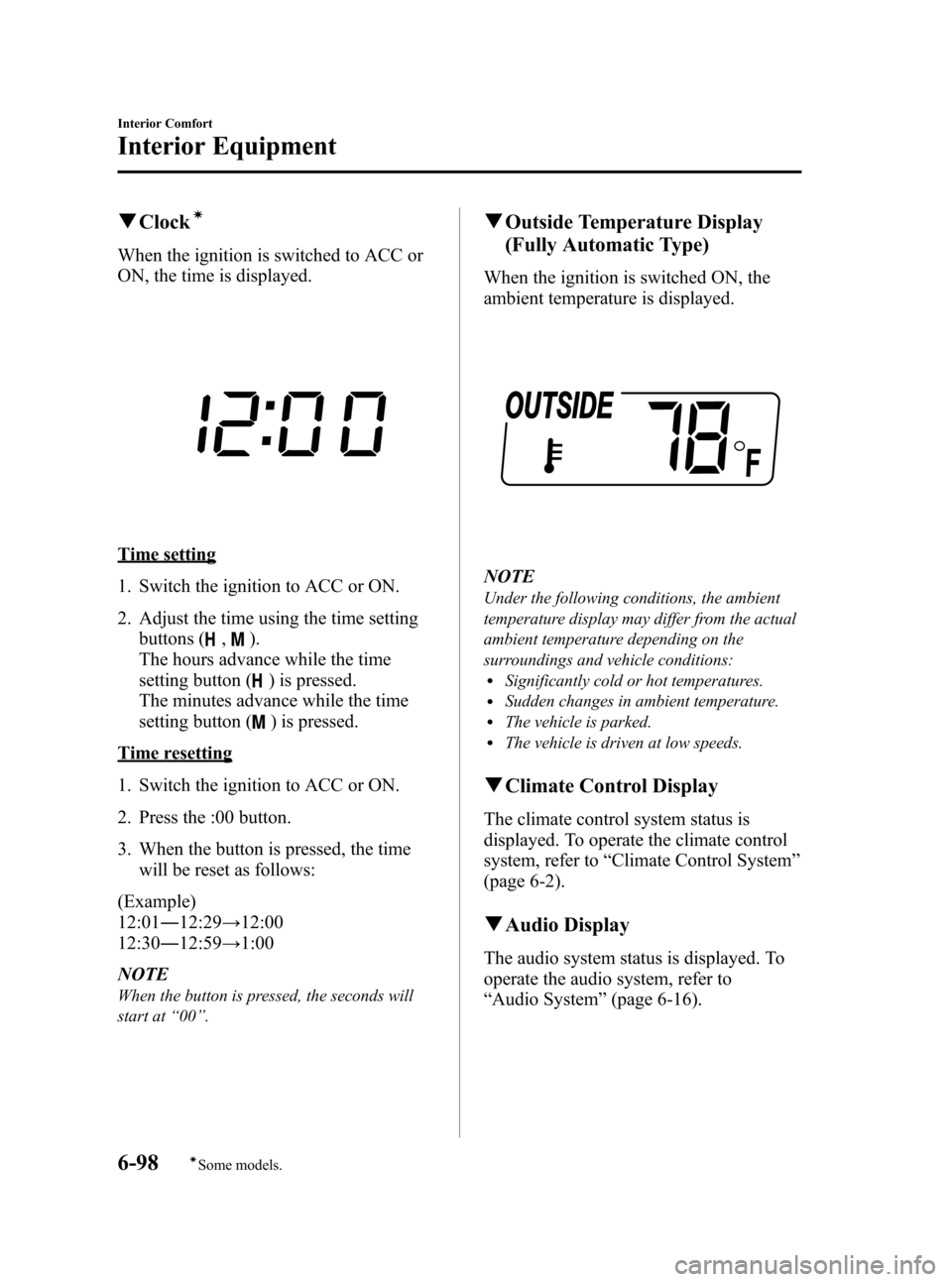
When the ignition is switched to ACC or
ON, the time is displayed.
Time setting
1. Switch the ignition to ACC or ON.
2. Adjust the time using the time setting
buttons (
,).
The hours advance while the time
setting button (
) is pressed.
The minutes advance while the time
setting button (
) is pressed.
Time resetting
1. Switch the ignition to ACC or ON.
2. Press the :00 button.
3. When the button is pressed, the time will be reset as follows:
(Example)
12:01 ―12:29 →12:00
12:30 ―12:59 →1:00
NOTE
When the button is pressed, the seconds will
start at “00 ”.
q Outside Temperature Display
(Fully Automatic Type)
When the ignition is switched ON, the
ambient temperature is displayed.
NOTE
Under the following conditions, the ambient
temperature display may differ from the actual
ambient temperature depending on the
surroundings and vehicle conditions:
lSignificantly cold or hot temperatures.lSudden changes in ambient temperature.lThe vehicle is parked.lThe vehicle is driven at low speeds.
qClimate Control Display
The climate control system status is
displayed. To operate the climate control
system, refer to “Climate Control System ”
(page 6-2).
q Audio Display
The audio system status is displayed. To
operate the audio system, refer to
“Audio System ”(page 6-16).
6-98
Interior Comfort
íSome models.
Interior Equipment
Mazda3_8BY7-EC-11F_Edition1 Page336
Friday, June 17 2011 2:56 PM
Form No.8BY7-EC-11F
Page 339 of 525
Black plate (338,1)
SwitchFunction
Enter (up/down) switch Used to select a menu and change numbers. Select up or down and press enter.
Right switch/Left
switch Used to select digits when setting numbers.
Navi switch
(With navigation sys-
tem) Press to switch the system to the navigation system screen.
BACK switch Press during SETTINGS to return to the previous screen.
INFO switch Press to switch to the multi information display. Switches the setting display in the order of Trip computer
(average fuel economy/average vehicle speed) →Trip computer
(current fuel economy/distance-to-empty) →Audio display →Settings
(reset averages/maintenance/preferences). Each time the switch is pressed, the multi
information display cycles through.
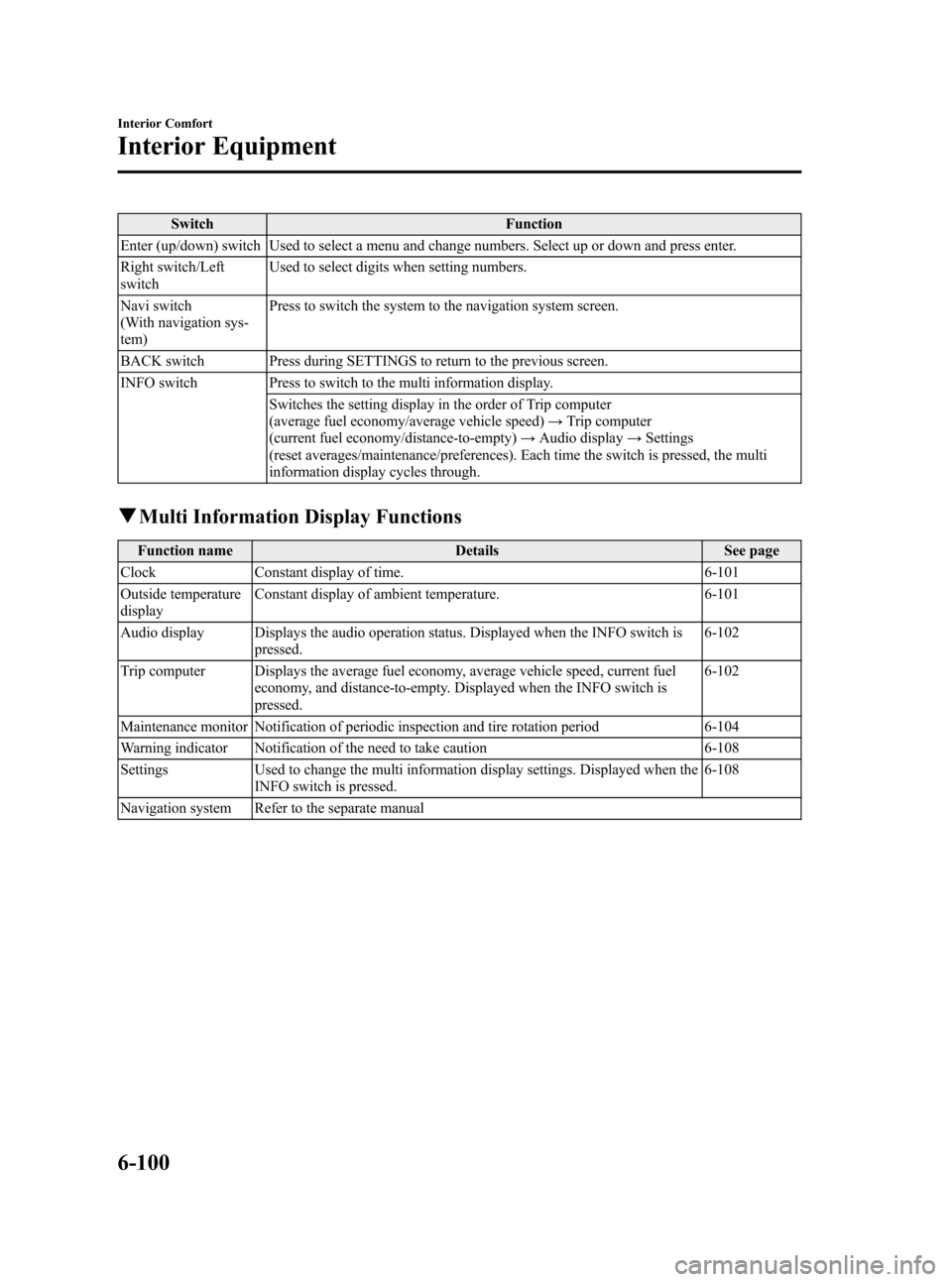
q Multi Information Display Functions
Function name DetailsSee page
Clock Constant display of time. 6-101
Outside temperature
display Constant display of ambient temperature.
6-101
Audio display Displays the audio operation status. Displayed when the INFO switch is pressed. 6-102
Trip computer Displays the average fuel economy, average vehicle speed, current fuel economy, and distance-to-empty. Displayed when the INFO switch is
pressed. 6-102
Maintenance monitor Notification of periodic inspection and tire rotation period 6-104
Warning indicator Notification of the need to take caution 6-108
Settings Used to change the multi information display settings. Displayed when the
INFO switch is pressed. 6-108
Navigation system Refer to the separate manual
6-100
Interior Comfort
Interior Equipment
Mazda3_8BY7-EC-11F_Edition1 Page338
Friday, June 17 2011 2:57 PM
Form No.8BY7-EC-11F
Page 341 of 525

Black plate (340,1)
qAudio Display
Press the INFO switch until the AUDIO
screen is displayed. The audio operation
status is displayed.
To operate the audio system, refer to
“Audio System ”(page 6-16).
q Trip Computer
The trip computer can display the
following:
lThe average fuel economy.lThe average vehicle speed.lThe current fuel economy.lThe approximate distance you can
travel on the available fuel.
1. Switch the ignition ON.
2. Press the INFO switch until the trip computer screen is displayed.
If you have any problems with your trip
computer, consult an Authorized Mazda
Dealer.
Average fuel economy
This mode displays the average fuel
economy by calculating the total fuel
consumption and the total traveled
distance since purchasing the vehicle, re-
connecting the battery after disconnection,
or resetting the data. The average fuel
economy is calculated and displayed
every minute.
To erase the displayed data, Refer to
Settings on page 6-108.
After erasing, the calculated average fuel
economy in - - - L/100 km (- - - mpg) is
displayed after 1 minute has elapsed.
Average vehicle speed
This mode displays the average vehicle
speed by calculating the distance and the
time traveled since connecting the battery
or resetting the data.
6-102
Interior Comfort
Interior Equipment
Mazda3_8BY7-EC-11F_Edition1 Page340
Friday, June 17 2011 2:57 PM
Form No.8BY7-EC-11F
Page 354 of 525
Black plate (353,1)
CAUTION
ØTo prevent accessory socket
damage or electrical failure, pay
attention to the following:
ØDo not use accessories that
require more than 120 W (DC 12
V, 10 A).
ØDo not use accessories that are
not genuine Mazda accessories
or the equivalent.
ØClose the cover when the
accessory socket is not in use to
prevent foreign objects and
liquids from getting into the
accessory socket.
ØCorrectly insert the plug into
the accessory socket.
ØDo not insert the cigarette
lighter into the accessory
socket.
Ø Noise may occur on the audio
playback or TV reception
depending on the device connected
to the accessory socket.
Ø Depending on the device
connected to the accessory socket,
the vehicle's electrical system may
be affected, which could cause the
warning light to illuminate.
Disconnect the connected device
and make sure that the problem is
resolved. If the problem is
resolved, disconnect the device
from the socket and switch the
ignition off. If the problem is not
resolved, consult an Authorized
Mazda Dealer.
NOTE
To prevent discharging of the battery, do not
use the socket for long periods with the engine
off or idling.
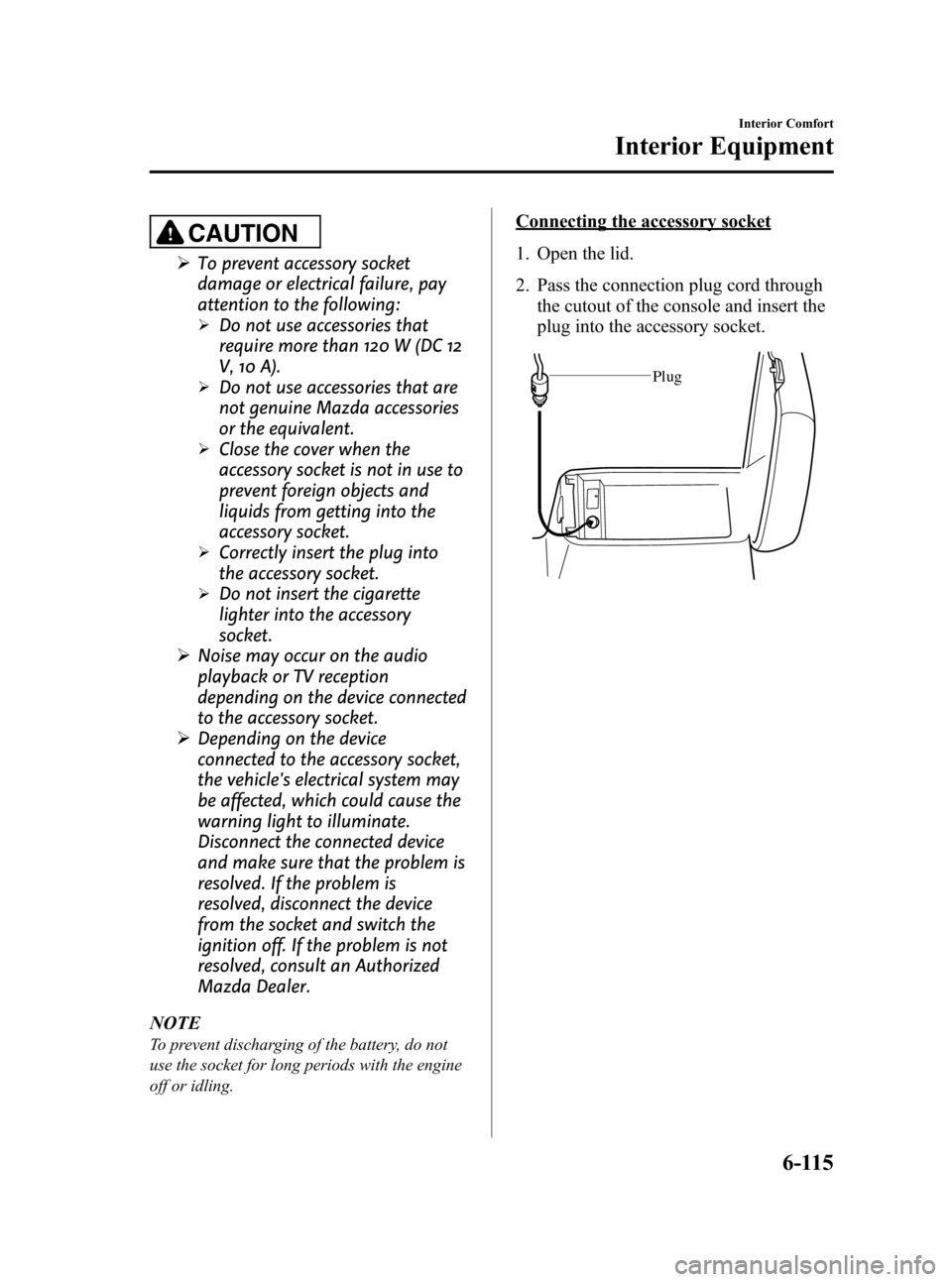
Connecting the accessory socket
1. Open the lid.
2. Pass the connection plug cord through the cutout of the console and insert the
plug into the accessory socket.
Plug
Interior Comfort
Interior Equipment
6-115
Mazda3_8BY7-EC-11F_Edition1 Page353
Friday, June 17 2011 2:57 PM
Form No.8BY7-EC-11F
Page 440 of 525
Black plate (439,1)
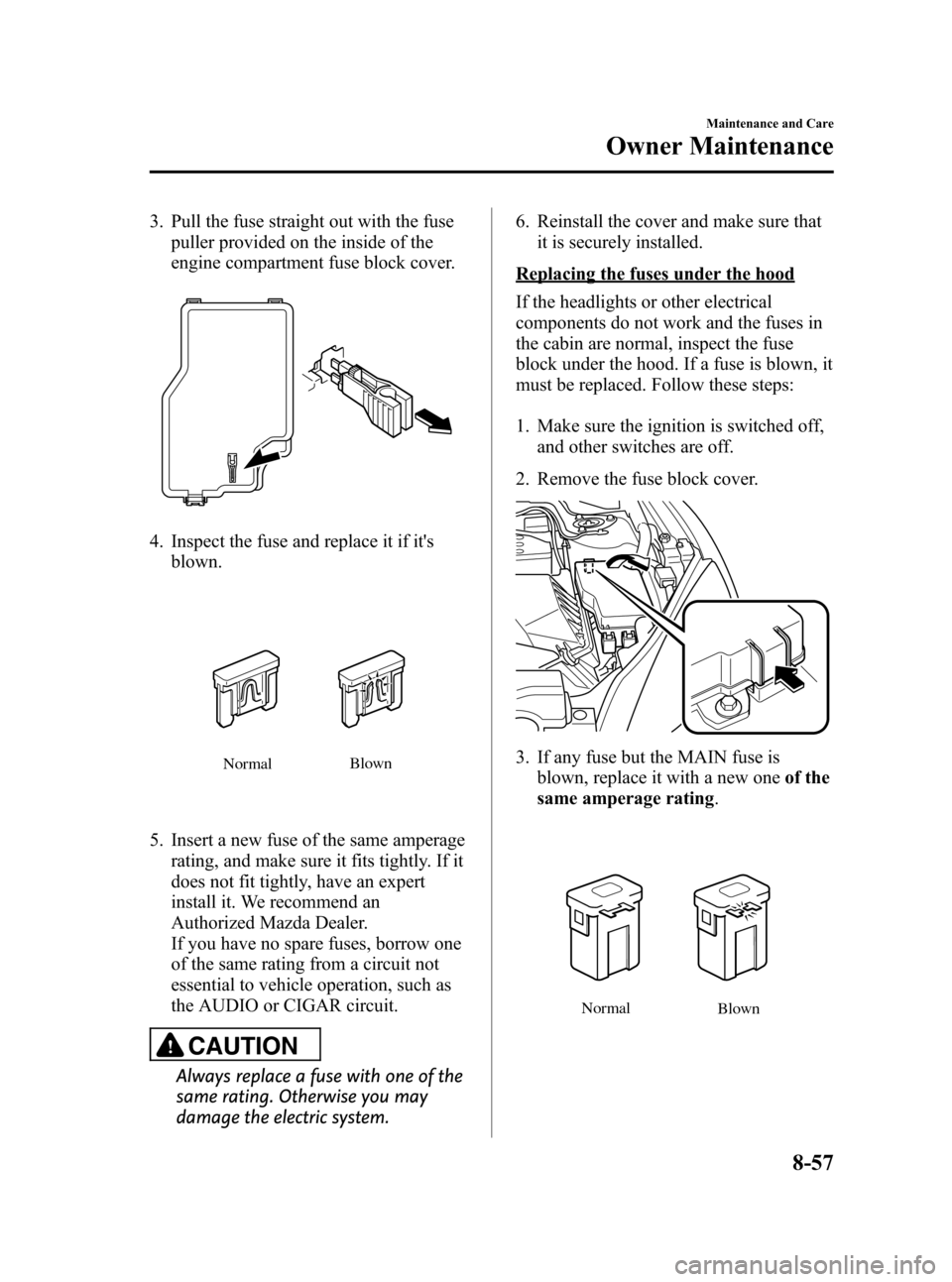
3. Pull the fuse straight out with the fusepuller provided on the inside of the
engine compartment fuse block cover.
4. Inspect the fuse and replace it if it'sblown.
Normal Blown
5. Insert a new fuse of the same amperage
rating, and make sure it fits tightly. If it
does not fit tightly, have an expert
install it. We recommend an
Authorized Mazda Dealer.
If you have no spare fuses, borrow one
of the same rating from a circuit not
essential to vehicle operation, such as
the AUDIO or CIGAR circuit.
CAUTION
Always replace a fuse with one of the
same rating. Otherwise you may
damage the electric system. 6. Reinstall the cover and make sure that
it is securely installed.
Replacing the fuses under the hood
If the headlights or other electrical
components do not work and the fuses in
the cabin are normal, inspect the fuse
block under the hood. If a fuse is blown, it
must be replaced. Follow these steps:
1. Make sure the ignition is switched off,
and other switches are off.
2. Remove the fuse block cover.
3. If any fuse but the MAIN fuse is blown, replace it with a new one of the
same amperage rating .
Normal
Blown
Maintenance and Care
Owner Maintenance
8-57
Mazda3_8BY7-EC-11F_Edition1 Page439
Friday, June 17 2011 2:57 PM
Form No.8BY7-EC-11F
Page 445 of 525

Black plate (444,1)
DESCRIPTIONFUSE
RATING PROTECTED COMPONENT
20 AUDIO 7.5 A Audio system
21 M.DEF 7.5 A Mirror defroster
í
22AFS 7.5 A Adaptive Front-Lighting Systemí
23―― ―
24 ENG 20 A Engine control system
25 ―― ―
26 METER2 ――
27 ―― ―
28 AUDIO2 ――
29 ―― ―
30 P.WIND 25 A Power window
31 ―― ―
32 F.WIPER 25 A Front window wiper and washer
33 BOSE 2 25 A Bose
®Sound System-equipped modelí
34 ―― ―
8-62
Maintenance and Care
íSome models.
Owner Maintenance
Mazda3_8BY7-EC-11F_Edition1 Page444
Friday, June 17 2011 2:57 PM
Form No.8BY7-EC-11F