lights MAZDA MODEL 3 SEDAN 2019 Owner's Manual
[x] Cancel search | Manufacturer: MAZDA, Model Year: 2019, Model line: MODEL 3 SEDAN, Model: MAZDA MODEL 3 SEDAN 2019Pages: 592, PDF Size: 75.35 MB
Page 187 of 592
▼Coming Home Light
The coming home light turns on the
headlights (low beams)
when the lever is
operated.
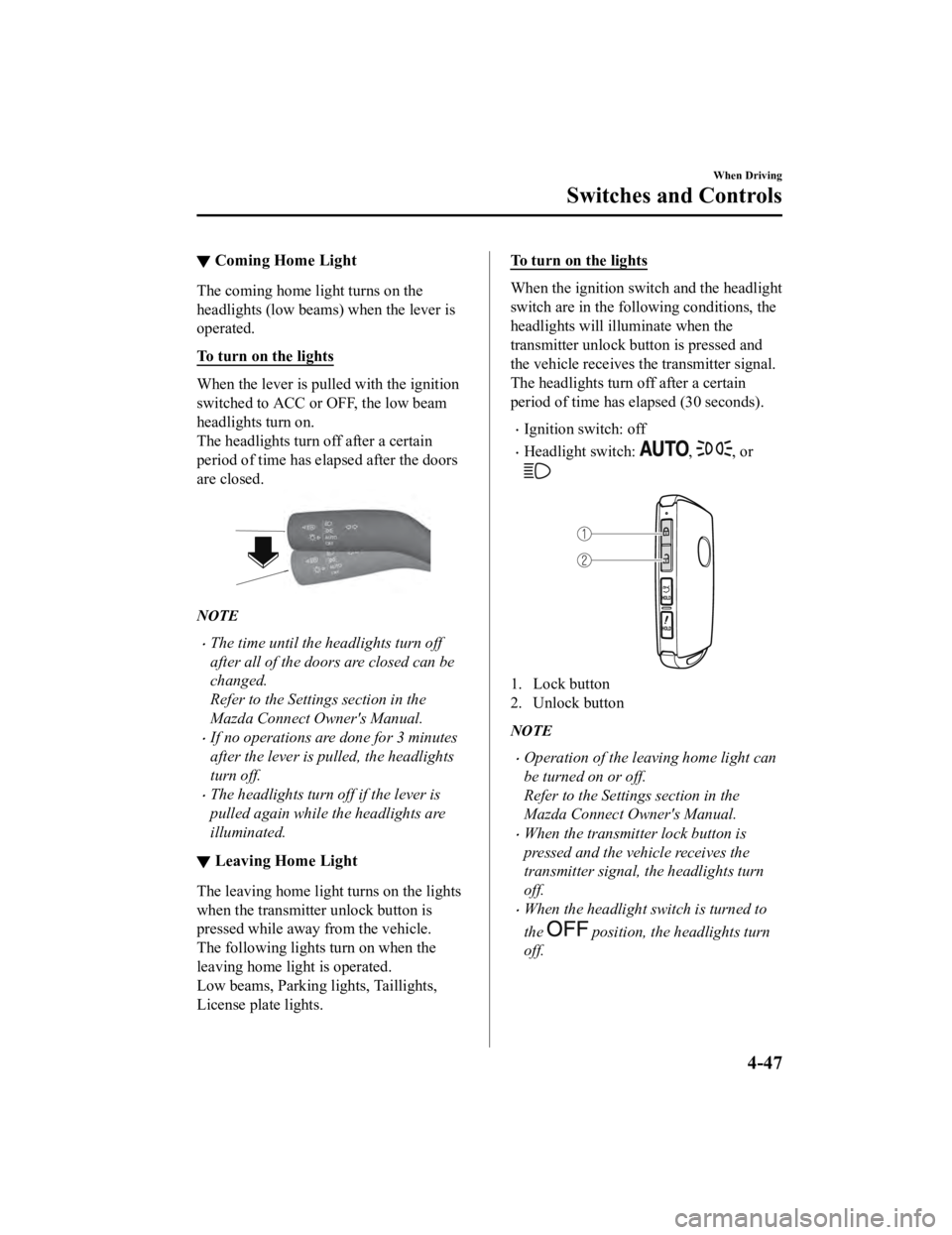
To turn on the lights
When the lever is pull ed with the ignition
switched to ACC or OFF, the low beam
headlights turn on.
The headlights turn off after a certain
period of time has elapsed after the doors
are closed.
NOTE
The time until the headlights turn off
after all of the doors are closed can be
changed.
Refer to the Settings section in the
Mazda Connect Owner's Manual.
If no operations are done for 3 minutes
after the lever is pulled, the headlights
turn off.
The headlights turn off if the lever is
pulled again while the headlights are
illuminated.
▼ Leaving Home Light
The leaving home light turns on the lights
when the transmitter unlock button is
pressed while away from the vehicle.
The following lights turn on when the
leaving home light is operated.
Low beams, Parking lights, Taillights,
License plate lights.
To turn on the lights
When the ignition switch and the headlight
switch are in the following conditions, the
headlights will illuminate when the
transmitter unlock button is pressed and
the vehicle receives the transmitter signal.
The headlights turn off after a certain
period of time has elapsed (30 seconds).
Ignition switch: off
Headlight switch: , , or
1. Lock button
2. Unlock button
NOTE
Operation of the leaving home light can
be turned on or off.
Refer to the Settings section in the
Mazda Connect Owner's Manual.
When the transmitter lock button is
pressed and the vehicle receives the
transmitter signal, the headlights turn
off.
When the headlight switch is turned to
the
position, the headlights turn
off.
When Driving
Switches and Controls
4-47
Mazda3_8HE9-EA-18K_Edition3 2018-11-21 14:31:58
Page 188 of 592
▼Headlight Leveling
The number of passengers and weight of
cargo in the luggage compartment change
the angle of the headlights.
Auto type
The angle of the headlights will be
automatically adjusted when turning on
the headlights.
A system malfunction or operation
conditions are indicated by a warning.
Refer to Exterior Light Warning
Indication/Warning Light on page 7-33.
Manual type
When adjusting the illumination angle of
the headlights, refer to the Settings section
in the Mazda Connect Owner's Manual.
Select the proper headlight angle from the
following chart.
Front seat
Rearseat LoadIllumi‐
nation angle
(num‐ ber)
Driver Passenger
×―――0
××――0
×××―1
××××2
×――×3.5
×: Yes
―: No
▼ Daytime Running Lights
Some countries requir
e moving vehicles to
have their lights on (daytime running
lights) during the daytime.
The daytime running lights turn on
automatically.
NOTE
(Except Canada)
The daytime running lights can be
deactivated.
Refer to the Settings section in the Mazda
Connect Owner's Manual.
When Driving
Switches and Controls
4-48
Mazda3_8HE9-EA-18K_Edition3 2018-11-21 14:31:58
Page 189 of 592
Turn and Lane-ChangeSignals
▼Turn and Lane-Change Signals
The ignition must be switched ON to use
the turn and lane-change signals.
▼Tu r n S i g n a l s
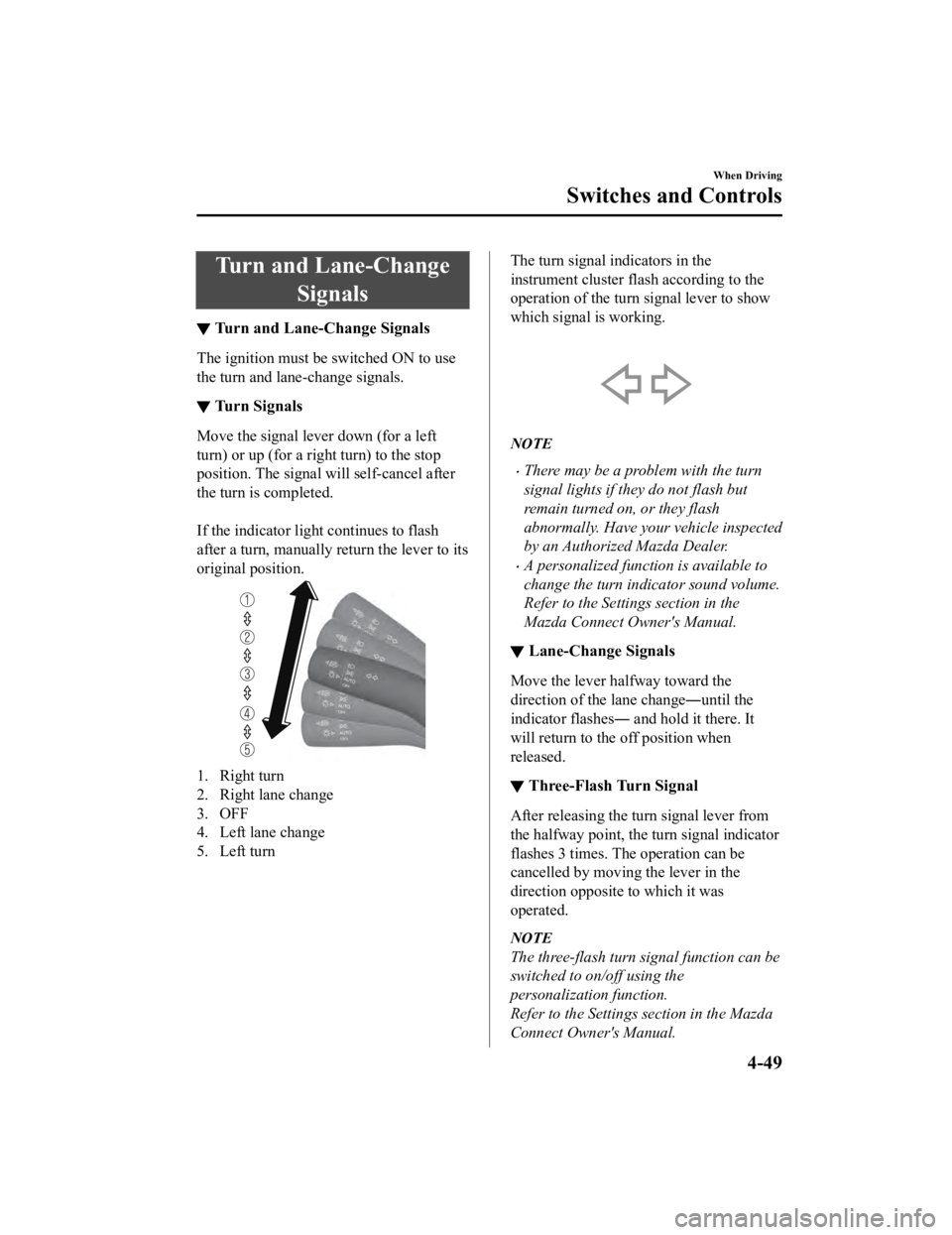
Move the signal lever down (for a left
turn) or up (for a right turn) to the stop
position. The signal will self-cancel after
the turn is completed.
If the indicator light continues to flash
after a turn, ma
nually return the lever to its
original position.
1. Right turn
2. Right lane change
3. OFF
4. Left lane change
5. Left turn
The turn signal indicators in the
instrument cluster flash according to the
operation of the turn signal lever to show
which signal is working.
NOTE
There may be a problem with the turn
signal lights if they do not flash but
remain turned on, or they flash
abnormally. Have your vehicle inspected
by an Authorized Mazda Dealer.
A personalized function is available to
change the turn indicator sound volume.
Refer to the Settings section in the
Mazda Connect Owner's Manual.
▼ Lane-Change Signals
Move the lever halfway toward the
direction of the lane change―until the
indicator flashes― and hold it there. It
will return to the off position when
released.
▼Three-Flash Turn Signal
After releasing the tu
rn signal lever from
the halfway point, the turn signal indicator
flashes 3 times. The operation can be
cancelled by moving the lever in the
direction opposite to which it was
operated.
NOTE
The three-flash turn signal function can be
switched to on/off using the
personalization function.
Refer to the Settings section in the Mazda
Connect Owner's Manual.
When Driving
Switches and Controls
4-49
Mazda3_8HE9-EA-18K_Edition3 2018-11-21 14:31:58
Page 193 of 592
If the headlight switch and the
windshield wiper switch are in
,
and the wipers are operated at low or
high speed by the auto wiper control for
several seconds, bad weather conditions
are determined and the headlights may
be turned on.
The auto-wiper control functions can be
turned off.
Refer to the Settings section in the
Mazda Connect Owner's Manual.
▼ Windshield Washer
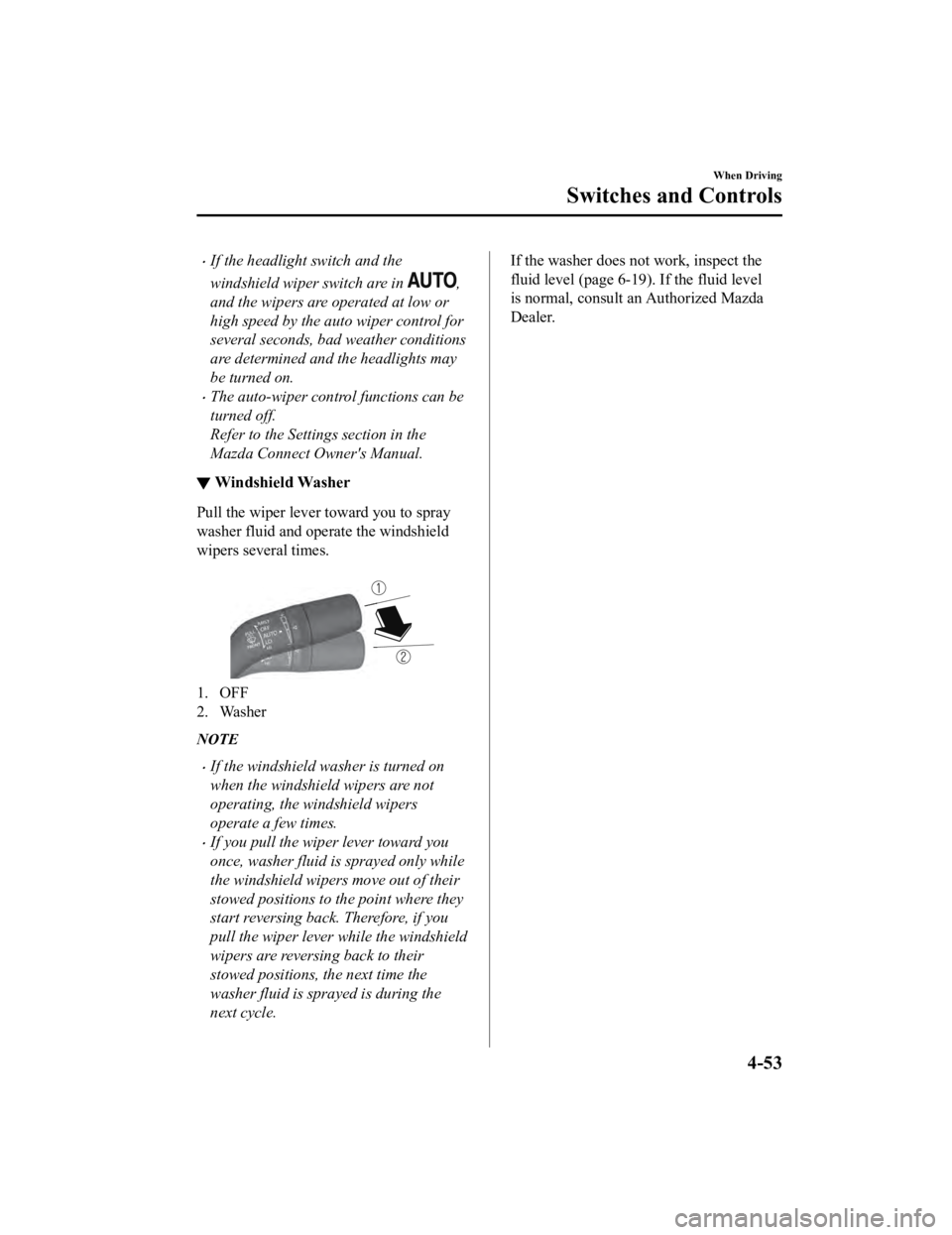
Pull the wiper lever toward you to spray
washer fluid and operate the windshield
wipers several times.
1. OFF
2. Washer
NOTE
If the windshield washer is turned on
when the windshield wipers are not
operating, the windshield wipers
operate a few times.
If you pull the wipe
r lever toward you
once, washer fluid is sprayed only while
the windshield wipers move out of their
stowed positions to the point where they
start reversing back. Therefore, if you
pull the wiper lever while the windshield
wipers are reversing back to their
stowed positions, the next time the
washer fluid is sprayed is during the
next cycle.
If the washer does not work, inspect the
fluid level (page 6-19 ). If the fluid level
is normal, consult an Authorized Mazda
Dealer.
When Driving
Switches and Controls
4-53
Mazda3_8HE9-EA-18K_Edition3 2018-11-21 14:31:58
Page 197 of 592
Hazard Warning Flasher
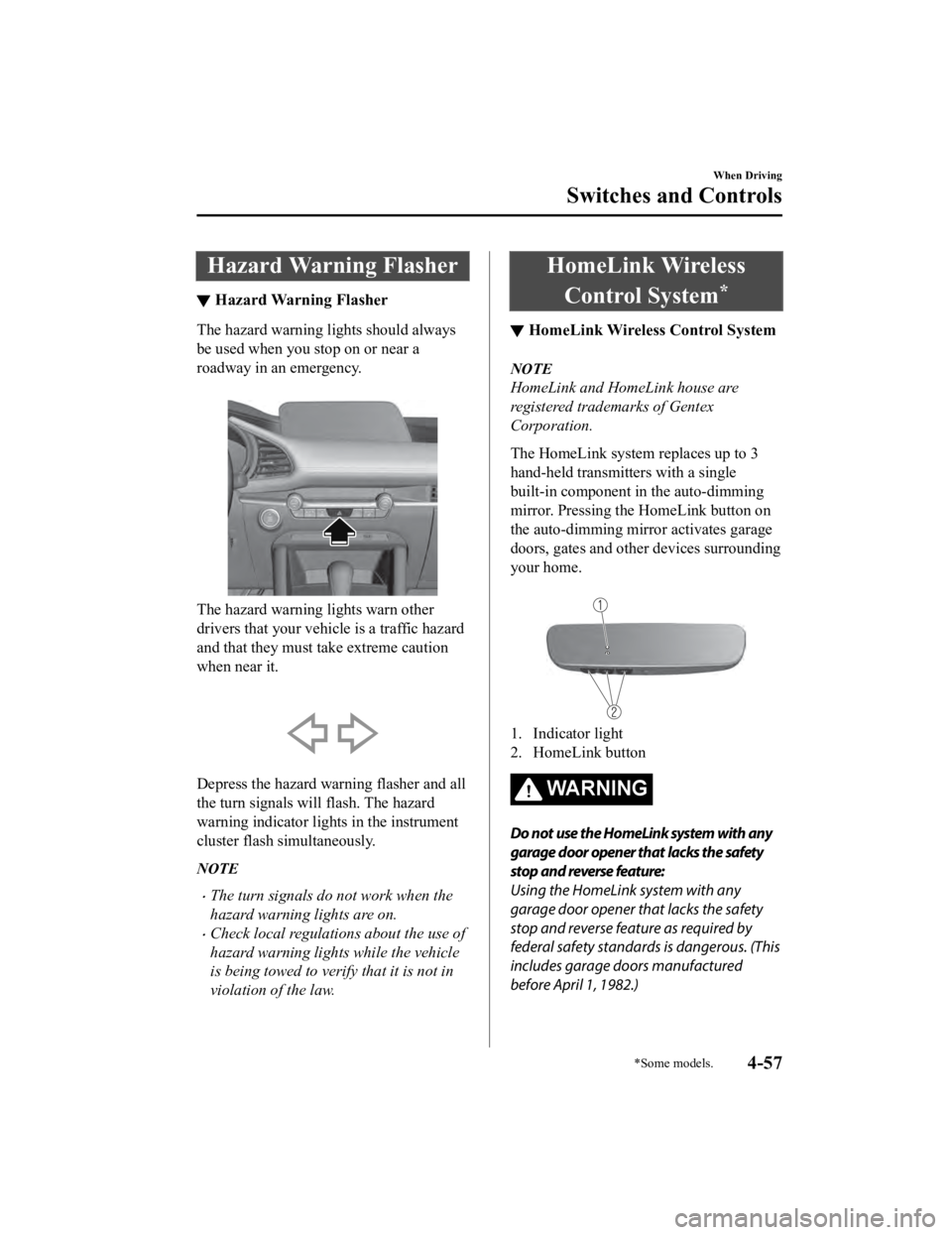
▼Hazard Warning Flasher
The hazard warning lights should always
be used when you stop on or near a
roadway in an emergency.
The hazard warning lights warn other
drivers that your vehicle is a traffic hazard
and that they must take extreme caution
when near it.
Depress the hazard warning flasher and all
the turn signals will flash. The hazard
warning indicator lights in the instrument
cluster flash simultaneously.
NOTE
The turn signals do not work when the
hazard warning lights are on.
Check local regulations about the use of
hazard warning lights while the vehicle
is being towed to verify that it is not in
violation of the law.
HomeLink Wireless
Control System
*
▼ HomeLink Wireless Control System
NOTE
HomeLink and HomeLink house are
registered trademarks of Gentex
Corporation.
The HomeLink system replaces up to 3
hand-held transmitters with a single
built-in component in the auto-dimming
mirror. Pressing the HomeLink button on
the auto-dimming mirror activates garage
doors, gates and other devices surrounding
your home.
1. Indicator light
2. HomeLink button
WA R N I N G
Do not use the HomeLink system with any
garage door opener that lacks the safety
stop and reverse feature:
Using the HomeLink system with any
garage door opener that lacks the safety
stop and reverse feature as required by
federal safety standards is dangerous. (This
includes garage doors manufactured
before April 1, 1982.)
When Driving
Switches and Controls
*Some models.4-57
Mazda3_8HE9-EA-18K_Edition3
2018-11-21 14:31:58
Page 201 of 592
1. Press the two outer HomeLink buttonscontinuously at the same time until the
indicator light flashes.
1. HomeLink button 3
2. HomeLink button 1
2. Stop pressing the HomeLink buttons.
▼Garage Door Two-Way
Communication
The garage door two-way communication
is a function that communicates with the
garage door opener and indicates whether
the garages door is open or closed using
the indicator lights in the rear view mirror.
It can indicate the status of the garage door
within a range up-to 250 m (820 ft).
NOTE
The communication range may shorten
depending on obstructions.
Programming two-way communication
Within five seconds after programming a
new HomeLink button, both of the garage
door status indicator lights will flash
rapidly in green indicating that the garage
door two-way communication has been
established. If the garage door status
indicator lights flash, the two-way
communication programming is complete.
If the garage door status indicator lights do
not flash, the two-way communication
programming is not completed. For
additional HomeLink information and
programming videos, refer to the
following Websites:
www.HomeLink.com
www.youtube.com/HomeLinkGentex
Operating the garage door two-way
communication
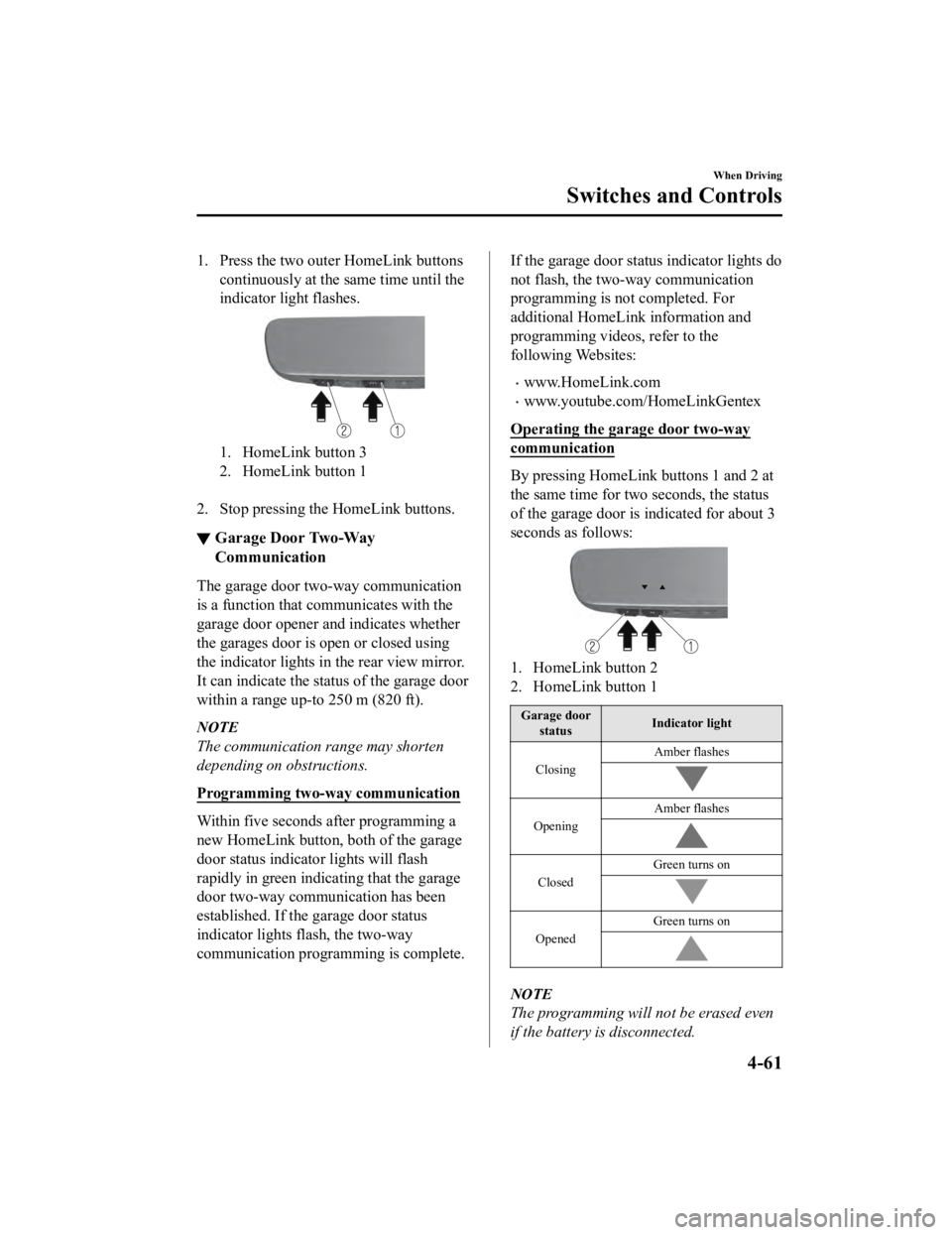
By pressing HomeLink buttons 1 and 2 at
the same time for two seconds, the status
of the garage door is indicated for about 3
seconds as follows:
1. HomeLink button 2
2. HomeLink button 1
Garage door status Indicator light
Closing Amber flashes
Opening
Amber flashes
ClosedGreen turns on
Opened
Green turns on
NOTE
The programming will not be erased even
if the battery is disconnected.
When Driving
Switches and Controls
4-61
Mazda3_8HE9-EA-18K_Edition3
2018-11-21 14:31:58
Page 223 of 592

▼Pre-Crash Safety Technology
Pre-crash safety technology is designed to
assist the driver in averting collisions or
reducing their severity in situations where
they cannot be avoided.
Collision damage reduction
Forward driving
Smart Brake Support
(SBS)...... page 4-153
Reverse driving
Smart Brake Support [Rear]
(SBS-R).................................... page 4-156
Smart Brake Support [Rear Crossing]
(SBS-RC).................................. page 4-160
▼ Camera and Sensors
Forward Sensing Camera (FSC)
The Forward Sensing Camera (FSC)
detects lane indications and recognizes
headlights, taillights and city lights during
nighttime driving. I
n addition, it also
detects the vehicle ahead, pedestrians, or
obstructions. The following systems use
the Forward Sensing Camera (FSC).
High Beam Control system (HBC)
Lane Departure Warning System
(LDWS)
Traffic Sign Recogn ition System (TSR)
Distance & Speed Alert (DSA)
Driver Attention Alert (DAA)
Driver Monitoring (DM)
Mazda Radar Cruise Control (MRCC)
Mazda Radar Cruise Control with Stop
& Go function (MRCC with Stop & Go
function)
Lane-keep Assist System (LAS)
Traffic Jam Assist (TJA)
Smart Brake Support (SBS)
The Forward Sensing Camera (FSC) is
installed at the top of the windshield near
the rearview mirror.
Refer to Forward Sensing Camera (FSC)
on page 4-198.
Front radar sensor
The front radar sensor detects radio waves
reflected off a vehicle ahead sent from the
radar sensor. The following systems use
the front radar sensor.
Distance & Speed Alert (DSA)
Mazda Radar Crui se Control (MRCC)
Mazda Radar Cruise Control with Stop
& Go function (MRCC with Stop & Go
function)
Traffic Jam Assist (TJA)
Smart Brake Support (SBS)
The front radar sensor is mounted behind
the radiator grille.
Refer to Front Radar Sensor on page
4-202.
Front side radar sensor
The front side radar sensors detects radio
waves reflected off a vehicle ahead sent
from the radar sensor. The following
systems use the front side radar sensor.
Front Cross Traffic Alert (FCTA)
The front side radar sensors are installed
inside the front bumper, one on the left
side and one on the right side.
Refer to Front Side Radar Sensor on page
4-204.
When Driving
i-ACTIVSENSE
4-83
Mazda3_8HE9-EA-18K_Edition3 2018-11-21 14:31:58
Page 227 of 592
NOTE
You can select systems you want to cancel
using the personalization features.
Refer to the Settings section in the Mazda
Connect Owner's Manual.
When the i-ACTIVSENSE switch is
pressed and held
When pressing and holding the
i-ACTIVSENSE switch, the following
systems are canceled in addition to the
systems which are canceled by pressing
and immediately releas ing the switch. The
i-ACTIVSENSE status symbol (warning/
risk avoidance support system) turns off
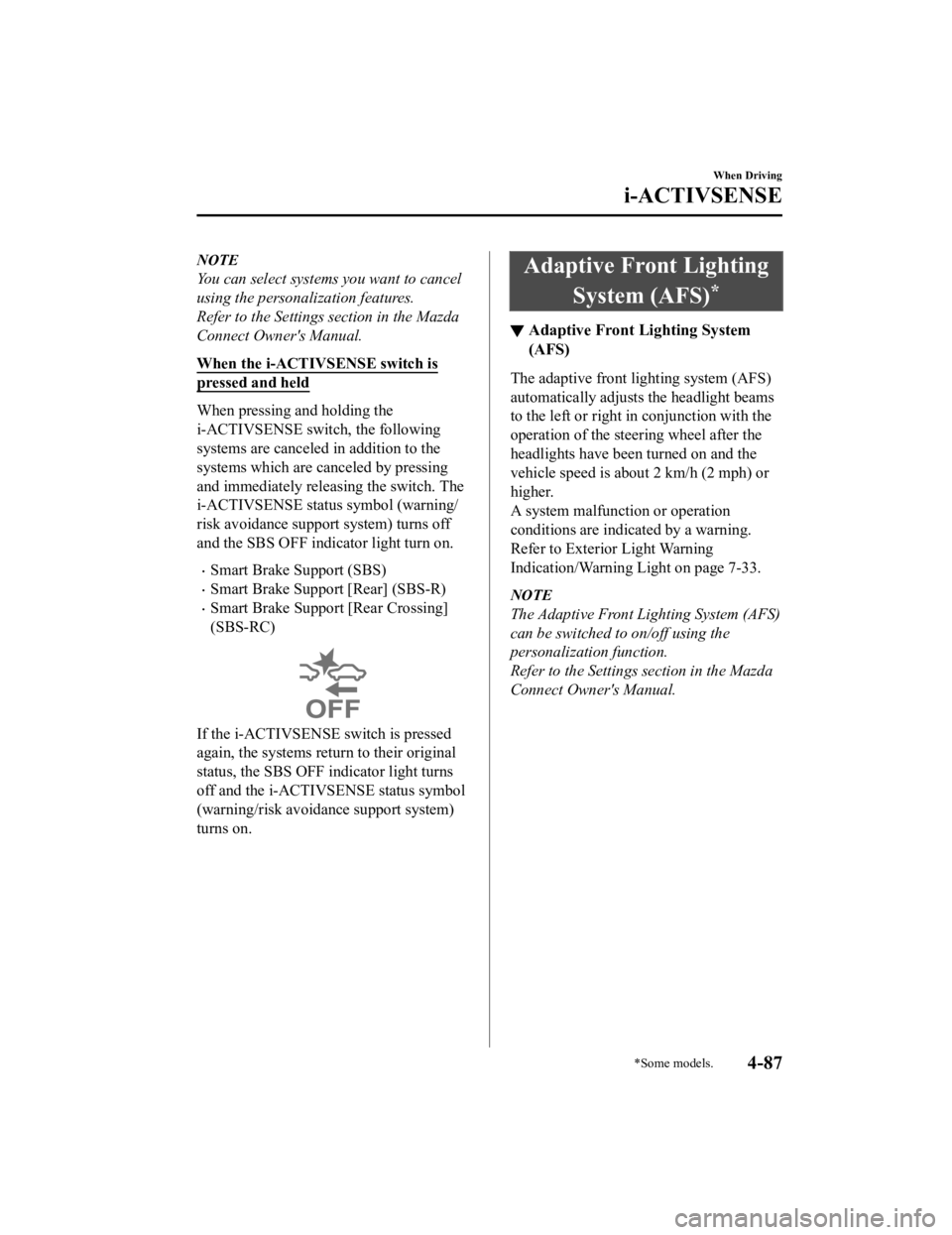
and the SBS OFF indicator light turn on.
Smart Brake Support (SBS)
Smart Brake Support [Rear] (SBS-R)
Smart Brake Support [Rear Crossing]
(SBS-RC)
If the i-ACTIVSENSE switch is pressed
again, the systems return to their original
status, the SBS OFF indicator light turns
off and the i-ACTIVSENSE status symbol
(warning/risk avoidance support system)
turns on.
Adaptive Front Lighting
System (AFS)
*
▼Adaptive Front Lighting System
(AFS)
The adaptive front lighting system (AFS)
automatically adjusts the headlight beams
to the left or right in conjunction with the
operation of the steering wheel after the
headlights have been turned on and the
vehicle speed is about 2 km/h (2 mph) or
higher.
A system malfunction or operation
conditions are indicated by a warning.
Refer to Exterior Light Warning
Indication/Warning Light on page 7-33.
NOTE
The Adaptive Front Lighting System (AFS)
can be switched to on/off using the
personalization function.
Refer to the Settings section in the Mazda
Connect Owner's Manual.
When Driving
i-ACTIVSENSE
*Some models.4-87
Mazda3_8HE9-EA-18K_Edition3
2018-11-21 14:31:58
Page 228 of 592
High Beam ControlSystem (HBC)
*
▼ High Beam Control System (HBC)
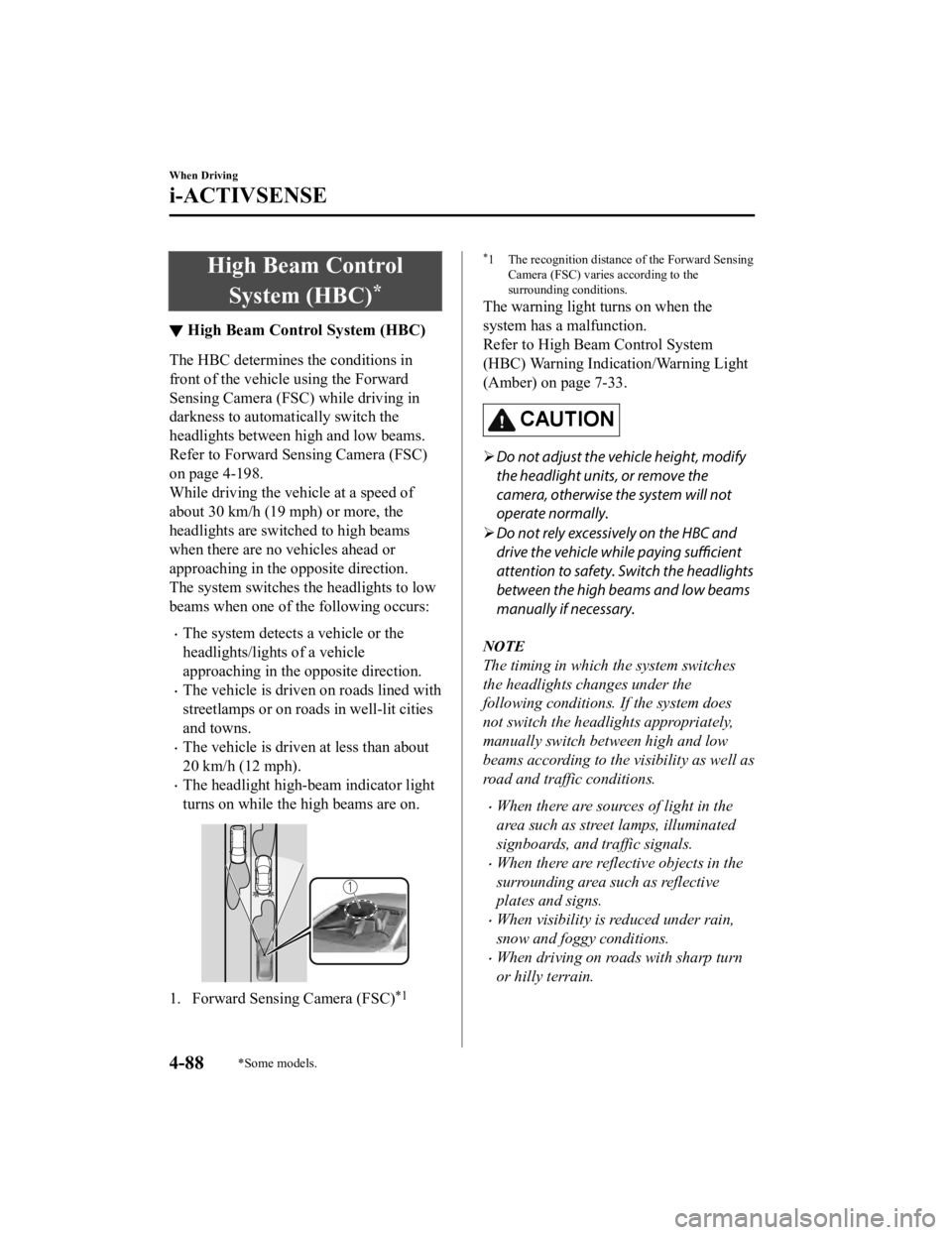
The HBC determines the conditions in
front of the vehicle using the Forward
Sensing Camera (FSC) while driving in
darkness to automatically switch the
headlights between high and low beams.
Refer to Forward Sen
sing Camera (FSC)
on page 4-198.
While driving the vehicle at a speed of
about 30 km/h (19 mph) or more, the
headlights are switched to high beams
when there are no vehicles ahead or
approaching in the opposite direction.
The system switches the headlights to low
beams when one of th e following occurs:
The system detects a vehicle or the
headlights/lights of a vehicle
approaching in the opposite direction.
The vehicle is driven on roads lined with
streetlamps or on roads in well-lit cities
and towns.
The vehicle is driven at less than about
20 km/h (12 mph).
The headlight high-beam indicator light
turns on while the high beams are on.
1. Forward Sensing Camera (FSC)*1
*1 The recognition distance of the Forward Sensing
Camera (FSC) varies according to the
surrounding conditions.
The warning light turns on when the
system has a malfunction.
Refer to High Be am Control System
(HBC) Warning Indication/Warning Light
(Amber) on page 7-33.
CAUTION
Do not adjust the vehicle height, modify
the headlight units, or remove the
camera, otherwise the system will not
operate normally.
Do not rely excessively on the HBC and
drive the vehicle while paying sufficient
attention to safety. Switch the headlights
between the high beams and low beams
manually if necessary.
NOTE
The timing in which the system switches
the headlights changes under the
following conditions. If the system does
not switch the headlights appropriately,
manually switch between high and low
beams according to the visibility as well as
road and traffic conditions.
When there are sources of light in the
area such as street lamps, illuminated
signboards, and traffic signals.
When there are reflective objects in the
surrounding area such as reflective
plates and signs.
When visibility is reduced under rain,
snow and foggy conditions.
When driving on roads with sharp turn
or hilly terrain.
When Driving
i-ACTIVSENSE
4-88*Some models.
Mazda3_8HE9-EA-18K_Edition3 2018-11-21 14:31:58
Page 229 of 592
When the headlights/rear lamps of
vehicles in front of you or in the
opposite lane are dim or not
illuminated.
When there is insufficient darkness such
as at dawn or dusk.
When the luggage compartment is
loaded with heavy objects or the rear
passenger seats are occupied.
When visibility is reduced due to a
vehicle in front of you spraying water
from its tires onto your windshield.
▼To Operate the System
The HBC operates to s
witch the headlights
automatically between high and low
beams after the igni tion is switched ON
and the headlight sw itch is in the AUTO
and low beam position.
The HBC determines that it is dark based
on the brightness of the surrounding area.
At the same time, the HBC indicator light
(green) in the instrument cluster
illuminates.
NOTE
Operation of the HBC function can be
disabled.
Refer to the Settings section in the Mazda
Connect Owner's Manual.
▼ Manual Switching
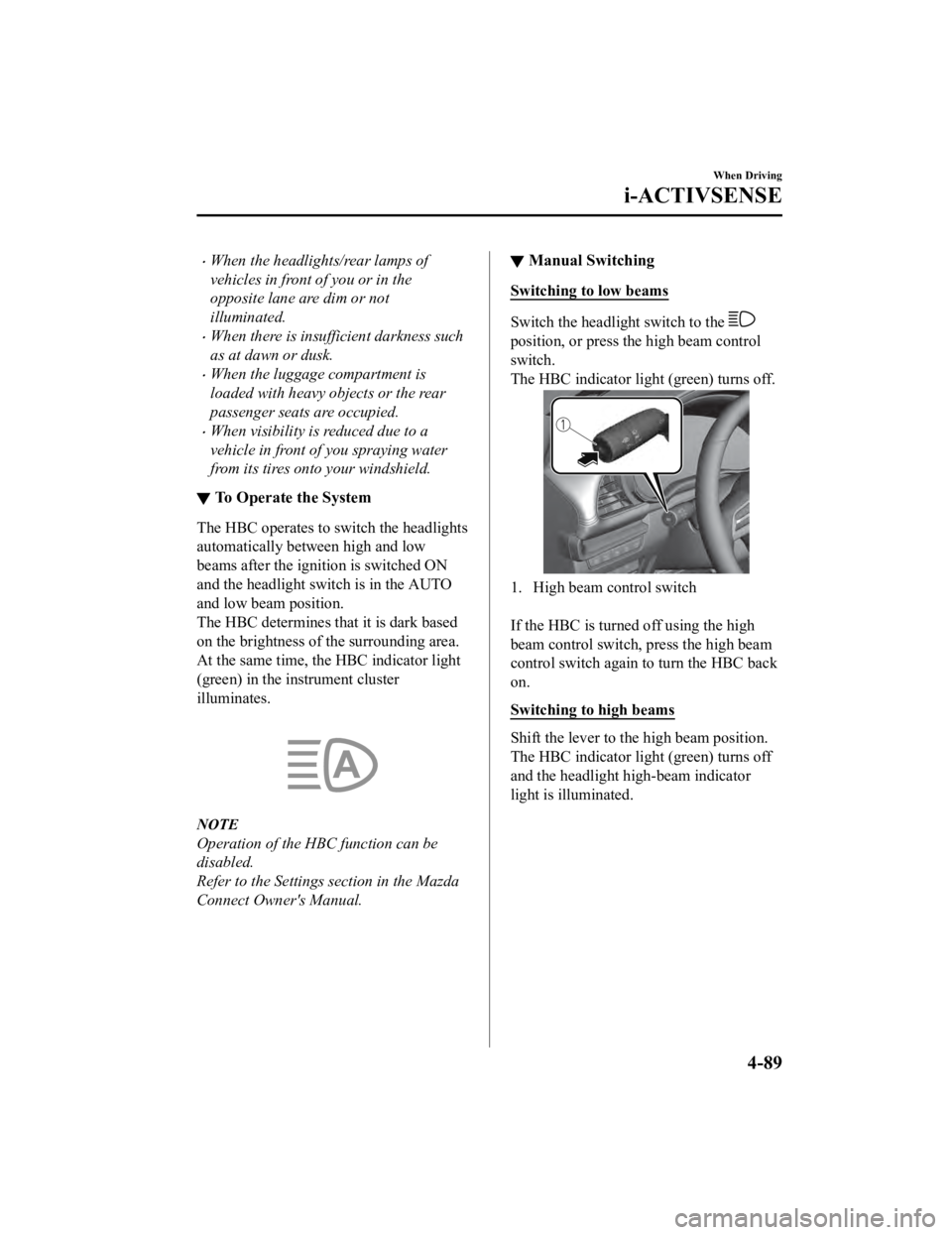
Switching to low beams
Switch the headlight switch to the
position, or press the high beam control
switch.
The HBC indicator ligh
t (green) turns off.
1. High beam control switch
If the HBC is turned off using the high
beam control switch, press the high beam
control switch again to turn the HBC back
on.
Switching to high beams
Shift the lever to the high beam position.
The HBC indicator ligh t (green) turns off
and the headlight high-beam indicator
light is illuminated.
When Driving
i-ACTIVSENSE
4-89
Mazda3_8HE9-EA-18K_Edition3 2018-11-21 14:31:58