automatic transmission MAZDA MODEL 3 SEDAN 2019 Workshop Manual
[x] Cancel search | Manufacturer: MAZDA, Model Year: 2019, Model line: MODEL 3 SEDAN, Model: MAZDA MODEL 3 SEDAN 2019Pages: 592, PDF Size: 75.35 MB
Page 351 of 592

Cruise Set Indication (Green)
The indication turns on (green) when a
cruising speed has been set.
▼Activation/Deactivation
WA R N I N G
Always turn
off the cruise control system
when it is not in use:
Leaving the cruise control system in an
activation-ready state while the cruise
control is not in use is dangerous as the
cruise control could unexpectedly activate
if the activation button is accidentally
pressed, and result in loss of vehicle control
and an accident.
NOTE
When the ignition is switched OFF, the
system status before it was turned off is
maintained. For example, if the ignition is
switched OFF with the cruise control
system operable, the system will be
operable when the ignition is switched ON
the next time.
Activation
To activate the system, press the cruise
switch. The cruise standby indication
(white) turns on.
Deactivation
To deactivate the system, press the cruise
switch again.
The cruise standby indication (white) turns
off.
▼ To Set Speed
1. Activate the cruise control system by
pressing the cruise switch. The cruise
standby indication (white) turns on.
2. Accelerate to the desired speed, which
must be more than 25 km/h (16 mph).
3. Adjust the system to the desired vehicle speed using the accelerator
pedal. Press the RES switch up (SET+)
or down (SET-) to start cruise control.
The cruise control indication (green) in
the instrument cluster turns on at the
same time. Quickly release the switch
when the cruise control indication
(green) turns on.
NOTE
If the RES switch is operated up (SET+)
or down (SET-) while the vehicle speed
is between 25 km/h (16 mph) and 30
km/h (19 mph), the set speed is set to 30
km/h (19 mph).
The cruise control speed setting cannot
be performed under the following
conditions:
Any of the doors is opened.
The driver's seat belt is unfastened.
The brake pedal is depressed.
The parking brake is applied.
(Automatic transmission)
The selector lever is in the P or N
position.
(Manual transmission)
The shift lever is in the neutral
position.
On a steep grade, the vehicle may
momentarily slow down while ascending
or speed up while descending.
When Driving
Cruise Control
4-211
Mazda3_8HE9-EA-18K_Edition3 2018-11-21 14:31:58
Page 353 of 592

▼To Resume Cruising Speed at More
Than 30 km/h (19 mph)
If the cruise control system is temporarily
canceled (such as by applying the brake
pedal) and the system is still activated, the
most recent set speed will automatically
resume when the RES switch is pressed.
If vehicle speed is below 30 km/h (19
mph), increase the veh
icle speed up to 30
km/h (19 mph) or more and press the RES
switch.
▼ To Temporarily Cancel
To temporarily cancel the system, use one
of these methods:
Slightly depress
the brake pedal.
Press the CANCEL switch.
(Manual transmission)
Depress the clutch pedal.
If the RES switch i s pressed when the
vehicle speed is 30 km/h (19 mph) or
higher, the system reverts to the previously
set speed.
NOTE
If any of the follow ing conditions occur,
the cruise control system is temporarily
canceled.
Even when the brake pedal is slightly
depressed.
The DSC is operating.
There is a problem in the system.
Any of the doors is opened.
The driver's seat belt is unfastened.
The parking brake is applied.
(Automatic transmission)
The selector lever is in the P or N
position.
(Manual transmission)
The shift lever is in the neutral
position.
When the cruise control system is
temporarily canceled by even one of the
applicable cancel conditions, the speed
cannot be re-set.
(Automatic transmission)
The cruise control cannot be canceled
while driving in manual mode (selector
lever shifted from D to M position).
Therefore, engine braking will not be
applied even if the transmission is
shifted down to a lower gear. If
deceleration is required, lower the set
speed or depress the brake pedal.
▼ To Deactivate
Press the cruise switch again.
When Driving
Cruise Control
4-213
Mazda3_8HE9-EA-18K_Edition3
2018-11-21 14:31:58
Page 359 of 592
If the vehicle's front, side, or rear has
been involved in a collision, the
alignment of the rear view parking
camera (location, installation angle)
may have deviated. Always consult an
Authorized Mazda Dealer to have the
vehicle inspected.
If “No camera signal.” is indicated in
the display, there could be a problem
with the camera. Have your vehicle
inspected at an Authorized Mazda
Dealer.
(Predicted vehicle path assist lines
display type)
If force is applied to the steering wheel,
the guide lines may not display. Loosen
your grip on the steering wheel to allow
the guide lines to display.
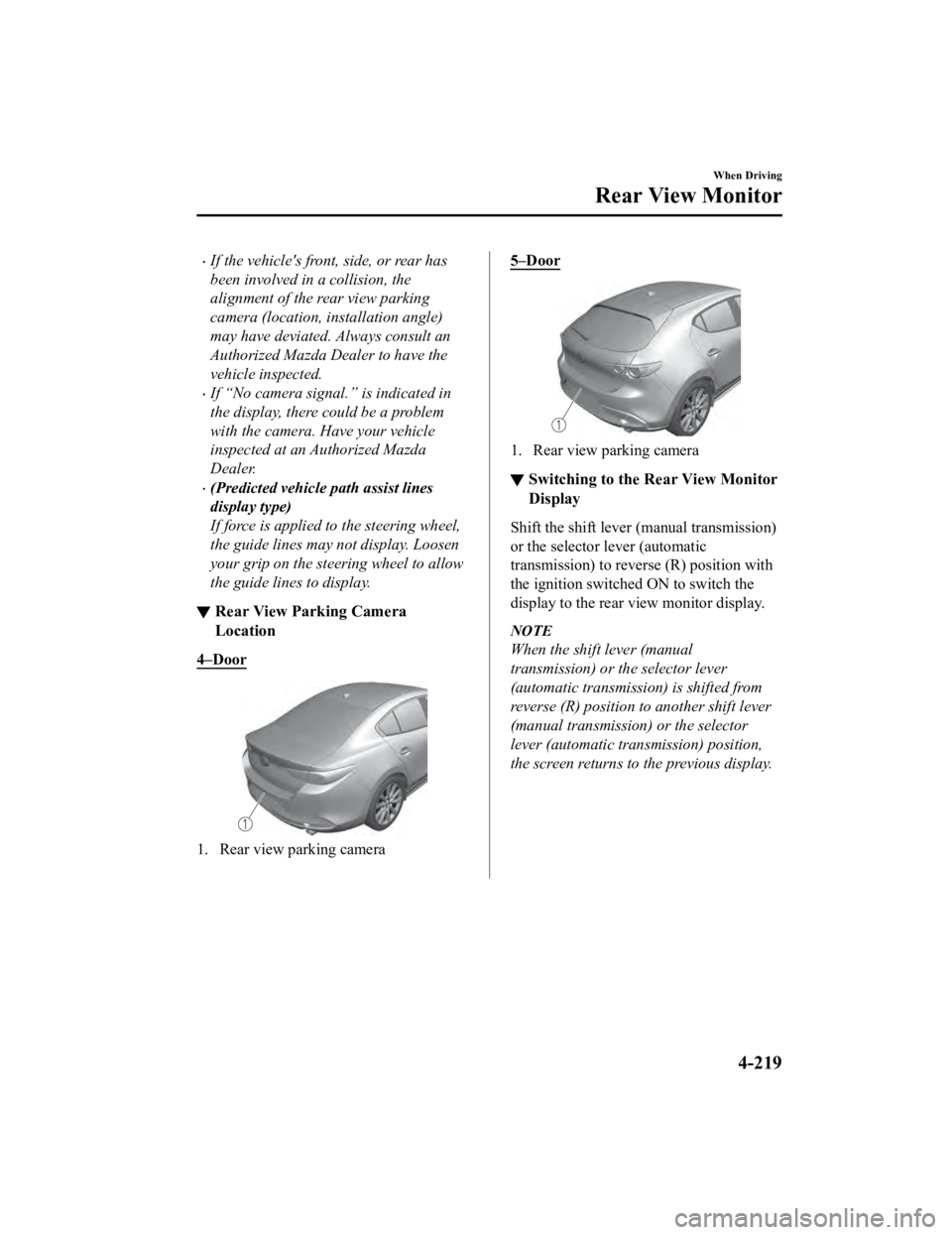
▼ Rear View Parking Camera
Location
4–Door
1. Rear view parking camera
5–Door
1. Rear view parking camera
▼Switching to the R
ear View Monitor
Display
Shift the shift lever (manual transmission)
or the selector lever (automatic
transmission) to reverse (R) position with
the ignition switche d ON to switch the
display to the rear view monitor display.
NOTE
When the shift lever (manual
transmission) or the selector lever
(automatic transmission) is shifted from
reverse (R) position to another shift lever
(manual transmission) or the selector
lever (automatic transmission) position,
the screen returns to the previous display.
When Driving
Rear View Monitor
4-219
Mazda3_8HE9-EA-18K_Edition3 2018-11-21 14:31:58
Page 363 of 592

b) Distance guide linesThese guide lines indicate the approximate distance to a point measured from the
vehicle's rear (from the end of the bumper).
The red and yellow lines indicate the points about 50 cm (19 in ) for the red line and 100
cm (39.3 in) for the yellow lines from the rear bumper (at the center point of each of the
lines).
CAUTION
The guide lines on the screen are fixed lines. They are not synced to the driver's turning of the
steering wheel. Always be careful and check the area to the vehicle's rear and the surrounding
area directly with your eyes while backing up.
▼ Rear View Monitor Operation
The operation of the rear view monitor when reversing the vehic
le varies depending on the
traffic, road, and vehicle conditions. The amount of steering a nd the timing also varies
depending on conditions, so conf irm the surrounding conditions directly with your eyes and
steer the vehicle in accordance with the conditions.
Be well aware of the above cautions prior to using the rear vie w monitor.
Predicted vehicle path a ssist lines display type
NOTE
The following shows an example of vehicle parking in which the steering wheel is turned to
the right when backing up the vehicle. The operation is reversed when backing up the
vehicle from the opposite direction.
1. Shift the shift lever (manual t ransmission) or the selector lever (automatic transmission)
to reverse (R) position to switc h the display to the rear view monitor display.
When Driving
Rear View Monitor
4-223
Mazda3_8HE9-EA-18K_Edition3 2018-11-21 14:31:58
Page 366 of 592
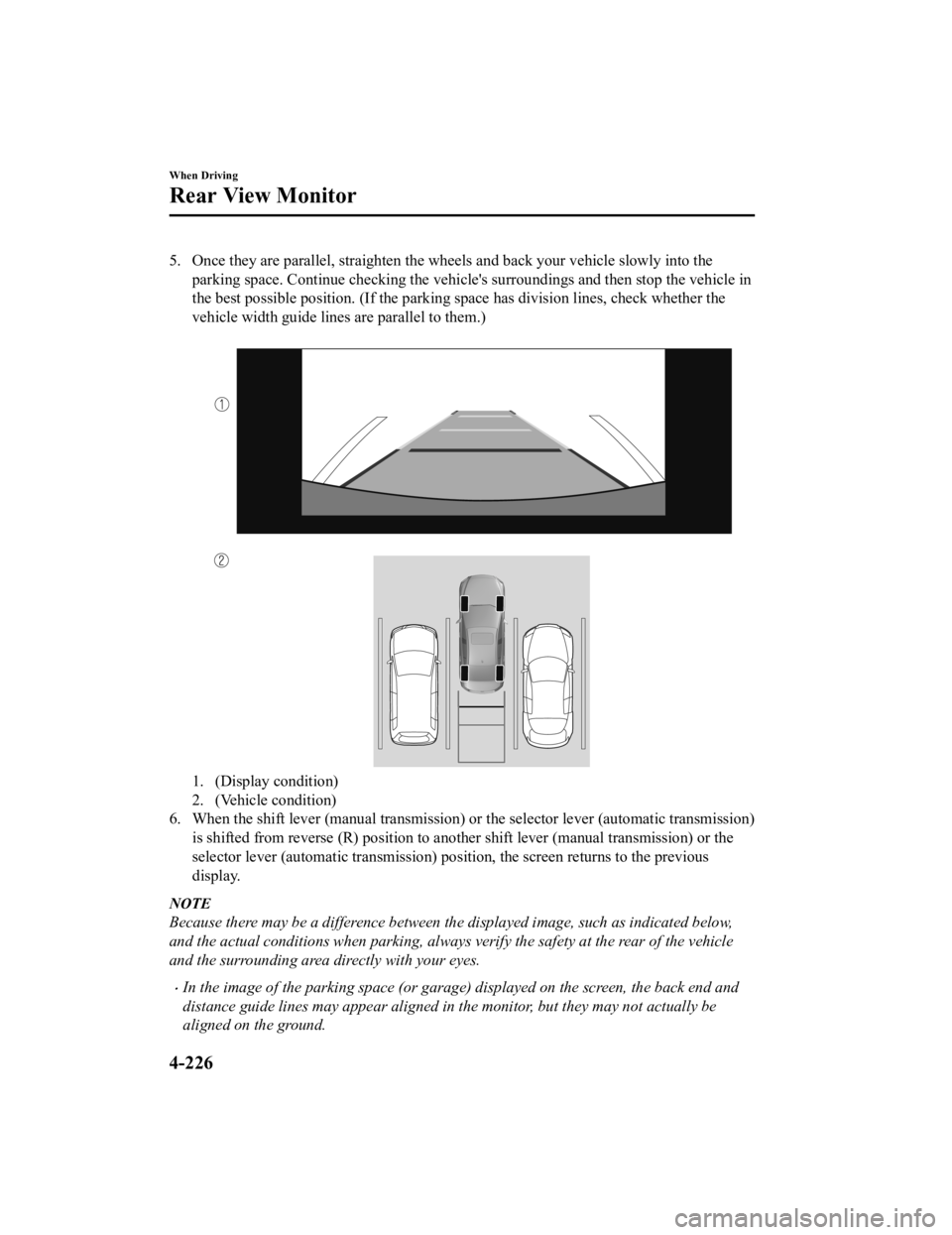
5. Once they are parallel, straighten the wheels and back your vehicle slowly into the
parking space. Continue checking the vehicle's surroundings and then stop the vehicle in
the best possible position. (If the parking space has division lines, check whether the
vehicle width guide lines are parallel to them.)
1. (Display condition)
2. (Vehicle condition)
6. When the shift lever (manual transmission) or the selector lever (automatic transmission)
is shifted from reverse (R) posi tion to another shift lever (manual transmission) or the
selector lever (automatic transm ission) position, the screen returns to the previous
display.
NOTE
Because there may be a difference between the displayed image, such as indicated below,
and the actual conditions when parking, always verify the safety at the rear of the vehicle
and the surrounding area directly with your eyes.
In the image of the parking space (or garage) displayed on the screen, the back end and
distance guide lines may appear aligned in the monitor, but they may not actually be
aligned on the ground.
When Driving
Rear View Monitor
4-226
Mazda3_8HE9-EA-18K_Edition3 2018-11-21 14:31:58
Page 367 of 592
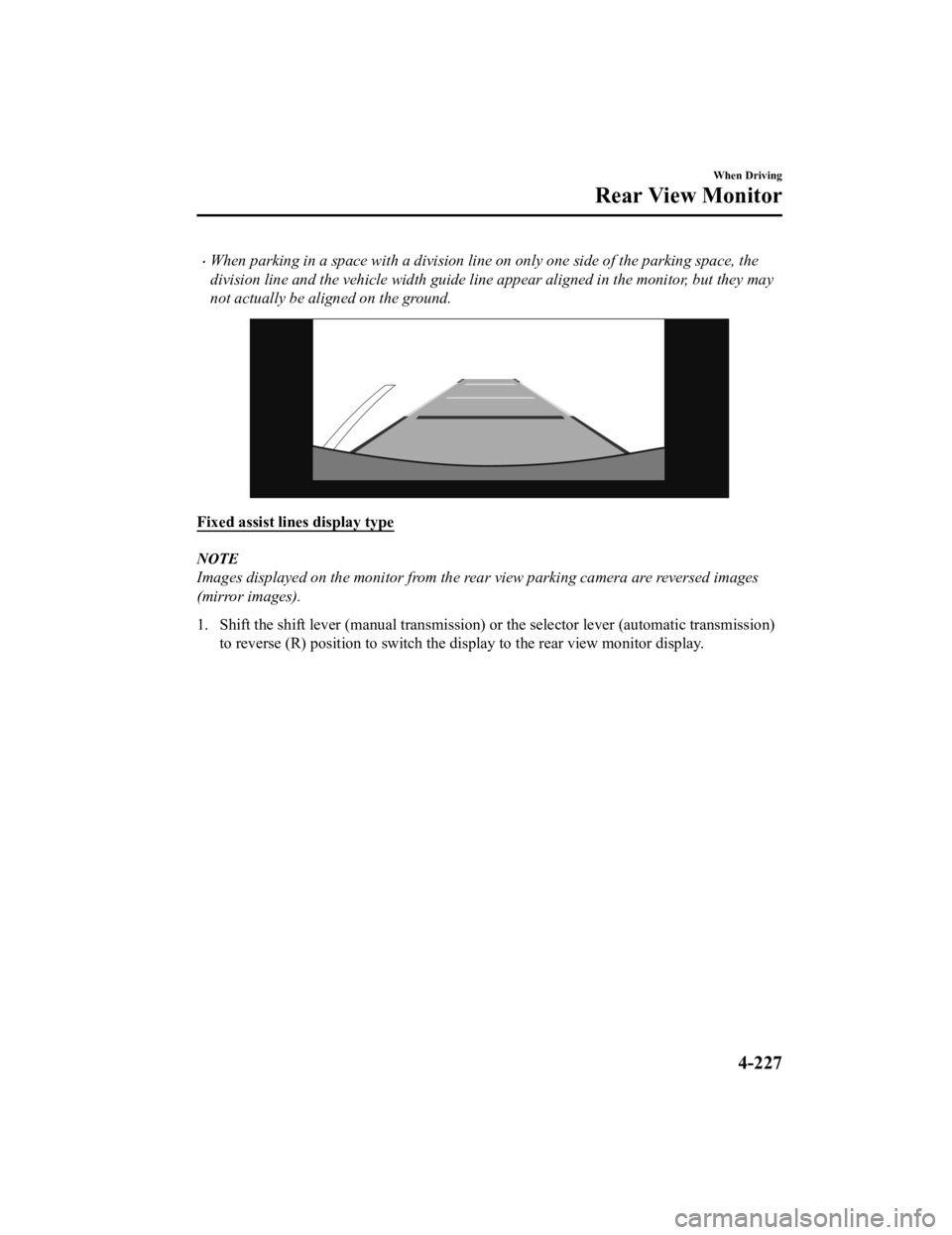
When parking in a space with a division line on only one side of the parking space, the
division line and the vehicle width guide line appear aligned in the monitor, but they may
not actually be aligned on the ground.
Fixed assist lines display type
NOTE
Images displayed on the monitor from the rear view parking camera are reversed images
(mirror images).
1. Shift the shift lever (manual t ransmission) or the selector lever (automatic transmission)
to reverse (R) position to switc h the display to the rear view monitor display.
When Driving
Rear View Monitor
4-227
Mazda3_8HE9-EA-18K_Edition3 2018-11-21 14:31:58
Page 369 of 592
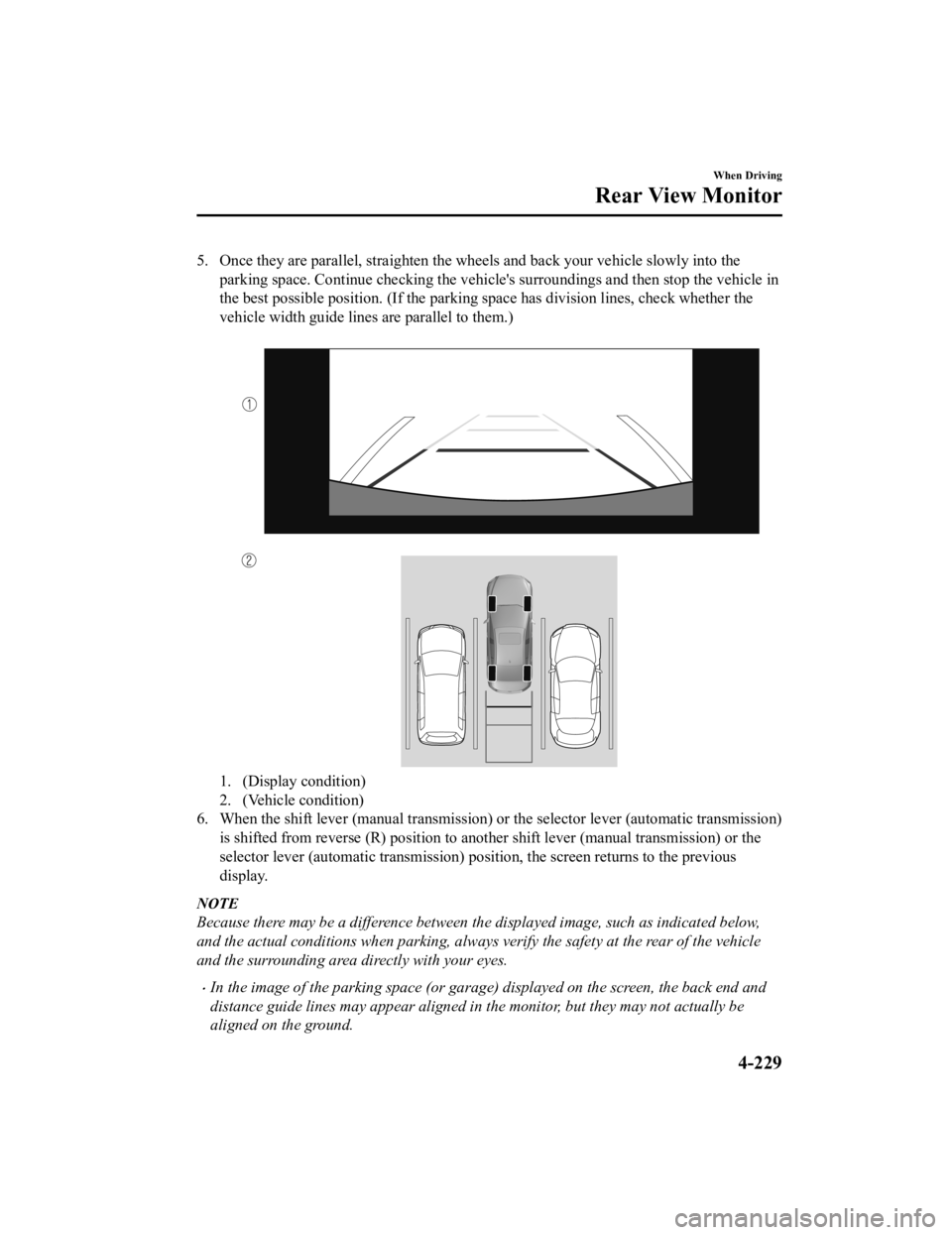
5. Once they are parallel, straighten the wheels and back your vehicle slowly into the
parking space. Continue checkin g the vehicle's surroundings and then stop the vehicle in
the best possible position. (If the parking space has division lines, check whether the
vehicle width guide lines are parallel to them.)
1. (Display condition)
2. (Vehicle condition)
6. When the shift lever (manual transmission) or the selector lever (automatic transmission)
is shifted from reverse (R) pos ition to another shift lever (manual transmission) or the
selector lever (automatic transmission) position, the screen re turns to the previous
display.
NOTE
Because there may be a difference between the displayed image, such as indicated below,
and the actual conditions when parking, always verify the safety at the rear of the vehicle
and the surrounding area directly with your eyes.
In the image of the parking space (or garage) displayed on the screen, the back end and
distance guide lines may appear aligned in the monitor, but they may not actually be
aligned on the ground.
When Driving
Rear View Monitor
4-229
Mazda3_8HE9-EA-18K_Edition3 2018-11-21 14:31:58
Page 398 of 592

WA R N I N G
Always adjust the audio while the vehicle is stopped:
Do not adjust the audio remote control switch while driving the vehicle. Adjusting the audio
while driving the vehicle is dangerous as it co uld distract your attention from the vehicle
operation which could lead to a serious accident.
Even if the audio control switches are equipped on the steering wheel, learn to use the
switches without looking down at them so that you can keep your maximum attention on the
road while driving the vehicle.
Do not allow the connection plug cord to get tangled with the shift lever (manual
transmission)/selector lever (automatic transmission):
Allowing the plug cord to become tangled with the shift lever (manual transmission)/selector
lever (automatic transmission) is dangerous as it could interfere with driving, resulting in an
accident.
Do not adjust the portable audio unit or a similar product while driving the vehicle:
Adjusting the portable audio unit or a similar product while driving the vehicle is dangerous
as it could distract your attention from the vehicle operation which could lead to a serious
accident. Always adjust the portable audio un it or a similar product while the vehicle is
stopped.
CAUTION
For the purposes of safe driving, adjust the au dio volume to a level that allows you to hear
sounds outside of the vehicle including car horns and particul arly emergency vehicle sirens.
NOTE
Do not use Mazda Connect for a long time with the engine stopped. Otherwise, the battery
power could be depleted.
If a mobile phone or CB radio is used in or near the vehicle, it could cause noise to occur
from the audio system. However, this does not indicate a problem.
Interior Features
Mazda Connect
5-16
Mazda3_8HE9-EA-18K_Edition3 2018-11-21 14:31:58
Page 483 of 592
Changing a Flat Tire
▼Changing a Flat Tire
NOTE
If the following occurs while driving, it
could indicate a flat tire.
Steering becomes difficult.
The vehicle begins to vibrate
excessively.
The vehicle pulls in one direction.
If you have a flat tire , drive slowly to a
level spot that is well off the road and out
of the way of traffic to change the tire.
Stopping in traffic or on the shoulder of a
busy road is dangerous.
WA R N I N G
Be sure to follow the directions for
changing a tire:
Changing a tire is dangerous if not done
properly. The vehicle can slip off the jack
and seriously injure someone.
No person should place any portion of their
body under a vehicle th at is supported by a
jack.
Never allow anyone inside a vehicle
supported by a jack:
Allowing someone to remain in a vehicle
supported by a jack is dangerous. The
occupant could cause the vehicle to fall
resulting in serious injury.
NOTE
Make sure the jack is well lubricated
before using it.
1. Park on a hard, level surface off the right-of-way and firm ly set the parking
brake.
2. Put a vehicle with an automatic transmission in Park (P), a manual
transmission in Reverse (R) or 1, and
turn off the engine.
3. Turn on the hazard warning flasher.
4. Have everyone get out of the vehicle and away from the vehicle and traffic.
5. Remove the jack, tool, and spare tire
(page 7-3).
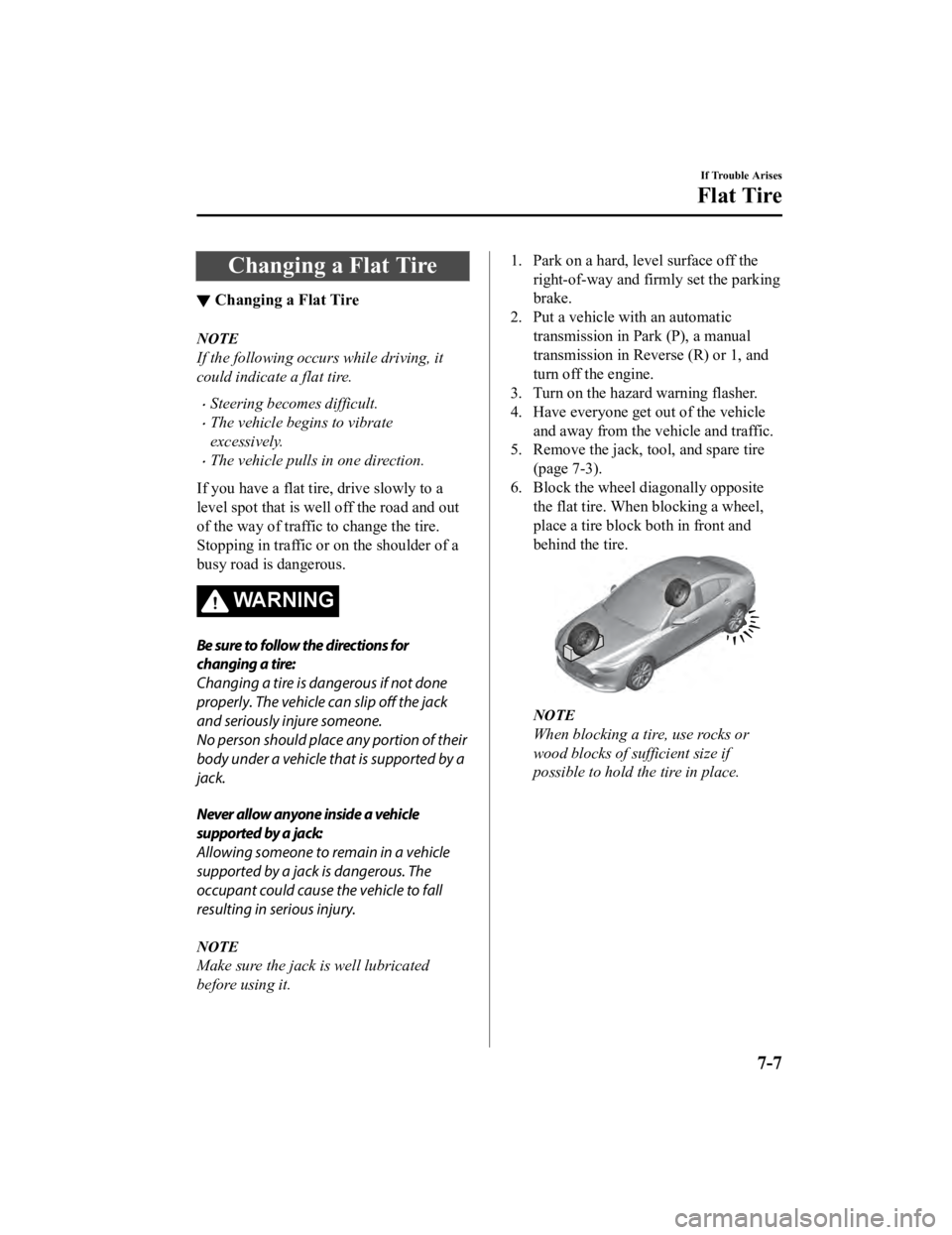
6. Block the wheel diagonally opposite the flat tire. When blocking a wheel,
place a tire block both in front and
behind the tire.
NOTE
When blocking a tire, use rocks or
wood blocks of sufficient size if
possible to hold the tire in place.
If Trouble Arises
Flat Tire
7-7
Mazda3_8HE9-EA-18K_Edition3 2018-11-21 14:31:58
Page 484 of 592
▼Removing a Flat Tire
WA R N I N G
When jacking-up a vehicle, always shift the
shift lever to 1st or R position (manual
transmission vehicle) or shift the selector
lever to P position (automatic transmission
vehicle), apply the parking brake, and place
wheel blocks in the position diagonally
opposed to the jack:
Changing a
flat tire without using wheel
blocks is dangerous because the vehicle
may move and fall off the jack even with
the shift lever in 1st or R position, or the
selector lever is in P position, which could
result in an accident.
1. If your vehicle is equipped with a wheel cover, pry off the wheel cover
with the beveled end of the jack lever.
NOTE
Force the end of the jack lever firmly
between wheel and cover, or removal
will be difficult.
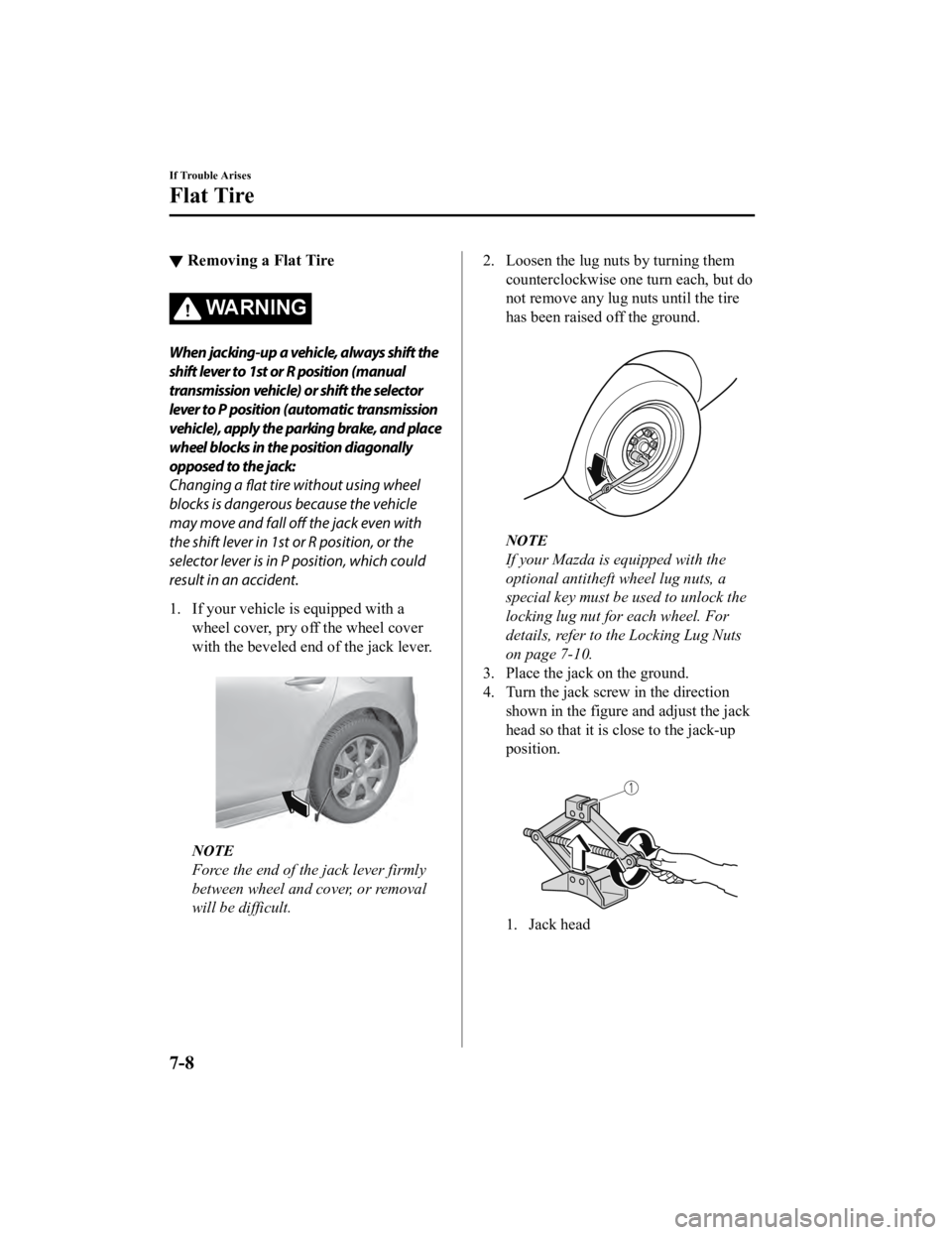
2. Loosen the lug nuts by turning them counterclockwise one turn each, but do
not remove any lug nuts until the tire
has been raised off the ground.
NOTE
If your Mazda is equipped with the
optional antitheft wheel lug nuts, a
special key must be used to unlock the
locking lug nut for each wheel. For
details, refer to the Locking Lug Nuts
on page 7-10.
3. Place the jack on the ground.
4. Turn the jack screw in the direction shown in the figure and adjust the jack
head so that it is close to the jack-up
position.
1. Jack head
If Trouble Arises
Flat Tire
7-8
Mazda3_8HE9-EA-18K_Edition3 2018-11-21 14:31:58