low beam MAZDA MODEL 3 SEDAN 2019 Owners Manual
[x] Cancel search | Manufacturer: MAZDA, Model Year: 2019, Model line: MODEL 3 SEDAN, Model: MAZDA MODEL 3 SEDAN 2019Pages: 592, PDF Size: 75.35 MB
Page 163 of 592
SignalWarning Refer to
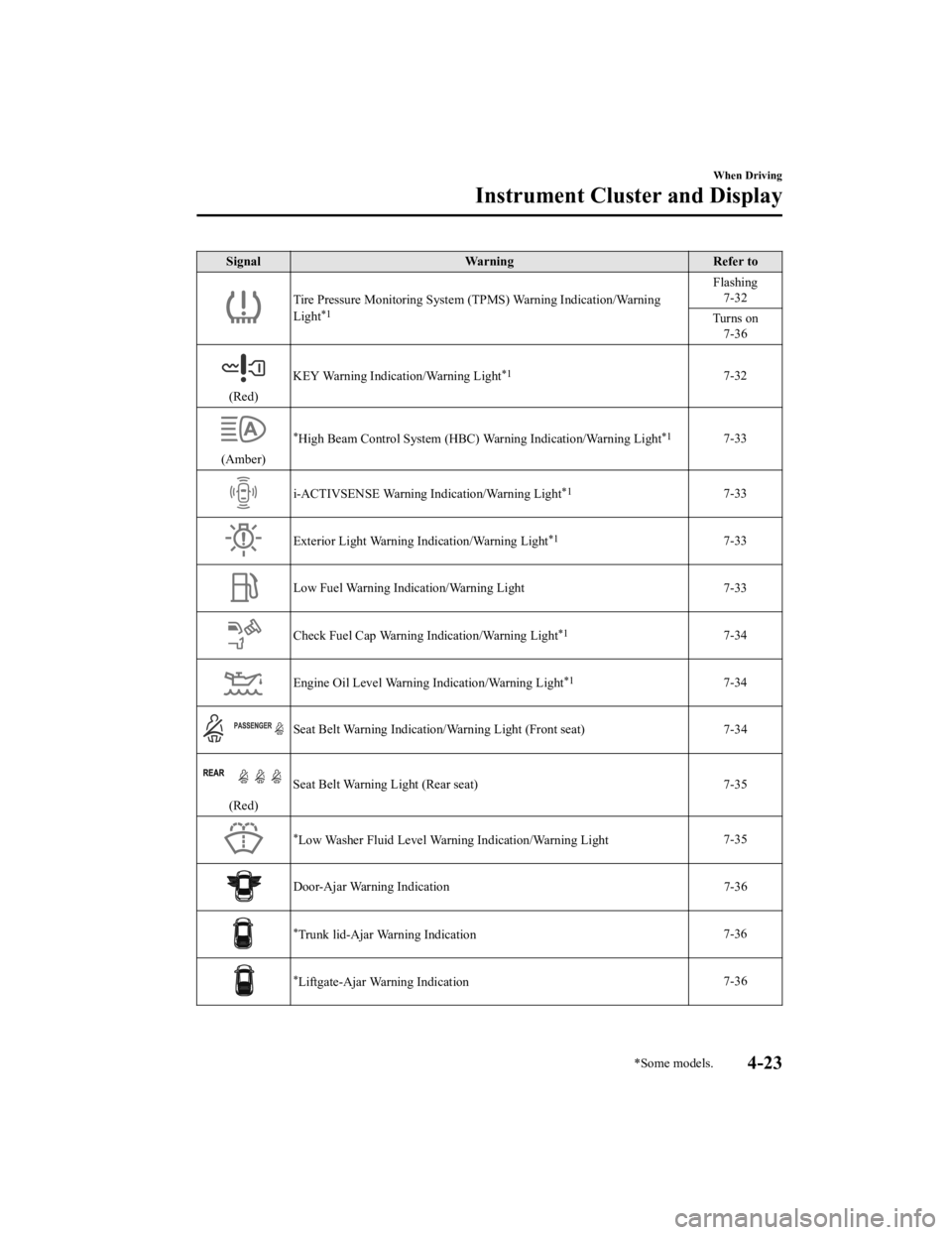
Tire Pressure Monitoring System (TPMS) Warning Indication/Warni ng
Light*1
Flashing 7-32
Turns on 7-36
(Red) KEY Warning Indication/Warning Light
*17-32
(Amber)
*High Beam Control System (HBC) Warning Indication/Warning Light*17-33
i-ACTIVSENSE Warning Indication/Warning Light*17-33
Exterior Light Warning I
ndication/Warning Light*17-33
Low Fuel Warning Indication/Warning Light 7-33
Check Fuel Cap Warning Indication/Warning Light*17-34
Engine Oil Level Warning Indication/Warning Light*17-34
Seat Belt Warning Indication/Warning Light (Front seat) 7-34
(Red)Seat Belt Warning Light (Rear seat) 7-35
*Low Washer Fluid Level Warning Indication/Warning Light
7-35
Door-Ajar Warning Indication
7-36
*Trunk lid-Ajar Warning Indication 7-36
*Liftgate-Ajar Warning Indication 7-36
When Driving
Instrument Cluster and Display
*Some models.4-23
Mazda3_8HE9-EA-18K_Edition3
2018-11-21 14:31:58
Page 164 of 592

SignalWarning Refer to
Door-Ajar Warning Light 7-36
*1 The light turns on when the ignition is switched on for an operation check, and turns off a few seconds later or
when the engine is started. If the light does not turn on or remains turned on, have the vehicle inspected at an
Authorized Mazda Dealer.
▼ Indication/Indicator Lights
These lights turn on or flash to notify the user of the system
operation status or a system
malfunction.
Signal Indicator Refer to
(Green)Seat Belt Indicator Light (Rear seat) 2-27
*Front Passenger Air Bag Deactivation Indicator Light
2-72
Security Indicator Light
3-40
(Green)KEY Indicator Light 4-5
Wrench Indication/Indicator Light*14-27
*Shift Position Indication
4-35
Lights-On Indicator Light
4-43
Headlight High-Beam Indicator LightHeadlight
High-Low Beam 4-46
Flashing the Headlights 4-46
When Driving
Instrument Cluster and Display
4-24*Some models.
Mazda3_8HE9-EA-18K_Edition3 2018-11-21 14:31:58
Page 186 of 592
If the headlight switch and the windshield wiper switch are in , and the wipers are
operated at low or high speed by the auto wiper control for several seconds, bad weather
conditions are determined and the headlights may be turned on.
The sensitivity of the auto-light control may be changed.
Refer to the Settings section in the Mazda Connect Owner's Manual.
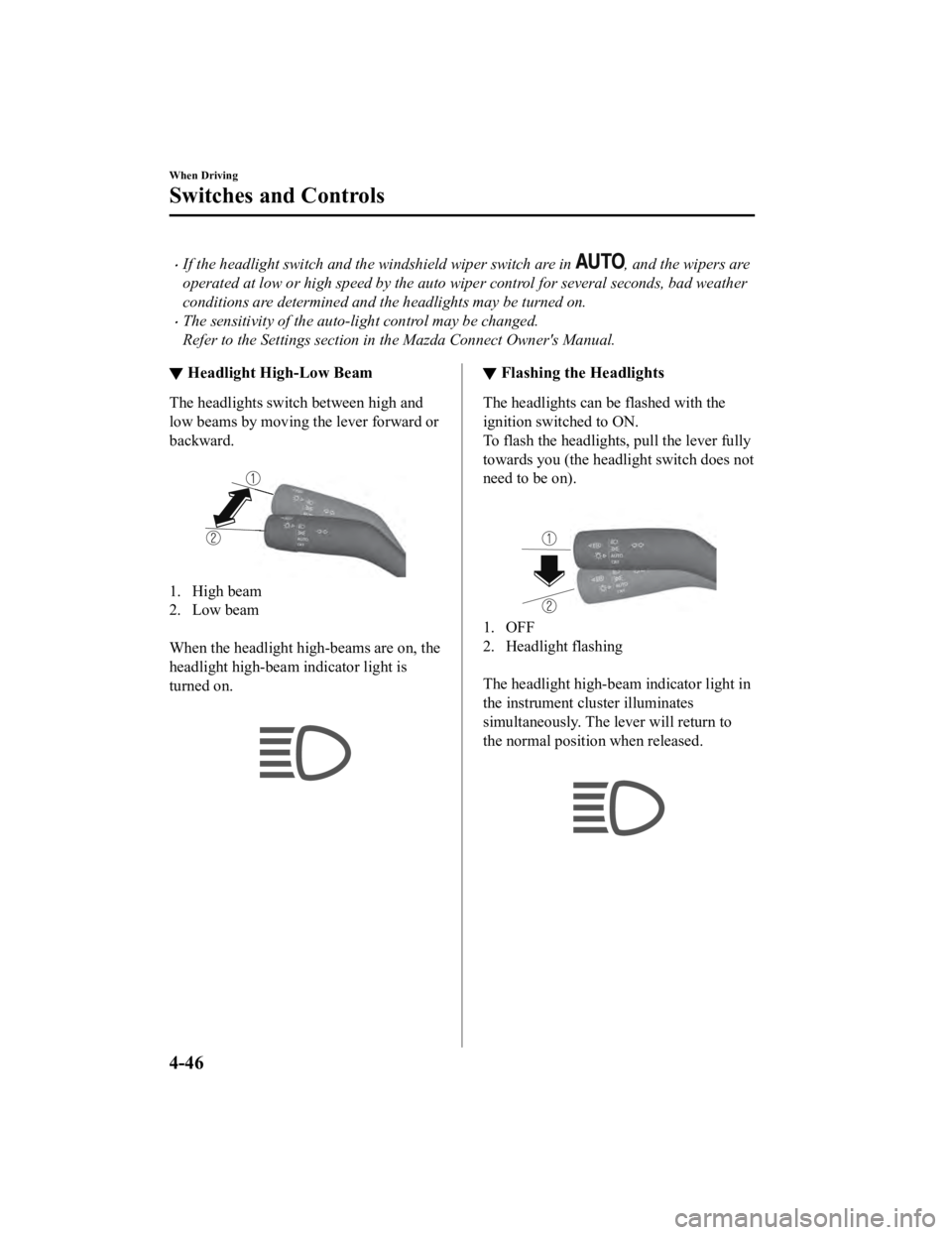
▼ Headlight High-Low Beam
The headlights switch between high and
low beams by moving the lever forward or
backward.
1. High beam
2. Low beam
When the headlight high-beams are on, the
headlight high-beam indicator light is
turned on.
▼ Flashing the Headlights
The headlights can be flashed with the
ignition switched to ON.
To flash the headlights, pull the lever fully
towards you (the headlight switch does not
need to be on).
1. OFF
2. Headlight flashing
The headlight high-b
eam indicator light in
the instrument cluster illuminates
simultaneously. The lever will return to
the normal position when released.
When Driving
Switches and Controls
4-46
Mazda3_8HE9-EA-18K_Edition3 2018-11-21 14:31:58
Page 187 of 592
▼Coming Home Light
The coming home light turns on the
headlights (low beams)
when the lever is
operated.
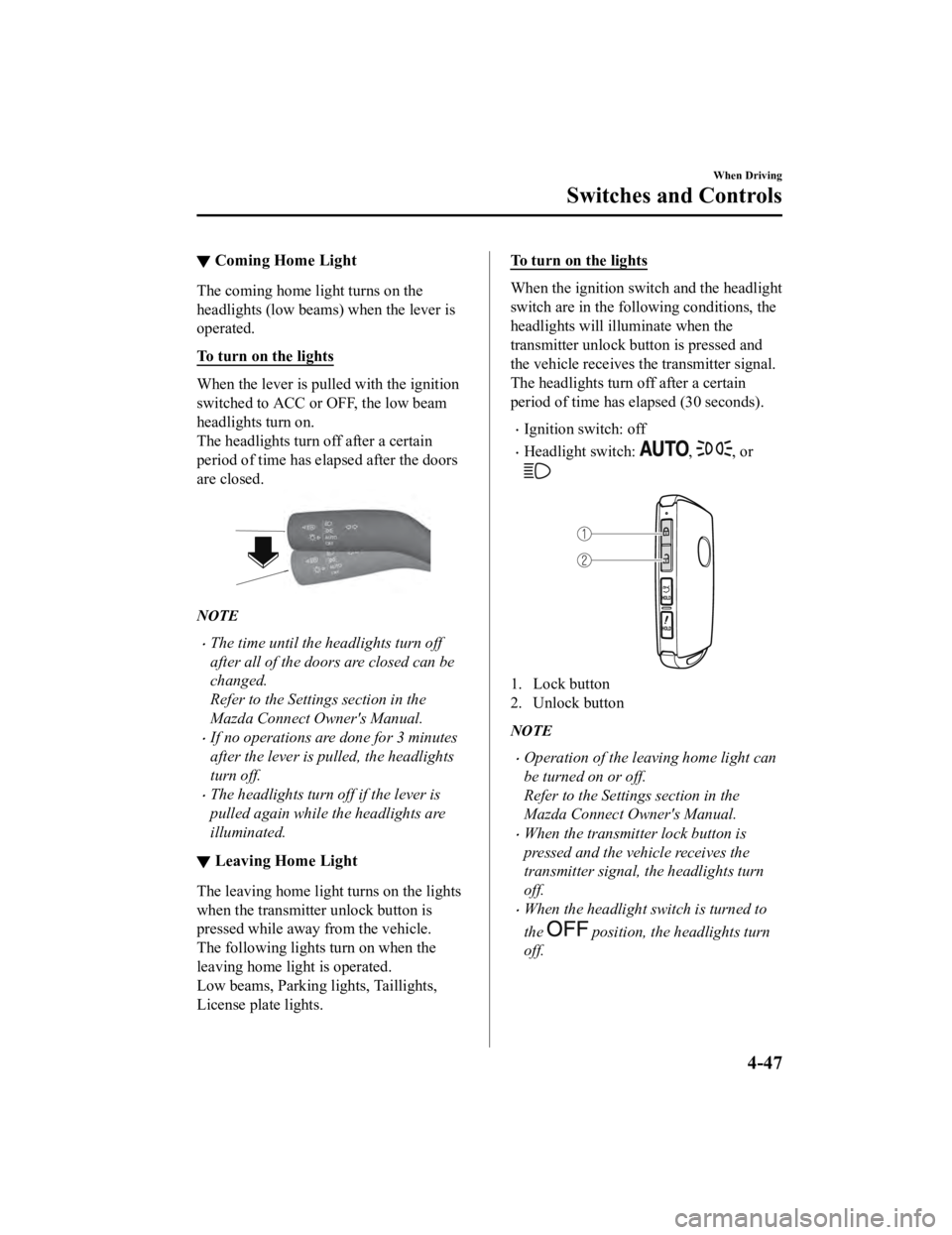
To turn on the lights
When the lever is pull ed with the ignition
switched to ACC or OFF, the low beam
headlights turn on.
The headlights turn off after a certain
period of time has elapsed after the doors
are closed.
NOTE
The time until the headlights turn off
after all of the doors are closed can be
changed.
Refer to the Settings section in the
Mazda Connect Owner's Manual.
If no operations are done for 3 minutes
after the lever is pulled, the headlights
turn off.
The headlights turn off if the lever is
pulled again while the headlights are
illuminated.
▼ Leaving Home Light
The leaving home light turns on the lights
when the transmitter unlock button is
pressed while away from the vehicle.
The following lights turn on when the
leaving home light is operated.
Low beams, Parking lights, Taillights,
License plate lights.
To turn on the lights
When the ignition switch and the headlight
switch are in the following conditions, the
headlights will illuminate when the
transmitter unlock button is pressed and
the vehicle receives the transmitter signal.
The headlights turn off after a certain
period of time has elapsed (30 seconds).
Ignition switch: off
Headlight switch: , , or
1. Lock button
2. Unlock button
NOTE
Operation of the leaving home light can
be turned on or off.
Refer to the Settings section in the
Mazda Connect Owner's Manual.
When the transmitter lock button is
pressed and the vehicle receives the
transmitter signal, the headlights turn
off.
When the headlight switch is turned to
the
position, the headlights turn
off.
When Driving
Switches and Controls
4-47
Mazda3_8HE9-EA-18K_Edition3 2018-11-21 14:31:58
Page 223 of 592

▼Pre-Crash Safety Technology
Pre-crash safety technology is designed to
assist the driver in averting collisions or
reducing their severity in situations where
they cannot be avoided.
Collision damage reduction
Forward driving
Smart Brake Support
(SBS)...... page 4-153
Reverse driving
Smart Brake Support [Rear]
(SBS-R).................................... page 4-156
Smart Brake Support [Rear Crossing]
(SBS-RC).................................. page 4-160
▼ Camera and Sensors
Forward Sensing Camera (FSC)
The Forward Sensing Camera (FSC)
detects lane indications and recognizes
headlights, taillights and city lights during
nighttime driving. I
n addition, it also
detects the vehicle ahead, pedestrians, or
obstructions. The following systems use
the Forward Sensing Camera (FSC).
High Beam Control system (HBC)
Lane Departure Warning System
(LDWS)
Traffic Sign Recogn ition System (TSR)
Distance & Speed Alert (DSA)
Driver Attention Alert (DAA)
Driver Monitoring (DM)
Mazda Radar Cruise Control (MRCC)
Mazda Radar Cruise Control with Stop
& Go function (MRCC with Stop & Go
function)
Lane-keep Assist System (LAS)
Traffic Jam Assist (TJA)
Smart Brake Support (SBS)
The Forward Sensing Camera (FSC) is
installed at the top of the windshield near
the rearview mirror.
Refer to Forward Sensing Camera (FSC)
on page 4-198.
Front radar sensor
The front radar sensor detects radio waves
reflected off a vehicle ahead sent from the
radar sensor. The following systems use
the front radar sensor.
Distance & Speed Alert (DSA)
Mazda Radar Crui se Control (MRCC)
Mazda Radar Cruise Control with Stop
& Go function (MRCC with Stop & Go
function)
Traffic Jam Assist (TJA)
Smart Brake Support (SBS)
The front radar sensor is mounted behind
the radiator grille.
Refer to Front Radar Sensor on page
4-202.
Front side radar sensor
The front side radar sensors detects radio
waves reflected off a vehicle ahead sent
from the radar sensor. The following
systems use the front side radar sensor.
Front Cross Traffic Alert (FCTA)
The front side radar sensors are installed
inside the front bumper, one on the left
side and one on the right side.
Refer to Front Side Radar Sensor on page
4-204.
When Driving
i-ACTIVSENSE
4-83
Mazda3_8HE9-EA-18K_Edition3 2018-11-21 14:31:58
Page 227 of 592
NOTE
You can select systems you want to cancel
using the personalization features.
Refer to the Settings section in the Mazda
Connect Owner's Manual.
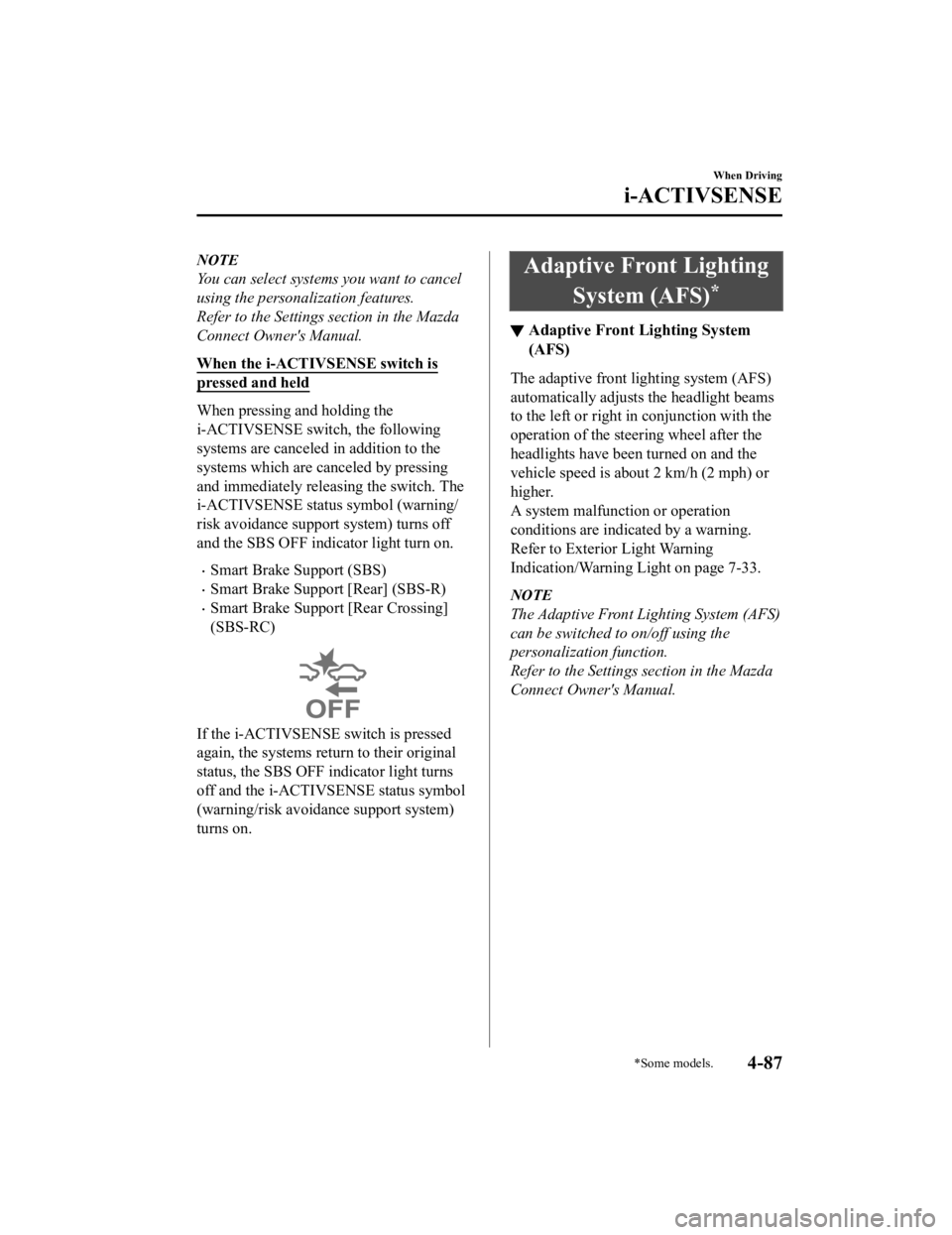
When the i-ACTIVSENSE switch is
pressed and held
When pressing and holding the
i-ACTIVSENSE switch, the following
systems are canceled in addition to the
systems which are canceled by pressing
and immediately releas ing the switch. The
i-ACTIVSENSE status symbol (warning/
risk avoidance support system) turns off
and the SBS OFF indicator light turn on.
Smart Brake Support (SBS)
Smart Brake Support [Rear] (SBS-R)
Smart Brake Support [Rear Crossing]
(SBS-RC)
If the i-ACTIVSENSE switch is pressed
again, the systems return to their original
status, the SBS OFF indicator light turns
off and the i-ACTIVSENSE status symbol
(warning/risk avoidance support system)
turns on.
Adaptive Front Lighting
System (AFS)
*
▼Adaptive Front Lighting System
(AFS)
The adaptive front lighting system (AFS)
automatically adjusts the headlight beams
to the left or right in conjunction with the
operation of the steering wheel after the
headlights have been turned on and the
vehicle speed is about 2 km/h (2 mph) or
higher.
A system malfunction or operation
conditions are indicated by a warning.
Refer to Exterior Light Warning
Indication/Warning Light on page 7-33.
NOTE
The Adaptive Front Lighting System (AFS)
can be switched to on/off using the
personalization function.
Refer to the Settings section in the Mazda
Connect Owner's Manual.
When Driving
i-ACTIVSENSE
*Some models.4-87
Mazda3_8HE9-EA-18K_Edition3
2018-11-21 14:31:58
Page 228 of 592
High Beam ControlSystem (HBC)
*
▼ High Beam Control System (HBC)
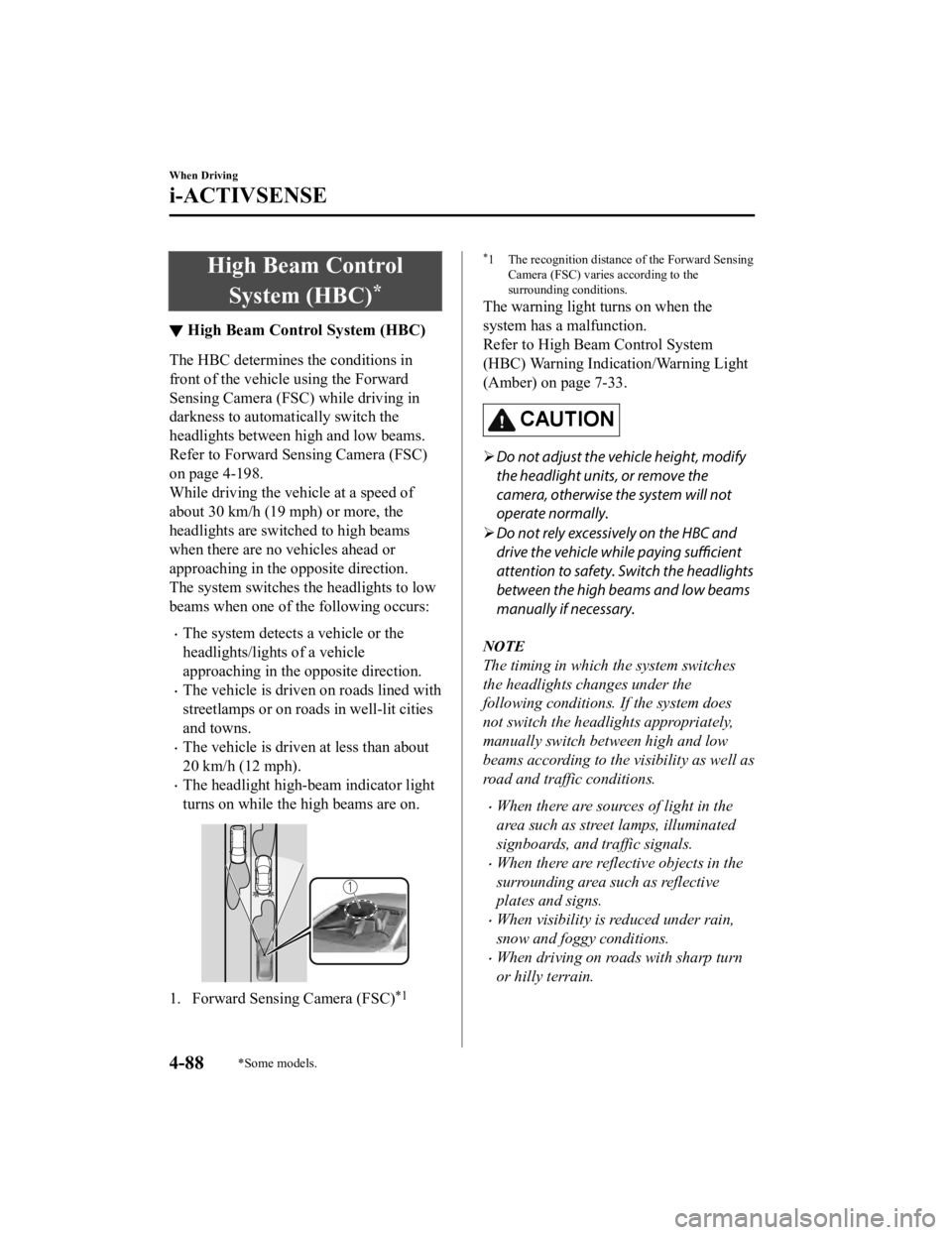
The HBC determines the conditions in
front of the vehicle using the Forward
Sensing Camera (FSC) while driving in
darkness to automatically switch the
headlights between high and low beams.
Refer to Forward Sen
sing Camera (FSC)
on page 4-198.
While driving the vehicle at a speed of
about 30 km/h (19 mph) or more, the
headlights are switched to high beams
when there are no vehicles ahead or
approaching in the opposite direction.
The system switches the headlights to low
beams when one of th e following occurs:
The system detects a vehicle or the
headlights/lights of a vehicle
approaching in the opposite direction.
The vehicle is driven on roads lined with
streetlamps or on roads in well-lit cities
and towns.
The vehicle is driven at less than about
20 km/h (12 mph).
The headlight high-beam indicator light
turns on while the high beams are on.
1. Forward Sensing Camera (FSC)*1
*1 The recognition distance of the Forward Sensing
Camera (FSC) varies according to the
surrounding conditions.
The warning light turns on when the
system has a malfunction.
Refer to High Be am Control System
(HBC) Warning Indication/Warning Light
(Amber) on page 7-33.
CAUTION
Do not adjust the vehicle height, modify
the headlight units, or remove the
camera, otherwise the system will not
operate normally.
Do not rely excessively on the HBC and
drive the vehicle while paying sufficient
attention to safety. Switch the headlights
between the high beams and low beams
manually if necessary.
NOTE
The timing in which the system switches
the headlights changes under the
following conditions. If the system does
not switch the headlights appropriately,
manually switch between high and low
beams according to the visibility as well as
road and traffic conditions.
When there are sources of light in the
area such as street lamps, illuminated
signboards, and traffic signals.
When there are reflective objects in the
surrounding area such as reflective
plates and signs.
When visibility is reduced under rain,
snow and foggy conditions.
When driving on roads with sharp turn
or hilly terrain.
When Driving
i-ACTIVSENSE
4-88*Some models.
Mazda3_8HE9-EA-18K_Edition3 2018-11-21 14:31:58
Page 229 of 592
When the headlights/rear lamps of
vehicles in front of you or in the
opposite lane are dim or not
illuminated.
When there is insufficient darkness such
as at dawn or dusk.
When the luggage compartment is
loaded with heavy objects or the rear
passenger seats are occupied.
When visibility is reduced due to a
vehicle in front of you spraying water
from its tires onto your windshield.
▼To Operate the System
The HBC operates to s
witch the headlights
automatically between high and low
beams after the igni tion is switched ON
and the headlight sw itch is in the AUTO
and low beam position.
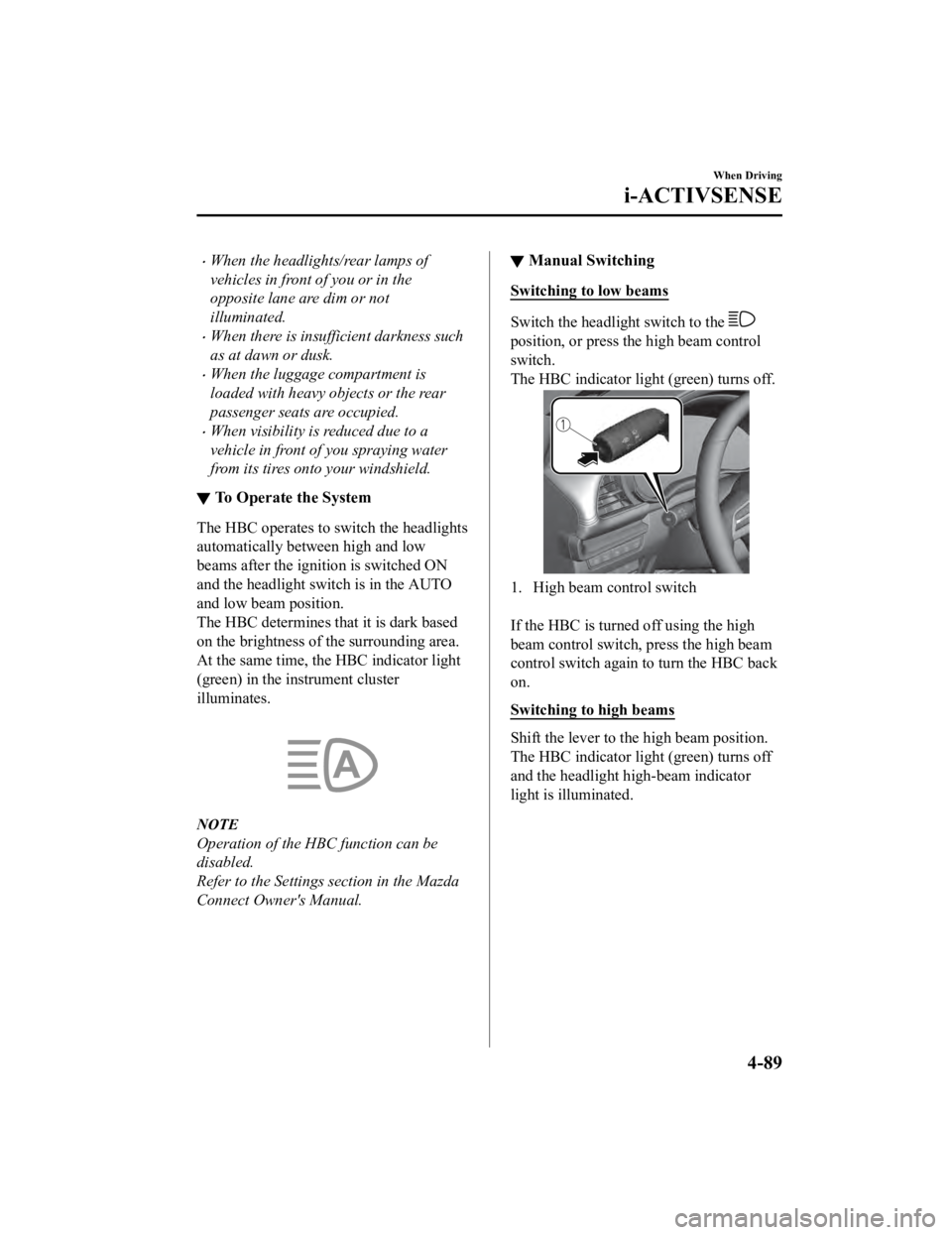
The HBC determines that it is dark based
on the brightness of the surrounding area.
At the same time, the HBC indicator light
(green) in the instrument cluster
illuminates.
NOTE
Operation of the HBC function can be
disabled.
Refer to the Settings section in the Mazda
Connect Owner's Manual.
▼ Manual Switching
Switching to low beams
Switch the headlight switch to the
position, or press the high beam control
switch.
The HBC indicator ligh
t (green) turns off.
1. High beam control switch
If the HBC is turned off using the high
beam control switch, press the high beam
control switch again to turn the HBC back
on.
Switching to high beams
Shift the lever to the high beam position.
The HBC indicator ligh t (green) turns off
and the headlight high-beam indicator
light is illuminated.
When Driving
i-ACTIVSENSE
4-89
Mazda3_8HE9-EA-18K_Edition3 2018-11-21 14:31:58
Page 231 of 592

NOTE
The system may not operate normally
under the following conditions.
The white (yellow) lane lines are less
visible because of dirt or paint flaking.
White (yellow) lane lines are less visible
because of bad weather (rain, fog, or
snow).
The vehicle is driven on a temporary
lane or section with a closed lane
resulting from construction where there
might be multiple white (yellow) lane
lines, or they are interrupted.
The camera picks up an obscure line,
such as a temporary line being used for
construction, or because of shade,
unmelted snow, or grooves filled with
water.
The surrounding brightness suddenly
changes such as when entering or
exiting a tunnel.
Back-light is reflected off the road
surface.
The road surface is wet and shiny after
rain, or there are puddles on the road.
The width of a lane is excessively
narrow.
The vehicle is driven on roads with tight
curves.
Heavy luggage is loaded in the luggage
compartment or on the rear seat causing
the vehicle to tilt.
The vehicle is driven through a fork in
the road or a junction.
The shade of a guardrail parallel to a
white (yellow) lane line is cast on the
road.
The illumination of the headlights is
weakened because of dirt or the optical
axis is deviated at night.
The road is excessively uneven.
The vehicle is shaken after hitting a
road bump.
A vehicle in front of your vehicle is
running near a white (yellow) lane line
making it less visible.
The windshield is dirty or foggy.
Strong light is directed from the front of
the vehicle (such as sunlight, or
headlights (high-beam) of on-coming
vehicles).
The vehicle is driven through an
intersection or a roundabout.
▼When the System Operates
When the ignition is switched ON, the
i-ACTIVSENSE status symbol (warning/
risk avoidance suppor
t system) (white)
turns on and the system goes on standby.
NOTE
If the i-ACTIVSENSE status symbol
(warning/risk avoidance support system)
(white) does not turn on, the system is
canceled using the i-ACTIVSENSE switch
or the personalization feature.
Operation conditions
When all of the foll owing conditions are
met, the i-ACTIVSENSE status symbol
(warning/risk avoidance support system)
on the multi-information display changes
from white to green and the system
becomes operational.
The ignition is switched ON.
The vehicle speed is about 64 km/h (40
mph) or faster.
When Driving
i-ACTIVSENSE
4-91
Mazda3_8HE9-EA-18K_Edition3 2018-11-21 14:31:58
Page 232 of 592
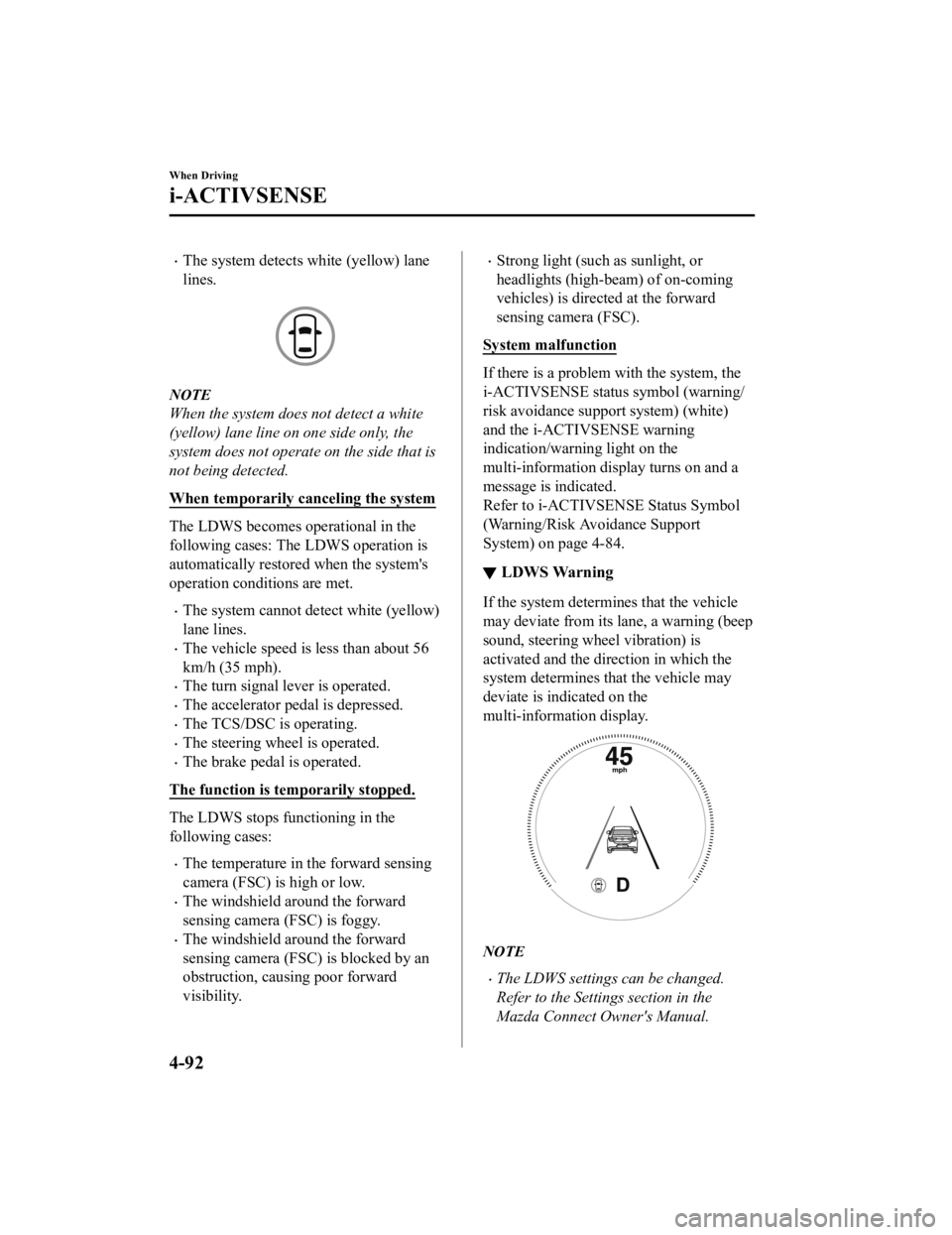
The system detects white (yellow) lane
lines.
NOTE
When the system does not detect a white
(yellow) lane line on one side only, the
system does not operate on the side that is
not being detected.
When temporarily canceling the system
The LDWS becomes operational in the
following cases: The LDWS operation is
automatically restored when the system's
operation conditions are met.
The system cannot detect white (yellow)
lane lines.
The vehicle speed is less than about 56
km/h (35 mph).
The turn signal lever is operated.
The accelerator pedal is depressed.
The TCS/DSC is operating.
The steering wheel is operated.
The brake pedal is operated.
The function is temporarily stopped.
The LDWS stops functioning in the
following cases:
The temperature in the forward sensing
camera (FSC) is high or low.
The windshield around the forward
sensing camera (FSC) is foggy.
The windshield around the forward
sensing camera (FSC) is blocked by an
obstruction, causing poor forward
visibility.
Strong light (such as sunlight, or
headlights (high-beam) of on-coming
vehicles) is directed at the forward
sensing camera (FSC).
System malfunction
If there is a problem w ith the system, the
i-ACTIVSENSE status symbol (warning/
risk avoidance suppo rt system) (white)
and the i-ACTIVSENSE warning
indication/warning light on the
multi-information di splay turns on and a
message is indicated.
Refer to i-ACTIVSENSE Status Symbol
(Warning/Risk Avoidance Support
System) on page 4-84.
▼ LDWS Warning
If the system determi
nes that the vehicle
may deviate from its lane, a warning (beep
sound, steering wheel vibration) is
activated and the direction in which the
system determines that the vehicle may
deviate is indicated on the
multi-information display.
NOTE
The LDWS settings can be changed.
Refer to the Settings section in the
Mazda Connect Owner's Manual.
When Driving
i-ACTIVSENSE
4-92
Mazda3_8HE9-EA-18K_Edition3 2018-11-21 14:31:58