ECU MAZDA MODEL 5 2008 Owner's Manual
[x] Cancel search | Manufacturer: MAZDA, Model Year: 2008, Model line: MODEL 5, Model: MAZDA MODEL 5 2008Pages: 376, PDF Size: 4.7 MB
Page 77 of 376

Black plate (77,1)
Locking, unlocking with door-lock
switch
All doors and the liftgate lock
automatically when LOCK is pushed.
They all unlock when the unmarked part
of the door-lock switch is pushed.
UnlockLock
q Sliding Door Open/Close
WARNING
After closing the sliding doors, always
verify that they are securely closed:
Sliding doors not securely closed are
dangerous, if the vehicle is driven
with a sliding door not securely
closed, the door could open
unexpectedly resulting in an accident.
CAUTION
When opening/closing a sliding door,
follow the cautions below. If the
cautions are not heeded, hands, feet,
or even a head may be caught in a
door resulting in an injury.
ØUse the door handle.
Ø Keep your hands, feet, and head
away from the sliding door
openings.
Ø Make sure that there is nothing
behind the sliding doors.
Ø Keep your hands and feet away
from the sliding door rails, arms
and pillars.
Pillar
Arm
Rail Door handle
NOTE
When you leave the vehicle, stop the engine
and lock the doors. And do not put valuables
in your vehicle to prevent theft.
Knowing Your Mazda
Doors and Locks
3-9
Mazda5_8X53-EA-07I_Edition3 Page77
Thursday, March 20 2008 4:11 PM
Form No.8X53-EA-07I
Page 81 of 376

Black plate (81,1)
Closing the liftgate
Use both hands to push the liftgate down
until the lock snaps shut. Do not slam it.
Pull up on the liftgate to make sure it is
securely latched.Power Windows
The ignition switch must be in the ON
position for the power windows to
operate.
WARNING
Make sure the opening is clear before
closing a window:Closing power windows are
dangerous. A person's hands, head,
or even neck could be caught by the
window and result in serious injury
or even death.
This warning applies especially to
children.
Always lock all passenger power
windows with the power window lock
switch on the driver's side while
children are in the vehicle, and never
allow children to play with power
window switches: Leaving the power window switches
unlocked while children are in the
vehicle is dangerous. Power window
switches that are not locked with the
power window lock switch would
allow children to operate power
windows unintentionally which could
result in serious injury if a child's
hands, head or neck becomes caught
by the window.
CAUTION
To prevent burning out the fuse and
damaging the power window system,
do not open or close more than three
windows at once.
Knowing Your Mazda
Doors and Locks
3-13
Mazda5_8X53-EA-07I_Edition3 Page81
Thursday, March 20 2008 4:11 PM
Form No.8X53-EA-07I
Page 84 of 376

Black plate (84,1)
qFuel-Filler Lid
To open, pull up the remote fuel-filler lid
release.
Remote fuel-filler
lid release
NOTE
The fuel-filler lid cannot be opened when the
right-side sliding door is open. Close the
sliding door to open the fuel-filler lid.
qFuel-Filler Cap
To remove the fuel-filler cap, turn it
counterclockwise.
To close the fuel-filler cap, turn it
clockwise until two or more clicks are
heard.
Open Close
CAUTION
Make sure the fuel-filler cap is
tightened securely. The check engine
light may illuminate when the cap
isn't tightened securely. If the light
remains on (even after you have
tightened the cap securely, driven,
and restarted the engine several
times), it may indicate a different
problem. Contact an Authorized
Mazda Dealer as soon as possible.
3-16
Knowing Your Mazda
Doors and Locks
Mazda5_8X53-EA-07I_Edition3 Page84
Thursday, March 20 2008 4:11 PM
Form No.8X53-EA-07I
Page 85 of 376
Black plate (85,1)
Hood
WARNING
Always check that the hood is closed
and securely locked:A hood that is not closed and
securely locked is dangerous as it
could fly open while the vehicle is
moving and block the driver's vision
which could result in a serious
accident.
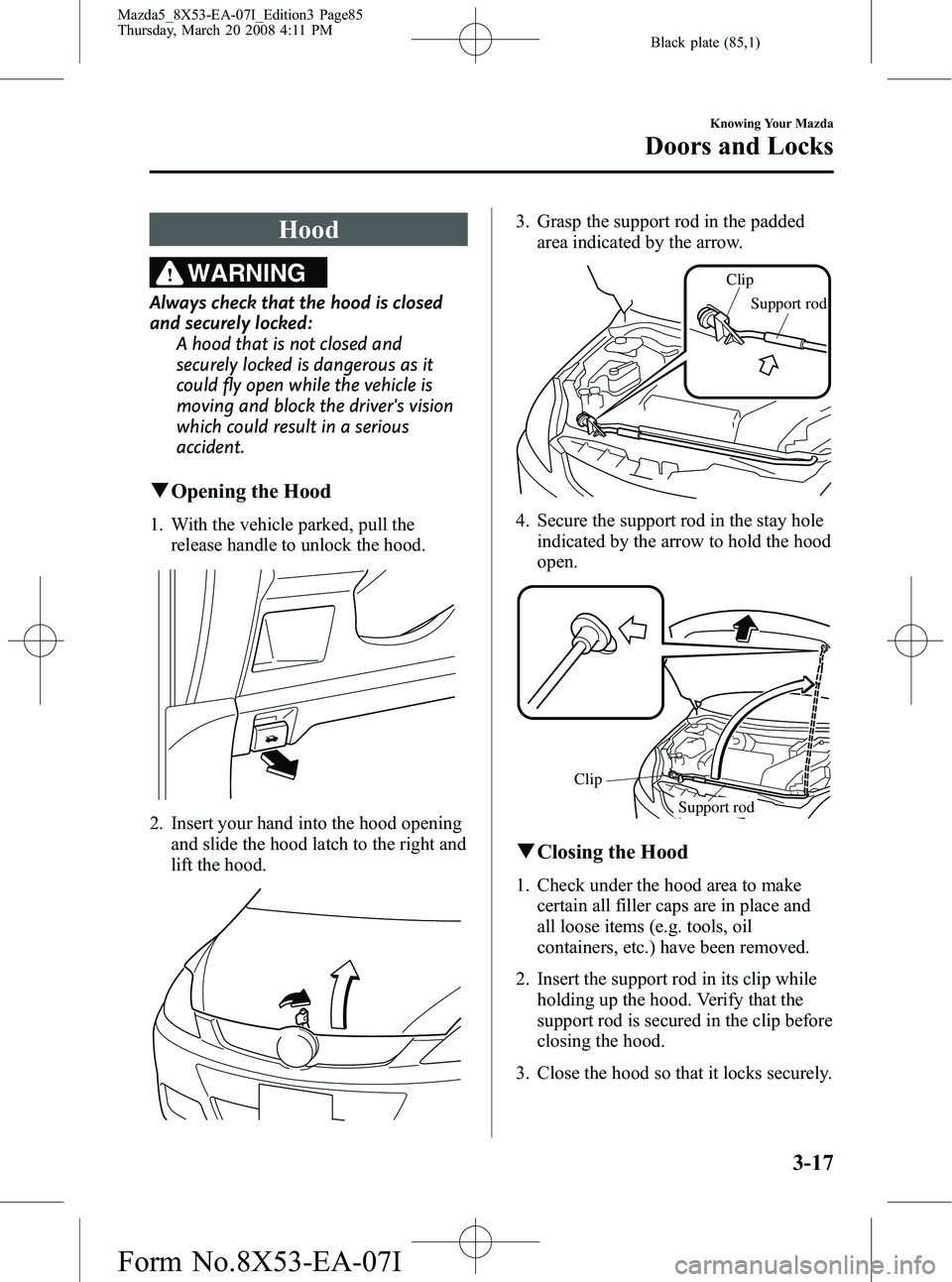
qOpening the Hood
1. With the vehicle parked, pull the
release handle to unlock the hood.
2. Insert your hand into the hood opening
and slide the hood latch to the right and
lift the hood.
3. Grasp the support rod in the paddedarea indicated by the arrow.
Support rod
Clip
4. Secure the support rod in the stay hole
indicated by the arrow to hold the hood
open.
Support rod
Clip
q
Closing the Hood
1. Check under the hood area to make
certain all filler caps are in place and
all loose items (e.g. tools, oil
containers, etc.) have been removed.
2. Insert the support rod in its clip while holding up the hood. Verify that the
support rod is secured in the clip before
closing the hood.
3. Close the hood so that it locks securely.
Knowing Your Mazda
Doors and Locks
3-17
Mazda5_8X53-EA-07I_Edition3 Page85
Thursday, March 20 2008 4:11 PM
Form No.8X53-EA-07I
Page 88 of 376

Black plate (88,1)
Immobilizer System
The immobilizer system allows the engine
to start only with a key the system
recognizes.
If someone attempts to start the engine
with an unrecognized key, the engine will
not start, thereby helping to prevent the
theft of your vehicle.
CAUTION
ØRadio equipment like this is
governed by laws in the United
States.
Changes or modifications not
expressly approved by the party
responsible for compliance could
void the user's authority to
operate the equipment.
Ø To avoid damage to the key, do
not:
ØDrop the key.
ØGet the key wet.
ØExpose the key to any kind of
magnetic field.
ØExpose the key to high
temperatures on places such as
the dashboard or hood, under
direct sunlight.
CAUTION
When starting the engine do not
allow the following, as the engine
may not start due to the electronic
signal from the ignition key not being
transmitted correctly.
ØA key ring rests on the key grip.
ØMetal parts of other keys or metal
objects touch the key grip.
ØSpare keys or keys for other
vehicles equipped with an
immobilizer system touch or come
near the key grip.
ØDevices for electronic purchases, or
security passage touch or come
near the key.
3-20
Knowing Your Mazda
Security System
Mazda5_8X53-EA-07I_Edition3 Page88
Thursday, March 20 2008 4:11 PM
Form No.8X53-EA-07I
Page 89 of 376
Black plate (89,1)
NOTEl(U.S.A.)
This device complies with Part 15 of the
FCC Rules. Operation is subject to the
following two conditions: (1) this device
may not cause harmful interference, and (2)
this device must accept any interference
received, including interference that may
cause undesired operation.
l(CANADA)
This device complies with RSS-210 of
Industry CANADA. Operation is subject to
the following two conditions: (1) this device
may not cause interference, and (2) this
device must accept any interference,
including interference that may cause
undesired operation of the device.
qOperation
Arming
The system is armed when the ignition
switch is turned from the ON to the ACC
position.
The security indicator light in the
instrument panel flashes every 2 seconds
until the system is disarmed.
Disarming
The system is disarmed when the ignition
switch is turned to the ON position with
the correct ignition key.
The security indicator light illuminates for
about 3 seconds and goes out. If the engine doesn't start with the correct
ignition key, and the security indicator
light keeps illuminating or flashing, the
system may have a malfunction. Consult
an Authorized Mazda Dealer.
NOTE
lIf the security indicator light comes on and
stays on when the ignition switch is turned
to the ON position, the engine will not start.
lSignals from a TV or radio station, or from
a transceiver or a mobile telephone, could
interfere with your immobilizer system. If
you are using the proper key and your
engine fails to start, check the security
indicator light. If it is flashing, remove the
ignition key and wait 2 seconds or more,
then reinsert it and try starting the engine
again. If it doesn't start after 3 or more
tries, contact an Authorized Mazda Dealer.
lIf the security indicator light flashes
continuously while you are driving, don't
shut off the engine. Go to an Authorized
Mazda Dealer and have it checked. If you
shut off the engine while the light is
flashing you won't be able to restart it.
lSince the electronic codes are reset when
repairing the immobilizer system, the keys
are needed. Bring all the existing keys to an
Authorized Mazda Dealer.
Knowing Your Mazda
Security System
3-21
Mazda5_8X53-EA-07I_Edition3 Page89
Thursday, March 20 2008 4:11 PM
Form No.8X53-EA-07I
Page 90 of 376

Black plate (90,1)
qMaintenance
If you have a problem with the
immobilizer system or the key, consult an
Authorized Mazda Dealer.
NOTE
lThe keys carry a unique electronic code.
For this reason, and to assure your safety,
obtaining replacement key requires some
waiting time. They are only available
through an Authorized Mazda Dealer.
lAlways keep a spare key, in case one is lost.
If a key is lost, contact an Authorized
Mazda Dealer as soon as possible.
lIf you lose a key, an Authorized Mazda
Dealer will reset the electronic codes of
your remaining keys and immobilizer
system. Bring all the remaining keys to an
Authorized Mazda Dealer to reset.
Starting the vehicle with a key that has not
been reset is not possible.
qModification and Add-On
Equipment
Mazda cannot guarantee the immobilizer
system's operation if the system has been
modified or if any add-on equipment has
been installed to it.
CAUTION
To avoid damage to your vehicle, do
not modify the system or install any
add-on equipment to the immobilizer
system or the vehicle.
Theft-Deterrent Systemí
If the theft deterrent system detects an
inappropriate entry into the vehicle, which
could result in the vehicle or its contents
being stolen, the alarm alerts the
surrounding area of an abnormality by
sounding the horn and flashing the hazard
warning lights.
Refer to Operation on page 3-22.
NOTE
lThe theft-deterrent system operates with the
key or the keyless entry system transmitter.
lThe system will not function unless it is
properly armed. To properly secure the
vehicle, always make sure all windows are
completely closed and all doors and the
liftgate are locked before leaving the
vehicle. Remember to take your key and
transmitter.
qOperation
System triggering conditions
The horn sounds intermittently and the
hazard warning lights flash for about 30
seconds when the system is triggered by
any one of the following:
lForcing open a door, the hood or the
liftgate.
lUnlocking a door with the door lock
switch.
lUnlocking a door with the inside door-
lock knob (other than front passenger
side).
lOpening a door by operating an inside
door-lock knob.
lOpening the hood by operating the
hood release handle.
If the system is triggered again, the lights
and horn will activate until a door or the
liftgate is unlocked with the key or with
the transmitter.
3-22
Knowing Your Mazda
íSome models.
Security System
Mazda5_8X53-EA-07I_Edition3 Page90
Thursday, March 20 2008 4:11 PM
Form No.8X53-EA-07I
Page 91 of 376

Black plate (91,1)
qHow to Arm the System
1. Remove the key from the ignition
switch.
2. Make sure the hood is closed. Close and lock all doors and the liftgate from
the outside using the key or press the
lock button on your keyless entry
system transmitter.
The following method will also arm the
theft-deterrent system:
Close the hood and the liftgate . Press
the area on the door-lock switch
marked “LOCK ”once. Close all doors.
The hazard warning lights will flash once
to indicate that the system is armed.
The theft deterrent system can also be
armed by activating the auto re-lock
function with all the doors, the liftgate and
the hood closed.
NOTE
Locking the doors with the inside door-lock
knob will not arm the system.
NOTE
Auto re-lock function
After unlocking with the transmitter, all doors
and the liftgate will automatically lock if one
of the doors or the liftgate is not opened within
about 30 seconds.
q To Turn off an Armed System
An armed system can be turned off by any
one of the following methods:
lUnlock a door with the key.lPress the unlock button on the keyless
entry system transmitter.
lInsert the key into the ignition switch
and turn it to the ON position.
The hazard warning lights will flash twice
to indicate that the system is turned off.
q To Stop an Alarm
A triggered alarm can be turned off by
any one of the following methods:
lUnlock a door with the key.lPress the unlock button on the keyless
entry system transmitter.
NOTE
If you have any problem with the theft-
deterrent system, consult an Authorized Mazda
Dealer.
q Modification and Add-On
Equipment
Mazda cannot guarantee the theft-
deterrent system's operation if the system
has been modified or if any add-on
equipment has been installed to it.
CAUTION
To avoid damage to your vehicle, do
not modify the system or install any
add-on equipment to the theft-
deterrent system or the vehicle.
qTheft-Deterrent Labels
A label indicating that your vehicle is
equipped with a Theft-Deterrent System is
in the glove box.
Knowing Your Mazda
Security System
3-23
Mazda5_8X53-EA-07I_Edition3 Page91
Thursday, March 20 2008 4:11 PM
Form No.8X53-EA-07I
Page 92 of 376

Black plate (92,1)
Mazda recommends that you affix it to the
lower rear corner of a front door window.
3-24
Knowing Your Mazda
Security System
Mazda5_8X53-EA-07I_Edition3 Page92
Thursday, March 20 2008 4:11 PM
Form No.8X53-EA-07I
Page 105 of 376
Black plate (105,1)
NOTE
If your vehicle is equipped with the tire
pressure monitoring system, the system may
not function correctly when using tire chains.
Install the chains on the front tires.
Do not use chains on the rear tires.
Use only genuine Mazda tire chains.
Please consult an Authorized Mazda
Dealer.
Installing the chains
1. Remove the wheel covers, or the chainbands will scratch them.
2. Secure the chains on the front tires as tightly as possible. Always follow the
chain manufacturer's instructions.
3. Retighten the chains after driving 1/2 ―1 km (1/4 ―1/2 mile).
Driving In Flooded Area
WARNING
Dry wet brakes by driving very slowly
and applying the brakes lightly until
brake performance returns to normal:
Driving with wet brakes is
dangerous. Increased stopping
distance or the vehicle pulling to one
side when braking could result in a
serious accident. Light braking will
indicate whether the brakes have
been affected.
CAUTION
Do not drive the vehicle on flooded
roads as it could cause short
circuiting of electrical/electronic
parts, or engine damage or stalling
from water absorption. If the vehicle
has been immersed in water, consult
an Authorized Mazda Dealer.
Before Driving Your Mazda
Driving Tips
4-9
Mazda5_8X53-EA-07I_Edition3 Page105
Thursday, March 20 2008 4:11 PM
Form No.8X53-EA-07I