ECU MAZDA MODEL 6 2007 (in English) Owner's Manual
[x] Cancel search | Manufacturer: MAZDA, Model Year: 2007, Model line: MODEL 6, Model: MAZDA MODEL 6 2007Pages: 384, PDF Size: 4.22 MB
Page 91 of 384

Black plate (91,1)
NOTE
2. Turn the lever to the right to unlock
the hatch.
Lever
After performing this emergency
measure, have the vehicle inspected at
an Authorized Mazda Dealer as soon as
possible.
To close, use both hands to push the hatch
down until the lock snaps shut. Do not
slam it. Pull up on the hatch to make sure
it is secure.
qLuggage Strap
The luggage compartment can be
accessed by opening the hatch when the
straps are attached to the sides of the
hatch.
Strap
qLuggage Compartment Cover
WARNING
Don't place anything on top of thecover:
Placing luggage or other cargo on top
of the luggage compartment cover is
dangerous. During sudden braking or
a collision, the cargo could become a
projectile that could hit and injure
someone.
This cover can be removed for more
room. To do this, just unfasten the straps;
then lift and pull it out.
Knowing Your Mazda
Doors and Locks
3-13
Mazda6_8W89-EA-06K_Edition1 Page91
Tuesday, November 14 2006 1:23 PM
Form No.8W89-EA-06K
Page 93 of 384

Black plate (93,1)
NOTE
If the vehicle battery is dead or there is
a malfunction in the electrical system
and the liftgate cannot be unlocked,
perform the following procedure as an
emergency measure to unlock it:
1. Remove the cap on the interior
surface of the liftgate with a flathead
screwdriver.
Cap
2. Turn the lever to the right to unlock
the liftgate.
Lever
After performing this emergency
measure, have the vehicle inspected at
an Authorized Mazda Dealer as soon as
possible.
Closing the liftgate
Use both hands to push the liftgate down
until the lock snaps shut. Do not slam it.
Pull up on the liftgate to make sure it is
securely latched.
qLuggage Compartment Cover
Use the luggage compartment cover to
conceal cargo or luggage.
WARNING
Do not place anything on top of theluggage compartment cover:
Placing luggage or other cargo on top
of the luggage compartment cover is
dangerous. During sudden braking or
a collision, the cargo could become a
projectile that could hit and injure
someone.
CAUTION
Make sure the luggage compartment
cover is firmly secured. If it is not
firmly secured, it could unexpectedly
disengage resulting in injury.
Installing the cover
1. Set the left end of the retainer bar into
the notch on the left side of the luggage
compartment.
Retainer bar
Notch
Knowing Your Mazda
Doors and Locks
3-15
Mazda6_8W89-EA-06K_Edition1 Page93
Tuesday, November 14 2006 1:23 PM
Form No.8W89-EA-06K
Page 95 of 384

Black plate (95,1)
qLuggage Compartment Net
The luggage compartment net can be used
as a compartment separator or to keep
animals in the back.
CAUTION
Make sure the net is firmly secured. If it
is not firmly secured, it could
unexpectedly disengage resulting in
injury.
NOTE
The width of the net anchors can be
shortened by pushing both sides
inward.
Net anchor
Dividing the luggage compartmentfrom the rear seat
WARNING
Do not use the luggage compartmentnet to secure objects in the luggagecompartment or the rear seat area:
Using the luggage compartment net to
secure objects in the luggage
compartment or the rear seat area is
dangerous. The luggage compartment
net is not designed to hold objects in
place that could fly forward in a
frontal collision. Unsecured objects
that are thrown around the inside of
the vehicle could cause injury to
occupants. This is particularly true for
objects stacked above the seatback
level. Never stack objects above the
seatback level. If the luggage
compartment is divided from the rear
seat, pull the luggage compartment
cover over the cargo in the luggage
compartment.
Make sure luggage and cargo issecured before driving:
Not securing cargo while driving is
dangerous as it could move or be
crushed during sudden braking or a
collision and cause injury.
To install the net:
1. Install the retainer bar in the luggage
compartment.
Knowing Your Mazda
Doors and Locks
3-17
Mazda6_8W89-EA-06K_Edition1 Page95
Tuesday, November 14 2006 1:23 PM
Form No.8W89-EA-06K
Page 96 of 384

Black plate (96,1)
2. Slowly pull out the net in the upward
direction, insert the left and right net
anchors into the ceiling retainers, and
slide them to the position indicated in
the figure.
Net
anchor Net
To remove the net:
1. Lift the net slightly and disengage the
anchors from the ceiling retainers.
2. Slowly lower and support the net as it
rolls up into the retainer bar.
CAUTION
When disengaging the net anchors, hold
the top of the net firmly in your hand. If
you lose control of the net, it will
automatically roll up in an uncontrolled
manner and could cause injury.
Dividing the luggage compartmentfrom the front seats
WARNING
Do not use the luggage compartmentnet to secure objects in the luggagecompartment or the rear seat area:
Using the luggage compartment net to
secure objects in the luggage
compartment or the rear seat area is
dangerous. The luggage compartment
net is not designed to hold objects in
place that could fly forward in a
frontal collision. Unsecured objects
that are thrown around the inside of
the vehicle could cause injury to
occupants. This is particularly true for
objects stacked above the seatback
level. Never stack objects above the
seatback level. If the luggage
compartment is divided from the rear
seat, pull the luggage compartment
cover over the cargo in the luggage
compartment.
Make sure luggage and cargo issecured before driving:
Not securing cargo while driving is
dangerous as it could move or be
crushed during sudden braking or a
collision and cause injury.
CAUTION
Moving the rear seatbacks with the
retainer bar mounted could scratch the
interior of the vehicle. The retainer bar
must be removed from the back of the
seatbacks before raising the seatbacks.
3-18
Knowing Your Mazda
Doors and Locks
Mazda6_8W89-EA-06K_Edition1 Page96
Tuesday, November 14 2006 1:23 PM
Form No.8W89-EA-06K
Page 99 of 384

Black plate (99,1)
Opening the trunk lid with the key
Insert the key into the slot and turn it
clockwise.
Open
Opening the trunk lid with thetransmitter
The trunk lid can be opened by operating
the keyless entry system transmitter, refer
to Keyless Entry System (page 3-3).
Opening the trunk lid with the remoterelease button
Push the release button.
Closing the trunk lid
Use both hands to push the trunk lid down
until the lock snaps shut. Do not slam it.
Pull up on the trunk lid to make sure it is
secure.
qTrunk Light
The trunk light is on when the lid is open
and off when it's closed.
NOTE
To prevent the battery from being
discharged, do not leave the trunk open
for a long period when the engine is not
running.
Knowing Your Mazda
Doors and Locks
3-21
Mazda6_8W89-EA-06K_Edition1 Page99
Tuesday, November 14 2006 1:23 PM
Form No.8W89-EA-06K
Page 107 of 384

Black plate (107,1)
WARNING
Use the auto-window function onlywhen you can see the vehicle and it isin a secure area:
Do not let children play with your
keys. If they open the window without
your knowing, the open windows are
an even bigger invitation to a thief
than leaving the doors unlocked.
The windows can be opened for
ventilating the cabin before getting in the
vehicle.
With unlock button (Keyless entry
system)
Press once, then press again within 1.5
seconds and hold.
After the doors and the hatch/liftgate/
trunk lid are unlocked, the two front
windows open while the unlock button is
pressed.
To stop the windows while opening,
release the button.
If the operation is performed from the
beginning again, the windows open.
Sedan
Lock button
Unlock button
Trunk buttonPanic button
5-Door/Sport Wagon
Lock button
Unlock button
Panic button
NOTE
lThe unlock button does not operate
unless it is pressed twice
sequentially.
lThe lock button cannot be used to
close the power windows.
With key
1. Insert the key in the driver's door key
cylinder.
2. Turn the key toward the front and hold
it. After the doors and the hatch/
liftgate/trunk lid are unlocked, the
windows fully open automatically.
Open
Knowing Your Mazda
Doors and Locks
3-29
Mazda6_8W89-EA-06K_Edition1 Page107
Tuesday, November 14 2006 1:23 PM
Form No.8W89-EA-06K
Page 109 of 384
Black plate (109,1)
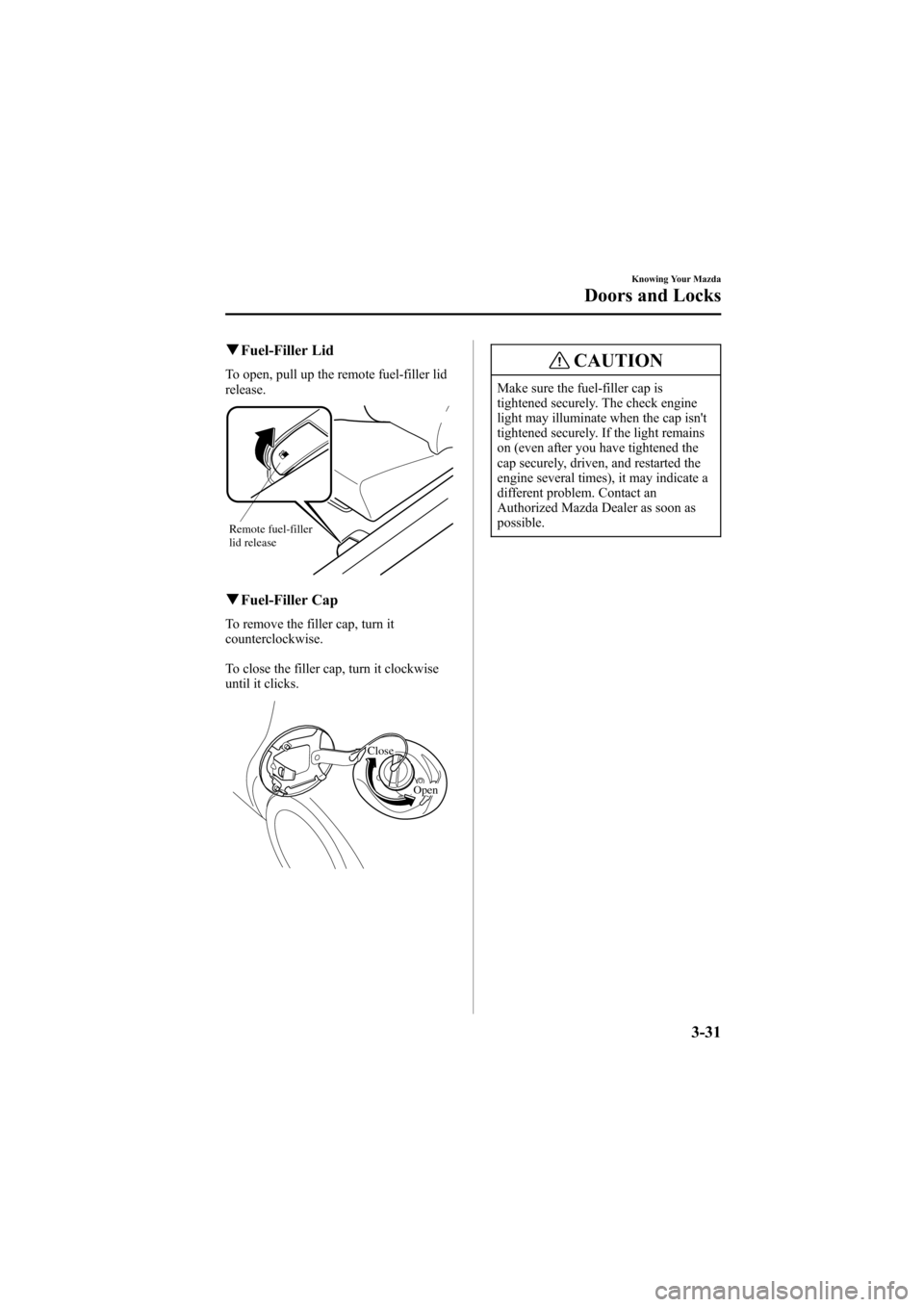
qFuel-Filler Lid
To open, pull up the remote fuel-filler lid
release.
Remote fuel-filler
lid release
qFuel-Filler Cap
To remove the filler cap, turn it
counterclockwise.
To close the filler cap, turn it clockwise
until it clicks.
Close
Open
CAUTION
Make sure the fuel-filler cap is
tightened securely. The check engine
light may illuminate when the cap isn't
tightened securely. If the light remains
on (even after you have tightened the
cap securely, driven, and restarted the
engine several times), it may indicate a
different problem. Contact an
Authorized Mazda Dealer as soon as
possible.
Knowing Your Mazda
Doors and Locks
3-31
Mazda6_8W89-EA-06K_Edition1 Page109
Tuesday, November 14 2006 1:23 PM
Form No.8W89-EA-06K
Page 110 of 384

Black plate (110,1)
Hood
WARNING
Always check that the hood is closedand securely locked:
A hood that is not closed and securely
locked is dangerous as it could fly
open while the vehicle is moving and
block the driver's vision which could
result in a serious accident.
qOpening the Hood
1. With the vehicle parked, pull the
release handle to unlock the hood.
2. Slide the hood latch to the right and lift
the hood.
3. Grasp the support rod and secure it in
the stay hole indicated by the arrow to
hold the hood open.
Clip Support rod
qClosing the Hood
1. Check under the hood area to make
certain all filler caps are in place and
all loose items (e.g. tools, oil
containers, etc.) have been removed.
2. Insert the support rod in its clip while
holding up the hood. Verify that the
support rod is secured in the clip before
closing the hood.
3. Close the hood so that it locks securely.
3-32
Knowing Your Mazda
Doors and Locks
Mazda6_8W89-EA-06K_Edition1 Page110
Tuesday, November 14 2006 1:23 PM
Form No.8W89-EA-06K
Page 113 of 384

Black plate (113,1)
Immobilizer System
The immobilizer system allows the engine
to start only with a key the system
recognizes.
If someone attempts to start the engine
with an unrecognized key, the engine will
not start, thereby helping to prevent the
theft of your vehicle.
CAUTION
lRadio equipment like this is
governed by laws in the United
States.
Changes or modifications not
expressly approved by the party
responsible for compliance could
void the user's authority to operate
the equipment.
lTo avoid damage to the key, do not:
lDrop the key.lGet the key wet.lExpose the key to any kind of
magnetic field.
lExpose the key to high
temperatures on places such as the
dashboard or hood, under direct
sunlight.
CAUTION
When starting the engine do not allow
the following, as the engine may not
start due to the electronic signal from
the ignition key not being transmitted
correctly.
lA key ring rests on the key grip.
lMetal parts of other keys or metal
objects touch the key grip.
lSpare keys or keys for other vehicles
equipped with an immobilizer
system touch or come near the key
grip.
lDevices for electronic purchases, or
security passage touch or come near
the key.
Knowing Your Mazda
Security System
3-35
Mazda6_8W89-EA-06K_Edition1 Page113
Tuesday, November 14 2006 1:23 PM
Form No.8W89-EA-06K
Page 114 of 384
Black plate (114,1)
NOTE
l(U.S.A.)
This device complies with Part 15 of
the FCC Rules. Operation is subject
to the following two conditions: (1)
this device may not cause harmful
interference, and (2) this device must
accept any interference received,
including interference that may cause
undesired operation.
l(CANADA)
This device complies with RSS-210
of Industry CANADA. Operation is
subject to the following two
conditions: (1) this device may not
cause interference, and (2) this
device must accept any interference,
including interference that may cause
undesired operation of the device.
qOperation
Arming
The system is armed when the ignition
switch is turned from the ON to the ACC
position.
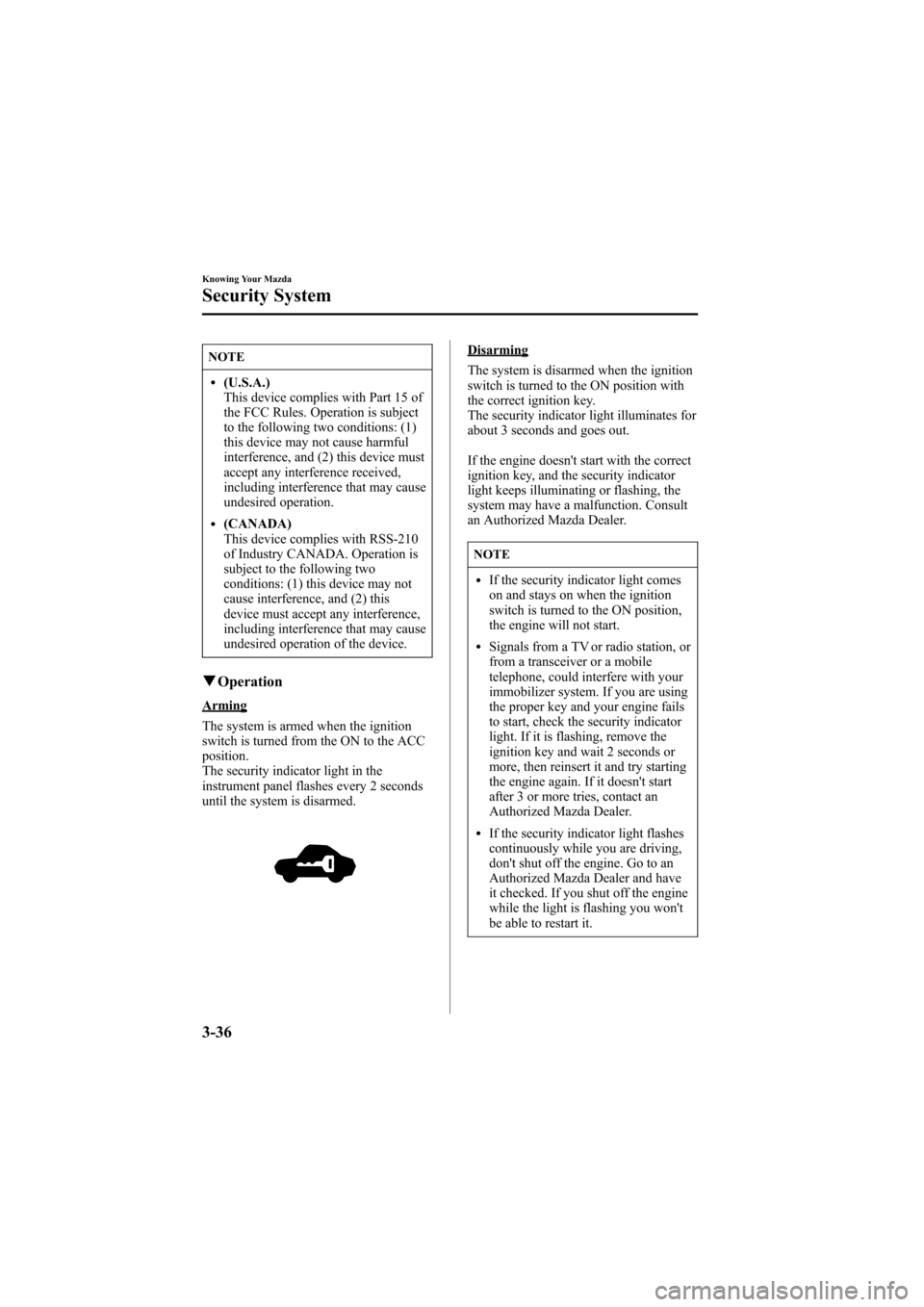
The security indicator light in the
instrument panel flashes every 2 seconds
until the system is disarmed.
Disarming
The system is disarmed when the ignition
switch is turned to the ON position with
the correct ignition key.
The security indicator light illuminates for
about 3 seconds and goes out.
If the engine doesn't start with the correct
ignition key, and the security indicator
light keeps illuminating or flashing, the
system may have a malfunction. Consult
an Authorized Mazda Dealer.
NOTE
lIf the security indicator light comes
on and stays on when the ignition
switch is turned to the ON position,
the engine will not start.
lSignals from a TV or radio station, or
from a transceiver or a mobile
telephone, could interfere with your
immobilizer system. If you are using
the proper key and your engine fails
to start, check the security indicator
light. If it is flashing, remove the
ignition key and wait 2 seconds or
more, then reinsert it and try starting
the engine again. If it doesn't start
after 3 or more tries, contact an
Authorized Mazda Dealer.
lIf the security indicator light flashes
continuously while you are driving,
don't shut off the engine. Go to an
Authorized Mazda Dealer and have
it checked. If you shut off the engine
while the light is flashing you won't
be able to restart it.
3-36
Knowing Your Mazda
Security System
Mazda6_8W89-EA-06K_Edition1 Page114
Tuesday, November 14 2006 1:23 PM
Form No.8W89-EA-06K