light MAZDA MODEL 6 2008 (in English) Workshop Manual
[x] Cancel search | Manufacturer: MAZDA, Model Year: 2008, Model line: MODEL 6, Model: MAZDA MODEL 6 2008Pages: 440, PDF Size: 6.49 MB
Page 131 of 440
Black plate (131,1)
WARNING
Remove the key only when the vehicle
is parked:Removing the key from the ignition
switch while the vehicle is moving is
dangerous. Removing the key allows
the steering wheel to lock. You will
lose steering control and a serious
accident could occur.
Before leaving the driver's seat, always
put the key to LOCK position, set the
parking brake and make sure the shift
lever is in P with an automatic
transaxle or in 1 or R with a manual
transaxle: Intentionally placing the key into
LOCK position is much more
important where you will not be
removing the key to leave the vehicle
and because leaving it in other
positions will disable some of the
vehicle security systems and run the
battery down.
Leaving the driver's seat without
putting the ignition switch in LOCK
position, setting the parking brake
and the shift lever is in P with an
automatic transaxle or in 1 or R with
a manual transaxle is dangerous.
Unexpected vehicle movement could
occur. This could cause an accident.
NOTE
If turning the key is difficult, jiggle the steering
wheel from side to side.
Leaving the key in any position but LOCK
position also disables some of the security
features and may run the battery down.
ACC (Accessory)
The steering wheel unlocks and some
electrical accessories will operate.
ON
This is the normal running position after
the engine is started. The warning lights
(except brakes) should be inspected
before the engine is started (page 5-35).
NOTE
When the ignition switch is turned to the ON
position, the sound of the fuel pump motor
operating near the fuel tank can be heard. This
does not indicate an abnormality.
START
The engine is started in this position. It
will crank until you release the key; then
it returns to the ON position. The brake
warning light can be checked after the
engine is started (page 5-35).
q Ignition Key Reminder
If the ignition switch is in the LOCK or
ACC position with the key inserted, a
continuous beep sound will be heard
when the driver's door is opened.
Driving Your Mazda
Starting and Driving
5-3
Mazda6_8X47-EA-07G_Edition1 Page131
Tuesday, May 29 2007 3:43 PM
Form No.8X47-EA-07G
Page 133 of 440
Black plate (133,1)
Brake System
qFoot Brake
Your Mazda has power-assisted brakes
that adjust automatically through normal
use.
Should power-assist fail, you can stop by
applying greater force than normal to the
brake pedal. But the distance required to
stop will be greater than usual.
WARNING
Do not coast with the engine stalled or
turned off, find a safe place to stop:
Coasting with the engine stalled or
turned off is dangerous. Braking will
require more effort, and the brake's
power-assist could be depleted if you
pump the brake. This will cause
longer stopping distances or even an
accident.
Shift to a lower gear when going down
steep hills: Driving with your foot continuously
on the brake pedal or steadily
applying the brakes for long
distances is dangerous. This causes
overheated brakes, resulting in
longer stopping distances or even
total brake failure. This could cause
loss of vehicle control and a serious
accident. Avoid continuous
application of the brakes.
WARNING
Dry brakes that have become wet by
driving very slowly and applying the
brakes lightly until brake performance
is normal:Driving with wet brakes is
dangerous. Increased stopping
distance or the vehicle pulling to one
side when braking could result in a
serious accident. Light braking will
indicate whether the brakes have
been affected.
qParking Brake
WARNING
Before leaving the driver's seat, always
put the key to LOCK position, set the
parking brake and make sure the shift
lever is in P with an automatic
transaxle or in 1 or R with a manual
transaxle:
Intentionally placing the key into
LOCK position is much more
important where you will not be
removing the key to leave the vehicle
and because leaving it in other
positions will disable some of the
vehicle security systems and run the
battery down.
Leaving the driver's seat without
putting the ignition switch in LOCK
position, setting the parking brake
and the shift lever is in P with an
automatic transaxle or in 1 or R with
a manual transaxle is dangerous.
Unexpected vehicle movement could
occur. This could cause an accident.
Driving Your Mazda
Starting and Driving
5-5
Mazda6_8X47-EA-07G_Edition1 Page133
Tuesday, May 29 2007 3:43 PM
Form No.8X47-EA-07G
Page 134 of 440

Black plate (134,1)
CAUTION
Driving with the parking brake on
will cause excessive wear of the brake
linings or pads.
NOTE
For parking in snow, refer to Winter Driving
(page 4-8) regarding parking brake use.
Setting the parking brake
Depress the brake pedal and then firmly
pull the parking brake lever fully upwards
with a greater amount of force than is
required so that the vehicle holds in the
stationary position.
Releasing the parking brake
Depress the brake pedal and pull the
parking brake lever upwards, then press
the release button. While holding the
button, lower the parking brake lever all
the way down to the released position.
q Brake System Warning Light
This warning has the following functions:
Parking brake warning
The light comes on when the parking
brake is applied with the ignition switch
in the START or ON position. It goes off
when the parking brake is fully released.
Low brake fluid level warning
If the light stays on after the parking brake
is fully released, you may have a brake
problem.
Drive to the side of the road and park off
the right-of-way.
5-6
Driving Your Mazda
Starting and Driving
Mazda6_8X47-EA-07G_Edition1 Page134
Tuesday, May 29 2007 3:43 PM
Form No.8X47-EA-07G
Page 135 of 440
Black plate (135,1)
You may notice that the pedal is harder to
push or that it may go closer to the floor.
In either case, it will take longer to stop
the vehicle.
1. With the engine stopped, check thebrake fluid level immediately and add
fluid as required (page 8-22).
2. After adding fluid, check the light again.
If the warning light remains on, or if the
brakes do not operate properly, do not
drive the vehicle. Have it towed to an
Authorized Mazda Dealer.
Even if the light goes out have your brake
system inspected as soon as possible by
an Authorized Mazda Dealer.
NOTE
Having to add brake fluid is sometimes an
indicator of leakage. Consult an Authorized
Mazda Dealer as soon as possible even if the
brake light is no longer illuminated.
WARNING
Do not drive with the brake system
warning light illuminated. Contact an
Authorized Mazda Dealer to have the
brakes inspected as soon as possible: Driving with the brake system
warning light illuminated is
dangerous. It indicates that your
brakes may not work at all or that
they could completely fail at any
time. If this light remains
illuminated, after checking that the
parking brake is fully released, have
the brakes inspected immediately.
qAnti-Lock Brake System (ABS)
The ABS control unit continuously
monitors the speed of each wheel. If one
is about to lock up, the ABS responds by
automatically releasing and reapplying
that wheel's brake.
The driver will feel a slight vibration in
the brake pedal and may hear a chattering
noise from the brake system. This is
normal when the ABS operates. Don't
pump the brakes, continue to press down
on the brake pedal.
WARNING
Do not rely on ABS as a substitute for
safe driving:
The ABS cannot compensate for
unsafe and reckless driving, excessive
speed, tailgating (following another
vehicle too closely), driving on ice and
snow, and hydroplaning (reduced tire
friction and road contact because of
water on the road surface). You can
still have an accident.
NOTE
lBraking distances may be longer on loose
surfaces (snow or gravel, for example)
which usually have a hard foundation. A
vehicle with a normal braking system may
require less distance to stop under these
conditions because the tires will build up a
wedge of surface layer when the wheels
skid.
lThe sound of the ABS operating may be
heard when starting the engine or
immediately after starting the vehicle.
However, it does not indicate a malfunction.
Driving Your Mazda
Starting and Driving
5-7
Mazda6_8X47-EA-07G_Edition1 Page135
Tuesday, May 29 2007 3:43 PM
Form No.8X47-EA-07G
Page 136 of 440
Black plate (136,1)
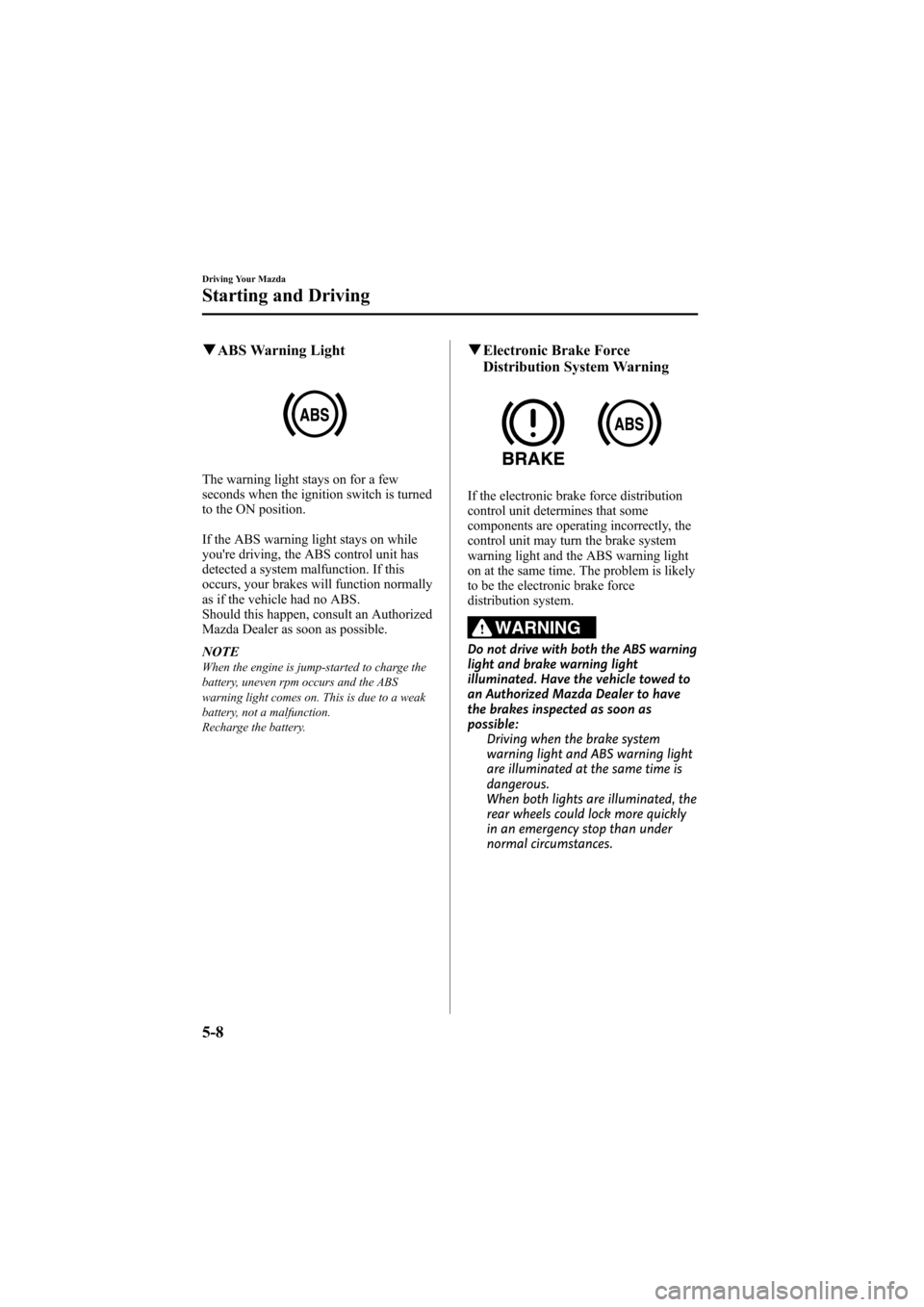
qABS Warning Light
The warning light stays on for a few
seconds when the ignition switch is turned
to the ON position.
If the ABS warning light stays on while
you're driving, the ABS control unit has
detected a system malfunction. If this
occurs, your brakes will function normally
as if the vehicle had no ABS.
Should this happen, consult an Authorized
Mazda Dealer as soon as possible.
NOTE
When the engine is jump-started to charge the
battery, uneven rpm occurs and the ABS
warning light comes on. This is due to a weak
battery, not a malfunction.
Recharge the battery.
qElectronic Brake Force
Distribution System Warning
If the electronic brake force distribution
control unit determines that some
components are operating incorrectly, the
control unit may turn the brake system
warning light and the ABS warning light
on at the same time. The problem is likely
to be the electronic brake force
distribution system.
WARNING
Do not drive with both the ABS warning
light and brake warning light
illuminated. Have the vehicle towed to
an Authorized Mazda Dealer to have
the brakes inspected as soon as
possible:
Driving when the brake system
warning light and ABS warning light
are illuminated at the same time is
dangerous.
When both lights are illuminated, the
rear wheels could lock more quickly
in an emergency stop than under
normal circumstances.
5-8
Driving Your Mazda
Starting and Driving
Mazda6_8X47-EA-07G_Edition1 Page136
Tuesday, May 29 2007 3:43 PM
Form No.8X47-EA-07G
Page 141 of 440
Black plate (141,1)
qTransaxle Ranges
The shift lever must be in P or N to
operate the starter.
P (Park)
P locks the transaxle and prevents the
front wheels from rotating.
WARNING
Always set the shift lever to P and set
the parking brake:
Only setting the shift lever to the P
position without using the parking
brake to hold the vehicle is
dangerous. If P fails to hold, the
vehicle could move and cause an
accident.
CAUTION
ØShifting into P, N or R while the
vehicle is moving can damage
your transaxle.
Ø Shifting into a driving gear or
reverse when the engine is running
faster than idle can damage the
transaxle.
R (Reverse)
In position R, the vehicle moves only
backward. You must be at a complete stop
before shifting to or from R, except under
rare circumstances as explained in
Rocking the Vehicle (page 4-8).
N (Neutral)
In N, the wheels and transaxle are not
locked. The vehicle will roll freely even
on the slightest incline unless the parking
brake or brakes are on.
WARNING
If the engine is running faster than idle,
do not shift from N or P into a driving
gear:
It's dangerous to shift from N or P
into a driving gear when the engine
is running faster than idle. If this is
done, the vehicle could move
suddenly, causing an accident or
serious injury.
Do not shift into N when driving the
vehicle: Shifting into N while driving is
dangerous. Engine braking cannot be
applied when decelerating which
could lead to an accident or serious
injury.
CAUTION
Do not shift into N when driving the
vehicle. Doing so can cause transaxle
damage.
NOTE
Apply the parking brake or depress the brake
pedal before moving the shift lever from N to
prevent the vehicle from moving unexpectedly.
D (Drive)
D is the normal driving position. From a
stop, the transaxle will automatically shift
through a 5-gear/6-gear
*sequence.
* 3.0-liter engine model
M (Manual)
M is the manual shift mode position.
Gears can be shifted up or down by
operating the shift lever.
Refer to Manual Shift Mode (page 5-14).
Driving Your Mazda
Starting and Driving
5-13
Mazda6_8X47-EA-07G_Edition1 Page141
Tuesday, May 29 2007 3:43 PM
Form No.8X47-EA-07G
Page 147 of 440

Black plate (147,1)
Cruise Control
With cruise control, you can set and
automatically maintain any speed of more
than about 30 km/h (19 mph).
WARNING
Do not use the cruise control under the
following conditions:Using the cruise control under the
following conditions is dangerous
and could result in loss of vehicle
control.
ØHilly terrain
Ø Steep inclines
Ø Heavy or unsteady traffic
Ø Slippery or winding roads
Ø Similar restrictions that require
inconsistent speed
qCruise Main Indicator Light
This light comes on when the ON/OFF
switch is pressed and the cruise control
system is activated.
qCruise Set Indicator Light
This light comes on when a cruising speed
is set.
qActivation/Deactivation
To activate the system, press the ON/OFF
switch.
The cruise main indicator light
illuminates.
To deactivate the system, press the switch
again.
The cruise main indicator light turns off.
WARNING
Keep the ON/OFF switch off when
cruise control is not in use:
Leaving the ON/OFF switch on when
not using the cruise control is
dangerous as you may hit one of the
other buttons and put the vehicle in
cruise control unexpectedly. This
could result in loss of vehicle control.
qTo Set Speed
1. Activate the cruise control system by
pressing the ON/OFF switch.
2. Accelerate to the desired speed, which must be more than 30 km/h (19 mph).
Driving Your Mazda
Starting and Driving
5-19
Mazda6_8X47-EA-07G_Edition1 Page147
Tuesday, May 29 2007 3:43 PM
Form No.8X47-EA-07G
Page 149 of 440
Black plate (149,1)
To increase speed using acceleratorpedal
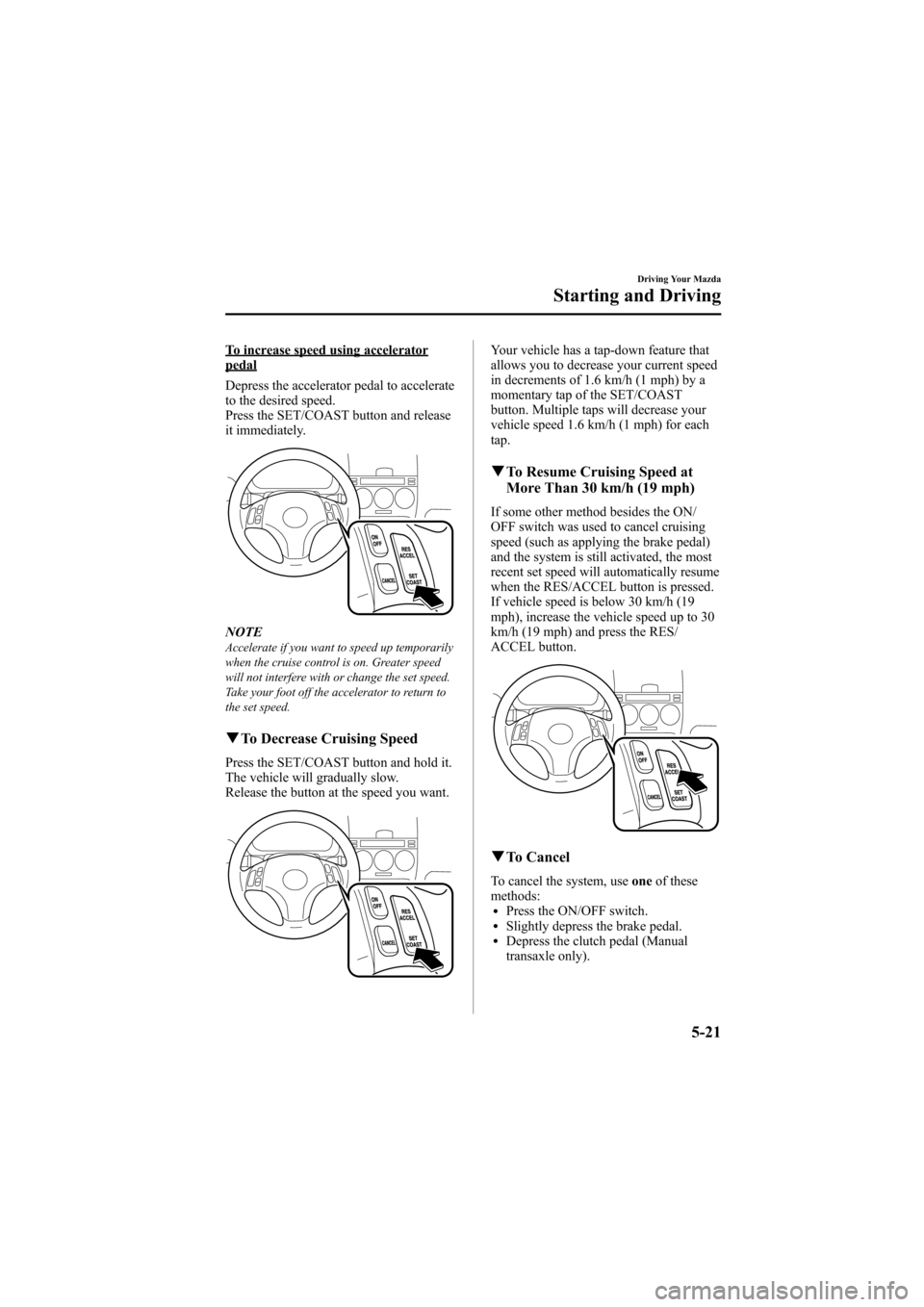
Depress the accelerator pedal to accelerate
to the desired speed.
Press the SET/COAST button and release
it immediately.
NOTEAccelerate if you want to speed up temporarily
when the cruise control is on. Greater speed
will not interfere with or change the set speed.
Take your foot off the accelerator to return to
the set speed.
qTo Decrease Cruising Speed
Press the SET/COAST button and hold it.
The vehicle will gradually slow.
Release the button at the speed you want.
Your vehicle has a tap-down feature that
allows you to decrease your current speed
in decrements of 1.6 km/h (1 mph) by a
momentary tap of the SET/COAST
button. Multiple taps will decrease your
vehicle speed 1.6 km/h (1 mph) for each
tap.
qTo Resume Cruising Speed at
More Than 30 km/h (19 mph)
If some other method besides the ON/
OFF switch was used to cancel cruising
speed (such as applying the brake pedal)
and the system is still activated, the most
recent set speed will automatically resume
when the RES/ACCEL button is pressed.
If vehicle speed is below 30 km/h (19
mph), increase the vehicle speed up to 30
km/h (19 mph) and press the RES/
ACCEL button.
qTo Cancel
To cancel the system, use oneof these
methods:
lPress the ON/OFF switch.lSlightly depress the brake pedal.lDepress the clutch pedal (Manual
transaxle only).
Driving Your Mazda
Starting and Driving
5-21
Mazda6_8X47-EA-07G_Edition1 Page149
Tuesday, May 29 2007 3:43 PM
Form No.8X47-EA-07G
Page 151 of 440
Black plate (151,1)
qTCS Indicator Light
This indicator light stays on for a few
seconds when the ignition switch is turned
to the ON position. If the TCS is
operating, the indicator light flashes.
If the light stays on, the TCS may have a
malfunction and it may not operate
correctly. Take your vehicle to an
Authorized Mazda Dealer.
NOTE
lIn addition to the indicator light flashing, a
slight lugging sound will come from the
engine. This indicates that the TCS is
operating properly.
lOn slippery surfaces, such as fresh snow, it
will be impossible to achieve high rpm
when the TCS is on.
qTCS OFF Indicator Light
This indicator light stays on for a few
seconds when the ignition switch is turned
to the ON position.
It also comes on when the TCS OFF
switch is pressed and TCS is switched off. If the light stays on when the TCS is not
switched off, take your vehicle to an
Authorized Mazda Dealer. The TCS may
have a malfunction.
NOTE
(3.0-liter engine model)
After starting the engine when the coolant
temperature is extremely low, the TCS is
automatically turned off. At this time, the TCS
OFF indicator light will remain on, but this
does not indicate an abnormality. After the
engine has warmed, TCS will resume normal
operation and the indicator light will go out.
q
TCS OFF Switch
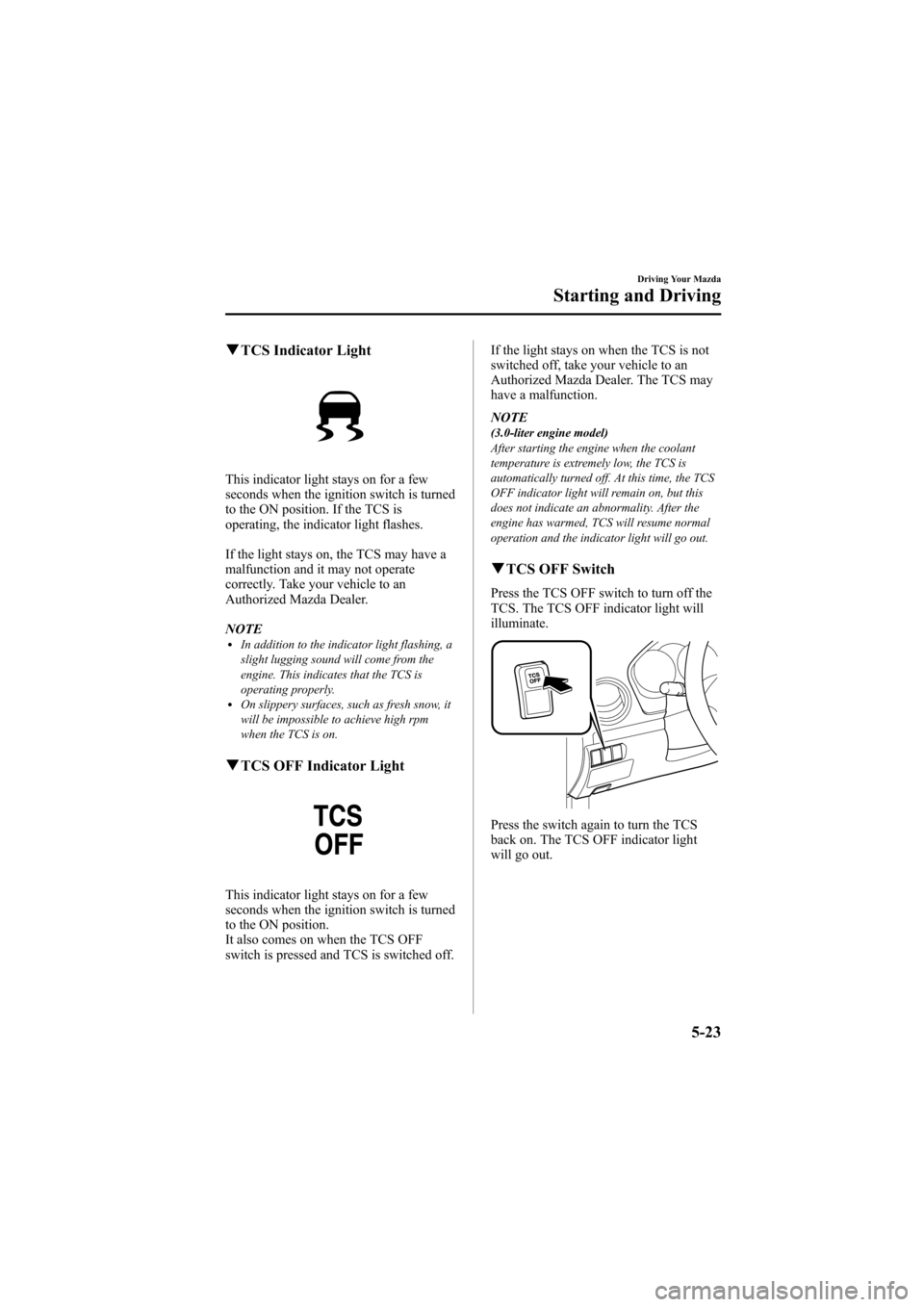
Press the TCS OFF switch to turn off the
TCS. The TCS OFF indicator light will
illuminate.
Press the switch again to turn the TCS
back on. The TCS OFF indicator light
will go out.
Driving Your Mazda
Starting and Driving
5-23
Mazda6_8X47-EA-07G_Edition1 Page151
Tuesday, May 29 2007 3:43 PM
Form No.8X47-EA-07G
Page 153 of 440
Black plate (153,1)
Tire Pressure Monitoring Systemí
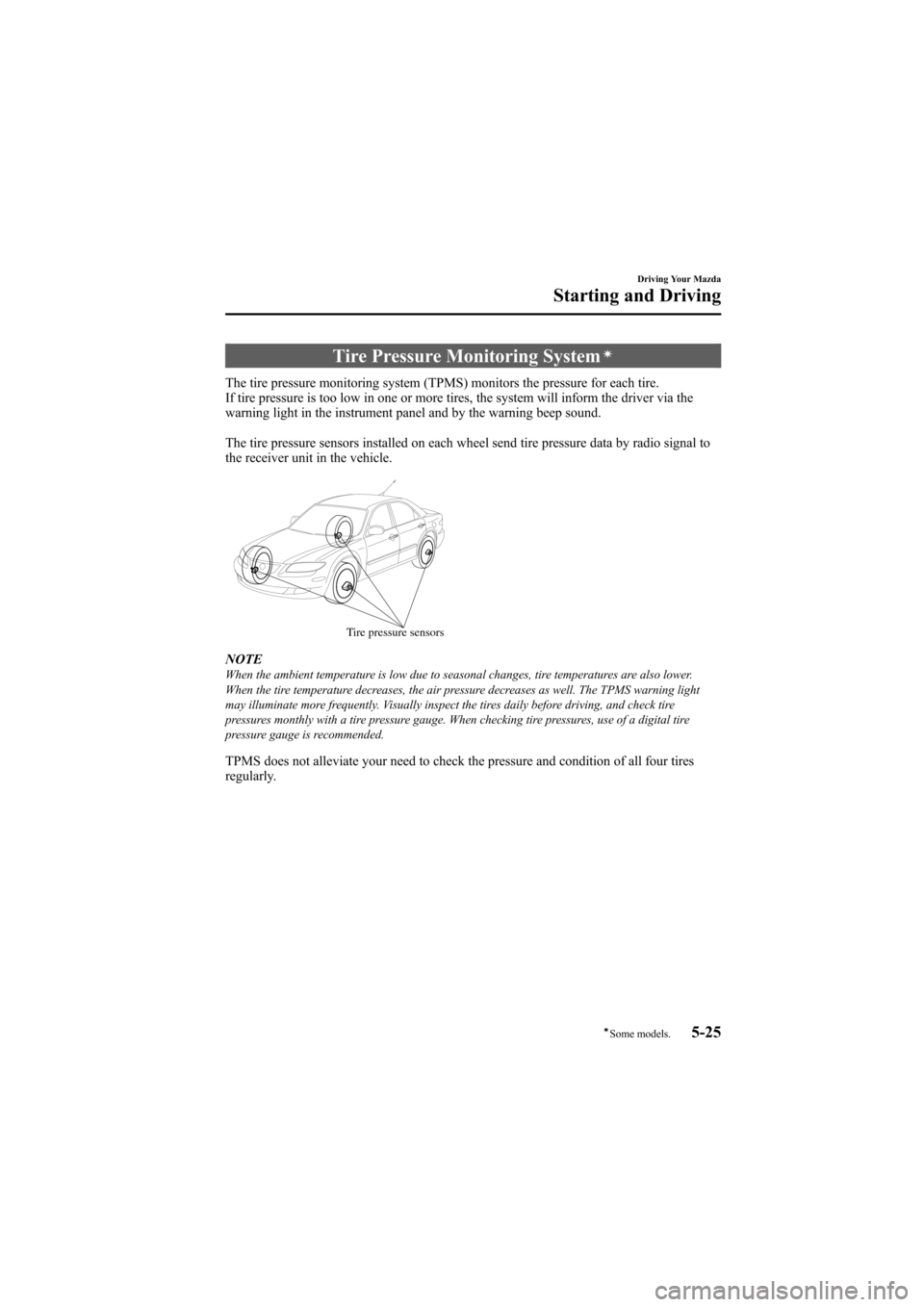
The tire pressure monitoring system (TPMS) monitors the pressure for each tire.
If tire pressure is too low in one or more tires, the system will inform the driver via the
warning light in the instrument panel and by the warning beep sound.
The tire pressure sensors installed on each wheel send tire pressure data by radio signal to
the receiver unit in the vehicle.
Tire pressure sensors
NOTEWhen the ambient temperature is low due to seasonal changes, tire temperatures are also lower.
When the tire temperature decreases, the air pressure decreases as well. The TPMS warning light
may illuminate more frequently. Visually inspect the tires daily before driving, and check tire
pressures monthly with a tire pressure gauge. When checking tire pressures, use of a digital tire
pressure gauge is recommended.
TPMS does not alleviate your need to check the pressure and condition of all four tires
regularly.
Driving Your Mazda
Starting and Driving
5-25íSome models.
Mazda6_8X47-EA-07G_Edition1 Page153
Tuesday, May 29 2007 3:43 PM
Form No.8X47-EA-07G