light MAZDA MODEL 6 2017 (in English) Repair Manual
[x] Cancel search | Manufacturer: MAZDA, Model Year: 2017, Model line: MODEL 6, Model: MAZDA MODEL 6 2017Pages: 578, PDF Size: 54.72 MB
Page 143 of 578
4–19
When Driving
Instrument Cluster and Display
Cruise Control Set Vehicle Speed
Display (Without Multi-
information Display)
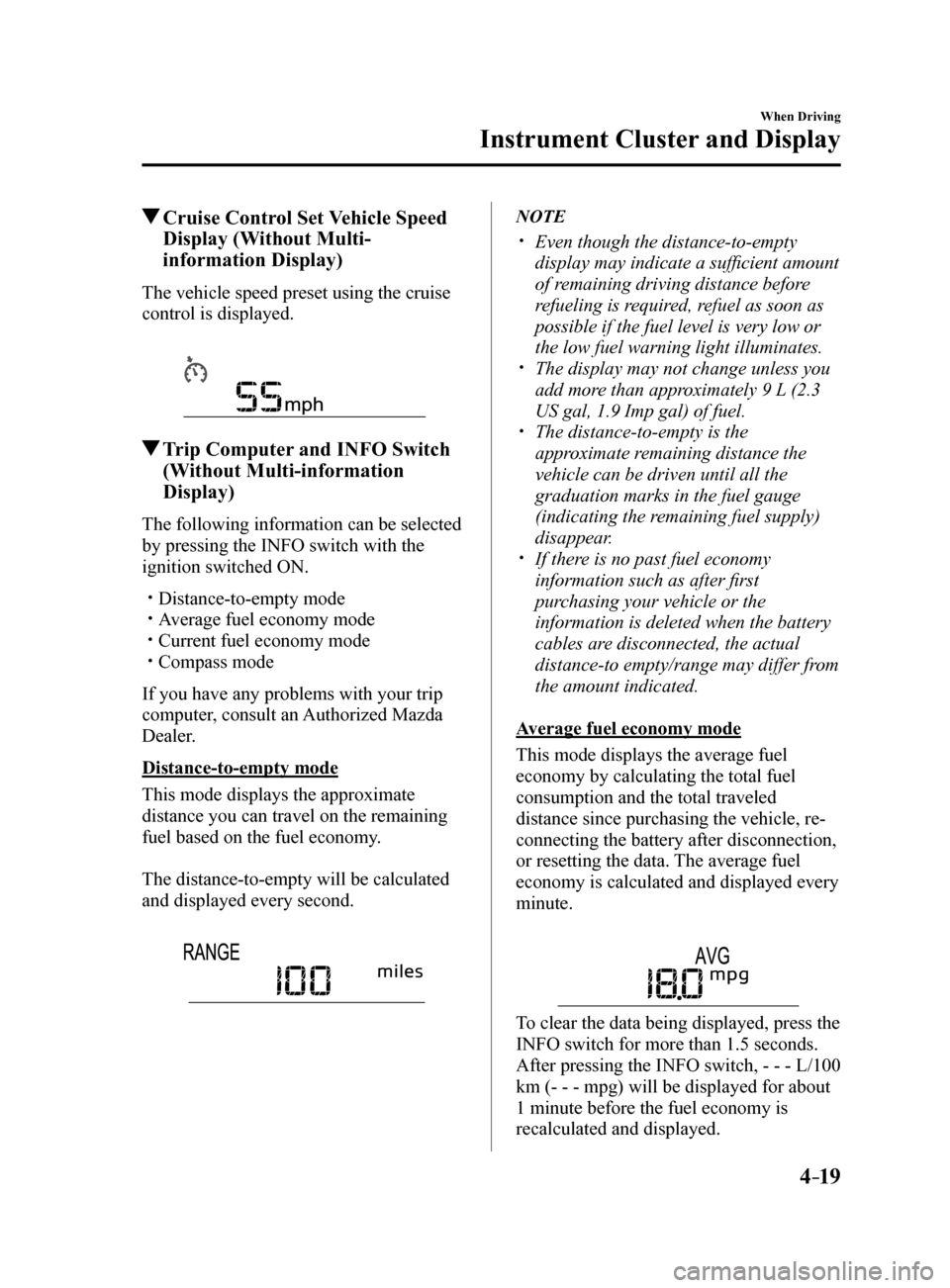
The vehicle speed preset using the cruise
control is displayed.
Trip Computer and INFO Switch
(Without Multi-information
Display)
The following information can be selected
by pressing the INFO switch with the
ignition switched ON.
Distance-to-empty mode Average fuel economy mode Current fuel economy mode Compass mode
If you have any problems with your trip
computer, consult an Authorized Mazda
Dealer.
Distance-to-empty mode
This mode displays the approximate
distance you can travel on the remaining
fuel based on the fuel economy.
The distance-to-empty will be calculated
and displayed every second.
NOTE
Even though the distance-to-empty
display may indicate a sufficient amount
of remaining driving distance before
refueling is required, refuel as soon as
possible if the fuel level is very low or
the low fuel warning light illuminates.
The display may not change unless you
add more than approximately 9 L (2.3
US gal, 1.9 Imp gal) of fuel.
The distance-to-empty is the
approximate remaining distance the
vehicle can be driven until all the
graduation marks in the fuel gauge
(indicating the remaining fuel supply)
disappear.
If there is no past fuel economy
information such as after first
purchasing your vehicle or the
information is deleted when the battery
cables are disconnected, the actual
distance-to empty/range may differ from
the amount indicated.
Average fuel economy mode
This mode displays the average fuel
economy by calculating the total fuel
consumption and the total traveled
distance since purchasing the vehicle, re-
connecting the battery after disconnection,
or resetting the data. The average fuel
economy is calculated and displayed every
minute.
To clear the data being displayed, press the
INFO switch for more than 1.5 seconds.
After pressing the INFO switch, - - - L/100
km (- - - mpg) will be displayed for about
1 minute before the fuel economy is
recalculated and displayed.
Mazda6_8FH2-EA-16F_Edition2.indb 192016/07/07 13:44:37
Page 148 of 578
4–24
When Driving
Instrument Cluster and Display
Engine Coolant Temperature Gauge
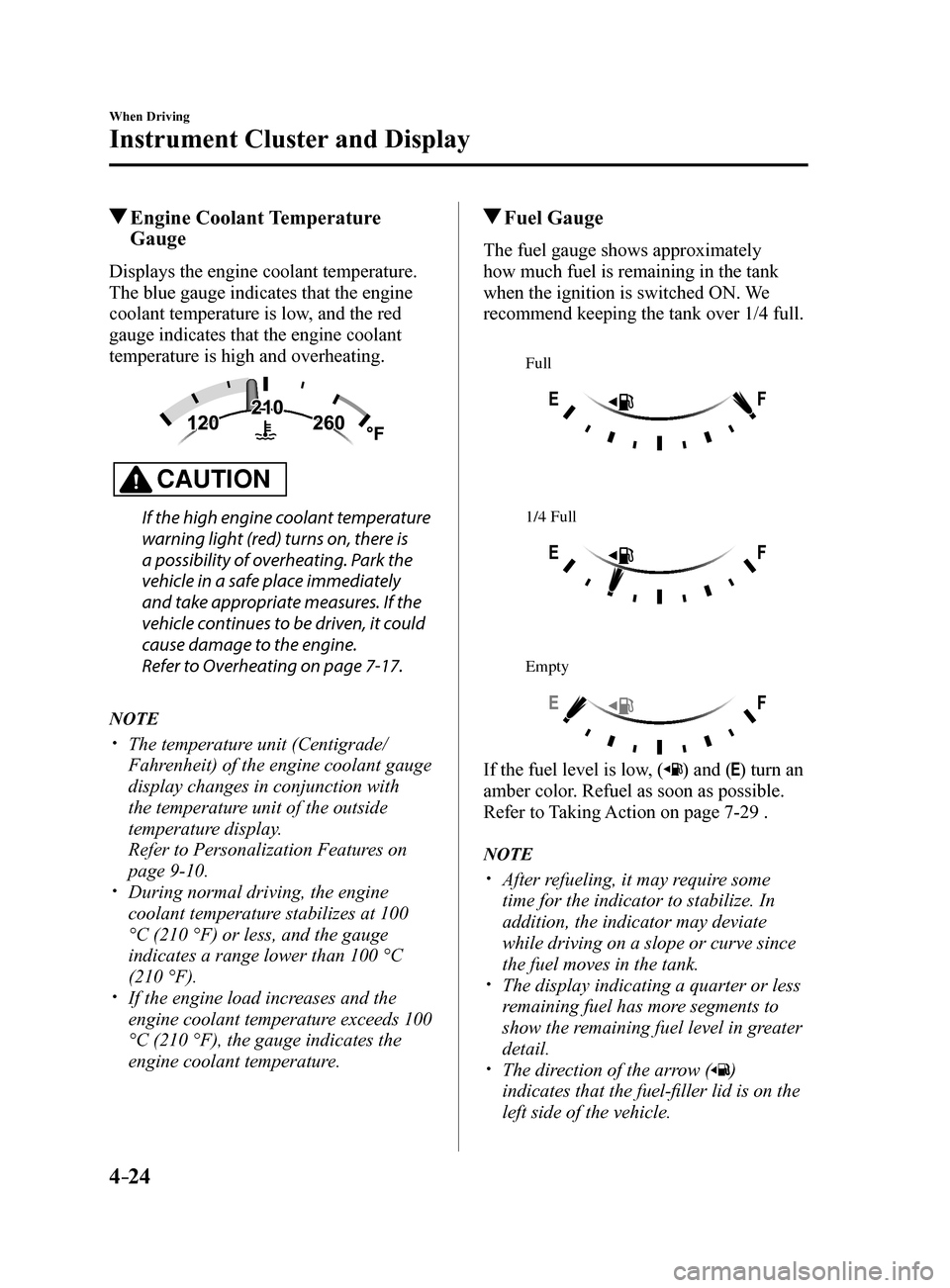
Displays the engine coolant temperature.
The blue gauge indicates that the engine
coolant temperature is low, and the red
gauge indicates that the engine coolant
temperature is high and overheating.
CAUTION
If the high engine coolant temperature
warning light (red) turns on, there is
a possibility of overheating. Park the
vehicle in a safe place immediately
and take appropriate measures. If the
vehicle continues to be driven, it could
cause damage to the engine.
Refer to Overheating on page 7-17.
NOTE
The temperature unit (Centigrade/
Fahrenheit) of the engine coolant gauge
display changes in conjunction with
the temperature unit of the outside
temperature display.
Refer to Personalization Features on
page 9-10.
During normal driving, the engine
coolant temperature stabilizes at 100
°C (210 °F) or less, and the gauge
indicates a range lower than 100 °C
(210 °F).
If the engine load increases and the
engine coolant temperature exceeds 100
°C (210 °F), the gauge indicates the
engine coolant temperature.
Fuel Gauge
The fuel gauge shows approximately
how much fuel is remaining in the tank
when the ignition is switched ON. We
recommend keeping the tank over 1/4 full.
Full
1/4 Full
Empty
If the fuel level is low, () and () turn an
amber color. Refuel as soon as possible.
Refer to Taking Action on page 7-29 .
NOTE
After refueling, it may require some
time for the indicator to stabilize. In
addition, the indicator may deviate
while driving on a slope or curve since
the fuel moves in the tank.
The display indicating a quarter or less
remaining fuel has more segments to
show the remaining fuel level in greater
detail.
The direction of the arrow ()
indicates that the fuel-filler lid is on the
left side of the vehicle.
Mazda6_8FH2-EA-16F_Edition2.indb 242016/07/07 13:44:39
Page 149 of 578
4–25
When Driving
Instrument Cluster and Display
Outside Temperature Display
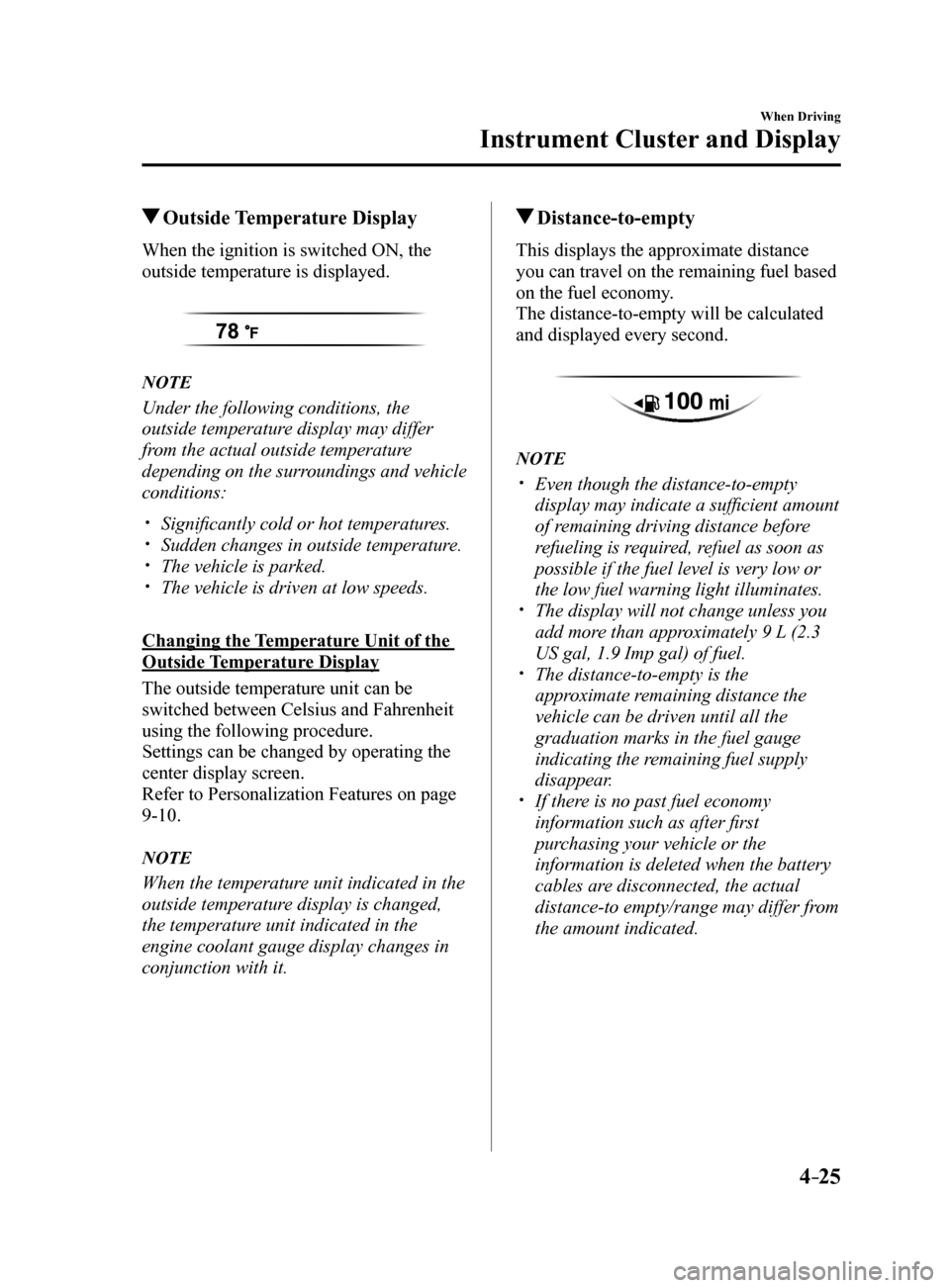
When the ignition is switched ON, the
outside temperature is displayed.
NOTE
Under the following conditions, the
outside temperature display may differ
from the actual outside temperature
depending on the surroundings and vehicle
conditions:
Significantly cold or hot temperatures. Sudden changes in outside temperature. The vehicle is parked. The vehicle is driven at low speeds.
Changing the Temperature Unit of the
Outside Temperature Display
The outside temperature unit can be
switched between Celsius and Fahrenheit
using the following procedure.
Settings can be changed by operating the
center display screen.
Refer to Personalization Features on page
9-10.
NOTE
When the temperature unit indicated in the
outside temperature display is changed,
the temperature unit indicated in the
engine coolant gauge display changes in
conjunction with it.
Distance-to-empty
This displays the approximate distance
you can travel on the remaining fuel based
on the fuel economy.
The distance-to-empty will be calculated
and displayed every second.
NOTE
Even though the distance-to-empty
display may indicate a sufficient amount
of remaining driving distance before
refueling is required, refuel as soon as
possible if the fuel level is very low or
the low fuel warning light illuminates.
The display will not change unless you
add more than approximately 9 L (2.3
US gal, 1.9 Imp gal) of fuel.
The distance-to-empty is the
approximate remaining distance the
vehicle can be driven until all the
graduation marks in the fuel gauge
indicating the remaining fuel supply
disappear.
If there is no past fuel economy
information such as after first
purchasing your vehicle or the
information is deleted when the battery
cables are disconnected, the actual
distance-to empty/range may differ from
the amount indicated.
Mazda6_8FH2-EA-16F_Edition2.indb 252016/07/07 13:44:39
Page 152 of 578
 Repair Manual 4–28
When Driving
Instrument Cluster and Display
Warning (Display Indication)
A message is displayed to notify the user of the system operation status \
and malfunctions or
abnormalities.
If the w")
4–28
When Driving
Instrument Cluster and Display
Warning (Display Indication)
A message is displayed to notify the user of the system operation status \
and malfunctions or
abnormalities.
If the warning light turns on/flashes simultaneously or a symbol is indicated in the display,
check the information regarding the warning light or symbol. (page 4-32)
When only a message is displayed, refer to Message Indicated in Multi-in\
formation Display.
(page 7-35)
Mazda6_8FH2-EA-16F_Edition2.indb 282016/07/07 13:44:41
Page 153 of 578
4–29
When Driving
Instrument Cluster and Display
*Some models.
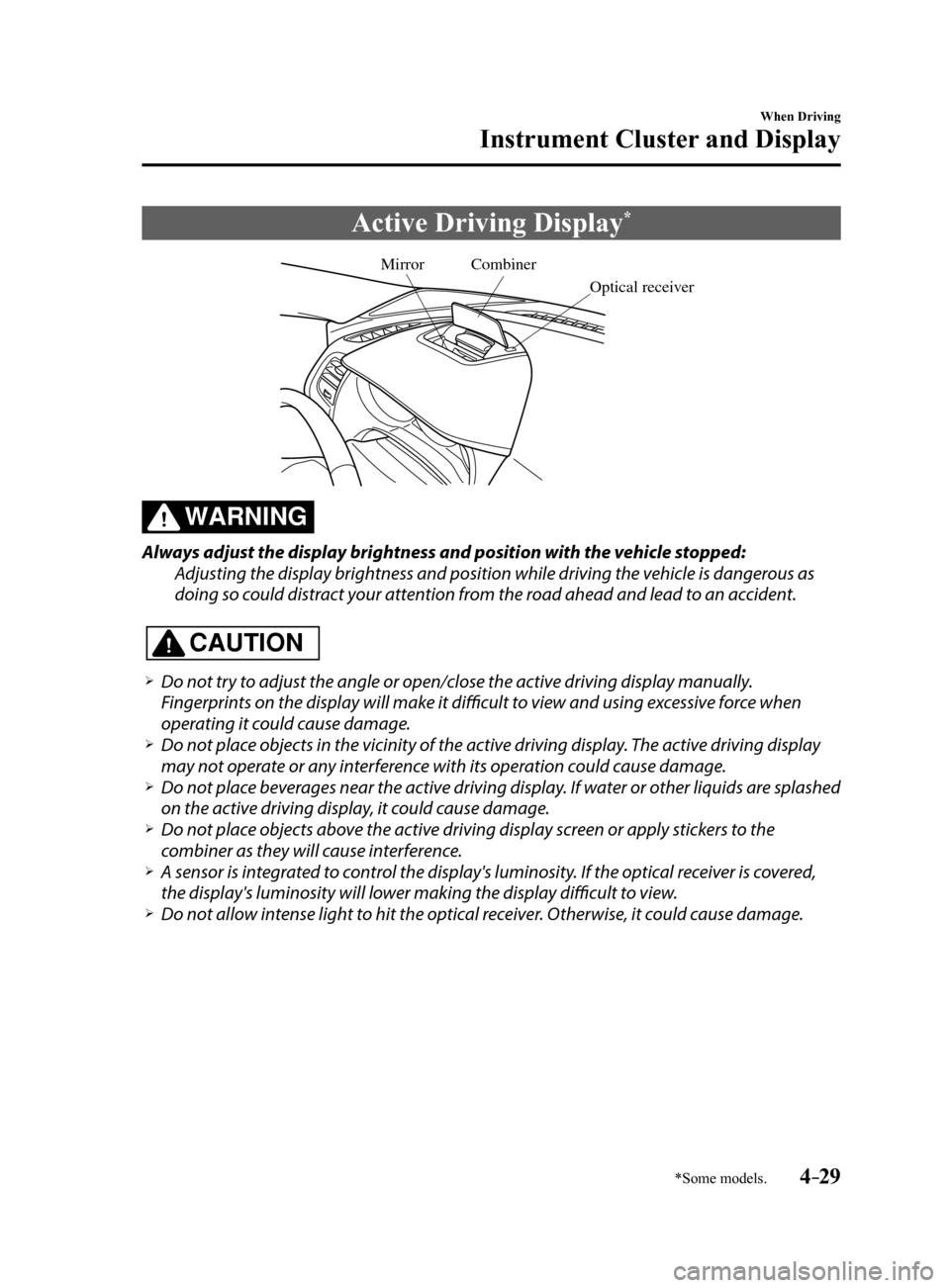
Active Driving Display*
Combiner
Optical receiver
Mirror
WARNING
Always adjust the display brightness and position with the vehicle stopped:
Adjusting the display brightness and position while driving the vehicle is dangerous as
doing so could distract your attention from the road ahead and lead to an accident.
CAUTION
Do not try to adjust the angle or open/close the active driving display manually.
Fingerprints on the display will make it difficult to view and using excessive force when
operating it could cause damage.
Do not place objects in the vicinity of the active driving display. The active driving display
may not operate or any interference with its operation could cause damage.
Do not place beverages near the active driving display. If water or other liquids are splashed
on the active driving display, it could cause damage.
Do not place objects above the active driving display screen or apply stickers to the
combiner as they will cause interference.
A sensor is integrated to control the display's luminosity. If the optical receiver is covered,
the display's luminosity will lower making the display difficult to view.
Do not allow intense light to hit the optical receiver. Otherwise, it could cause damage.
Mazda6_8FH2-EA-16F_Edition2.indb 292016/07/07 13:44:41
Page 154 of 578
4–30
When Driving
Instrument Cluster and Display
NOTE
It may be difficult to view the display when wearing sunglasses. Take off your sunglasses
or adjust the luminosity.
If the battery terminal has been disconnected and re-connected or the battery voltage is
low, the adjusted position may deviate.
The display may be difficult to view or temporarily affected by weather conditions such as
rain, snow, light, and temperature.
If the audio system is removed, the active driving display cannot be operated.
The active driving display indicates the following information:
Blind Spot Monitoring (BSM) Operation Conditions and Warnings
Refer to Blind Spot Monitoring (BSM) on page 4-94.
Distance Recognition Support System (DRSS) Operation Conditions and Warnings
Refer to Distance Recognition Support System (DRSS) on page 4-107.
Traffic Sign Recognition System (TSR) traffic signs and Warnings
Refer to Traffic Sign Recognition System (TSR) on page 4-100.
Mazda Radar Cruise Control (MRCC) Operation Conditions and Warnings
Refer to Mazda Radar Cruise Control (MRCC) on page 4-115.
Lane-keep Assist System (LAS) & Lane Departure Warning System (LDWS) Operation
Conditions and Warnings
Refer to Lane-keep Assist System (LAS) & Lane Departure Warning System (LDWS) on
page 4-125.
Smart City Brake Support (SCBS) Warnings
Refer to Smart City Brake Support (SCBS) on page 4-138.
Smart Brake Support (SBS) Operation Conditions and Warnings
Refer to Smart Brake Support (SBS) on page 4-143.
Cruise Control Operation Conditions
Refer to Cruise Control on page 4-155.
Navigation Guidance (vehicles with navigation system)
Speed limit indicator (vehicles with navigation system)
Vehicle Speed
Mazda6_8FH2-EA-16F_Edition2.indb 302016/07/07 13:44:41
Page 156 of 578
4–32
When Driving
Instrument Cluster and Display
Warning/Indicator Lights
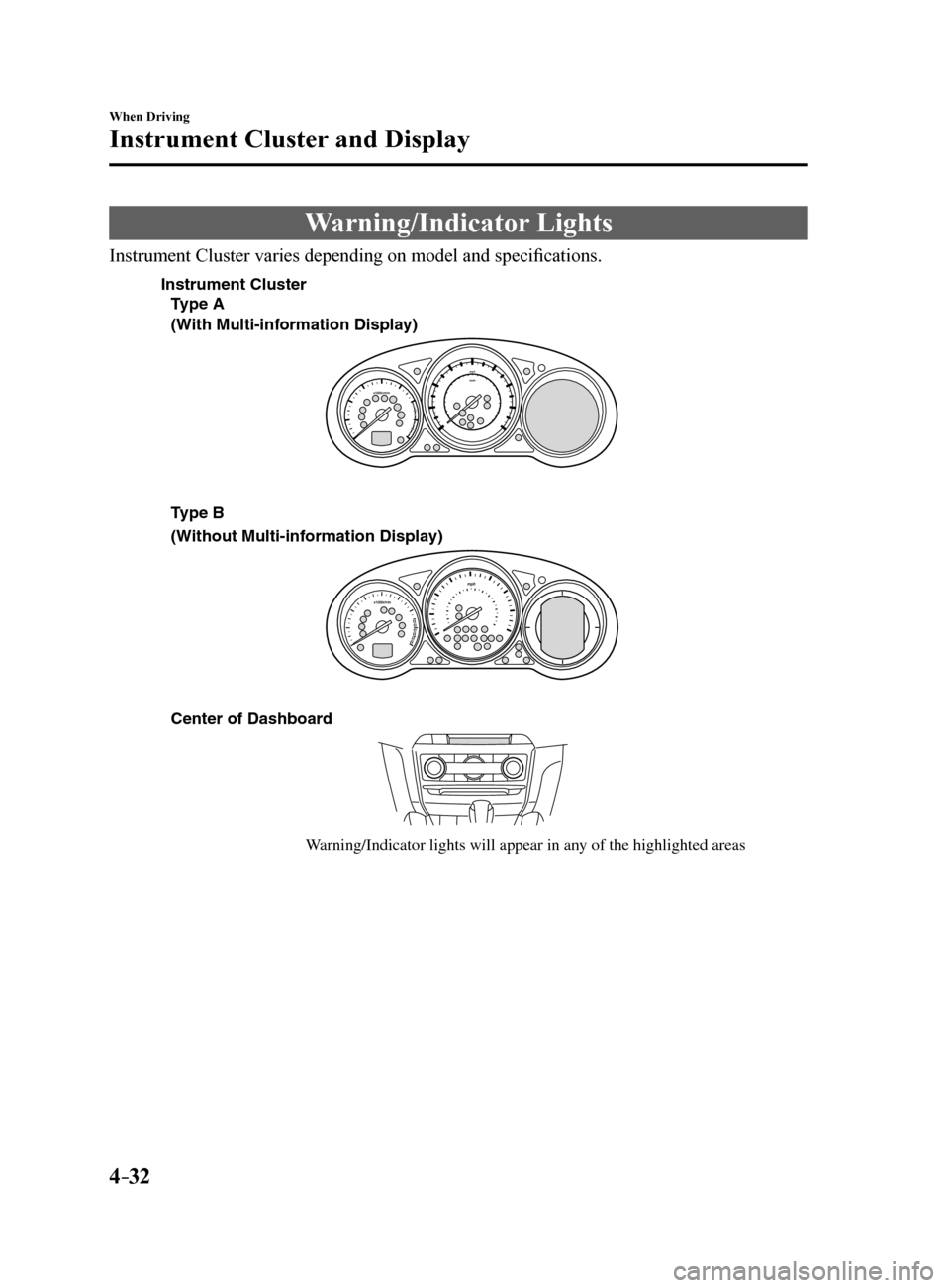
Instrument Cluster varies depending on model and specifications.
Center of Dashboard
W arning/Indicator lights will appear in an y of the highlighted areas
T
ype A
(With Multi-inf ormation Displa y)
(Without Multi-inf ormation Display)
Instrument Cluster
Type B
Mazda6_8FH2-EA-16F_Edition2.indb 322016/07/07 13:44:42
Page 157 of 578
4–33
When Driving
Instrument Cluster and Display
*Some models.
Warning Indication/Warning Lights
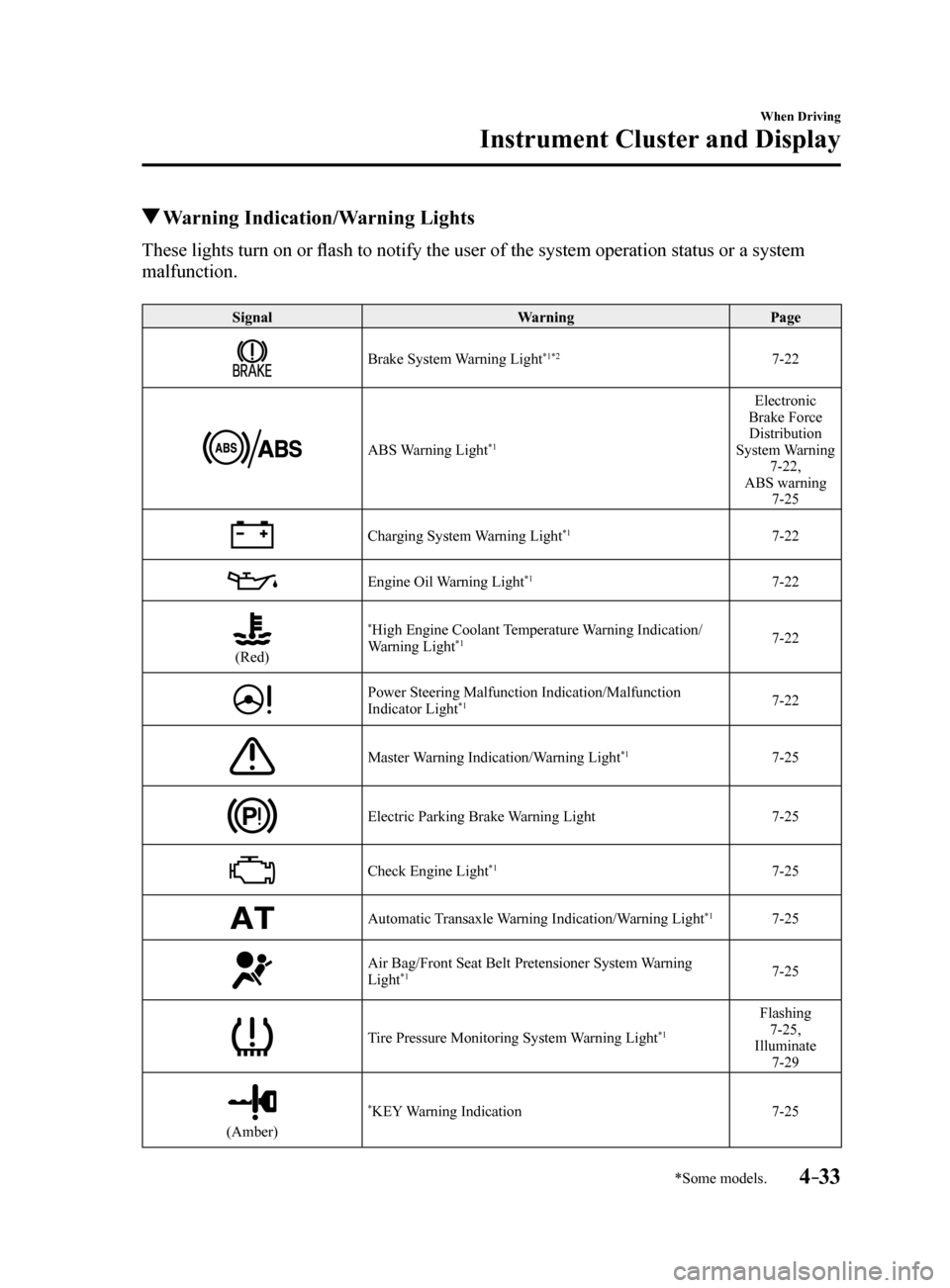
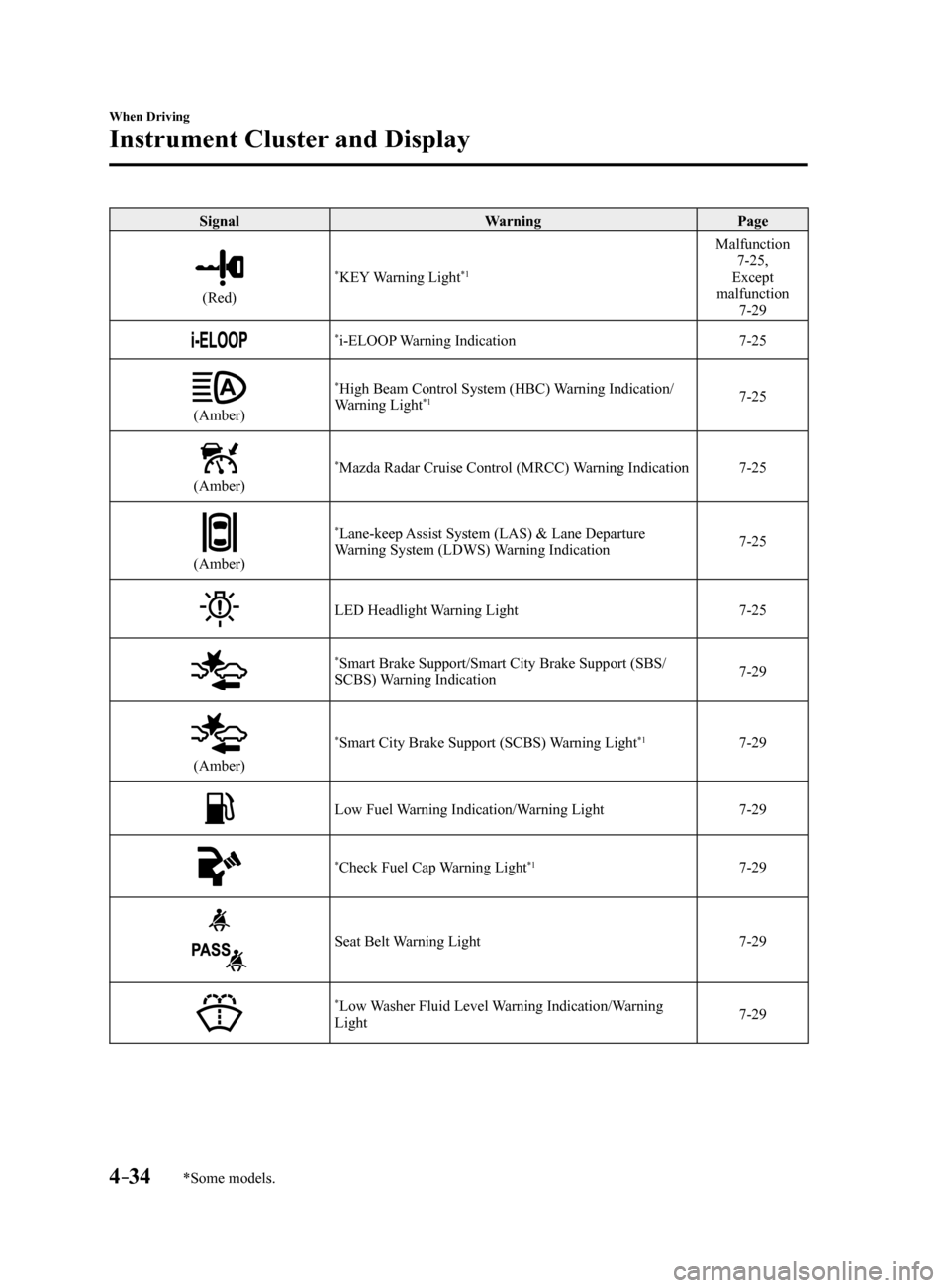
These lights turn on or flash to notify the user of the system operation status or a system
malfunction.
Signal WarningPage
Brake System Warning Light*1*27-22
ABS Warning Light*1
Electronic
Brake Force Distribution
System Warning 7-22,
ABS warning 7-25
Charging System Warning Light*17-22
Engine Oil Warning Light*17-22
(Red)
*High Engine Coolant Temperature Warning Indication/
Warning Light*17-22
Power Steering Malfunction Indication/Malfunction
Indicator Light*17-22
Master Warning Indication/Warning Light*17-25
Electric Parking Brake Warning Light 7-25
Check Engine Light*17-25
Automatic Transaxle Warning Indication/Warning Light*17-25
Air Bag/Front Seat Belt Pretensioner System Warning
Light*17-25
Tire Pressure Monitoring System Warning Light*1
Flashing
7-25,
Illuminate 7-29
(Amber)
*KEY Warning Indication 7-25
Mazda6_8FH2-EA-16F_Edition2.indb 332016/07/07 13:44:44
Page 158 of 578
4–34
When Driving
Instrument Cluster and Display
*Some models.
SignalWarningPage
(Red)
*KEY Warning Light*1
Malfunction
7-25,
Except
malfunction 7-29
*i-ELOOP Warning Indication 7-25
(Amber)
*High Beam Control System (HBC) Warning Indication/
Warning Light*17-25
(Amber)
*Mazda Radar Cruise Control (MRCC) Warning Indication 7-25
(Amber)
*Lane-keep Assist System (LAS) & Lane Departure
Warning System (LDWS) Warning Indication 7-25
LED Headlight Warning Light
7-25
*Smart Brake Support/Smart City Brake Support (SBS/
SCBS) Warning Indication 7-29
(Amber)
*Smart City Brake Support (SCBS) Warning Light*17-29
Low Fuel Warning Indication/Warning Light
7-29
*Check Fuel Cap Warning Light*17-29
Seat Belt Warning Light7-29
*Low Washer Fluid Level Warning Indication/Warning
Light 7-29
Mazda6_8FH2-EA-16F_Edition2.indb 342016/07/07 13:44:45
Page 159 of 578
4–35
When Driving
Instrument Cluster and Display
*Some models.
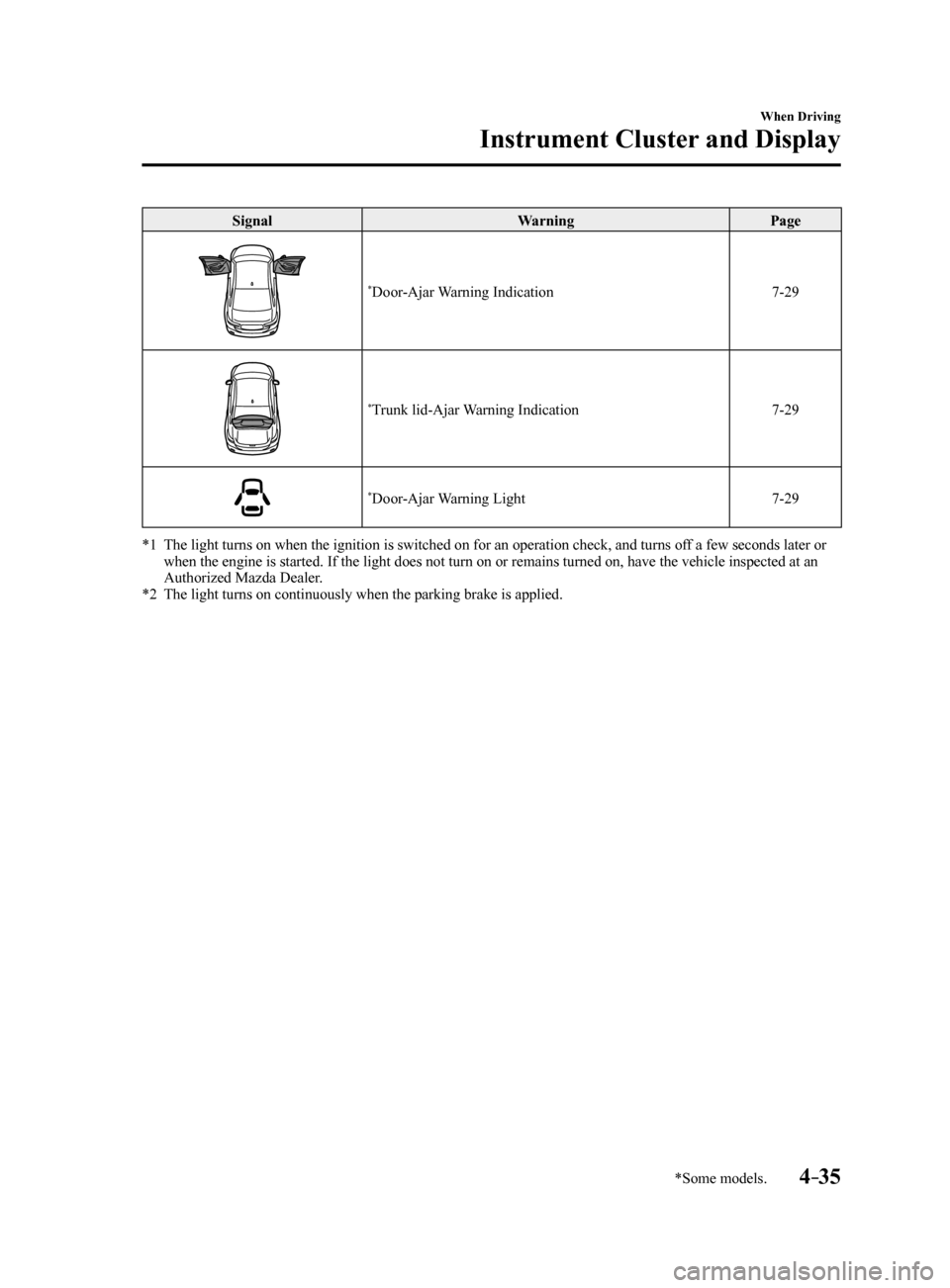
SignalWarningPage
*Door-Ajar Warning Indication 7-29
*Trunk lid-Ajar Warning Indication7-29
*Door-Ajar Warning Light7-29
*1 The light turns on when the ignition is switched on for an operation che\
ck, and turns off a few seconds later or
when the engine is started. If the light does not turn on or remains tur\
ned on, have the vehicle inspected at an
Authorized Mazda Dealer.
*2 The light turns on continuously when the parking brake is applied.
Mazda6_8FH2-EA-16F_Edition2.indb 352016/07/07 13:44:46