change time MAZDA MODEL 6 2020 (in English) Owner's Guide
[x] Cancel search | Manufacturer: MAZDA, Model Year: 2020, Model line: MODEL 6, Model: MAZDA MODEL 6 2020Pages: 702
Page 309 of 702

(Auto cancel of warnings)
When the following operations are
performed, the LAS & LDWS determines
that the driver intends to make a lane
change and the system operation is
canceled automatically. The LAS &
LDWS resumes automatically after the
operation.
The steering wheel is operated abruptly.
The brake pedal is depressed.
The accelerator pedal is depressed.
(To cancel the automatic sensitivity
cancel function, deselect “Warning
sensitivity” in the personalization
features setting.)
The turn signal lever is operated.
The vehicle crosses a lane line.
▼System Canceling
When the LAS & LDWS is turned off,
press the LAS & LDWS OFF switch.
The LAS & LDWS OFF
indicator light
turns on.
NOTE
In the following cases, the LAS & LDWS
is canceled automatically and the LAS
& LDWS OFF indicator light turns on.
Have your vehicle inspected at an
Authorized Mazda Dealer.
There is a malfunction in the power
steering.
There is a malfunction in the DSC.
There is a malfunction in the Forward
Sensing Camera (FSC).
When the ignition is switched OFF, the
system status before it was turned off is
maintained. For examp le, if the ignition
is switched OFF with the lane-keep
system operable, the system will be
operable when the ignition is switched
ON the next time.
When the LAS & LDWS is turned off, the
vehicle lane line indication in the
multi-information display and the active
driving display turn off.
When Driving
i-ACTIVSENSE
4-171
Mazda6_8HX3-EA-19I_Edition1_old 2019-6-18 9:25:17
Page 314 of 702
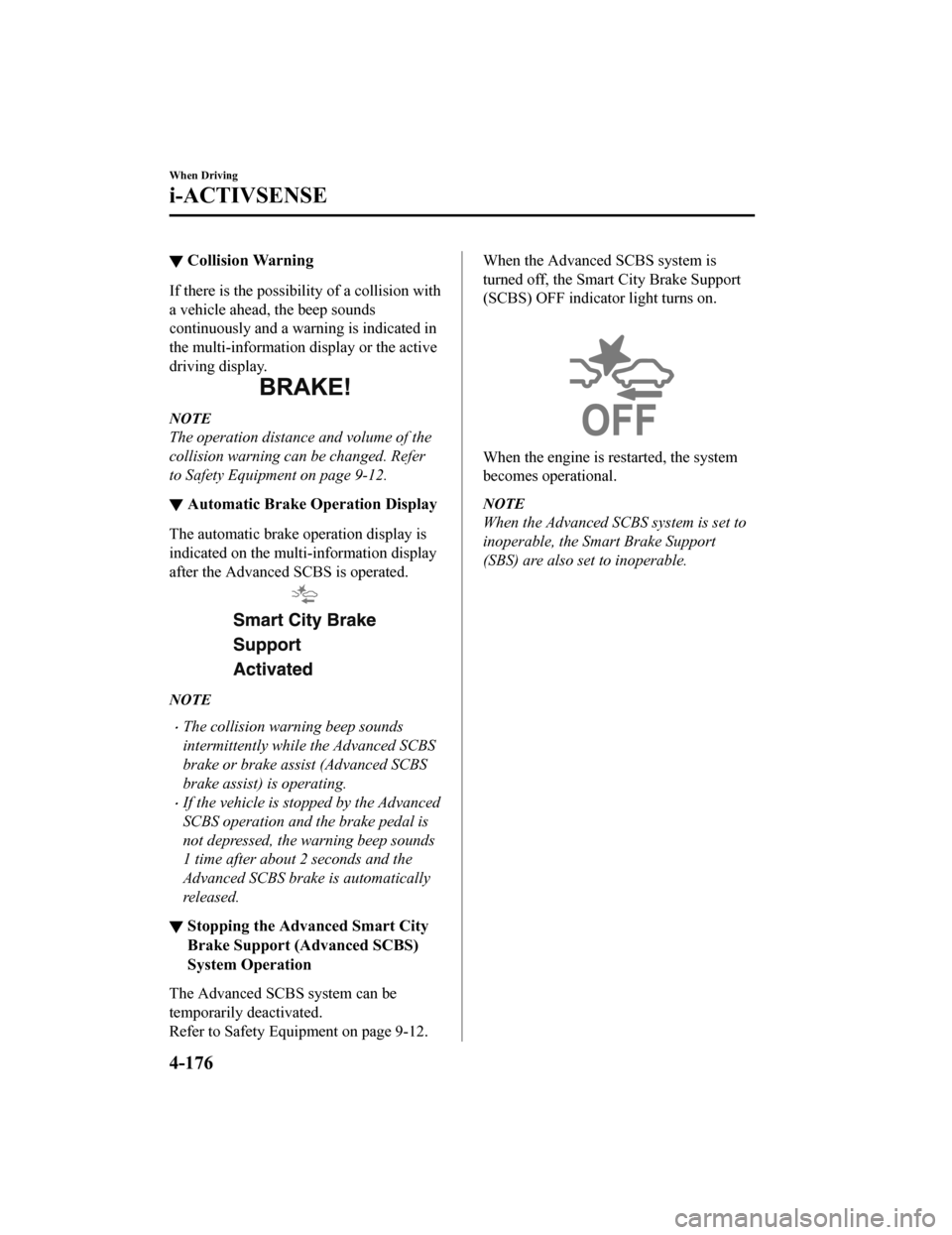
▼Collision Warning
If there is the possibil
ity of a collision with
a vehicle ahead, the beep sounds
continuously and a warning is indicated in
the multi-information d isplay or the active
driving display.
NOTE
The operation distance and volume of the
collision warning can be changed. Refer
to Safety Equipment on page 9-12.
▼ Automatic Brake Operation Display
The automatic brake operation display is
indicated on the multi-information display
after the Advanced SCBS is operated.
NOTE
The collision warning beep sounds
intermittently while the Advanced SCBS
brake or brake assist (Advanced SCBS
brake assist) is operating.
If the vehicle is stopped by the Advanced
SCBS operation and the brake pedal is
not depressed, the warning beep sounds
1 time after about 2 seconds and the
Advanced SCBS brake is automatically
released.
▼Stopping the Advanced Smart City
Brake Support (Advanced SCBS)
System Operation
The Advanced SCBS system can be
temporarily deactivated.
Refer to Safety Equi
pment on page 9-12.
When the Advanced SCBS system is
turned off, the Smart City Brake Support
(SCBS) OFF indicator light turns on.
When the engine is restarted, the system
becomes operational.
NOTE
When the Advanced SCBS system is set to
inoperable, the Smart Brake Support
(SBS) are also set to inoperable.
When Driving
i-ACTIVSENSE
4-176
Mazda6_8HX3-EA-19I_Edition1_old 2019-6-18 9:25:17
Page 317 of 702
When passing through a toll gate.
When passing through low gates, narrow gates, car washing machines, or tunnels.
If you suddenly come close to a vehicle ahead.
2-wheeled vehicles, pedestrians, animals or standing trees.
Vehicle is driven with some of the tires having significant wear.
(Manual transaxle)
If the vehicle is stopped by the Smart City Brake Support (SCBS) operation and the clutch
pedal is not depressed, the engine stops.
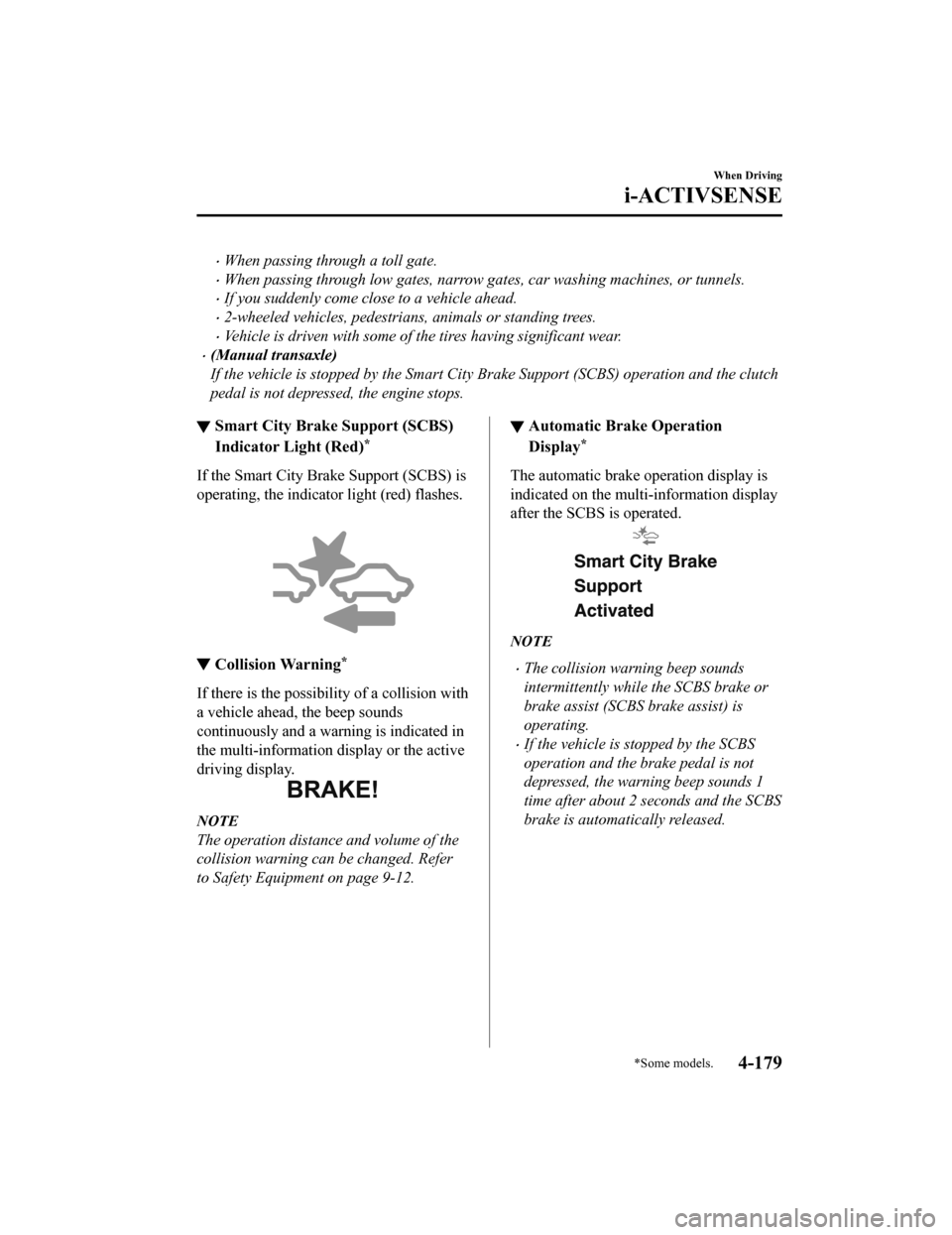
▼Smart City Brake Support (SCBS)
Indicator Light (Red)*
If the Smart City Bra
ke Support (SCBS) is
operating, the indicator light (red) flashes.
▼ Collision Warning*
If there is the possibili
ty of a collision with
a vehicle ahead, the beep sounds
continuously and a warning is indicated in
the multi-information di splay or the active
driving display.
NOTE
The operation distance and volume of the
collision warning can be changed. Refer
to Safety Equipment on page 9-12.
▼ Automatic Brake Operation
Display*
The automatic brake operation display is
indicated on the multi-information display
after the SCBS is operated.
NOTE
The collision warning beep sounds
intermittently while the SCBS brake or
brake assist (SCBS brake assist) is
operating.
If the vehicle is stopped by the SCBS
operation and the brake pedal is not
depressed, the warning beep sounds 1
time after about 2 seconds and the SCBS
brake is automatically released.
When Driving
i-ACTIVSENSE
*Some models.4-179
Mazda6_8HX3-EA-19I_Edition1_old
2019-6-18 9:25:17
Page 362 of 702
▼To Increase Cruising Speed
Follow either of these procedures.
To increase speed using cruise control
switch
Press the RESUME/ switch and hold it.
Your vehicle will accelerate. Release the
switch at the desired speed.
Press the RESUME/
switch and release
it immediately to adjust the preset speed.
Multiple operations will increase the
preset speed according to the number of
times it is operated.
Increasing speed with a single
RESUME/
switch operation
Instrument cluster display for vehicle
speed indicated in km/h: 1 km/h (0.6 mph)
Instrument cluster display for vehicle
speed indicated in mph: 1 mph (1.6 km/h)
To increase speed using accelerator
pedal
Depress the accelerator pedal to accelerate
to the desired speed. Press the SET/
switch and release it immediately.
NOTE
Accelerate if you want to speed up
temporarily when the cruise control is on.
Greater speed will not interfere with or
change the set speed. Take your foot off
the accelerator to return to the set speed.
▼ To Decrease Cruising Speed
Press the SET/ switch and hold it. The
vehicle will gradually slow.
Release the switch at the desired speed.
Press the SET/
switch and release it
immediately to adjust the preset speed.
Multiple operations will decrease the
preset speed according to the number of
times it is operated.
Decreasing speed with a single SET/
switch operation
Instrument cluster d isplay for vehicle
speed indicated in km /h: 1 km/h (0.6 mph)
Instrument cluster d isplay for vehicle
speed indicated in mph: 1 mph (1.6 km/h)
▼ To Resume Cruising Speed at More
Than 25 km/h (16 mph)
If the cruise control system temporarily
canceled (such as by applying the brake
pedal) and the system is still activated, the
most recent set speed will automatically
resume when the RESUME/
switch is
pressed.
If vehicle speed is below 25 km/h (16
mph), increase the vehicle speed up to 25
km/h (16 mph) or more and press the
RESUME/
switch.
When Driving
Cruise Control
4-224
Mazda6_8HX3-EA-19I_Edition1_old 2019-6-18 9:25:17
Page 368 of 702

Diesel Particulate Filter(SKYACTIV-D 2.2)
The diesel particulate filter collects and
removes most of the particulate matter
(PM) in the exhaust gas of a diesel engine.
PM collected by the diesel particulate
filter is cleared during normal driving,
however, PM may not be removed and the
diesel particulate filter indicator light may
illuminate under the following conditions:
If the vehicle is driven at 15 km/h (9
mph) or less continuously.
If the vehicle is repeatedly driven for a
short period of time (10 minute or less)
or driven while the engine is cold.
If the vehicle is idled for a long time.
When “DPF Clogged” is indicated
The particulate matter (PM) cannot be
removed automatically and the amount of
collected PM reaches a specified amount.
After the engine has sufficiently warmed
up (engine coolant temperature of 80 °C
(176 °F) or more), depress the accelerator
pedal and drive the vehicle at a speed of
20 km/h (12 mph) or more for about 15 to
20 minutes to eliminate the PM.
When “DPF malfunction” is indicated
Contact an Authorized Mazda Dealer.
CAUTION
If the vehicle continues to be driven with
“DPF Clogged” indicated in the display, the
particulate matter (PM) increases and the
indication may change to “DPF
malfunction”. If the indication changes to
“DPF malfunction”, have the vehicle
inspected immediately at an Authorized
Mazda Dealer. If the vehicle is not
inspected and continues to be driven, the
engine may malfunction.
NOTE
When “DPF malfunction” is indicated
in the display, the engine output is
restricted to protect the diesel
particulate filter.
The engine sound and exhaust gas smell
may change when PM is being removed
while driving.
When Driving
Diesel Particulate Filter
4-230
Mazda6_8HX3-EA-19I_Edition1_old 2019-6-18 9:25:17
Page 394 of 702
Temperature control dial
This dial controls temperature. Turn it
clockwise for hot and counterclockwise
for cold.
Turn the temperature c ontrol dial to adjust
the temperature between 15 °C (60 °F) and
29 °C (84 °F).
When the SYNC switch is on:
Turn the driver temperature control dial
to control the temperature throughout
the entire cabin.
When the SYNC switch is off:
Turn the driver or front passenger
temperature control dial to
independently control the temperature
on each side of the cabin.
NOTE
The climate control system changes to
the individual operation mode (SYNC
switch indicator light turns off) by
turning the front passenger temperature
control dial even when the SYNC switch
is on, which allows individual control of
the set temperature for the driver and
front passenger.
When you set the temperature to the
lower or upper limit, “Lo” or “Hi” is
displayed.
The temperature units for the
temperature setting display can be
changed in conjunction with the
temperature units for the outside
temperature display.
(Instrument cluster Type A)
Refer to Outside Temperature Display
on page 4-21.
(Instrument cluster Type B)
Refer to Outside Temperature Display
on page 4-38.
(Instrument cluster Type C)
Refer to Outside Temperature Display
on page 4-55.
Fan control switch
The fan has 7 speeds. The selected speed
will be displayed.
Mode selector switch
The desired airflow mode can be selected
(page 5-4).
NOTE
With the airflow mode set to the
position and the temperature control
dial set at a medium temperature,
heated air is directed to the feet and air
at a comparably lower temperature will
flow through the central, left and right
vents.
To set the air vent to , press the
windshield defroster switch.
In the position, the outside air
position is automatically selected.
A/C switch
Pressing the A/C swit ch while the AUTO
switch is turned on w ill turn off the air
conditioner (cooling/dehumidifying
functions).
The on/off of the air conditioner switches
each time the A/C switch is pressed.
NOTE
The air conditioner operates when the
A/C switch is pressed while the air
conditioner is turned off.
The air conditioner may not function
when the outside temperature
approaches 0 °C (32 °F).
Interior Features
Climate Control System
5-6
Mazda6_8HX3-EA-19I_Edition1_old 2019-6-18 9:25:17
Page 405 of 702
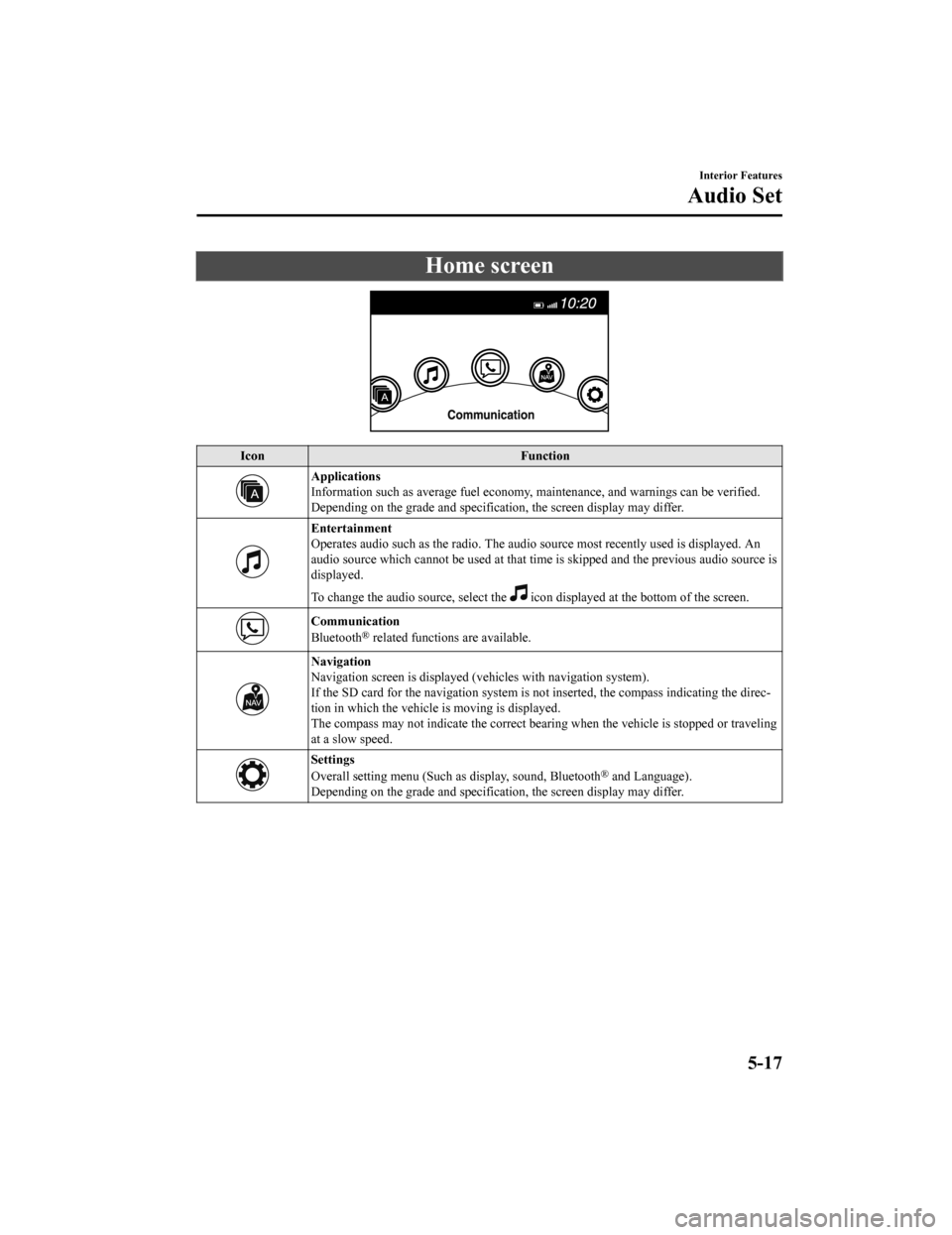
Home screen
IconFunction
Applications
Information such as average fuel economy, maintenance, and warn ings can be verified.
Depending on the grade and specification, the screen display ma y differ.
Entertainment
Operates audio such as the radio. The audio source most recentl y used is displayed. An
audio source which cannot be used at that time is skipped and t he previous audio source is
displayed.
To change the audio source, select the
icon displayed at the bottom of the screen.
Communication
Bluetooth® related functions are available.
Navigation
Navigation screen is displayed (v ehicles with navigation system).
If the SD card for the navigation system is not inserted, the compass indicating the direc‐
tion in which the vehicle is moving is displayed.
The compass may not indicate th e correct bearing when the vehicle is stopped or traveling
at a slow speed.
Settings
Overall setting menu (Such a s display, sound, Bluetooth® and Language).
Depending on the grade and specification, the screen display ma y differ.
Interior Features
Audio Set
5-17
Mazda6_8HX3-EA-19I_Edition1_old 2019-6-18 9:25:17
Page 407 of 702
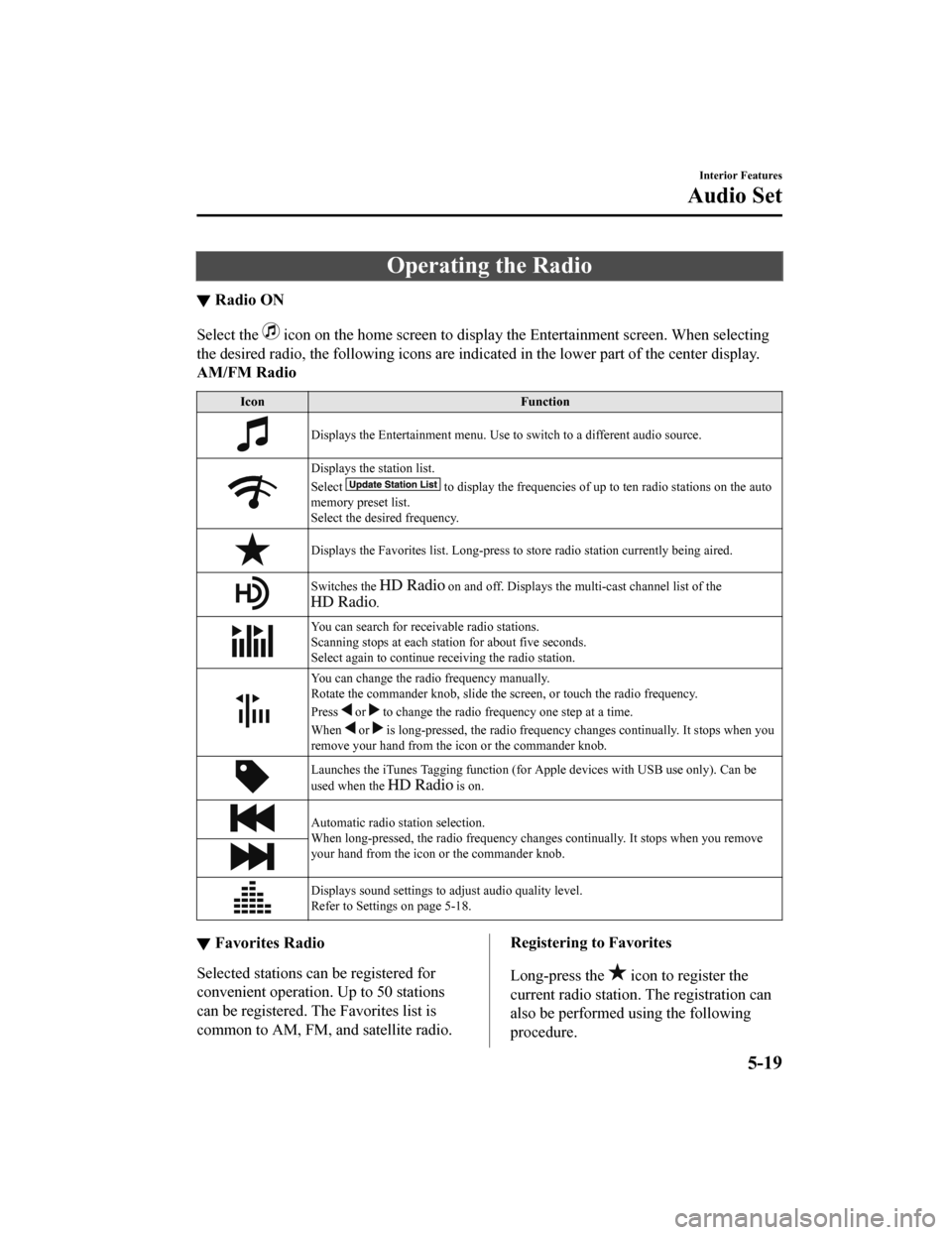
Operating the Radio
▼Radio ON
Select the icon on the home screen to disp
lay the Entertainment screen. When selecting
the desired radio, the following icons are indicated in the low er part of the center display.
AM/FM Radio
Icon Function
Displays the Entertainment menu. Use to switch to a different a udio source.
Displays the station list.
Select
to display the frequencies of up to ten radio stations on the auto
memory preset list.
Select the desired frequency.
Displays the Favorites list. Lon g-press to store radio station currently being aired.
Switches the on and off. Displays the multi-cast ch annel list of the
.
You can search for receivable radio stations.
Scanning stops at each station for about five seconds.
Select again to continue receiving the radio station.
You can change the radio frequency manually.
Rotate the commander knob, slide the screen, or touch the radio frequency.
Press
or to change the radio frequ ency one step at a time.
When
or is long-pressed, the radio frequency changes continually. It s tops when you
remove your hand from the icon or the commander knob.
Launches the iTunes Tagging fun ction (for Apple devices with USB use only). Can be
used when the
is on.
Automatic radio station selection.
When long-pressed, the radio frequency changes continually. It stops when you remove
your hand from the icon or the commander knob.
Displays sound settings to adjust audio quality level.
Refer to Settings on page 5-18.
▼ Favorites Radio
Selected stations ca
n be registered for
convenient operation. Up to 50 stations
can be registered. The Favorites list is
common to AM, FM, and satellite radio.
Registering to Favorites
Long-press the
icon to register the
current radio station. The registration can
also be performed using the following
procedure.
Interior Features
Audio Set
5-19
Mazda6_8HX3-EA-19I_Edition1_old 2019-6-18 9:25:17
Page 409 of 702
Ex.)
89.3 is currently being received. With
Rock selected as the Genre, the radio
stations broadcasting Rock are at the
following frequencies.
98.3
*1, 98.7, 104.3*1, 107.1
*1 Radio stations with good reception
The frequency changes as follows each
time
is pressed.
89.3→98.3→104.3→98.3
NOTE
Only one Genre can be selected.
It may not be possible to receive any
station even if the Genre Seek function is
used.
If a program in the selected genre is not
broadcast to a region, reception is not
possible even if the Genre Seek function
is used.
The Genre Seek function searches for
genre code (program type) which FM
analog broadcasts transmit.
specialty programs (HD2-HD8) cannot
be searched because they are not FM
analog broadcasts.
If radio stations which are selected by
scanning using the Genre Seek function
are
broadcasting stations,
they are changed from analog
broadcasts to
broadcasts
after a few seconds if the reception
conditions are good. The genre is
displayed after the switch, however, the
genre for FM analog broadcasts may
differ.
▼ HD Radio
What is HD Radio™ Technology and
how does it work?
HD Radio™ Technology is the digital
evolution of analog AM/FM radio. Your
radio product has a special receiver which
allows it to receive
digital broadcasts
(where available) in a ddition to the analog
broadcasts it already receives. Digital
broadcasts have better sound quality than
analog broadcasts as digital broadcasts
provide free, crystal clear audio. For more
information, and a guide to available radio
stations and programming, please visit
www.hdradio.com.
Benefits of HD Radio™ Technology
(Information)
The song title, artist name, album name
and genre will appear on the screen when
available by the radio station.
(Multicast)
On the FM radio frequency most digital
stations have “multiple” or supplemental
programs on each FM station.
Listening to HD Radio™ Technology
If
icon turns on by selecting a radio
station which is an
broadcasting
station, the analog broadcast is switched to
an
broadcast automatically after
a few seconds and then received.
If the
broadcast is stopped and
changed to an analog broadcast, press
down
to turn off .
Interior Features
Audio Set
5-21
Mazda6_8HX3-EA-19I_Edition1_old 2019-6-18 9:25:17
Page 417 of 702

IconFunction
Displays sound settings to adjust audio quality level.
Refer to Settings on page 5-18.
NOTE
If a file name in the USB memory is too long , it could cause operation problems such as
not being able to playback the song.
(Recommended: Within 80 characters)
The album art may not display depending on the album art size.
To move to the desired location on the track, move the slider indicating the playback time.
The appearance of the repeat and shuffle icons changes depending on the type of
operation in which the function is used.
Category list
Select the
icon to display the following category list.
Select a desired category and item.
Category Function
Playlist
*1Displays playlists on the device.
Artist Displays the artist name list.
All the tracks or tracks for each
album of the selected artist can be played.
Album Displays the album name list. Song All the tracks in the device are displayed.
Genre Displays the genre list.
All the tracks or tracks per al
bum or artist in the selected ge nre can be played.
Audiobook
*2Displays the audiobook list.
Chapters can be selected and played.
Podcast
*2Displays the podcast list.
Episode can be selected and played.
Apple Music Ra‐ dio
*2Displays Apple Music Radio stations.
A station can be selected and played.
Folder
*3Displays the folder/file list.
*1 Playlist folders of Apple devices are not supported.
*2 Apple device only
*3 USB-Sticks and USB-Android™ device only
Example of use (to play all tracks in
USB device)
(Method 1)
1. Select
to display the category list.
2. Select .
All the tracks in the USB device are
displayed.
Interior Features
Audio Set
5-29
Mazda6_8HX3-EA-19I_Edition1_old 2019-6-18 9:25:17