brake MAZDA MODEL B3000 2002 Owners Manual (in English)
[x] Cancel search | Manufacturer: MAZDA, Model Year: 2002, Model line: MODEL B3000, Model: MAZDA MODEL B3000 2002Pages: 288, PDF Size: 2.94 MB
Page 2 of 288
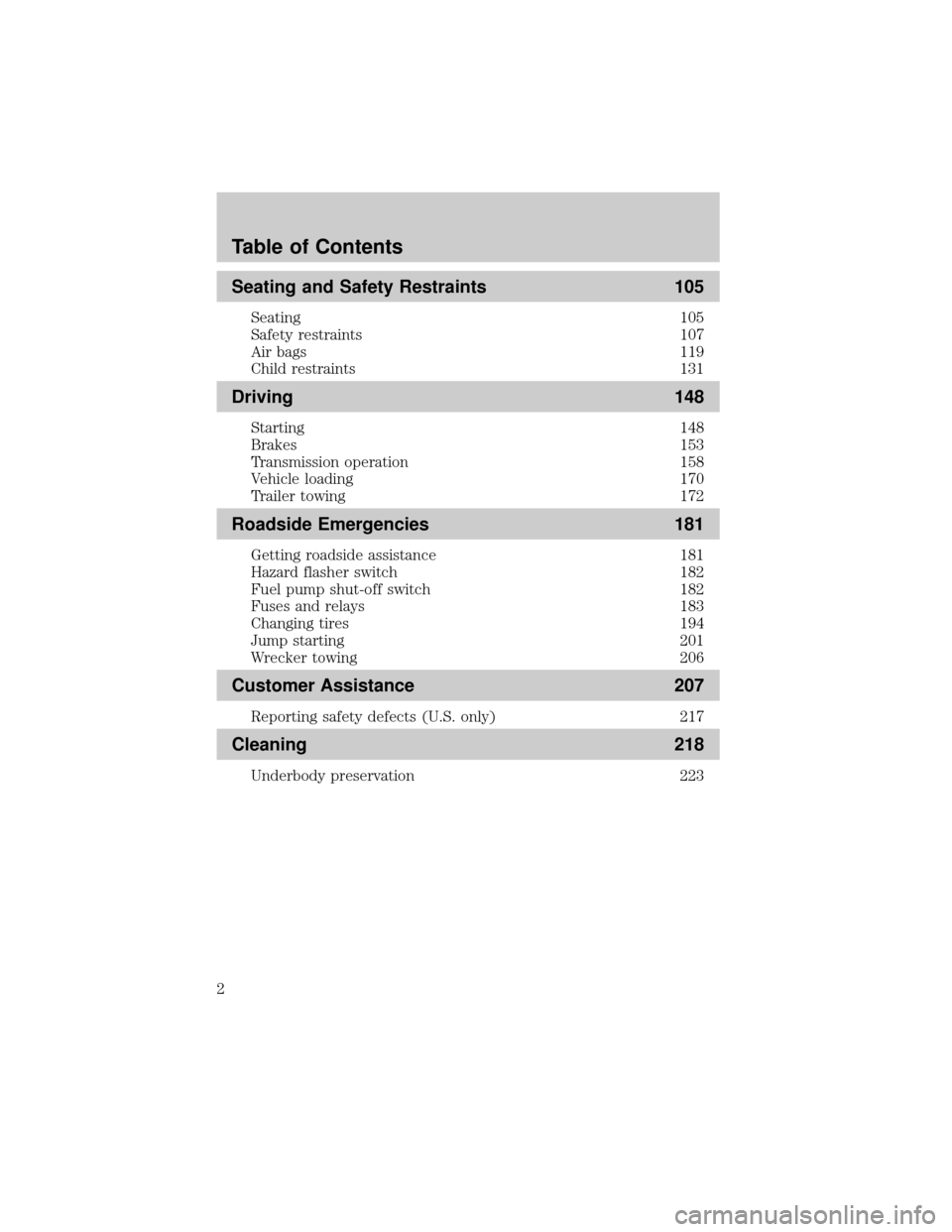
Seating and Safety Restraints 105
Seating 105
Safety restraints 107
Air bags 119
Child restraints 131
Driving 148
Starting 148
Brakes 153
Transmission operation 158
Vehicle loading 170
Trailer towing 172
Roadside Emergencies 181
Getting roadside assistance 181
Hazard flasher switch 182
Fuel pump shut-off switch 182
Fuses and relays 183
Changing tires 194
Jump starting 201
Wrecker towing 206
Customer Assistance 207
Reporting safety defects (U.S. only) 217
Cleaning 218
Underbody preservation 223
Table of Contents
2
Page 8 of 288
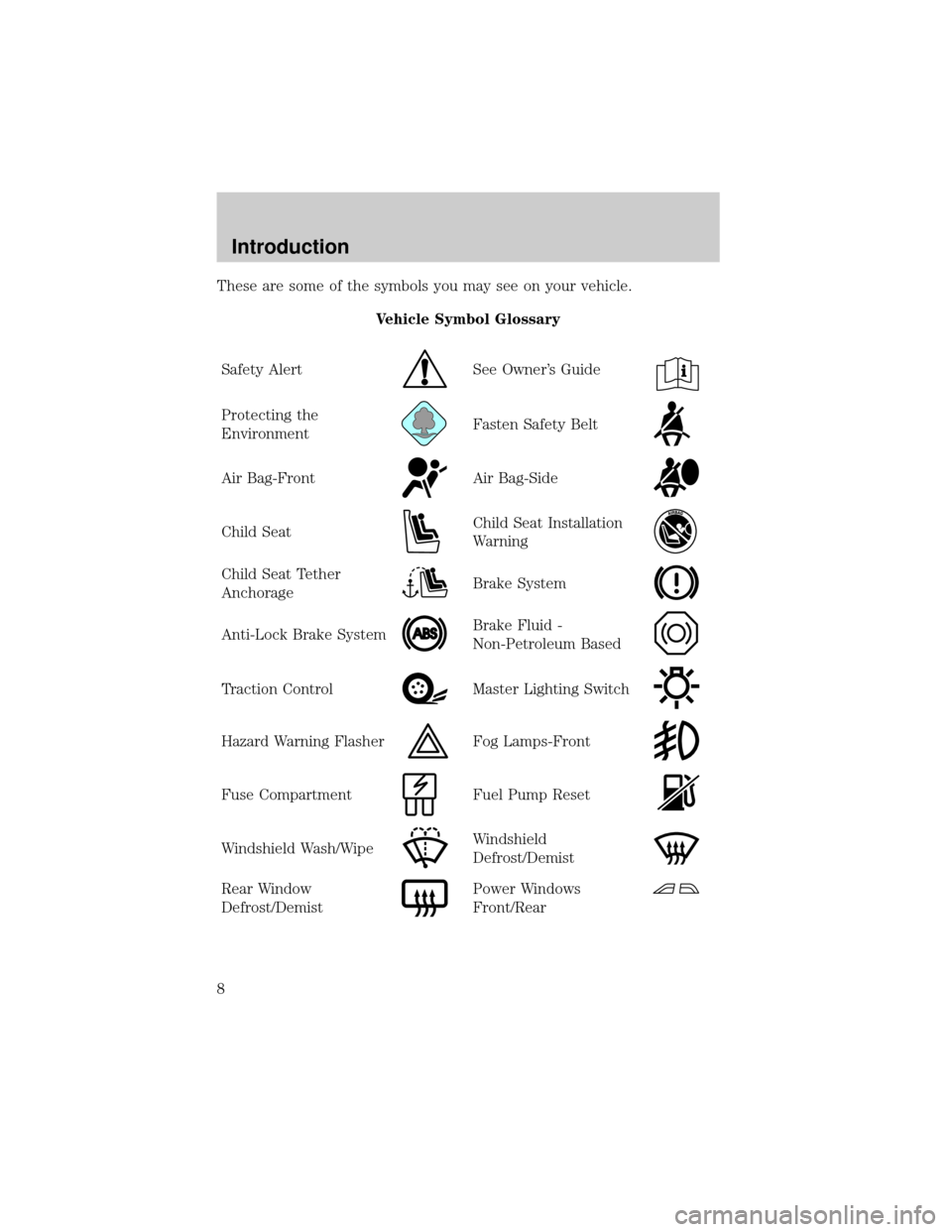
These are some of the symbols you may see on your vehicle.
Vehicle Symbol Glossary
Safety Alert
See Owner's Guide
Protecting the
EnvironmentFasten Safety Belt
Air Bag-FrontAir Bag-Side
Child SeatChild Seat Installation
Warning
Child Seat Tether
AnchorageBrake System
Anti-Lock Brake SystemBrake Fluid -
Non-Petroleum Based
Traction ControlMaster Lighting Switch
Hazard Warning FlasherFog Lamps-Front
Fuse CompartmentFuel Pump Reset
Windshield Wash/WipeWindshield
Defrost/Demist
Rear Window
Defrost/DemistPower Windows
Front/Rear
Introduction
8
Page 10 of 288
C
012345
6
RPMx1000
ABS!
BRAKE
CHECK
ENGINE
CHECK
FUEL
CAP
EFH
H
HPRN D 2 1THEFT
SPEED
CONT
4WD
HIGH
4WD
LOW
O/D
OFFL
L
10MPH 205060
70
304080
90
km/h
0 0 0
10 100
1
20
10 0 0 0 0 0406080100
120
140
160
180
20
DOOR
AJAR
CHECK
GAGE
DIM
OFF
SET
ACC
COAST OFF ON
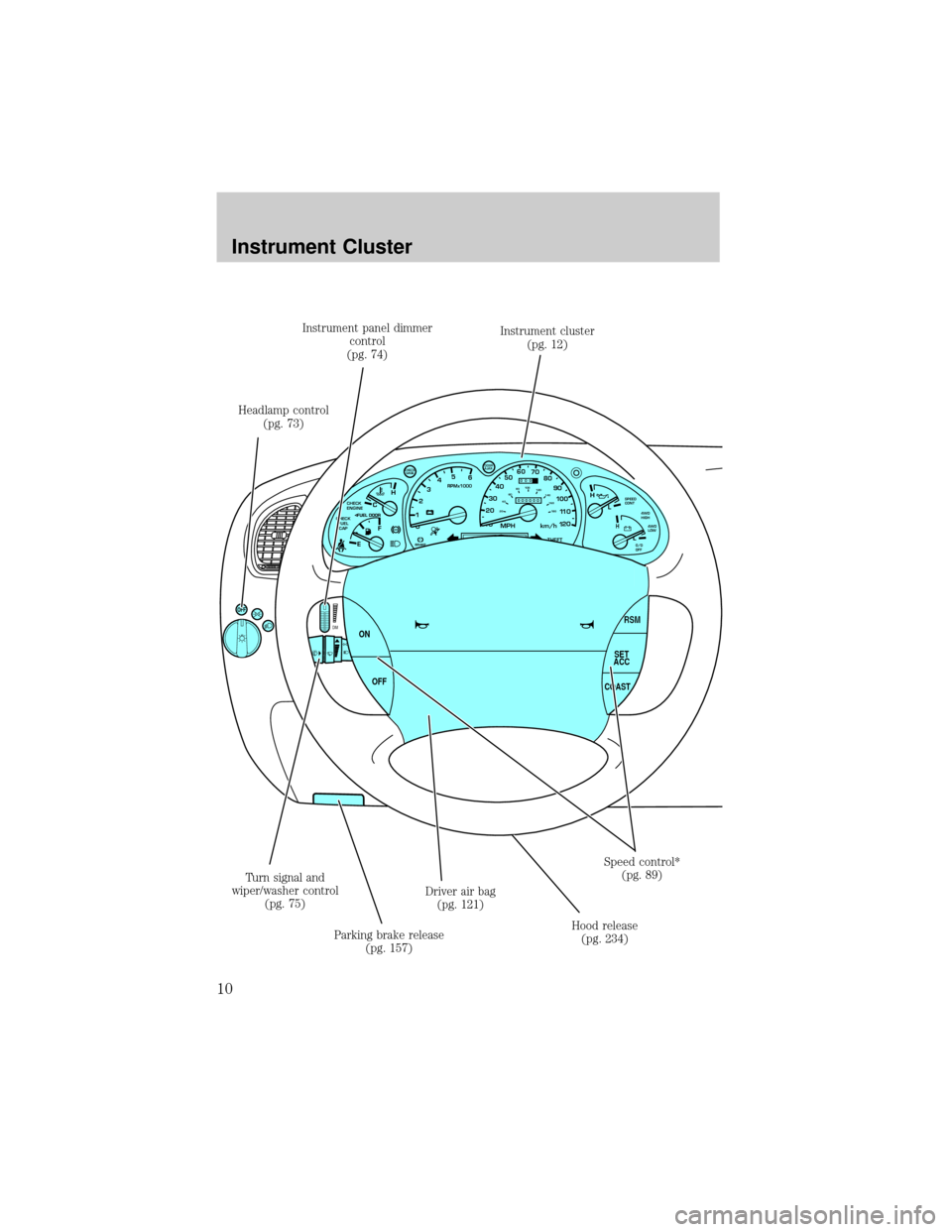
Headlamp control
(pg. 73)Instrument panel dimmer
control
(pg. 74)Instrument cluster
(pg. 12)
Speed control*
(pg. 89)
Hood release
(pg. 234) Driver air bag
(pg. 121)
Parking brake release
(pg. 157) Turn signal and
wiper/washer control
(pg. 75)
Instrument Cluster
10
Page 13 of 288
should turn off. (A driving cycle consists of a cold engine startup
followed by mixed city/highway driving.) No additional vehicle service is
required.
If the light remains on, have your vehicle serviced at the first available
opportunity.
NOTE:The
CHECK
ENGINElight will illuminate if vehicle refueling is conducted
with the engine running.
WARNING: Never refuel vehicle with the engine running.
Light is blinking:
Engine misfire is occurring which could damage your catalytic converter.
You should drive in a moderate fashion (avoid heavy acceleration and
deceleration) and have your vehicle serviced at the first available
opportunity.
WARNING: Under engine misfire conditions, excessive exhaust
temperatures could damage the catalytic converter, the fuel
system, interior floor coverings or other vehicle components,
possibly causing a fire.
Check gage
Illuminates when the engine coolant
temperature is high, the engine oil
pressure is low or the fuel gauge is
at or near empty. Refer toEngine
coolant temperature gauge, Engine oil pressure gaugeorFuel gauge
in this chapter for more information.
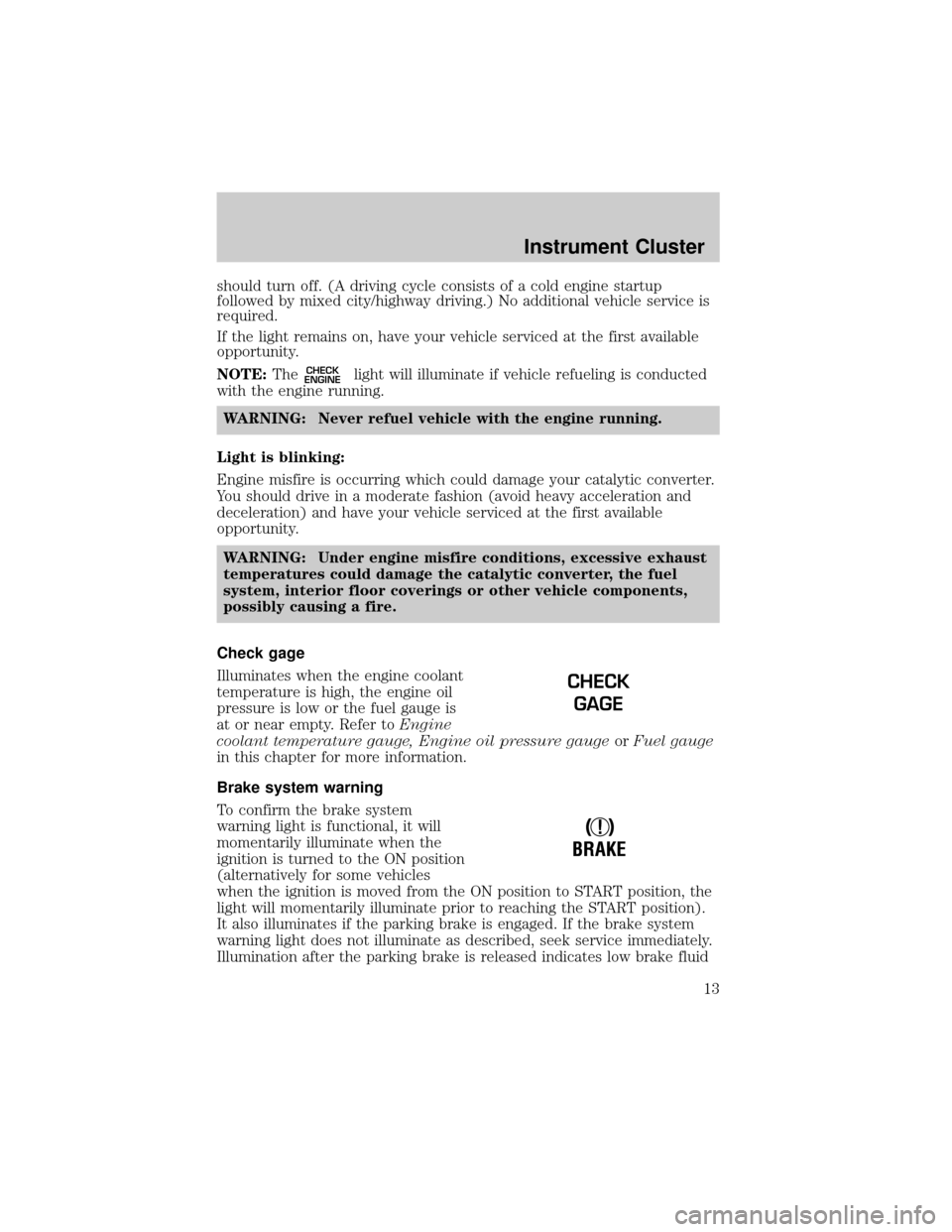
Brake system warning
To confirm the brake system
warning light is functional, it will
momentarily illuminate when the
ignition is turned to the ON position
(alternatively for some vehicles
when the ignition is moved from the ON position to START position, the
light will momentarily illuminate prior to reaching the START position).
It also illuminates if the parking brake is engaged. If the brake system
warning light does not illuminate as described, seek service immediately.
Illumination after the parking brake is released indicates low brake fluid
CHECK
GAGE
!
BRAKE
Instrument Cluster
13
Page 14 of 288
level or a brake system malfunction and the brake system should be
serviced immediately by a qualified technician. Refer toBrakesin the
Drivingchapter for more information.
WARNING: Illumination after releasing the parking brake
indicates low brake fluid level and the brake system should be
inspected immediately.
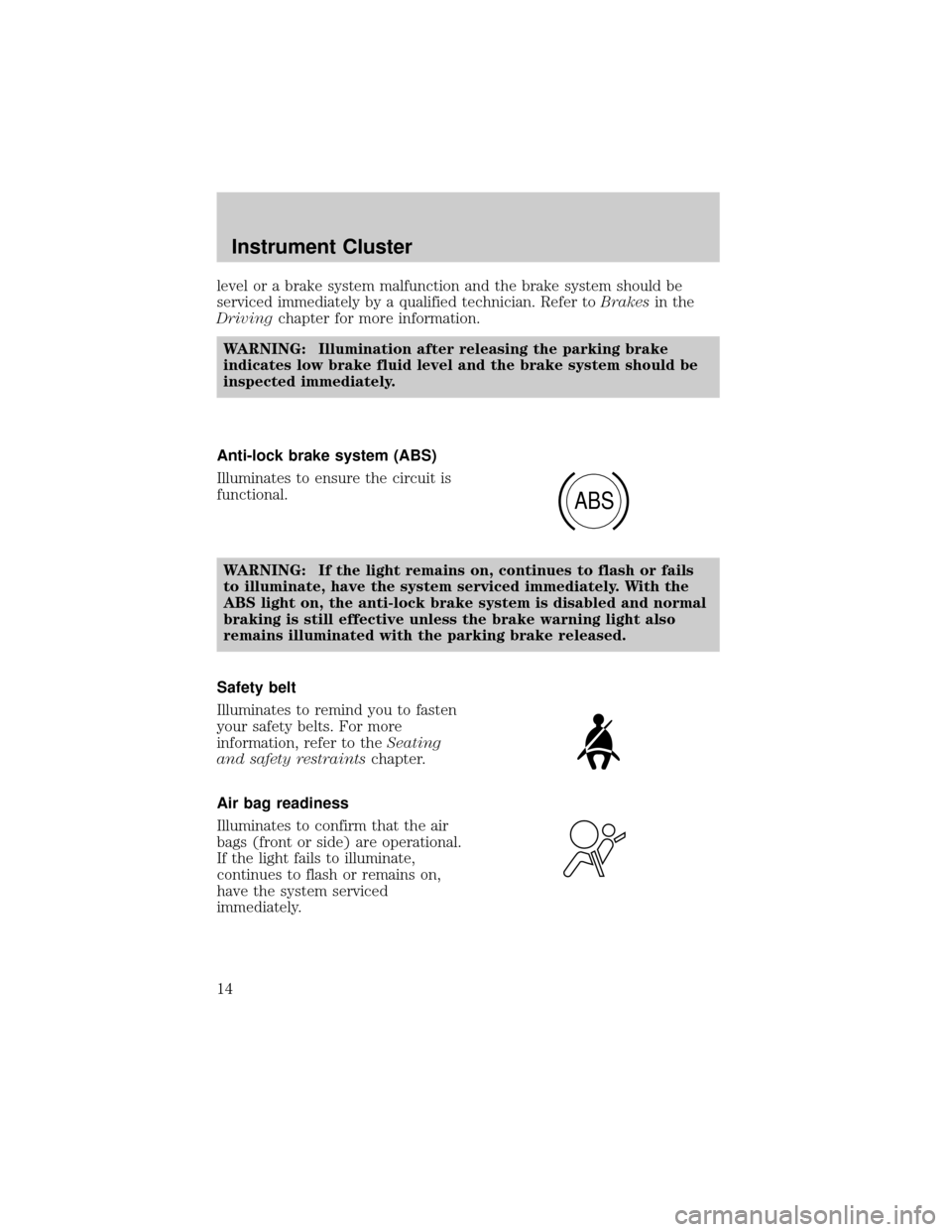
Anti-lock brake system (ABS)
Illuminates to ensure the circuit is
functional.
WARNING: If the light remains on, continues to flash or fails
to illuminate, have the system serviced immediately. With the
ABS light on, the anti-lock brake system is disabled and normal
braking is still effective unless the brake warning light also
remains illuminated with the parking brake released.
Safety belt
Illuminates to remind you to fasten
your safety belts. For more
information, refer to theSeating
and safety restraintschapter.
Air bag readiness
Illuminates to confirm that the air
bags (front or side) are operational.
If the light fails to illuminate,
continues to flash or remains on,
have the system serviced
immediately.
ABS
Instrument Cluster
14
Page 75 of 288
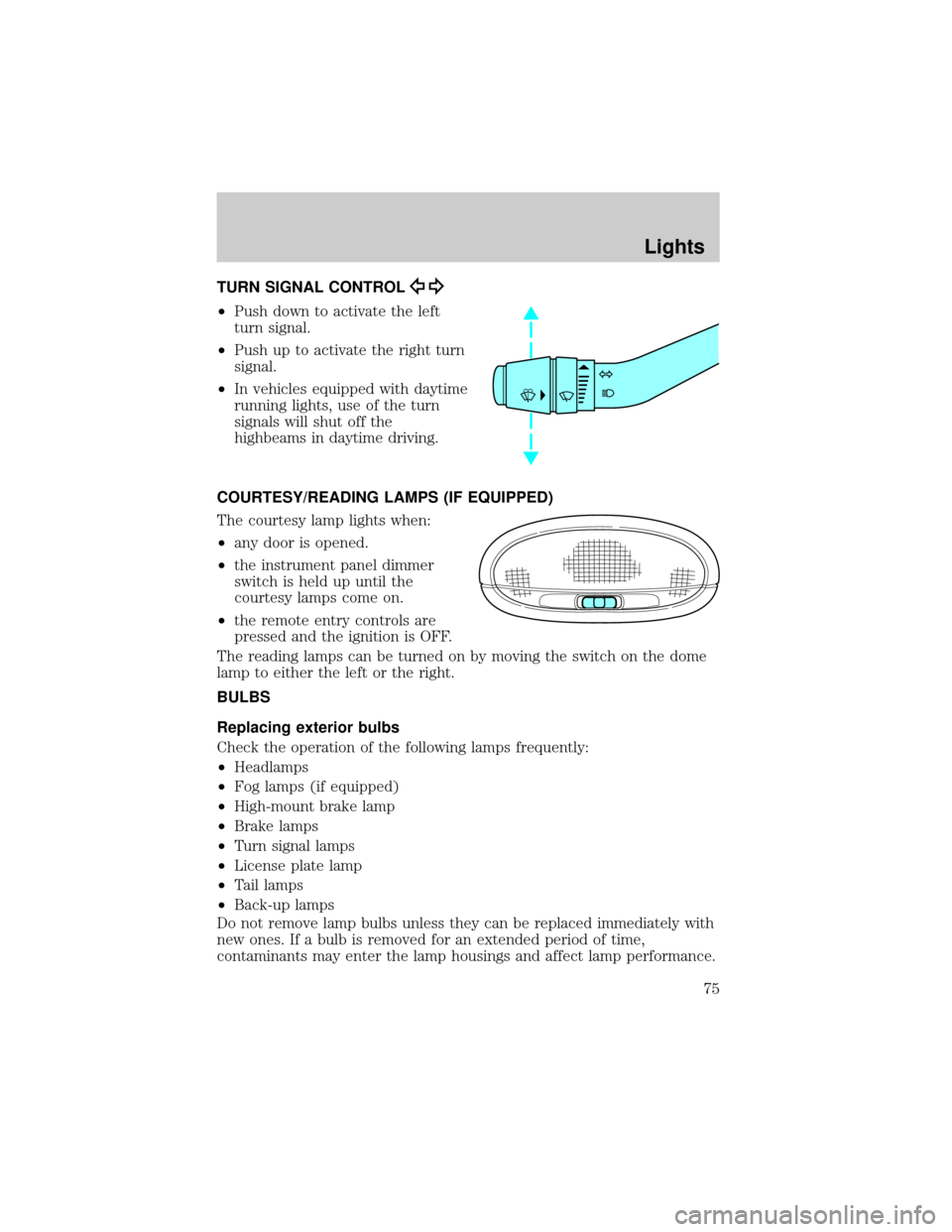
TURN SIGNAL CONTROL
²Push down to activate the left
turn signal.
²Push up to activate the right turn
signal.
²In vehicles equipped with daytime
running lights, use of the turn
signals will shut off the
highbeams in daytime driving.
COURTESY/READING LAMPS (IF EQUIPPED)
The courtesy lamp lights when:
²any door is opened.
²the instrument panel dimmer
switch is held up until the
courtesy lamps come on.
²the remote entry controls are
pressed and the ignition is OFF.
The reading lamps can be turned on by moving the switch on the dome
lamp to either the left or the right.
BULBS
Replacing exterior bulbs
Check the operation of the following lamps frequently:
²Headlamps
²Fog lamps (if equipped)
²High-mount brake lamp
²Brake lamps
²Turn signal lamps
²License plate lamp
²Tail lamps
²Back-up lamps
Do not remove lamp bulbs unless they can be replaced immediately with
new ones. If a bulb is removed for an extended period of time,
contaminants may enter the lamp housings and affect lamp performance.
Lights
75
Page 81 of 288

3. Connect the electrical connector to the new fog lamp bulb.
4. Install the bulb socket in the fog lamp turning clockwise.
Replacing high-mount brake lamp and cargo lamp bulbs
The replacement of the high-mount brake lamp bulb and cargo lamp bulb
is basically the same. This procedure covers the high-mount brake lamp
bulb.
To remove the brake lamp assembly:
1. Remove the two screws and
lamp assembly from vehicle.
2. Remove the bulb socket from
lamp assembly by rotating it
counterclockwise.
3. Carefully pull bulb straight out
of socket and push in the new
bulb.
To install the brake lamp assembly:
1. Install the bulb socket into the
lamp assembly by rotating
clockwise.
2. Install the lamp assembly on the vehicle and secure with two screws.
Replacing license plate lamp bulbs
The license plate bulbs are located
behind the rear bumper. To change
the license plate lamp bulbs:
1. Reach behind the rear bumper
to locate the bulb socket.
2. Twist the socket
counterclockwise and remove.
3. Pull out the old bulb from
socket and push in the new
bulb.
4. Install the bulb socket in lamp assembly by turning it clockwise.
Lights
81
Page 90 of 288

To turn speed control off
²Press OFF.
NOTE:Once speed control is
turned off or the ignition is switched
off, the previously programmed set
speed will be erased.
To set a speed
²Press SET ACC.
NOTE:For speed control to
operate, the speed control must be
ON and the vehicle speed must be
greater than 48 km/h (30 mph).
If you drive up or down a steep hill, your vehicle speed may vary
momentarily slower or faster than the set speed. This is normal.
Speed control cannot reduce the vehicle speed if it increases above the
set speed on a downhill. If your vehicle speed is faster than the set
speed while driving on a downhill, you may want to shift to the next
lower gear or apply the brakes to reduce your vehicle speed.
If your vehicle slows down more than 16 km/h (10 mph) below your set
speed on an uphill, your speed control will disengage. This is normal.
Pressing RSM will re-engage it.
WARNING: Do not use the speed control in heavy traffic or on
roads that are winding, slippery, mountainous, hilly, or unpaved.
This may cause an accident.
OFF ON
RSM
SET
ACC
COAST
Driver Controls
90
Page 91 of 288
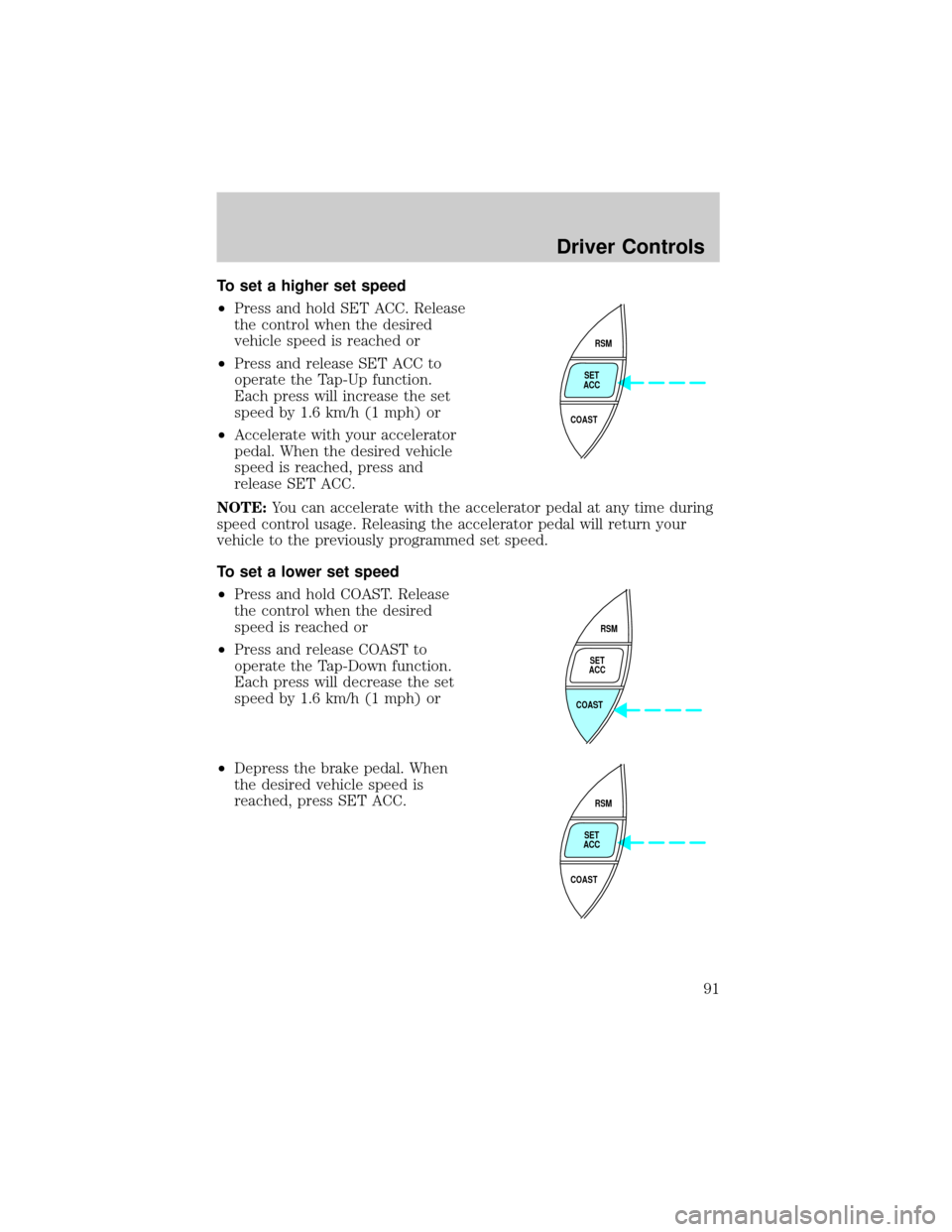
To set a higher set speed
²Press and hold SET ACC. Release
the control when the desired
vehicle speed is reached or
²Press and release SET ACC to
operate the Tap-Up function.
Each press will increase the set
speed by 1.6 km/h (1 mph) or
²Accelerate with your accelerator
pedal. When the desired vehicle
speed is reached, press and
release SET ACC.
NOTE:You can accelerate with the accelerator pedal at any time during
speed control usage. Releasing the accelerator pedal will return your
vehicle to the previously programmed set speed.
To set a lower set speed
²Press and hold COAST. Release
the control when the desired
speed is reached or
²Press and release COAST to
operate the Tap-Down function.
Each press will decrease the set
speed by 1.6 km/h (1 mph) or
²Depress the brake pedal. When
the desired vehicle speed is
reached, press SET ACC.
RSM
SET
ACC
COAST
RSM
SET
ACC
COAST
RSM
SET
ACC
COAST
Driver Controls
91
Page 92 of 288

To disengage speed control
²Depress the brake pedal or
²Depress the clutch pedal (if
equipped).
NOTE:Disengaging the speed
control will not erase the previously
programmed set speed.
NOTE:Fully depressing the clutch
pedal may cause a flare in engine
RPM as the throttle is returned to
idle. This is normal.
NOTE:Pressing OFF will erase the
previously programmed set speed.
OFF ON
Driver Controls
92