ignition MAZDA MODEL B3000 TRUCK 2006 User Guide
[x] Cancel search | Manufacturer: MAZDA, Model Year: 2006, Model line: MODEL B3000 TRUCK, Model: MAZDA MODEL B3000 TRUCK 2006Pages: 266, PDF Size: 2.11 MB
Page 27 of 266
JOBNAME: No Job Name PAGE: 27 SESS: 1 OUTPUT: Thu Sep 15 08:22:27 2005
/ford_pdm/ford/own2002/mbs/og
short Introduction of each song. In CD and MP3 flat file mode, you
may set the scan on or off. If activated, the system will scan through
each track. In MP3 directory mode, you may set scan on or off. If
activated, the system will scan in the current directory.
17. ON/OFF/Volume: Press to turn
ON/OFF. Turn to
increase/decrease volume.
If the volume is set above a
certain level and the ignition is
turned off, the volume will come
back on at a ªnominalº listening level when the ignition switch is
turned back on.
18. CD: Press to enter CD mode. If
a CD is already in the system,
the disc will begin play.
19. CD slot: Insert a CD, label side
up.
CD units are designed to play commercially pressed 4.75 in (12
cm) audio compact discs only. Due to technical incompatibility,
certain recordable and re-recordable compact discs may not
function correctly when used in Mazda CD players. Irregular
shaped CDs, CDs with a scratch protection film attached, and CDs
with homemade paper (adhesive) labels should not be inserted
into the CD player. The label may peel and cause the CD to
become jammed. It is recommended that homemade CDs be
identified with permanent felt tip marker rather than adhesive
labels. Ballpoint pens may damage CDs. Please contact your
dealer for further information.
20. Cassette slot: Insert a cassette, facing to the right.
art=221cf819_a
art=rancf837_a
art=221cf823_a
REVIEW COPY ÐÐ
2006 B-Series (mbs), Owners Guide (post-2002-fmt) (own2002),Market:USA(fus)
PAGE: 27OP: root EDIT SESSION: 1DATE: SEPT 15 2005 at 8:21JOB:@ibm2/ford_pdm/CLS_ford/GRP_own2002/JOB_mbs/DIV_og
Entertainment Systems
27
Page 28 of 266
JOBNAME: No Job Name PAGE: 28 SESS: 1 OUTPUT: Thu Sep 15 08:22:27 2005
/ford_pdm/ford/own2002/mbs/og
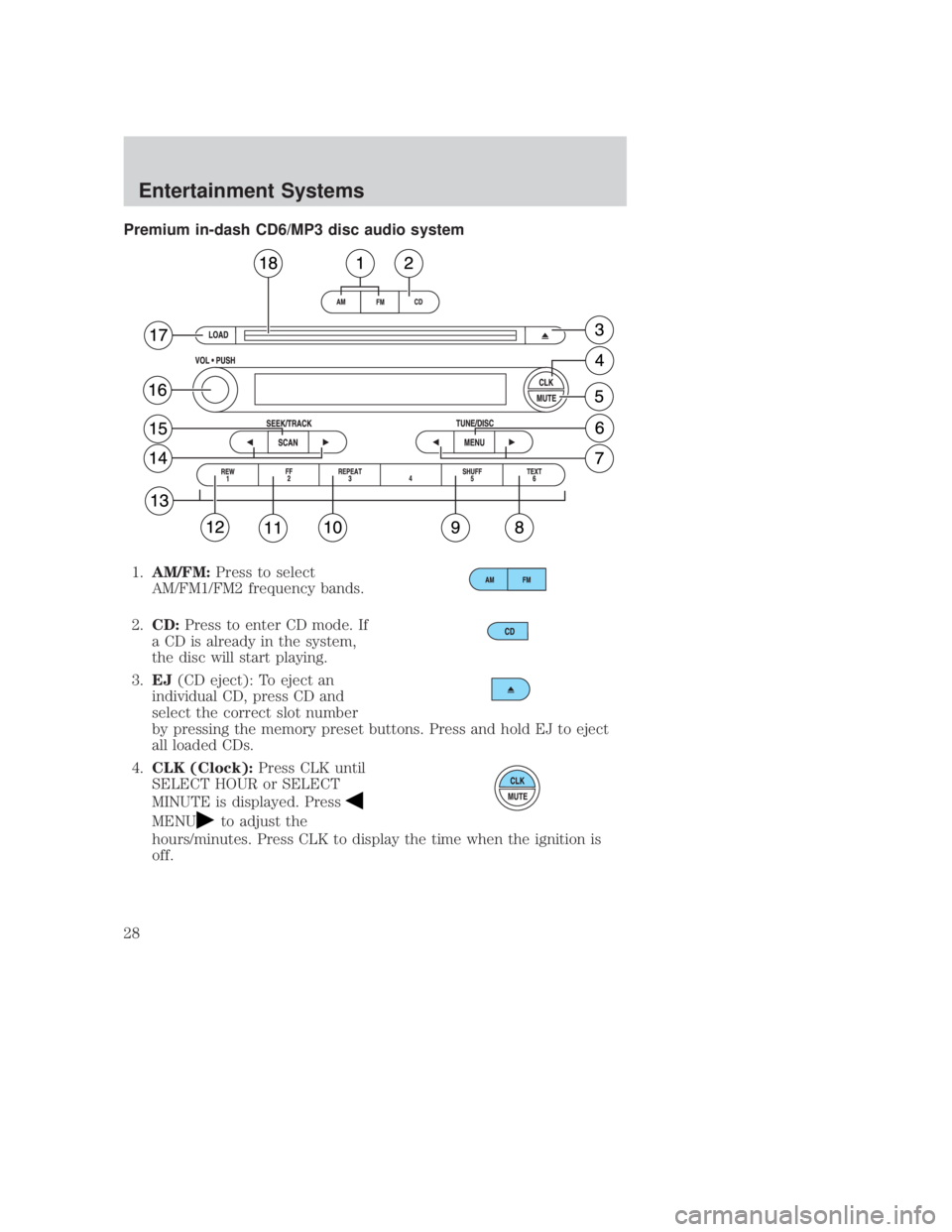
Premium in-dash CD6/MP3 disc audio system1. AM/FM: Press to select
AM/FM1/FM2 frequency bands.
2. CD: Press to enter CD mode. If
a CD is already in the system,
the disc will start playing.
3. EJ (CD eject): To eject an
individual CD, press CD and
select the correct slot number
by pressing the memory preset buttons. Press and hold EJ to eject
all loaded CDs.
4. CLK (Clock): Press CLK until
SELECT HOUR or SELECT
MINUTE is displayed. Press
MENUto adjust the
hours/minutes. Press CLK to display the time when the ignition is
off.
CIMS #1273156
com_premcd.mbs itdseq=25
art=rancf844_a
art=rancf825_a
art=rancf837_a
art=rancf827_b
art=rancf833_a
REVIEW COPY ÐÐ
2006 B-Series (mbs), Owners Guide (post-2002-fmt) (own2002),Market:USA(fus)
PAGE: 28OP: root EDIT SESSION: 1DATE: SEPT 15 2005 at 8:21JOB:@ibm2/ford_pdm/CLS_ford/GRP_own2002/JOB_mbs/DIV_og
Entertainment Systems
28
Page 30 of 266
JOBNAME: No Job Name PAGE: 30 SESS: 1 OUTPUT: Thu Sep 15 08:22:27 2005
/ford_pdm/ford/own2002/mbs/og
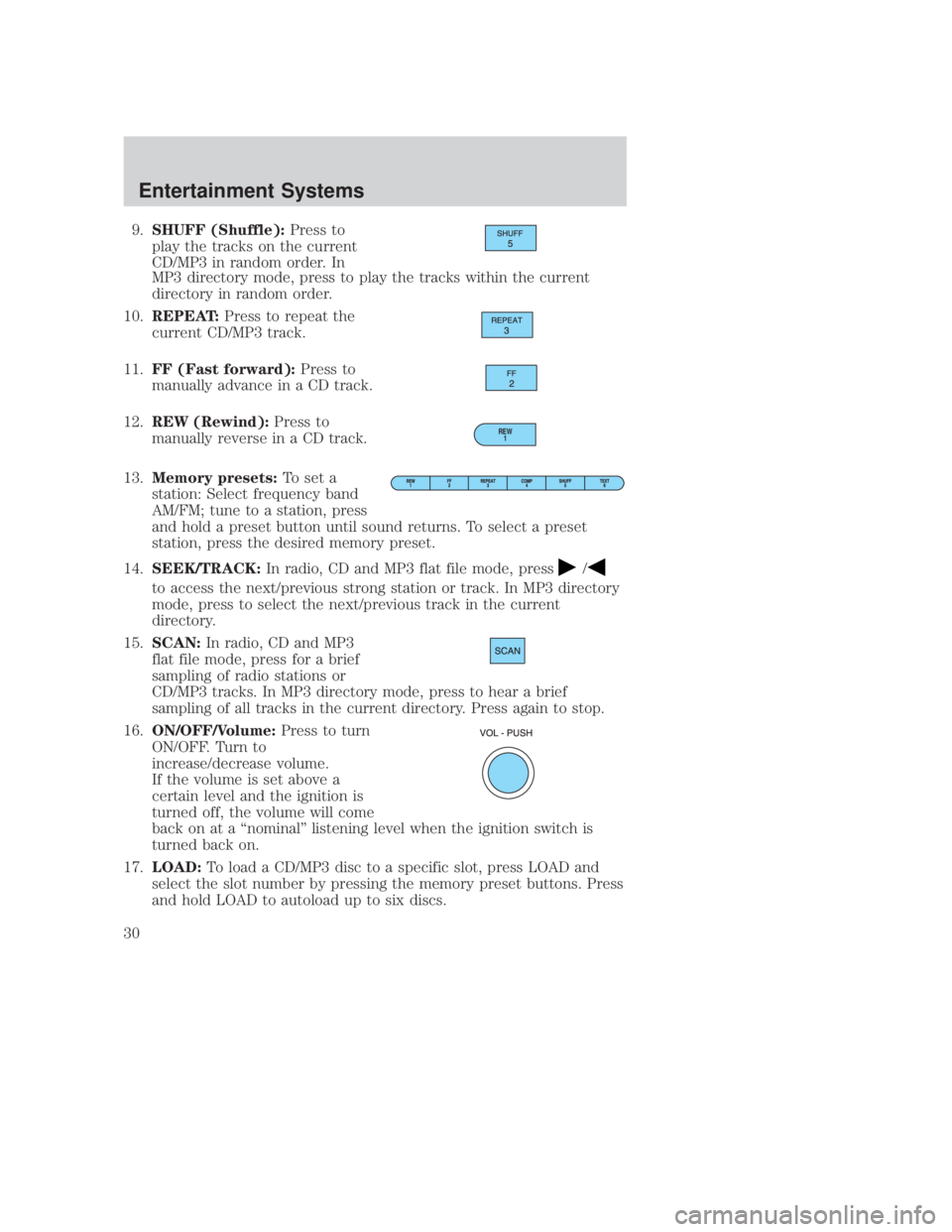
9.SHUFF (Shuffle): Press to
play the tracks on the current
CD/MP3 in random order. In
MP3 directory mode, press to play the tracks within the current
directory in random order.
10. REPEAT: Press to repeat the
current CD/MP3 track.
11. FF (Fast forward): Press to
manually advance in a CD track.
12. REW (Rewind): Press to
manually reverse in a CD track.
13. Memory presets: To set a
station: Select frequency band
AM/FM; tune to a station, press
and hold a preset button until sound returns. To select a preset
station, press the desired memory preset.
14. SEEK/TRACK: In radio, CD and MP3 flat file mode, press
/
to access the next/previous strong station or track. In MP3 directory
mode, press to select the next/previous track in the current
directory.
15. SCAN: In radio, CD and MP3
flat file mode, press for a brief
sampling of radio stations or
CD/MP3 tracks. In MP3 directory mode, press to hear a brief
sampling of all tracks in the current directory. Press again to stop.
16. ON/OFF/Volume: Press to turn
ON/OFF. Turn to
increase/decrease volume.
If the volume is set above a
certain level and the ignition is
turned off, the volume will come
back on at a ªnominalº listening level when the ignition switch is
turned back on.
17. LOAD: To load a CD/MP3 disc to a specific slot, press LOAD and
select the slot number by pressing the memory preset buttons. Press
and hold LOAD to autoload up to six discs.
REW 1
art=rancf845_a
art=221cf806_a
art=221cf805_a
art=rancf828_b
art=rancf840_a
art=221cf812_a
art=221cf841_a
REVIEW COPY ÐÐ
2006 B-Series (mbs), Owners Guide (post-2002-fmt) (own2002),Market:USA(fus)
PAGE: 30OP: root EDIT SESSION: 1DATE: SEPT 15 2005 at 8:21JOB:@ibm2/ford_pdm/CLS_ford/GRP_own2002/JOB_mbs/DIV_og
Entertainment Systems
30
Page 36 of 266
JOBNAME: No Job Name PAGE: 36 SESS: 1 OUTPUT: Thu Sep 15 08:22:27 2005
/ford_pdm/ford/own2002/mbs/og
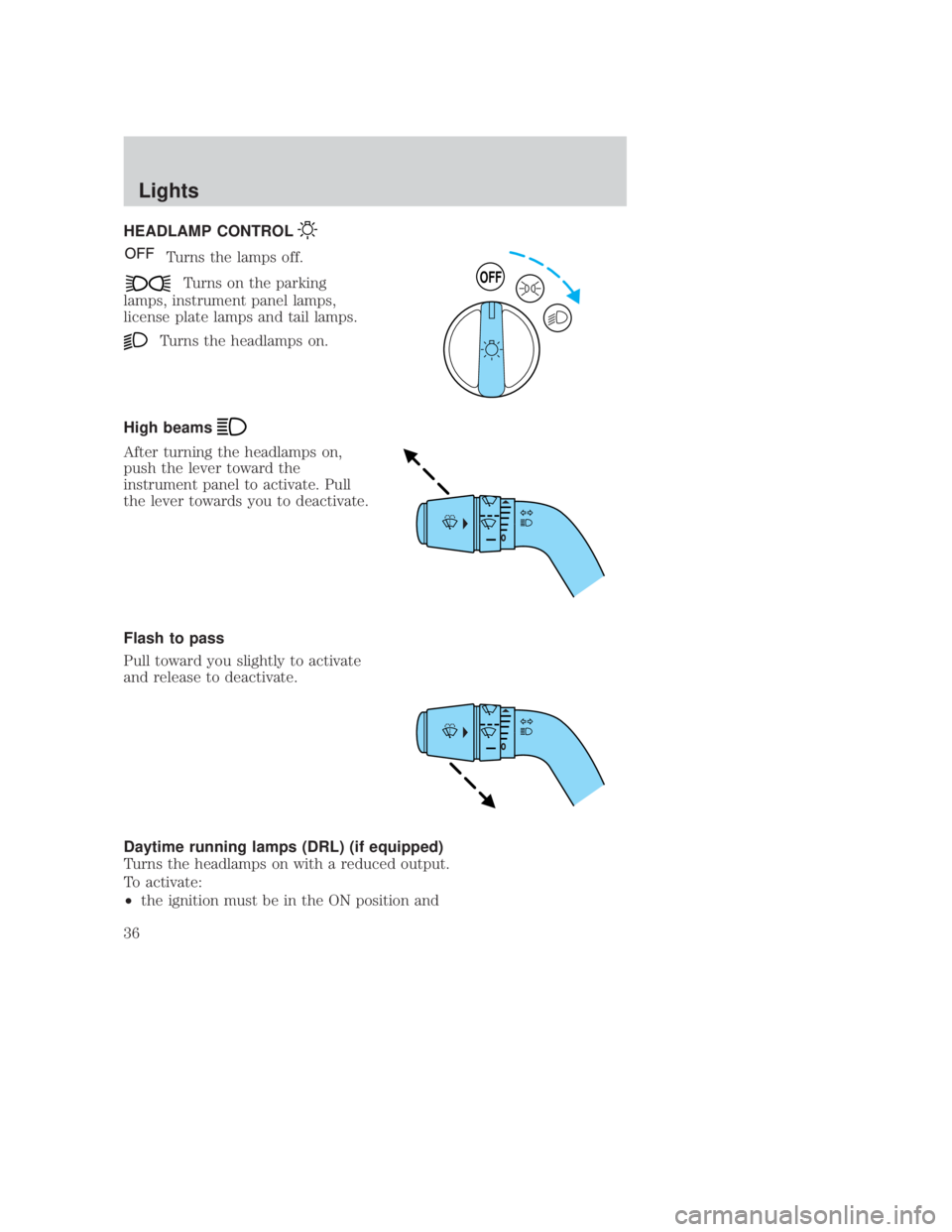
HEADLAMP CONTROL
Turns the lamps off.
Turns on the parking
lamps, instrument panel lamps,
license plate lamps and tail lamps.
Turns the headlamps on.
High beams
After turning the headlamps on,
push the lever toward the
instrument panel to activate. Pull
the lever towards you to deactivate.
Flash to pass
Pull toward you slightly to activate
and release to deactivate.
Daytime running lamps (DRL) (if equipped)
Turns the headlamps on with a reduced output.
To activate:
² the ignition must be in the ON position and
OFF
CIMS #222826
com_headlamp_title
itdseq=31
CIMS #54756
com_headlamp_control itdseq=32
CIMS #1124037
com_brights.mazda itdseq=33
CIMS #54762
com_flash_to_pass itdseq=34
CIMS #222828
com_drl_title_ie itdseq=35
CIMS #1124036
com_daytime_lamps.mazda itdseq=36
art=rancf504_a
art=rancf322_a
art=rancf323_a
REVIEW COPY ÐÐ
2006 B-Series (mbs), Owners Guide (post-2002-fmt) (own2002),Market:USA(fus)
PAGE: 36OP: root EDIT SESSION: 1DATE: SEPT 15 2005 at 8:21JOB:@ibm2/ford_pdm/CLS_ford/GRP_own2002/JOB_mbs/DIV_og
Lights
36
Page 37 of 266
JOBNAME: No Job Name PAGE: 37 SESS: 1 OUTPUT: Thu Sep 15 08:22:27 2005
/ford_pdm/ford/own2002/mbs/og
²the headlamp control is in the OFF or parking lamp.
WARNING: Always remember to turn on your headlamps at
dusk or during inclement weather. The Daytime Running Lamp
(DRL) (if equipped) system does not activate the parking lights
or side marker lights and generally may not provide adequate
lighting during these conditions. Failure to activate your
headlamps under these conditions may result in a collision.
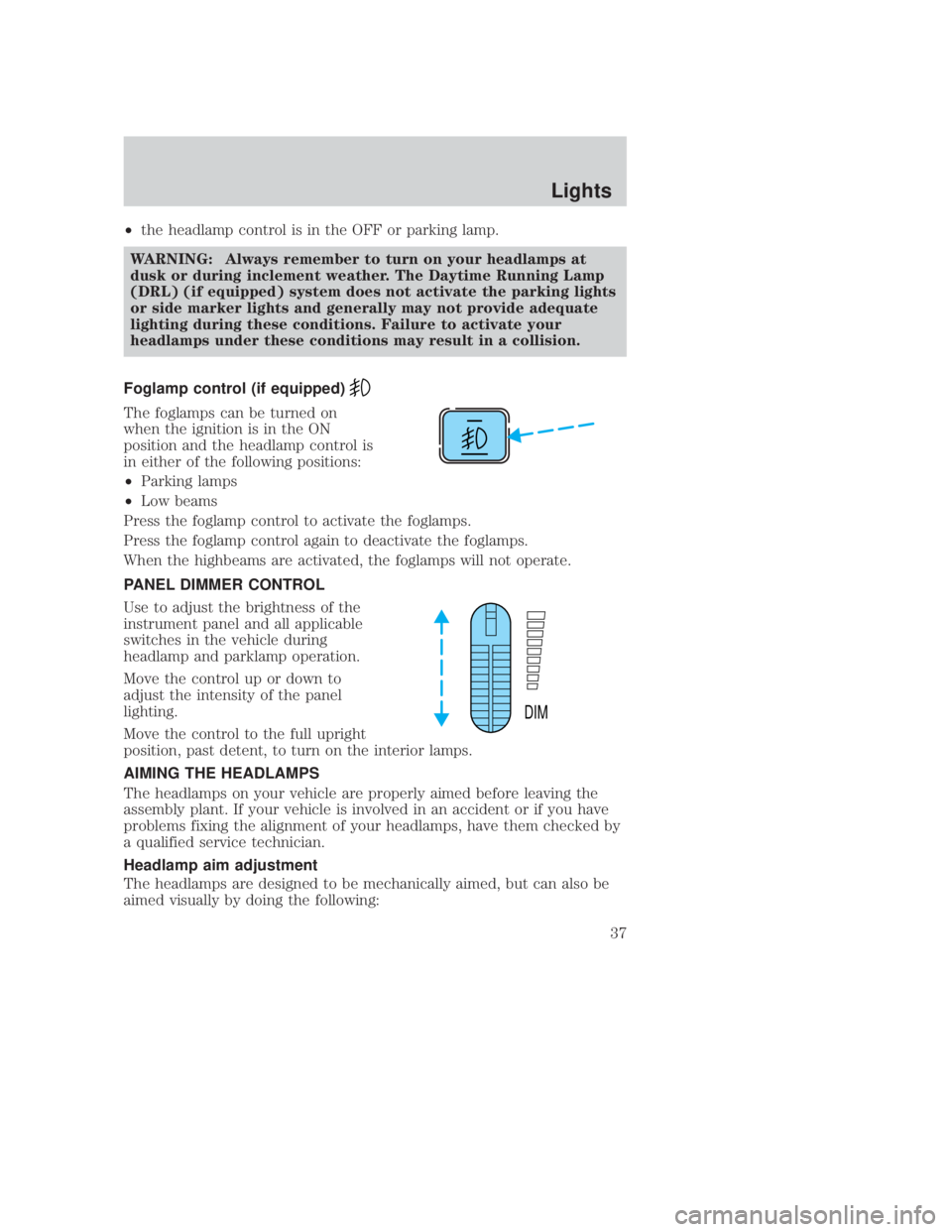
Foglamp control (if equipped)
The foglamps can be turned on
when the ignition is in the ON
position and the headlamp control is
in either of the following positions:
² Parking lamps
² Low beams
Press the foglamp control to activate the foglamps.
Press the foglamp control again to deactivate the foglamps.
When the highbeams are activated, the foglamps will not operate.
PANEL DIMMER CONTROL
Use to adjust the brightness of the
instrument panel and all applicable
switches in the vehicle during
headlamp and parklamp operation.
Move the control up or down to
adjust the intensity of the panel
lighting.
Move the control to the full upright
position, past detent, to turn on the interior lamps.
AIMING THE HEADLAMPS
The headlamps on your vehicle are properly aimed before leaving the
assembly plant. If your vehicle is involved in an accident or if you have
problems fixing the alignment of your headlamps, have them checked by
a qualified service technician.
Headlamp aim adjustment
The headlamps are designed to be mechanically aimed, but can also be
aimed visually by doing the following:
DIM
CIMS #83532 com_fog-title.ie itdseq=37
CIMS #528621
com_foglamps.05 itdseq=38
CIMS #222830
com_panel_dimmer_title itdseq=39
CIMS #1048941
com_panel_dimmer2.ran
itdseq=40
CIMS #975083
com_aim-lites.info.fly itdseq=41
CIMS #1437296
com_vert_aim.mbs itdseq=42
art=unocf507_a
art=rancf505_a
REVIEW COPY ÐÐ
2006 B-Series (mbs), Owners Guide (post-2002-fmt) (own2002),Market:USA(fus)
PAGE: 37OP: root EDIT SESSION: 1DATE: SEPT 15 2005 at 8:21JOB:@ibm2/ford_pdm/CLS_ford/GRP_own2002/JOB_mbs/DIV_og
Lights
37
Page 40 of 266
JOBNAME: No Job Name PAGE: 40 SESS: 1 OUTPUT: Thu Sep 15 08:22:27 2005
/ford_pdm/ford/own2002/mbs/og
INTERIOR LAMPS
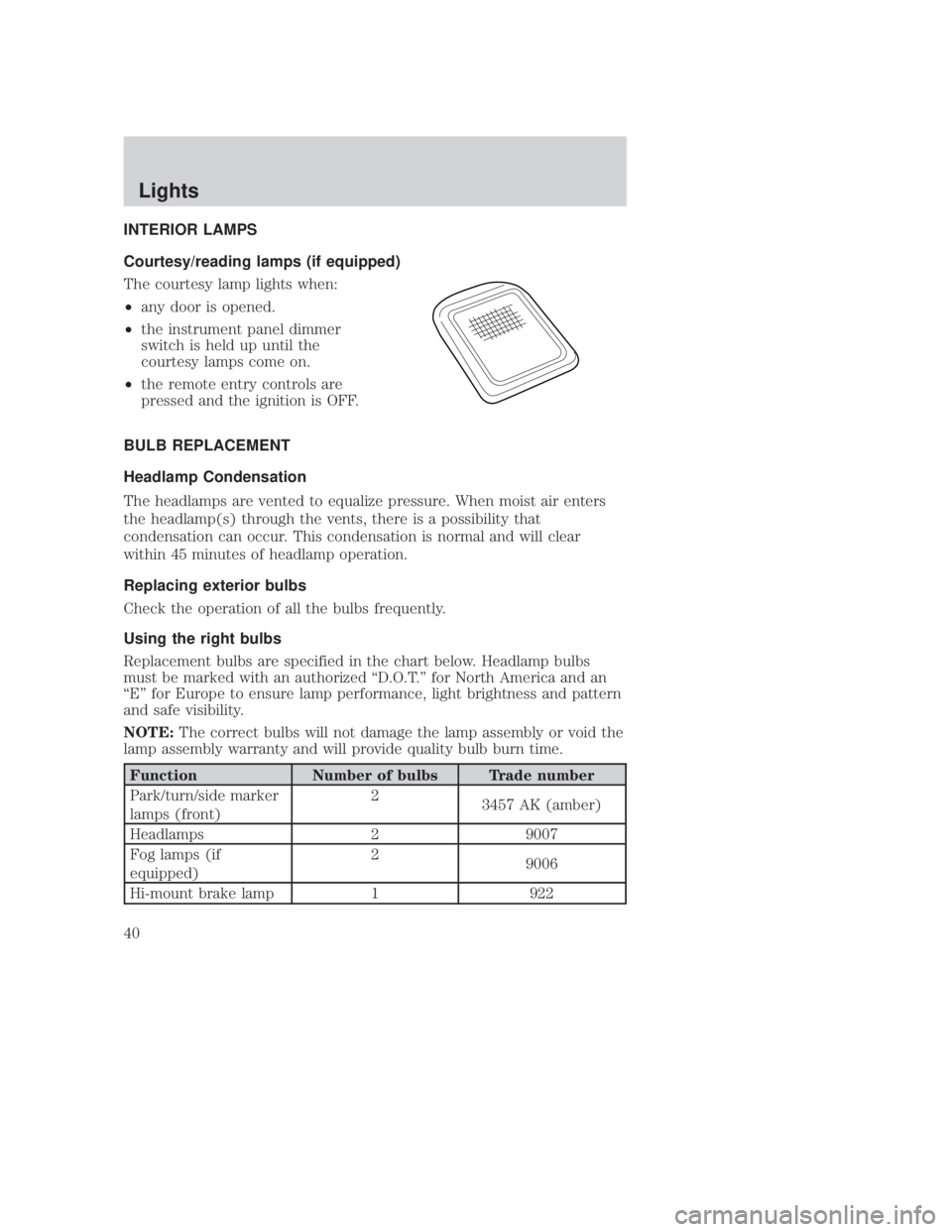
Courtesy/reading lamps (if equipped)
The courtesy lamp lights when:
²any door is opened.
² the instrument panel dimmer
switch is held up until the
courtesy lamps come on.
² the remote entry controls are
pressed and the ignition is OFF.
BULB REPLACEMENT
Headlamp Condensation
The headlamps are vented to equalize pressure. When moist air enters
the headlamp(s) through the vents, there is a possibility that
condensation can occur. This condensation is normal and will clear
within 45 minutes of headlamp operation.
Replacing exterior bulbs
Check the operation of all the bulbs frequently.
Using the right bulbs
Replacement bulbs are specified in the chart below. Headlamp bulbs
must be marked with an authorized ªD.O.T.º for North America and an
ªEº for Europe to ensure lamp performance, light brightness and pattern
and safe visibility.
NOTE: The correct bulbs will not damage the lamp assembly or void the
lamp assembly warranty and will provide quality bulb burn time.
Function Number of bulbs Trade number
Park/turn/side marker
lamps (front) 2
3457 AK (amber)
Headlamps 2 9007
Fog lamps (if
equipped) 2
9006
Hi-mount brake lamp 1 922
CIMS #54745 com_interior.02 itdseq=44
CIMS #628962
com_courtesy_lamps.ran itdseq=45
CIMS #80513
com_ext_bulbs.02 itdseq=46
CIMS #1462914
com_condensation itdseq=47
CIMS #600056
com_check-bulbs.j14 itdseq=48
CIMS #684809
com_bulb_chart.mbs itdseq=49
art=rancf308_a
REVIEW COPY ÐÐ
2006 B-Series (mbs), Owners Guide (post-2002-fmt) (own2002),Market:USA(fus)
PAGE: 40OP: root EDIT SESSION: 1DATE: SEPT 15 2005 at 8:21JOB:@ibm2/ford_pdm/CLS_ford/GRP_own2002/JOB_mbs/DIV_og
Lights
40
Page 53 of 266
JOBNAME: No Job Name PAGE: 53 SESS: 1 OUTPUT: Thu Sep 15 08:22:27 2005
/ford_pdm/ford/own2002/mbs/og
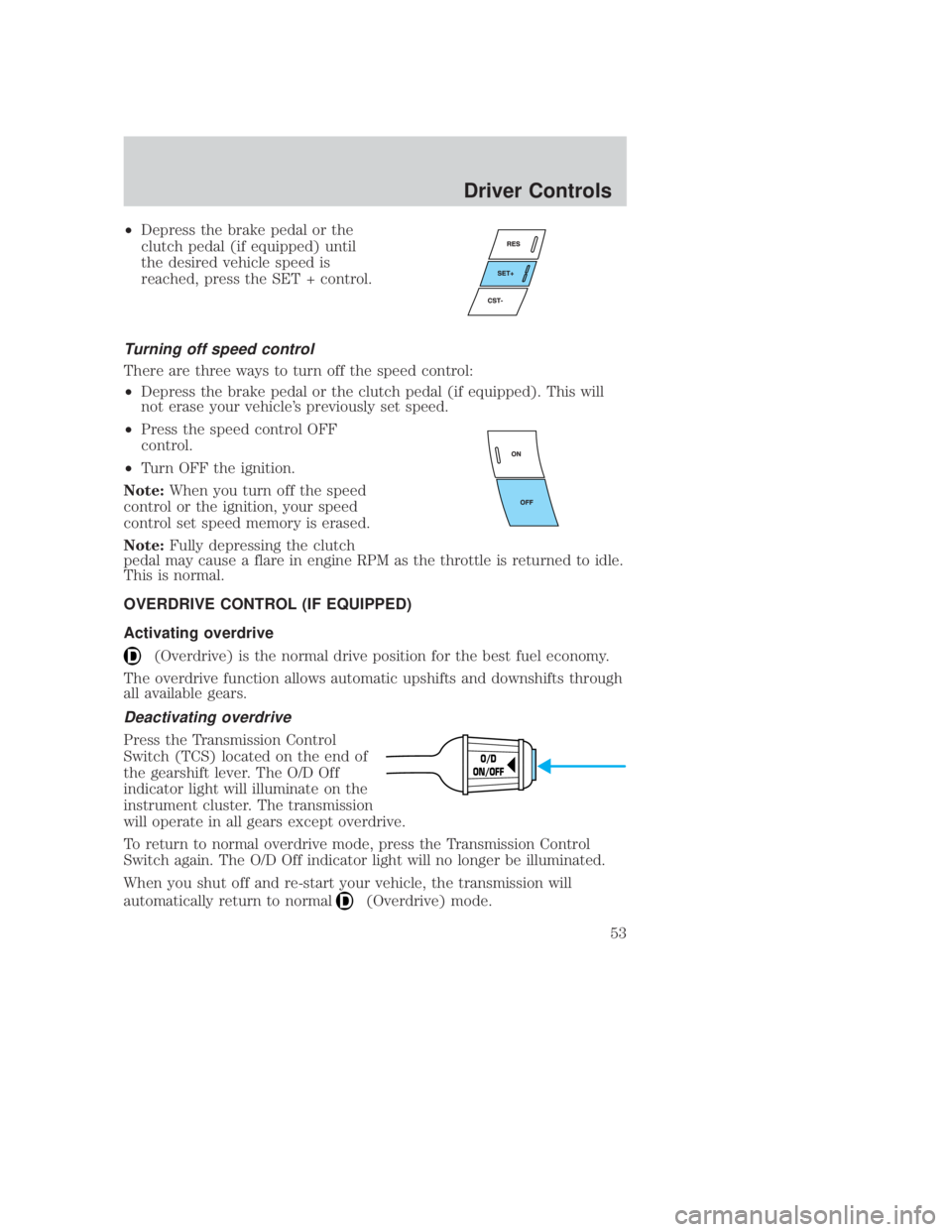
²Depress the brake pedal or the
clutch pedal (if equipped) until
the desired vehicle speed is
reached, press the SET + control.
Turning off speed control
There are three ways to turn off the speed control:
²Depress the brake pedal or the clutch pedal (if equipped). This will
not erase your vehicle's previously set speed.
² Press the speed control OFF
control.
² Turn OFF the ignition.
Note: When you turn off the speed
control or the ignition, your speed
control set speed memory is erased.
Note: Fully depressing the clutch
pedal may cause a flare in engine RPM as the throttle is returned to idle.
This is normal.
OVERDRIVE CONTROL (IF EQUIPPED)
Activating overdrive
(Overdrive) is the normal drive position for the best fuel economy.
The overdrive function allows automatic upshifts and downshifts through
all available gears.
Deactivating overdrive
Press the Transmission Control
Switch (TCS) located on the end of
the gearshift lever. The O/D Off
indicator light will illuminate on the
instrument cluster. The transmission
will operate in all gears except overdrive.
To return to normal overdrive mode, press the Transmission Control
Switch again. The O/D Off indicator light will no longer be illuminated.
When you shut off and re-start your vehicle, the transmission will
automatically return to normal
(Overdrive) mode.
O/D
ON/OFF
CIMS #197226
com_overdrive.title-ie itdseq=66
CIMS #111943
com_overdrive-activate itdseq=67
CIMS #713261
com_overdrive-deativate.mbs itdseq=68
art=rancf331_a
art=rancf329_a
art=rangf110_a
REVIEW COPY ÐÐ
2006 B-Series (mbs), Owners Guide (post-2002-fmt) (own2002),Market:USA(fus)
PAGE: 53OP: root EDIT SESSION: 1DATE: SEPT 15 2005 at 8:21JOB:@ibm2/ford_pdm/CLS_ford/GRP_own2002/JOB_mbs/DIV_og
Driver Controls
53
Page 57 of 266
JOBNAME: No Job Name PAGE: 57 SESS: 1 OUTPUT: Thu Sep 15 08:22:27 2005
/ford_pdm/ford/own2002/mbs/og
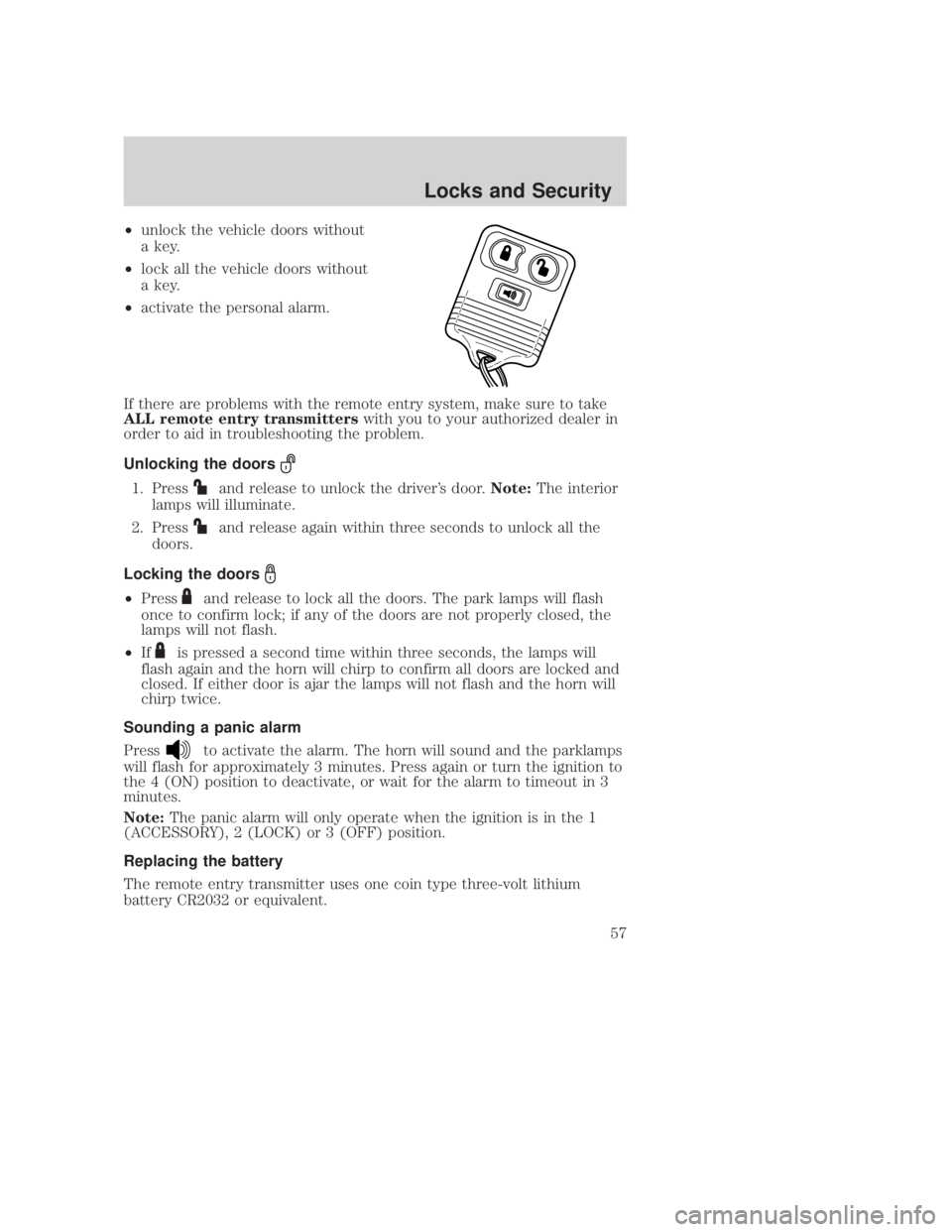
²unlock the vehicle doors without
a key.
² lock all the vehicle doors without
a key.
² activate the personal alarm.
If there are problems with the remote entry system, make sure to take
ALL remote entry transmitters with you to your authorized dealer in
order to aid in troubleshooting the problem.
Unlocking the doors
1. Pressand release to unlock the driver's door. Note:The interior
lamps will illuminate.
2. Press
and release again within three seconds to unlock all the
doors.
Locking the doors
² Pressand release to lock all the doors. The park lamps will flash
once to confirm lock; if any of the doors are not properly closed, the
lamps will not flash.
² If
is pressed a second time within three seconds, the lamps will
flash again and the horn will chirp to confirm all doors are locked and
closed. If either door is ajar the lamps will not flash and the horn will
chirp twice.
Sounding a panic alarm
Press
to activate the alarm. The horn will sound and the parklamps
will flash for approximately 3 minutes. Press again or turn the ignition to
the 4 (ON) position to deactivate, or wait for the alarm to timeout in 3
minutes.
Note: The panic alarm will only operate when the ignition is in the 1
(ACCESSORY), 2 (LOCK) or 3 (OFF) position.
Replacing the battery
The remote entry transmitter uses one coin type three-volt lithium
battery CR2032 or equivalent.
CIMS #1090284
com_unlock.fly-ran itdseq=75
CIMS #1090285
com_lock.fly-ran itdseq=76
CIMS #1513131
com_panic.fly-ran itdseq=77
CIMS #998940
com_battery-remote.fly itdseq=78
art=navcf305_a
REVIEW COPY ÐÐ
2006 B-Series (mbs), Owners Guide (post-2002-fmt) (own2002),Market:USA(fus)
PAGE: 57OP: root EDIT SESSION: 1DATE: SEPT 15 2005 at 8:21JOB:@ibm2/ford_pdm/CLS_ford/GRP_own2002/JOB_mbs/DIV_og
Locks and Security
57
Page 59 of 266
JOBNAME: No Job Name PAGE: 59 SESS: 1 OUTPUT: Thu Sep 15 08:22:27 2005
/ford_pdm/ford/own2002/mbs/og
To reprogram the remote entry
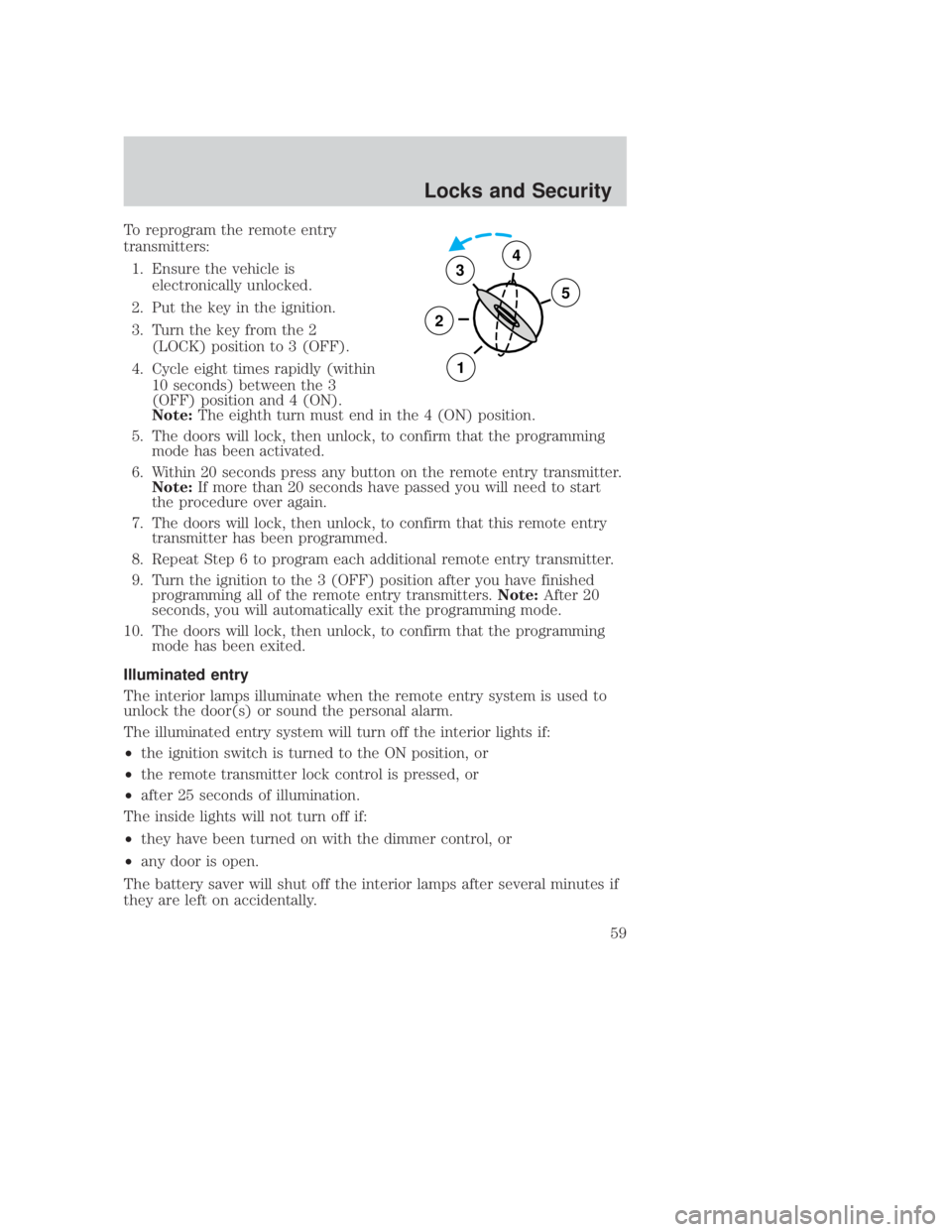
transmitters:1. Ensure the vehicle is electronically unlocked.
2. Put the key in the ignition.
3. Turn the key from the 2 (LOCK) position to 3 (OFF).
4. Cycle eight times rapidly (within 10 seconds) between the 3
(OFF) position and 4 (ON).
Note: The eighth turn must end in the 4 (ON) position.
5. The doors will lock, then unlock, to confirm that the programming mode has been activated.
6. Within 20 seconds press any button on the remote entry transmitter. Note: If more than 20 seconds have passed you will need to start
the procedure over again.
7. The doors will lock, then unlock, to confirm that this remote entry transmitter has been programmed.
8. Repeat Step 6 to program each additional remote entry transmitter.
9. Turn the ignition to the 3 (OFF) position after you have finished programming all of the remote entry transmitters. Note:After 20
seconds, you will automatically exit the programming mode.
10. The doors will lock, then unlock, to confirm that the programming mode has been exited.
Illuminated entry
The interior lamps illuminate when the remote entry system is used to
unlock the door(s) or sound the personal alarm.
The illuminated entry system will turn off the interior lights if:
² the ignition switch is turned to the ON position, or
² the remote transmitter lock control is pressed, or
² after 25 seconds of illumination.
The inside lights will not turn off if:
² they have been turned on with the dimmer control, or
² any door is open.
The battery saver will shut off the interior lamps after several minutes if
they are left on accidentally.
3
2
1
5
4
CIMS #1258992
com_illuminate.fly-ran itdseq=80
art=f12dr029_a
REVIEW COPY ÐÐ
2006 B-Series (mbs), Owners Guide (post-2002-fmt) (own2002),Market:USA(fus)
PAGE: 59OP: root EDIT SESSION: 1DATE: SEPT 15 2005 at 8:21JOB:@ibm2/ford_pdm/CLS_ford/GRP_own2002/JOB_mbs/DIV_og
Locks and Security
59
Page 60 of 266
JOBNAME: No Job Name PAGE: 60 SESS: 1 OUTPUT: Thu Sep 15 08:22:27 2005
/ford_pdm/ford/own2002/mbs/og
SECURILOCKYPASSIVE ANTI-THEFT SYSTEM (IF EQUIPPED)
SecuriLocky passive anti-theft system is an engine immobilization
system. This system is designed to help prevent the engine from being
started unless a coded key programmed to your vehicle is used. The
use of the wrong type of coded key may lead to a ªno-startº condition.
Your vehicle comes with two coded keys; additional coded keys may be
purchased from your authorized dealer. The authorized dealer can
program your spare keys to your vehicle or you can program the keys
yourself. Refer to Programming spare keys for instructions on how to
program the coded key.
Note: The SecuriLocky passive anti-theft system is not compatible with
non-Mazda aftermarket remote start systems. Use of these systems may
result in vehicle starting problems and a loss of security protection.
Note: Large metallic objects, electronic devices that are used to
purchase gasoline or similar items, or a second coded key on the same
key chain may cause vehicle starting issues. You need to prevent these
objects from touching the coded key while starting the engine. These
objects will not cause damage to the coded key, but may cause a
momentary issue if they are too close to the key when starting the
engine. If a problem occurs, turn the ignition off, remove all objects on
the key chain away from the coded key and restart the engine.
Anti-theft indicator
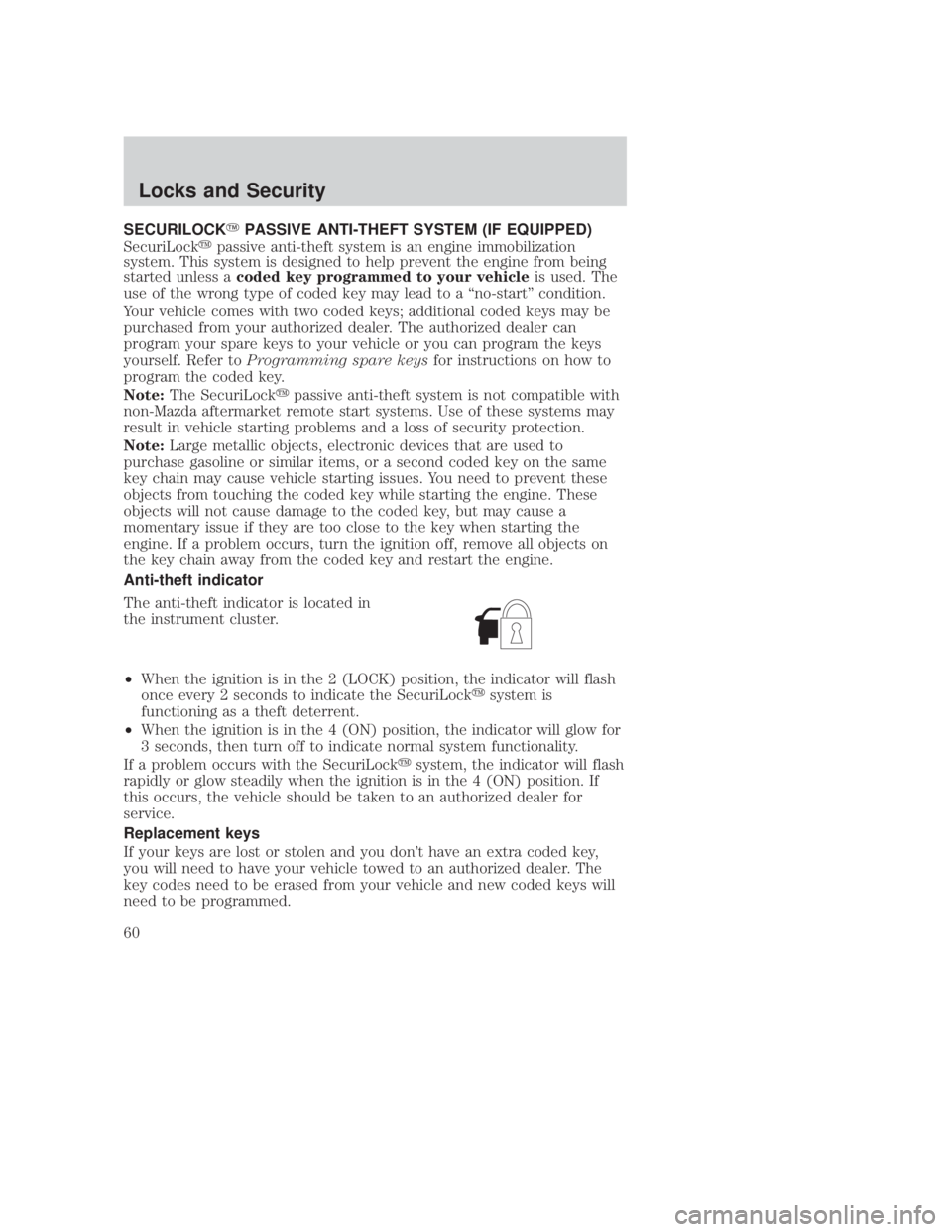
The anti-theft indicator is located in
the instrument cluster.
² When the ignition is in the 2 (LOCK) position, the indicator will flash
once every 2 seconds to indicate the SecuriLock ysystem is
functioning as a theft deterrent.
² When the ignition is in the 4 (ON) position, the indicator will glow for
3 seconds, then turn off to indicate normal system functionality.
If a problem occurs with the SecuriLock ysystem, the indicator will flash
rapidly or glow steadily when the ignition is in the 4 (ON) position. If
this occurs, the vehicle should be taken to an authorized dealer for
service.
Replacement keys
If your keys are lost or stolen and you don't have an extra coded key,
you will need to have your vehicle towed to an authorized dealer. The
key codes need to be erased from your vehicle and new coded keys will
need to be programmed.CIMS #1090876
com_securi-title-ie.fly itdseq=81
CIMS #1514796
com_theft-indic.mbs itdseq=82
CIMS #999040
com_coded-key-replace.fly itdseq=83
art=ranis348_a
REVIEW COPY ÐÐ
2006 B-Series (mbs), Owners Guide (post-2002-fmt) (own2002),Market:USA(fus)
PAGE: 60OP: root EDIT SESSION: 1DATE: SEPT 15 2005 at 8:21JOB:@ibm2/ford_pdm/CLS_ford/GRP_own2002/JOB_mbs/DIV_og
Locks and Security
60