ignition MAZDA MODEL B3000 TRUCK 2007 User Guide
[x] Cancel search | Manufacturer: MAZDA, Model Year: 2007, Model line: MODEL B3000 TRUCK, Model: MAZDA MODEL B3000 TRUCK 2007Pages: 280, PDF Size: 1.95 MB
Page 28 of 280
15.ON/OFF/Volume: Press to turn
ON/OFF. Turn to
increase/decrease volume.
If the volume is set above a
certain level and the ignition is
turned off, the volume will come
back on at a “nominal” listening level when the ignition switch is
turned back on.
16. CD: Press to enter CD/MP3
mode. If a CD/MP3 is already
present in the system, the disc
will begin to play.
17. CD slot: Insert a CD/MP3 label
side up.
CD units are designed to play commercially pressed 4.75 in (12
cm) audio compact discs only. Due to technical incompatibility,
certain recordable and re-recordable compact discs may not
function correctly when used in Mazda CD players. Irregular
shaped CDs, CDs with a scratch protection film attached, and CDs
with homemade paper (adhesive) labels should not be inserted
into the CD player. The label may peel and cause the CD to
become jammed. It is recommended that homemade CDs be
identified with permanent felt tip marker rather than adhesive
labels. Ballpoint pens may damage CDs. Please contact your
authorized dealer for further information.
2007 B-Series (mbs)
Owners Guide (post-2002-fmt)
USA (fus)
Entertainment Systems
28
Page 29 of 280
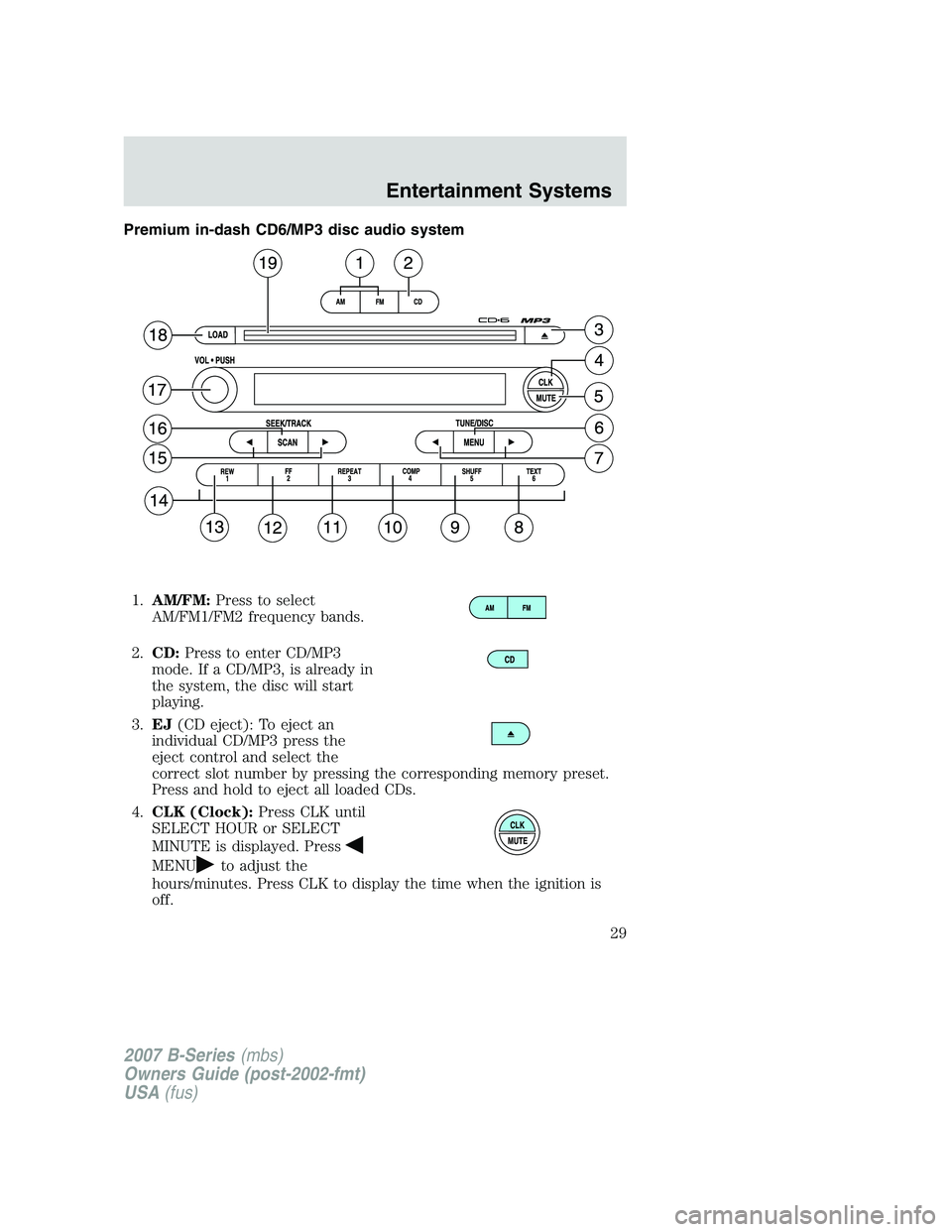
Premium in-dash CD6/MP3 disc audio system1. AM/FM: Press to select
AM/FM1/FM2 frequency bands.
2. CD: Press to enter CD/MP3
mode. If a CD/MP3, is already in
the system, the disc will start
playing.
3. EJ (CD eject): To eject an
individual CD/MP3 press the
eject control and select the
correct slot number by pressing the corresponding memory preset.
Press and hold to eject all loaded CDs.
4. CLK (Clock): Press CLK until
SELECT HOUR or SELECT
MINUTE is displayed. Press
MENUto adjust the
hours/minutes. Press CLK to display the time when the ignition is
off.
2007 B-Series (mbs)
Owners Guide (post-2002-fmt)
USA (fus)
Entertainment Systems
29
Page 31 of 280
9.SHUFF (Shuffle): Press to
play the tracks on the current
CD/MP3 in random order. In
MP3 directory mode, press to play the tracks within the current
directory in random order.
10. COMP (Compression): In
CD/MP3 modes, press to bring
loud and soft passages together
for a more consistent listening level.
11. REPEAT: Press to repeat the
current CD/MP3 track.
12. FF (Fast forward): Press to
manually advance in a CD/MP3
track.
13. REW (Rewind): Press to
manually reverse in a CD/MP3
track.
14. Memory presets: To set a
station: Select frequency band
AM/FM; tune to a station, press
and hold a preset button until sound returns. To select a preset
station, press the desired memory preset.
15. SEEK/TRACK: In radio, CD and MP3 flat file mode, press
/
to access the next/previous strong station or track. In MP3 directory
mode, press to select the next/previous track in the current
directory.
16. SCAN: In radio, CD and MP3
flat file mode, press for a brief
sampling of radio stations or
CD/MP3 tracks. In MP3 directory mode, press to hear a brief
sampling of all tracks in the current directory. Press again to stop.
17. ON/OFF/Volume: Press to turn
ON/OFF. Turn to
increase/decrease volume.
If the volume is set above a
certain level and the ignition is
turned off, the volume will come
back on at a “nominal” listening level when the ignition switch is
turned back on.
REW 1
2007 B-Series (mbs)
Owners Guide (post-2002-fmt)
USA (fus)
Entertainment Systems
31
Page 33 of 280
2.CD: Press to enter CD/MP3
mode. If a CD/MP3 is already in
the system, the disc will start
playing.
3. AUX: Press to access AUX
modes. To return to radio mode,
press AM/FM.
If equipped with Satellite
Radio, press AUX to cycle through SAT1, SAT2 SAT3
(Satellite Radio mode, if available) and LINE IN (Auxiliary
audio mode, if equipped).
Satellite radio is available only with a valid SIRIUS subscription.
Check with your authorized dealer for availability. 4. EJ (CD eject): To eject an
individual CD/MP3, press the
eject control and select the
correct slot number by pressing the corresponding memory preset.
Press and hold to eject all loaded CDs.
5.
CLK (Clock): Press CLK until
SELECT HOUR or SELECT
MINS is displayed. Press
MENUto adjust the
hours/minutes. Press CLK to display the time when the ignition is off.
6. MUTE: Press to mute the
playing media. Press again to
return to the playing media.
7. MENU: Press MENU repeatedly
to toggle through the following
modes and use
/to make
adjustment in those modes.
CATEGORY (Satellite Radio if
equipped): Press MENU until the
currently active category appears in
the display (CATEGORY ALL). In
CATEGORY ALL, press
/to scroll through the list of available
Sirius Categories (Pop, Rock, News, etc.) Press
SEEKor SCAN
to select the channels within each category. After a category is selected,
2007 B-Series (mbs)
Owners Guide (post-2002-fmt)
USA (fus)
Entertainment Systems
33
Page 36 of 280
News, etc.), pressSEEKto seek to the previous/next channel in
the selected category. Press and hold
SEEKto fast seek through
the previous /next channels.
In TEXT MODE, press
SEEKto view the previous/additional
display text.
In CATEGORY ALL, press
TUNEto select a category.
In CATEGORY MODE, press
SEEKto select a channel within
that category.
Satellite radio is available only with a valid SIRIUS subscription.
Check with your authorized dealer for availability.
16. TEXT/SCAN: In radio and CD
mode, press for a brief sampling
of radio stations or CD tracks.
Press again to stop.
In MP3 flat file mode, press and hold to hear a brief sampling of MP3
tracks.
In MP3 directory mode, press and hold to hear a brief sampling of all
tracks in the current directory. Press again to stop.
In MP3 music name/file name mode, press and release to view the next
12 characters in the MP3 music name/file name of the current MP3 track
and directory.
In Satellite Radio mode (if equipped), press and release to view the
Satellite text message.
In Satellite Radio mode (if equipped), press and hold to hear a brief
sampling of the next channels. Press again to stop.
17. ON/OFF/Volume: Press to turn
ON/OFF. Turn to
increase/decrease volume.
If the volume is set above a
certain level and the ignition is
turned off, the volume will come
back on at a “nominal” listening level when the ignition switch is
turned back on.
18. LOAD: Press to load a CD/MP3.
To load a CD/MP3 disc to a
specific slot, press LOAD and
select the slot number by pressing the memory preset buttons. Press
and hold LOAD to autoload up to six discs.
2007 B-Series (mbs)
Owners Guide (post-2002-fmt)
USA (fus)
Entertainment Systems
36
Page 40 of 280
Satellite Radio Electronic Serial Number (ESN):This 12 digit
Satellite Serial Number is needed to activate, modify or track your
satellite radio account. You will need this number when communicating
with SIRIUS. While in Satellite Radio mode, you can view this number on
the radio display by pressing AUX and Preset 1 control simultaneously.
Radio Display Condition Action Required
ACQUIRING Radio requires more
than two seconds to
produce audio for the selected channel. No action required.
This message should disappear shortly.
SAT FAULT Internal module or
system failure present. If this message does
not clear within a short period of time, or with an ignition key cycle,
your receiver may have a fault. See your
authorized dealer for service.
INVALID CHNL Channel no longer available.This previously
available channel is no longer available. Tuneto another channel. If
the channel was one of your presets, you may
choose another channel for that preset button.
UNSUBSCRIBED Subscription not available for thischannel. Contact SIRIUS at
1–888–539–7474 to subscribe to the
channel, or tune to another channel.
NO TEXT Artist information not
available. Artist information not
available at this time on this channel. The
system is working properly.
2007 B-Series (mbs)
Owners Guide (post-2002-fmt)
USA (fus)
Entertainment Systems
40
Page 46 of 280
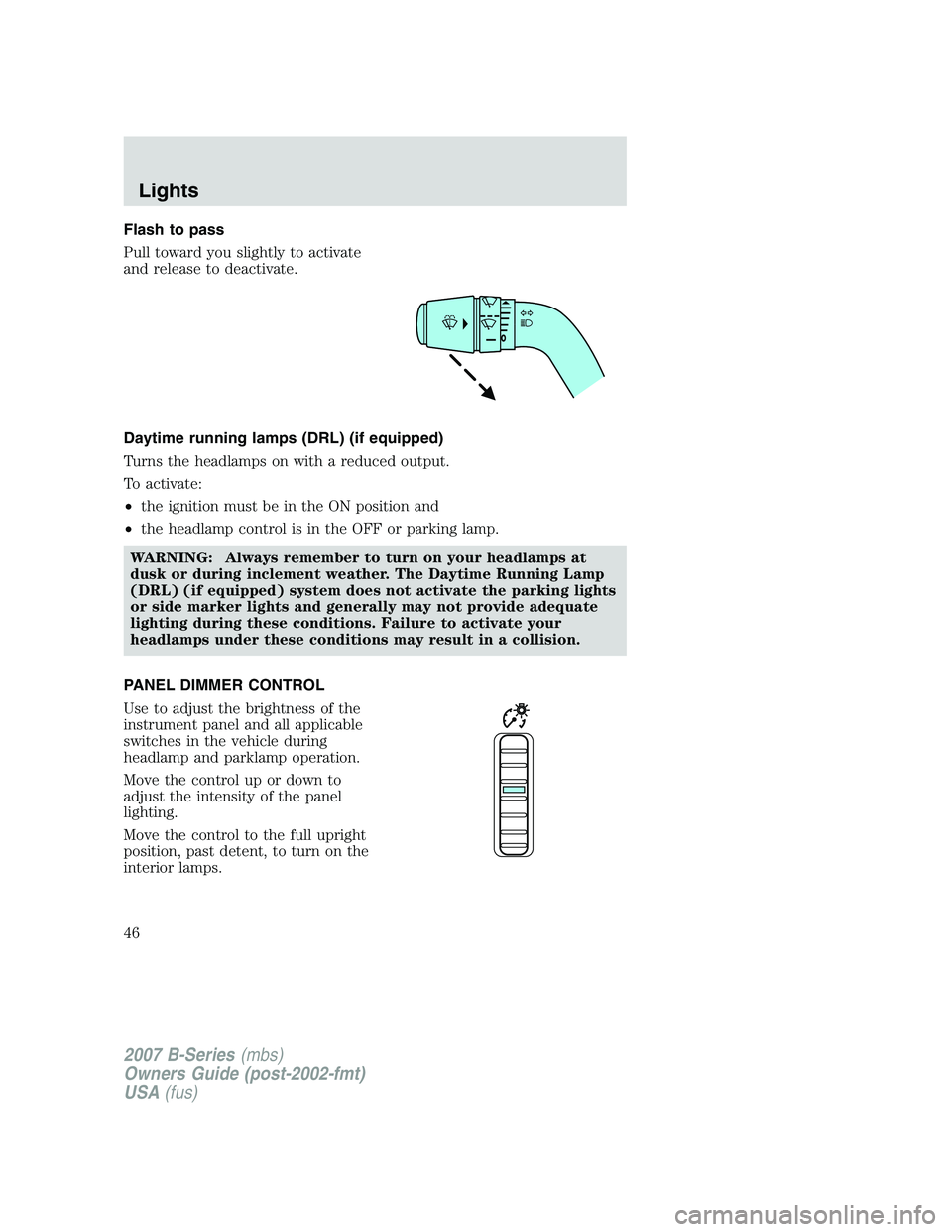
Flash to pass
Pull toward you slightly to activate
and release to deactivate.
Daytime running lamps (DRL) (if equipped)
Turns the headlamps on with a reduced output.
To activate:
•the ignition must be in the ON position and
• the headlamp control is in the OFF or parking lamp.
WARNING: Always remember to turn on your headlamps at
dusk or during inclement weather. The Daytime Running Lamp
(DRL) (if equipped) system does not activate the parking lights
or side marker lights and generally may not provide adequate
lighting during these conditions. Failure to activate your
headlamps under these conditions may result in a collision.
PANEL DIMMER CONTROL
Use to adjust the brightness of the
instrument panel and all applicable
switches in the vehicle during
headlamp and parklamp operation.
Move the control up or down to
adjust the intensity of the panel
lighting.
Move the control to the full upright
position, past detent, to turn on the
interior lamps.
2007 B-Series (mbs)
Owners Guide (post-2002-fmt)
USA (fus)
Lights
46
Page 49 of 280
INTERIOR LAMPS
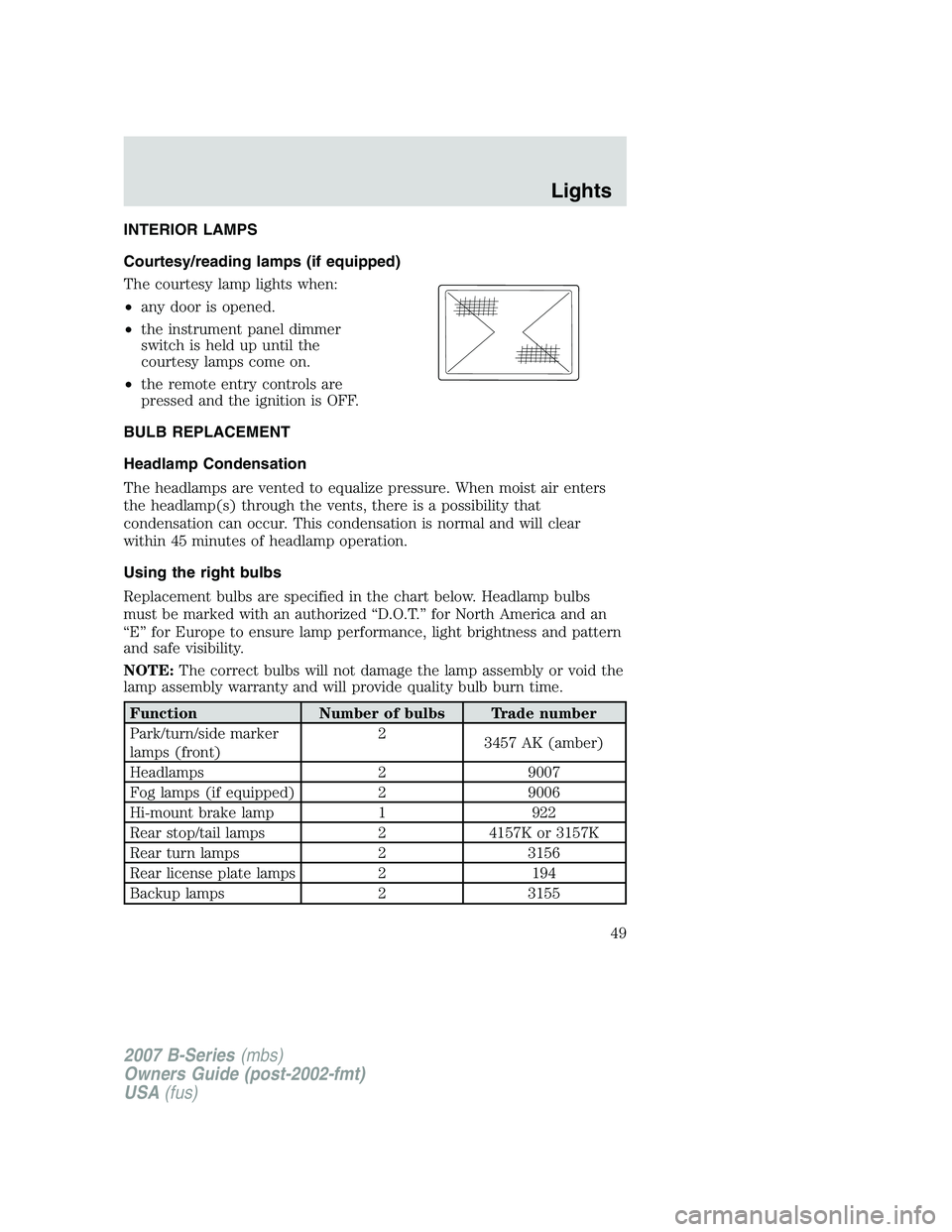
Courtesy/reading lamps (if equipped)
The courtesy lamp lights when:
•any door is opened.
• the instrument panel dimmer
switch is held up until the
courtesy lamps come on.
• the remote entry controls are
pressed and the ignition is OFF.
BULB REPLACEMENT
Headlamp Condensation
The headlamps are vented to equalize pressure. When moist air enters
the headlamp(s) through the vents, there is a possibility that
condensation can occur. This condensation is normal and will clear
within 45 minutes of headlamp operation.
Using the right bulbs
Replacement bulbs are specified in the chart below. Headlamp bulbs
must be marked with an authorized “D.O.T.” for North America and an
“E” for Europe to ensure lamp performance, light brightness and pattern
and safe visibility.
NOTE: The correct bulbs will not damage the lamp assembly or void the
lamp assembly warranty and will provide quality bulb burn time.
Function Number of bulbs Trade number
Park/turn/side marker
lamps (front) 2
3457 AK (amber)
Headlamps 29007
Fog lamps (if equipped) 29006
Hi-mount brake lamp 1922
Rear stop/tail lamps 24157K or 3157K
Rear turn lamps 23156
Rear license plate lamps 2194
Backup lamps 23155
2007 B-Series(mbs)
Owners Guide (post-2002-fmt)
USA (fus)
Lights
49
Page 62 of 280
Turning off speed control
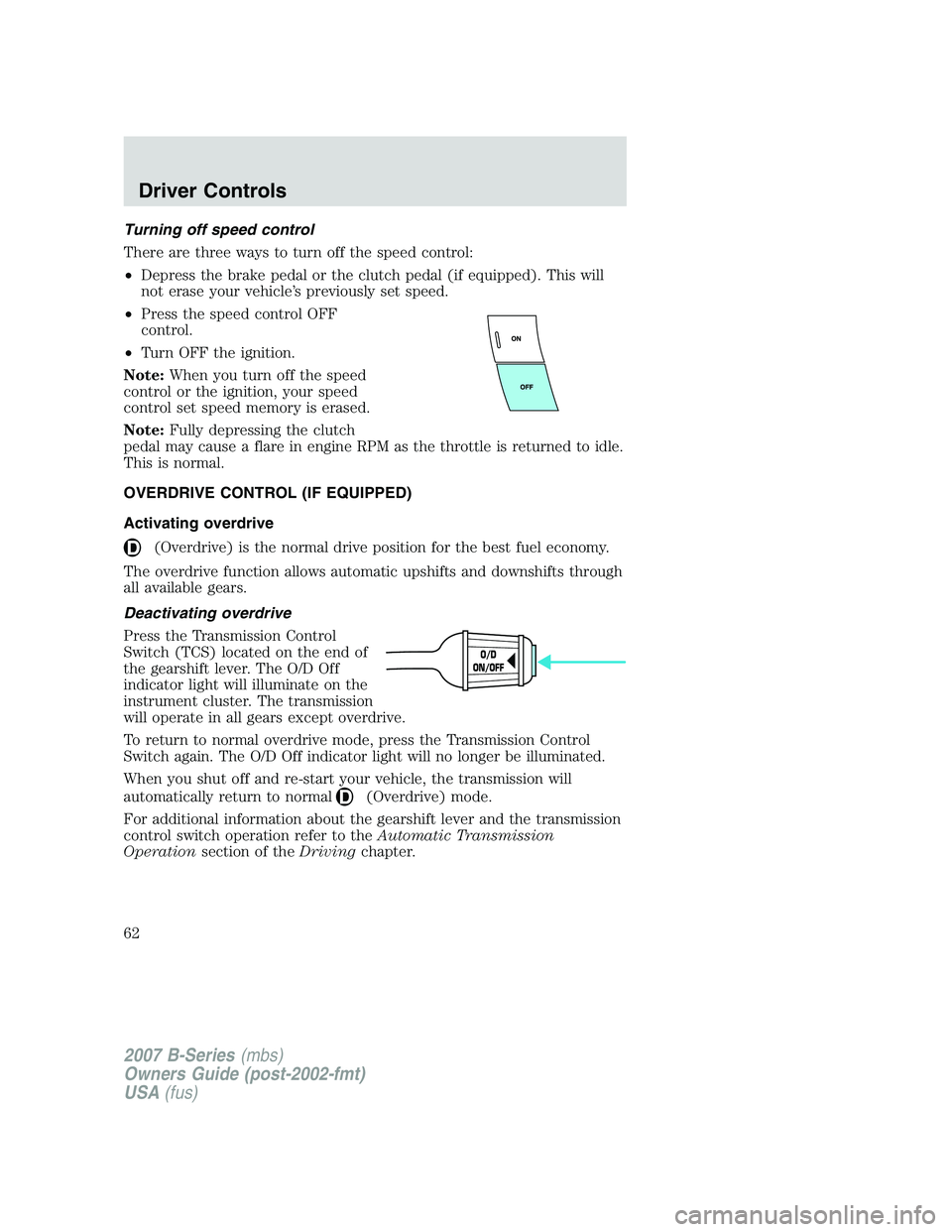
There are three ways to turn off the speed control:
•Depress the brake pedal or the clutch pedal (if equipped). This will
not erase your vehicle’s previously set speed.
• Press the speed control OFF
control.
• Turn OFF the ignition.
Note: When you turn off the speed
control or the ignition, your speed
control set speed memory is erased.
Note: Fully depressing the clutch
pedal may cause a flare in engine RPM as the throttle is returned to idle.
This is normal.
OVERDRIVE CONTROL (IF EQUIPPED)
Activating overdrive
(Overdrive) is the normal drive position for the best fuel economy.
The overdrive function allows automatic upshifts and downshifts through
all available gears.
Deactivating overdrive
Press the Transmission Control
Switch (TCS) located on the end of
the gearshift lever. The O/D Off
indicator light will illuminate on the
instrument cluster. The transmission
will operate in all gears except overdrive.
To return to normal overdrive mode, press the Transmission Control
Switch again. The O/D Off indicator light will no longer be illuminated.
When you shut off and re-start your vehicle, the transmission will
automatically return to normal
(Overdrive) mode.
For additional information about the gearshift lever and the transmission
control switch operation refer to the Automatic Transmission
Operation section of the Drivingchapter.
O/D
ON/OFF
2007 B-Series (mbs)
Owners Guide (post-2002-fmt)
USA (fus)
Driver Controls
62
Page 66 of 280
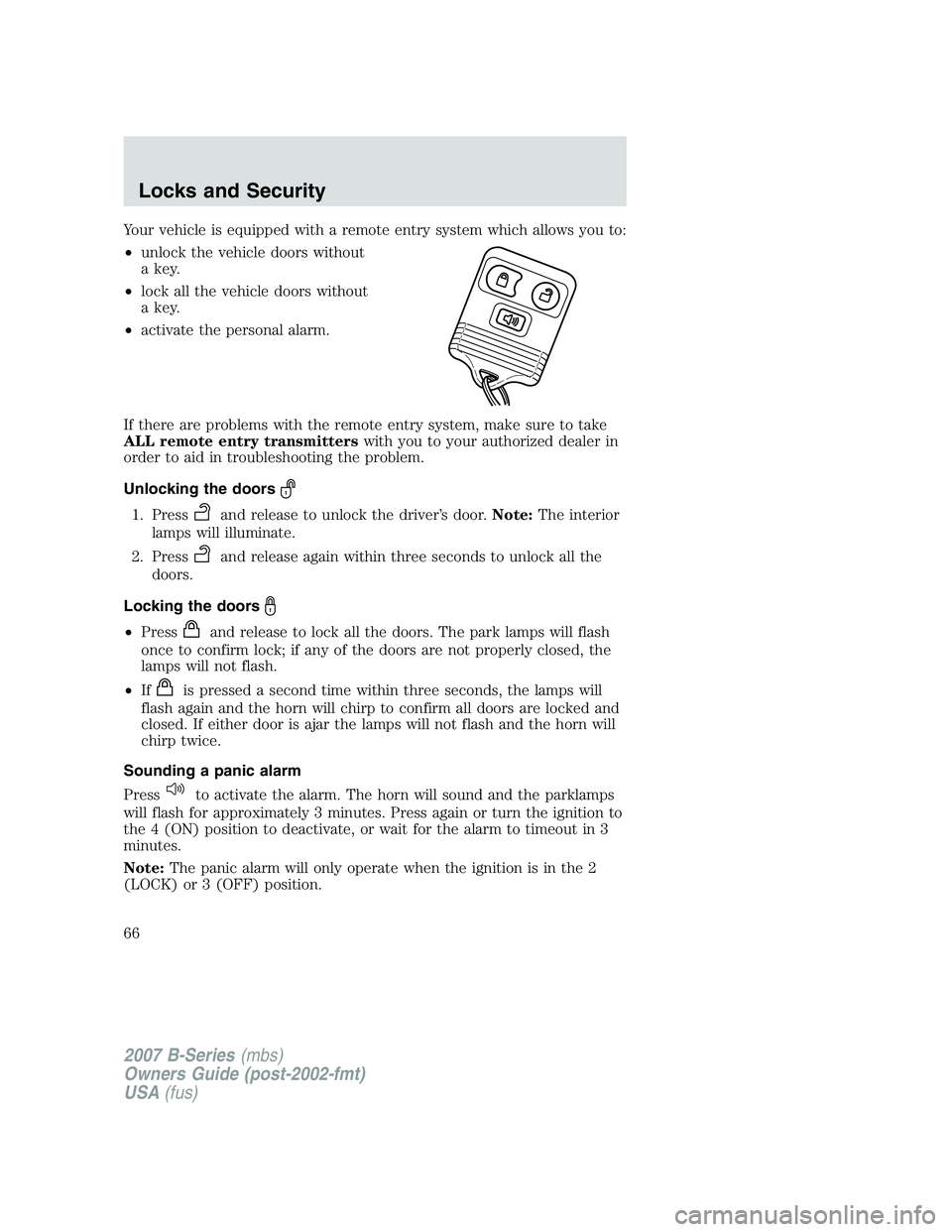
Your vehicle is equipped with a remote entry system which allows you to:
•unlock the vehicle doors without
a key.
• lock all the vehicle doors without
a key.
• activate the personal alarm.
If there are problems with the remote entry system, make sure to take
ALL remote entry transmitters with you to your authorized dealer in
order to aid in troubleshooting the problem.
Unlocking the doors
1. Pressand release to unlock the driver’s door. Note:The interior
lamps will illuminate.
2. Press
and release again within three seconds to unlock all the
doors.
Locking the doors
• Pressand release to lock all the doors. The park lamps will flash
once to confirm lock; if any of the doors are not properly closed, the
lamps will not flash.
• If
is pressed a second time within three seconds, the lamps will
flash again and the horn will chirp to confirm all doors are locked and
closed. If either door is ajar the lamps will not flash and the horn will
chirp twice.
Sounding a panic alarm
Press
to activate the alarm. The horn will sound and the parklamps
will flash for approximately 3 minutes. Press again or turn the ignition to
the 4 (ON) position to deactivate, or wait for the alarm to timeout in 3
minutes.
Note: The panic alarm will only operate when the ignition is in the 2
(LOCK) or 3 (OFF) position.
2007 B-Series (mbs)
Owners Guide (post-2002-fmt)
USA (fus)
Locks and Security
66