brakes MAZDA MODEL CX-30 2019 (in English) User Guide
[x] Cancel search | Manufacturer: MAZDA, Model Year: 2019, Model line: MODEL CX-30, Model: MAZDA MODEL CX-30 2019Pages: 683, PDF Size: 15.21 MB
Page 203 of 683

Driving Tips
▼Driving Tips
WARNING
Do not let the vehicle move in a
direction opposite to the direction
selected by the selector lever:
Do not let the vehicle move backward
with the selector lever in a forward
position, or do not let the vehicle
move forward with the selector lever in
the reverse position. Otherwise, the
engine may stop, causing the loss of
the power brake and power steering
functions, and make it difficult to
control the vehicle which could result
in an accident.
Passing
For extra power when passing another
vehicle or climbing steep grades,
depress the accelerator fully. The
transmission will shift to a lower gear,
depending on vehicle speed.
NOTE
xThe accelerator pedal may initially
feel heavy as it is being depressed,
then feel lighter as it is depressed
further. This change in pedal force
aids the engine control system in
determining how much the
accelerator pedal has been
depressed for performing kickdown,
and functions to control whether or
not kickdown should be performed.
xWhile the selector lever is in the M
position and the TCS is turned off,
manual shift mode does not switch
to automatic shift mode even if the
accelerator pedal is completely
depressed. Operate the selector
lever.
Climbing steep grades from a stop
To climb a steep grade from a stopped
position:
1. Depress the brake pedal.
2. Shift to D or M1, depending on the
load weight and grade steepness.
3. Release the brake pedal while
gradually accelerating.
Descending steep grades
When descending a steep grade, shift
to lower gears, depending on load
weight and grade steepness. Descend
slowly, using the brakes only
occasionally to prevent them from
overheating.
When Driving
Automatic Transmission
4-53
Page 219 of 683
Brake System
▼Foot Brake
This vehicle has power-assisted brakes
that adjust automatically through
normal use.
Should power-assist fail, you can stop
by applying greater force than normal
to the brake pedal. But the distance
required to stop will be greater than
usual.
WARNING
Do not coast with the engine stalled
or turned off, find a safe place to stop:
Coasting with the engine stalled or
turned off is dangerous. Braking will
require more effort, and the brake's
power-assist could be depleted if you
pump the brake. This will cause longer
stopping distances or even an
accident.
Shift to a lower gear when going
down steep hills:
Driving with your foot continuously on
the brake pedal or steadily applying
the brakes for long distances is
dangerous. This causes overheated
brakes, resulting in longer stopping
distances or even total brake failure.
This could cause loss of vehicle control
and a serious accident. Avoid
continuous application of the brakes.
Dry off brakes that have become wet
by driving slowly, releasing the
accelerator pedal and lightly applying
the brakes several times until the
brake performance returns to normal:
Driving with wet brakes is dangerous.
Increased stopping distance or the
vehicle pulling to one side when
braking could result in a serious
accident. Light braking will indicate
whether the brakes have been
affected.
CAUTION
¾Do not drive with your foot held on
the clutch pedal or brake pedal, or
hold the clutch pedal depressed
halfway unnecessarily. Doing so
could result in the following:
¾The clutch and brake parts will
wear out more quickly.
¾The brakes can overheat and
adversely
affect brake
performance.
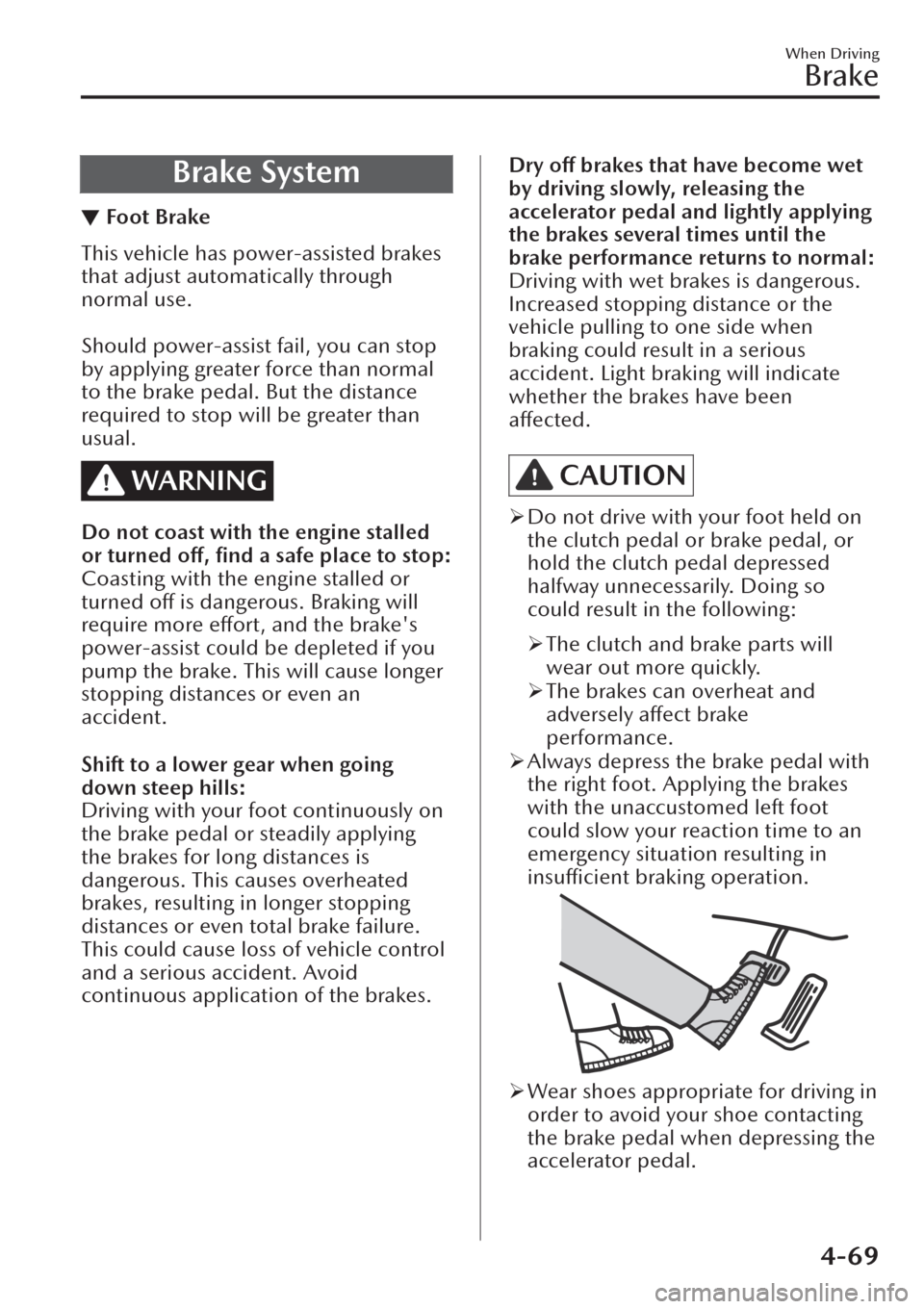
¾Always depress the brake pedal with
the right foot. Applying the brakes
with the unaccustomed left foot
could slow your reaction time to an
emergency situation resulting in
insufficient braking operation.
¾Wear shoes appropriate for driving in
order to avoid your shoe contacting
the brake pedal when depressing the
accelerator pedal.
When Driving
Brake
4-69
Page 220 of 683
▼Electric Parking Brake (EPB)
The EPB system applies the parking
brake using an electric motor. The
system can operate automatically and
manually.
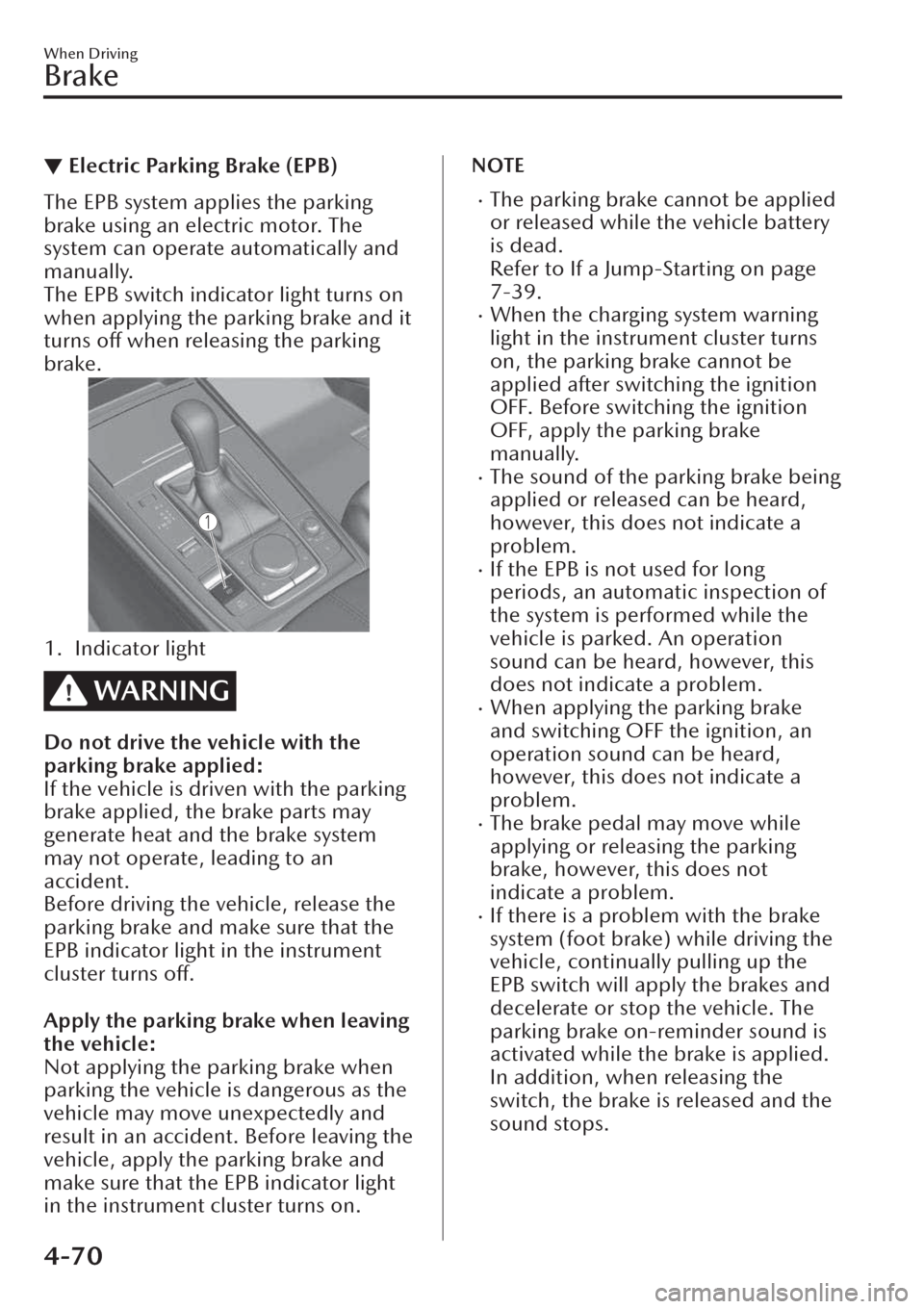
The EPB switch indicator light turns on
when applying the parking brake and it
turns off when releasing the parking
brake.
1. Indicator light
WARNING
Do not drive the vehicle with the
parking brake applied:
If the vehicle is driven with the parking
brake applied, the brake parts may
generate heat and the brake system
may not operate, leading to an
accident.
Before driving the vehicle, release the
parking brake and make sure that the
EPB indicator light in the instrument
cluster turns off.
Apply the parking brake when leaving
the vehicle:
Not applying the parking brake when
parking the vehicle is dangerous as the
vehicle may move unexpectedly and
result in an accident. Before leaving the
vehicle, apply the parking brake and
make sure that the EPB indicator light
in the instrument cluster turns on.
NOTE
xThe parking brake cannot be applied
or released while the vehicle battery
is dead.
Refer to If a Jump-Starting on page
7-39.
xWhen the charging system warning
light in the instrument cluster turns
on, the parking brake cannot be
applied after switching the ignition
OFF. Before switching the ignition
OFF, apply the parking brake
manually.
xThe sound of the parking brake being
applied or released can be heard,
however, this does not indicate a
problem.
xIf the EPB is not used for long
periods, an automatic inspection of
the system is performed while the
vehicle is parked. An operation
sound can be heard, however, this
does not indicate a problem.
xWhen applying the parking brake
and switching OFF the ignition, an
operation sound can be heard,
however, this does not indicate a
problem.
xThe brake pedal may move while
applying or releasing the parking
brake, however, this does not
indicate a problem.
xIf there is a problem with the brake
system (foot brake) while driving the
vehicle, continually pulling up the
EPB switch will apply the brakes and
decelerate or stop the vehicle. The
parking brake on-reminder sound is
activated while the brake is applied.
In addition, when releasing the
switch, the brake is released and the
sound stops.
When Driving
Brake
4-70
Page 223 of 683

▼Brake Pad Wear Indicator
When the disc brake pads become
worn, the built-in wear indicators
contact the disc plates. This causes a
screeching noise to warn that the pads
should be replaced.
When you hear this noise, consult an
expert repairer (we recommend an
Authorised Mazda Repairer) as soon as
possible.
WARNING
Do not drive with worn disc pads:
Driving with worn disc pads is
dangerous. The brakes could fail and
cause a serious accident. As soon as
you hear a screeching noise consult an
expert repairer (we recommend an
Authorised Mazda Repairer).
NOTE
In high humidity weather conditions,
brake noises, such as brake squeak or
brake squeal can be heard. It does not
indicate a malfunction.
▼Brake Assist
During emergency braking situations
when it is necessary to depress the
brake pedal with greater force, the
brake assist system provides braking
assistance, thus enhancing braking
performance.
When the brake pedal is depressed
hard or depressed more quickly, the
brakes apply more firmly.
NOTE
xWhen the brake pedal is depressed
hard or depressed more quickly, the
pedal will feel softer but the brakes
will apply more firmly. This is a
normal effect of the brake assist
operation and does not indicate a
malfunction.
xWhen the brake pedal is depressed
hard or depressed more quickly, a
motor/pump operation noise may
be heard. This is a normal effect of
the brake assist and does not
indicate a malfunction.
xThe brake assist equipment does not
supersede the functionality of the
vehicle's main braking system.
▼Brake Override System
The brake override system applies the
brake first for safety if the brake pedal
and accelerator pedal are depressed at
the same time.
NOTE
Operation of the brake override system
can be turned on or
off.
Refer to the Settings section in the
Mazda Connect Owner's Manual.
When Driving
Brake
4-73
Page 224 of 683

AUTOHOLD
▼AUTOHOLD
The AUTOHOLD function automatically holds the vehicle stopped, even if you take
your foot
off the brake pedal. This function can be best used while stopped in
traffic
or at a
traffic light. The brakes are released when you start driving the vehicle.
WARNING
Do not rely completely on the AUTOHOLD function:
The AUTOHOLD function is only designed to assist the brake operation while the
vehicle is stopped. Neglecting to operate the brakes and relying only on the
AUTOHOLD system is dangerous and could result in an unexpected accident if the
vehicle were to suddenly move. Operate the brakes appropriately in accordance
with the road and surrounding conditions.
Do not release your foot from the brake pedal while the vehicle is stopped on a
steep grade:
Because there is a possibility of the vehicle not being held in the stopped position by
the AUTOHOLD function, the vehicle may move unexpectedly and result in an
accident.
Do not use the AUTOHOLD function on slippery roads such as icy or
snow-covered roads, or unpaved roads:
Even if the vehicle is held in the stopped position by the AUTOHOLD function, the
vehicle may move unexpectedly and result in an accident. Operate the accelerator
pedal, brakes, or steering wheel appropriately as necessary.
Immediately depress the brake pedal in the following cases:
Because the AUTOHOLD function is cancelled forcibly, the vehicle may move
unexpectedly and result in an accident.
¾“Depress Brake Pedal. Brake Hold Disabled” is displayed in the multi-information
display and the warning sound is activated at the same time.
Always apply the parking brake when parking the vehicle:
Not applying the parking brake when parking the vehicle is dangerous as the vehicle
may move unexpectedly and result in an accident. When parking the vehicle, shift
the selector lever to the P position (automatic transmission vehicle) and apply the
parking brake.
When Driving
Brake
4-74
Page 226 of 683
▼AUTOHOLD System is Turned On
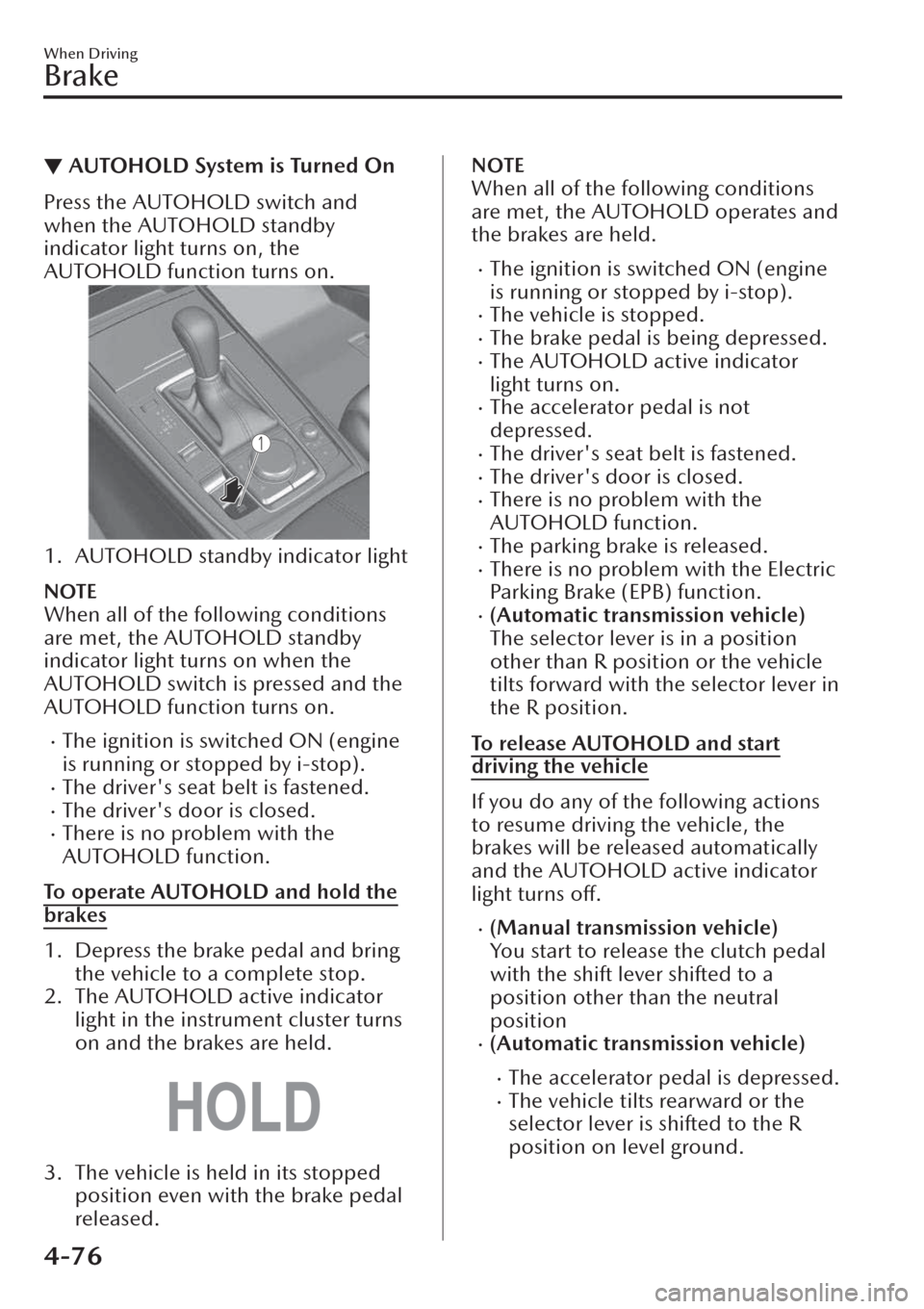
Press the AUTOHOLD switch and
when the AUTOHOLD standby
indicator light turns on, the
AUTOHOLD function turns on.
1. AUTOHOLD standby indicator light
NOTE
When all of the following conditions
are met, the AUTOHOLD standby
indicator light turns on when the
AUTOHOLD switch is pressed and the
AUTOHOLD function turns on.
xThe ignition is switched ON (engine
is running or stopped by i-stop).
xThe driver's seat belt is fastened.xThe driver's door is closed.xThere is no problem with the
AUTOHOLD function.
To operate AUTOHOLD and hold the
brakes
1. Depress the brake pedal and bring
the vehicle to a complete stop.
2. The AUTOHOLD active indicator
light in the instrument cluster turns
on and the brakes are held.
3. The vehicle is held in its stopped
position even with the brake pedal
released.
NOTE
When all of the following conditions
are met, the AUTOHOLD operates and
the brakes are held.
xThe ignition is switched ON (engine
is running or stopped by i-stop).
xThe vehicle is stopped.xThe brake pedal is being depressed.xThe AUTOHOLD active indicator
light turns on.
xThe accelerator pedal is not
depressed.
xThe driver's seat belt is fastened.xThe driver's door is closed.xThere is no problem with the
AUTOHOLD function.
xThe parking brake is released.xThere is no problem with the Electric
Parking Brake (EPB) function.
x(Automatic transmission vehicle)
The selector lever is in a position
other than R position or the vehicle
tilts forward with the selector lever in
the R position.
To release AUTOHOLD and start
driving the vehicle
If you do any of the following actions
to resume driving the vehicle, the
brakes will be released automatically
and the AUTOHOLD active indicator
light turns off.
x(Manual transmission vehicle)
You start to release the clutch pedal
with the shift lever shifted to a
position other than the neutral
position
x(Automatic transmission vehicle)
xThe accelerator pedal is depressed.xThe vehicle tilts rearward or the
selector lever is shifted to the R
position on level ground.
When Driving
Brake
4-76
Page 227 of 683
NOTE
xIf the Electric Parking Brake (EPB)
switch is pulled while the
AUTOHOLD is operating , the
parking brake is applied and the
AUTOHOLD is released. In addition,
if the parking brake is released under
this condition, the AUTOHOLD
operates to hold the brakes.
xUnder the following conditions, the
parking brake is automatically
applied and the AUTOHOLD is
released. The AUTOHOLD is
re-enabled when the conditions
before the AUTOHOLD is released
are restored.
xThe driver’s seat belt is unfastened.xThe driver’s door is opened.xWhen about 10 minutes or longer
have passed since the AUTOHOLD
operation started, the parking brake
is automatically applied. Because the
AUTOHOLD is restored when
releasing the parking brake, the hold
on the brakes by AUTOHOLD
function resumes.
x(Manual transmission vehicle)
When starting to drive the vehicle
forward or in reverse on a down
slope, depress the clutch pedal and
shift the shift lever to the appropriate
position for driving in the desired
direction, and then depress the
accelerator pedal to release the
AUTOHOLD.
xThe AUTOHOLD can be cancelled
forcibly by fully depressing the
accelerator pedal for 1 second or
longer while the AUTOHOLD is
operating. Forcibly cancel the
AUTOHOLD only when the
AUTOHOLD cannot be cancelled
due to a system malfunction or it is
necessary to cancel the AUTOHOLD
in an emergency.
▼AUTOHOLD System is Turned Off
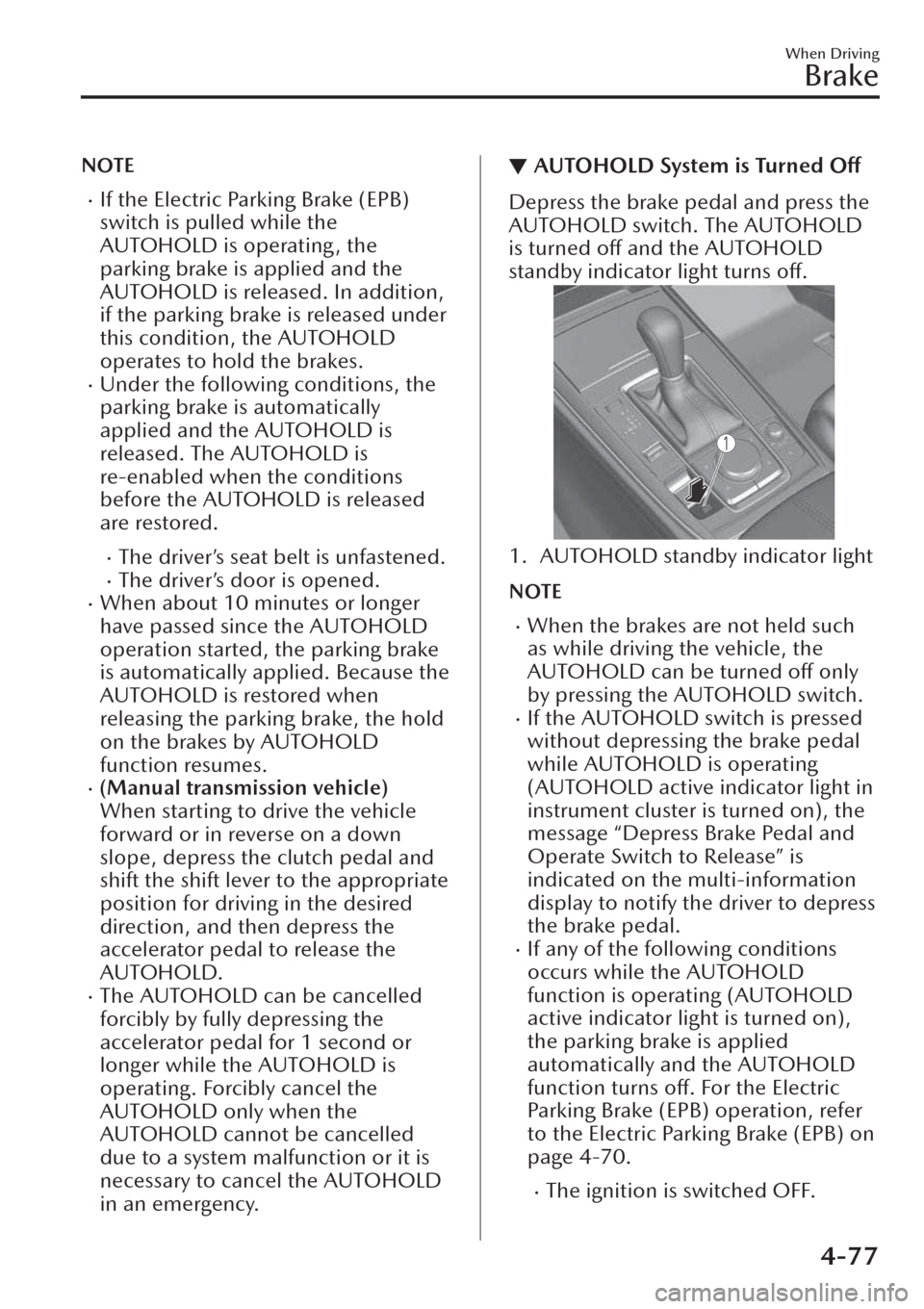
Depress the brake pedal and press the
AUTOHOLD switch. The AUTOHOLD
is turned off and the AUTOHOLD
standby indicator light turns off.
1. AUTOHOLD standby indicator light
NOTE
xWhen the brakes are not held such
as while driving the vehicle, the
AUTOHOLD can be turned off only
by pressing the AUTOHOLD switch.
xIf the AUTOHOLD switch is pressed
without depressing the brake pedal
while AUTOHOLD is operating
(AUTOHOLD active indicator light in
instrument cluster is turned on), the
message “Depress Brake Pedal and
Operate Switch to Release” is
indicated on the multi-information
display to notify the driver to depress
the brake pedal.
xIf any of the following conditions
occurs while the AUTOHOLD
function is operating (AUTOHOLD
active indicator light is turned on),
the parking brake is applied
automatically and the AUTOHOLD
function turns off. For the Electric
Parking Brake (EPB) operation, refer
to the Electric Parking Brake (EPB) on
page 4-70.
xThe ignition is switched OFF.
When Driving
Brake
4-77
Page 228 of 683
xThere is a problem with the
AUTOHOLD function.Emergency Stop Signal
System
▼Emergency Stop Signal System
If you apply the brakes suddenly while
driving at a speed of about 55 km/h
(34 mph) or faster, the emergency stop
signal system automatically and rapidly
flashes all the direction indicator lights
to caution drivers behind your vehicle
of the sudden braking situation.
NOTE
xFlashing
When you bring your vehicle to a
complete stop while all the direction
indicator lights are flashing rapidly,
the rapid
flashing of all the direction
indicator lights changes back to the
normal flashing pattern. The
direction indicator lights turn off
when you release your foot from the
brake pedal.
xOperation
xWhen the ABS operates, the
emergency stop signal system is
more likely to operate. Therefore, if
the brake pedal is depressed on a
slippery road, all of the direction
indicator lights may
flash.
xThe emergency stop signal system
does not operate when the hazard
warning light switch is pressed.
When Driving
Brake
4-78
Page 230 of 683
Antilock Brake System
(ABS)
▼Antilock Brake System (ABS)
The ABS control unit continuously
monitors the speed of each wheel. If
one wheel is about to lock up, the ABS
responds by automatically releasing
and reapplying that wheel's brake.
The driver will feel a slight vibration in
the brake pedal and may hear a
chattering noise from the brake system.
This is normal ABS system operation.
Continue to depress the brake pedal
without pumping the brakes.
The warning light turns on when the
system has a malfunction.
Refer to ABS Warning Indication/
Warning Light on page 7-52.
WARNING
Do not rely on ABS as a substitute for
safe driving:
The ABS cannot compensate for unsafe
and reckless driving, excessive speed,
tailgating (following another vehicle
too closely), driving on ice and snow,
and hydroplaning (reduced tyre friction
and road contact because of water on
the road surface). You can still have an
accident.
NOTE
xBraking distances may be longer on
loose surfaces (snow or gravel, for
example) which usually have a hard
foundation. A vehicle with a normal
braking system may require less
distance to stop under these
conditions because the tyres will
build up a wedge of surface layer
when the wheels skid.
xThe sound of the ABS operating may
be heard when starting the engine or
immediately after starting the
vehicle, however, it does not indicate
a malfunction.
When Driving
ABS/TCS/DSC/Off-Road Traction Assist
4-80
Page 231 of 683
Traction Control System
(TCS)
▼Traction Control System (TCS)
The Traction Control System (TCS)
enhances traction and safety by
controlling engine torque and braking.
When the TCS detects driving wheel
slippage, it lowers engine torque and
operates the brakes to prevent loss of
traction.
This means that on a slick surface, the
engine adjusts automatically to provide
optimum power to the drive wheels,
limiting wheel spin and loss of traction.
The warning light turns on when the
system has a malfunction.
Refer to TCS/DSC Indication/
Indicator Light (Turns on) on page
7-55.
WARNING
Do not rely on the Traction Control
System (TCS) as a substitute for safe
driving:
The Traction Control System (TCS)
cannot compensate for unsafe and
reckless driving , excessive speed,
tailgating (following another vehicle
too closely), and hydroplaning
(reduced tyre friction and road contact
because of water on the road surface).
You can still have an accident.
Use snow tyres or tyre chains and
drive at reduced speeds when roads
are covered with ice and/or snow:
Driving without proper traction devices
on snow and/or ice-covered roads is
dangerous. The Traction Control
System (TCS) alone cannot provide
adequate traction and you could still
have an accident.
NOTE
To turn off the TCS, press the TCS OFF
switch (page 4-82).
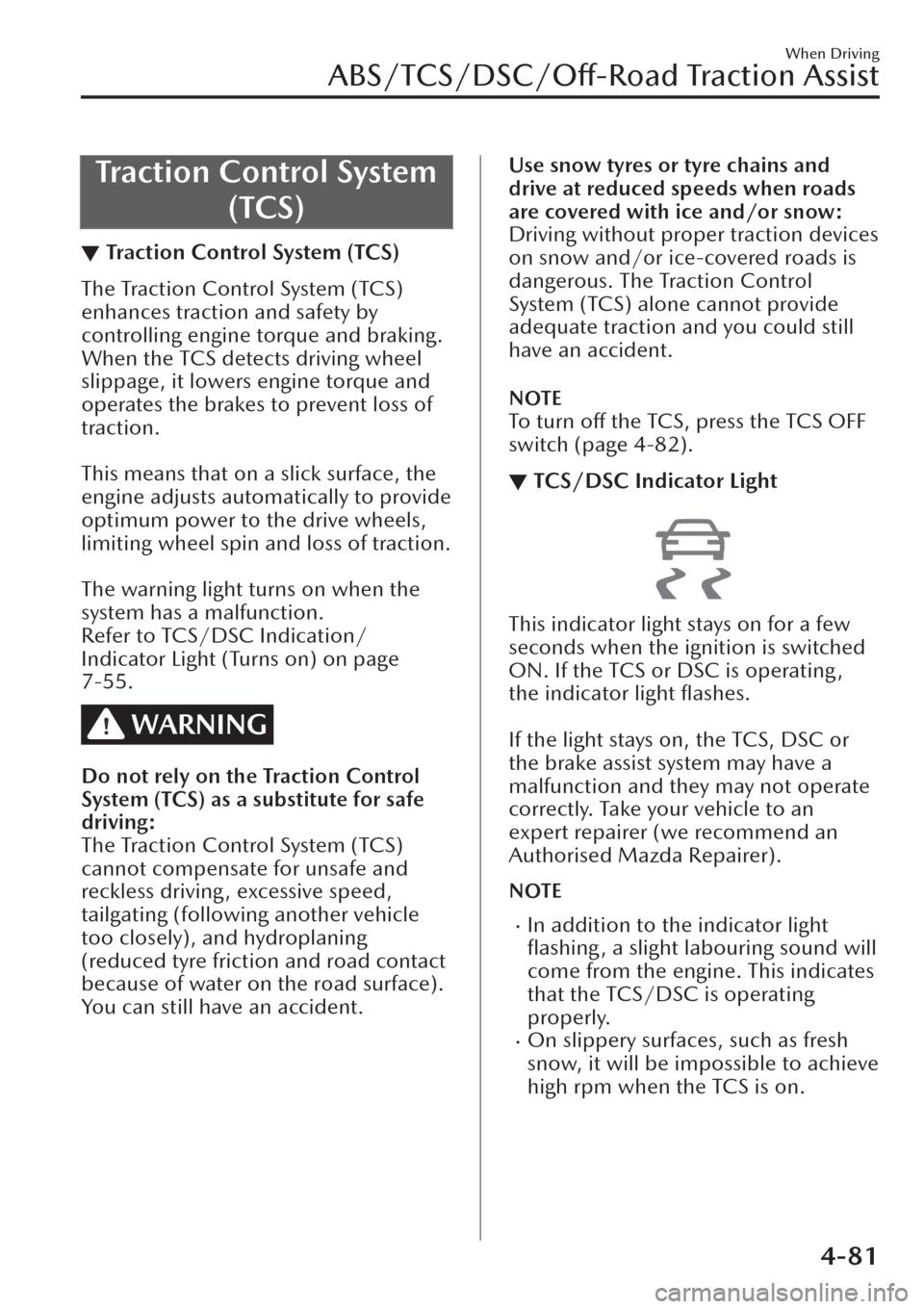
▼TCS/DSC Indicator Light
This indicator light stays on for a few
seconds when the ignition is switched
ON. If the TCS or DSC is operating ,
the indicator light flashes.
If the light stays on, the TCS, DSC or
the brake assist system may have a
malfunction and they may not operate
correctly. Take your vehicle to an
expert repairer (we recommend an
Authorised Mazda Repairer).
NOTE
xIn addition to the indicator light
flashing, a slight labouring sound will
come from the engine. This indicates
that the TCS/DSC is operating
properly.
xOn slippery surfaces, such as fresh
snow, it will be impossible to achieve
high rpm when the TCS is on.
When Driving
ABS/TCS/DSC/Off-Road Traction Assist
4-81