brake MAZDA MODEL CX-5 2022 Repair Manual
[x] Cancel search | Manufacturer: MAZDA, Model Year: 2022, Model line: MODEL CX-5, Model: MAZDA MODEL CX-5 2022Pages: 723, PDF Size: 89.79 MB
Page 299 of 723

Roads where frequent and repetitive accelerati on and deceleration occur (Driving under
these conditions using the MRCC with Stop & Go function system is not possible).
When entering and exiting interchanges, servic e areas, and parking areas of highways (If
you exit a highway while headway control is in use, the vehicle ahead will no longer be
tracked and your vehicle may accelerate to the set speed).
Slippery roads such as ice or snow-bound roads (Tires could spin causing you to lose vehicle
control, or the stop hold control may not operate.)
Long, descending slopes (to maintain distan ce between vehicles, the system automatically
and continuously applies the brakes which could result in the loss of brake power.)
Slopes with a steep gradient (The vehicle ahea d may not be detected correctly, your vehicle
may slide while stopped by the stop hold control, and it may accelerate suddenly after it
starts moving.)
For safety purposes, switch the MRCC with Stop & Go function system off when it is not being
used.
Do not get out of the vehicle while the stop hold control is operating:
Getting out of the vehicle while the stop hold co ntrol is operating is dangerous as the vehicle
may move unexpectedly and result in an accident. Before getting out of the vehicle, switch the
MRCC with Stop & Go function system off, shift the selector lever to the P position, and apply
the parking brake.
CAUTION
If your vehicle is towed or you are towing something, switch the MRCC with Stop & Go
function system off to prevent a mis-operation.
NOTE
The MRCC with Stop & Go function system does not detect the following as physical
objects.
Vehicles approaching in the opposite direction
Pedestrians
Stationary objects (stopped vehicles, obstructions)
If a vehicle ahead is traveling at an extremely low speed, the system may not detect it
correctly.
During headway control travel, do not set the system for detection of two-wheeled
vehicles such as motorcycles and bicycles.
Do not use the MRCC with Stop & Go function system under conditions in which close
proximity warnings are frequently activated.
When Driving
i-ACTIVSENSE
4-146
CX-5_8KN5-EA-21K_Edition1_old 2021-9-9 8:35:12
Page 300 of 723

During headway control travel, the system accelerates and decelerates your vehicle in
conjunction with the speed of the vehicle ahead. However, if it is necessary to accelerate
for a lane change or if the vehicle ahead brakes suddenly causing you to close in on the
vehicle rapidly, accelerate using the accelerator pedal or decelerate using the brake
pedal depending on the conditions.
While the MRCC with Stop & Go function system is in use, it does not cancel even if the
selector lever is operated and any intended engine braking does not occur. If deceleration
is required, lower the set speed or depress the brake pedal.
The sound of the automatic brakes operating may be heard, however, it does not indicate
a problem.
The brake lights turn on while the MRCC with Stop & Go function automatic braking is
operating.
▼Mazda Radar Cruise Control with Stop & Go function (MRCC with Stop & Go
function) Display Indication
The MRCC with Stop & Go function setting status and operation conditions are indicated
on the multi-information display
and the active driving display.
When Driving
i-ACTIVSENSE
4-147
CX-5_8KN5-EA-21K_Edition1_old 2021-9-9 8:35:12
Page 302 of 723

Instrument cluster (Type B)
MRCC Distance
between vehicle
display
MRCC Set vehicle speed Vehicle ahead display
Vehicle ahead display
MRCC Distance
between vehicle
display
MRCC Set
vehicle speed
Active driving display
Multi-information display
Vehicle ahead display
If the indication on the active driving display has been
turned off using the personalization features, the indication
is displayed on the multi-information display.
*1:
*1
If there is a problem with the MRCC with
Stop & Go function system, a message is
displayed on the multi-information display. Check the center display to verify the problem
and then have your vehicle inspected by an Authorized Mazda Dealer.
Refer to Message Indicated on Display on page 7-39.
▼ Close Proximity Warning
If your vehicle rapidly closes in on the vehicle ahead because the vehicle ahead applies the
brakes suddenly while you are traveling in headway control, the warning sound activates
and the brake warning is indicated in the di
splay. Always verify the safety of the
surrounding area and depress the brake pedal while keeping a safer distance from the
vehicle ahead. Additionally, keep a safer distance from the vehicles behind you.
NOTE
In the following cases, the warnings and brakes may not operate even if your vehicle starts
closing in on the vehicle ahead.
You are driving your vehicle at the same speed as the vehicle ahead.
Directly after the MRCC with Stop & Go function system has been set.
Directly after the accelerator pedal is released.
When Driving
i-ACTIVSENSE
4-149
CX-5_8KN5-EA-21K_Edition1_old 2021-9-9 8:35:12
Page 303 of 723

Another vehicle cuts into the driving lane.
▼Setting the System
The MRCC with Stop & Go function system op
erates when all of the following conditions
are met.
Vehicle speed is 0 km/h (0 mph) to 145 km/h (90 mph)
The MRCC with Stop & Go function is turned on.
The brake pedal is not depressed.
The parking brake is released (Electric Parki ng Brake (EPB) indicator light is turned off).
There is no problem with the DSC.
All the doors are closed.
The driver's seat belt is fastened.
The selector lever is in the drive (D) position or manual (M) position (manual mode).
NOTE
In the following cases, the MRCC with Stop & Go function system is canceled when the
vehicle is traveling at 30 km/h (20 mph) or less and “Mazda Radar Cruise Control
disabled under 30 km/h (20 mph)” is displayed in the multi-information display.
The Forward Sensing Camera (FSC) cannot detect target objects (There is problem
with the Forward Sensing Camera (FSC) or windshield is dirty).
There is a problem with the stop hold control function.
There is a problem with the Electric Parking Brake (EPB).
It may not be possible to set the MRCC with Stop & Go function system directly after
starting the engine, while the DSC operation is being checked.
When Driving
i-ACTIVSENSE
4-150
CX-5_8KN5-EA-21K_Edition1_old 2021-9-9 8:35:12
Page 307 of 723

Distance-between-vehi‐cles guideline
(at 80 km/h (50 mph) vehicle speed) Indication on multi-information display
Indication on active driv‐
ing display
*1Ty p e A Ty p e B
Extremely short (about
25 m (82 ft))
*1 Displays a pop-up image in the active driving display only when the driver operates the switch.
NOTE
The distance-between-vehicles differs depending on the vehicle speed, and the slower the
vehicle speed, the shorter the distance.
When the ignition is switched to ACC or OFF and then the engine is started again, the
system automatically sets the distance-between-vehicles to the previous setting.
How to change the set vehicle speed
To accelerate/decelerate using the SET
switch
When you press the SET
switch, the
vehicle accelerates and when you press the
SET
switch, it decelerates.
Short press 1 km/h (1 mph)
Long press 10 km/h (5 mph)
NOTE
For example, the set vehicle speed is
changed by pressing the SET switch four
times as follows:
The vehicle speed accelerates or
decelerates by 4 km/h (4 mph).
To increase speed using accelerator
pedal
Depress the accelerator pedal and press
and release the SET
switch or SET
switch at the desired speed. If the switch is
not operated, the system returns to the set
speed after you release your foot from the
accelerator pedal.
CAUTION
The warnings and brake control do not
operate while the accelerator pedal is
depressed.
NOTE
The setting speed can be changed by
operating the SET
switch or SET
switch during stop hold control.
When accelerating using the SET
switch while in headway control, the set
vehicle speed can be adjusted but
acceleration is not possible. If there is
no longer a vehicle ahead, acceleration
continues until reaching the set vehicle
speed. For the set vehicle speed, check
the set vehicle speed indication in the
display.
When Driving
i-ACTIVSENSE
4-154
CX-5_8KN5-EA-21K_Edition1_old 2021-9-9 8:35:12
Page 308 of 723

When depressing the accelerator pedal,
the inter-vehicle distance indication in
the display changes to the white-line
indication.
Canceling the system
When the following operations are
performed, the MRCC with Stop & Go
function system is canceled, and the
MRCC with Stop & Go function set
indication (green) switches to the MRCC
with Stop & Go function main indication
(white) at the same time.
The CANCEL switch is pressed.
The brake pedal is depressed.
The parking brake is applied.
The selector lever is in the P (Park), N
(Neutral), or R (Reverse) position.
Under the following conditions, the
MRCC with Stop & Go function cancel
indication is displayed in the
multi-information display and a single
beep sound is heard.
The DSC has operated.
The Smart Brake Support (SBS) has
operated.
The Smart City Brake Support
[Forward] (SCBS F) or Advanced Smart
City Brake Support (Advanced SCBS)
has operated.
When traveling on a downslope for a
long period of time.
There is a problem with the system.
The engine has stalled.
Any of the doors is opened.
The driver's seat belt is unfastened.
The parking brake is automatically
applied during stop hold control.
The radar sensor (front) cannot detect
target objects (during rain, fog, snow or
other inclement weather conditions, or
when the radiator grille is dirty).
Resuming control
If the MRCC with Stop & Go function
system is canceled, you can resume
control at the previously set speed by
pressing the RES switch and after all of
the operation conditions have been met.
NOTE
If the set speed is not indicated in the
display, the control does not resume even
if the RES switch is pressed.
Turning off the system
Press the CANCEL switch 2 times while
the MRCC with Stop & Go function
system is operating to switch off the
system.
When Driving
i-ACTIVSENSE
4-155
CX-5_8KN5-EA-21K_Edition1_old 2021-9-9 8:35:12
Page 309 of 723

▼Stop Hold Control
While in headway control using the MRCC wi
th Stop & Go function system, your vehicle
will stop when a vehicle ahead stops. When the vehicle is stopped and the stop hold control
operates, the MRCC with Stop & Go function indicator light turns on.
NOTE
If the MRCC with Stop & Go function system is canceled during stop hold control, the
vehicle is held in its stopped position. The stop hold control can be canceled by
performing one the following actions.
Press the accelerator pedal and resume driving the vehicle.
While forcefully depressing the brake, switch the MRCC with Stop & Go function
system off.
The parking brake is automatically applied and the vehicle is held in its stopped position
when 10 minutes have elapsed since the stop hold control operated. At this time, the
MRCC with Stop & Go function system is canceled.
The brake lights turn on during stop hold control.
To resume driving
After the vehicle ahead starts moving while yo ur vehicle is stopped under stop hold control,
press the RES switch or depress the accelerator pedal to cancel the stop hold control and
resume driving.
NOTE
When you resume driving by pressing the RES switch, your vehicle does not start moving
until the distance between your vehicle and the vehicle ahead lengthens to the specified
distance or farther.
If the MRCC with Stop & Go function is te mporarily canceled during stop hold control,
you cannot resume driving by pressing the RES switch when there are no vehicles in front
of your vehicle. Depress the accelerator pedal and resume driving the vehicle.
If the vehicle ahead starts moving within 3 seconds after your vehicle is stopped by the
stop hold control, headway control will re sume even if you do not resume driving your
vehicle, such as by depressing the accelerator pedal.
When Driving
i-ACTIVSENSE
4-156
CX-5_8KN5-EA-21K_Edition1_old 2021-9-9 8:35:12
Page 310 of 723

Resume driving information
If you do not resume driving within a few sec onds after the vehicle ahead starts moving, the
multi-information display vehicle-ahead indicat ion flashes to urge the driver to resume
driving.
▼ Cruise Control Function
While this function is operating, the
headway control operation is canceled and
only the cruise contro
l function operates.
The vehicle speed can be set more than
about 25 km/h (16 mph).
Use the cruise control function on
expressways and other highways which do
not require a lot of repeated acceleration
and deceleration.
WARNING
Do not use the cruise control function in
the following locations:
Otherwise, it could lead to an accident.
Roads with sharp curves and where
vehicle traffic is heavy and there is
insufficient space between vehicles.
(Driving under these conditions using the
cruise control function is not possible)
Steep down slopes (Set speed may be
exceeded because sufficient engine
braking cannot be applied)
Slippery roads such as ice or snow-bound
roads (Tires could spin causing you to
lose vehicle control)
Always drive carefully:
The warnings and brake control will not
operate after the headway control function
is canceled and the system is switched to
only the cruise control function. Depress
the brake pedal to decelerate according to
the surrounding conditions while keeping a
safer distance from the vehicle ahead and
always driving carefully.
Switching to cruise control function
Steering wheel (Type A)
When the MODE switch is pressed until
the system switches to the cruise main
indication (white) while the MRCC with
Stop & Go function system is turned on,
the system switches to the cruise control
function.
Steering wheel (Type B)
Use Mazda Connect to switch to the cruise
control function.
Refer to the Settings section in the Mazda
Connect Owner's Manual.
When the system switches to the cruise
control function, the indicator and
multi-information display notify the driver
as follows:
The MRCC with Stop & Go function set
indication (green) or the MRCC with
Stop & Go function main indication
(white) is turned off, and the cruise main
indication (white) is turned on.
A message is displayed in the
multi-information display.
When Driving
i-ACTIVSENSE
4-157
CX-5_8KN5-EA-21K_Edition1_old 2021-9-9 8:35:12
Page 311 of 723
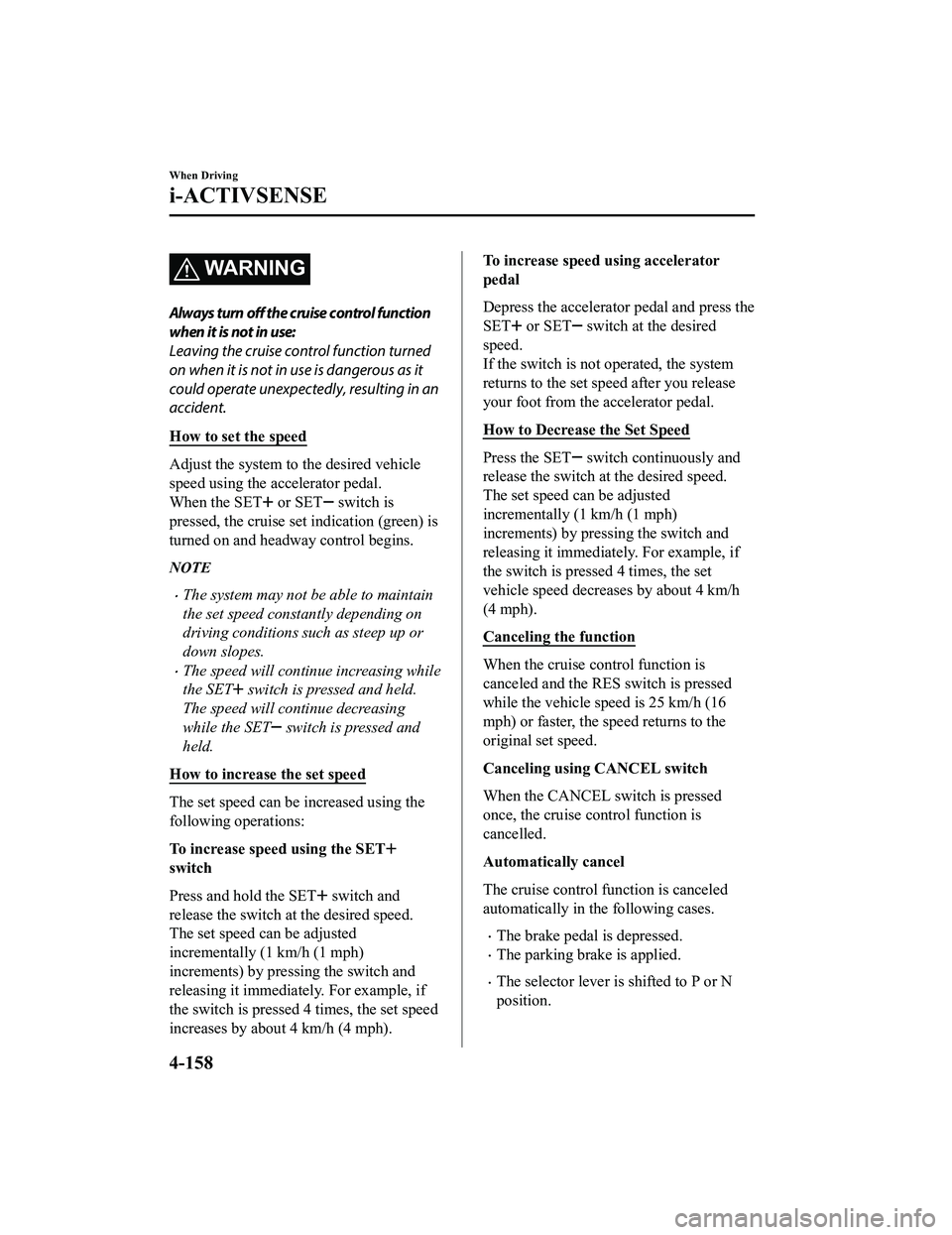
WA R N I N G
Always turn off the cruise control function
when it is not in use:
Leaving the cruise control function turned
on when it is not in use is dangerous as it
could operate unexpectedly, resulting in an
accident.
How to set the speed
Adjust the system to the desired vehicle
speed using the accelerator pedal.
When the SET
or SET switch is
pressed, the cruise set indication (green) is
turned on and headway control begins.
NOTE
The system may not be able to maintain
the set speed constantly depending on
driving conditions such as steep up or
down slopes.
The speed will continue increasing while
the SET
switch is pressed and held.
The speed will continue decreasing
while the SET
switch is pressed and
held.
How to increase the set speed
The set speed can be increased using the
following operations:
To increase speed using the SET
switch
Press and hold the SET
switch and
release the switch at the desired speed.
The set speed can be adjusted
incrementally (1 km/h (1 mph)
increments) by pressing the switch and
releasing it immediately. For example, if
the switch is pressed 4 times, the set speed
increases by about 4 km/h (4 mph).
To increase speed using accelerator
pedal
Depress the accelerator pedal and press the
SET
or SET switch at the desired
speed.
If the switch is not operated, the system
returns to the set speed after you release
your foot from the accelerator pedal.
How to Decrease the Set Speed
Press the SET switch continuously and
release the switch at the desired speed.
The set speed can be adjusted
incrementally (1 km/h (1 mph)
increments) by pressing the switch and
releasing it immediately. For example, if
the switch is pressed 4 times, the set
vehicle speed decreases by about 4 km/h
(4 mph).
Canceling the function
When the cruise control function is
canceled and the RES switch is pressed
while the vehicle speed is 25 km/h (16
mph) or faster, the speed returns to the
original set speed.
Canceling using CANCEL switch
When the CANCEL switch is pressed
once, the cruise control function is
cancelled.
Automatically cancel
The cruise control function is canceled
automatically in the following cases.
The brake pedal is depressed.
The parking brake is applied.
The selector lever is shifted to P or N
position.
When Driving
i-ACTIVSENSE
4-158
CX-5_8KN5-EA-21K_Edition1_old 2021-9-9 8:35:12
Page 313 of 723

Traffic Jam Assist (TJA)*
The TJA is a system which consists of a headway control function and a steering assist
function for reducing driver fatigue during traffic jams when driving on expressways or
highways.
This system performs headway control to maintain a constant distance between your vehicle
and a vehicle ahead at a preset vehicle speed without you having to use the accelerator or
brake pedal. Even further, with the steering assist function, when vehicle lane lines are
detected, the function assists the driver in k eeping the vehicle within the lane lines. If lane
lines are not detected, the function provides th e driver driving assistance in keeping the
vehicle along the motion path with the vehicle ahead.
WA R N I N G
Do not rely completely on TJA:
The TJA is not an automated driving system. In addition, the functions have limitations. Do
not rely completely on the system and always stay on course using the steering wheel.
Set a vehicle speed within the speed limit acco rding to the road conditions and the weather
conditions.
The TJA may not be able to detect a vehicle ahead depending on the type of vehicle ahead
and its conditions, the weather conditions, and the road conditions. Add\
itionally, the
system might be unable to decelerate suffic iently if a vehicle ahead applies the brakes
suddenly, another vehicle cuts into the driving lane, or the difference in vehicle speed
between your vehicle and the vehicle ahead is larger, which could result in an accident.
Check the surrounding conditions and always drive carefully while keeping a safe distance
from vehicles ahead and on-coming vehicles.
For the purposes of safety, switch the TJA off when it is not being used.
Leaving the TJA turned on when it is not in us e is dangerous as it could operate unexpectedly,
resulting in an accident.
Do not use the TJA under the following conditions. Otherwise, it may result in an accident.
General roads other than expressways or high ways (Driving under these conditions using
the TJA is not possible.)
Roads with sharp curves and where vehicle tr affic is heavy with insufficient space between
vehicles, or roads where frequent and repet itive acceleration and deceleration occur
(Driving under these conditions using the TJA is not possible).
When Driving
i-ACTIVSENSE
4-160*Some models.
CX-5_8KN5-EA-21K_Edition1_old 2021-9-9 8:35:12