lights MAZDA MODEL CX-9 2012 (in English) Service Manual
[x] Cancel search | Manufacturer: MAZDA, Model Year: 2012, Model line: MODEL CX-9, Model: MAZDA MODEL CX-9 2012Pages: 604, PDF Size: 13.45 MB
Page 241 of 604

Black plate (241,1)
NOTElThe headlights, other exterior lights and dashboard illumination may not turn off immediately
even if the surrounding area becomes well-lit because the light sensor determines that it is
nighttime if the surrounding area is continuously dark for several minutes such as inside long
tunnels, traffic jams inside tunnels, or in indoor parking lots.
In this case, the light turns off if the light switch is turned to the OFF position.
lThe dashboard illumination can be adjusted by rotating the knob in the instrument cluster. Also,
the day/night mode can be changed by pressing the knob. To adjust the brightness of the
dashboard illumination: Refer to Dashboard Illumination on page 5-42.
lThe sensitivity of the AUTO lights may be changed by an Authorized Mazda Dealer.
Xenon fusion headlight bulbsí
The low-beam bulbs of the headlights have xenon fusion bulbs that produce a bright white
beam over a wide area.
WARNING
Do not replace the xenon fusion bulbs yourself
Replacing the xenon fusion bulbs yourself is dangerous. Because the xenon fusion
bulbs require high voltage, you could receive an electric shock if the bulbs are
handled incorrectly. Consult an Authorized Mazda Dealer when the replacement is
necessary.
NOTE
If the headlights flicker, or the brightness weakens, the bulb-life may be depleted and a replacement is
necessary. Consult an Authorized Mazda Dealer.
qLights-On Reminderí
If lights are on and the ignition is
switched to ACC or the ignition is
switched off, or the key is removed from
the ignition switch, a continuous beep
sound will be heard when the driver's
door is opened.
NOTE
l(With advanced key)
When the advanced keyless function is used
and the ignition is switched to ACC, the
“Start Knob Not in Lock Warning Beep”
(page 3-18) overrides the lights-on
reminder.
lWhen the ignition is switched to ACC or the
ignition is switched off, the“Ignition Key
Reminder”(page 5-3) overrides the lights-
on reminder.
qHeadlight High-Low Beam
Press the lever forward to turn on the high
beams.
Pull the lever back to its original position
for the low beams.
Driving Your Mazda
Switches and Controls
5-63íSome models. CX-9_8CA8-EA-11G_Edition1 Page241
Thursday, June 23 2011 11:4 AM
Form No.8CA8-EA-11G
Page 242 of 604

Black plate (242,1)
Type A
High beam
Low beam
Type B
High beam
Low beam
qFlashing the Headlights
To flash the headlights, pull the lever fully
towards you (the headlight switch does
not need to be on). The lever will return to
the normal position when released.
Type A
OFF
Flashing
Type B
OFF
Flashing
5-64
Driving Your Mazda
Switches and Controls
CX-9_8CA8-EA-11G_Edition1 Page242
Thursday, June 23 2011 11:4 AM
Form No.8CA8-EA-11G
Page 243 of 604

Black plate (243,1)
qHeadlight Levelingí
The number of passengers and weight of
cargo in the luggage compartment change
the angle of the headlights.
The headlight leveling switch is used to
adjust the angle of the headlights
manually.
Select the proper headlight angle from the following
chart.
Front seat Rear seat
LoadSwitch
Position
Driver
PassengerSecond-
rowThird-
row
×――――0
××―― ―0
××―×―1
××××―1
××××× 2
×―――×3
×: Yes
―:No
qDaytime Running Lights (Canada)
In Canada, vehicles must be driven with
the headlights on during daytime
operation.
For that reason, the daytime running lights
automatically turn on when the ignition is
switched ON.NOTE
The Daytime Running Lights turn off when the
parking brake is applied.
Driving Your Mazda
Switches and Controls
5-65íSome models. CX-9_8CA8-EA-11G_Edition1 Page243
Thursday, June 23 2011 11:4 AM
Form No.8CA8-EA-11G
Page 245 of 604

Black plate (245,1)
Fog Lightsí
Use this switch to turn on the fog lights.
The fog lights will help you to see as well
as be seen under foggy conditions or at
night.
To turn the fog lights on, rotate the fog
light switch to the
position.
The headlight switch must be in the
position before turning on the fog lights.
Type A
Fog light switch
Type B
Fog light switch
To turn them off, rotate the fog light
switch to the OFF position or turn the
headlight switch to the
(Type A)/
(Type B) position.NOTE
lThe fog lights will turn off when the
headlights are set at high beam.
l(With auto-light control)
If the fog light switch is in the ON position
and the headlight switch is in the AUTO
position, the fog lights will turn on when
the headlights, the exterior lights and
dashboard illumination turn automatically.
Driving Your Mazda
Switches and Controls
5-67íSome models. CX-9_8CA8-EA-11G_Edition1 Page245
Thursday, June 23 2011 11:4 AM
Form No.8CA8-EA-11G
Page 253 of 604

Black plate (253,1)
Hazard Warning Flasher
The hazard warning lights should always
be used when you stop on or near a
roadway in an emergency.
The hazard warning lights warn other
drivers that your vehicle is a traffic hazard
and that they must take extreme caution
when near it.
Depress the hazard warning flasher and all
the turn signals will flash.
NOTE
lThe turn signals do not work when the
hazard warning lights are on.
lCheck local regulations about the use of
hazard warning lights while the vehicle is
being towed to verify that it is not in
violation of the law.
HomeLink Wireless
Control System
í
NOTE
HomeLink and HomeLink house are registered
trademarks of Johnson Controls.
The HomeLink system replaces up to 3
hand-held transmitters with a single built-
in component in the auto-dimming mirror.
Pressing the HomeLink button on the
auto-dimming mirror activates garage
doors, gates and other devices
surrounding your home.
HomeLink button
Indicator light
Driving Your Mazda
Switches and Controls
5-75íSome models. CX-9_8CA8-EA-11G_Edition1 Page253
Thursday, June 23 2011 11:4 AM
Form No.8CA8-EA-11G
Page 255 of 604

Black plate (255,1)
The HomeLink system provides 3 buttons
which can be individually selected and
programmed using the transmitters for
current, on-market devices as follows:
1. Press and hold the two outer
HomeLink buttons (buttons one and
three)―releasing only when the
indicator light begins to flash (after 20
seconds).Do nothold the buttons for
longer than 30 seconds anddo not
repeat step 1to program a second and/
or third hand-held transmitter to the
remaining two HomeLink buttons.
2. Position the end of your hand-held
transmitter 2.5―7.5 cm (1―3 inches)
away from the HomeLink button you
wish to program while keeping the
indicator light in view.
3. Simultaneously press and hold both the
chosen HomeLink and hand-held
transmitter buttons.Do not release the
buttons until step 4 has been
completed.
NOTE
Some gate operators and garage door openers
may require you to replace this Programming
Step 3 with procedures noted in the“Gate
Operator/Canadian Programming”section.
4. After the HomeLink indicator light
changes from a slow to a rapidly
blinking light, release both the
HomeLink and hand-held transmitter
buttons.
NOTE
If the HomeLink indicator light does not
change to a rapidly blinking light, contact
HomeLink atwww.homelink.comor call1-
800-355-3515for assistance.
5. Press and hold the just-trained
HomeLink button and observe the
indicator light.
If the indicator lightstays on constantly,
programming is completeand your
device should activate when the
HomeLink button is pressed and released.
NOTE
To program the remaining two HomeLink
buttons, begin with“Programming”―step 2.
Do not repeat step 1.
If the indicator light blinksrapidly for
two seconds and then turns to a
constant light, continue with
“Programming”steps 6―8to complete
the programming of a rolling code
equipped device (most commonly a
garage door opener).
6. At the garage door opener receiver
(motor-head unit) in the garage, locate
the“learn”or“smart”button. This can
usually be found where the hanging
antenna wire is attached to the motor-
head unit.
7. Firmly press and release the“learn”or
“smart”button. (The name and color of
the button may vary by manufacturer.)
NOTE
There are 30 seconds in which to initiate step
8.
8. Return to the vehicle and firmlypress,
hold for two seconds and releasethe
programmed HomeLink button. Repeat
the“press/hold/release”sequence a
second time, and, depending on the
brand of the garage door opener (or
other rolling code equipped device),
repeat this sequence a third time to
complete the programming process.
Driving Your Mazda
Switches and Controls
5-77
CX-9_8CA8-EA-11G_Edition1 Page255
Thursday, June 23 2011 11:4 AM
Form No.8CA8-EA-11G
Page 257 of 604
Black plate (257,1)
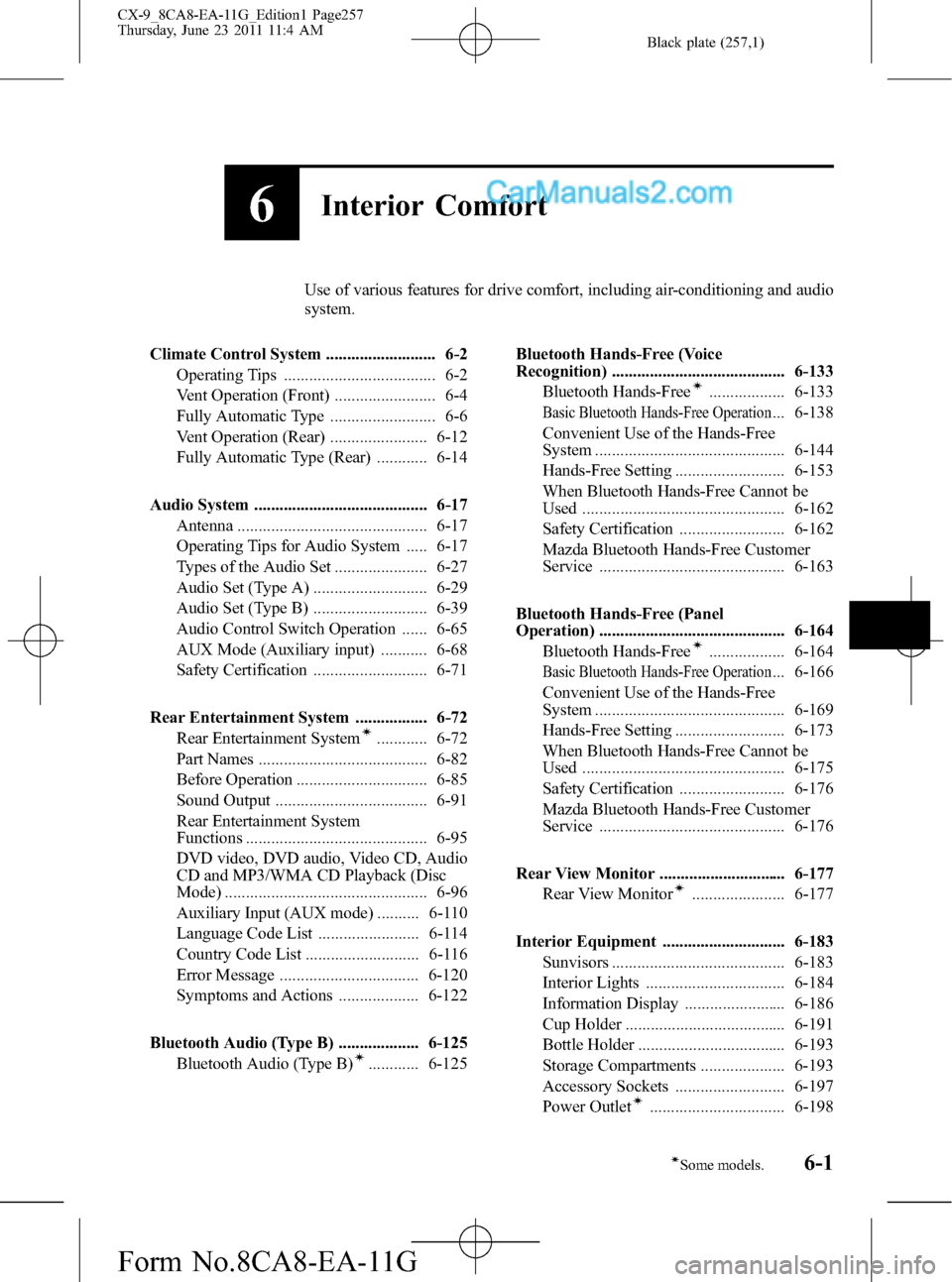
6Interior Comfort
Use of various features for drive comfort, including air-conditioning and audio
system.
Climate Control System .......................... 6-2
Operating Tips .................................... 6-2
Vent Operation (Front) ........................ 6-4
Fully Automatic Type ......................... 6-6
Vent Operation (Rear) ....................... 6-12
Fully Automatic Type (Rear) ............ 6-14
Audio System ......................................... 6-17
Antenna ............................................. 6-17
Operating Tips for Audio System ..... 6-17
Types of the Audio Set ...................... 6-27
Audio Set (Type A) ........................... 6-29
Audio Set (Type B) ........................... 6-39
Audio Control Switch Operation ...... 6-65
AUX Mode (Auxiliary input) ........... 6-68
Safety Certification ........................... 6-71
Rear Entertainment System ................. 6-72
Rear Entertainment System
í............ 6-72
Part Names ........................................ 6-82
Before Operation ............................... 6-85
Sound Output .................................... 6-91
Rear Entertainment System
Functions ........................................... 6-95
DVD video, DVD audio, Video CD, Audio
CD and MP3/WMA CD Playback (Disc
Mode) ................................................ 6-96
Auxiliary Input (AUX mode) .......... 6-110
Language Code List ........................ 6-114
Country Code List ........................... 6-116
Error Message ................................. 6-120
Symptoms and Actions ................... 6-122
Bluetooth Audio (Type B) ................... 6-125
Bluetooth Audio (Type B)
í............ 6-125Bluetooth Hands-Free (Voice
Recognition) ......................................... 6-133
Bluetooth Hands-Free
í.................. 6-133
Basic Bluetooth Hands-Free Operation... 6-138
Convenient Use of the Hands-Free
System ............................................. 6-144
Hands-Free Setting .......................... 6-153
When Bluetooth Hands-Free Cannot be
Used ................................................ 6-162
Safety Certification ......................... 6-162
Mazda Bluetooth Hands-Free Customer
Service ............................................ 6-163
Bluetooth Hands-Free (Panel
Operation) ............................................ 6-164
Bluetooth Hands-Free
í.................. 6-164
Basic Bluetooth Hands-Free Operation... 6-166
Convenient Use of the Hands-Free
System ............................................. 6-169
Hands-Free Setting .......................... 6-173
When Bluetooth Hands-Free Cannot be
Used ................................................ 6-175
Safety Certification ......................... 6-176
Mazda Bluetooth Hands-Free Customer
Service ............................................ 6-176
Rear View Monitor .............................. 6-177
Rear View Monitor
í...................... 6-177
Interior Equipment ............................. 6-183
Sunvisors ......................................... 6-183
Interior Lights ................................. 6-184
Information Display ........................ 6-186
Cup Holder ...................................... 6-191
Bottle Holder ................................... 6-193
Storage Compartments .................... 6-193
Accessory Sockets .......................... 6-197
Power Outlet
í................................ 6-198
6-1íSome models.
CX-9_8CA8-EA-11G_Edition1 Page257
Thursday, June 23 2011 11:4 AM
Form No.8CA8-EA-11G
Page 297 of 604
Black plate (297,1)
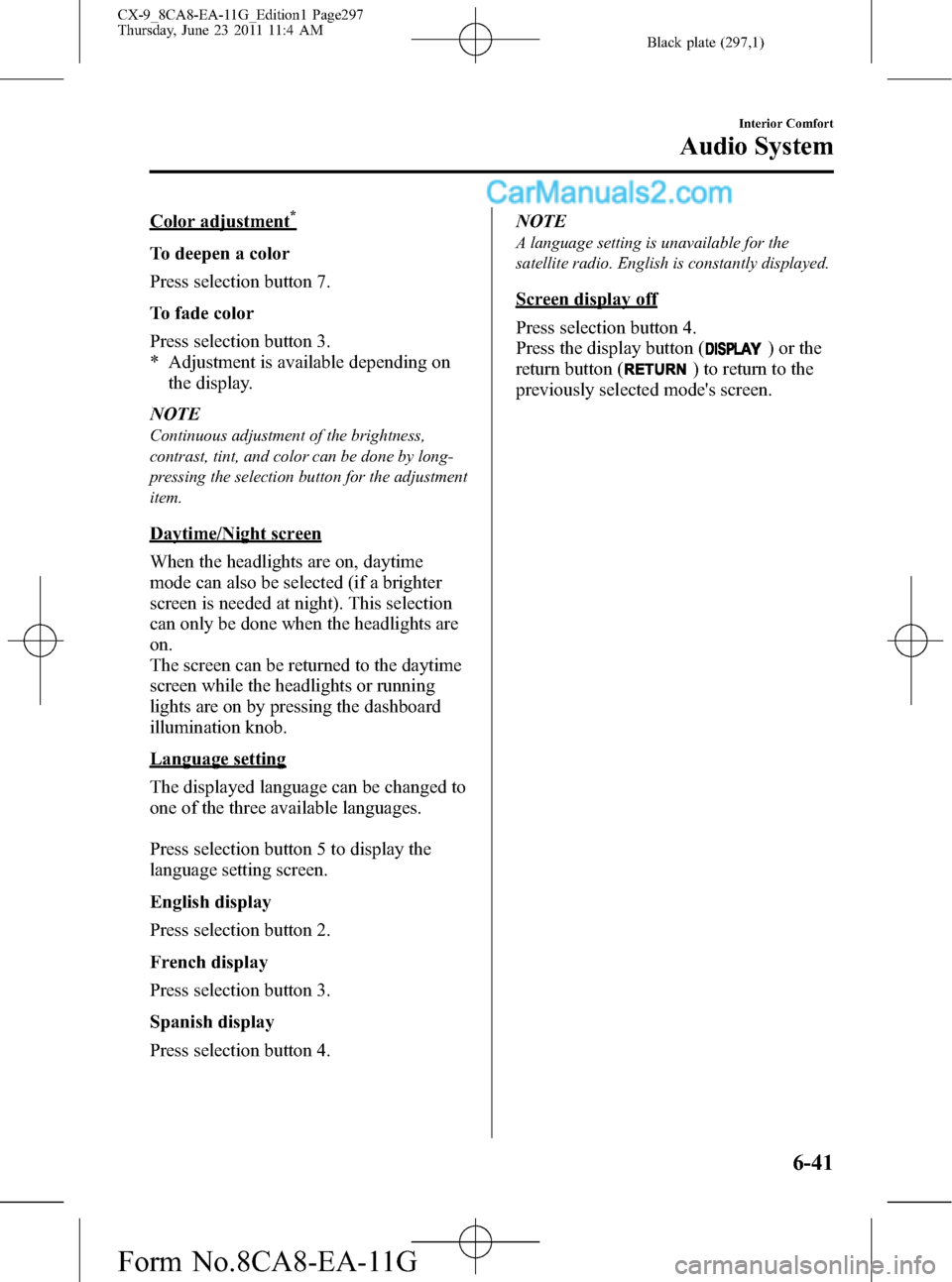
Color adjustment*
To deepen a color
Press selection button 7.
To fade color
Press selection button 3.
* Adjustment is available depending on
the display.
NOTE
Continuous adjustment of the brightness,
contrast, tint, and color can be done by long-
pressing the selection button for the adjustment
item.
Daytime/Night screen
When the headlights are on, daytime
mode can also be selected (if a brighter
screen is needed at night). This selection
can only be done when the headlights are
on.
The screen can be returned to the daytime
screen while the headlights or running
lights are on by pressing the dashboard
illumination knob.
Language setting
The displayed language can be changed to
one of the three available languages.
Press selection button 5 to display the
language setting screen.
English display
Press selection button 2.
French display
Press selection button 3.
Spanish display
Press selection button 4.NOTE
A language setting is unavailable for the
satellite radio. English is constantly displayed.
Screen display off
Press selection button 4.
Press the display button (
) or the
return button (
) to return to the
previously selected mode's screen.
Interior Comfort
Audio System
6-41
CX-9_8CA8-EA-11G_Edition1 Page297
Thursday, June 23 2011 11:4 AM
Form No.8CA8-EA-11G
Page 440 of 604
Black plate (440,1)
Interior Lights
qIlluminated Entry System
When the illuminated entry system
operates, the overhead light (switch is in
the DOOR position)and the courtesy
lights turn on for:
lAbout 30 seconds after the driver's
door is unlocked and the ignition is
switched off (with the ignition key
removed).
lAbout 15 seconds after all doors are
closed.
(With Advanced key)
About 5 seconds after all doors are
closed when the advanced key is
outside of the vehicle.
lAbout 15 seconds after the ignition is
switched off (with the ignition key
removed) with all doors closed.
The light also turns off when:
lThe ignition is switched ON and all
doors are closed.
lThe driver's door is locked.
NOTE
Battery saver
If any door is left opened, the light turns off
after about 30 minutes to save the battery.
The light turns on again when the ignition is
switched ON, or when any door is opened after
all doors have been closed.
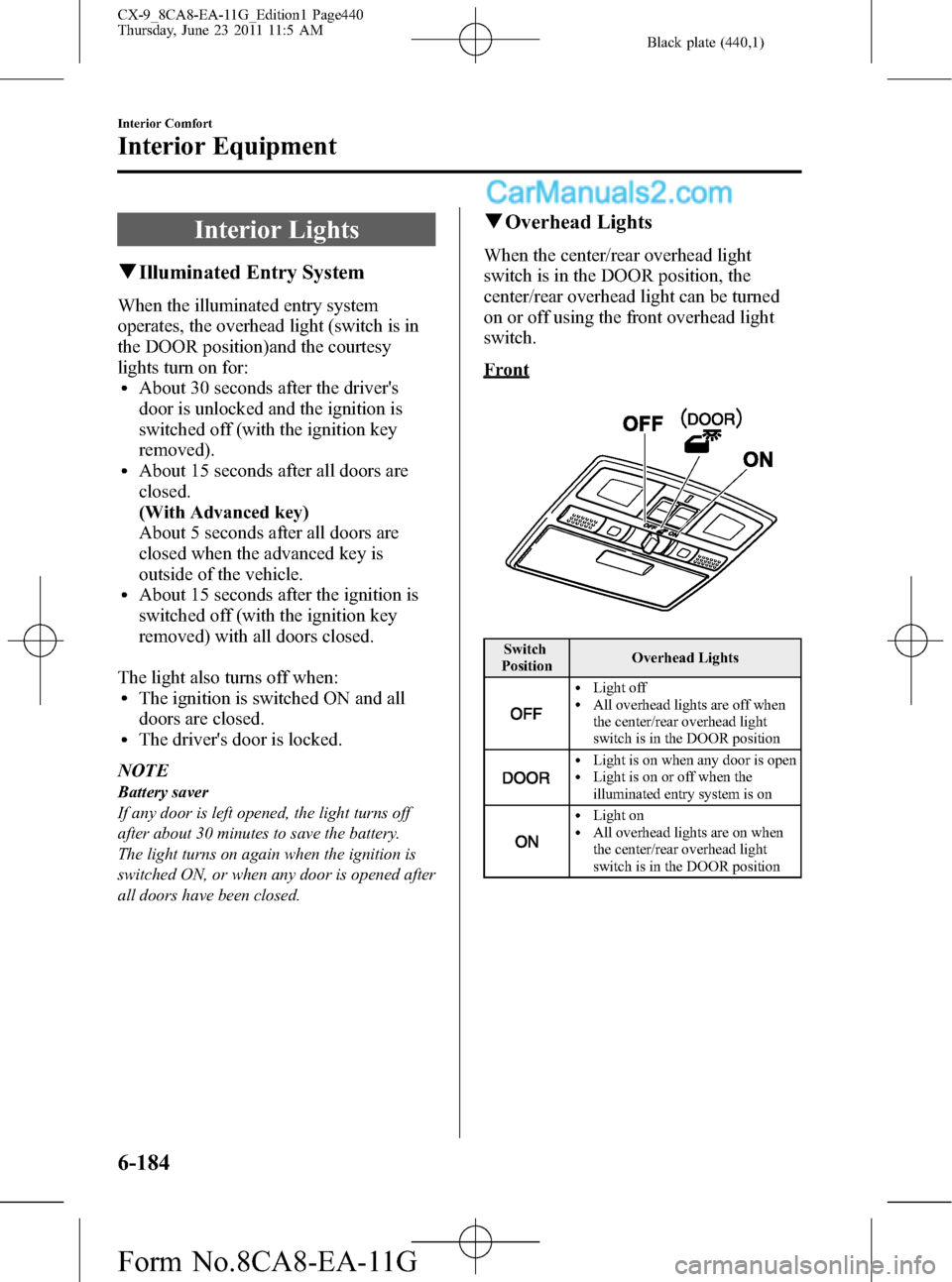
qOverhead Lights
When the center/rear overhead light
switch is in the DOOR position, the
center/rear overhead light can be turned
on or off using the front overhead light
switch.
Front
Switch
PositionOverhead Lights
lLight offlAll overhead lights are off when
the center/rear overhead light
switch is in the DOOR position
lLight is on when any door is openlLight is on or off when the
illuminated entry system is on
lLight onlAll overhead lights are on when
the center/rear overhead light
switch is in the DOOR position
6-184
Interior Comfort
Interior Equipment
CX-9_8CA8-EA-11G_Edition1 Page440
Thursday, June 23 2011 11:5 AM
Form No.8CA8-EA-11G
Page 441 of 604
Black plate (441,1)
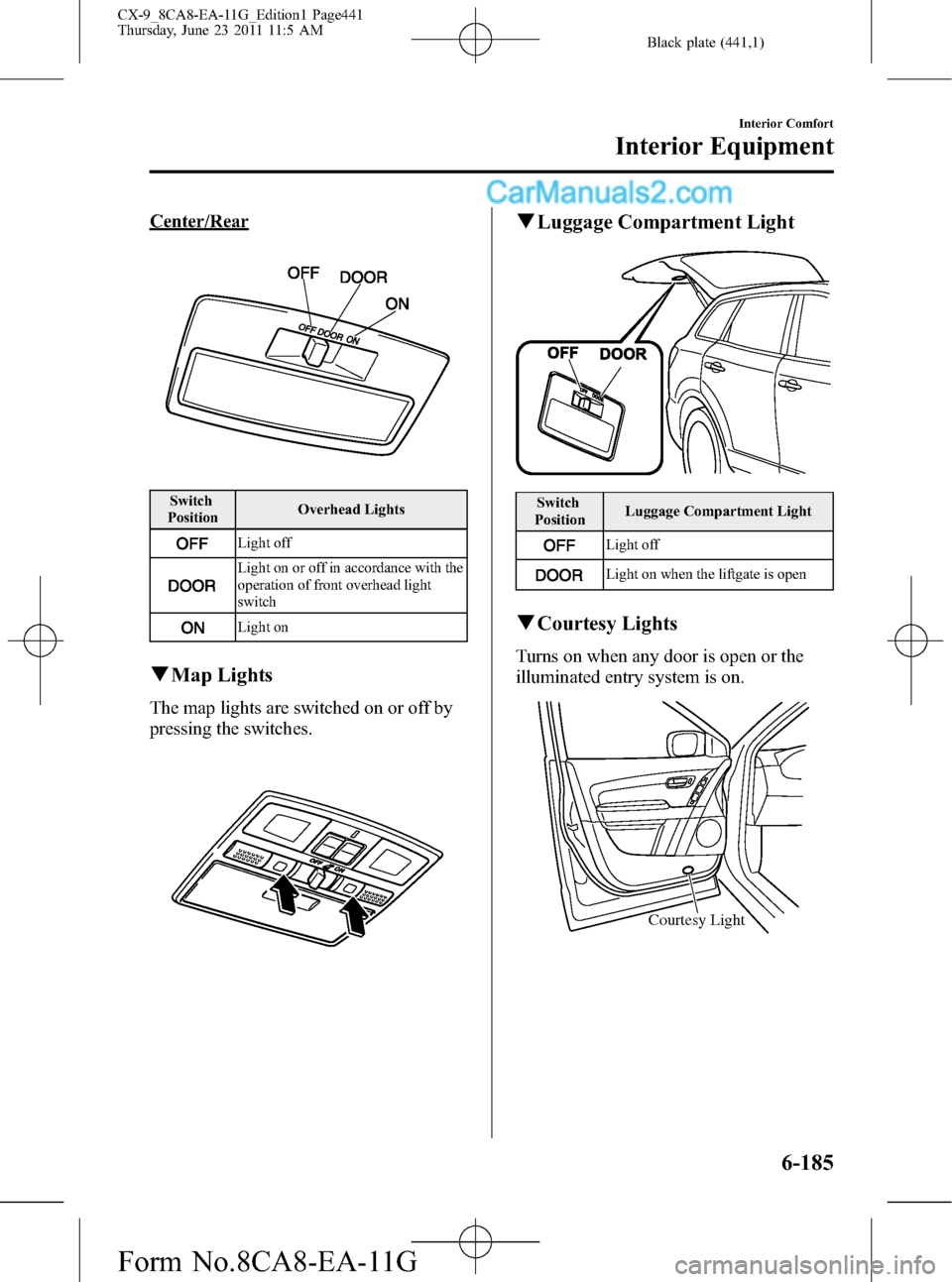
Center/Rear
Switch
PositionOverhead Lights
Light off
Light on or off in accordance with the
operation of front overhead light
switch
Light on
qMap Lights
The map lights are switched on or off by
pressing the switches.
qLuggage Compartment Light
Switch
PositionLuggage Compartment Light
Light off
Light on when the liftgate is open
qCourtesy Lights
Turns on when any door is open or the
illuminated entry system is on.
Courtesy Light
Interior Comfort
Interior Equipment
6-185
CX-9_8CA8-EA-11G_Edition1 Page441
Thursday, June 23 2011 11:5 AM
Form No.8CA8-EA-11G