maintenance MAZDA MODEL CX-9 2019 Owners Manual (in English)
[x] Cancel search | Manufacturer: MAZDA, Model Year: 2019, Model line: MODEL CX-9, Model: MAZDA MODEL CX-9 2019Pages: 692
Page 5 of 692
Table of Contents
Pictorial Index
Interior, exterior views and part identification of your Mazda.1
Essential Safety Equipment
Important information about safet y equipment, including seats, seat belt
system, child-restraint systems and SRS air bags.2
Before Driving
Use of various featur es, including keys, doors, mirrors and windows.3
When Driving
Information concerning s afe driving and stopping.4
Interior Features
Use of various features for ride comfort, including air-conditi oning and
audio system.5
Maintenance and Care
How to keep your Maz da in top condition.6
If Trouble Arises
Helpful information on what to do if a problem arises with the vehicle.7
Customer Information and Reporting Safety Defects
Important consumer information including warranties and add-on
equipment.8
Specifications
Technical informati on about your Mazda.9
Index10
CX-9_8HB2-EA-18G_Edition1 2018-5-11 13:09:27
Page 41 of 692
Do not operate a vehicle with a damaged seat belt:
Using a damaged seat belt is dangerous. An accident could damage the belt webbing of the
seat belt in use. A damaged seat belt cannot provide adequate protection in a collision. Have
an Authorized Mazda Dealer inspect all seat be lt systems in use during an accident before
they are used again.
Have your seat belts changed immediately if the pretensioner or load limiter has been
expended:
Always have an Authorized Ma zda Dealer immediately inspect the seat belt pretensioners
and air bags after any collision. Like the air bags , the seat belt pretensioners and load limiters
will only function once and must be replaced af ter any collision that caused them to deploy. A
seat belt with an expended pretensioner or load limiter is still better than wearing no seat belt
at all; however, if the seat belt pretensioner s and load limiters are not replaced, the risk of
injury in a collision will increase.
Positioning the Shoulder Portion of the Seat Belt:
Improper positioning of the shoulder portion of the seat belt is dangerous. Always make sure
the shoulder portion of the seat belt is positi oned across your shoulder and near your neck,
but never under your arm, on your neck, or on your upper arm.
Positioning the Lap Portion of the Seat Belt:
The lap portion of the seat belt worn too high is dangerous. In a collision, this would
concentrate the impact force directly on the abdominal area, causing serious injury. Wear the
lap portion of the belt snugly and as low as possible.
In a rollover crash, an unbelted person is significantly more likely to die than a person wearing
a seat belt.
CAUTION
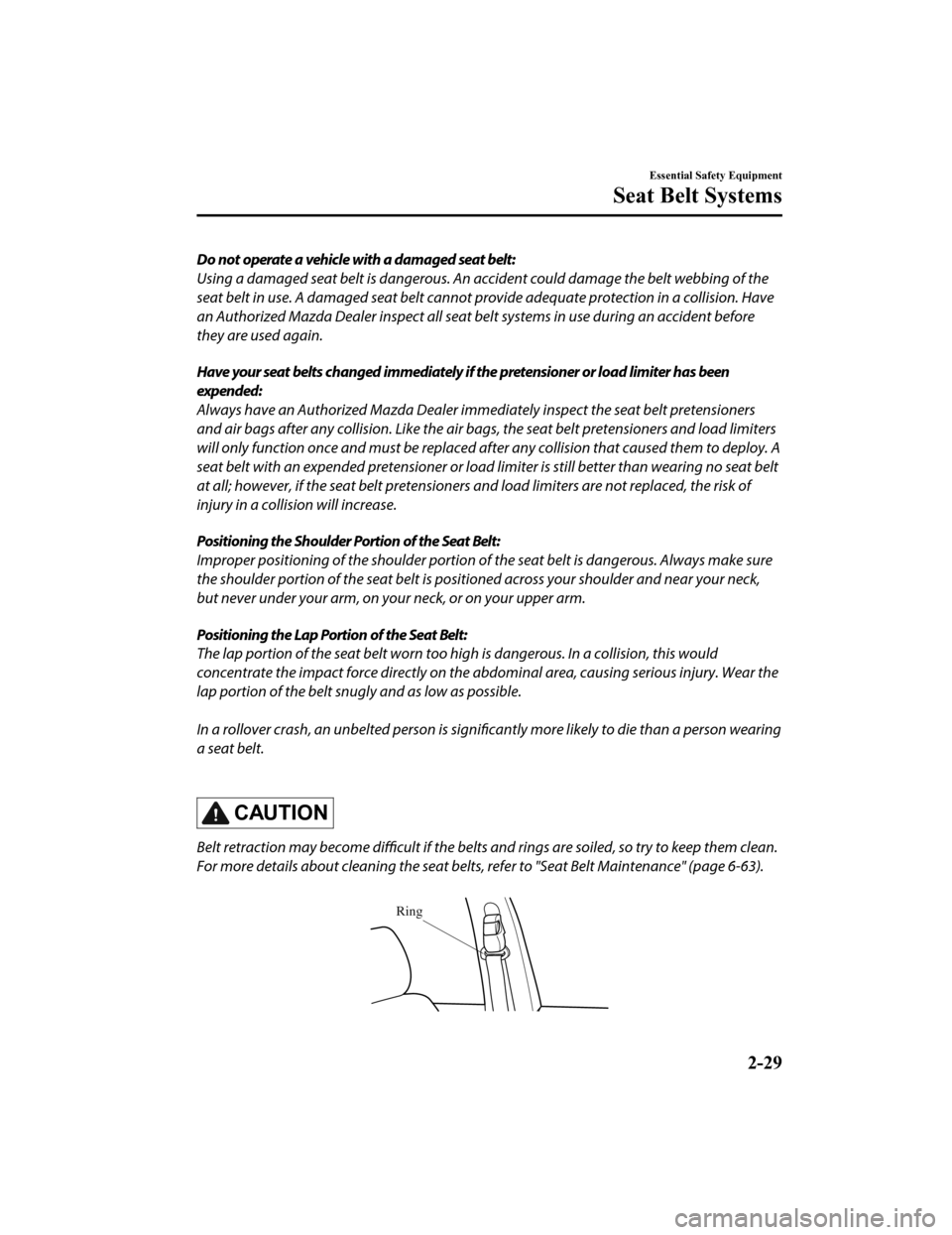
Belt retraction may become difficult if the belts and rings are soiled, so try to keep them clean.
For more details about cleaning the seat belts, refer to "Seat Belt Maintenance" (page 6-63).
Ring
Essential Safety Equipment
Seat Belt Systems
2-29
CX-9_8HB2-EA-18G_Edition1 2018-5-11 13:09:27
Page 135 of 692

NOTE
Power window system initialization
procedure
If the battery was disconnected during
vehicle maintenance, or for other reasons
(such as a switch continues to be operated
after the window is fully open/closed), the
window will not fully open and close
automatically.
The power window auto function will only
resume on a power window that has been
reset.
1. Switch the ignition ON.
2. Make sure that the power window lock switch located on the driver's door is
not depressed.
3. Press the switch and fully open the
window.
4. Pull up the switch to fully close the window and continue holding the
switch for about 2 seconds after the
window fully closed.
5. Make sure that the power windows operate correctly using the door
switches.
After the system has been re-initialized,
each passenger window can be fully
opened or closed automatically using the
master control switches.
▼ Jam-safe Window
If foreign matter is
detected between the
window and the window frame while the
window is closing au tomatically (refer to
Auto-opening/Closi ng on page 3-38), the
window stops closing and automatically
opens partway.
NOTE
The jam-safe function may operate
under the following conditions:
A strong impact is detected while the
window is closing automatically.
Window is closing automatically in
very low temperatures.
In the event the jam-safe function
activates and the power window cannot
be closed automatically, pull and hold
the switch and the window will close.
The jam-safe window function does not
operate until the system has been reset.
Before Driving
Windows
3-39
CX-9_8HB2-EA-18G_Edition1 2018-5-11 13:09:27
Page 143 of 692
Break-In Period
No special break-in is necessary, but a few
precautions in the first 1,000 km (600
miles) may add to the performance,
economy, and life of the vehicle.
Do not race the engine.
Do not maintain one constant speed,
either slow or fast, for a long period of
time.
Do not drive constantly at full-throttle or
high engine rpm for extended periods of
time.
Avoid unnecessary hard stops.
Avoid full-throttle starts.
Do not tow a trailer.
Saving Fuel and Protection of the Environment
How you operate your Mazda determines
how far it will travel on a tank of fuel. Use
these suggestions to help save fuel and
reduce CO
2.
Avoid long warm-ups. Once the engine
runs smoothly, begin driving.
Avoid fast starts.
Drive at lower speeds.
Anticipate when to apply the brakes
(avoid sudden braking).
Follow the maintenance schedule (page
6-4) and have an Authorized Mazda
Dealer perform inspections and
servicing.
Use the air conditioner only when
necessary.
Slow down on rough roads.
Keep the tires properly inflated.
Do not carry unnecessary weight.
Do not rest your foot on the brake pedal
while driving.
Keep the wheels in correct alignment.
Keep windows closed at high speeds.
Slow down when driving in crosswinds
and headwinds.
WA R N I N G
Never stop the engine when going down a
hill:
Stopping the engine when going down a
hill is dangerous. This causes the loss of
power steering and power brake control,
and may cause damage to the drivetrain.
Any loss of steering or braking control
could cause an accident.
Before Driving
Driving Tips
3-47
CX-9_8HB2-EA-18G_Edition1 2018-5-11 13:09:27
Page 150 of 692
Turbocharger Information
CAUTION
After driving at freeway speeds or up a long hill, trailer towing for a long time, idle the
engine at least 30 seconds before stoppi ng it. Otherwise, the turbocharger could be
damaged.
Racing or over-revving the engine, particularly after it's just been started, can damage the
turbocharger.
To protect the engine from damage, the engine is designed so that it cannot be raced just
after starting it in extremely cold weather.
The turbocharger greatly enhances engine power. Its advanced de sign provides improved
operation and requires minimum maintenance.
To get the most from it, observe the following.
1. Change engine oil and filter according to Scheduled Maintenan ce (page 6-4).
2. Use only recommended engine oil (page 6-23). Extra additives are NOT recommended.
Before Driving
Driving Tips
3-54
CX-9_8HB2-EA-18G_Edition1 2018-5-11 13:09:27
Page 158 of 692

Maintenance
If you tow a trailer frequently, have your vehicle serviced as shown in Scheduled
Maintenance (page 6-4).
Before Driving
To w i n g
3-62
CX-9_8HB2-EA-18G_Edition1 2018-5-11 13:09:27
Page 173 of 692

▼Multi-information Display (Type A)
INFO switchMulti-information Display (Type A)
Selector knob
The multi-information display indi cates the following information.
Speedometer
Odometer
Trip meter
Outside temperature
Distance-to-empty
Average fuel economy
Current fuel economy
Maintenance Monitor
Blind Spot Monitoring (BSM) Display
Distance Recognition Support System (DRSS) Display
Mazda Radar Cruise Control with Stop & Go function (MRCC with S top & Go function)
System Display
Lane-keep Assist System (LAS) & Lane Departure Warning System ( LDWS) Display
Cruise Control Display
Compass Display
Door-Ajar/Liftgate-Ajar Warning Indication
Warning message
When Driving
Instrument Cluster and Display
4-13
CX-9_8HB2-EA-18G_Edition1 2018-5-11 13:09:27
Page 174 of 692

The screen content changes each time the INFO switch is pressed.
Press the INFO switchPress the INFO switch
Press the INFO switch
*2
*1
*2: Displayed only when a warning occurs. *1: Displayed when opening/closing door/Liftgate.
Press the INFO switch
Press the INFO switch
Basic display
Warning message
display
Trip Meter A display
Trip Meter B display
Press the INFO switch
i-ACTIVSENSE display Maintenance Monitor
display
Compass display
Press the INFO switch
When Driving
Instrument Cluster and Display
4-14
CX-9_8HB2-EA-18G_Edition1 2018-5-11 13:09:27
Page 180 of 692
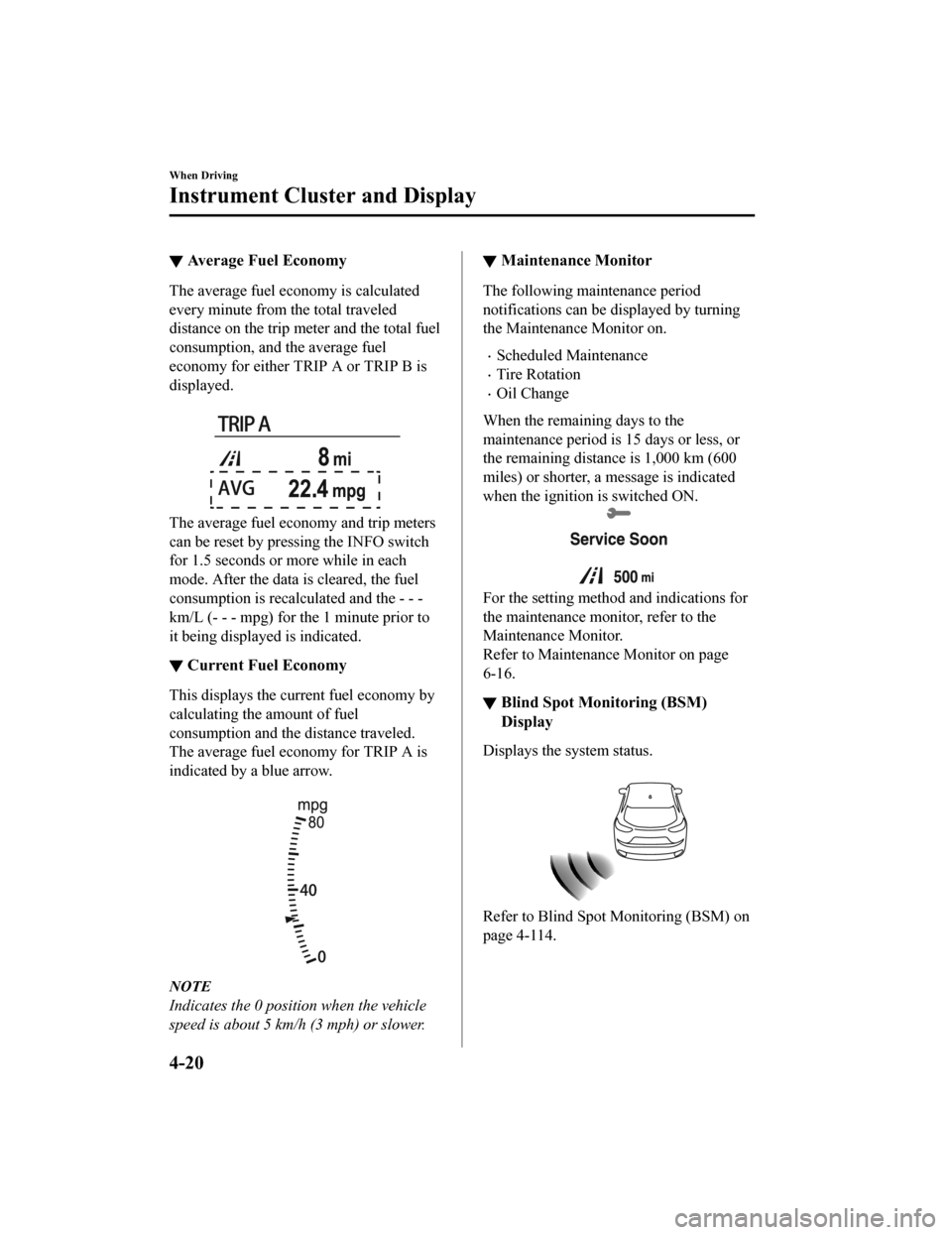
▼Average Fuel Economy
The average fuel economy is calculated
every minute from the total traveled
distance on the trip met
er and the total fuel
consumption, and the average fuel
economy for either TRIP A or TRIP B is
displayed.
The average fuel economy and trip meters
can be reset by pressing the INFO switch
for 1.5 seconds or more while in each
mode. After the data is cleared, the fuel
consumption is recalculated and the - - -
km/L (- - - mpg) for t he 1 minute prior to
it being displayed is indicated.
▼ Current Fuel Economy
This displays the current fuel economy by
calculating the amount of fuel
consumption and the distance traveled.
The average fuel economy for TRIP A is
indicated by a blue arrow.
NOTE
Indicates the 0 position when the vehicle
speed is about 5 km/h (3 mph) or slower.
▼ Maintenance Monitor
The following maintenance period
notifications can be
displayed by turning
the Maintenance Monitor on.
Scheduled Maintenance
Tire Rotation
Oil Change
When the remaining days to the
maintenance period is 15 days or less, or
the remaining distance is 1,000 km (600
miles) or shor ter, a message is indicated
when the ignition is switched ON.
For the setting method and indications for
the maintenance monitor, refer to the
Maintenance Monitor.
Refer to Maintenance Monitor on page
6-16.
▼ Blind Spot Monitoring (BSM)
Display
Displays the system status.
Refer to Blind Spot Monitoring (BSM) on
page 4-114.
When Driving
Instrument Cluster and Display
4-20
CX-9_8HB2-EA-18G_Edition1
2018-5-11 13:09:27
Page 187 of 692
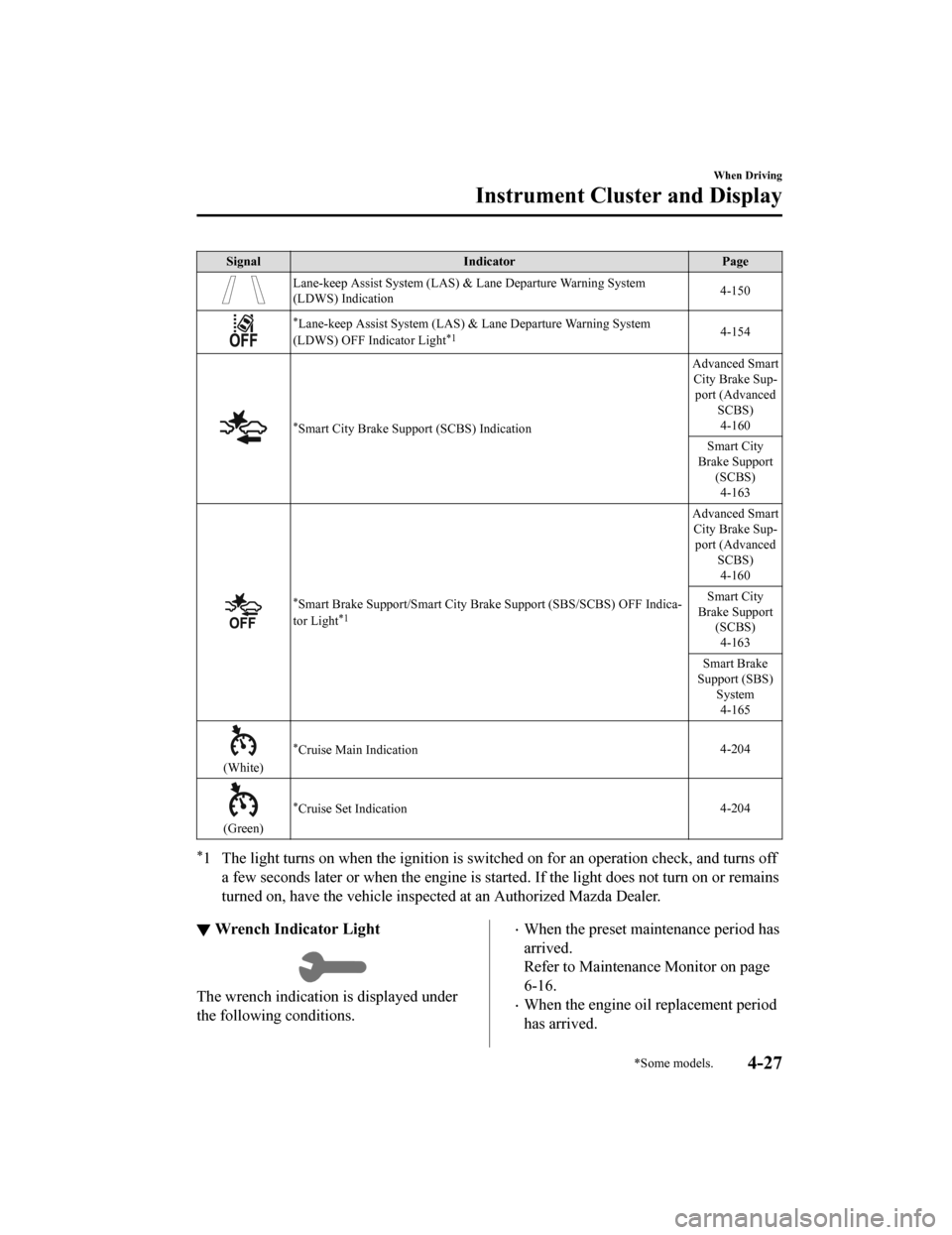
SignalIndicator Page
Lane-keep Assist System (LAS) & Lane Departure Warning System
(LDWS) Indication 4-150
*Lane-keep Assist System (LAS) & Lane Departure Warning System
(LDWS) OFF Indicator Light*14-154
*Smart City Brake Support (SCBS) Indication Advanced Smart
City Brake Sup‐ port (Advanced
SCBS)
4-160
Smart City
Brake Support (SCBS)4-163
*Smart Brake Support/Smart City B rake Support (SBS/SCBS) OFF Ind ica‐
tor Light*1
Advanced Smart City Brake Sup‐ port (Advanced SCBS)4-160
Smart City
Brake Support (SCBS)
4-163
Smart Brake
Support (SBS) System4-165
(White)
*Cruise Main Indication 4-204
(Green)
*Cruise Set Indication4-204
*1 The light turns on when the ignition is switched on for an ope
ration check, and turns off
a few seconds later or when the engine is started. If the light does not turn on or remains
turned on, have the vehicle inspected at an Authorized Mazda De aler.
▼Wrench Indicator Light
The wrench indication is displayed under
the following conditions.
When the preset maintenance period has
arrived.
Refer to Maintenance Monitor on page
6-16.
When the engine oil replacement period
has arrived.
When Driving
Instrument Cluster and Display
*Some models.4-27
CX-9_8HB2-EA-18G_Edition1
2018-5-11 13:09:27