phone MAZDA MODEL CX-9 2021 User Guide
[x] Cancel search | Manufacturer: MAZDA, Model Year: 2021, Model line: MODEL CX-9, Model: MAZDA MODEL CX-9 2021Pages: 723, PDF Size: 10.61 MB
Page 487 of 723

CAUTION
YOU EXPRESSLY ACKNOWLEDGE AND AGREE THAT USE OF APPLE CARPLAY™ (“THE
APPLICATION”) IS AT YOUR SOLE RISK AND THAT THE ENTIRE RISK AS TO SATISFACTORY
QUALITY, PERFORMANCE, ACCURACY AND EFFO RT IS WITH YOU TO THE MAXIMUM EXTENT
PERMITTED BY APPLICABLE LAW, AND THAT THE APPLICATION AND INFORMATION ON THE
APPLICATION IS PROVIDED “AS IS” AND “AS AVAILABLE”, WITH ALL FAULTS AND WITHOUT
WARRANTY OF ANY KIND, AND MAZDA HE REBY DISCLAIMS ALL WARRANTIES AND
CONDITIONS WITH RESPECT TO THE APPLICATION AND INFORMATION ON THE
APPLICATION, EITHER EXPRESS, IMPLIED OR STATUTORY, INCLUDING, BUT NOT LIMITED TO,
THE IMPLIED WARRANTIES AND/OR CONDITIO NS OF MERCHANTABILITY, SATISFACTORY
QUALITY, FITNESS FOR A PARTICULAR PURPOSE, ACCURACY, QUIET ENJOYMENT, AND
NONINFRINGEMENT OF THIRD PARTY RIGHTS. AS EXAMPLES, AND WITHOUT LIMITATION,
MAZDA DISCLAIMS ANY WARRANTY REGARDING THE ACCURACY OF DATA PROVIDED BY
THE APPLICATION, SUCH AS THE ACCURACY OF DIRECTIONS, ESTIMATED TRAVEL TIME,
SPEED LIMITS, ROAD CONDITIONS, NEWS, WEATHER, TRAFFIC, OR OTHER CONTENT
PROVIDED BY APPLE, ITS AFFILIATES, OR THIRD PARTY PROVIDERS; MAZDA DOES NOT
GUARANTEE AGAINST LOSS OF APPLICATION DATA, WHICH MAY BE LOST AT ANY TIME;
MAZDA DOES NOT GUARANTEE THAT THE APPLICATION OR ANY SERVICES PROVIDED
THROUGH THEM WILL BE PROVIDED AT ALL TIMES OR THAT ANY OR ALL SERVICES WILL BE
AVAILABLE AT ANY PARTICULAR TIME OR LOCATION. FOR EXAMPLE, SERVICES MAY BE
SUSPENDED OR INTERRUPTED WITHOUT NOTICE FOR REPAIR, MAINTENANCE, SECURITY
FIXES, UPDATES, ETC., SERVICES MAY BE UNAVAILABLE IN YOUR AREA OR LOCATION, ETC.
IN ADDITION, YOU UNDERSTAND THAT CH ANGES IN THIRD PARTY TECHNOLOGY OR
GOVERNMENT REGULATION MAY RENDER THE SERVICES AND/OR APPLICATIONS
OBSOLETE AND/OR UNUSABLE.
TO THE EXTENT NOT PROHIBITED BY LAW, IN NO EVENT SHALL MAZDA OR ITS AFFILIATES
BE LIABLE FOR PERSONAL INJURY, OR ANY INCIDENTAL, SPECIAL, INDIRECT OR
CONSEQUENTIAL DAMAGES WHAT SOEVER, INCLUDING, WITHOUT LIMITATION, DAMAGES
FOR LOSS OF PROFITS, CORRUPTION OR LOSS OF DATA, FAILURE TO TRANSMIT OR RECEIVE
ANY DATA, BUSINESS INTERRUPTION OR ANY OTHER COMMERCIAL DAMAGES OR LOSSES,
ARISING OUT OF OR RELATED TO THE APPLICAT ION OR YOUR USE OF OR INABILITY TO USE
THE APPLICATION OR INFORMATION ON THE APPLICATION.
When using Apple CarPlay™, please avoid distraction and use Apple CarPlay™ responsibly.
Stay fully aware of driving conditions and always obey applicable laws.
NOTE
Apple CarPlay™ is provided by Apple® and its use is subject to your agreement to the
Apple CarPlay™ terms of use, which are included as part of the Apple iOS terms of use.
When using Apple CarPlay™, location, speed, and other vehicle data is transferred to
your iPhone
®. For further details, refer to Apple®’s Privacy Policy.
Interior Features
Mazda Connect [Mazda Connect (Type A)]
5-28
CX-9_8JK1-EA-20G_Edition6_old 2021-12-8 9:30:44
Page 489 of 723

NOTE
Android Auto™ is provided by Google and its use is subject to your agreement to the
Android Auto™ terms of use.
When using Android Auto™, location, speed, and other vehicle data is transferred to your
smart phone. For further details, refer to Google’s Privacy Policy.
Tr a d e m a r k
Pandora®, the Pandora® logo, and the Pandora® trade dress are trademarks or registered
trademarks of Pandora Media, Inc., used with permission.
HD Radio™ and the HD, HD Radio, and “Arc” logos are proprietary trademarks of
iBiquity Digital Corp.
iPhone, iPod touch, iPod nano, Siri and Apple Music are registered trademarks of Apple
Inc.
Apple CarPlay is trademarks of Apple Inc.
iOS is a trademark or registered trademark of Cisco in the U.S. and other countries and is
used under license.
“Made for iPhone” and “Made for iPod” mean that an accessory has been designed to
connect specifically to iPhone or iPod, and has been certified by the developer to meet
Apple performance standards. Ap ple is not responsible for the operation of this device or
its compliance with safety and regulatory standards.
Please note that the use of this accessory with iPhone or iPod may affect wireless
performance.
Made for
iPhone 7 Plus
iPhone 7
iPhone SE
iPhone 6s Plus
iPhone 6s
iPhone 6 Plus
iPhone 6
iPhone 5s
iPod touch (7th generation)
Interior Features
Mazda Connect [Mazda Connect (Type A)]
5-30
CX-9_8JK1-EA-20G_Edition6_old 2021-12-8 9:30:44
Page 492 of 723
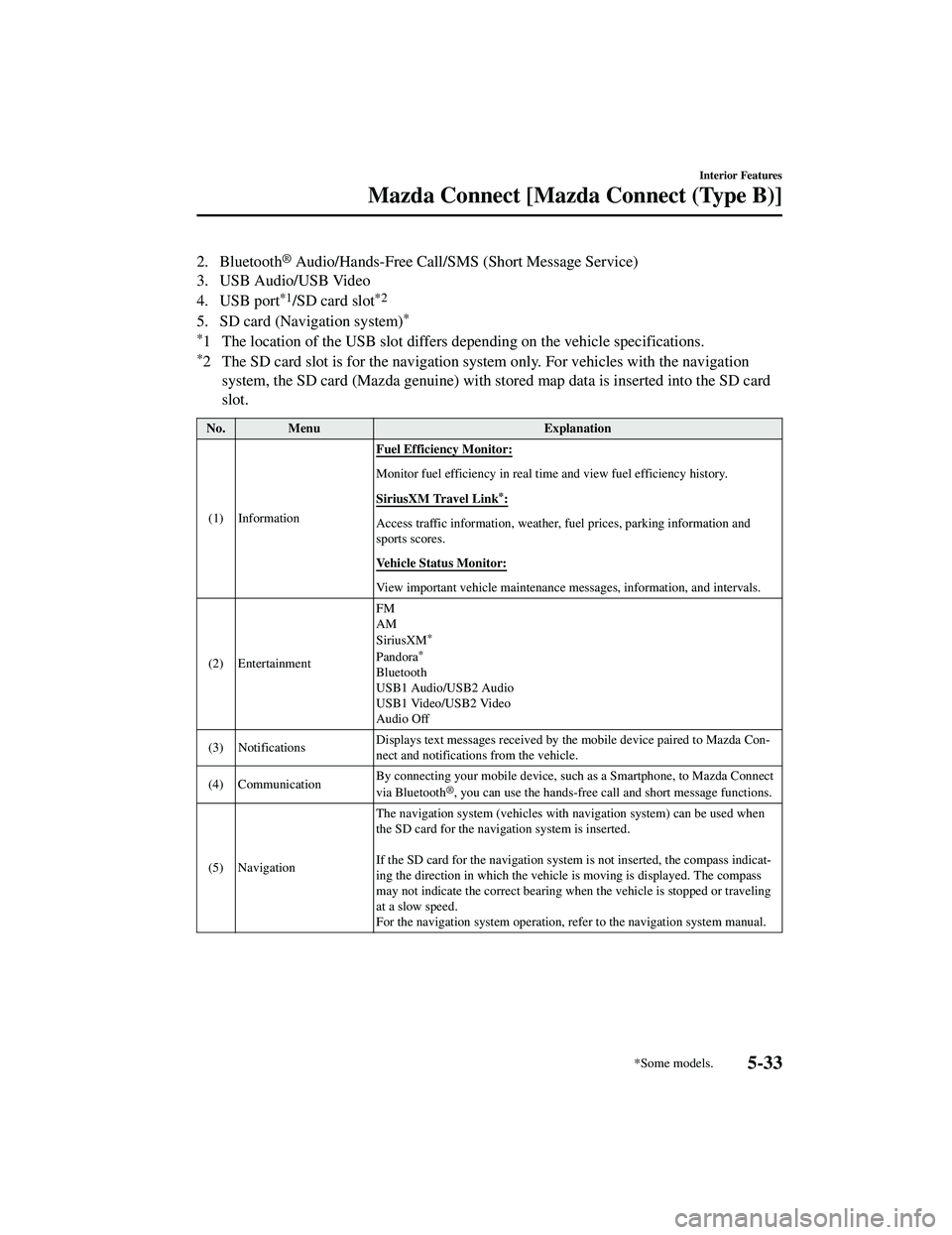
2. Bluetooth® Audio/Hands-Free Call/SMS (Short Message Service)
3. USB Audio/USB Video
4. USB port
*1/SD card slot*2
5. SD card (Navigation system)*
*
1 The location of the USB slot differs depending on the vehicle specifications.
*2 The SD card slot is for the navigation system only. For vehicles with the navigation system, the SD card (Mazda genuine) with st ored map data is inserted into the SD card
slot.
No. Menu Explanation
(1) Information Fuel Efficiency Monitor:
Monitor fuel efficiency in real tim
e and view fuel efficiency history.
SiriusXM Travel Link
*:
Access traffic information, weather, fuel prices, parking information and
sports scores.
Vehicle Status Monitor:
View important vehicle maintenance me ssages, information, and intervals.
(2) Entertainment FM
AM
SiriusXM
*
Pandora*
Bluetooth
USB1 Audio/USB2 Audio
USB1 Video/USB2 Video
Audio Off
(3) Notifications Displays text messages received by th
e mobile device paired to Mazda Con‐
nect and notifications from the vehicle.
(4) Communication By connecting your mobile device, such
as a Smartphone, to Mazda Connect
via Bluetooth
®, you can use the hands-free ca ll and short message functions.
(5) Navigation The navigation system (vehicles with navigation system) can be used when
the SD card for the navigation system is inserted.
If the SD card for the navigation syst
em is not inserted, the compass indicat ‐
ing the direction in which the vehicle is moving is displayed. The compass
may not indicate the correct bearing when the vehicle is stopped or traveling
at a slow speed.
For the navigation system operation, refer to the navigation system manual.
Interior Features
Mazda Connect [Mazda Connect (Type B)]
*Some models.5-33
CX-9_8JK1-EA-20G_Edition6_old 2021-12-8 9:30:44
Page 493 of 723
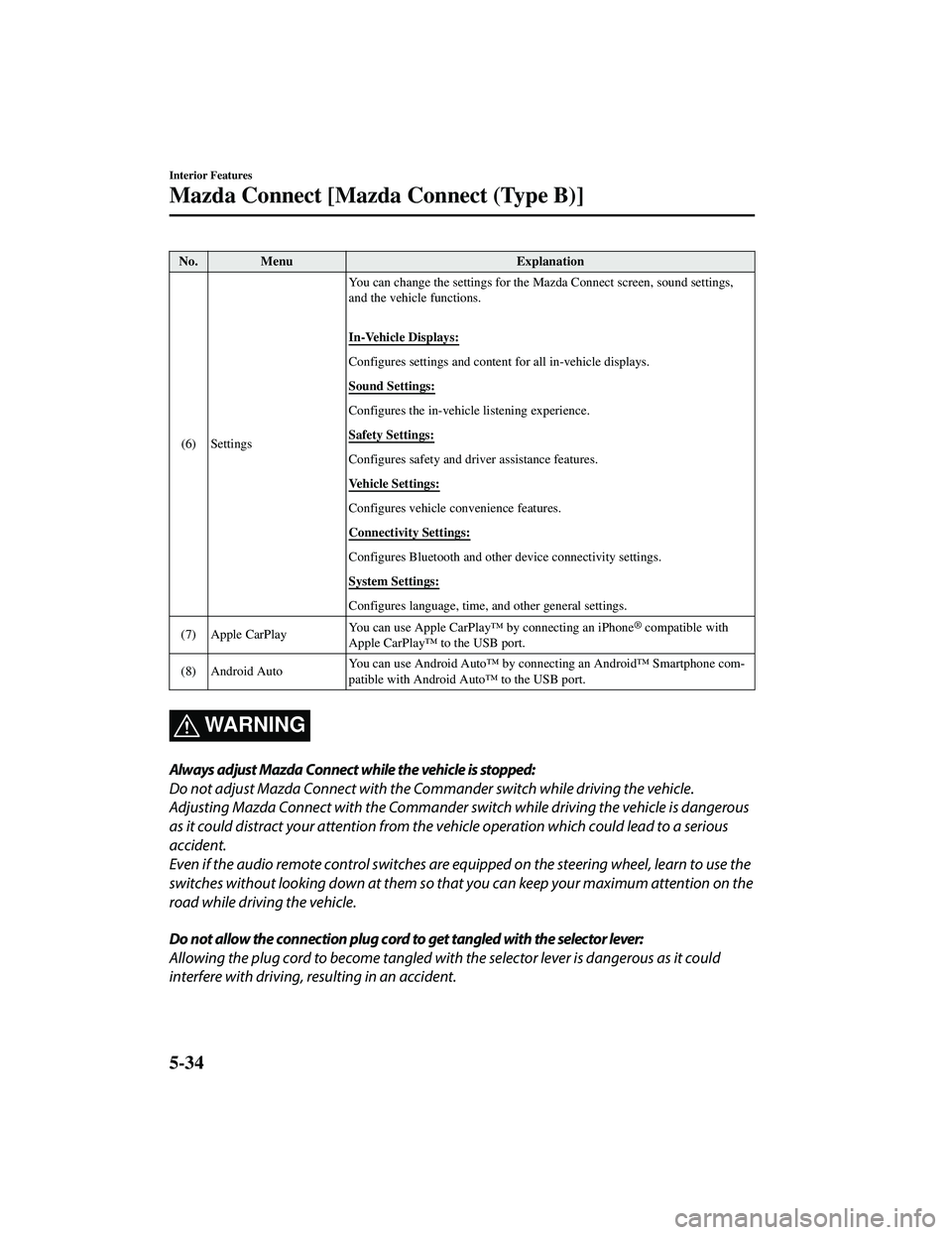
No. MenuExplanation
(6) Settings You can change the settings for the
Mazda Connect screen, sound settings,
and the vehicle functions.
In-Vehicle Displays:
Configures settings and content for all in-vehicle displays.
Sound Settings:
Configures the in-vehicle listening experience.
Safety Settings:
Configures safety and driver assistance features.
Vehicle Settings:
Configures vehicle convenience features.
Connectivity Settings:
Configures Bluetooth and other device connectivity settings.
System Settings:
Configures language, time, and other general settings.
(7) Apple CarPlay You can use Apple CarPlay™ by connecting an iPhone
® compatible with
Apple CarPlay™ to the USB port.
(8) Android Auto You can use Android Auto™ by connecting an Android™ Smartphone com
‐
patible with Android Auto™ to the USB port.
WA R N I N G
Always adjust Mazda Connect while the vehicle is stopped:
Do not adjust Mazda Connect with the Commander switch while driving the vehicle.
Adjusting Mazda Connect with the Commander switch while driving the vehicle is dangerous
as it could distract your attention from the vehicle operation which could lead to a serious
accident.
Even if the audio remote control switches are eq uipped on the steering wheel, learn to use the
switches without looking down at them so that you can keep your maximum attention on the
road while driving the vehicle.
Do not allow the connection plug cord to get tangled with the selector lever:
Allowing the plug cord to become tangled with the selector lever is dangerous as it could
interfere with driving, resulting in an accident.
Interior Features
Mazda Connect [Mazda Connect (Type B)]
5-34
CX-9_8JK1-EA-20G_Edition6_old 2021-12-8 9:30:44
Page 494 of 723

Do not adjust a mobile device or a similar product while driving the vehicle:
Adjusting a mobile device or a similar product while driving the vehicle is dangerous as it
could distract your attention from the vehi cle operation which could lead to a serious
accident. Always adjust a mobi le device or a similar product while the vehicle is stopped.
CAUTION
For the purposes of safe driving, adjust the au dio volume to a level that allows you to hear
sounds outside of the vehicle including car horns and particularly emergency vehicle sirens.
NOTE
Do not use Mazda Connect for a long time with the engine stopped. Otherwise, the battery
power could be depleted.
If a mobile phone or CB radio is used in or near the vehicle, it could cause noise to occur
from the audio system. However, this does not indicate a problem.
Interior Features
Mazda Connect [Mazda Connect (Type B)]
5-35
CX-9_8JK1-EA-20G_Edition6_old 2021-12-8 9:30:44
Page 498 of 723
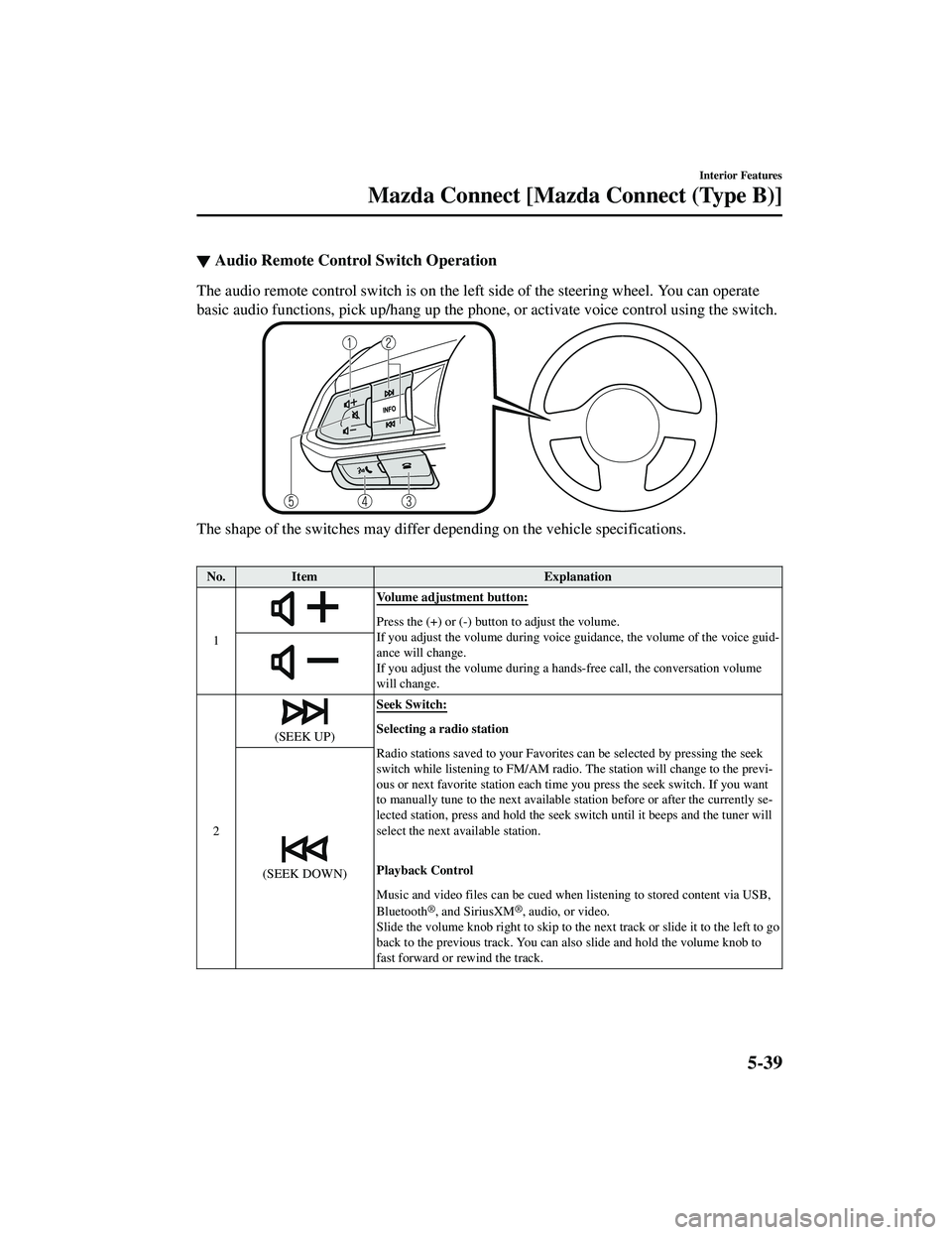
▼Audio Remote Control Switch Operation
The audio remote control switch is on the left side of the steering wheel. You can operate
basic audio functions, pick up/hang up the phone
, or activate voice control using the switch.
The shape of the switches may differ depending on the vehicle specifications.
No.Item Explanation
1
Volume adjustment button:
Press the (+) or (-) butto n to adjust the volume.
If you adjust the volume during voice guidance, the volume of the voice guid‐
ance will change.
If you adjust the volume during a ha nds-free call, the conversation volume
will change.
2
(SEEK UP) Seek Switch:Selecting a radio station
Radio stations saved to your Favorites can be selected by pressing the seek
switch while listening to FM/AM radio.
The station will change to the previ‐
ous or next favorite station each time you press the seek switch. If you want
to manually tune to the next available station before or after the currently se‐
lected station, press and hold the seek switch until it beeps and the tuner will
select the next available station.
Playback Control
Music and video files can be cued when listening to stored content via USB,
Bluetooth
®, and SiriusXM®, audio, or video.
Slide the volume knob right to skip to the next track or slide it to the left to go
back to the previous track. You can also slide and hold the volume knob to
fast forward or rewind the track.
(SEEK DOWN)
5-39
CX-9_8JK1-EA-20G_Edition6_old 2021-12-8 9:30:44
Page 500 of 723
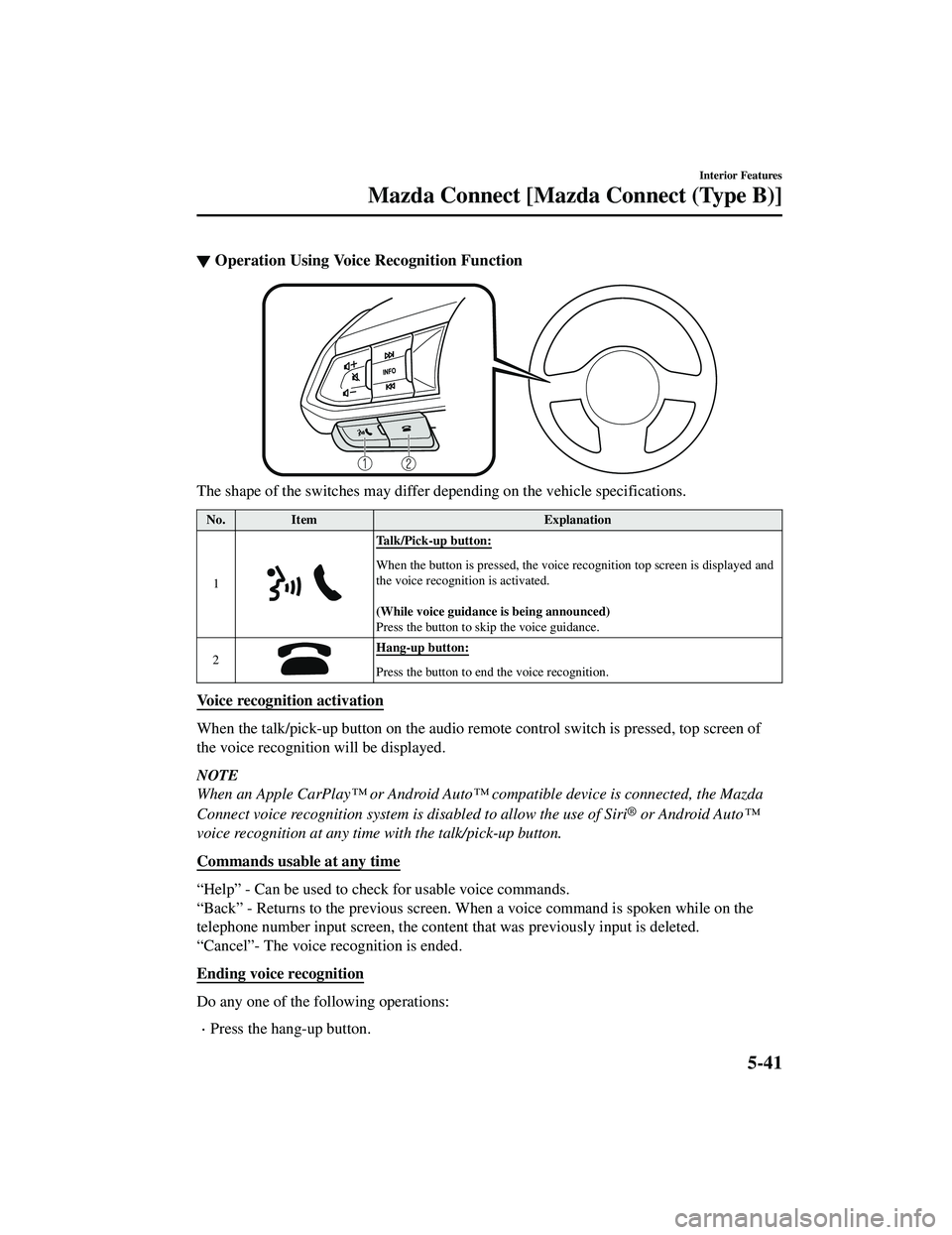
▼Operation Using Voice Recognition Function
The shape of the switches may differ depending on the vehicle specifications.
No.
Item Explanation
1
Talk/Pick-up button:
When the button is presse d, the voice recognition top screen is displayed and
the voice recognition is activated.
(While voice guidance is being announced)
Press the button to sk ip the voice guidance.
2
Hang-up button:
Press the button to end the voice recognition.
Voice recognition activation
When the talk/pick-up button on the audio remote control switch is pressed, top screen of
the voice recognition will be displayed.
NOTE
When an Apple CarPlay™ or Android Auto™ compatible device is connected, the Mazda
Connect voice recognition system is disabled to allow the use of Siri
® or Android Auto™
voice recognition at any time with the talk/pick-up button.
Commands usable at any time
“Help” - Can be used to check for usable voice commands.
“Back” - Returns to the previous screen. When a voice command is spoken while on the
telephone number input screen, the content that was previously input is deleted.
“Cancel”- The voice recognition is ended.
Ending voice recognition
Do any one of the following operations:
Press the hang-up button.
Interior Features
Mazda Connect [Mazda Connect (Type B)]
5-41
CX-9_8JK1-EA-20G_Edition6_old 2021-12-8 9:30:44
Page 501 of 723

Press and hold the talk/Pick-up button.
Say the word, “Cancel”.
Convenient operating tips for us ing the voice recognition function
Examples of effective voice commands in various categories are displayed on the voice
recognition screen.
NOTE
The voice command examples shown in this manu al are only a partial list of the available
commands. Some commands may be unusable depending on the vehicle specifications.
Some commands cannot be used depending on the device connection conditions and the
use conditions.
When the Barge-In setting is on, voice commands can be made even while the voice
guidance is being announced. For details on Barge-In, refer to the System Settings section
in the Mazda Connec t Owner's Manual.
For details on voice commands which can be used on the navigation screen, refer to the
navigation system manual.
To prevent misunderstood voice comman ds, be aware of the following points:
Connect your mobile phone to Bluetooth® before operating the mobile phone using voice
recognition.
After pressing the talk/pick-up button, wa it for the beep before speaking a command.
Speaking in a slightly louder voice will im prove voice recognition, but an excessively
loud voice is unnecessary. Try to speak in a s lightly louder voice than when talking to
other passengers in the vehicle.
You do not need to speak slowly. Speak at a normal speed.
When calling a person in the device's phonebook, the recognition rate increases the longer
the name is. Errors may occur with names that are short such as “Mama”, “Home”, or
“wife”.
Speak clearly, without pausing between words or numbers.
Voice commands other than those specified, cannot be recognized. Speak in the wording
specified by the voice commands.
Interior Features
Mazda Connect [Mazda Connect (Type B)]
5-42
CX-9_8JK1-EA-20G_Edition6_old 2021-12-8 9:30:44
Page 502 of 723

It is not necessary to face the microphone or be near it. Speak the voice commands while
maintaining a safe driving position.
Close the windows and the moonroof* to reduce loud noises from outside the vehicle and
to prevent the airflow of the air-conditioning system from being a disturbance when using
Bluetooth
® Hands-Free.
Make sure that the air flow from the air conditioner is not blowing on the microphone.
If the voice recognition is poor with the guid ance volume set to high, set the Barge-In to
OFF.
Examples of available voice commands
The specified name and number are put into the {}.
Common
Back
Help (You can listen to help guidance at each screen.)
{Line Number} (You can select the line number on the screen.)
Next Page
Previous Page
Cancel
Menu
All
Navigation
Entertainment
Communication
Setting
Voice Recognition Settings
Display Off
Music
Play Artist (You can also use “Play Artist {Artist name}”.)
Play Album (You can also use
Page 503 of 723
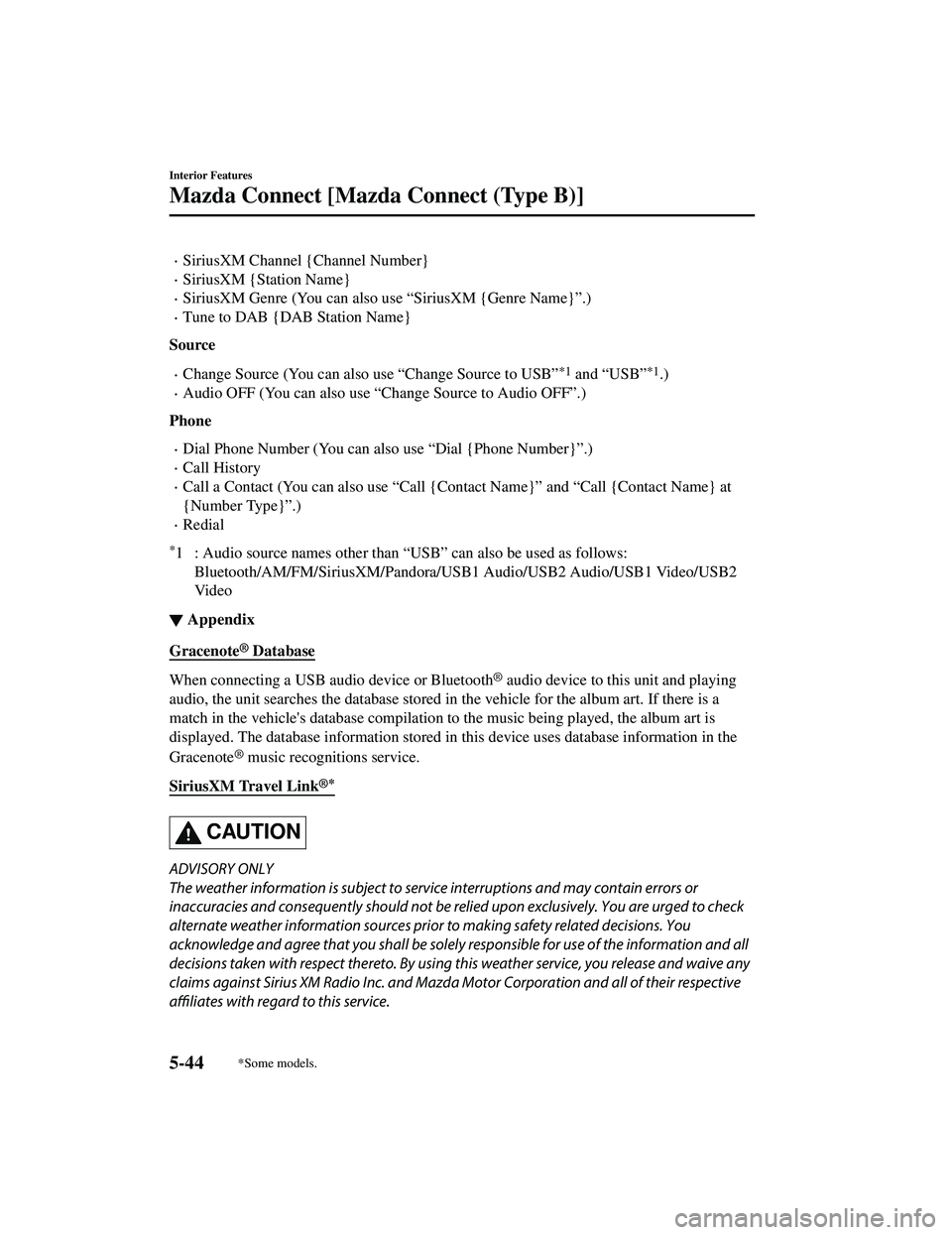
SiriusXM Channel {Channel Number}
SiriusXM {Station Name}
SiriusXM Genre (You can also use “SiriusXM {Genre Name}”.)
Tune to DAB {DAB Station Name}
Source
Change Source (You can also use “Change Source to USB”*1 and “USB”*1.)
Audio OFF (You can also use “Change Source to Audio OFF”.)
Phone
Dial Phone Number (You can also use “Dial {Phone Number}”.)
Call History
Call a Contact (You can also use “Call {Contact Name}” and “Call {Contact Name} at
{Number Type}