lock MAZDA MODEL TRIBUTE 2003 (in English) User Guide
[x] Cancel search | Manufacturer: MAZDA, Model Year: 2003, Model line: MODEL TRIBUTE, Model: MAZDA MODEL TRIBUTE 2003Pages: 248, PDF Size: 2.5 MB
Page 53 of 248

Handle a halogen headlamp bulb carefully and keep out of
children's reach. Grasp the bulb only by its plastic base and do
not touch the glass. The oil from your hands could cause the bulb
to break the next time the headlamps are operated. Always wear
safety glasses while handling bulbs.
NOTE: If the bulb is accidentally touched, it should be cleaned with
rubbing alcohol before being used.
7. Insert the glass end of the new bulb into the headlamp assembly.
When the bulb's three metal tabs are aligned with the grooves in the
plastic base, push the bulb into the lamp assembly until the bulb's
metal base contacts the rear of the lamp assembly.
8. Rotate the retainer spring over the bulb plastic base and secure it on
the bulb hooks.
9. Install rubber boot on the lamp assembly.
10. Connect the electrical connector into the rear of the plastic base
until it ªsnaps.º
Replacing brake/tail/turn/backup lamps bulbs
The brake/tail/turn/backup lamp bulbs are located in the tail lamp
assembly, one just below the other. Follow the same steps to replace
either bulb:
1. Open the liftgate to expose the
lamp assemblies.
2. Remove the two screws from
the lamp assembly.
3. Carefully remove the lamp
assembly by pulling it rearward.
4. Twist the bulb socket
counterclockwise and remove
from lamp assembly.
Lights
53
Page 54 of 248

5. Pull the bulb straight out of the
socket and push in the new
bulb.
6. To complete installation, follow
the removal procedure in
reverse order.
Replacing front parking/turn signal lamp bulbs
1. Make sure that the headlamp control is in the OFF position.
2. Open the hood. The position lamps are located on the bottom half of
each headlamp.
3. Disconnect the electrical connector from the bulb by pulling
rearward.
4. Remove the bulb socket from the lamp assembly by turning
counterclockwise.
5. Pull the bulb straight out of the
socket and push in the new
bulb.
6. To complete installation, follow
the removal procedure in
reverse order.
Replacing fog lamp bulbs (if equipped)
1. Remove the bulb socket from
the fog lamp by turning
counterclockwise.
2. Disconnect the electrical
connector from the fog lamp
bulb.
3. Connect the electrical connector to the new fog lamp bulb.
4. Install the bulb socket in the fog lamp turning clockwise.
Lights
54
Page 55 of 248

Replacing license plate lamp bulbs
1. Remove two screws and the
license plate lamp assembly
(located above the license
plate) from the liftgate.
2. Remove bulb socket from lamp
assembly by turning
counterclockwise.
3. Pull the bulb out from the
socket and push in the new
bulb.
4. Install the bulb socket in lamp assembly turning it clockwise,
5. Install the lamp assembly on liftgate with two screws.
Replacing high-mount brake lamp bulbs
For bulb replacement, see an authorized Mazda dealer.
Lights
55
Page 57 of 248
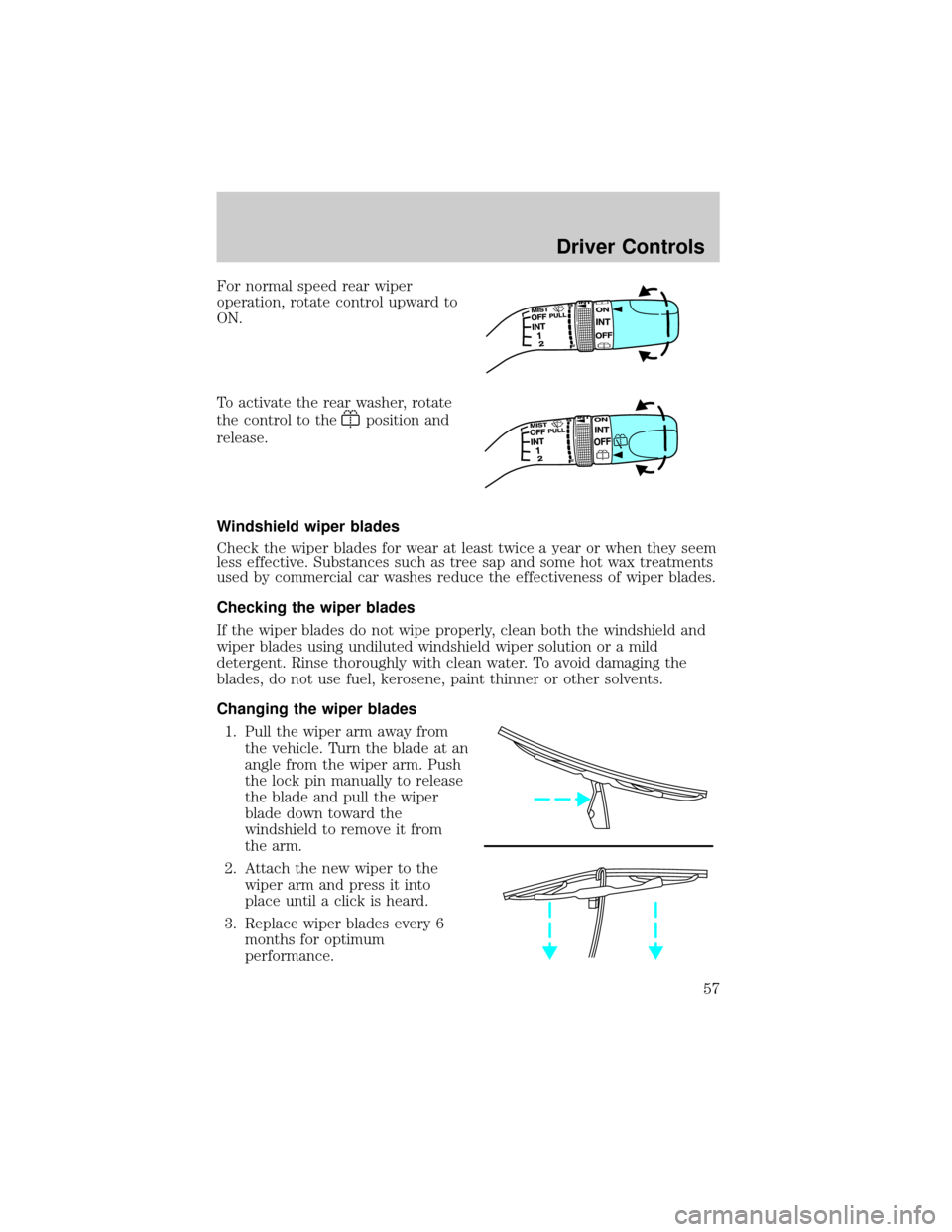
For normal speed rear wiper
operation, rotate control upward to
ON.
To activate the rear washer, rotate
the control to the
position and
release.
Windshield wiper blades
Check the wiper blades for wear at least twice a year or when they seem
less effective. Substances such as tree sap and some hot wax treatments
used by commercial car washes reduce the effectiveness of wiper blades.
Checking the wiper blades
If the wiper blades do not wipe properly, clean both the windshield and
wiper blades using undiluted windshield wiper solution or a mild
detergent. Rinse thoroughly with clean water. To avoid damaging the
blades, do not use fuel, kerosene, paint thinner or other solvents.
Changing the wiper blades
1. Pull the wiper arm away from
the vehicle. Turn the blade at an
angle from the wiper arm. Push
the lock pin manually to release
the blade and pull the wiper
blade down toward the
windshield to remove it from
the arm.
2. Attach the new wiper to the
wiper arm and press it into
place until a click is heard.
3. Replace wiper blades every 6
months for optimum
performance.
Driver Controls
57
Page 58 of 248
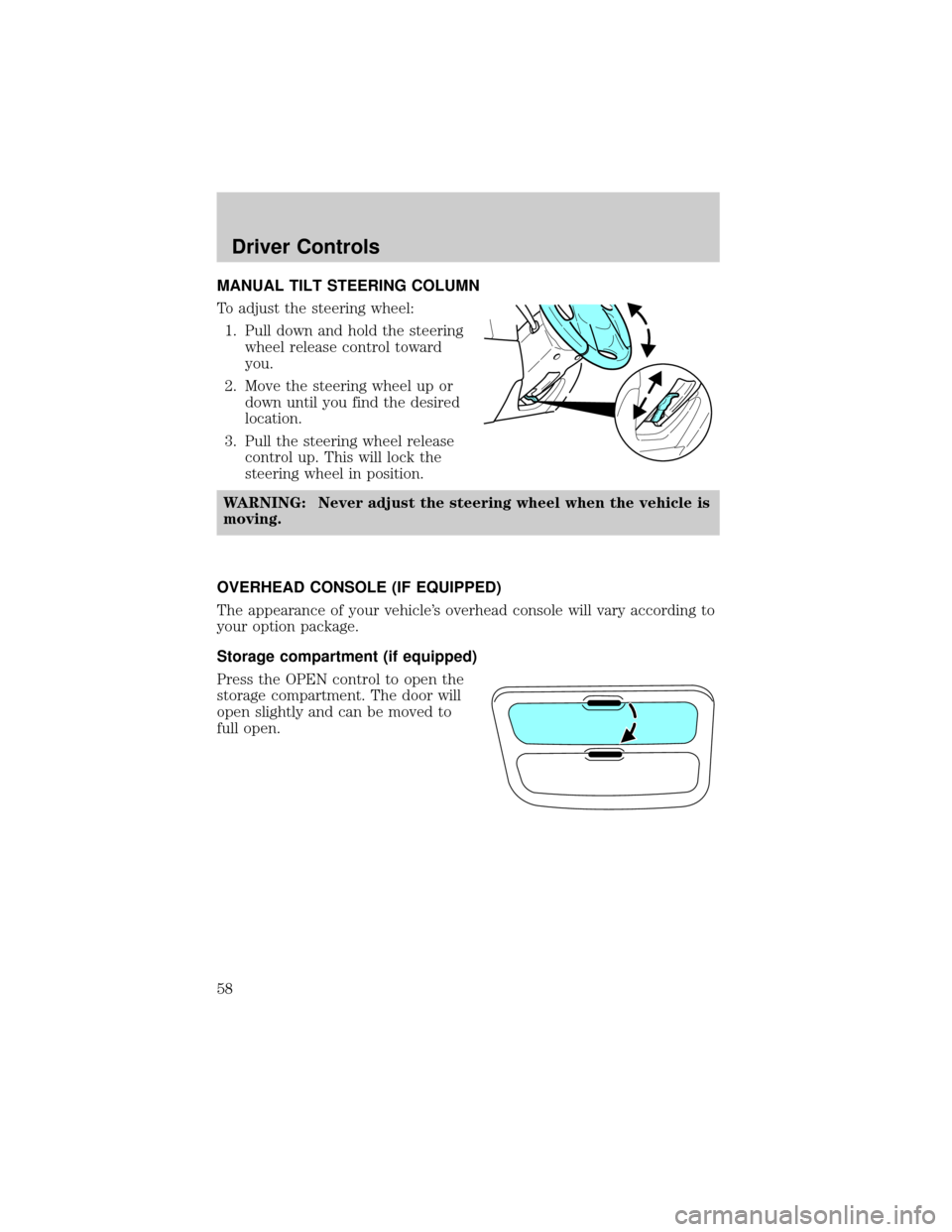
MANUAL TILT STEERING COLUMN
To adjust the steering wheel:
1. Pull down and hold the steering
wheel release control toward
you.
2. Move the steering wheel up or
down until you find the desired
location.
3. Pull the steering wheel release
control up. This will lock the
steering wheel in position.
WARNING: Never adjust the steering wheel when the vehicle is
moving.
OVERHEAD CONSOLE (IF EQUIPPED)
The appearance of your vehicle's overhead console will vary according to
your option package.
Storage compartment (if equipped)
Press the OPEN control to open the
storage compartment. The door will
open slightly and can be moved to
full open.
Driver Controls
58
Page 60 of 248
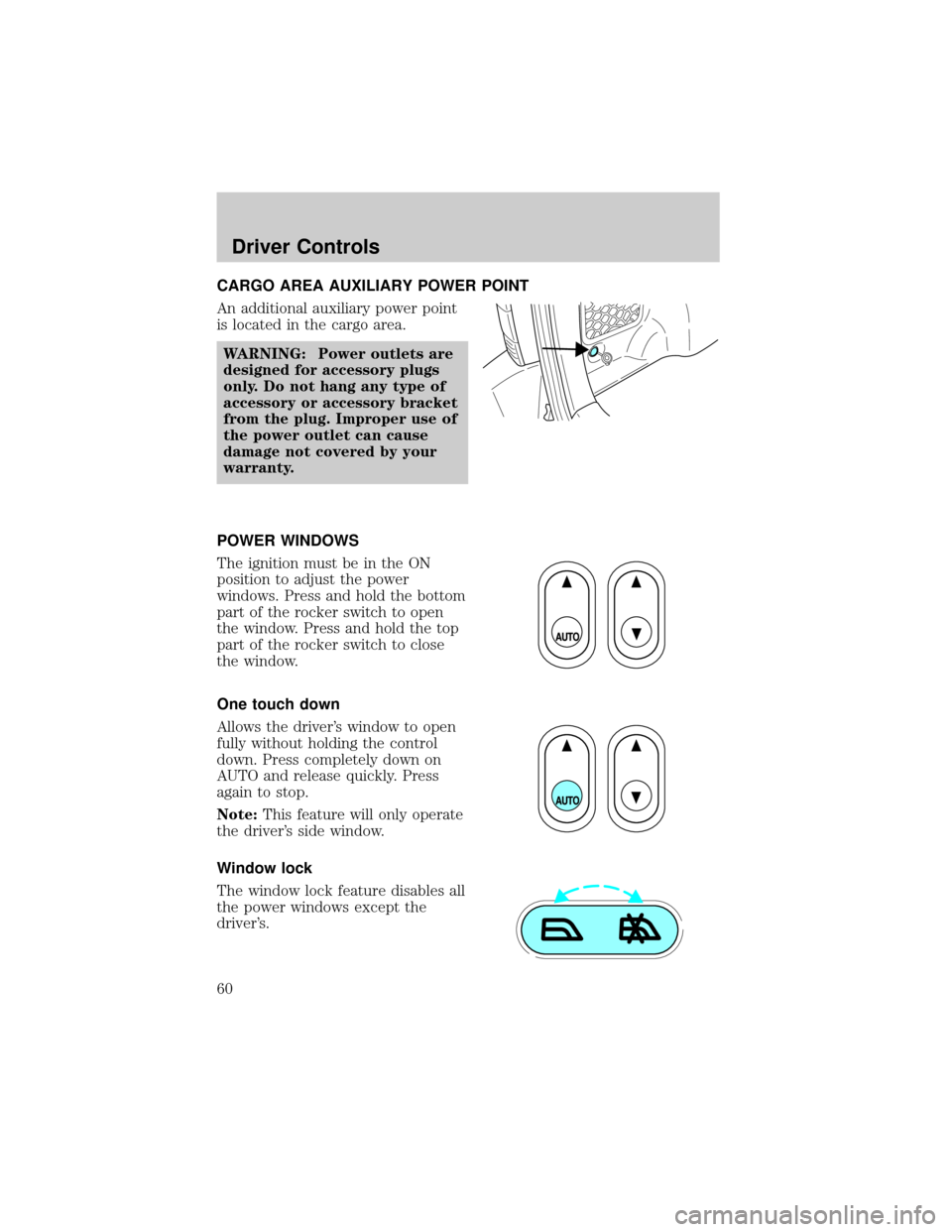
CARGO AREA AUXILIARY POWER POINT
An additional auxiliary power point
is located in the cargo area.
WARNING: Power outlets are
designed for accessory plugs
only. Do not hang any type of
accessory or accessory bracket
from the plug. Improper use of
the power outlet can cause
damage not covered by your
warranty.
POWER WINDOWS
The ignition must be in the ON
position to adjust the power
windows. Press and hold the bottom
part of the rocker switch to open
the window. Press and hold the top
part of the rocker switch to close
the window.
One touch down
Allows the driver's window to open
fully without holding the control
down. Press completely down on
AUTO and release quickly. Press
again to stop.
Note:This feature will only operate
the driver's side window.
Window lock
The window lock feature disables all
the power windows except the
driver's.
Driver Controls
60
Page 61 of 248

To lock out all the window controls except for the driver's window press
the right side of the control.
NOTE:The window switches will not illuminate when the window
control is in the LOCKED position.
Press the left side to restore the window controls.
Accessory delay
With accessory delay, power windows and moonroof operate for up to
ten minutes after the ignition switch is turned from the ACC or ON to
the OFF position or until any door is opened.
WARNING: Do not let children play with the power windows or
moon roof. They may seriously injure themselves.
MIRRORS
Power side view mirrors
The ignition must be in the ACC or ON position to adjust the power side
view mirrors.
To adjust your mirrors:
1. Rotate the control clockwise to
adjust the right mirror and
rotate the control
counterclockwise to adjust the
left mirror.
2. Move the control in the
direction you wish to tilt the
mirror.
3. Return to the center position to lock mirrors in place.
Driver Controls
61
Page 65 of 248
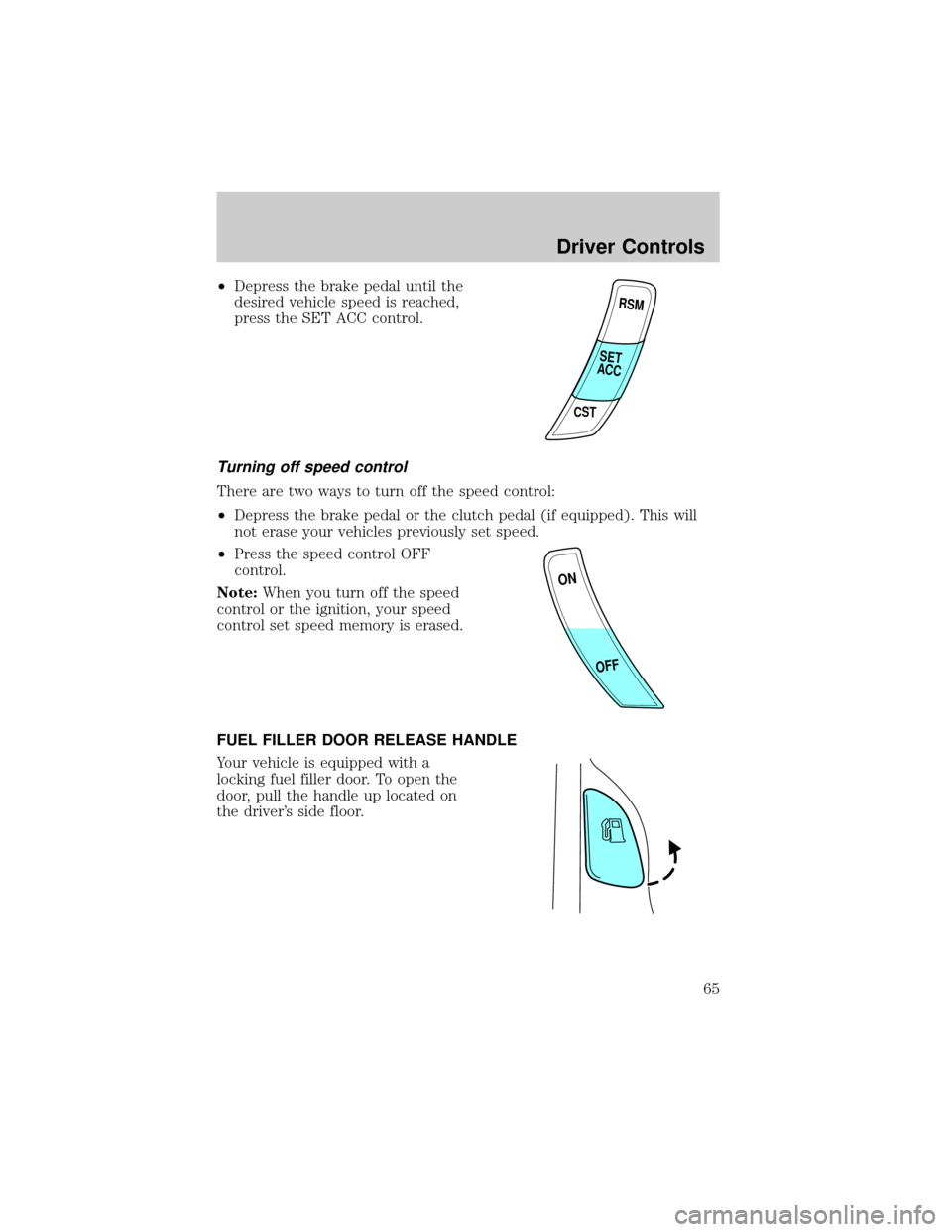
²Depress the brake pedal until the
desired vehicle speed is reached,
press the SET ACC control.
Turning off speed control
There are two ways to turn off the speed control:
²Depress the brake pedal or the clutch pedal (if equipped). This will
not erase your vehicles previously set speed.
²Press the speed control OFF
control.
Note:When you turn off the speed
control or the ignition, your speed
control set speed memory is erased.
FUEL FILLER DOOR RELEASE HANDLE
Your vehicle is equipped with a
locking fuel filler door. To open the
door, pull the handle up located on
the driver's side floor.
RSM
CST
SET
ACC
ON
OFF
Driver Controls
65
Page 69 of 248

KEYS
The key operates all locks on your vehicle. In case of loss, replacement
keys are available from your dealer.
You should always carry a second key with you in a safe place in case
you require it in an emergency.
Refer toSecuriLockyPassive Anti-Theft Systemfor more information.
POWER DOOR LOCKS
Press control to unlock all doors.
Press control to lock all doors.
Door key unlocking/locking
Unlocking the doors
1. Turn the key in the door cylinder to unlock the driver's door.Note:
The interior lamps will illuminate, if the control on the overhead
lamp is in the DOOR position, the flashers will flash twice, and the
perimeter alarm system (if equipped) will deactivate.
2. Turn the key in the door cylinder again within three seconds to
unlock the passenger doors, the liftgate and liftgate glass. The park
lamps will flash twice to confirm all doors are unlocked.
This two step unlocking feature activates the illuminated entry feature. This
feature turns on all the interior lamps for 30 seconds or until the ignition is
turned to the RUN position. If the dome lamp control (if equipped) is in the
offposition, the illuminated entry feature will not work.
The inside lights will not turn off if:
²they have been turned on using the dome lamp control or
²any door is open.
The battery saver feature will turn off the interior lamps 30 minutes after
the ignition is turned to the OFF position.
Locks and Security
69
Page 70 of 248

Locking the doors
1. Turn the key in the door cylinder to lock all the doors. The park
lamps will flash once and the perimeter alarm (if equipped) will be
start the arming process. For more information concerning the
perimeter alarm, refer toPerimeter alarm system (if equipped)
later in this chapter.
2.
Turn the key in the door cylinder again within three seconds to
confirm that all the doors are closed and locked.Note:the doors will
lock again, the horn will chirp once, and the park lamps will flash.
If any of the doors or the hood are not properly closed the horn will not
sound and the park lamps will not flash.
Smart unlocking feature
The smart unlocking feature prevents you from locking yourself out of
the vehicle by unlocking the doors if the key is in the ignition and the
driver's door is open/ajar when the vehicle doors were locked using the
power lock/unlock control.
The smart unlocking feature operates independent of the position of the
ignition.
Childproof door locks
²When these locks are set, the
rear doors cannot be opened from
the inside.
²The rear doors can be opened
from the outside when the doors
are unlocked.
The childproof locks are located on
rear edge of each rear door and
must be setseparatelyfor each
door. Setting the lock for one door
willnotautomatically set the lock
for both doors.
²Rotate lock control in the
direction of arrow to engage the
lock.
²Rotate control in the opposite
direction to disengage childproof
locks.
Locks and Security
70