warning MAZDA MODEL TRIBUTE 2009 (in English) User Guide
[x] Cancel search | Manufacturer: MAZDA, Model Year: 2009, Model line: MODEL TRIBUTE, Model: MAZDA MODEL TRIBUTE 2009Pages: 304, PDF Size: 1.97 MB
Page 16 of 304

Door ajar:Illuminates when the
ignition is in the on position and any
door is open.
Turn signal: Illuminates when the
left or right turn signal or the
hazard lights are turned on. If the
indicators flash faster, check for a burned out bulb.
High beams: Illuminates when the
high beam headlamps are turned on.
Key-in-ignition warning chime: Sounds when the key is left in the
ignition in the OFF/LOCK or ACCESSORY position and the driver’s door
is opened.
Headlamps on warning chime: Sounds when the headlamps or parking
lamps are on, the ignition is off (the key is not in the ignition) and the
driver’s door is opened.
Parking brake on chime: Sounds when the parking brake is left on and
the vehicle is driven. If the warning stays on after the park brake is off,
contact your authorized dealer as soon as possible.
GAUGES
2009 Tribute (j14)
Owners Guide, 1st Printing
USA (fus)
Instrument Cluster
16
Page 17 of 304
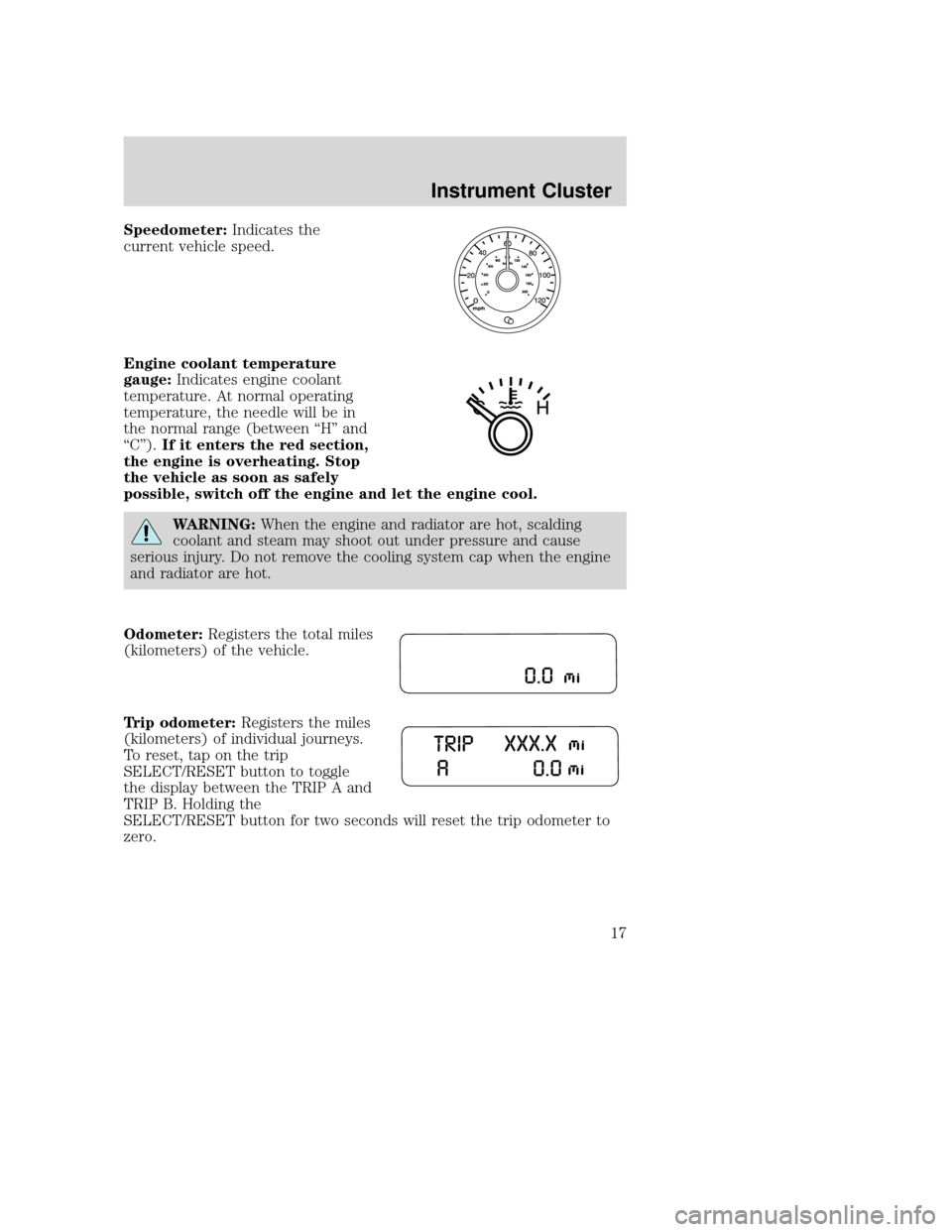
Speedometer:Indicates the
current vehicle speed.
Engine coolant temperature
gauge: Indicates engine coolant
temperature. At normal operating
temperature, the needle will be in
the normal range (between “H” and
“C”). If it enters the red section,
the engine is overheating. Stop
the vehicle as soon as safely
possible, switch off the engine and let the engine cool.
WARNING: When the engine and radiator are hot, scalding
coolant and steam may shoot out under pressure and cause
serious injury. Do not remove the cooling system cap when the engine
and radiator are hot.
Odometer: Registers the total miles
(kilometers) of the vehicle.
Trip odometer: Registers the miles
(kilometers) of individual journeys.
To reset, tap on the trip
SELECT/RESET button to toggle
the display between the TRIP A and
TRIP B. Holding the
SELECT/RESET button for two seconds will reset the trip odometer to
zero.
2009 Tribute (j14)
Owners Guide, 1st Printing
USA (fus)
Instrument Cluster
17
Page 19 of 304

AUDIO SYSTEMS
AM/FM/single CD or in-dash CD6/MP3 satellite compatible sound
system
WARNING:Driving while distracted can result in loss of vehicle
control, accident and injury. Mazda strongly recommends that
drivers use extreme caution when using any device that may take their
focus off the road. The driver’s primary responsibility is the safe
operation of their vehicle. Only use cell phones and other devices not
essential to the driving task when it is safe to do so.
Accessory delay: Your vehicle is equipped with accessory delay. With
this feature, the radio and other electrical accessories may be used for
up to ten minutes after the ignition is turned off or until either front
door is opened.
Note: Your vehicle is equipped with
a unique audio system. If your
display shows six small circles in the
display, your audio system is a CD6
system. If not, your system is a
Single CD system.
Setting the clock
To set the time, press CLOCK. The display will read SET TIME. Use the
memory preset numbers (0–9) to enter in the desired time–hours and
minutes. The clock will then begin from that time.
2009 Tribute (j14)
Owners Guide, 1st Printing
USA (fus)
Entertainment Systems
19
Page 27 of 304
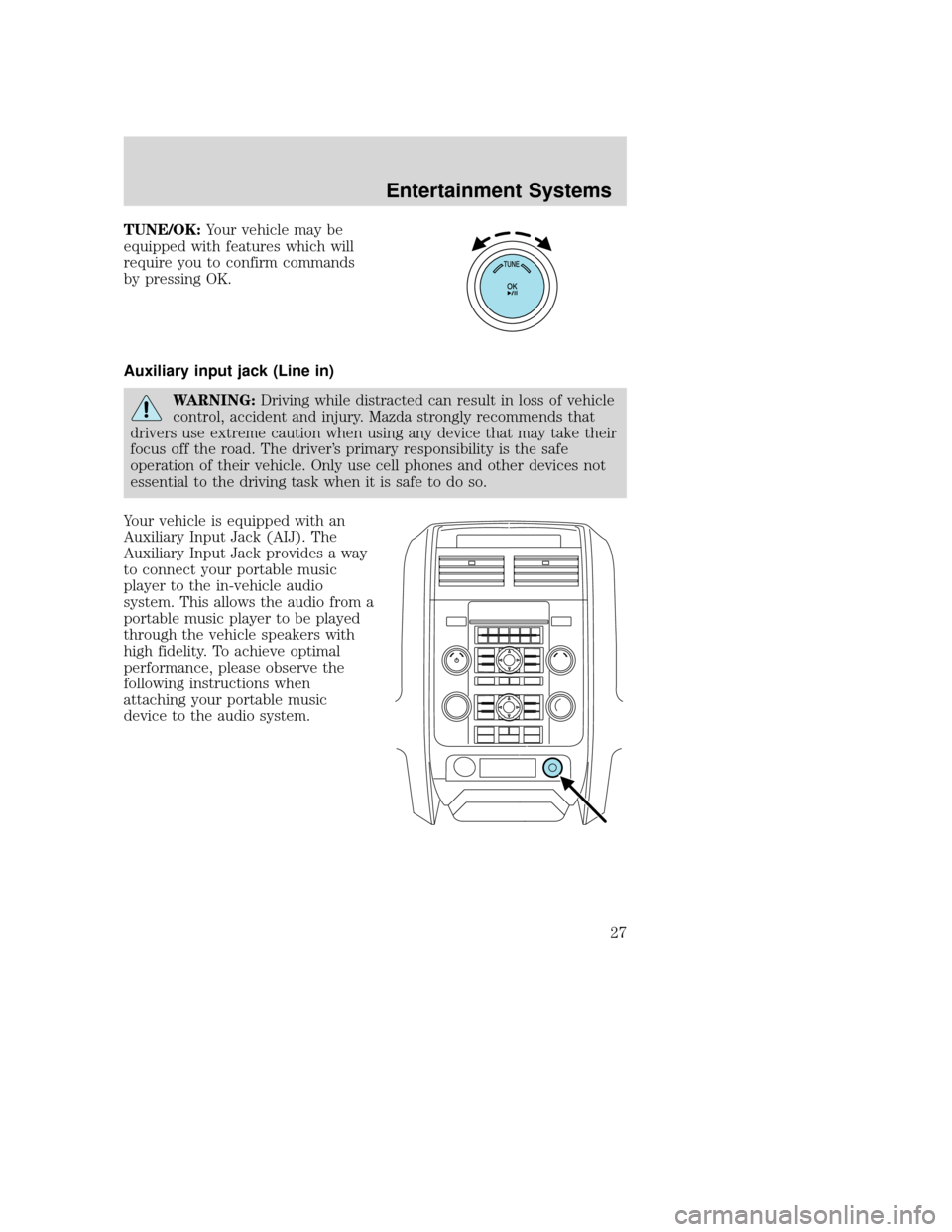
TUNE/OK:Your vehicle may be
equipped with features which will
require you to confirm commands
by pressing OK.
Auxiliary input jack (Line in)
WARNING: Driving while distracted can result in loss of vehicle
control, accident and injury. Mazda strongly recommends that
drivers use extreme caution when using any device that may take their
focus off the road. The driver’s primary responsibility is the safe
operation of their vehicle. Only use cell phones and other devices not
essential to the driving task when it is safe to do so.
Your vehicle is equipped with an
Auxiliary Input Jack (AIJ). The
Auxiliary Input Jack provides a way
to connect your portable music
player to the in-vehicle audio
system. This allows the audio from a
portable music player to be played
through the vehicle speakers with
high fidelity. To achieve optimal
performance, please observe the
following instructions when
attaching your portable music
device to the audio system.
2009 Tribute (j14)
Owners Guide, 1st Printing
USA (fus)
Entertainment Systems
27
Page 29 of 304
5. For safety reasons, connecting or adjusting the settings on yourportable music player should not be attempted while the vehicle is
moving. Also, the portable music player should be stored in a secure
location, such as the center console or the glove box, when the
vehicle is in motion. The audio extension cable must be long enough
to allow the portable music player to be safely stored while the
vehicle is in motion.
USB port (if equipped)
WARNING: Driving while distracted can result in loss of vehicle
control, accident and injury. Mazda strongly recommends that
drivers use extreme caution when using any device that may take their
focus off the road. The driver’s primary responsibility is the safe
operation of their vehicle. Only use cell phones and other devices not
essential to the driving task when it is safe to do so.
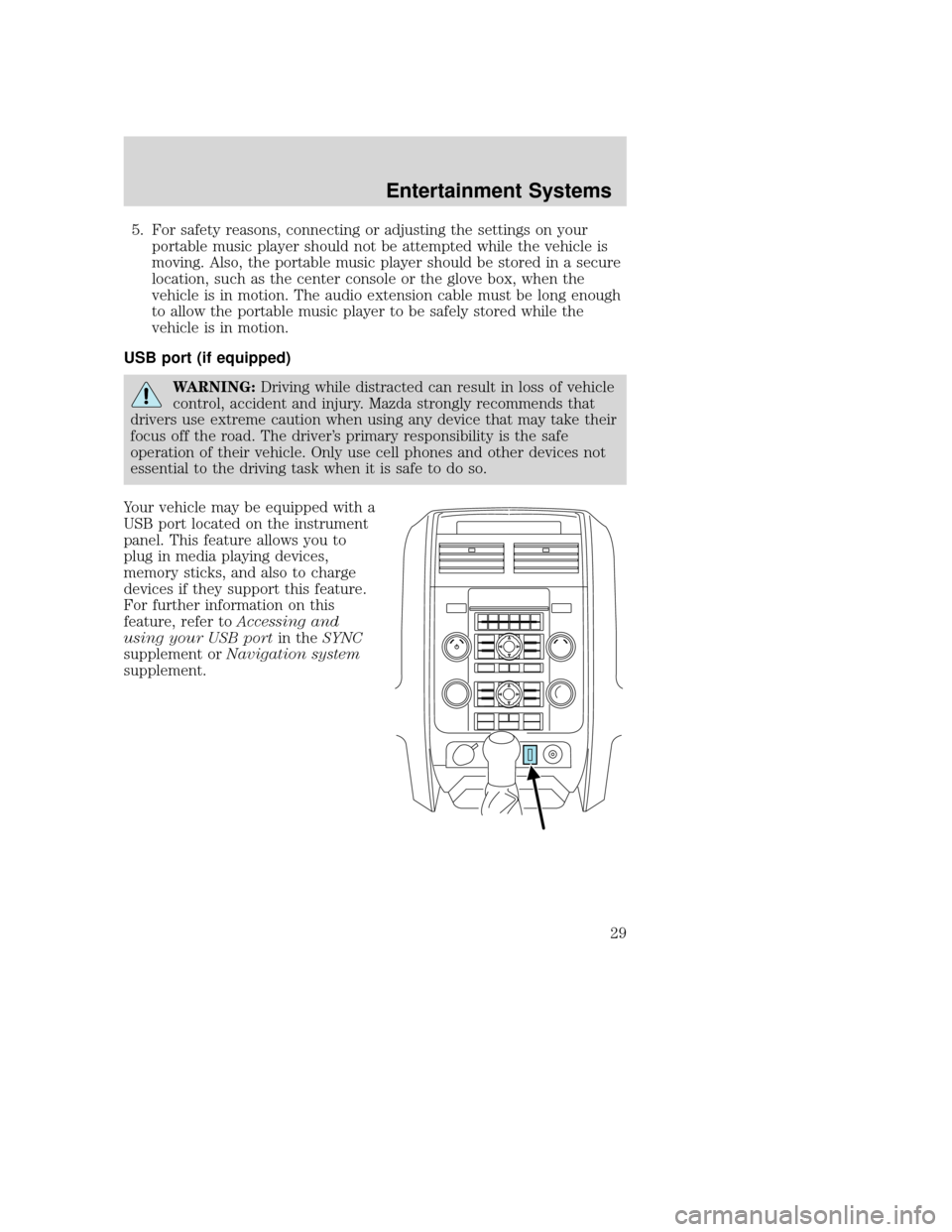
Your vehicle may be equipped with a
USB port located on the instrument
panel. This feature allows you to
plug in media playing devices,
memory sticks, and also to charge
devices if they support this feature.
For further information on this
feature, refer to Accessing and
using your USB port in theSYNC
supplement or Navigation system
supplement.
2009 Tribute (j14)
Owners Guide, 1st Printing
USA (fus)
Entertainment Systems
29
Page 40 of 304
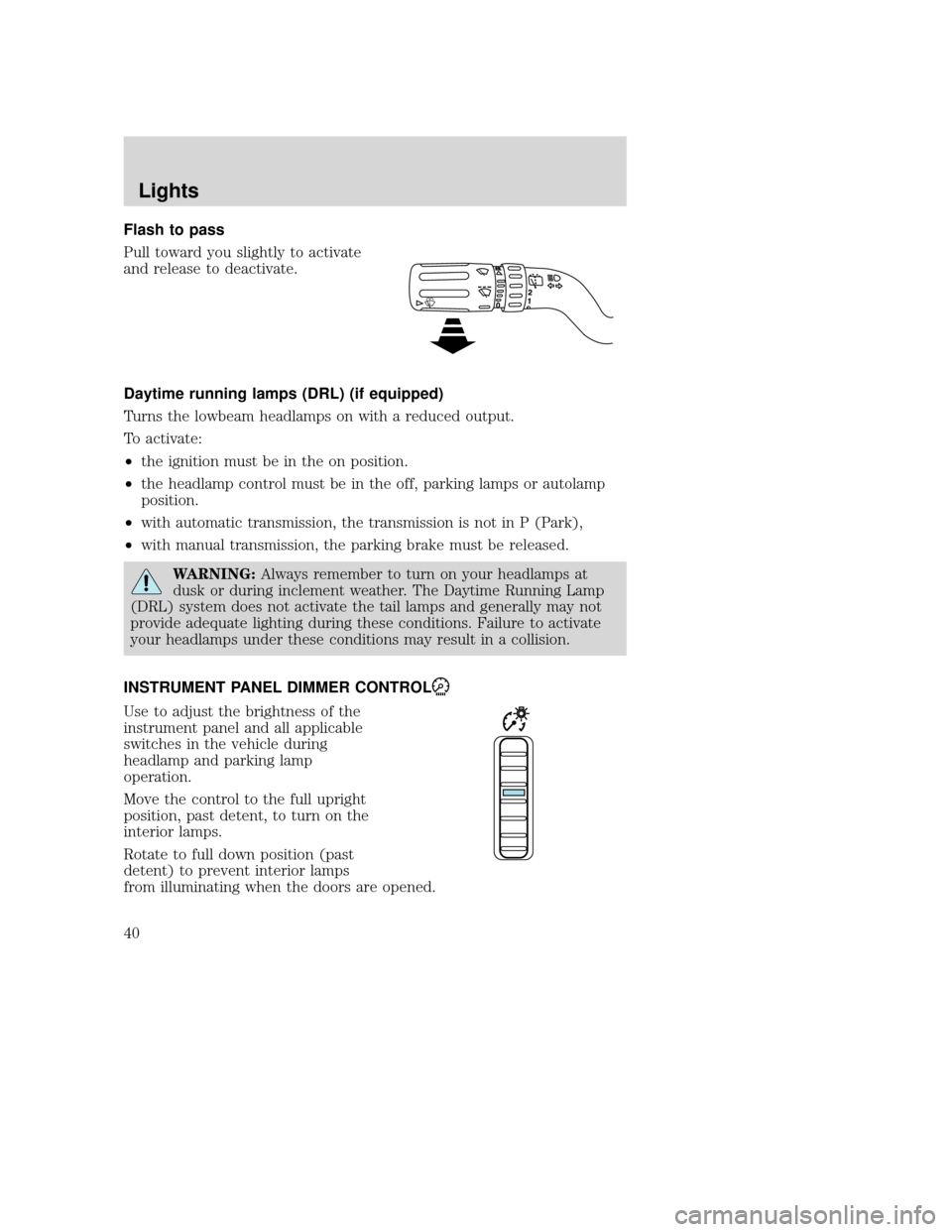
Flash to pass
Pull toward you slightly to activate
and release to deactivate.
Daytime running lamps (DRL) (if equipped)
Turns the lowbeam headlamps on with a reduced output.
To activate:
•the ignition must be in the on position.
• the headlamp control must be in the off, parking lamps or autolamp
position.
• with automatic transmission, the transmission is not in P (Park),
• with manual transmission, the parking brake must be released.
WARNING: Always remember to turn on your headlamps at
dusk or during inclement weather. The Daytime Running Lamp
(DRL) system does not activate the tail lamps and generally may not
provide adequate lighting during these conditions. Failure to activate
your headlamps under these conditions may result in a collision.
INSTRUMENT PANEL DIMMER CONTROL
Use to adjust the brightness of the
instrument panel and all applicable
switches in the vehicle during
headlamp and parking lamp
operation.
Move the control to the full upright
position, past detent, to turn on the
interior lamps.
Rotate to full down position (past
detent) to prevent interior lamps
from illuminating when the doors are opened.
2009 Tribute (j14)
Owners Guide, 1st Printing
USA (fus)
Lights
40
Page 46 of 304

WARNING:Handling Halogen Bulbs: When a halogen bulb
breaks, it is dangerous. These bulbs contain pressurized gas. If
one is broken, it will explode and serious injuries could be caused by
the flying glass. If the glass portion of the bulb is touched with bare
hands, body oil could cause the bulb to overheat and explode when lit.
Never touch the glass portion of the bulb with your bare hands and
always wear eye protection when handling or working around halogen
bulbs.
5. Disconnect the electrical connector from the bulb.
WARNING: Children and
Halogen Bulbs: Playing with
a halogen bulb is dangerous.
Serious injuries could be caused
by dropping a halogen bulb or
breaking in some other way.
Always keep halogen bulbs out of
the reach of children.
6. Connect the electrical connector on the new bulb.
7. Insert the glass end of the new bulb into the headlamp assembly. When the grooves in the plastic base are aligned, turn the new bulb
clockwise to install.
Replacing front parking lamp/turn signal bulbs
For bulb replacement, see your authorized Mazda dealer.
Replacing tail/stop/turn/backup lamp bulbs
The tail/stop/turn/sidemarker/backup lamp bulbs are located in the same
portion of the tail lamp assembly, one just below the other. Follow the
same steps to replace either bulb:
2009 Tribute (j14)
Owners Guide, 1st Printing
USA (fus)
Lights
46
Page 51 of 304
WARNING:Adjusting the steering wheel while the vehicle is
moving is dangerous. Moving it can very easily cause the driver
to abruptly turn to the left or right. This can lead to loss of control or
an accident. Never adjust the steering wheel while the vehicle is
moving.
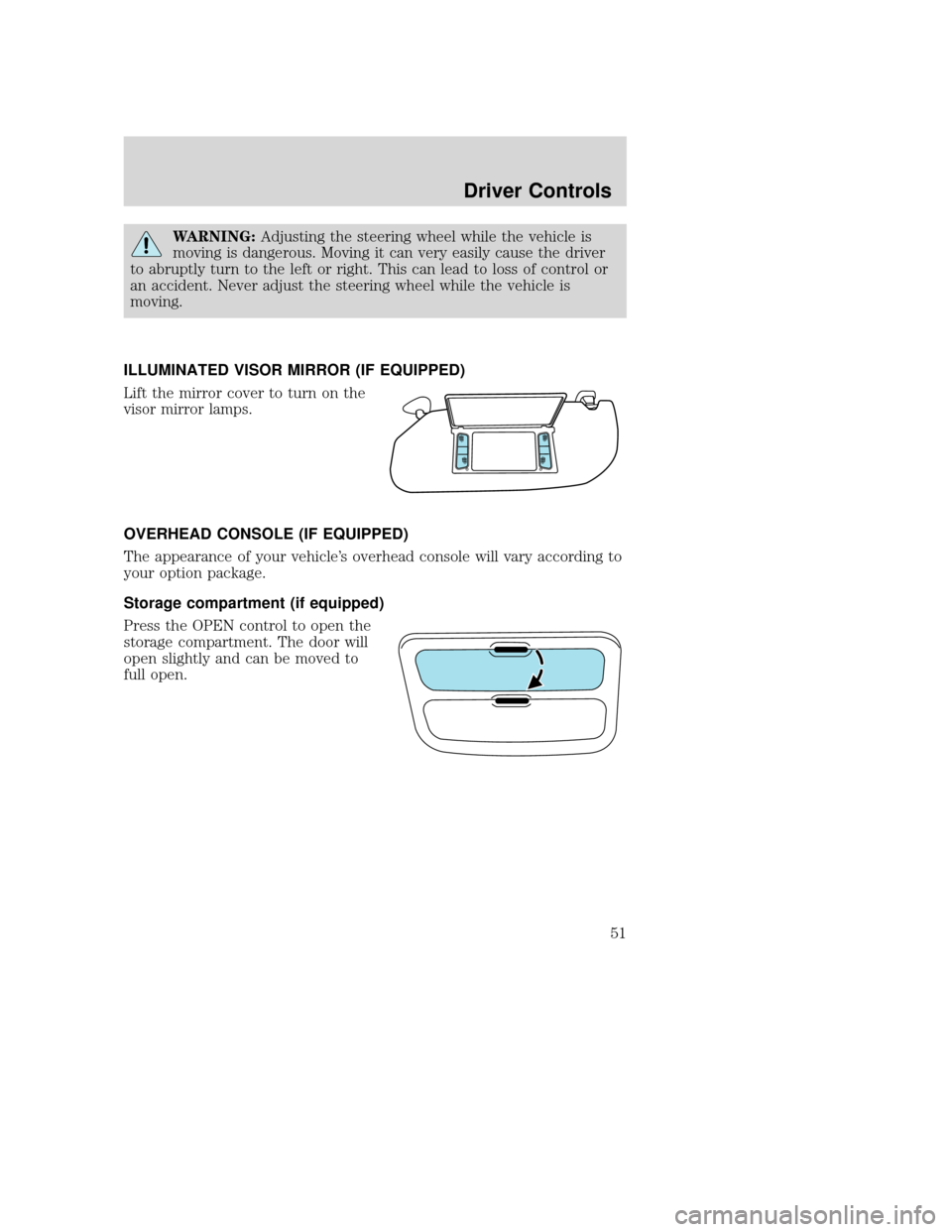
ILLUMINATED VISOR MIRROR (IF EQUIPPED)
Lift the mirror cover to turn on the
visor mirror lamps.
OVERHEAD CONSOLE (IF EQUIPPED)
The appearance of your vehicle’s overhead console will vary according to
your option package.
Storage compartment (if equipped)
Press the OPEN control to open the
storage compartment. The door will
open slightly and can be moved to
full open.
2009 Tribute (j14)
Owners Guide, 1st Printing
USA (fus)
Driver Controls
51
Page 52 of 304
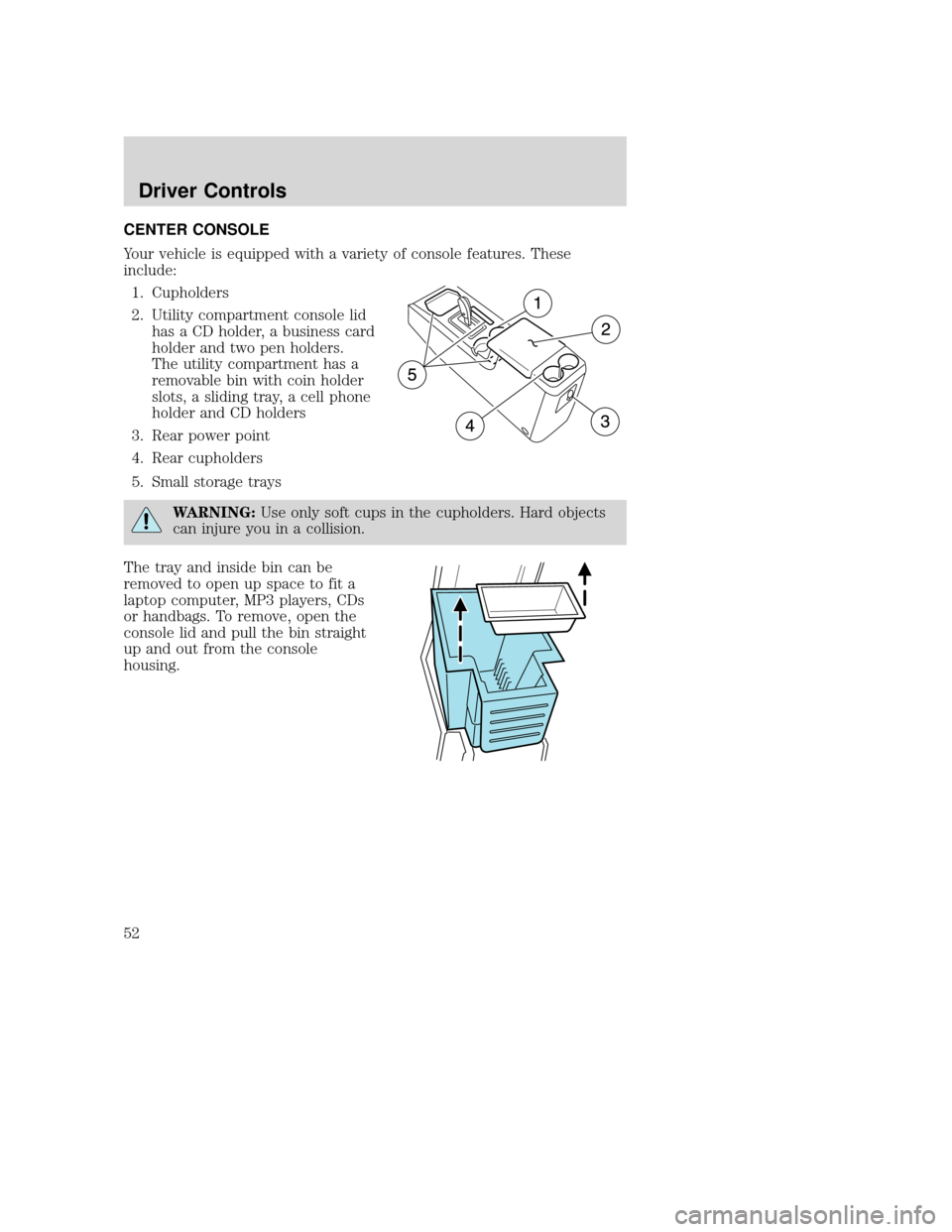
CENTER CONSOLE
Your vehicle is equipped with a variety of console features. These
include:1. Cupholders
2. Utility compartment console lid has a CD holder, a business card
holder and two pen holders.
The utility compartment has a
removable bin with coin holder
slots, a sliding tray, a cell phone
holder and CD holders
3. Rear power point
4. Rear cupholders
5. Small storage trays
WARNING: Use only soft cups in the cupholders. Hard objects
can injure you in a collision.
The tray and inside bin can be
removed to open up space to fit a
laptop computer, MP3 players, CDs
or handbags. To remove, open the
console lid and pull the bin straight
up and out from the console
housing.
2009 Tribute (j14)
Owners Guide, 1st Printing
USA (fus)
Driver Controls
52
Page 53 of 304

The sliding tray and inside bin can
be hooked on the side or rear of the
console for extra storage.
AUXILIARY POWER POINT (12VDC)
WARNING:Power outlets are designed for accessory plugs only.
Do not insert any other object in the power outlet as this will
damage the outlet and blow the fuse. Do not hang any type of
accessory or accessory bracket from the plug. Improper use of the
power outlet can cause damage not covered by your warranty.
The auxiliary power point is located
in front of the gearshift and on the
rear side of the center console.
Do not use the power point for
operating the cigarette lighter
element (if equipped).
To prevent the fuse from being
blown, do not use the power
point(s) over the vehicle capacity of
12 VDC/180W. If the power point or
cigar lighter socket is not working, a fuse may have blown. Refer to
Fuses and relays in theRoadside Emergencies chapter for information
on checking and replacing fuses.
To have full capacity usage of your power point, the engine is required to
be running to avoid unintentional discharge of the battery. To prevent
the battery from being discharged:
• do not use the power point longer than necessary when the engine is
not running,
• do not leave battery chargers, video game adapters, computers and
other devices plugged in overnight or when the vehicle is parked for
extended periods.
2009 Tribute (j14)
Owners Guide, 1st Printing
USA (fus)
Driver Controls
53