ignition MAZDA MODEL TRIBUTE HEV 2008 User Guide
[x] Cancel search | Manufacturer: MAZDA, Model Year: 2008, Model line: MODEL TRIBUTE HEV, Model: MAZDA MODEL TRIBUTE HEV 2008Pages: 312, PDF Size: 3.68 MB
Page 27 of 312
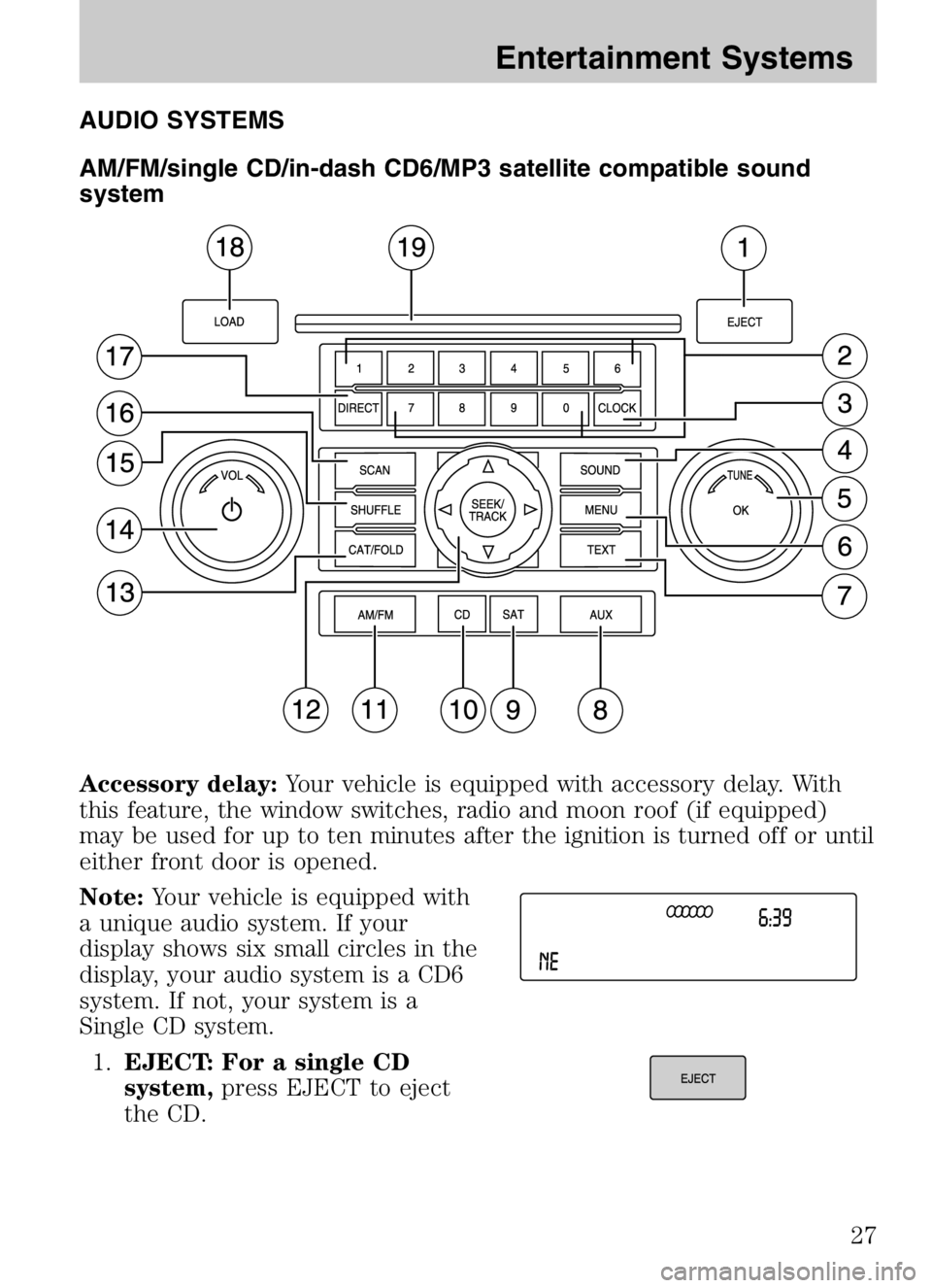
AUDIO SYSTEMS
AM/FM/single CD/in-dash CD6/MP3 satellite compatible sound
system
Accessory delay:Your vehicle is equipped with accessory delay. With
this feature, the window switches, radio and moon roof (if equipped)
may be used for up to ten minutes after the ignition is turned off or until
either front door is opened.
Note: Your vehicle is equipped with
a unique audio system. If your
display shows six small circles in the
display, your audio system is a CD6
system. If not, your system is a
Single CD system.
1. EJECT: For a single CD
system, press EJECT to eject
the CD.
2008 Tribute Hybrid (thv)
Owners Guide (post-2002-fmt)
USA (fus)
Entertainment Systems
27
Page 33 of 312
In MP3 mode,press FOLD and then press/to access the
previous/next folder.
In satellite radio mode (early availability — if equipped), use to
select from various satellite radio categories. To change categories in
satellite radio mode, press CAT/FOLD. The active category will appear in
the display. Press
SEEK/TRACKor turn the TUNE knob
left/right to scroll through the available categories. Press and hold SCAN
for a brief sampling of all channels in that category or press SEEK to
seek to the next channel in that category.
In satellite radio mode (late availability — if equipped), press to
toggle between turning the most recently selected satellite radio category
on or off. The category icon (CAT) will illuminate in the display when a
specific category is selected (the icon will not illuminate during
CATEGORY ALL). If no category has ever been selected, NO CATEGORY
SELECTED will display.
Note: Separate categories can be set for SAT1, SAT2 or SAT3.
Refer to Satellite radio menu under MENU for further information on
selecting a satellite radio category.
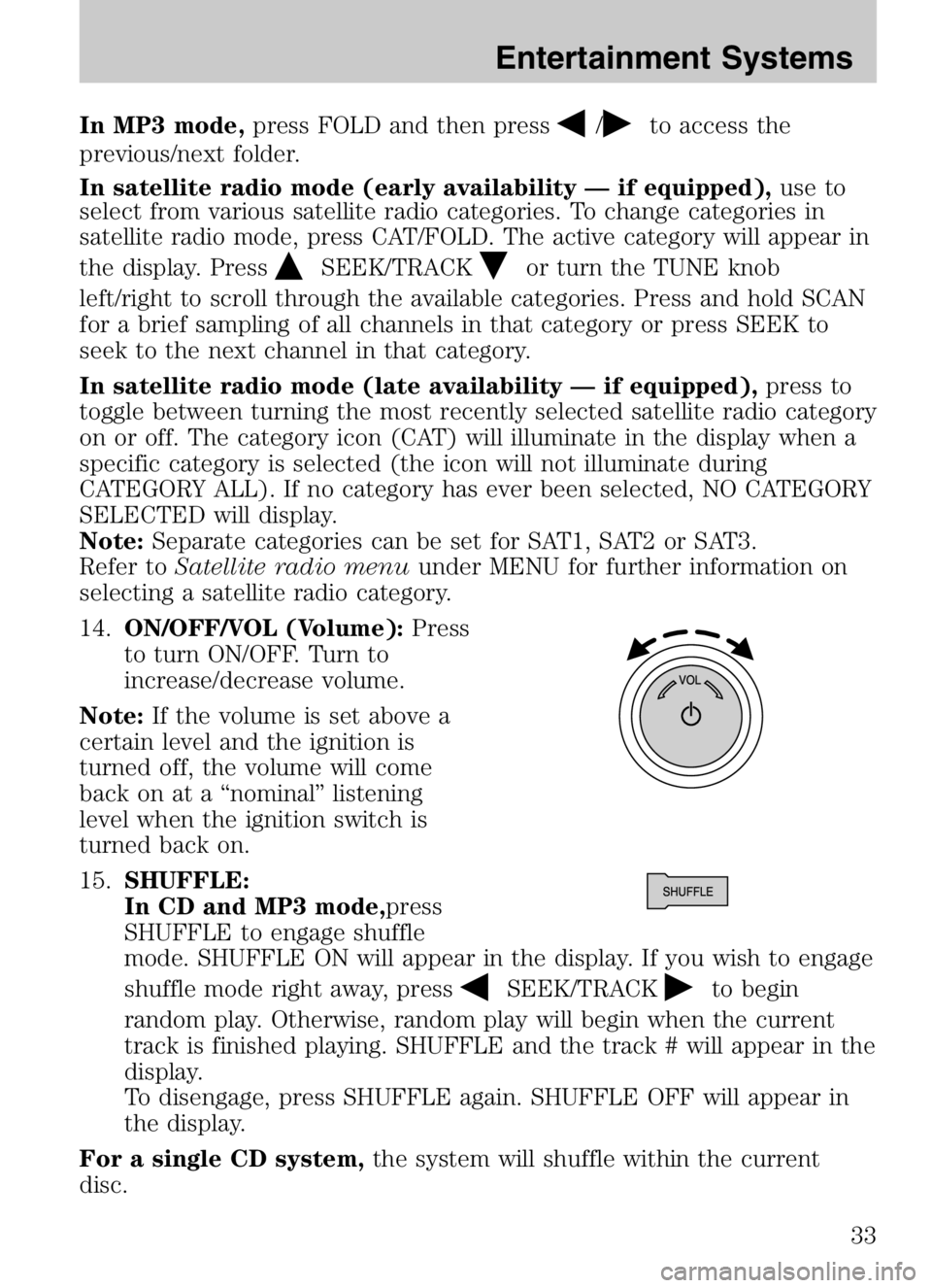
14. ON/OFF/VOL (Volume): Press
to turn ON/OFF. Turn to
increase/decrease volume.
Note: If the volume is set above a
certain level and the ignition is
turned off, the volume will come
back on at a “nominal” listening
level when the ignition switch is
turned back on.
15. SHUFFLE:
In CD and MP3 mode,press
SHUFFLE to engage shuffle
mode. SHUFFLE ON will appear in the display. If you wish to engage
shuffle mode right away, press
SEEK/TRACKto begin
random play. Otherwise, random play will begin when the current
track is finished playing. SHUFFLE and the track # will appear in the
display.
To disengage, press SHUFFLE again. SHUFFLE OFF will appear in
the display.
For a single CD system, the system will shuffle within the current
disc.
2008 Tribute Hybrid (thv)
Owners Guide (post-2002-fmt)
USA (fus)
Entertainment Systems
33
Page 40 of 312

Radio Display Condition Action Required
ACQUIRING Radio requires more than two seconds to
produce audio for the selected channel. No action required.
This message should disappear shortly.
SAT FAULT Internal module or system failurepresent. If this message does
not clear within a short period of time, or with an ignition key cycle,
your receiver may have a fault. See your
authorized dealer for service.
INVALID CHNL Channel no longer available.This previously
available channel is no longer available. Tuneto another channel. If
the channel was one of your presets, you may
choose another channel for that preset button.
UNSUBSCRIBED Subscription not available for thischannel. Contact SIRIUS at
1–888–539–7474 to subscribe to the
channel or tune to another channel.
NO TEXT Artist information not available.Artist information not
available at this time on this channel. The
system is working properly.
2008 Tribute Hybrid (thv)
Owners Guide (post-2002-fmt)
USA (fus)
Entertainment Systems
40
Page 43 of 312

4.Defrost/Floor:Distributes air through the windshield defroster
vents, demister vents, floor vents and rear seat floor vents. The
system will automatically provide outside air to reduce window
fogging. On days where the outside temperature is approximately
freezing or higher, the engine will run continuously in this mode.
5.
Power/: Press to activate/deactivate the climate control
system. When the system is off, outside air is shut out. Turn to
manually increase/decrease the fan speed. The manual fan speed
setting will appear on the left side of the display. To return to
automatic fan operation, press AUTO.
6.
Panel: Distributes air through the instrument panel vents.
7.
Panel/Floor: Distributes air through the instrument panel
vents, demister vents, floor vents and rear seat floor vents.
8.
Floor: Distributes air through the demister vents, floor vents
and rear seat floor vents.
9. Passenger temperature: Press to engage/disengage separate
passenger side temperature control. Turn to increase/decrease the
temperature on the passenger side of the vehicle. The recommended
initial setting is between 72°F (22°C) and 75°F (24°C), then adjust
for comfort. The passenger side temperature setting will appear in
the upper right corner of the display.
10.
Passenger heated seat control (if equipped): Press to
activate/deactivate the passenger heated seat. See Heated seatsin
the Seating and Safety Restraints chapter.
11.
Recirculated air: Press to activate/deactivate air
recirculation in the vehicle. Recirculated air may reduce the amount
of time needed to cool down the interior of the vehicle, may reduce
the energy needed to keep the interior of the vehicle cool, and may
also help reduce undesired outside odors from reaching the interior
of the vehicle. Recirculated air is controlled automatically when
AUTO is selected or can be engaged manually in any airflow mode
except
(defrost). Recirculated air may turn off automatically in
some airflow modes to reduce window fogging potential. When the
ignition switch is turned off and back on, the climate system will
return to the recirculated air mode only if the A/C button LED is
illuminated and the air distribution selection is either
AUTO,
(panel) or(panel/floor).
2008 Tribute Hybrid (thv)
Owners Guide (post-2002-fmt)
USA (fus)
Climate Controls
43
Page 46 of 312

REAR WINDOW DEFROSTERR
The rear defroster control is located on the climate control panel and
works to clear the rear window of fog and thin ice.
The ignition must be in the 3 (RUN) position to operate the rear window
defroster.
Press
Rto turn the rear window defroster on. An indicator light on
the button will illuminate when active. The rear window defroster turns
off automatically after approximately 15 minutes. If a low battery
condition is detected or the ignition is turned to the 1 (LOCK) or 2
(ACC) position, the rear window defroster will not function. To manually
turn off the rear window defroster at any time, press
Ragain.
If your vehicle is equipped with both rear defroster and heated mirrors,
the same button will activate both. Refer to Heated outside mirrorsin
the Driver Controls chapter.
Do not use razor blades or other sharp objects to clean the inside
of the rear window or to remove decals from the inside or the
rear window. This may cause damage to the heated grid lines and
will not be covered by your warranty.
2008 Tribute Hybrid (thv)
Owners Guide (post-2002-fmt)
USA (fus)
Climate Controls
46
Page 47 of 312
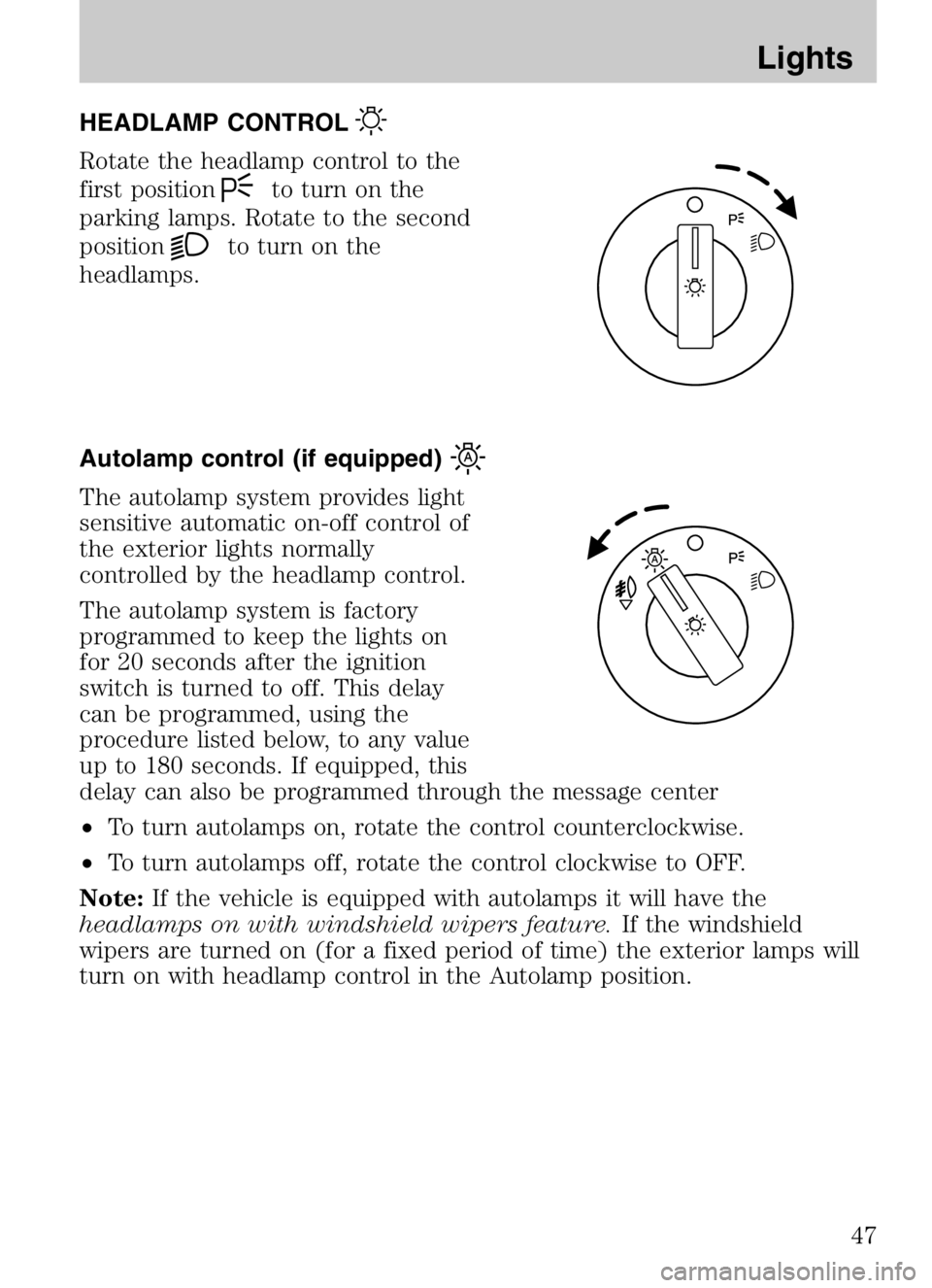
HEADLAMP CONTROL
Rotate the headlamp control to the
first position
to turn on the
parking lamps. Rotate to the second
position
to turn on the
headlamps.
Autolamp control (if equipped)
The autolamp system provides light
sensitive automatic on-off control of
the exterior lights normally
controlled by the headlamp control.
The autolamp system is factory
programmed to keep the lights on
for 20 seconds after the ignition
switch is turned to off. This delay
can be programmed, using the
procedure listed below, to any value
up to 180 seconds. If equipped, this
delay can also be programmed through the message center
• To turn autolamps on, rotate the control counterclockwise.
• To turn autolamps off, rotate the control clockwise to OFF.
Note: If the vehicle is equipped with autolamps it will have the
headlamps on with windshield wipers feature. If the windshield
wipers are turned on (for a fixed period of time) the exterior lamps will
turn on with headlamp control in the Autolamp position.
2008 Tribute Hybrid (thv)
Owners Guide (post-2002-fmt)
USA (fus)
Lights
47
Page 49 of 312
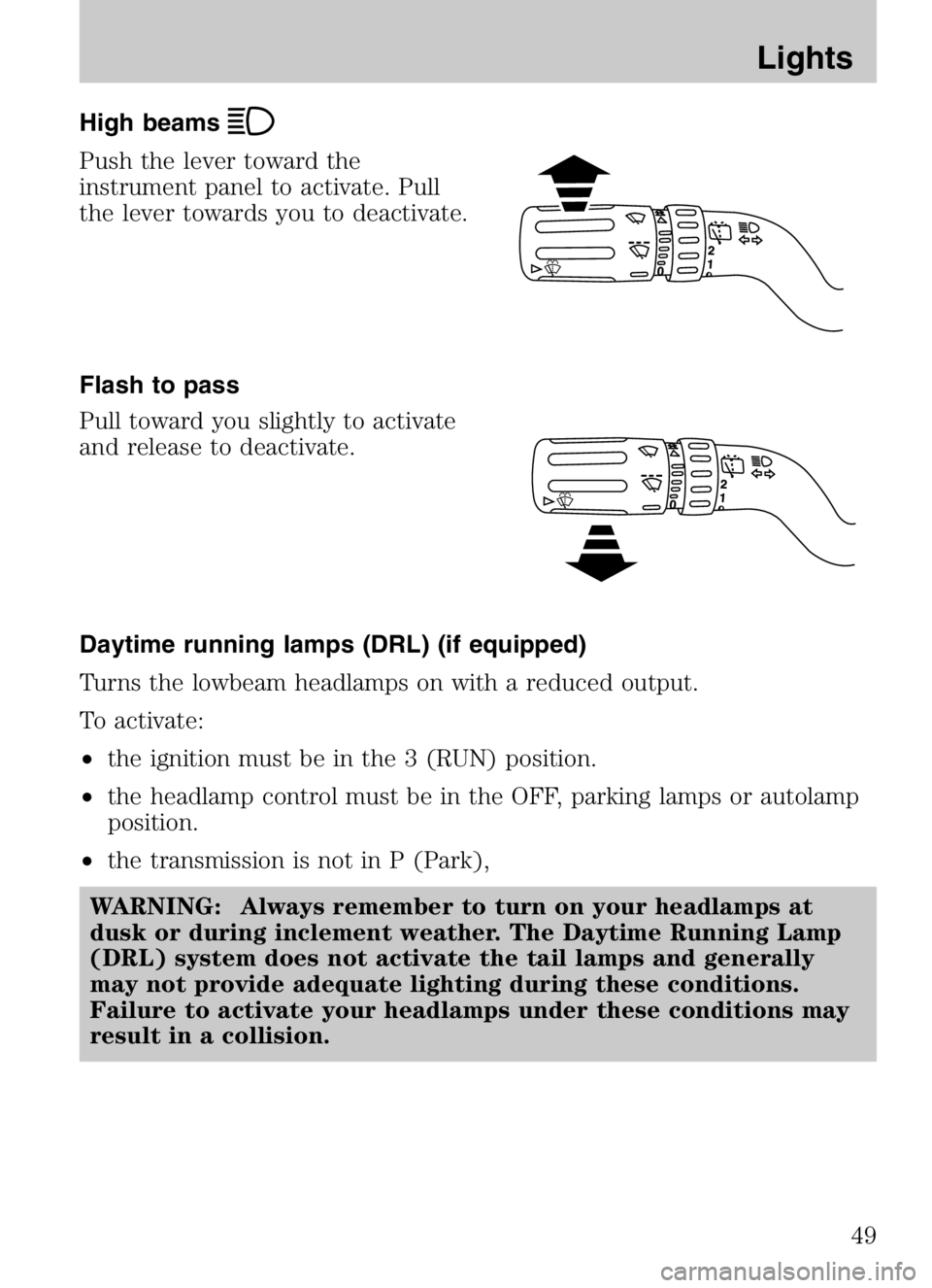
High beams
Push the lever toward the
instrument panel to activate. Pull
the lever towards you to deactivate.
Flash to pass
Pull toward you slightly to activate
and release to deactivate.
Daytime running lamps (DRL) (if equipped)
Turns the lowbeam headlamps on with a reduced output.
To activate:
•the ignition must be in the 3 (RUN) position.
• the headlamp control must be in the OFF, parking lamps or autolamp
position.
• the transmission is not in P (Park),
WARNING: Always remember to turn on your headlamps at
dusk or during inclement weather. The Daytime Running Lamp
(DRL) system does not activate the tail lamps and generally
may not provide adequate lighting during these conditions.
Failure to activate your headlamps under these conditions may
result in a collision.
2008 Tribute Hybrid (thv)
Owners Guide (post-2002-fmt)
USA (fus)
Lights
49
Page 53 of 312

Cargo and dome lamp
Rear cargo lamp equipped with an
ON/OFF/DOOR control will light
when:
•the doors are closed and the
control is in the ON position.
• the control is in the DOOR
position and any door is open.
When the control is in the OFF position, it will not illuminate when you
open the doors.
Interior lighting battery saver
The interior lamps will automatically extinguish after 10 minutes when
the ignition key is in OFF/LOCK position, a door has been left open or
the interior lamp controls are in the ON position.
BULB REPLACEMENT
Headlamp Condensation
The headlamps are vented to equalize pressure. When moist air enters
the headlamp(s) through the vents, there is a possibility that
condensation can occur. This condensation is normal and will clear
within 45 minutes of headlamp operation.
Using the right bulbs
Replacement bulbs are specified in the chart below. Headlamp bulbs
must be marked with an authorized “D.O.T.” for North America to ensure
lamp performance, light brightness and pattern and safe visibility.
Note: The correct bulbs will not damage the lamp assembly or void the
lamp assembly warranty and will provide quality bulb burn time.
Function Number of bulbs Trade number
Headlamps (high and
low beams) 2
H13
Park/turn lamps
(front) 2
3457 NAK (amber)
Rear
stop/tail/sidemarker 2
4157K
2008 Tribute Hybrid (thv)
Owners Guide (post-2002-fmt)
USA (fus)
Lights
53
Page 58 of 312
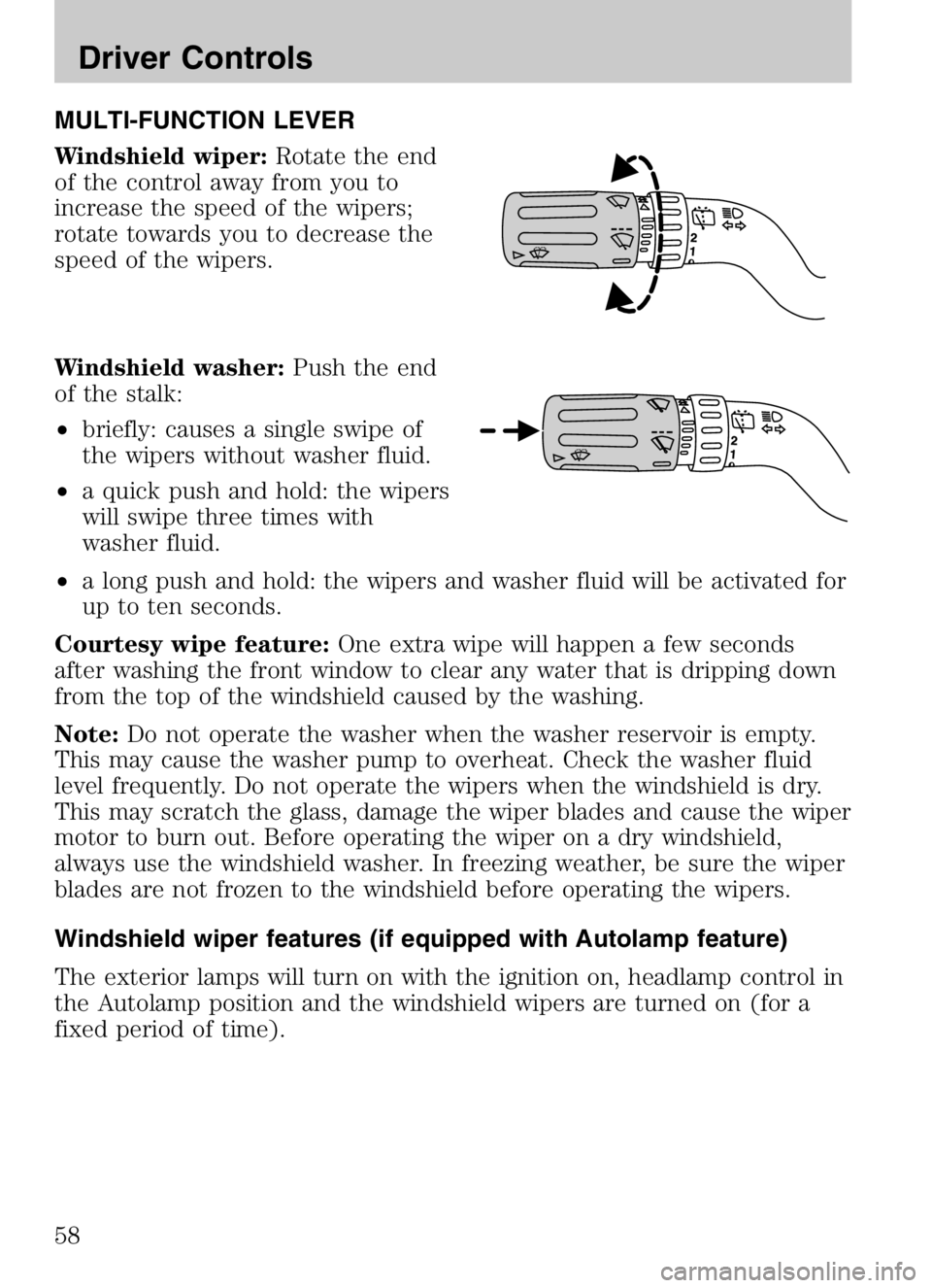
MULTI-FUNCTION LEVER
Windshield wiper:Rotate the end
of the control away from you to
increase the speed of the wipers;
rotate towards you to decrease the
speed of the wipers.
Windshield washer: Push the end
of the stalk:
• briefly: causes a single swipe of
the wipers without washer fluid.
• a quick push and hold: the wipers
will swipe three times with
washer fluid.
• a long push and hold: the wipers and washer fluid will be activated for
up to ten seconds.
Courtesy wipe feature: One extra wipe will happen a few seconds
after washing the front window to clear any water that is dripping down
from the top of the windshield caused by the washing.
Note: Do not operate the washer when the washer reservoir is empty.
This may cause the washer pump to overheat. Check the washer fluid
level frequently. Do not operate the wipers when the windshield is dry.
This may scratch the glass, damage the wiper blades and cause the wiper
motor to burn out. Before operating the wiper on a dry windshield,
always use the windshield washer. In freezing weather, be sure the wiper
blades are not frozen to the windshield before operating the wipers.
Windshield wiper features (if equipped with Autolamp feature)
The exterior lamps will turn on with the ignition on, headlamp control in
the Autolamp position and the windshield wipers are turned on (for a
fixed period of time).
2008 Tribute Hybrid (thv)
Owners Guide (post-2002-fmt)
USA (fus)
Driver Controls
58
Page 63 of 312

Note:The 110 VAC power point is
equipped with a safety cap and a
safety twist tab. They both provide
protection from inserting any object
into the power point other than the
110 VAC electrical device plug. The
safety cap should always be in a
closed position whenever the power
point outlet is not in use.
The 110 VAC power point is located
in the floor console in front of the
gearshift.
The power outlet is not designed for the following electric appliances;
they may not work properly:
• Cathode ray tube type televisions.
• Motor loads, such as vacuum cleaners, electric saws and other electric
power tools, compressor-driven refrigerators, etc.
• Measuring devices, which process precise data, such as medical
equipment, measuring equipment, etc.
• Other appliances requiring an extremely stable power supply:
microcomputer-controlled electric blankets, touch sensor lamps, etc.
Do not keep electrical devices plugged in the power point
whenever the device is not in use. It is not recommended to use
any extension cord with the 110 VAC power point, since it will
defeat the safety protection design provided by the cap and twist
tab. It will also cause the power point to overload due to
powering multiple devices that can reach beyond the 150W load
limit.
The power point can switch to a fault mode when it is overloaded,
overheated, or shorted. For overloading and shorting conditions, unplug
your device and turn the ignition key off then on. For an overheating
condition, let the system cool off, then turn the ignition key off then on.
The 110 VAC power point can provide power whenever the vehicle
ignition is in the run position and the power point green indicator light
located in the top left corner is turned on. Refer to the indicator light
code below for the power point status.
2008 Tribute Hybrid (thv)
Owners Guide (post-2002-fmt)
USA (fus)
Driver Controls
63