warning MAZDA MODEL TRIBUTE HEV 2008 Owner's Manual
[x] Cancel search | Manufacturer: MAZDA, Model Year: 2008, Model line: MODEL TRIBUTE HEV, Model: MAZDA MODEL TRIBUTE HEV 2008Pages: 312, PDF Size: 3.68 MB
Page 69 of 312
CRUISE CONTROL/SPEED CONTROL (IF EQUIPPED)
With cruise control/speed control set, you can maintain a set speed
without keeping your foot on the accelerator pedal.WARNING: Using cruise control in the following conditions
could cause you to lose control of the vehicle:
• Heavy or unsteady traffic
• Slippery or winding roads
• Similar restrictions that require inconsistent speed
Don’t use cruise control in these situations.
Setting speed control
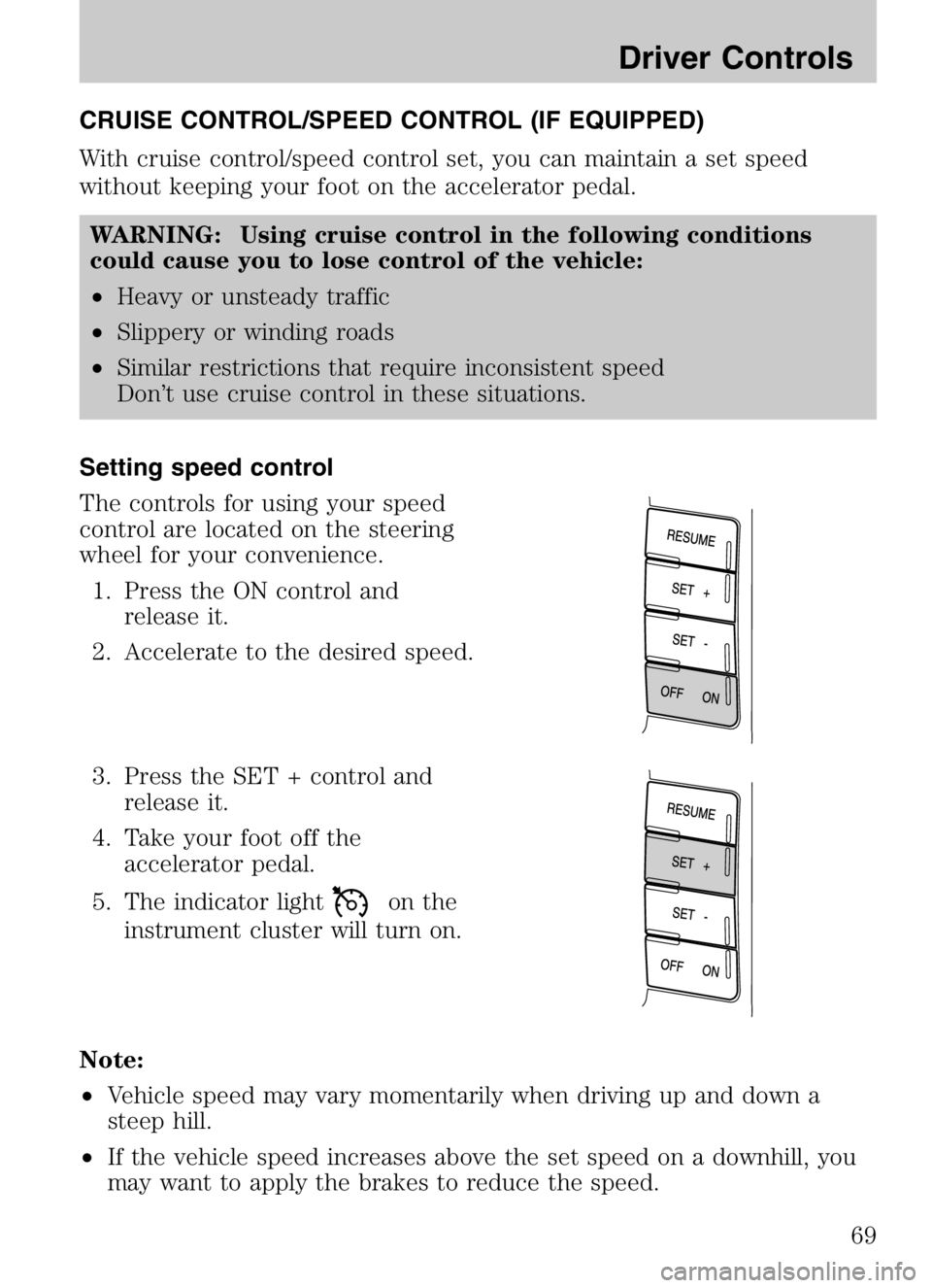
The controls for using your speed
control are located on the steering
wheel for your convenience. 1. Press the ON control and release it.
2. Accelerate to the desired speed.
3. Press the SET + control and release it.
4. Take your foot off the accelerator pedal.
5. The indicator light
on the
instrument cluster will turn on.
Note:
• Vehicle speed may vary momentarily when driving up and down a
steep hill.
• If the vehicle speed increases above the set speed on a downhill, you
may want to apply the brakes to reduce the speed.
2008 Tribute Hybrid (thv)
Owners Guide (post-2002-fmt)
USA (fus)
Driver Controls
69
Page 72 of 312
STEERING WHEEL CONTROLS (IF EQUIPPED)WARNING: Driving while distracted can result in loss of
vehicle control, accident and injury. Mazda strongly
recommends that drivers use extreme caution when using any
device that may take their focus off the road. The drivers
primary responsibility is the safe operation of their vehicle.
Only use steering wheel controls and other devices not
essential to the driving task when it is safe to do so.
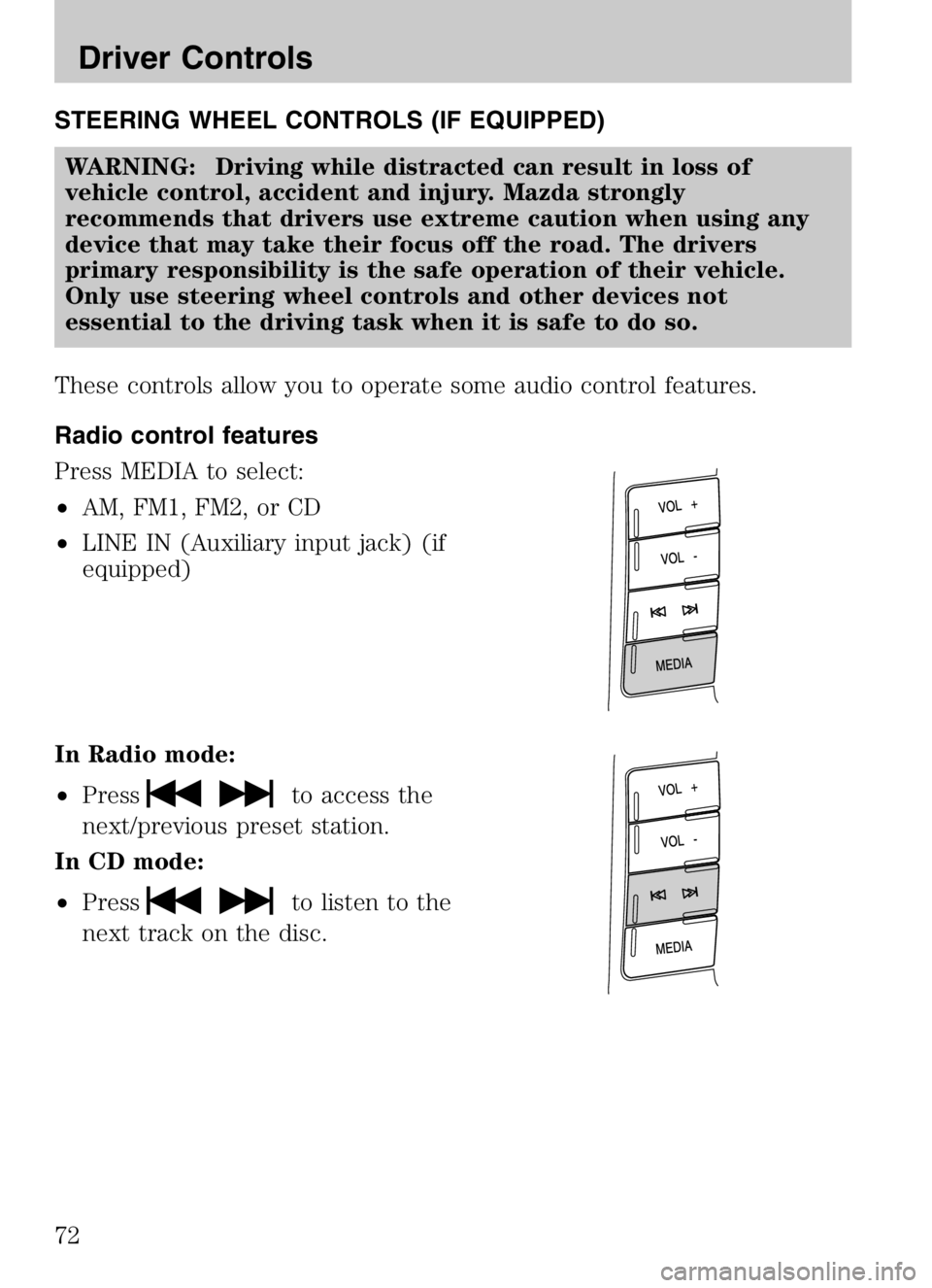
These controls allow you to operate some audio control features.
Radio control features
Press MEDIA to select:
• AM, FM1, FM2, or CD
• LINE IN (Auxiliary input jack) (if
equipped)
In Radio mode:
• Press
to access the
next/previous preset station.
In CD mode:
• Press
to listen to the
next track on the disc.
2008 Tribute Hybrid (thv)
Owners Guide (post-2002-fmt)
USA (fus)
Driver Controls
72
Page 73 of 312
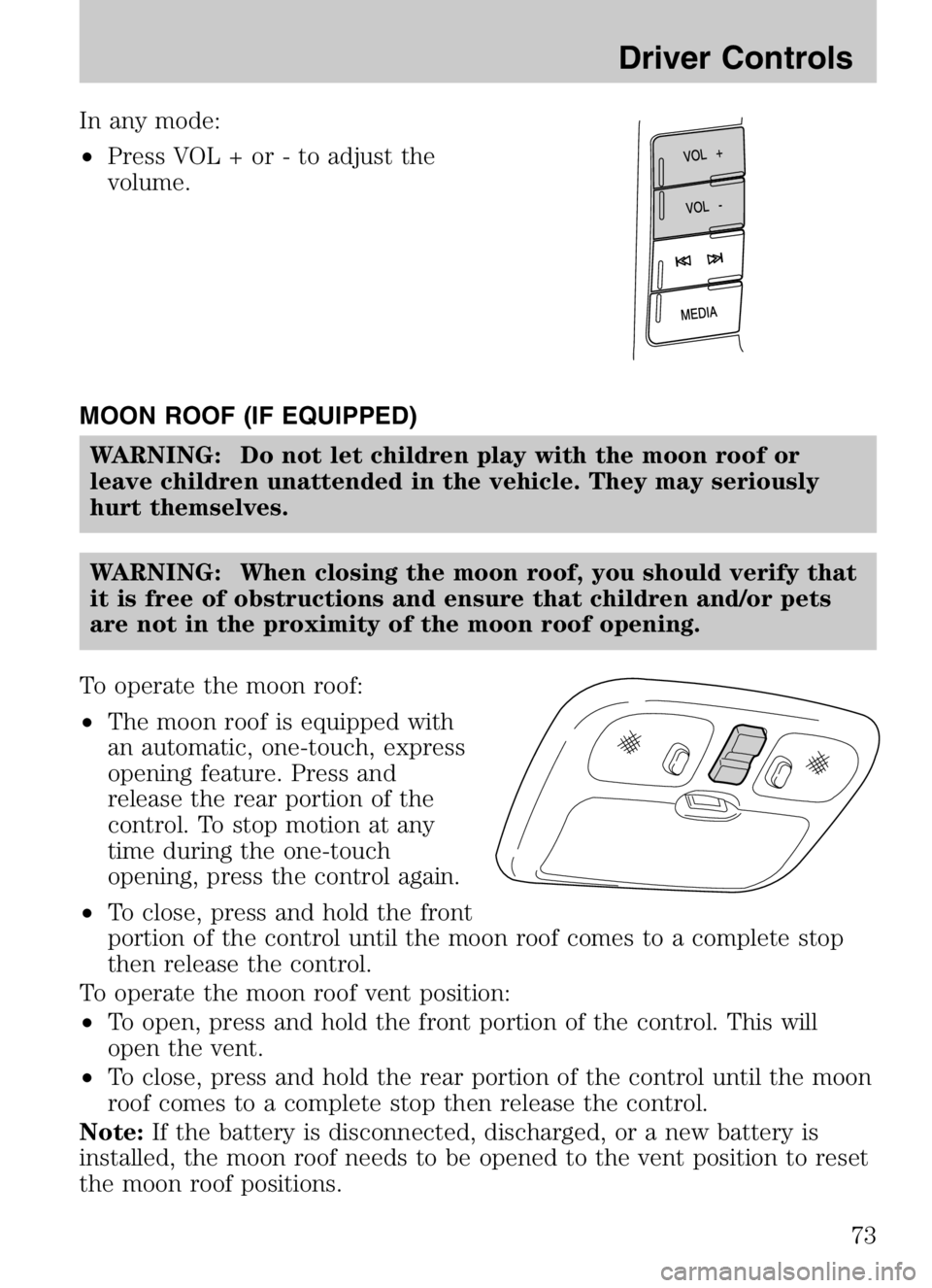
In any mode:
•Press VOL + or - to adjust the
volume.
MOON ROOF (IF EQUIPPED) WARNING: Do not let children play with the moon roof or
leave children unattended in the vehicle. They may seriously
hurt themselves.
WARNING: When closing the moon roof, you should verify that
it is free of obstructions and ensure that children and/or pets
are not in the proximity of the moon roof opening.
To operate the moon roof:
• The moon roof is equipped with
an automatic, one-touch, express
opening feature. Press and
release the rear portion of the
control. To stop motion at any
time during the one-touch
opening, press the control again.
• To close, press and hold the front
portion of the control until the moon roof comes to a complete stop
then release the control.
To operate the moon roof vent position:
• To open, press and hold the front portion of the control. This will
open the vent.
• To close, press and hold the rear portion of the control until the moon
roof comes to a complete stop then release the control.
Note: If the battery is disconnected, discharged, or a new battery is
installed, the moon roof needs to be opened to the vent position to reset
the moon roof positions.
2008 Tribute Hybrid (thv)
Owners Guide (post-2002-fmt)
USA (fus)
Driver Controls
73
Page 74 of 312
If you open and close the moon roof repeatedly, the moon roof motor
may overheat and shut down for 45 seconds while the motor cools.
MESSAGE CENTER (IF EQUIPPED)
With the ignition in the RUN
position, the message center,
located on your instrument cluster,
displays important vehicle
informationthrough a constant
monitor of vehicle systems. Yo u
may select display features on the message center for a display of status.
The system will also notify you of potential vehicle problems with a
display of system warnings followed by a long indicator chime.
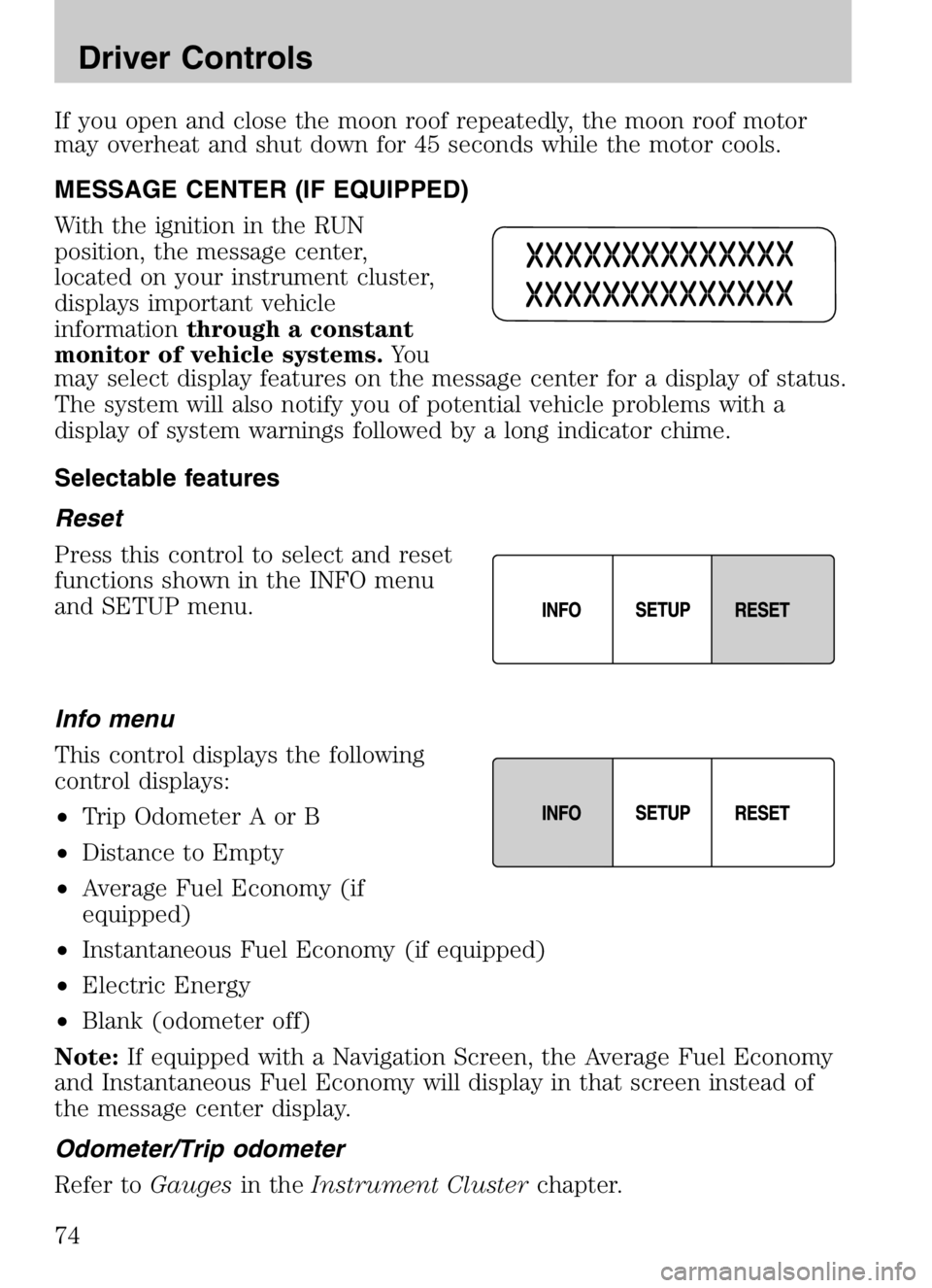
Selectable features
Reset
Press this control to select and reset
functions shown in the INFO menu
and SETUP menu.
Info menu
This control displays the following
control displays:
• Trip Odometer A or B
• Distance to Empty
• Average Fuel Economy (if
equipped)
• Instantaneous Fuel Economy (if equipped)
• Electric Energy
• Blank (odometer off)
Note: If equipped with a Navigation Screen, the Average Fuel Economy
and Instantaneous Fuel Economy will display in that screen instead of
the message center display.
Odometer/Trip odometer
Refer to Gaugesin theInstrument Cluster chapter.
2008 Tribute Hybrid (thv)
Owners Guide (post-2002-fmt)
USA (fus)
Driver Controls
74
Page 76 of 312
Your vehicle must be moving to calculate instantaneous fuel economy.
When your vehicle is not moving, this function shows
, one or no bars
illuminated. Instantaneous fuel economy cannot be reset.
Electric Energy
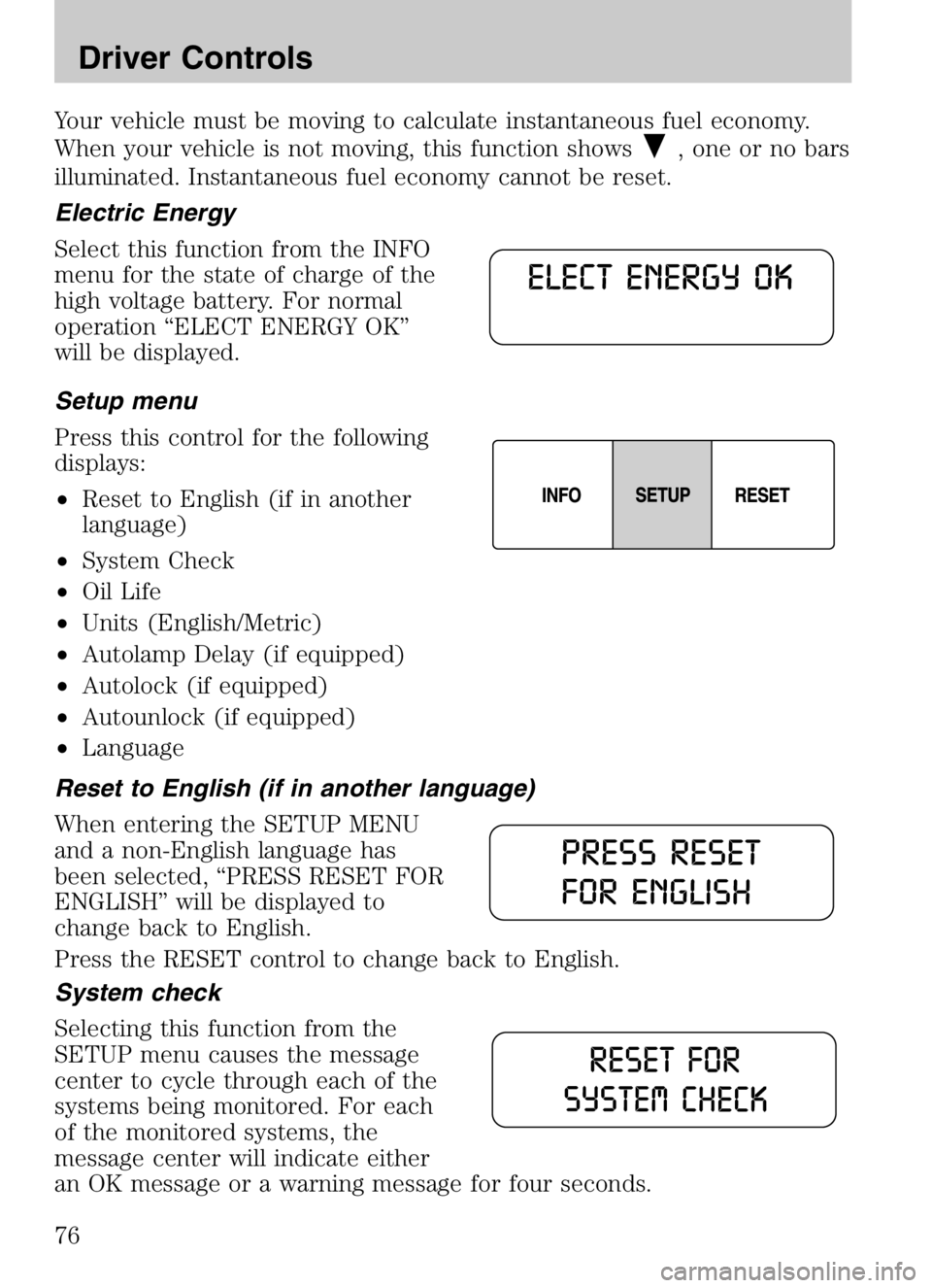
Select this function from the INFO
menu for the state of charge of the
high voltage battery. For normal
operation “ELECT ENERGY OK”
will be displayed.
Setup menu
Press this control for the following
displays:
• Reset to English (if in another
language)
• System Check
• Oil Life
• Units (English/Metric)
• Autolamp Delay (if equipped)
• Autolock (if equipped)
• Autounlock (if equipped)
• Language
Reset to English (if in another language)
When entering the SETUP MENU
and a non-English language has
been selected, “PRESS RESET FOR
ENGLISH” will be displayed to
change back to English.
Press the RESET control to change back to English.
System check
Selecting this function from the
SETUP menu causes the message
center to cycle through each of the
systems being monitored. For each
of the monitored systems, the
message center will indicate either
an OK message or a warning message for four seconds.
2008 Tribute Hybrid (thv)
Owners Guide (post-2002-fmt)
USA (fus)
Driver Controls
76
Page 79 of 312

Language1. Select this function from the SETUP menu for the current
language to be displayed.
2. Waiting 4 seconds or pressing the RESET control cycles the
message center through each of the language choices.
Selectable languages are English, Spanish, or French. 3. Press and hold the RESET control for 2 seconds to set the language choice.
System warnings/information
System warnings alert you to possible problems or malfunctions in your
vehicle’s operating systems.
In the event of a multiple warning situation, the message center will
cycle the display to show all warnings by displaying each one for four
seconds.
The message center will display the last selected feature if there are no
more warning messages. This allows you to use the full functionality of
the message center after you acknowledge the warning by pressing the
RESET control and clearing the warning message.
Warning messages that have been reset are divided into two categories:
• They will reappear on the display ten minutes from the reset.
• They will not reappear until an ignition LOCK-RUN cycle has been
completed if the fault condition still exists.
This acts as a reminder that these warning conditions still exist within
the vehicle.
Warnings Status
Driver door ajar Warning cannot be reset
Passenger door ajar
Rear left door ajar
Rear right door ajar
2008 Tribute Hybrid (thv)
Owners Guide (post-2002-fmt)
USA (fus)
Driver Controls
79
Page 80 of 312

WarningsStatus
Stop safely now Warning returns after 10 minutes if
condition still exists
High engine temperature
High motor temperature
Park brake engaged
XXX miles (km) to empty fuel
level low
Liftgate/Glass ajar Warning returns after the ignition key
is turned from OFF to RUN.
Service brake system
Low brake fluid
Regen brakes disabled
Low tire pressure
Tire pressure monitor fault
Tire pressure sensor fault
XX% oil life change soon
Oil change required
DRIVER DOOR AJAR. Displayed when the driver door is not
completely closed.
PASSENGER DOOR AJAR. Displayed when the passenger door is not
completely closed.
REAR LEFT DOOR AJAR. Displayed when the rear left door is not
completely closed.
REAR RIGHT DOOR AJAR. Displayed when the rear right door is not
completely closed.
STOP SAFELY NOW. Displayed when the Master electrical hazard
warning lamp is illuminated indicating a Hybrid component failure. If this
warning occurs, the vehicle will soon shutdown without further warning,
stop the vehicle as soon as safely possible and contact your authorized
dealer as soon as possible.
HIGH ENGINE TEMPERATURE. Displayed when the engine coolant
is overheating. Engine coolant temperature warning lamp will illuminate
indicating coolant temperature is high. Stop the vehicle as soon as safely
possible, turn off the engine and let it cool. Check the coolant and
coolant level. Refer to Engine coolantin theMaintenance and
Specifications chapter. If the warning stays on or continues to come on,
contact your authorized dealer as soon as possible.
2008 Tribute Hybrid (thv)
Owners Guide (post-2002-fmt)
USA (fus)
Driver Controls
80
Page 81 of 312
WARNING: When the engine and radiator are hot, scalding
coolant and steam may shoot out under pressure and cause
serious injury. Do not remove the cooling system cap when the
engine and radiator are hot.
HIGH MOTOR TEMPERATURE. Displayed when the motor
electronics are overheating. Stop the vehicle as soon as safely possible,
turn off the engine and let it cool. Refer to Engine coolant and
motor/electronics coolant in theMaintenance and Specifications
chapter. If the warning stays on or continues to come on, contact your
authorized dealer as soon as possible.
PARK BRAKE ENGAGED. Displayed when the manual park brake is
set, the engine is running and the vehicle is driven more than 3 mph
(5 km). If the warning stays on after the park brake is released, contact
your authorized dealer as soon as possible.
XXX MILES TO EMPTY FUEL LEVEL LOW. Displayed as an early
reminder of a low fuel condition.
LIFTGATE/GLASS AJAR. Displayed when the liftgate or liftgate glass
is not completely closed. Press RESET to reset display.
SERVICE BRAKE SYSTEM. Displayed when the braking system is not
operating properly. If the warning stays on or continues to come on,
contact your authorized dealer as soon as possible.
LOW BRAKE FLUID. Indicates the brake fluid level is low and the
brake system should be inspected immediately. Refer to Brake fluid
reservoir in theMaintenance and Specifications chapter.
REGEN BRAKES DISABLED. Indicates the regenerative braking
system is disabled at this moment. Please see your authorized dealer if
this warning remains present over several days.
LOW TIRE PRESSURE. Displayed when one or more tires on your
vehicle have low tire pressure. Refer to Inflating Your Tiresin the
Tires, Wheels and Loading chapter.
TIRE PRESSURE MONITOR FAULT. Displayed when the Tire
Pressure Monitoring System is malfunctioning. If the warning stays on or
continues to come on, have the system inspected by your authorized
dealer.
TIRE PRESSURE SENSOR FAULT. Displayed when a tire pressure
sensor is malfunctioning, or your spare tire is in use. For more
information on how the system operates under these conditions, refer to
2008 Tribute Hybrid (thv)
Owners Guide (post-2002-fmt)
USA (fus)
Driver Controls
81
Page 82 of 312
Understanding Your Tire Pressure Monitoring Systemin theTires,
Wheels and Loading chapter. If the warning stays on or continues to
come on, have the system inspected by your authorized dealer
XX% OIL LIFE CHANGE SOON/OIL CHANGE REQUIRED.
Displayed when the engine oil life remaining is 10% or less. When oil life
left is between 10% and 0%, the XX% OIL LIFE CHANGE SOON
message will be displayed. When oil life left reaches 0%, the OIL
CHANGE REQUIRED message will be displayed.
LIFTGATE
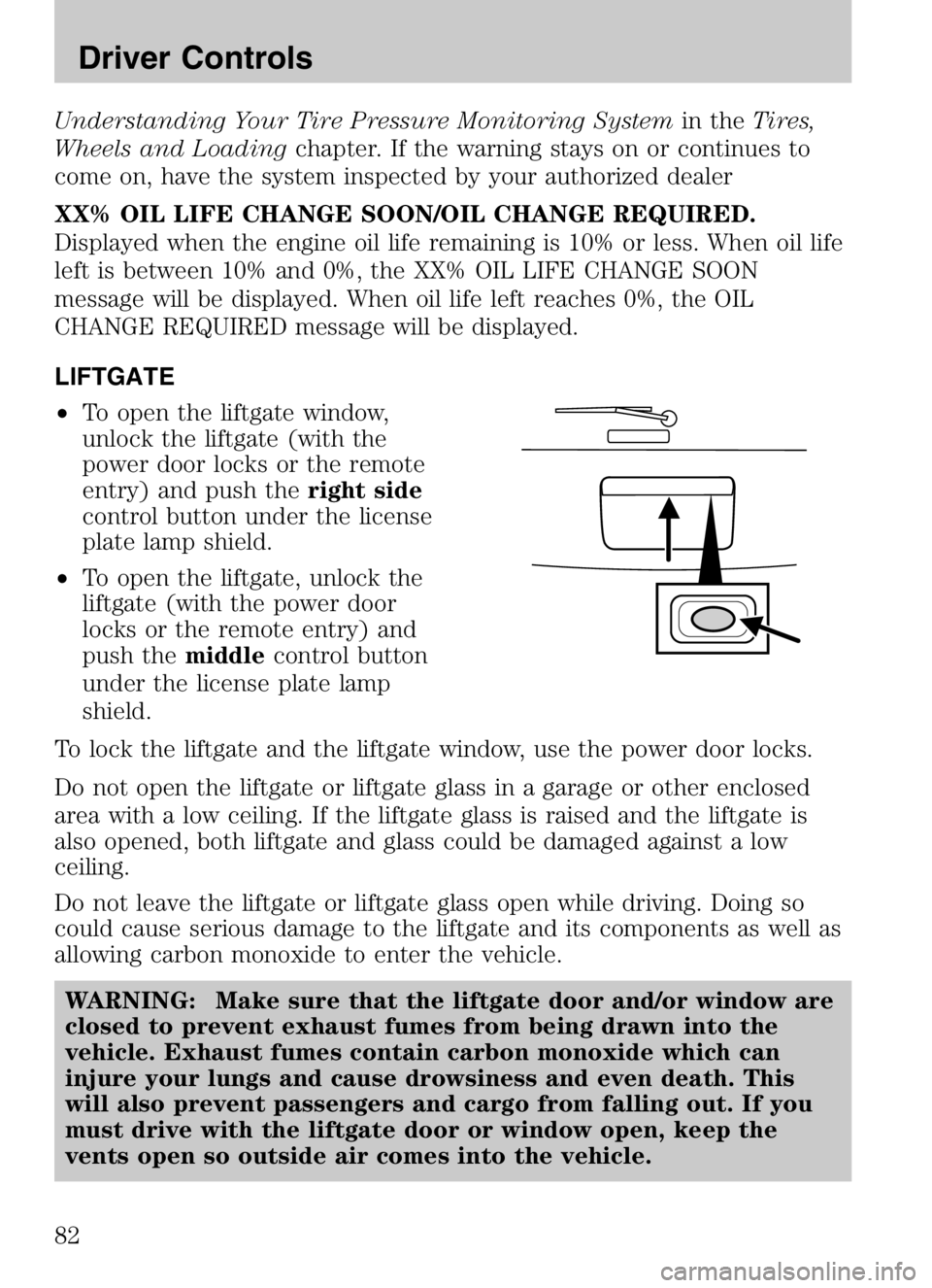
• To open the liftgate window,
unlock the liftgate (with the
power door locks or the remote
entry) and push the right side
control button under the license
plate lamp shield.
• To open the liftgate, unlock the
liftgate (with the power door
locks or the remote entry) and
push the middlecontrol button
under the license plate lamp
shield.
To lock the liftgate and the liftgate window, use the power door locks.
Do not open the liftgate or liftgate glass in a garage or other enclosed
area with a low ceiling. If the liftgate glass is raised and the liftgate is
also opened, both liftgate and glass could be damaged against a low
ceiling.
Do not leave the liftgate or liftgate glass open while driving. Doing so
could cause serious damage to the liftgate and its components as well as
allowing carbon monoxide to enter the vehicle.
WARNING: Make sure that the liftgate door and/or window are
closed to prevent exhaust fumes from being drawn into the
vehicle. Exhaust fumes contain carbon monoxide which can
injure your lungs and cause drowsiness and even death. This
will also prevent passengers and cargo from falling out. If you
must drive with the liftgate door or window open, keep the
vents open so outside air comes into the vehicle.
2008 Tribute Hybrid (thv)
Owners Guide (post-2002-fmt)
USA (fus)
Driver Controls
82
Page 83 of 312
CARGO AREA FEATURES
Cargo shade (if equipped)
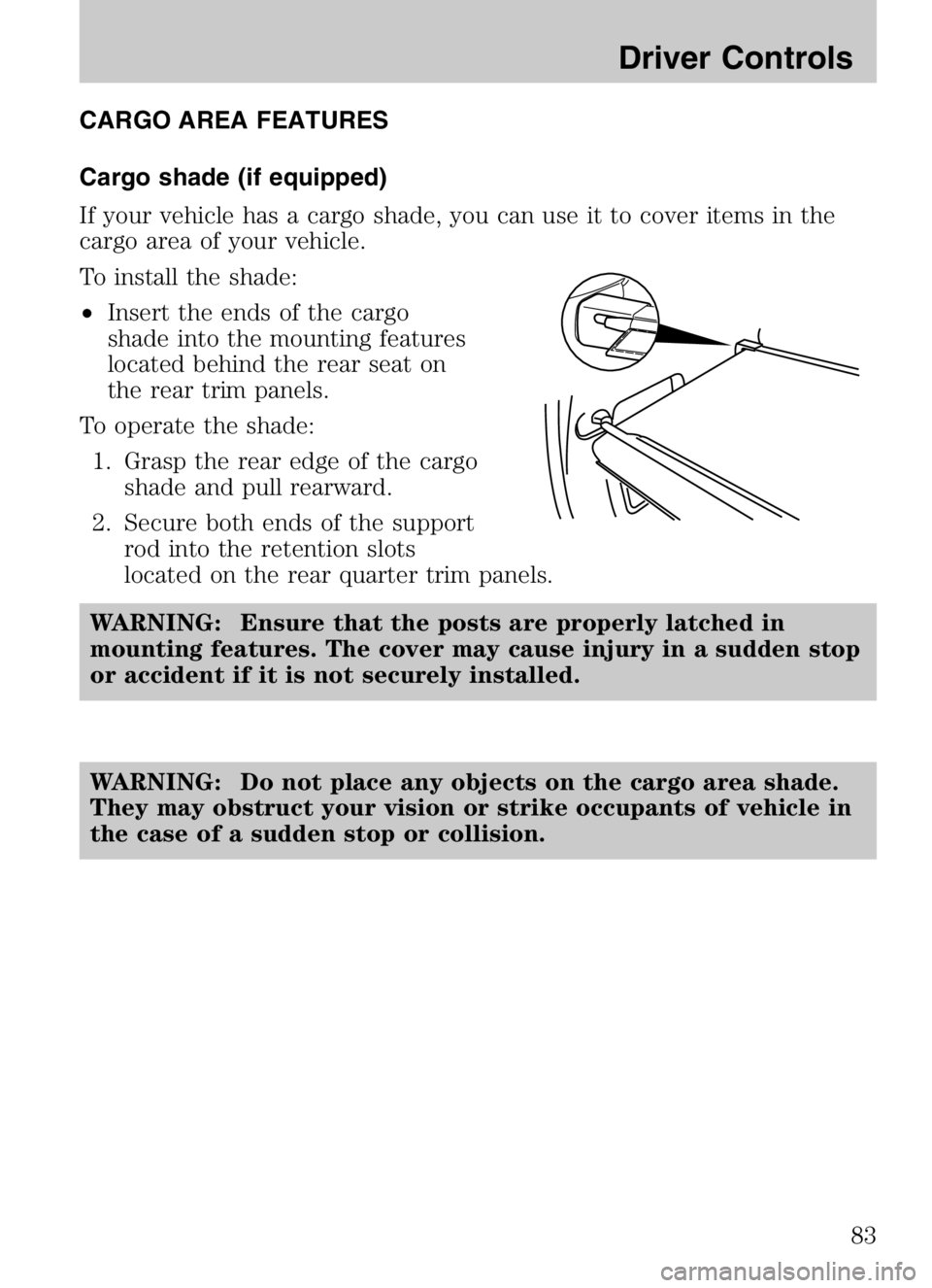
If your vehicle has a cargo shade, you can use it to cover items in the
cargo area of your vehicle.
To install the shade:
•Insert the ends of the cargo
shade into the mounting features
located behind the rear seat on
the rear trim panels.
To operate the shade: 1. Grasp the rear edge of the cargo shade and pull rearward.
2. Secure both ends of the support rod into the retention slots
located on the rear quarter trim panels.
WARNING: Ensure that the posts are properly latched in
mounting features. The cover may cause injury in a sudden stop
or accident if it is not securely installed.
WARNING: Do not place any objects on the cargo area shade.
They may obstruct your vision or strike occupants of vehicle in
the case of a sudden stop or collision.
2008 Tribute Hybrid (thv)
Owners Guide (post-2002-fmt)
USA (fus)
Driver Controls
83