personalization MAZDA MX5 MIATA 2016 User Guide
[x] Cancel search | Manufacturer: MAZDA, Model Year: 2016, Model line: MX5 MIATA, Model: MAZDA MX5 MIATA 2016Pages: 526, PDF Size: 10.44 MB
Page 143 of 526
4–39
When Driving
Switches and Controls
Leaving Home Light
The leaving home light turns on the lights
when the transmitter unlock button is
pressed while away from the vehicle.
The following lights turn on when the
leaving home light is operated.
Low beams, Parking lights, Taillights,
License lights
To turn on the lights
When the ignition switch and the headlight
switch are in the following conditions,
the headlights will illuminate when the
transmitter unlock button is pressed and
the vehicle receives the transmitter signal.
The headlights turn off after a certain
period of time has elapsed (30 seconds).
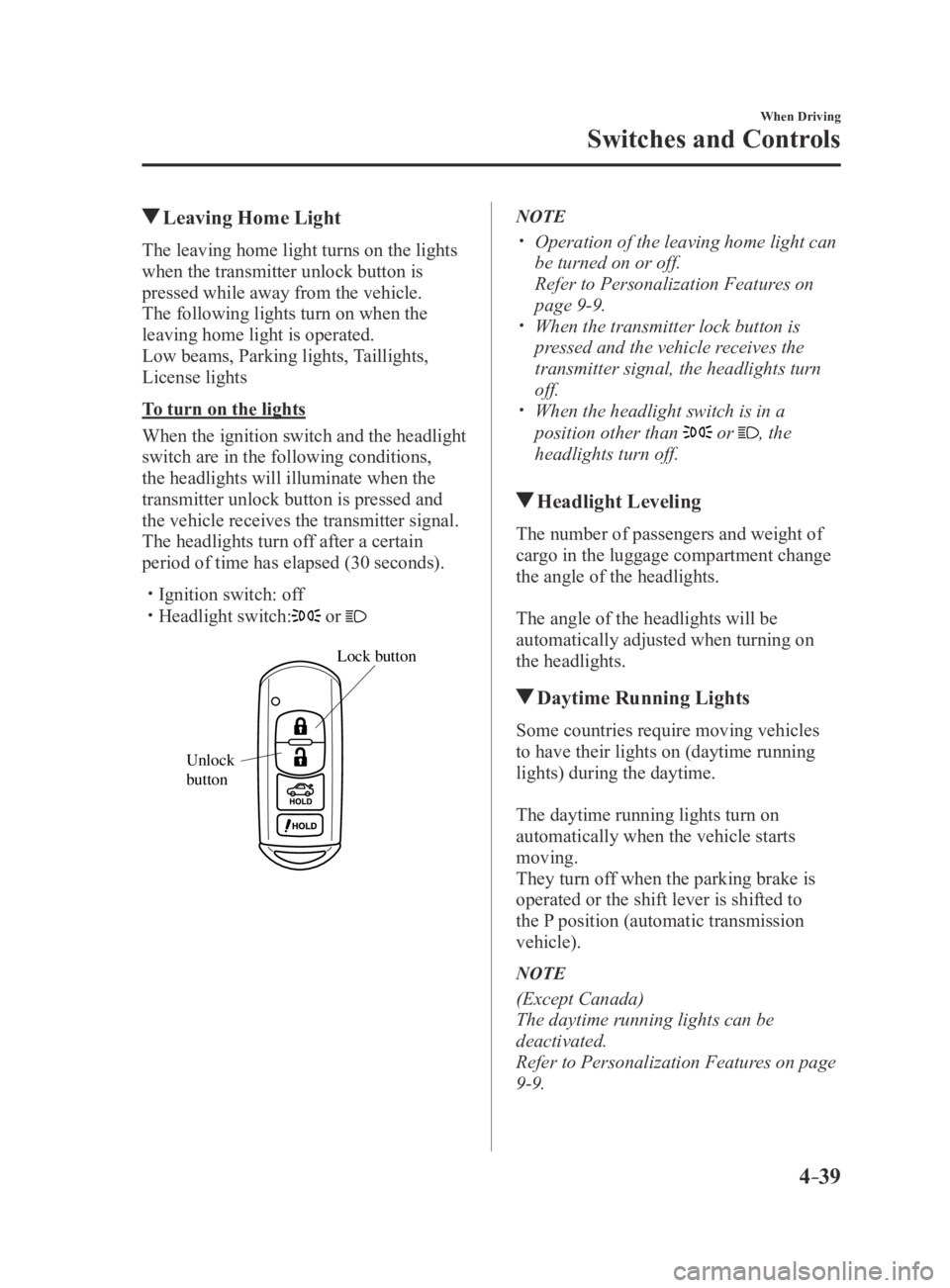
Ignition switch: off Headlight switch: or
Lock button
Unlock
b
utton
NOTE
Operation of the leaving home light can
be turned on or off.
Refer to Personalization Featur es on
page 9-9. When the transmitter lock button is
pressed and the vehicle receives the
transmitter signal, the headlights turn
off.
When the headlight switch is in a
position other than or , the
headlights turn off.
Headlight Leveling
The number of passengers and weight of
cargo in the luggage compartment change
the angle of the headlights.
The angle of the headlights will be
automatically adjusted when turning on
the headlights.
Daytime Running Lights
Some countries require moving vehicles
to have their lights on (daytime running
lights) during the daytime.
The daytime running lights turn on
automatically when the vehicle starts
moving.
They turn off when the parking brake is
operated or the shift lever is shifted to
the P position (automatic transmission
vehicle).
NOTE
(Except Canada)
The daytime running lights can be
deactivated.
Refer to Personalization Features on page
9-9.
MX-5_8EU4-EA-15D_Edition4.indb 392016/01/20 11:05:11
Page 144 of 526
4–40
When Driving
Switches and Controls
Turn and Lane-Change
Signals
The ignition must be switched ON to use
the turn and lane-change signals.
Turn Signals
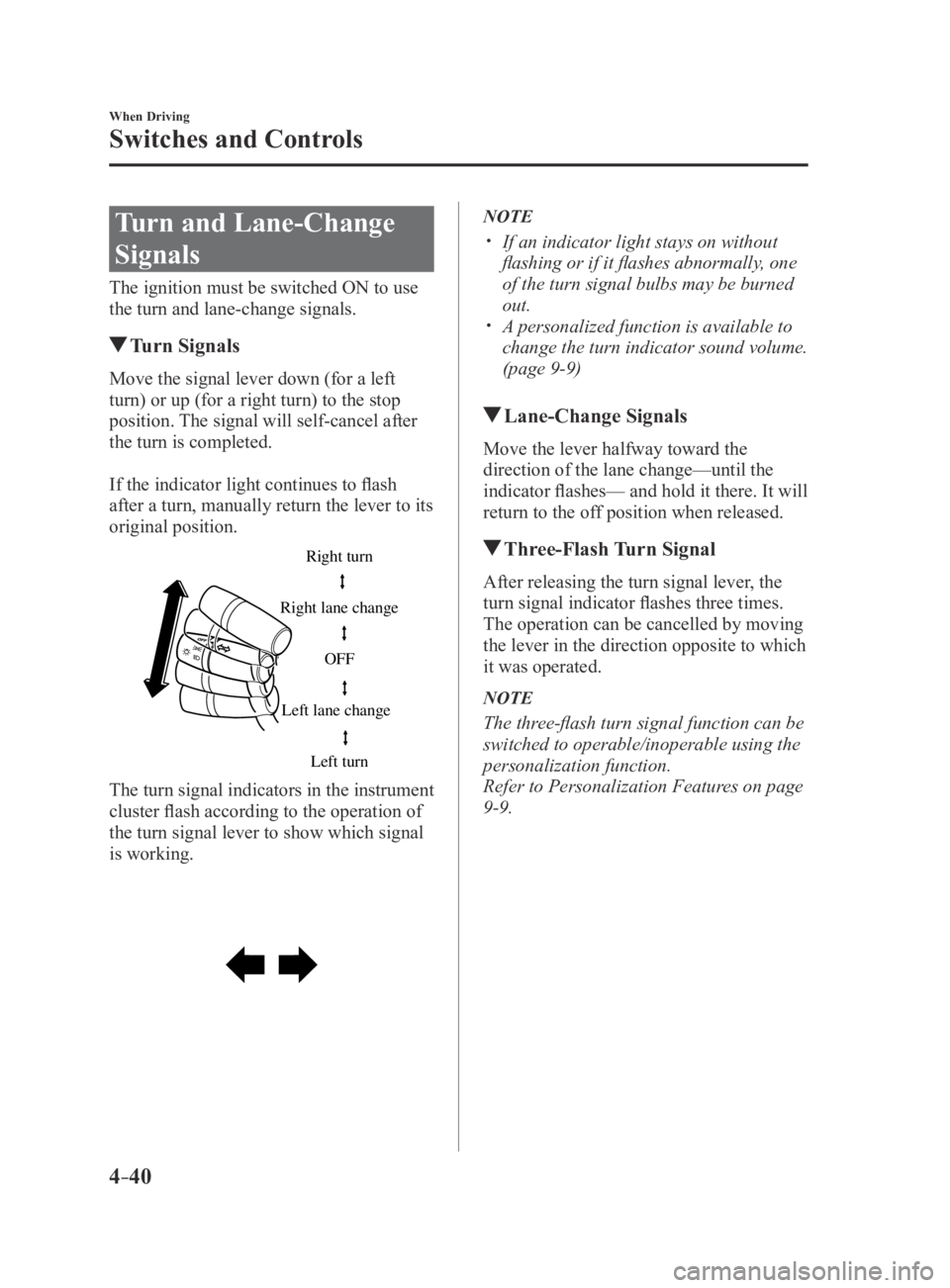
Move the signal lever down (for a left
turn) or up (for a right turn) to the stop
position. The signal will self-cancel after
the turn is completed.
If the indicator light continues to flash
after a turn, manually return the lever to its
original position.
Right turn
Left turn
Right lane change
Left lane change OFF
The turn signal indicators in the instrument
cluster flash according to the operation of
the turn signal lever to show which signal
is working.
NOTE
If an indicator light stays on without
flashing or if it flashes abnormally, one
of the turn signal bulbs may be burned
out.
A personalized function is available to
change the turn indicator sound volume.
(page 9-9)
Lane-Change
Signals
Move the lever halfway toward the
direction of the lane change—until the
indicator flashes— and hold it there. It will
return to the off position when released.
Three-Flash Turn Signal
After releasing the turn signal lever, the
turn signal indicator flashes three times.
The operation can be cancelled by moving
the lever in the direction opposite to which
it was operated.
NOTE
The three-flash turn signal function can be
switched to operable/inoperable using the
personalization function.
Refer to Personalization Features on page
9-9.
MX-5_8EU4-EA-15D_Edition4.indb 402016/01/20 11:05:11
Page 148 of 526

4–44
When Driving
Switches and Controls
NOTE
Switching the auto-wiper lever from the
to the position while driving
activates the windshield wipers once,
after which they operate according to
the rainfall amount.
The auto-wiper control may not operate
when the rain sensor temperature is
about -10 °C (14 °F) or lower, or about
85 °C (185 °F) or higher.
If the windshield is coated with water
repellent, the rain sensor may not be
able to sense the amount of rainfall
correctly and the auto-wiper control
may not operate properly.
If dirt or foreign matter (such as ice or
matter containing salt water) adheres
to the windshield above the rain sensor,
or if the windshield is iced, it could
cause the wipers to move automatically.
However, if the wipers cannot remove
this ice, dirt or foreign matter, the auto-
wiper control will stop operation. In
this case, set the wiper lever to the low
speed position or high speed position
for manual operation, or remove the ice,
dirt or foreign matter by hand to restore
the auto-wiper operation.
If the auto-wiper lever is left in the
position, the wipers could operate
automatically from the effect of strong
light sources, electromagnetic waves, or
infrared light because the rain sensor
uses an optical sensor. It is
recommended that the auto-wiper lever
be switched to the
position other
than when driving the vehicle under
rainy conditions.
The auto-wiper contr ol functions can
be turned off. Refer to Personalization
Features on page 9-9.
Windshield Washer
Pull the lever toward you and hold it to
spray washer fluid.
Washer
OFF
NOTE
If the windshield washer is turned on when
the windshield wipers are not operating,
the windshield wipers operate a few times.
If the washer does not work, inspect the
fluid level (page 6-31). If the fluid level
is normal, consult an Authorized Mazda
Dealer.
MX-5_8EU4-EA-15D_Edition4.indb 442016/01/20 11:05:12
Page 169 of 526
*
The adaptive front lighting system (AFS) automatically adjusts the hea\
dlight beams to the
left or right in conju")
4–65
When Driving
i-ACTIVSENSE
*Some models.
Adaptive Front Lighting System (AFS)*
The adaptive front lighting system (AFS) automatically adjusts the hea\
dlight beams to the
left or right in conjunction with the operation of the steering wheel af\
ter the headlights have
been turned on.
A system malfunction or operation conditions are indicated by a warning.
Refer to Warning/Indicator Lights on page 4-16.
NOTE
The Adaptive Front Lighting System (AFS) function can be switched to operable/inopera\
ble
using the personalization function.
Refer to Personalization Features on page 9-9.
MX-5_8EU4-EA-15D_Edition3.indb 652015/10/21 16:53:26
Page 172 of 526
4–68
When Driving
i-ACTIVSENSE
To Operate the System
The High Beam Control System (HBC)
operates to switch the headlights
automatically between high and low
beams after the ignition is switched ON
and the headlight switch is in the AUTO
and high beam position.
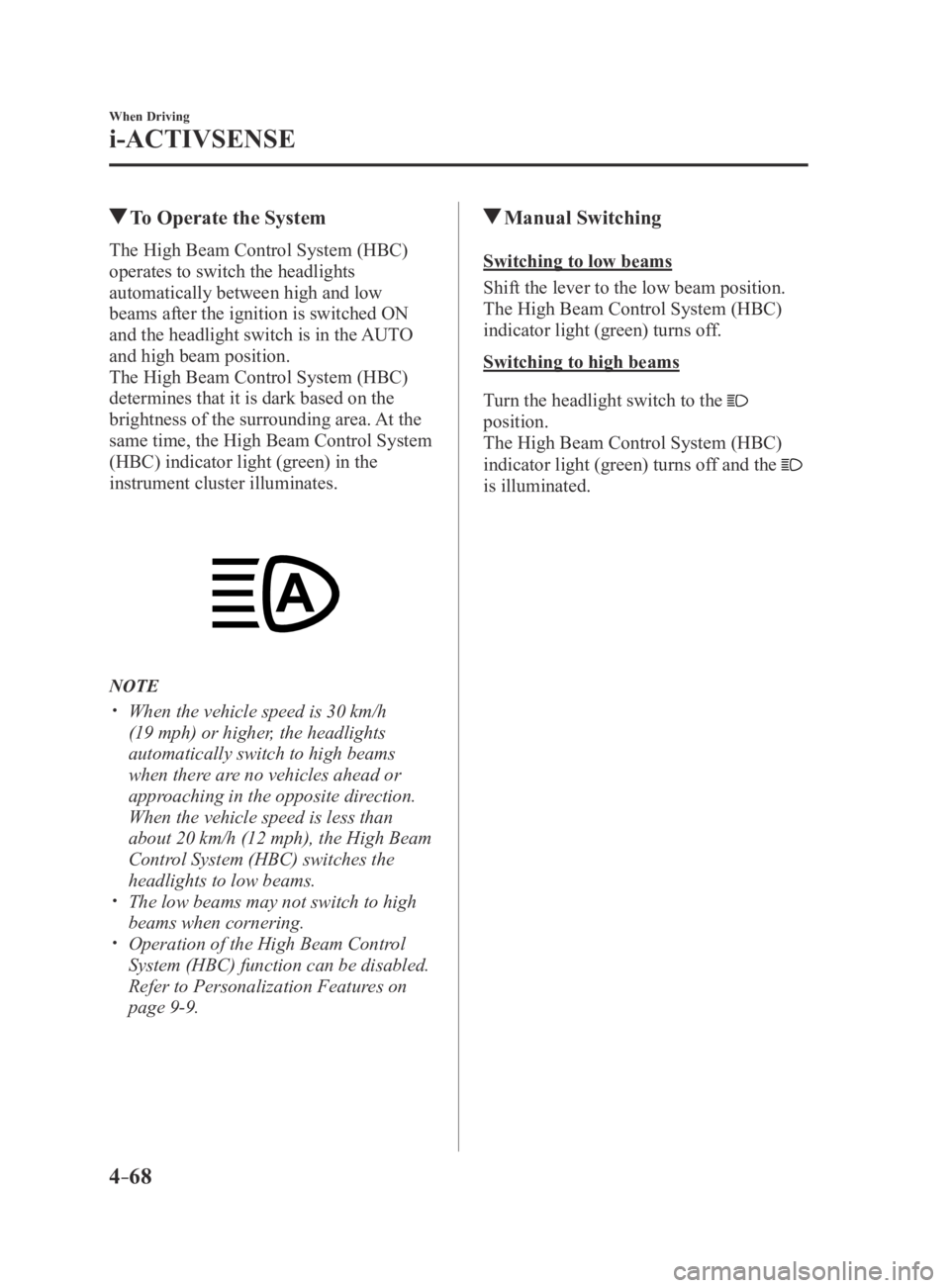
The High Beam Control System (HBC)
determines that it is dark based on the
brightness of the surrounding area. At the
same time, the High Beam Control System
(HBC) indicator light (green) in the
instrument cluster illuminates.
NOTE
When the vehicle speed is 30 km/h
(19 mph) or higher, the headlights
automatically switch to high beams
when there are no vehicles ahead or
approaching in the opposite direction.
When the vehicle speed is less than
about 20 km/h (12 mph), the High Beam
Control System (HBC) switches the
headlights to low beams.
The low beams may not switch to high
beams when cornering. Operation of the High Beam Control
System (HBC) function can be disabled.
Refer to Personalization Features on
page 9-9.
Manual Switching
Switching to low beams
Shift the lever to the low beam position.
The High Beam Control System (HBC)
indicator light (green) turns off.
Switching to high beams
Turn the headlight switch to the
position.
The High Beam Control System (HBC)
indicator light (green) turns off and the
is illuminated.
MX-5_8EU4-EA-15D_Edition4.indb 682016/01/20 11:05:19
Page 176 of 526
4–72
When Driving
i-ACTIVSENSE
When the System Operates
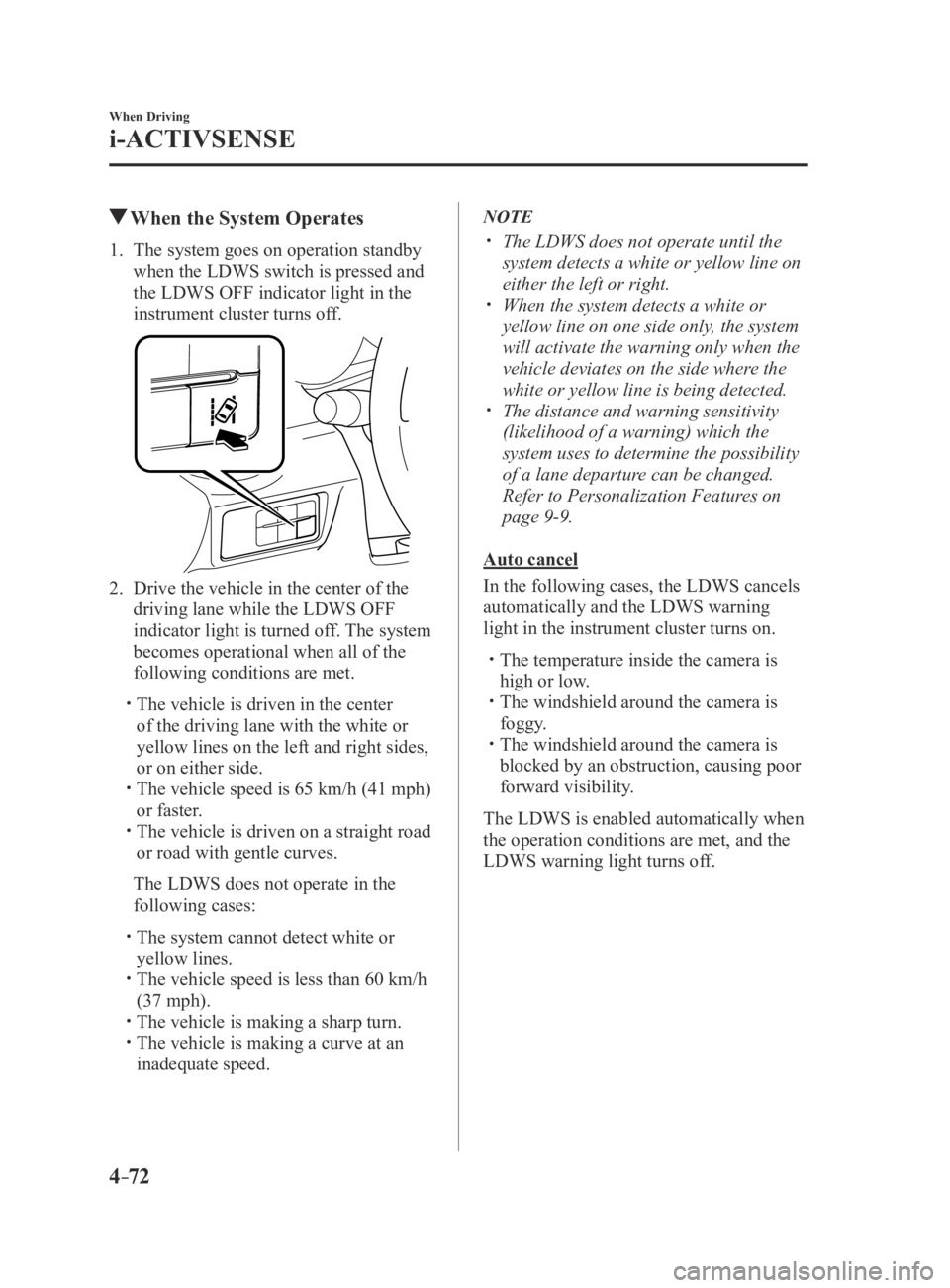
1. The system goes on operation standby
when the LDWS switch is pressed and
the LDWS OFF indicator light in the
instrument cluster turns off.
2. Drive the vehicle in the center of the
driving lane while the LDWS OFF
indicator light is turned off. The system
becomes operational when all of the
following conditions are met.
The vehicle is driven in the center
of the driving lane with the white or
yellow lines on the left and right sides,
or on either side.
The vehicle speed is 65 km/h (41 mph)
or faster. The vehicle is driven on a straight road
or road with gentle curves.
The LDWS does not operate in the
following cases:
The system cannot detect white or
yellow lines. The vehicle speed is less than 60 km/h
(37 mph). The vehicle is making a sharp turn. The vehicle is making a curve at an
inadequate speed.
NOTE
The LDWS does not operate until the
system detects a white or yellow line on
either the left or right.
When the system detects a white or
yellow line on one side only, the system
will activate the warning only when the
vehicle deviates on the side where the
white or yellow line is being detected.
The distance and warning sensitivity
(likelihood of a warning) which the
system uses to determine the possibility
of a lane departure can be changed.
Refer to Personalization Features on
page 9-9.
Auto cancel
In the following cases, the LDWS cancels
automatically and the LDWS warning
light in the instrument cluster turns on.
The temperature inside the camera is
high or low. The windshield around the camera is
foggy. The windshield around the camera is
blocked by an obstruction, causing poor
forward visibility.
The LDWS is enabled automatically when
the operation conditions are met, and the
LDWS warning light turns off.
MX-5_8EU4-EA-15D_Edition3.indb 722015/10/21 16:53:28
Page 177 of 526
4–73
When Driving
i-ACTIVSENSE
Auto cancel warning
When the following operations are
performed, the LDWS determines that
the driver intends to make a lane change
and the LDWS warning is canceled
automatically. The LDWS is enabled
automatically after the driver performs the
operation.
The steering wheel is operated abruptly. The brake pedal is depressed abruptly. The accelerator pedal is depressed
abruptly. The turn signal lever is operated (after
the turn signal lever is returned, the
LDWS may not operate for about 3
seconds which is the period of time
required to make a lane correction).
NOTE
After about 60 seconds have elapsed with
the turn signal lever left operating, the
LDWS warning may operate if the vehicle
is close to a white or yellow line.
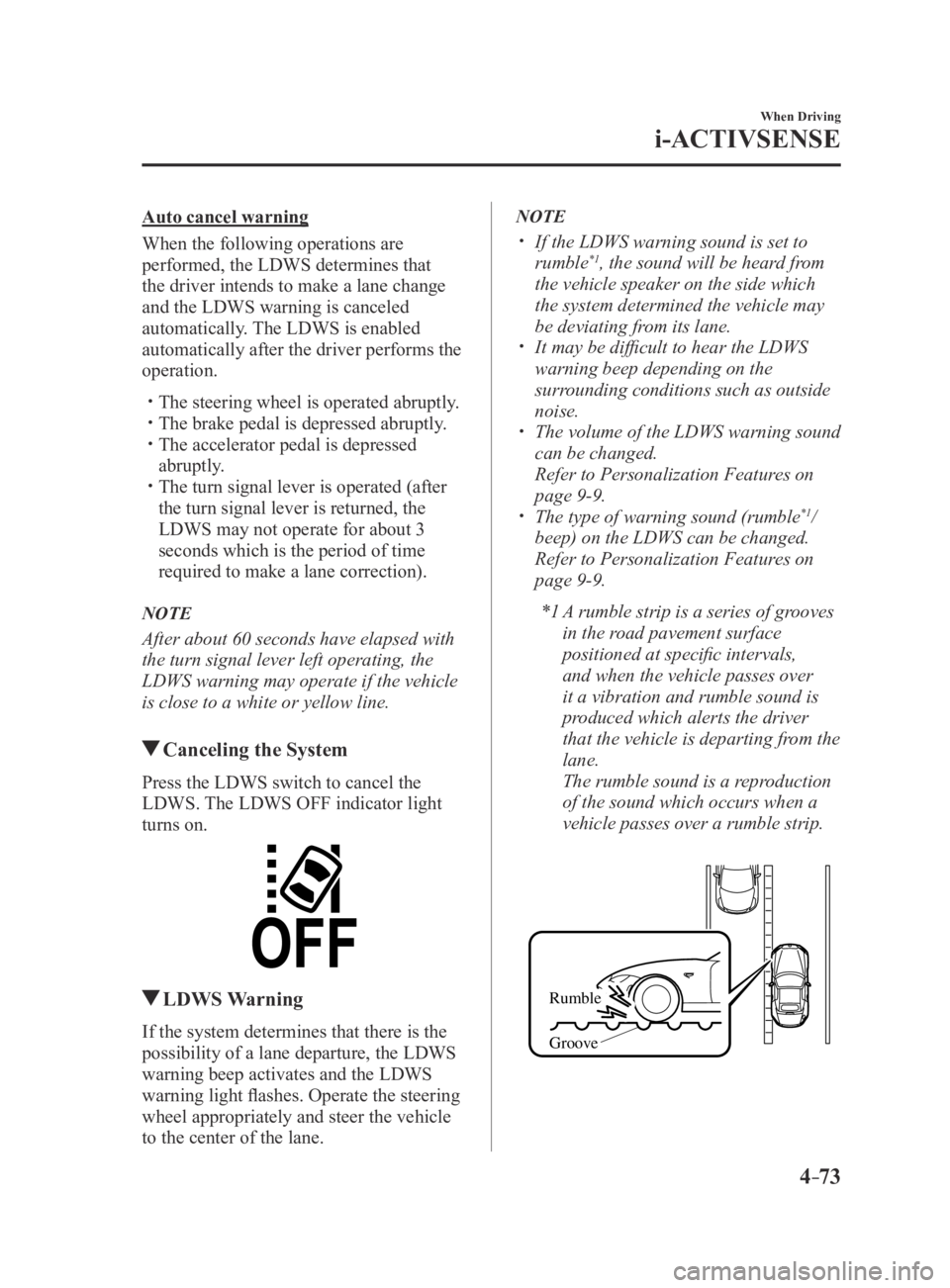
Canceling the System
Press the LDWS switch to cancel the
LDWS. The LDWS OFF indicator light
turns on.
LDWS Warning
If the system determines that there is the
possibility of a lane departure, the LDWS
warning beep activates and the LDWS
warning light flashes. Operate the steering
wheel appropriately and steer the vehicle
to the center of the lane.
NOTE
If the LDWS warning sound is set to
rumble*1, the sound will be heard from
the vehicle speaker on the side which
the system determined the vehicle may
be deviating from its lane.
It may be difficult to hear the LDWS
warning beep depending on the
surrounding conditions such as outside
noise.
The volume of the LDWS warning sound
can be changed.
Refer to Personalization Featur es on
page 9-9. The type of warning sound (rumble*1/
beep) on the LDWS can be changed.
Refer to Personalization Featur es on
page 9-9.
*1 A rumble strip is a series of grooves
in the road pavement surface
positioned at specific intervals,
and when the vehicle passes over
it a vibration and rumble sound is
produced which alerts the driver
that the vehicle is departing from the
lane.
The rumble sound is a reproduction
of the sound which occurs when a
vehicle passes over a rumble strip.
Rumble
Groove
MX-5_8EU4-EA-15D_Edition4.indb 732016/01/20 11:05:20
Page 253 of 526

5–53
Interior Features
Audio System
Settings
NOTE
Depending on the grade and specification, the screen display may differ.
Select the
icon on the home screen to display the Settings screen.
Switch the tab and select the setting item you want to change.
You can customize settings in the setup display as follows:
Ta bItem Function
Display Refer to Volume/Display/Sound Controls on page 5-40.
Safety Blind Spot Monitoring Volume
Other Refer to Personalization Features on page
9-9.
Sound Refer to Volume/Display/Sound Controls on page 5-40.
Clock Adjust Time
Displays the currently set time is displayed.
Press
to advance the hour/minute, and select to move the hour/minute back.
AM/PM can only be selected with the 12-hour
clock display.
GPS Sync Synchronizes with GPS when turned on.
When turned off, the time can be changed from
“Adjust Time”.
Time Format Changes the display between 12 and 24-hour
clock time.
Time Zone Select When it's not synchronized with GPS, select
the region you want to specify.
Daylight Savings Time Turns the daylight saving time setting on/off.
When ON, the time advances 1 hour. When
OFF, it returns to normal time.
Vehicle Rain Sensing Wiper
Door Locks
Other Refer to Personalization Features on page
9-9.
Devices Bluetooth
®Refer to Bluetooth® Preparation (Type B) on
page 5-91.
MX-5_8EU4-EA-15D_Edition3.indb 532015/10/21 16:54:18
Page 332 of 526

5–132
Interior Features
Interior Equipment
Illuminated Entry System
The overhead light turns on when any
of the following operations is done with
the overhead light switch in the DOOR
position and the ignition switched off.
Turn on for about 30 seconds when the
driver's door is unlocked. Turn on for about 15 seconds when a
door is opened with a key left in the
vehicle and then the door is closed.
Turn on for about 5 seconds when a
door is opened from the outside with a
key being carried and then the door is
closed.
The overhead light turns on for about 15
seconds when the ignition is switched
off with the overhead light switch in the
DOOR position.
The overhead light turns off immediately
in the following cases:
The ignition is switched on and both
doors are closed. The driver's door is locked.
NOTE
Battery saver
If any door is left open with the
overhead light switch in the DOOR
position, or the trunk lid is left open,
the overhead light or trunk light turns
off after about 30 minutes to prevent
battery depletion.
To prevent battery depletion, if the
interior lights remain turned on (the
interior light switch is in the ON
position), they turn off automatically
under the following conditions:
No operations are done for about 30
minutes after the ignition is switched
off.
When the LOCK button on the key
is pressed or the request switch
is pressed to lock the doors on
vehicles with the advanced keyless
function after the ignition is switched
off (interior lights turn off a few
seconds).
In addition, if the following operations
are performed after turning the interior
lights off, they will turn on again.
The ignition is switched to a position
other than OFF. A door is opened. A door is unlocked.
The operation of the illuminated entry
system can be changed.
Refer to Personalization Features on
page 9-9.
MX-5_8EU4-EA-15D_Edition3.indb 1322015/10/21 16:54:58
Page 453 of 526
7–45
If Trouble Arises
Warning/Indicator Lights and Warning Sounds
Warning Sound is
Activated
Lights-On Reminder
The lights-on reminder is operable when
the time setting*1 of the auto headlight off
function is off.
If lights are on and the ignition is switched
to ACC or the ignition is switched off, a
continuous beep sound will be heard when
the driver's door is opened.
*1 If the light switch is left on, the auto
headlight off function automatically
turns off the lights about 30 seconds
after switching the ignition off. The
time setting can be changed.
Refer to Personalization Features on
page 9-9.
NOTE
When the ignition is switched to ACC,
the “Ignition Not Switched Off (STOP)
Warning Beep” (page 7-46) overrides
the lights-on reminder.
A personalized function is available to
change the sound volume for the lights-
on reminder.
Refer to Personalization Features on
page 9-9.
Air Bag/Seat Belt Pretensioner
System Warning Beep
If there is a problem with the air bag/seat
belt pretensioner systems and the warning
light illumination, a warning beep sound
will be heard for about 5 seconds every
minute.
The air bag and seat belt pretensioner
system warning beep sound will continue
to be heard for approximately 35
minutes. Have your vehicle inspected at
an Authorized Mazda Dealer as soon as
possible.
WARNING
Do not drive the vehicle with the air
bag/seat belt pretensioner system
warning beep sounding: Driving the vehicle with the air bag/
seat belt pretensioner system warning
beep sounding is dangerous. In a
collision, the air bags and the seat belt
pretensioner system will not deploy
and this could result in death or serious
injury. Contact an Authorized Mazda
Dealer to have the vehicle inspected as
soon as possible.
MX-5_8EU4-EA-15D_Edition3.indb 452015/10/21 16:56:03