display MAZDA MX5 MIATA 2016 Owner's Guide
[x] Cancel search | Manufacturer: MAZDA, Model Year: 2016, Model line: MX5 MIATA, Model: MAZDA MX5 MIATA 2016Pages: 526, PDF Size: 10.44 MB
Page 230 of 526

5–30
Interior Features
Audio System
Operating the Compact Disc (CD) Player
CD eject buttonCD slot
Media/Scan button
Folder down button Folder up button
Play/Pause button
Random button
Repeat button
Audio display
Te
xt button
T
rack down/ Reverse button
Track up/ Fast-forward button
Type Playable data
Music/MP3/WMA/
AAC CD player
Music data (CD-DA)MP3/WMA/AAC file
NOTE
If a disc has both music data (CD-DA)
and MP3/WMA/AAC files, playback of the
two or three file types differs depending on
how the disc was recorded.
Inserting the CD
Insert the CD into the slot, label-side up.
The auto-loading mechanism will set the
CD and begin play.
NOTE
There will be a short lapse before play
begins while the player reads the digital
signals on the CD.
Ejecting the CD
Press the CD eject button (
) to eject the
CD.
Playback
Press the media button (
) to switch
to CD mode and start playback.
NOTE
The CD mode cannot be selected if a CD
has not been inserted.
Pause
To stop playback, press the Play/Pause
button (4).
Press the button again to resume playback.
MX-5_8EU4-EA-15D_Edition4.indb 302016/01/20 11:05:43
Page 231 of 526
5–31
Interior Features
Audio System
Fast-forward/Reverse
Press and hold the fast-forward button (
)
to advance through a track at high speed.
Press and hold the reverse button (
) to
reverse through a track at high speed.
Track search
Press the track up button (
) once to skip
forward to the beginning of the next track.
Press the track down button (
) within a
few seconds after playback begins to track
down to the beginning of the previous
track.
Press the track down button (
) after a
few seconds have elapsed to start playback
from the beginning of the current track.
Folder search (during MP3/WMA/AAC
CD playback)
To change to the previous folder, press the
folder down button (
), or press the folder
up button (
) to advance to the next
folder.
Music scan
During music CD playback
This function scans the titles on a CD and
plays 10 seconds of each song to aid you
in finding a song you want to listen to.
Press and hold the scan button (
)
during playback to start the scan play
operation (the track number will flash).
Press and hold the scan button (
)
again to cancel scan playback.
During MP3/WMA/AAC CD playback
This function scans the titles in a folder
currently being played and plays 10
seconds of each song to aid you in finding
a song you want to listen to. Press and
hold the scan button (
) during
playback to start the scan play operation
(the track number will flash).
Press and hold the scan button (
)
again to cancel scan playback.
NOTE
If the unit is left in scan, normal playback
will resume where scan was selected.
Repeat playback
During music CD playback
1. Press the repeat button (1) during
playback to play the current track
repeatedly. “TRACK RPT” is displayed
(
is displayed next to RPT at the
bottom of the display area).
2. Press the button again to cancel the
repeat playback.
During MP3/WMA/AAC CD playback
(Track repeat)
1. Press the repeat button (1) during
playback to play the current track
repeatedly. “TRACK RPT” is displayed
(
is displayed next to RPT at the
bottom of the display area).
2. To cancel the repeat playback, press the
button again after 3 seconds.
MX-5_8EU4-EA-15D_Edition4.indb 312016/01/20 11:05:44
Page 232 of 526
5–32
Interior Features
Audio System
(Folder repeat)
1. Press the repeat button (1) during
playback, and then press the button
again within 3 seconds to play the
tracks in the current folder repeatedly.
“FOLDER RPT” is displayed (
is
displayed next to RPT at the bottom of
the display area).
2. Press the button again to cancel the
repeat playback.
Random playback
Tracks are randomly selected and played.
During music CD playback
1. Press the random button (2) during
playback to play the tracks on the CD
randomly. “DISC RDM” is displayed
(
is displayed next to RDM at the
bottom of the display area).
2. Press the button again to cancel the
random playback.
During MP3/WMA/AAC CD playback
(Folder random)
1. Press the random button (2) during
playback to play the tracks in the folder
randomly. “FOLDER RDM” is
displayed (
is displayed next to RDM
at the bottom of the display area).
2. To cancel the random playback, press
the button again after 3 seconds.
(CD random)
1. Press the random button (2) during
playback, and then press the button
again within 3 seconds to play the
tracks on the CD randomly. “DISC
RDM” is displayed (
is displayed
next to RDM at the bottom of the
display area).
2. Press the button again to cancel the
random playback.
Switching the display
The information displayed on the audio
display changes as follows each time the
text button (3) is pressed during playback.
Music CD
Button Information displayed
on audio display
Track number/Elapsed time
Track number Track name
Album name Artist name
MP3/WMA/AAC CD
Button Information displayed
on audio display
File number/Elapsed time
Folder number/File number
File name
Folder name
Album name Song name
Artist name
MX-5_8EU4-EA-15D_Edition4.indb 322016/01/20 11:05:45
Page 233 of 526
5–33
Interior Features
Audio System
NOTE
The information viewable in the display
is only CD information (such as artist
name, song title) which has been
recorded to the CD.
This unit cannot display some
characters. Characters which cannot be
displayed are indicated by an asterisk
(
).
Display scroll
Only 13 characters can be displayed at one
time. To display the rest of the characters
of a long title, press and hold the text
button (3). The display scrolls the next 13
characters. Press and hold the text button
(3) again after the last 13 characters have
been displayed to return to the beginning
of the title.
NOTE
The number of characters which can be
displayed is restricted.
Message display
If “CHECK CD” is displayed, it means
that there is some CD malfunction. Check
the CD for damage, dirt, or smudges, and
then properly reinsert it. If the message
appears again, insert another known good
CD. If the message continues to appear,
take the unit to an Authorized Mazda
Dealer for service.
How to use Auxiliary jack/USB
port
Audio can be heard from the vehicle's
speakers by connecting a commercially-
available portable audio unit to the
auxiliary jack.
Use a commercially-available, non-
impedance (3.5
) stereo mini plug cable.
Contact an Authorized Mazda Dealer for
details.
In addition, audio can be played from the
vehicle audio device by connecting a USB
device to the USB port.
Refer to AUX/USB mode on page 5-57.
Error Indications
If you see an error indication on the audio
display, find the cause in the chart. If you
cannot clear the error indication, take the
vehicle to an Authorized Mazda Dealer.
IndicationCause Solution
CHECK CD CD is
inserted
upside
down
Insert the CD properly.
If the error indication
continues to display,
consult an Authorized
Mazda Dealer.
CD is
defective Insert another CD
properly. If the error
indication continues
to display, consult an
Authorized Mazda
Dealer.
MX-5_8EU4-EA-15D_Edition3.indb 332015/10/21 16:54:01
Page 234 of 526
![MAZDA MX5 MIATA 2016 Owners Guide 5–34
Interior Features
Audio System
Audio set [Type B (touchscreen)]
NOTE
The explanation of functions described in this manual may differ from the actual
operation, and the shapes of screens and b](/img/28/59018/w960_59018-233.png "MAZDA MX5 MIATA 2016 Owners Guide 5–34
Interior Features
Audio System
Audio set [Type B (touchscreen)]
NOTE
The explanation of functions described in this manual may differ from the actual
operation, and the shapes of screens and b")
5–34
Interior Features
Audio System
Audio set [Type B (touchscreen)]
NOTE
The explanation of functions described in this manual may differ from the actual
operation, and the shapes of screens and buttons and the letters and cha\
racters displayed
may also differ from the actual appearance.
Additionally, depending on future software updates, the content may successively cha\
nge
without notice.
Audio Set (Type B) has three different human interfaces.
Commander switch Touch panel Voice recognition with steering switch and microphone
Commander switch operation
NOTE
For safety reasons, some operations are disabled while the vehicle is being driven.
Volume dial operation
Volume dial
Press the volume dial to switch the audio MUTE on and off.
Turn the volume dial to adjust the volume. The volume increases by turning the dial
clockwise, and decreases by turning it counterclockwise.
MX-5_8EU4-EA-15D_Edition4.indb 342016/01/20 11:05:46
Page 235 of 526

5–35
Interior Features
Audio System
Switches around commander knob
The following operations can be done by pressing the switches around the\
commander knob.
: Displays the home screen.
: Displays the Entertainment screen.
: Displays the Navigation screen (Only navigation-equipped vehicles).\
For operation
of the Navigation screen, refer to the navigation system manual. If the \
SD card for the
navigation system is not inserted, the compass indicating the direction \
in which the vehicle
is moving is displayed.
: Displays the Favorites screen. Long-press to store particular items in Favorites. (Radio,
phonebook and destination of the navigation system can be programmed.)
: Returns to previous screen.
Commander knob operation
MX-5_8EU4-EA-15D_Edition3.indb 352015/10/21 16:54:03
Page 236 of 526
5–36
Interior Features
Audio System
(Selection of icons on screen)
1. Tilt or turn the commander knob and move the cursor to the desired icon.
2. Press the commander knob and select the icon.
NOTE
Long-press operation of the commander knob is also possible for some functions.\
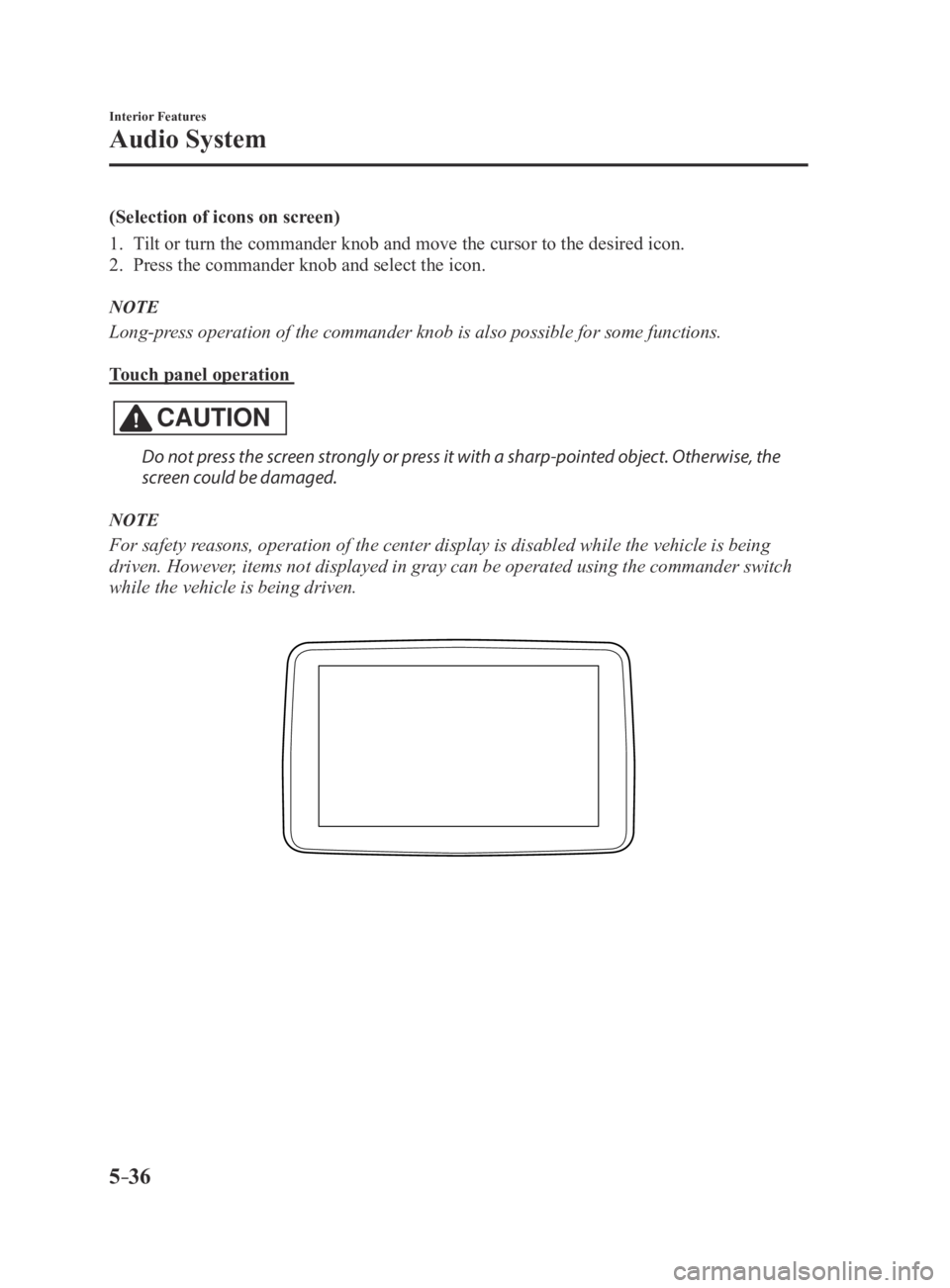
Touch panel operation
CAUTION
Do not press the screen strongly or press it with a sharp-pointed object. Otherwise, the
screen could be damaged.
NOTE
For safety reasons, operation of the center display is disabled while the vehicle is\
being
driven. However, items not displayed in gray can be operated using the commander switch\
while the vehicle is being driven.
MX-5_8EU4-EA-15D_Edition3.indb 362015/10/21 16:54:03
Page 237 of 526
5–37
Interior Features
Audio System
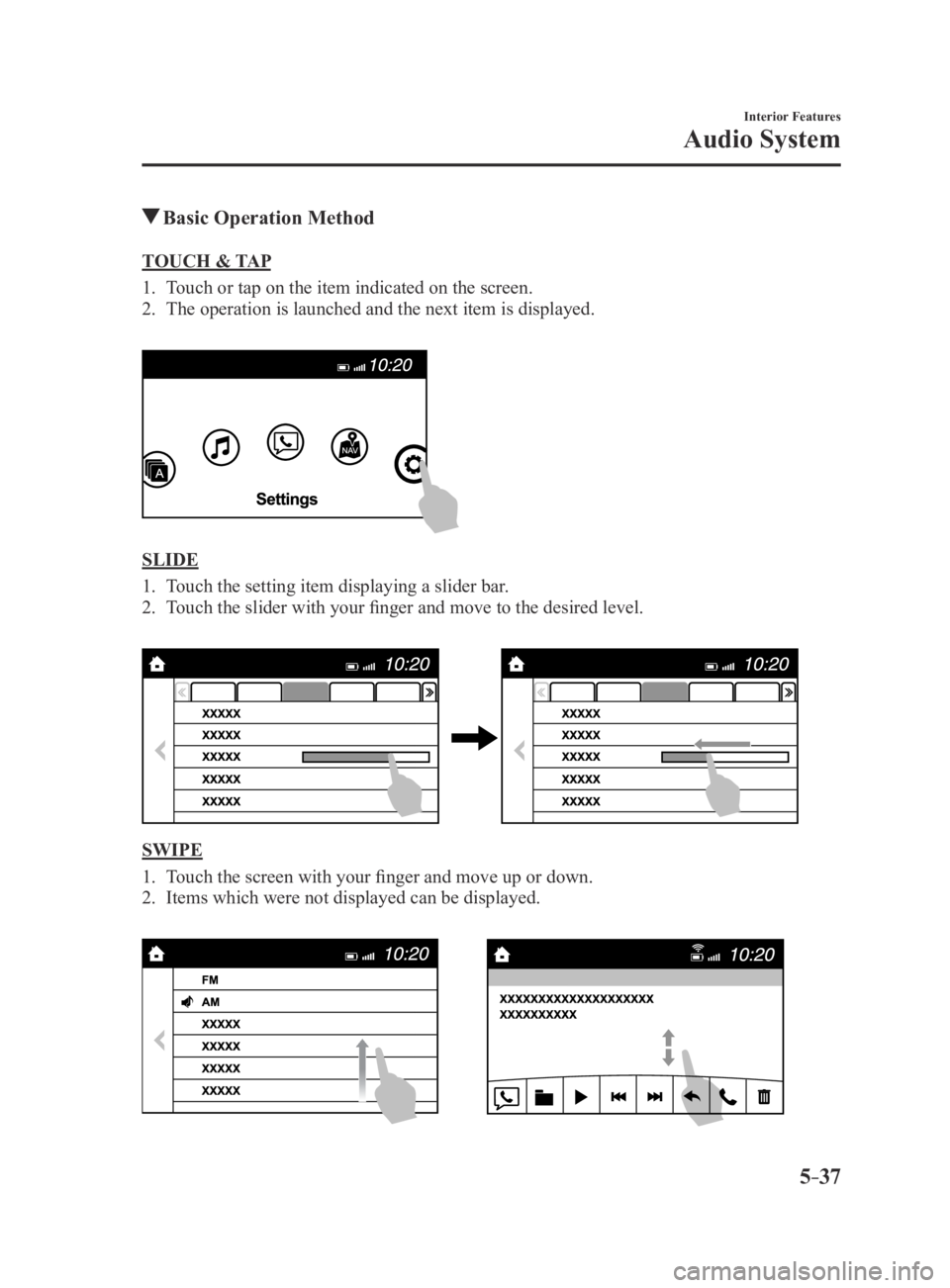
Basic Operation Method
TOUCH & TAP
1. Touch or tap on the item indicated on the screen.
2. The operation is launched and the next item is displayed.
SLIDE
1. Touch the setting item displaying a slider bar.
2. Touch the slider with your finger and move to the desired level.
SWIPE
1. Touch the screen with your finger and move up or down.
2. Items which were not displayed can be displayed.
MX-5_8EU4-EA-15D_Edition3.indb 372015/10/21 16:54:04
Page 238 of 526

5–38
Interior Features
Audio System
Return to previous screen
1. Touch the .
Displaying the home screen
1. Touch the .
Home screen
IconFunction
ApplicationsInformation such as average fuel economy, maintenance, and warnings can be verified.
Depending on the grade and specification, the screen display may differ.
EntertainmentOperates audio such as the radio and CDs. The audio source most recently used is
displayed. An audio source which cannot be used at that time is skipped and the pre\
vious
audio source is displayed.
To change the audio source, select the
icon displayed at the bottom of the screen.
CommunicationBluetooth® related functions are available.
NavigationNavigation screen is displayed (vehicles with navigation system).
If the SD card for the navigation system is not inserted, the compass in\
dicating the direction
in which the vehicle is moving is displayed.
The compass may not indicate the correct bearing when the vehicle is sto\
pped or traveling
at a slow speed.
SettingsOverall setting menu (Such as display, sound, Bluetooth® and Language).
Depending on the grade and specification, the screen display may differ.
MX-5_8EU4-EA-15D_Edition3.indb 382015/10/21 16:54:05
Page 240 of 526

5–40
Interior Features
Audio System
Volume/Display/Sound Controls
Volume dial
Commander switchA udio control switch
Volume switch
Volume adjustment
Turn the commander switch volume dial.
The volume switch on the steering switch
can also be pressed.
Display setting
Select the
icon on the home screen to
display the Settings screen.
Select the
tab to select the item you
would like to change.
Display OFF/Clock
The center display can be turned off.
Select
to turn the display off.
When is
selected the center display turns off and
the clock is displayed.
The center display can be turned back on
as follows:
Touch the center display. Operate the commander switch.
Daytime/nighttime (System) screen
setting
The daytime or nighttime screen can be
selected.
: Switches screen automatically
according to headlight illumination
condition*1
: Daytime screen setting
: Nighttime screen setting
*1 The display is constantly on daytime
screen when the illumination dimmer is
cancelled.
Brightness adjustment
Adjust the center display brightness using
the slider.
Contrast adjustment
Adjust the center display contrast using
the slider.
Display setting reset
All of the screen setting values can be
reset to their initial settings.
1. Select .
2. Select .
MX-5_8EU4-EA-15D_Edition3.indb 402015/10/21 16:54:07