display MAZDA MX5 MIATA 2016 Repair Manual
[x] Cancel search | Manufacturer: MAZDA, Model Year: 2016, Model line: MX5 MIATA, Model: MAZDA MX5 MIATA 2016Pages: 526, PDF Size: 10.44 MB
Page 269 of 526
5–69
Interior Features
Audio System
NOTE
To move to the desired location on the track, move the slider indicating the playback time. The appearance of the repeat and shuffle icons changes depending on the type of
operation in which the function is used.
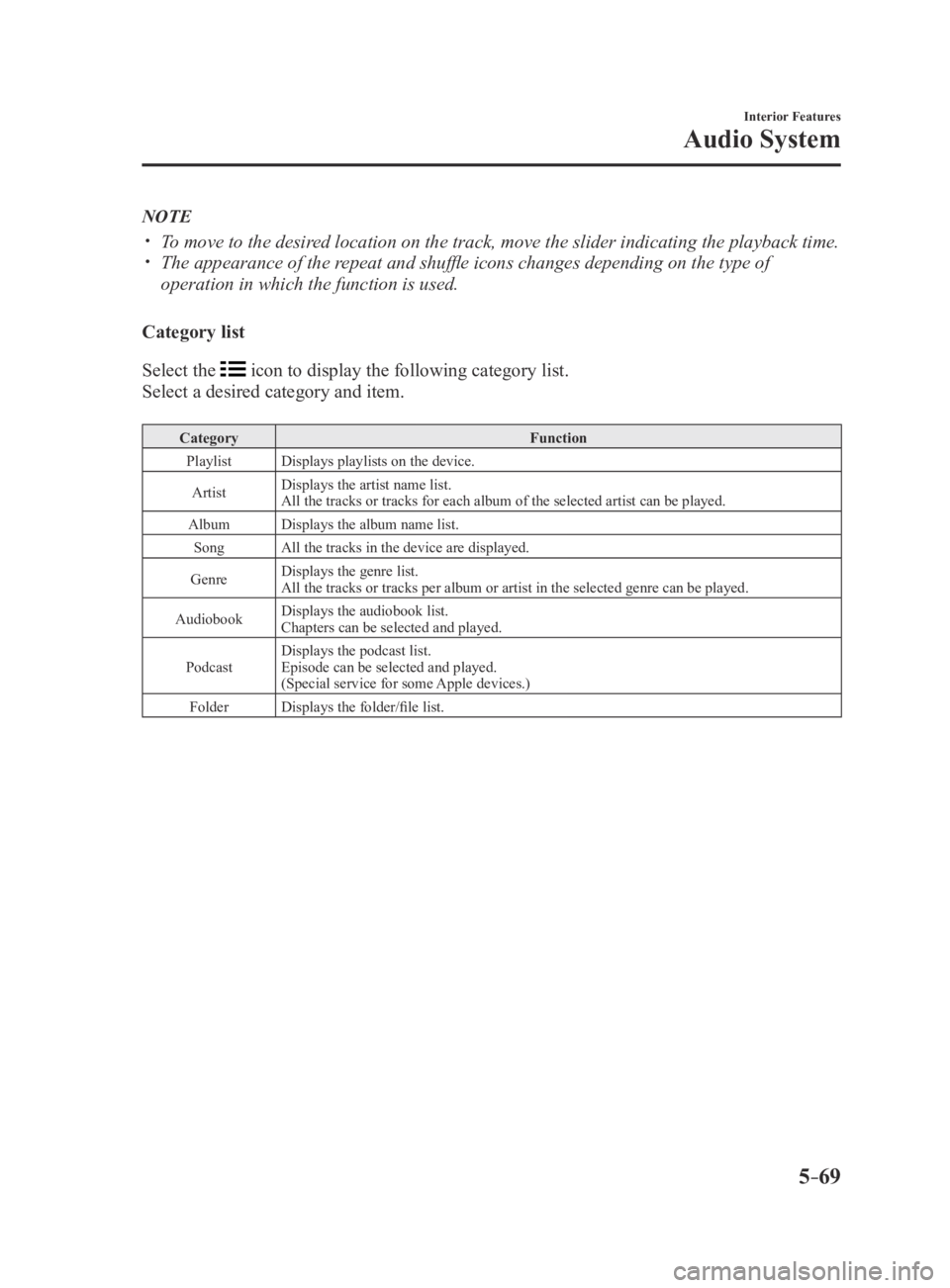
Category list
Select the
icon to display the following category list.
Select a desired category and item.
Category Function
Playlist Displays playlists on the device.
Artist Displays the artist name list.
All the tracks or tracks for each album of the selected artist can be pl\
ayed.
Album Displays the album name list.
Song All the tracks in the device are displayed.
Genre Displays the genre list.
All the tracks or tracks per album or artist in the selected genre can b\
e played.
Audiobook Displays the audiobook list.
Chapters can be selected and played.
Podcast Displays the podcast list.
Episode can be selected and played.
(Special service for some Apple devices.)
Folder Displays the folder/file list.
MX-5_8EU4-EA-15D_Edition3.indb 692015/10/21 16:54:24
Page 270 of 526
5–70
Interior Features
Audio System
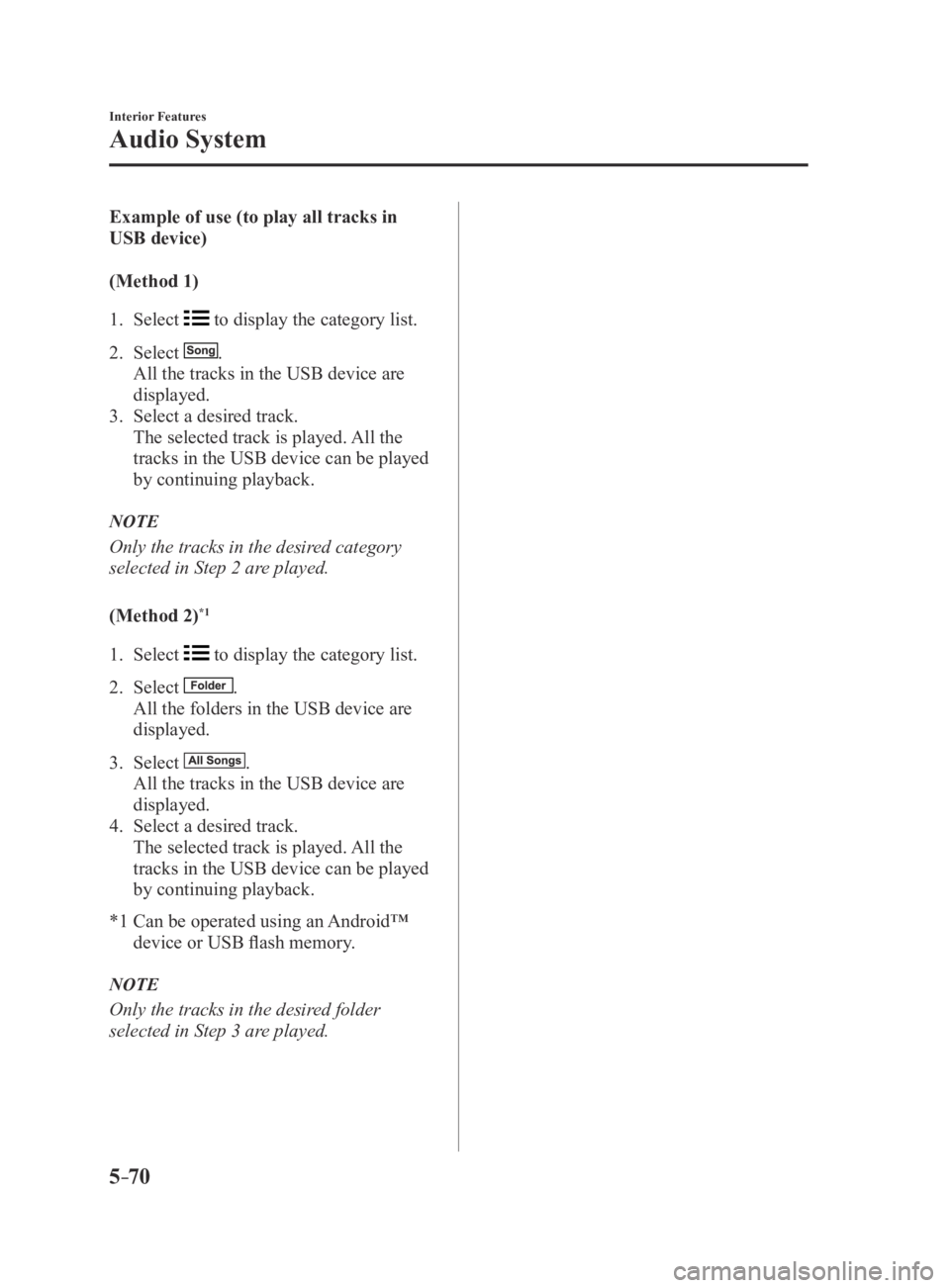
Example of use (to play all tracks in
USB device)
(Method 1)
1. Select to display the category list.
2. Select .
All the tracks in the USB device are
displayed.
3. Select a desired track.
The selected track is played. All the
tracks in the USB device can be played
by continuing playback.
NOTE
Only the tracks in the desired category
selected in Step 2 are played.
(Method 2)
*1
1. Select to display the category list.
2. Select .
All the folders in the USB device are
displayed.
3. Select .
All the tracks in the USB device are
displayed.
4. Select a desired track.
The selected track is played. All the
tracks in the USB device can be played
by continuing playback.
*1 Can be operated using an Android™
device or USB flash memory.
NOTE
Only the tracks in the desired folder
selected in Step 3 are played.
MX-5_8EU4-EA-15D_Edition3.indb 702015/10/21 16:54:25
Page 271 of 526
5–71
Interior Features
Audio System
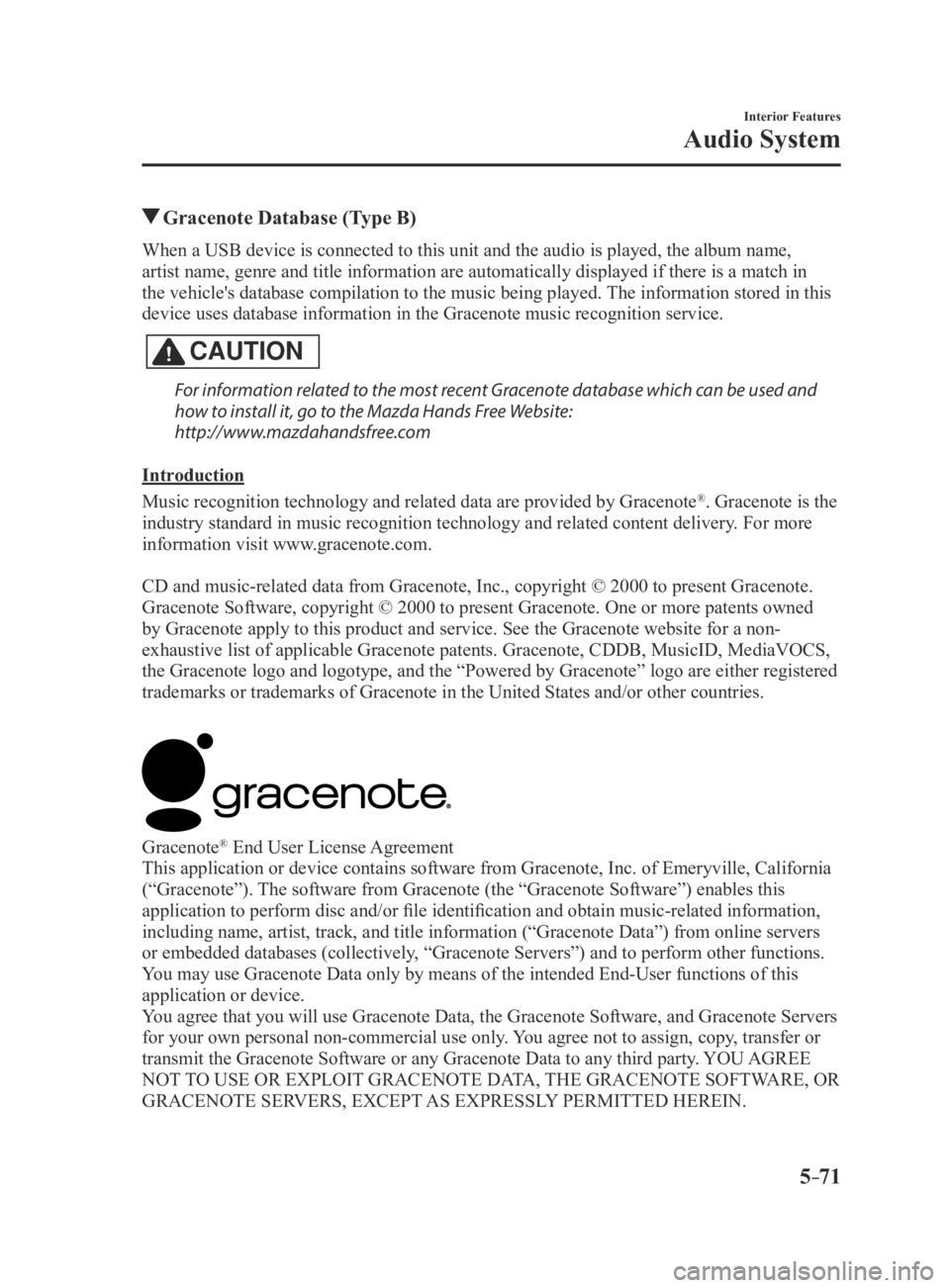
Gracenote Database (Type B)
When a USB device is connected to this unit and the audio is played, the album name,
artist name, genre and title information are automatically displayed if \
there is a match in
the vehicle's database compilation to the music being played. The information stored in this
device uses database information in the Gracenote music recognition service.
CAUTION
For information related to the most recent Gracenote database which can be used and
how to install it, go to the Mazda Hands Free Website:
http://www.mazdahandsfree.com
Introduction
Music recognition technology and related data are provided by Gracenote
®. Gracenote is the
industry standard in music recognition technology and related content de\
livery. For more
information visit www.gracenote.com.
CD and music-related data from Gracenote, Inc., copyright © 2000 to present Gracenote.
Gracenote Software, copyright © 2000 to present Gracenote. One or more patents owned
by Gracenote apply to this product and service. See the Gracenote website for a non-
exhaustive list of applicable Gracenote patents. Gracenote, CDDB, MusicID, MediaVOCS,
the Gracenote logo and logotype, and the “Powered by Gracenote” logo are either registered
trademarks or trademarks of Gracenote in the United States and/or other countries.
Gracenote® End User License Agreement
This application or device contains software from Gracenote, Inc. of Emeryville, California
(“Gracenote”). The software from Gracenote (the “Gracenote Software”) enables this
application to perform disc and/or file identification and obtain music-related information,
including name, artist, track, and title information (“Gracenote Data”) from online servers
or embedded databases (collectively, “Gracenote Servers”) and to perform other functions.
You may use Gracenote Data only by means of the intended End-User functions of this
application or device.
You agree that you will use Gracenote Data, the Gracenote Software, and Gracenote Servers
for your own personal non-commercial use only. You agree not to assign, copy, transfer or
transmit the Gracenote Software or any Gracenote Data to any third party. YOU AGREE
NOT TO USE OR EXPLOIT GRACENOTE DATA, THE GRACENOTE SOFTWARE, OR
GRACENOTE SERVERS, EXCEPT AS EXPRESSLY PERMITTED HEREIN.
MX-5_8EU4-EA-15D_Edition3.indb 712015/10/21 16:54:25
Page 273 of 526
5–73
Interior Features
Audio System
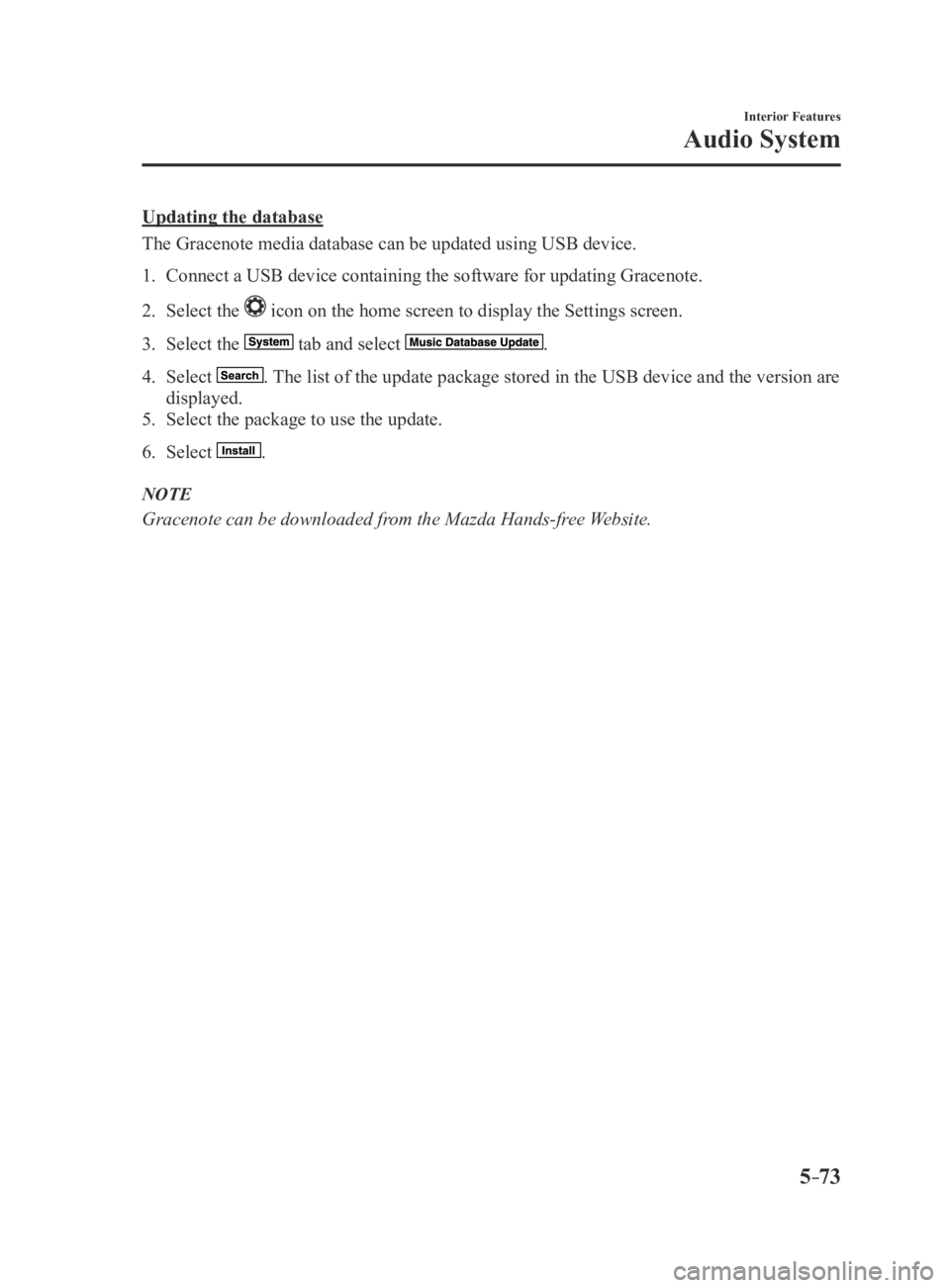
Updating the database
The Gracenote media database can be updated using USB device.
1. Connect a USB device containing the software for updating Gracenote.
2. Select the icon on the home screen to display the Settings screen.
3. Select the tab and select .
4. Select . The list of the update package stored in the USB device and the version are
displayed.
5. Select the package to use the update.
6. Select .
NOTE
Gracenote can be downloaded from the Mazda Hands-free Website.
MX-5_8EU4-EA-15D_Edition3.indb 732015/10/21 16:54:26
Page 274 of 526

5–74
Interior Features
Bluetooth®
*Some models.
Bluetooth®*
Bluetooth® Hands-Free outline
When a Bluetooth
® device (mobile phone) is connected to the vehicle's Bluetooth® unit via
radio wave transmission, a call can be made or received by pressing the \
talk button, pick-
up button, or hang-up button on the audio remote control switch, or by o\
perating the center
display. For example, even if a device (mobile phone) is in your coat pocket,\
a call can be
made without taking the device (mobile phone) out and operating it dir\
ectly.
Bluetooth
® audio outline
When a portable audio unit equipped with the Bluetooth
® communication function is paired
to the vehicle, you can listen to music stored on the paired portable au\
dio device from the
vehicle's speakers. It is not necessary to connect the portable audio de\
vice to the vehicle's
external input terminal. After programming, operate the vehicle audio control panel to play/
stop the audio.
NOTE
For your safety, a device can be paired only when the vehicle is parked. If the vehicle
starts to move, the pairing procedure will end. Park the vehicle in a safe place before
pairing.
The communication range of a Bluetooth® equipped device is about 10 meters (32 ft) or
less.
Basic audio operation is available using voice commands even if Bluetoot\
h® is not
connected.
For safety reasons, operation of the center display is disabled while the vehicle is\
being
driven. However, items not displayed in gray can be operated using the commander
switch while the vehicle is being driven.
MX-5_8EU4-EA-15D_Edition3.indb 742015/10/21 16:54:26
Page 276 of 526

The microphone is used for speaking voice commands or when making a Hand\
s-free call.
Talk button, Pick-Up button and Hang-Up button (hand")
5–76
Interior Features
Bluetooth®
Microphone (hands-free)
The microphone is used for speaking voice commands or when making a Hand\
s-free call.
Talk button, Pick-Up button and Hang-Up button (hands-free)
The basic functions of Bluetooth
® Hands-Free can be used for such things as making calls or
hanging up using the talk, pick-up and hang-up buttons on the steering w\
heel.
Commander switch (Type B)
The commander switch is used for volume adjustment and display operation\
. Tilt or turn the
commander knob to move the cursor. Press the commander knob to select the icon.
Volume adjustment
The power/volume dial of the audio unit
*1 or the volume dial of the commander switch*2
is used to adjust the volume. Turn the dial to the right to increase volume, to the left to
decrease it.
The volume can also be adjusted using the volume button on the steering \
wheel.
*1 Type A
*2 Type B
NOTE
If the volume is lower compared to other audio modes, increase the volume from the device
side.
(Type B)
Conversation volume and the volume of the voice guidance and ringtone ca\
n each be set in
advance.
1. Select the icon on the home screen to display the Communication screen.
2. Select .
3. Adjust the and the using the slider.
MX-5_8EU4-EA-15D_Edition3.indb 762015/10/21 16:54:28
Page 278 of 526

5–78
Interior Features
Bluetooth®
9. Using the device, perform a search
for the Bluetooth® device (Peripheral
device).
NOTE
For the operation of the device, refer to its
instruction manual.
10. Select “Mazda” from the device list
searched by the device.
11. Input the 4-digit pairing code to the
device.
12. Prompt: “Please say the name of the
device after the beep.”
13. Say: [Beep] “XXXX - - -” (Say a
“device tag”, an arbitrary name for the
device.) Example: “Stan's device.”
NOTE
Say a paired “device tag” within 10
seconds.
If more than two devices are to be paired,
they cannot be paired with the same or
similar “device tag”.
14. Prompt: “XXXXXX - - - (Ex. “Stan's
device”) (Device tag). Is this correct?”
15. Say: [Beep] “Yes”
16. Prompt: “Pairing complete”
After a device is registered, the system
automatically identifies the device. By
activating Bluetooth
® Hands-Free again,
or by activating Bluetooth® Hands-Free
first after switching the ignition from
OFF to ACC, the system reads out a voice
guidance, “XXXXXX - - - (Ex. “Stan's
device”) (Device tag) is connected”.
NOTE
When the pairing is completed, the
symbol is displayed. Some Bluetooth® audio devices need a
certain amount of time before the
symbol is displayed. Device registration can also be done by
operating the audio unit. Depending on the device, the
registration status may be lost after a
certain period of time. If this occurs,
repeat the entire process from Step 1.
Registered device read-out
Bluetooth
® Hands-Free can read-out the
devices registered to its system.
NOTE
Do this function only when parked. It is
too distracting to attempt while driving
and you may make too many errors to be
effective.
1. Press the pick-up button or talk button
with a short press.
2. Say: [Beep] “Setup”
3. Prompt: “Select one of the following:
Pairing options, confirmation prompts,
language, passcode, select phone or
select music player.”
4. Say: [Beep] “Pairing options”
5. Prompt: “Select one of the following:
Pair, Edit, Delete, List, or Set Pairing
Code”
6. Say: [Beep] “List”
MX-5_8EU4-EA-15D_Edition3.indb 782015/10/21 16:54:28
Page 280 of 526
![MAZDA MX5 MIATA 2016 Repair Manual 5–80
Interior Features
Bluetooth®
8. Say: [Beep] “Yes” or “No”
9. If “Yes”, go to Step 10. If “No”, the
procedure returns to Step 5.
10. Prompt: “XXXXX... (Ex. Device B)
selecte](/img/28/59018/w960_59018-279.png "MAZDA MX5 MIATA 2016 Repair Manual 5–80
Interior Features
Bluetooth®
8. Say: [Beep] “Yes” or “No”
9. If “Yes”, go to Step 10. If “No”, the
procedure returns to Step 5.
10. Prompt: “XXXXX... (Ex. Device B)
selecte")
5–80
Interior Features
Bluetooth®
8. Say: [Beep] “Yes” or “No”
9. If “Yes”, go to Step 10. If “No”, the
procedure returns to Step 5.
10. Prompt: “XXXXX... (Ex. Device B)
selected.”
NOTE
When the selected device connection is
completed, the or symbol is
displayed. Some Bluetooth® audio devices need a
certain amount of time before the
or
symbol is displayed. Device (Music player) selection can
also be done by operating the panel
button.
Deleting a device
Registered devices (Mobile phone) can be
deleted individually or collectively.
NOTE
Do this function only when parked. It is
too distracting to attempt while driving
and you may make too many errors to be
effective.
1. Press the pick-up button or talk button
with a short press.
2. Say: [Beep] “Setup”
3. Prompt: “Select one of the following:
Pairing options, confirmation prompts,
language, passcode, select phone or
select music player.”
4. Say: [Beep] “Pairing options”
5. Prompt: “Select one of the following:
Pair, Edit, Delete, List, or Set Pairing
Code.”
NOTE
A registered device (Mobile phone) can be
deleted using the registration list.
6. Say: [Beep] “Delete”
7. Prompt: “Please say the name of
the device you would like to delete.
Available devices are XXXXX... (Ex.
device A), XXXXX... (Ex. device
B), XXXXX... (Ex. device C), or all.
Which device please?”
8. Say: [Beep] “X” (Say the number of
the device to be deleted.)
NOTE
Say “All” to delete all devices (Mobile
phone).
9. Prompt: “Deleting XXXXX... (Ex.
device B...) (Registered device tag). Is
this correct?”
10. Say: [Beep] “Yes”
11. Prompt: “Deleted”
Registered device editing
1. Press the pick-up button or talk button
with a short press.
2. Say: [Beep] “Setup”
3. Prompt: “Select one of the following:
Pairing options, confirmation prompts,
language, passcode, select phone or
select music player.”
4. Say: [Beep] “Pairing options”
5. Prompt: “Select one of the following:
Pair, Edit, Delete, List, or Set Pairing
Code.”
6. Say: [Beep] “Edit”
7. Prompt: “Please say the name of the
device you would like to edit. Available
devices are XXXXX... (Ex. device A),
XXXXX... (Ex. device B), XXXXX...
(Ex. device C). Which device please?”
8. Say: [Beep] “X” (Say the number of
the device to be edited.)
9. Prompt: “New name please?”
10. Say: [Beep] “XXXXX... (Ex. Device
C)” (Speak a “device tag” an arbitrary
name for the device.)
11. Prompt: “XXXXX... (Ex. device C)
(Device tag), is this correct?”
MX-5_8EU4-EA-15D_Edition3.indb 802015/10/21 16:54:29
Page 281 of 526
![MAZDA MX5 MIATA 2016 Repair Manual 5–81
Interior Features
Bluetooth®
12. Say: [Beep] “Yes”
13. Prompt: “New name saved.”
Bluetooth
® Audio Preparation
Bluetooth
® audio device set-up
Bluetooth
® audio pairing, changes,](/img/28/59018/w960_59018-280.png "MAZDA MX5 MIATA 2016 Repair Manual 5–81
Interior Features
Bluetooth®
12. Say: [Beep] “Yes”
13. Prompt: “New name saved.”
Bluetooth
® Audio Preparation
Bluetooth
® audio device set-up
Bluetooth
® audio pairing, changes,")
5–81
Interior Features
Bluetooth®
12. Say: [Beep] “Yes”
13. Prompt: “New name saved.”
Bluetooth
® Audio Preparation
Bluetooth
® audio device set-up
Bluetooth
® audio pairing, changes,
deletions, and display of paired device
information can be performed.
1. The mode changes as follows each time
the menu button () is pressed.
Select “BT SETUP”.
*
*
* Depending on the mode selected, the
indication changes.
2. Turn the audio control dial and select a
desired mode.
Display Mode Function
PAIR
DEVICE Pairing mode Bluetooth® audio
device pairing
LINK
CHANGE Link change
mode Changing link to
Bluetooth
® audio
device
PAIR
DELETE Pairing
deletion
mode Deleting link to
Bluetooth
® audio
device
DEVICE
INFO Device
information
display mode Displaying vehicle's
Bluetooth
® unit
information
3. Press the audio control dial to
determine the mode.
MX-5_8EU4-EA-15D_Edition3.indb 812015/10/21 16:54:29
Page 282 of 526

5–82
Interior Features
Bluetooth®
Bluetooth® audio device pairing
Any Bluetooth
® audio device must be
paired to the vehicle's Bluetooth® unit
before it can be listened to over the
vehicle's speakers.
A maximum of seven devices including
Bluetooth
® audio devices and hands-
free mobile phones can be paired to one
vehicle.
NOTE
If a Bluetooth® device has already been
paired to the vehicle as a hands-free
mobile phone, it does not need to be
paired again when using the device as
a Bluetooth
® audio device. Conversely,
it does not need to be paired again as
a hands-free mobile phone if it has
already been paired as a Bluetooth
®
audio device.
Device registration can also be done
using voice recognition.
Concerning the operation of a Bluetooth
®
audio device itself, refer to its instruction
manual.
Some Bluetooth
® audio devices have PIN
codes (four digits). Refer to the audio
device's instruction manual because the
pairing procedure differs depending on
whether it has a PIN code or not.
Pairing a Bluetooth
® audio device which
has a four-digit PIN code
1. Using the audio control dial, select
the pairing mode “PAIR DEVICE”
in the “BT SETUP” mode. (Refer to
“Bluetooth
® audio device set-up” for
details.)
2. Press the audio control dial to
determine the mode. After “ENTER
PIN” is displayed on the audio display
for three seconds, “PIN 0000” is
displayed and the PIN code can be
input.
3. Input the PIN code of your Bluetooth®
audio device by pressing channel preset
buttons 1 to 4 while “PIN 0000” is
displayed.
Press channel preset button 1 to input
the first digit, 2 for the second, 3 for the
third, and 4 for the forth. For example,
if the PIN code were “4213” press
channel preset button 1 four times (1,
2, 3, 4), button 2 twice (1, 2), button
3 once (1), and button 4 three times
(1, 2, 3). If the “PIN 0000” display
disappears before finishing the PIN
code input, repeat the procedure from
Step 1.
NOTE
Some devices accept only a particular
pairing code (Usually, “0000” or
“1234”).
If pairing cannot be completed, refer to the
owner's manual of your mobile device, and
try those numbers if necessary.
4. Press the audio control dial while
the input PIN code is displayed.
“PAIRING” flashes on the audio
display.
5. Operate the Bluetooth® audio device
and set it to the pairing mode while
“PAIRING” is flashing.
6. When the pairing is completed, and
“PAIR SUCCESS” are displayed after
about 10-30 seconds, after which
“PAIR SUCCESS” continues to be
displayed for three seconds, and then
the unit returns to the normal display.
MX-5_8EU4-EA-15D_Edition3.indb 822015/10/21 16:54:30